Introduction To
Augmented Reality
Prepared by: Vibhu Thakur
Submitted to: Mr. Shashi
Bhushan
Roll no :1509013075
Topics to discuss:
• Augmented Reality
• Augmented Reality System
• How it Works
• Display techniques
• AR vs VR
• Technology
• Applications & Examples
What is Augmented
Reality?
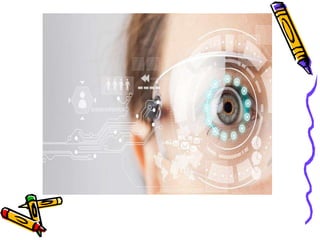
• A combination of a real scene viewed
by a user and a virtual scene
generated by a computer that
augments the scene with additional
information.
History:
• The first AR technology was
developed in 1968 at Harvard when
computer scientist Ivan Sutherland
(named the “father of computer
graphics”) created an AR head-
mounted display system.
What is the Goal of AR?
• To enhance a person’s performance
and perception of the world.
• But, what is the ultimate goal???
The Ultimate Goal of AR:
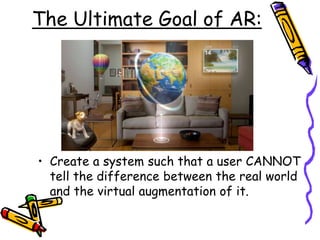
• Create a system such that a user CANNOT
tell the difference between the real world
and the virtual augmentation of it.
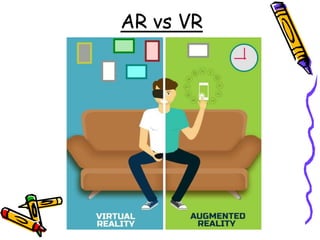
Augmented Reality vs.
Virtual Reality
• System augments the
real world scene.
• User maintains a sense
of presence in real
world.
• Needs a mechanism to
combine virtual and
real worlds.
•Totally immersive
environment.
•Visual senses are
under control of
system.
•Hard to make VR
world interesting.
AR vs VR
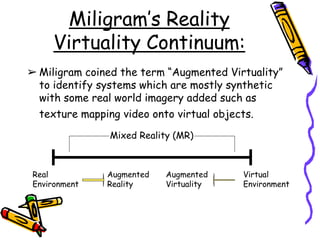
Miligram’s Reality
Virtuality Continuum:
➢ Miligram coined the term “Augmented Virtuality”
to identify systems which are mostly synthetic
with some real world imagery added such as
texture mapping video onto virtual objects.
Mixed Reality (MR)
Real
Environment
Augmented
Reality
Augmented
Virtuality
Virtual
Environment
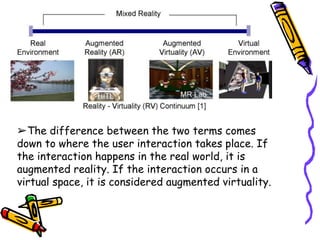
➢The difference between the two terms comes
down to where the user interaction takes place. If
the interaction happens in the real world, it is
augmented reality. If the interaction occurs in a
virtual space, it is considered augmented virtuality.
This is how AR works:
• Pick A Real World Scene.
• Add your Virtual Objects in it.
• Delete Real World Objects.
• Not Virtual Reality since Environment is ‘REAL’.
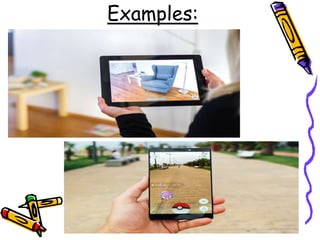
Examples:
DISPLAY:
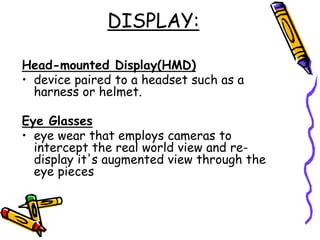
Head-mounted Display(HMD)
• device paired to a headset such as a
harness or helmet.
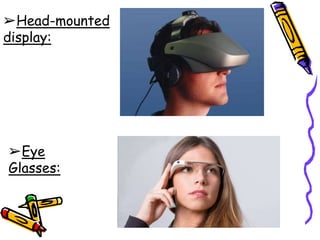
Eye Glasses
• eye wear that employs cameras to
intercept the real world view and re-
display it's augmented view through the
eye pieces
➢Head-mounted
display:
➢Eye
Glasses:
DISPLAY:
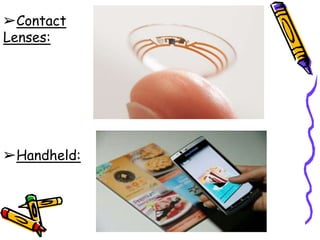
Contact Lenses
• Contain the elements for display
embedded into the lens including
integrated circuitry, LEDs and an antenna
for wireless communication.
Handheld
• a small display that fits in a user's hand.
• Portable.
➢Contact
Lenses:
➢Handheld:
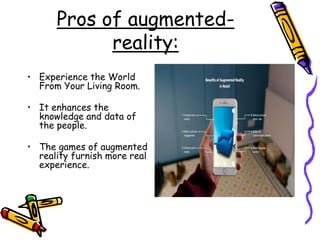
Pros of augmented-
reality:
• Experience the World
From Your Living Room.
• It enhances the
knowledge and data of
the people.
• The games of augmented
reality furnish more real
experience.
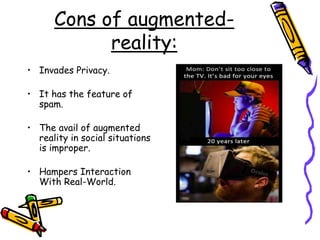
Cons of augmented-
reality:
• Invades Privacy.
• It has the feature of
spam.
• The avail of augmented
reality in social situations
is improper.
• Hampers Interaction
With Real-World.
Applications:
• Medical
• Entertainment
• Military Training
• Engineering Design
• Robotics and Telerobotics
• Manufacturing, Maintenance, and Repair
• Consumer Design
• Hazard Detection
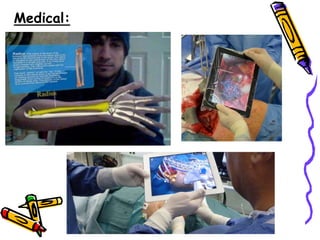
Medical:
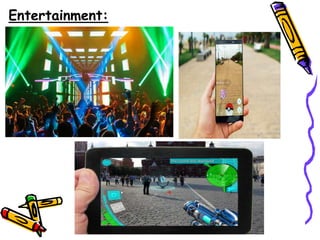
Entertainment:
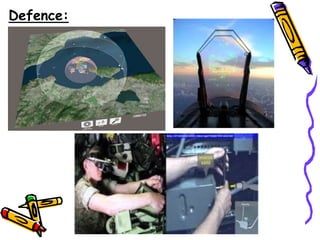
Defence:
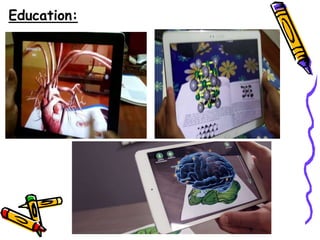
Education:
Thanks

Introduction to augmented reality

  • 1.
    Introduction To Augmented Reality Preparedby: Vibhu Thakur Submitted to: Mr. Shashi Bhushan Roll no :1509013075
  • 2.
    Topics to discuss: •Augmented Reality • Augmented Reality System • How it Works • Display techniques • AR vs VR • Technology • Applications & Examples
  • 3.
    What is Augmented Reality? •A combination of a real scene viewed by a user and a virtual scene generated by a computer that augments the scene with additional information.
  • 5.
    History: • The firstAR technology was developed in 1968 at Harvard when computer scientist Ivan Sutherland (named the “father of computer graphics”) created an AR head- mounted display system.
  • 6.
    What is theGoal of AR? • To enhance a person’s performance and perception of the world. • But, what is the ultimate goal???
  • 7.
    The Ultimate Goalof AR: • Create a system such that a user CANNOT tell the difference between the real world and the virtual augmentation of it.
  • 8.
    Augmented Reality vs. VirtualReality • System augments the real world scene. • User maintains a sense of presence in real world. • Needs a mechanism to combine virtual and real worlds. •Totally immersive environment. •Visual senses are under control of system. •Hard to make VR world interesting.
  • 9.
  • 10.
    Miligram’s Reality Virtuality Continuum: ➢Miligram coined the term “Augmented Virtuality” to identify systems which are mostly synthetic with some real world imagery added such as texture mapping video onto virtual objects. Mixed Reality (MR) Real Environment Augmented Reality Augmented Virtuality Virtual Environment
  • 11.
    ➢The difference betweenthe two terms comes down to where the user interaction takes place. If the interaction happens in the real world, it is augmented reality. If the interaction occurs in a virtual space, it is considered augmented virtuality.
  • 12.
    This is howAR works: • Pick A Real World Scene. • Add your Virtual Objects in it. • Delete Real World Objects. • Not Virtual Reality since Environment is ‘REAL’.
  • 13.
  • 14.
    DISPLAY: Head-mounted Display(HMD) • devicepaired to a headset such as a harness or helmet. Eye Glasses • eye wear that employs cameras to intercept the real world view and re- display it's augmented view through the eye pieces
  • 15.
  • 16.
    DISPLAY: Contact Lenses • Containthe elements for display embedded into the lens including integrated circuitry, LEDs and an antenna for wireless communication. Handheld • a small display that fits in a user's hand. • Portable.
  • 17.
  • 18.
    Pros of augmented- reality: •Experience the World From Your Living Room. • It enhances the knowledge and data of the people. • The games of augmented reality furnish more real experience.
  • 19.
    Cons of augmented- reality: •Invades Privacy. • It has the feature of spam. • The avail of augmented reality in social situations is improper. • Hampers Interaction With Real-World.
  • 20.
    Applications: • Medical • Entertainment •Military Training • Engineering Design • Robotics and Telerobotics • Manufacturing, Maintenance, and Repair • Consumer Design • Hazard Detection
  • 21.
  • 22.
  • 23.
  • 24.
  • 25.