Maven 3.x
Krishantha Dinesh
@ 2013-Nov
* http://www.krishantha.com * https://www.youtube.com/krish * https://www.linkedin.com/in/krish-/
Objectives – Learn about
• Not to make expert of Maven in over night.. But make a engineers who can get the start of art technology
benefits
* http://www.krishantha.com * https://www.youtube.com/krish * https://www.linkedin.com/in/krish-/
Prerequisites
• Mobilephone.soundmode=soundmode.completesilent && soundmode.completesilent != soundmode.vibrate
* http://www.krishantha.com * https://www.youtube.com/krish * https://www.linkedin.com/in/krish-/
What's going to Discuss
• Introduction about Maven
• Main concepts of maven
• Conception over configuration
• Daily usage of Maven
• Integration with IDE eclipse
* http://www.krishantha.com * https://www.youtube.com/krish * https://www.linkedin.com/in/krish-/
What is Maven
• Simple surname for Maven is build tool
• Provide artifacts
• Resolve dependencies
• Maven has a capacity of project management
• Can be use for versioning
• Can produce the java docs
* http://www.krishantha.com * https://www.youtube.com/krish * https://www.linkedin.com/in/krish-/
Who is the parent or owner for Maven
• It free and open source
• Manage by apache software foundation
* http://www.krishantha.com * https://www.youtube.com/krish * https://www.linkedin.com/in/krish-/
Why we need maven
• Reputable build make easy
• Download dependency of dependency
• Can maintain with local repository. (download once use any time)
• Nice integration with IDE
* http://www.krishantha.com * https://www.youtube.com/krish * https://www.linkedin.com/in/krish-/
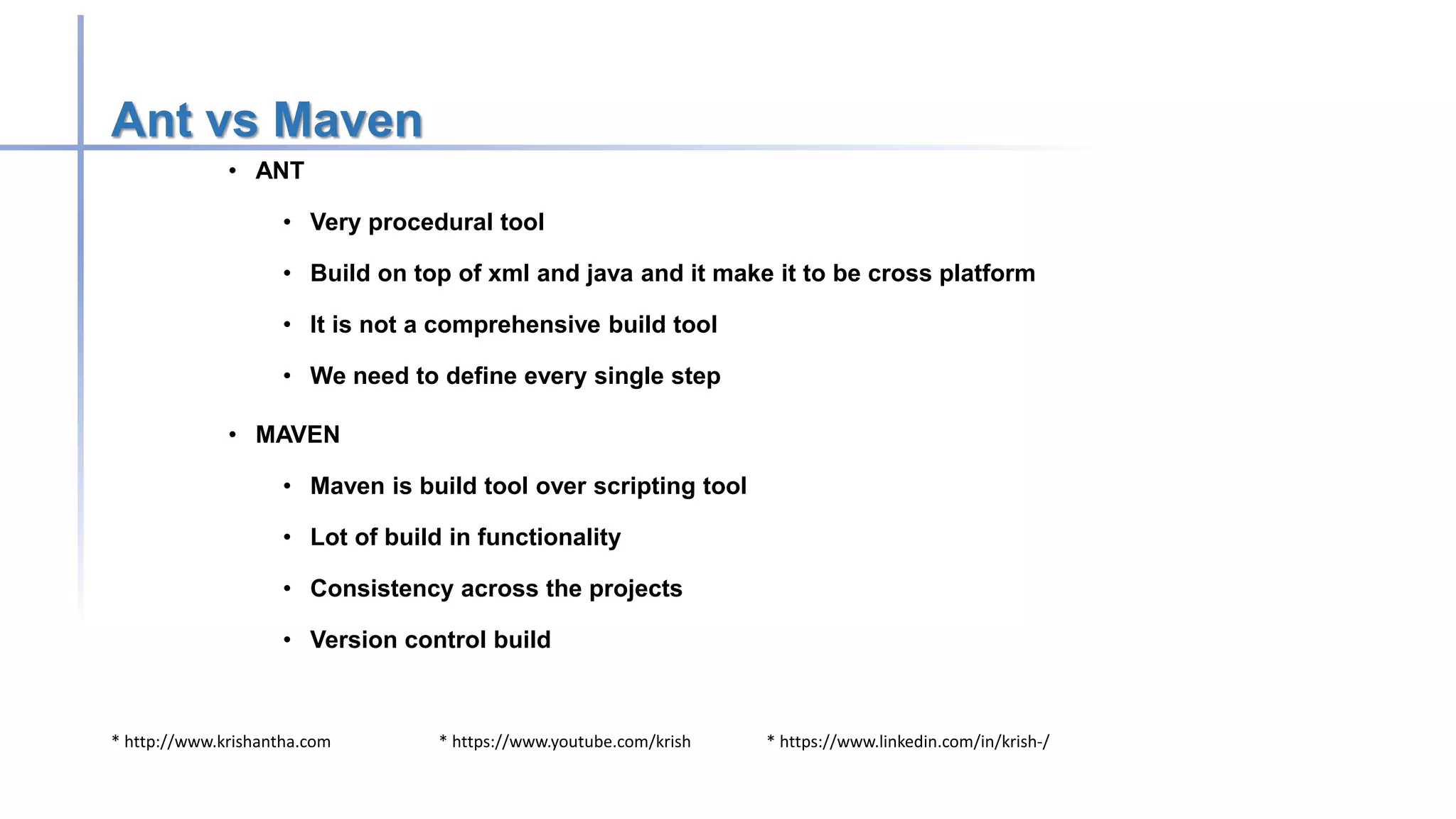
Ant vs Maven
• ANT
• Very procedural tool
• Build on top of xml and java and it make it to be cross platform
• It is not a comprehensive build tool
• We need to define every single step
• MAVEN
• Maven is build tool over scripting tool
• Lot of build in functionality
• Consistency across the projects
• Version control build
* http://www.krishantha.com * https://www.youtube.com/krish * https://www.linkedin.com/in/krish-/
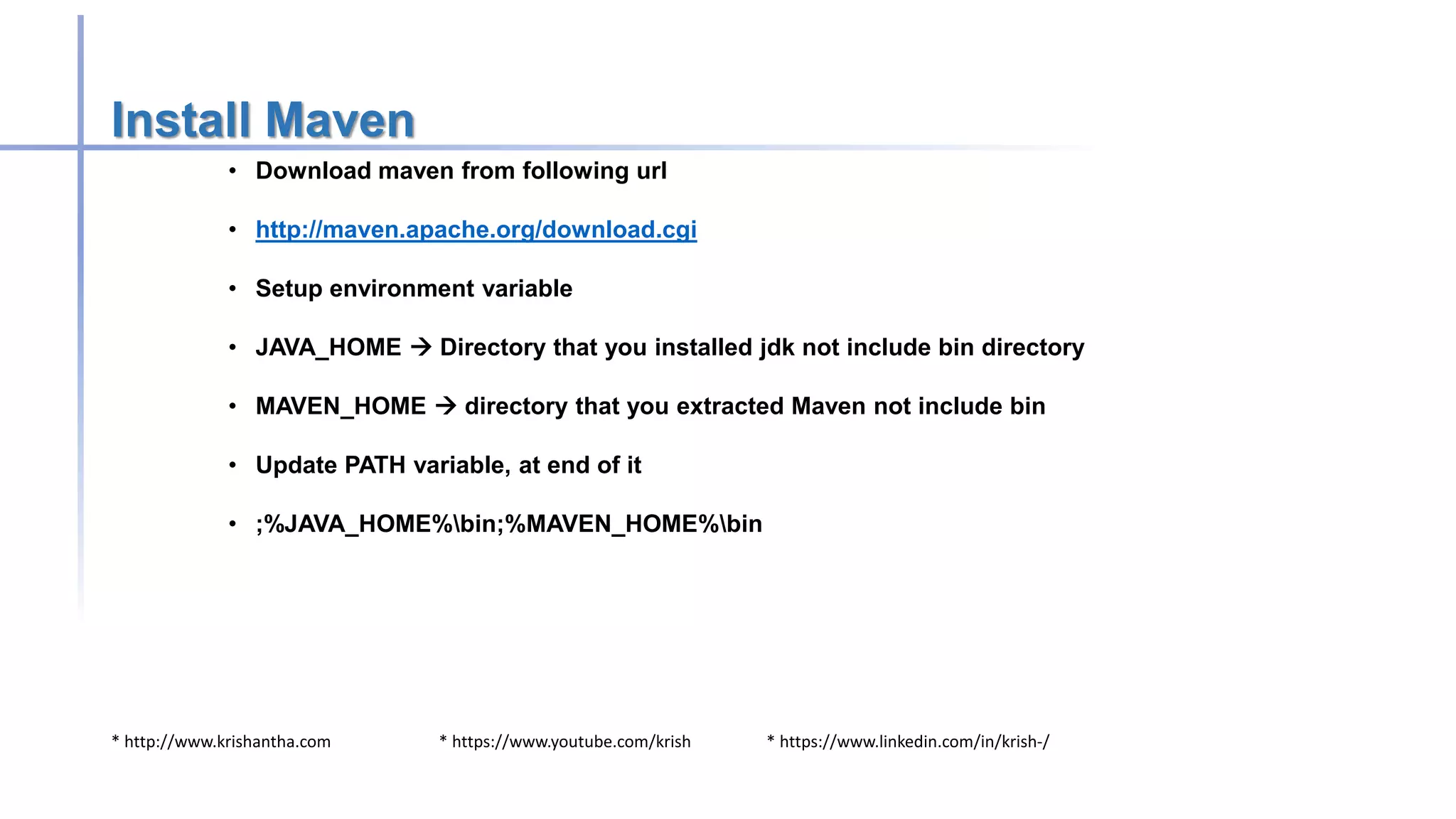
Install Maven
• Download maven from following url
• http://maven.apache.org/download.cgi
• Setup environment variable
• JAVA_HOME  Directory that you installed jdk not include bin directory
• MAVEN_HOME  directory that you extracted Maven not include bin
• Update PATH variable, at end of it
• ;%JAVA_HOME%bin;%MAVEN_HOME%bin
* http://www.krishantha.com * https://www.youtube.com/krish * https://www.linkedin.com/in/krish-/
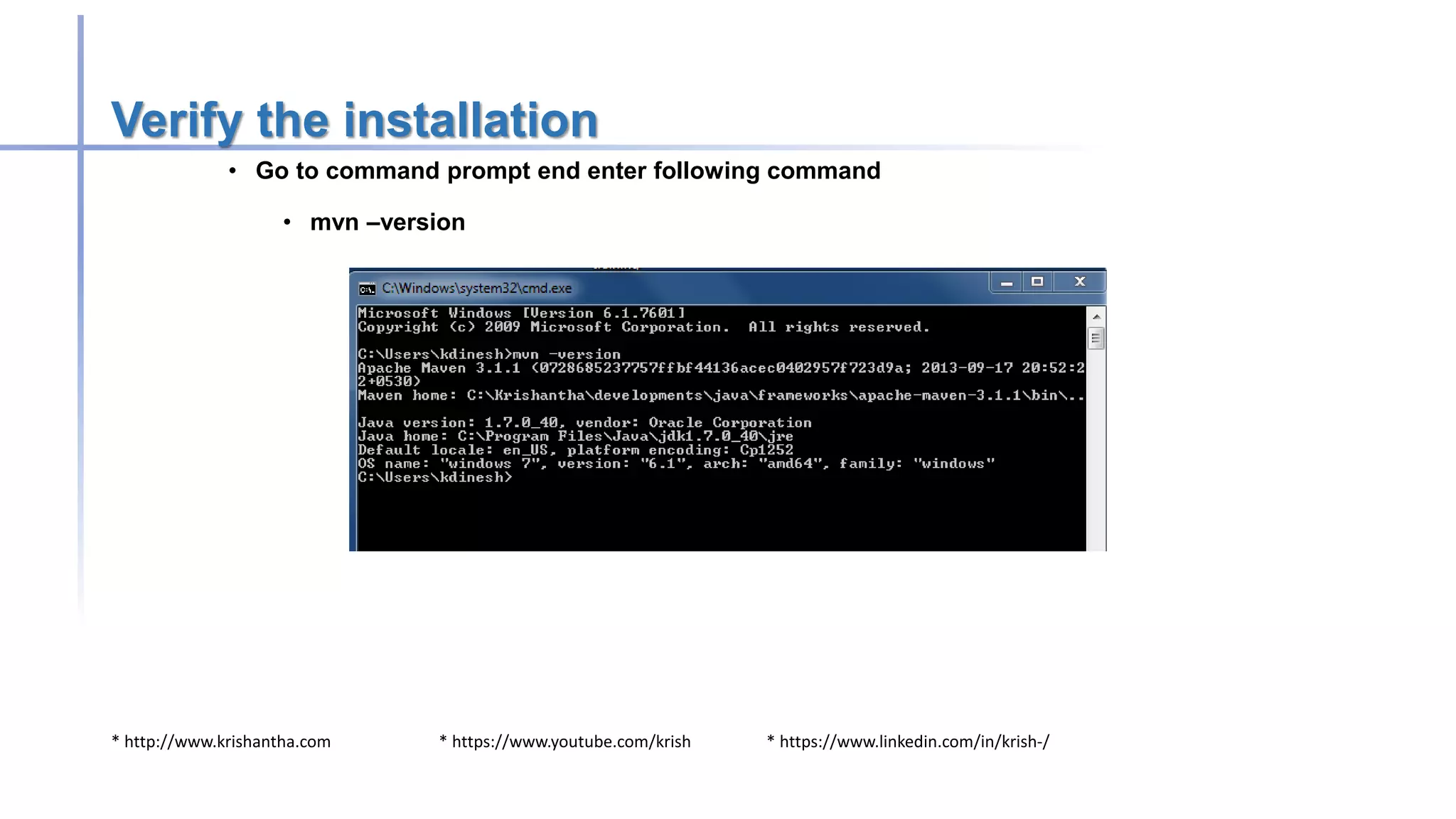
Verify the installation
• Go to command prompt end enter following command
• mvn –version
* http://www.krishantha.com * https://www.youtube.com/krish * https://www.linkedin.com/in/krish-/
Lets create a project to demonstrate maven
• Open spring STS or eclipse
• Create new project [File New  Project
• Create new files pom.xml in side project directory [Project Object Model]
• Create directory structure as srcmainjava (this is required by maven – convention
over configuration)
• Add following for pom.xml file
* http://www.krishantha.com * https://www.youtube.com/krish * https://www.linkedin.com/in/krish-/
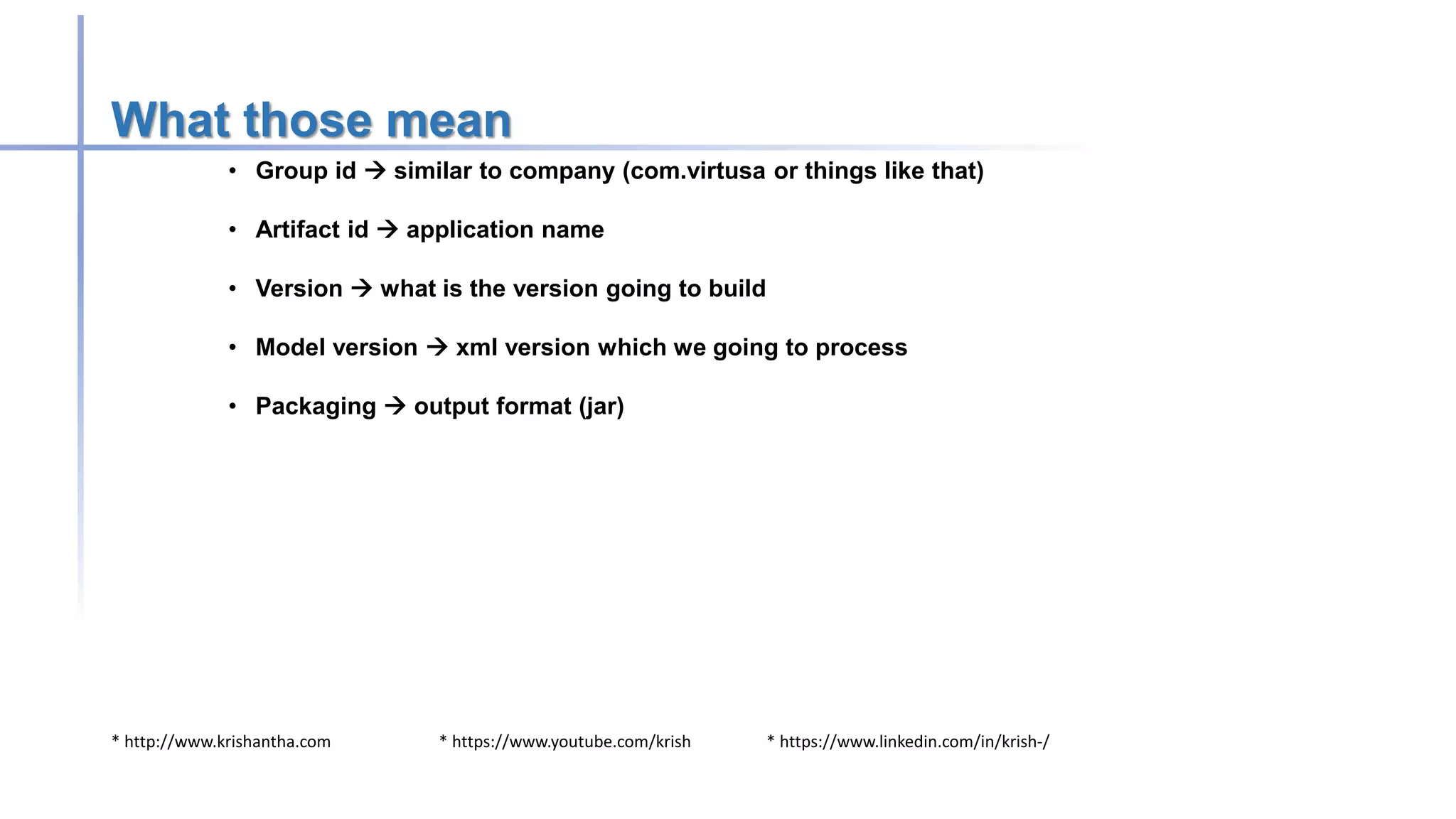
What those mean
• Group id  similar to company (com.virtusa or things like that)
• Artifact id  application name
• Version  what is the version going to build
• Model version  xml version which we going to process
• Packaging  output format (jar)
* http://www.krishantha.com * https://www.youtube.com/krish * https://www.linkedin.com/in/krish-/
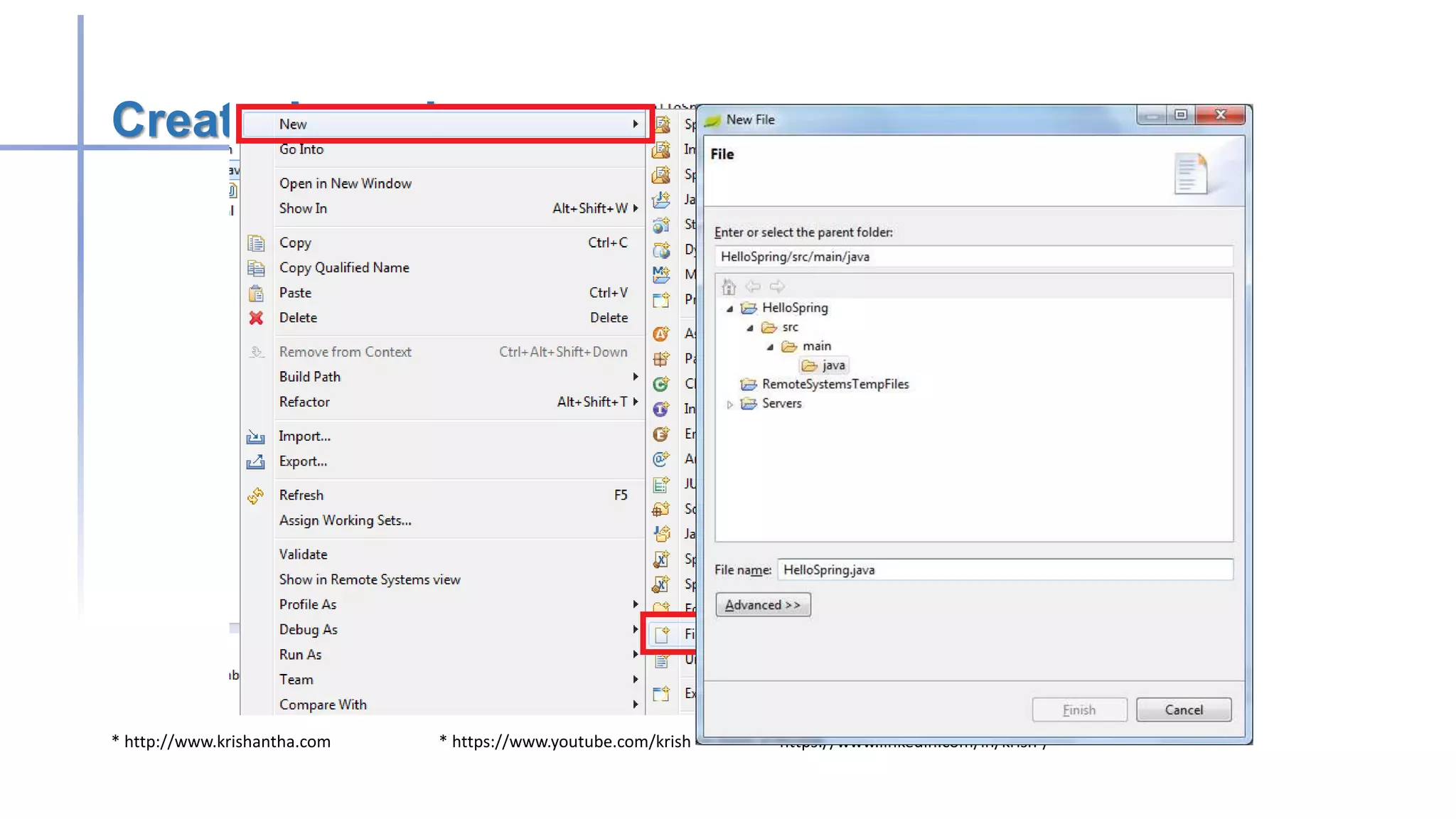
Create Java class
* http://www.krishantha.com * https://www.youtube.com/krish * https://www.linkedin.com/in/krish-/
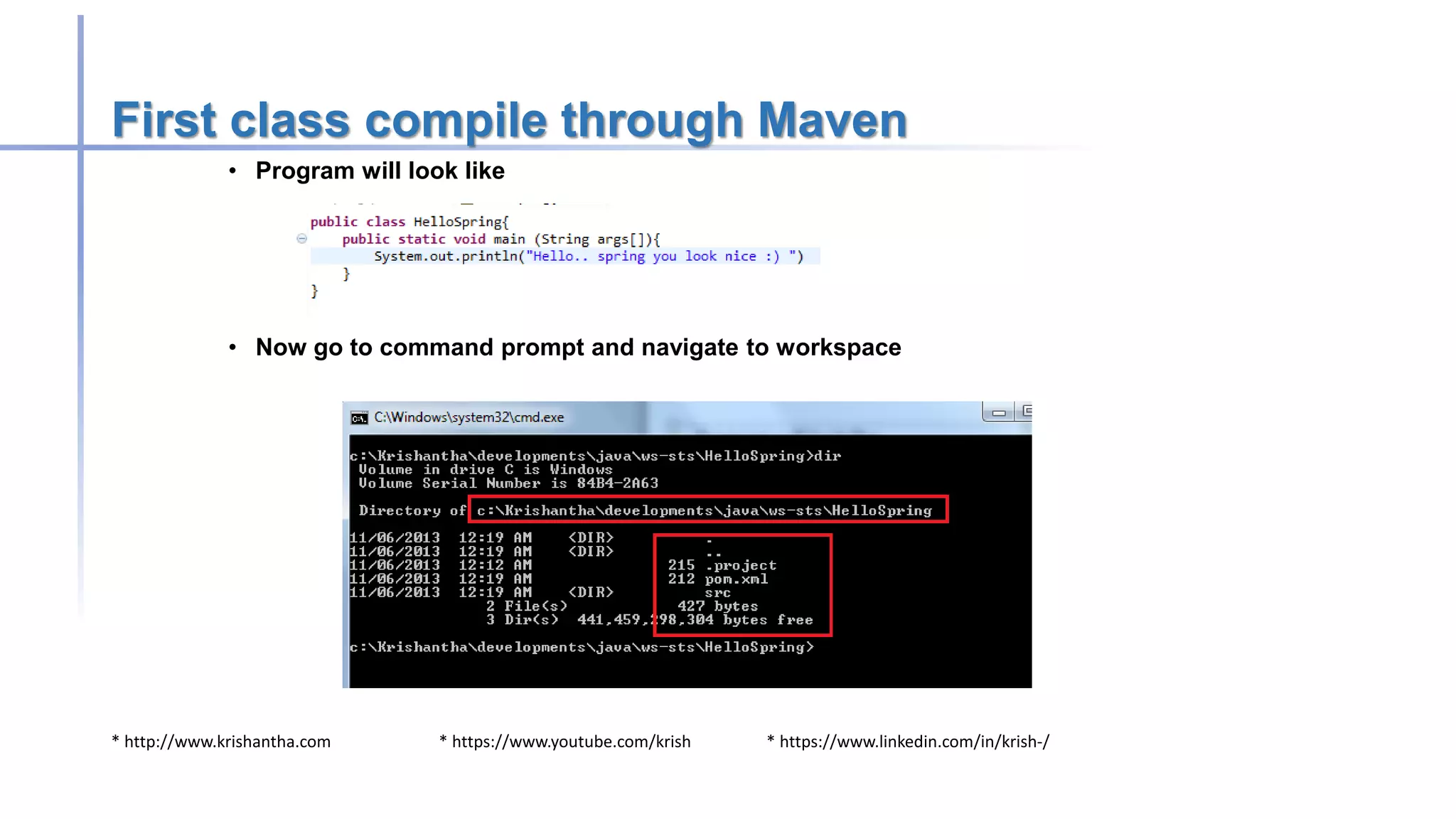
First class compile through Maven
• Program will look like
• Now go to command prompt and navigate to workspace
* http://www.krishantha.com * https://www.youtube.com/krish * https://www.linkedin.com/in/krish-/
Lets do it
• mvn clean
• Above command will be download few jar files and other plugins it need
• mvn complie
• It will compile your program and now should have target directory
• mvn package
• It will package your program as jar file as expected in pom.xml
* http://www.krishantha.com * https://www.youtube.com/krish * https://www.linkedin.com/in/krish-/
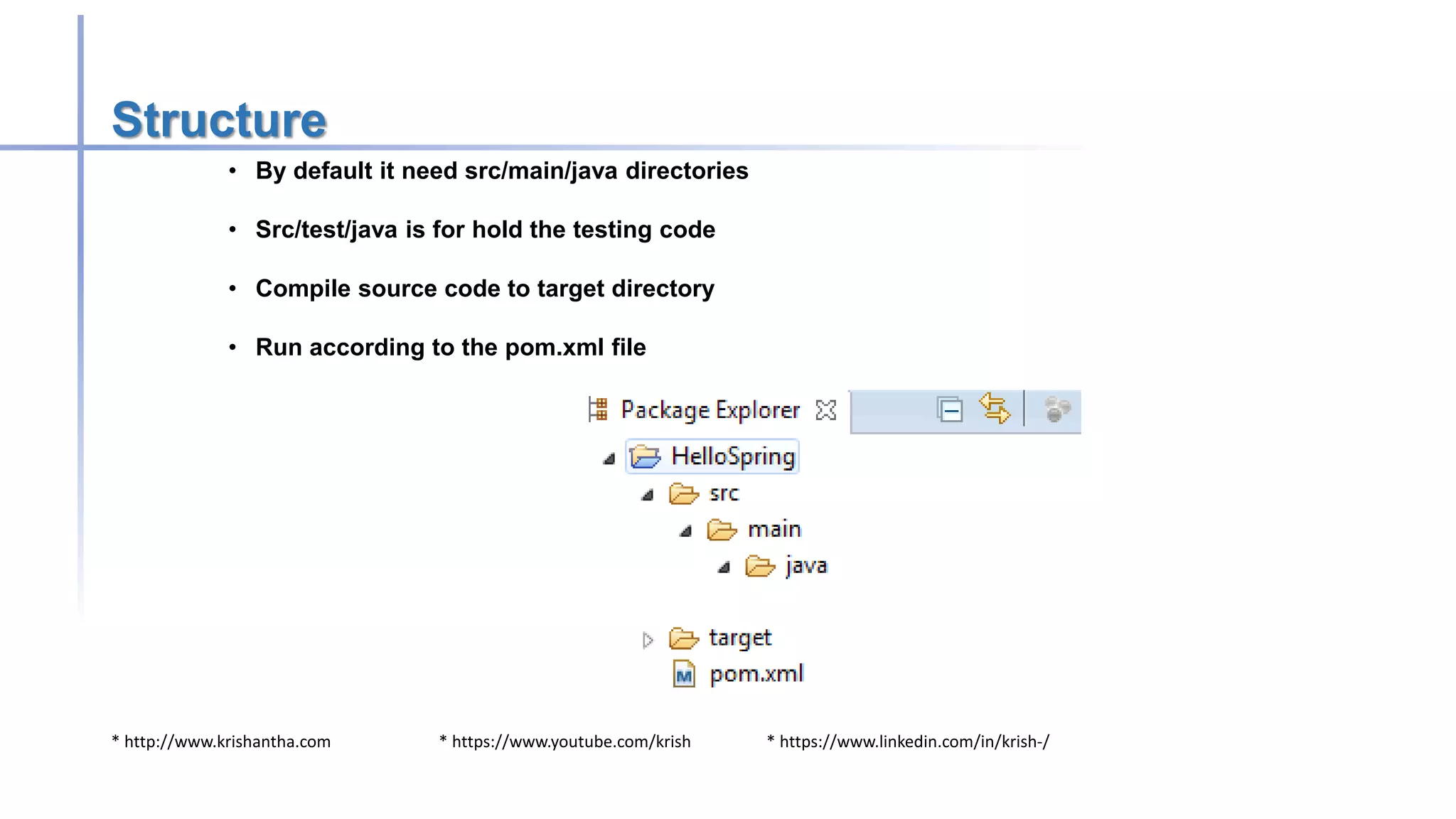
Structure
• By default it need src/main/java directories
• Src/test/java is for hold the testing code
• Compile source code to target directory
• Run according to the pom.xml file
* http://www.krishantha.com * https://www.youtube.com/krish * https://www.linkedin.com/in/krish-/
Pom.xml
• There are major 4 categories for pom.xml
• Project information
• Groupid
• Artifactid
• Version
• Packaging
• Dependencies
• Mention about the project dependencies
• Build
• Directory structure
• Repository
• From where we can download
* http://www.krishantha.com * https://www.youtube.com/krish * https://www.linkedin.com/in/krish-/
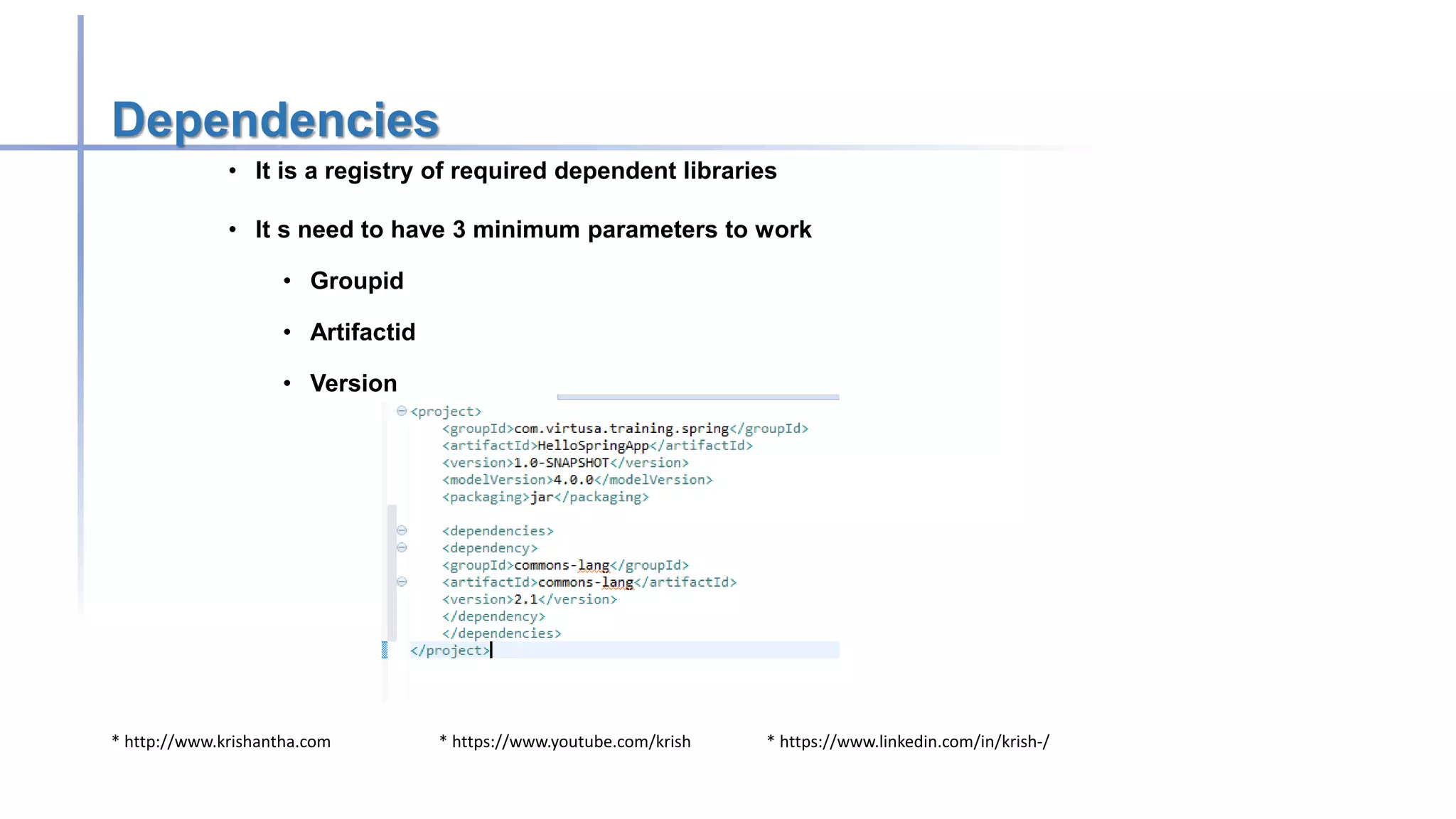
Dependencies
• It is a registry of required dependent libraries
• It s need to have 3 minimum parameters to work
• Groupid
• Artifactid
• Version
* http://www.krishantha.com * https://www.youtube.com/krish * https://www.linkedin.com/in/krish-/
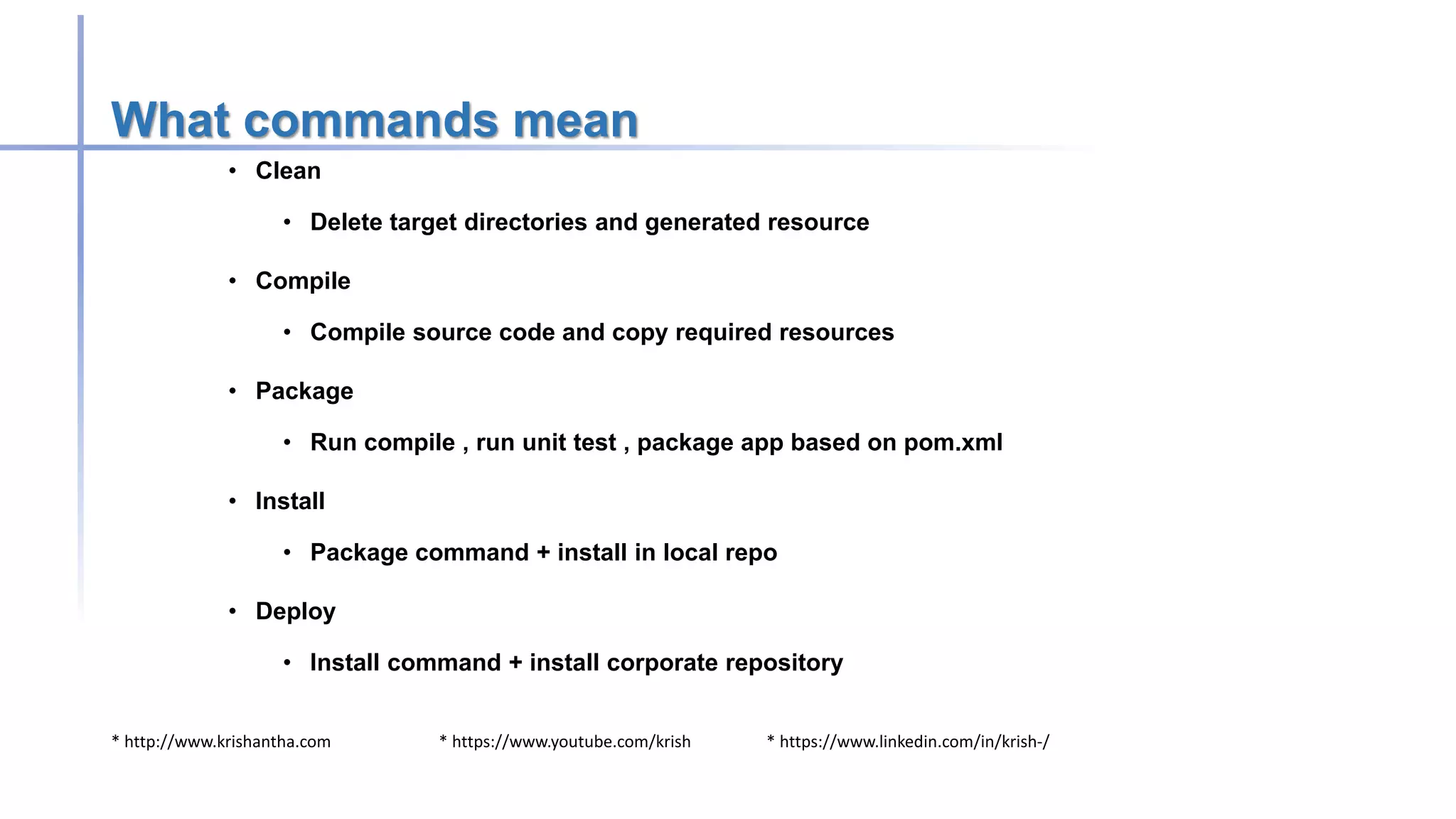
What commands mean
• Clean
• Delete target directories and generated resource
• Compile
• Compile source code and copy required resources
• Package
• Run compile , run unit test , package app based on pom.xml
• Install
• Package command + install in local repo
• Deploy
• Install command + install corporate repository
* http://www.krishantha.com * https://www.youtube.com/krish * https://www.linkedin.com/in/krish-/
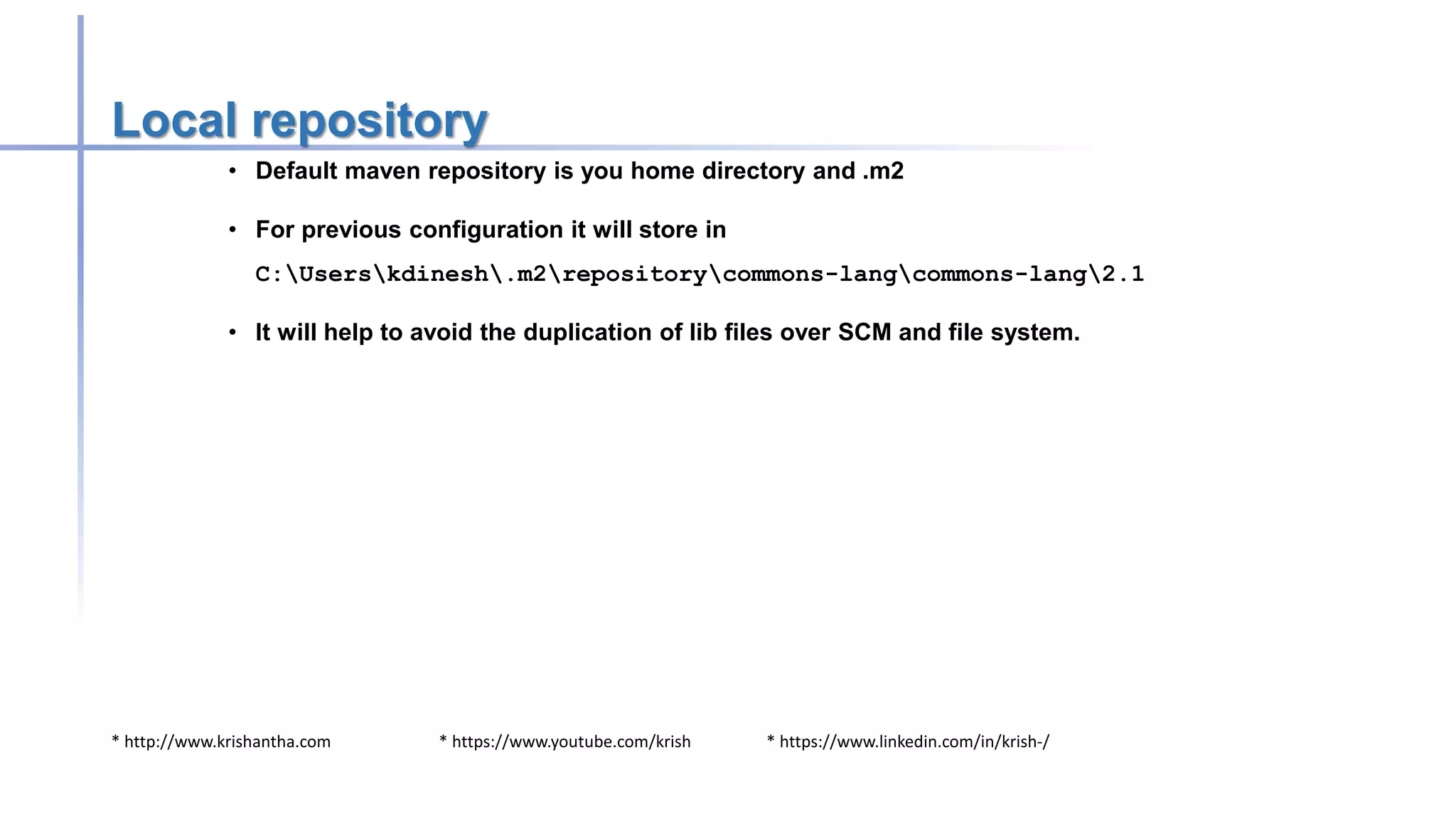
Local repository
• Default maven repository is you home directory and .m2
• For previous configuration it will store in
C:Userskdinesh.m2repositorycommons-langcommons-lang2.1
• It will help to avoid the duplication of lib files over SCM and file system.
* http://www.krishantha.com * https://www.youtube.com/krish * https://www.linkedin.com/in/krish-/
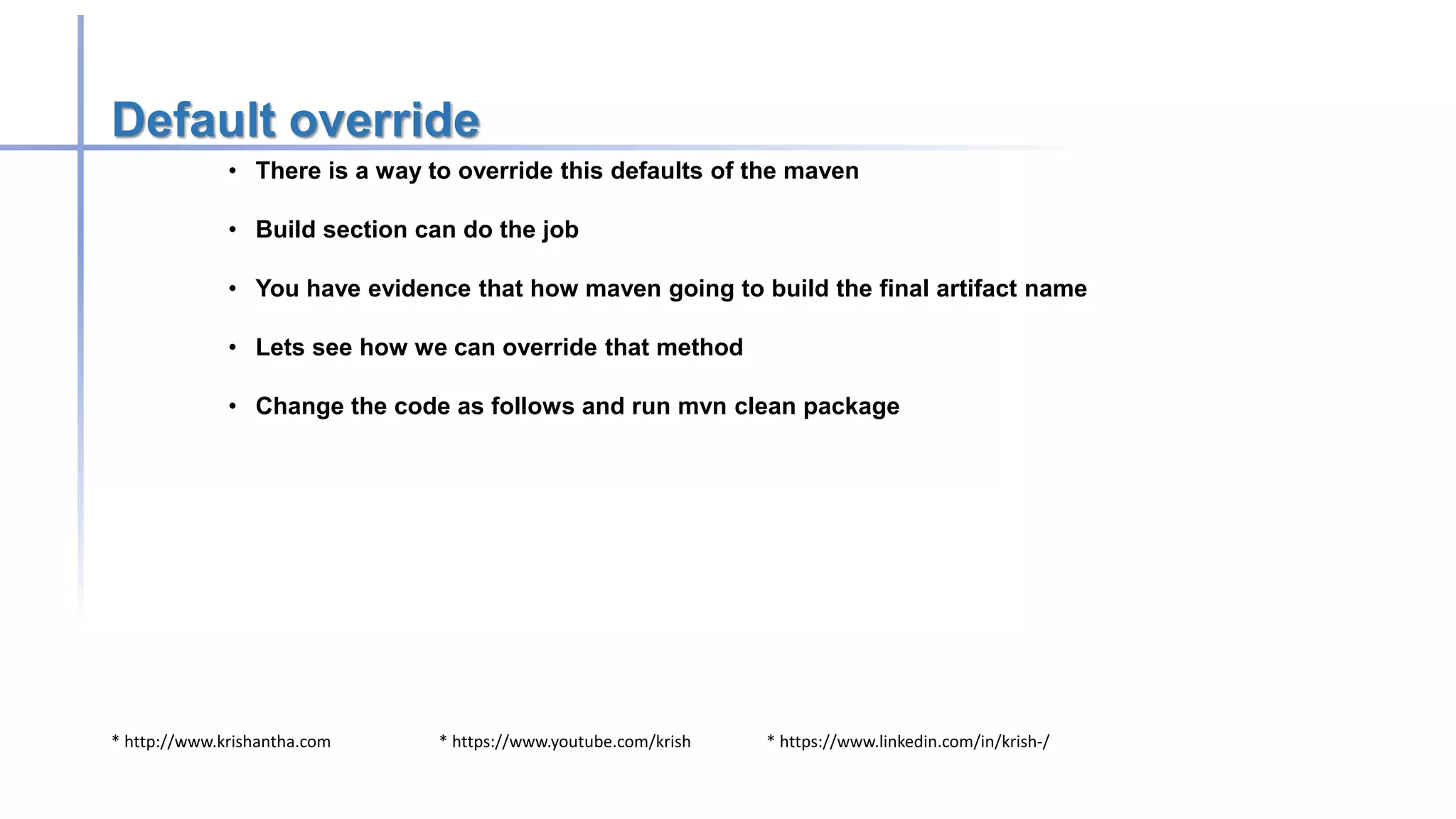
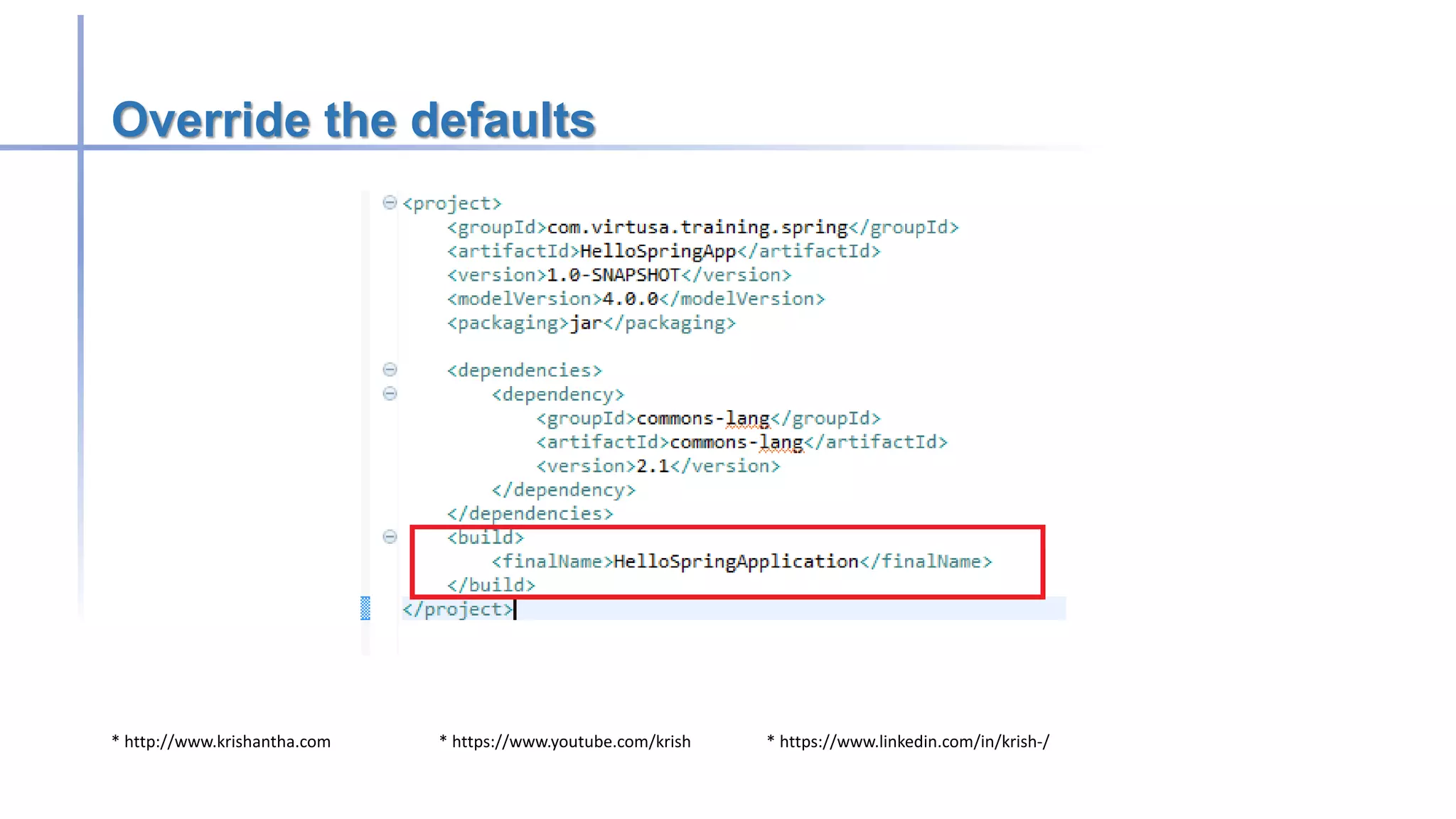
Default override
• There is a way to override this defaults of the maven
• Build section can do the job
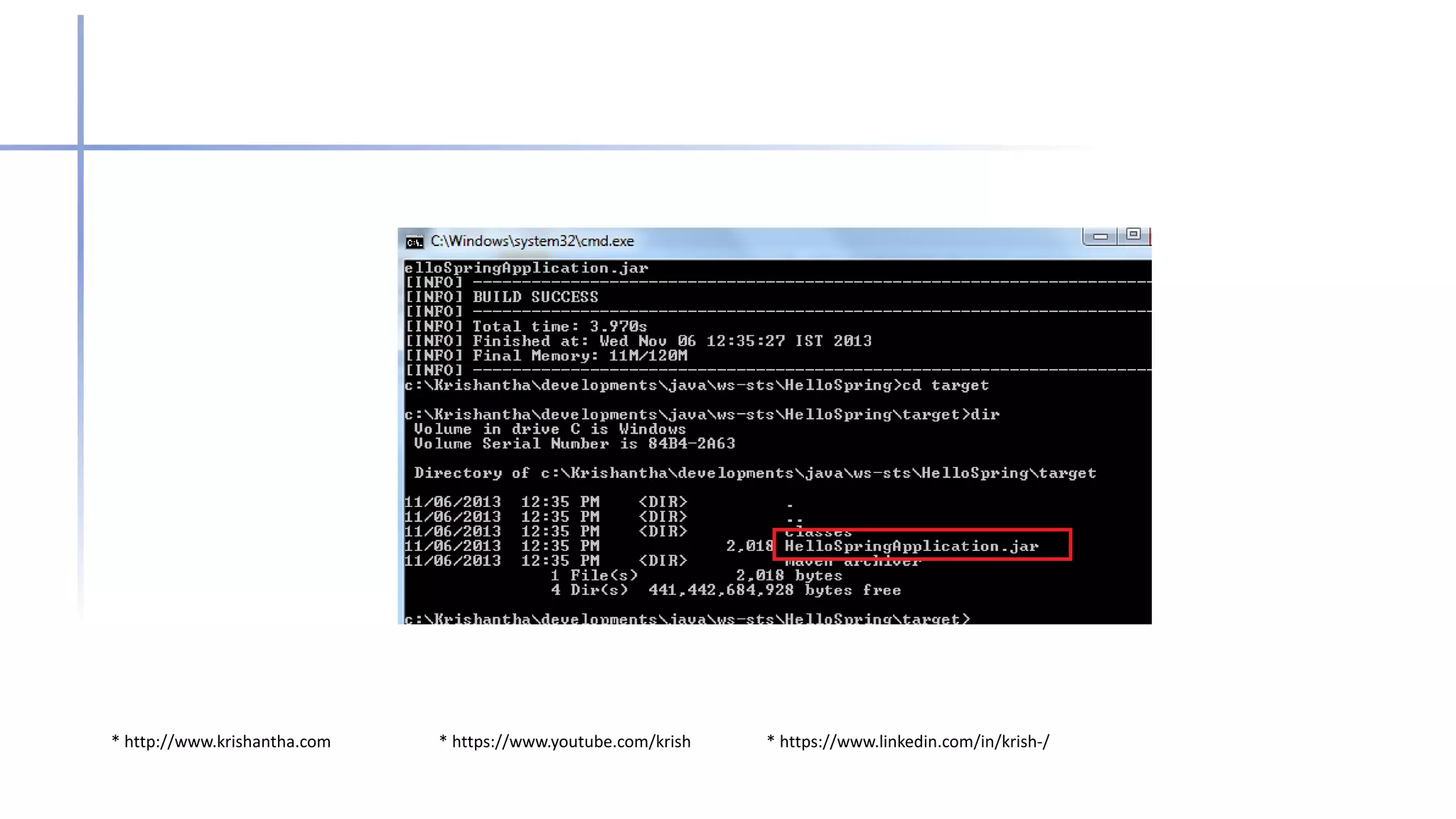
• You have evidence that how maven going to build the final artifact name
• Lets see how we can override that method
• Change the code as follows and run mvn clean package
* http://www.krishantha.com * https://www.youtube.com/krish * https://www.linkedin.com/in/krish-/
Override the defaults
* http://www.krishantha.com * https://www.youtube.com/krish * https://www.linkedin.com/in/krish-/
Version
• Version can be anything and no hard rules
• However SNAPSHOT is a specific version over releases.
• Changes always downloaded before compile the code
• Save you by sending development version for production
• SNAPSHOT must be in capital letter to server the purpose
* http://www.krishantha.com * https://www.youtube.com/krish * https://www.linkedin.com/in/krish-/
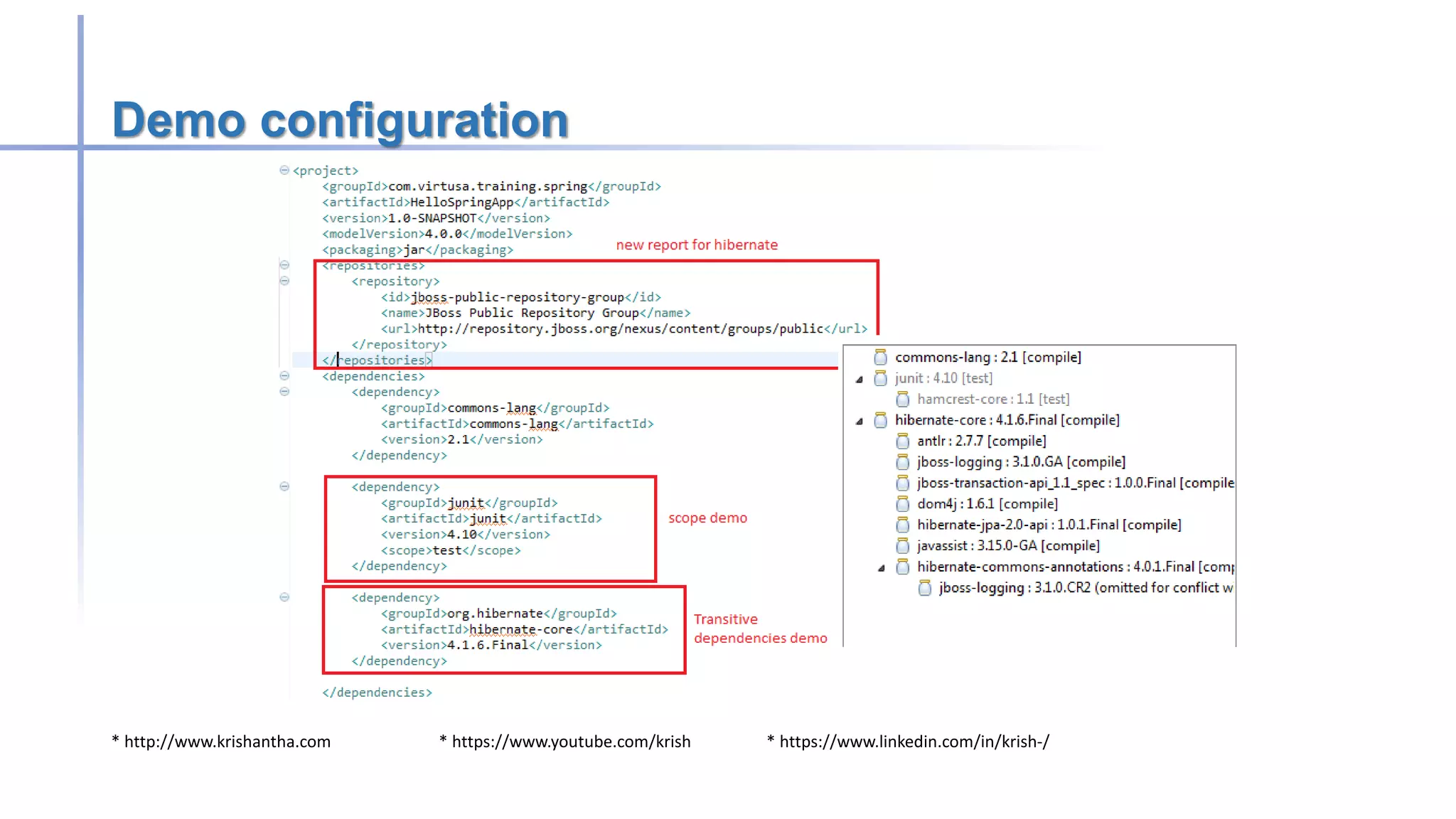
Transitive dependencies
• This is the reason to Maven become a super star
• If we refer one dependency its automatically pulled all relevant dependencies.
• This is very useful as creator only know what are compatible of.
* http://www.krishantha.com * https://www.youtube.com/krish * https://www.linkedin.com/in/krish-/
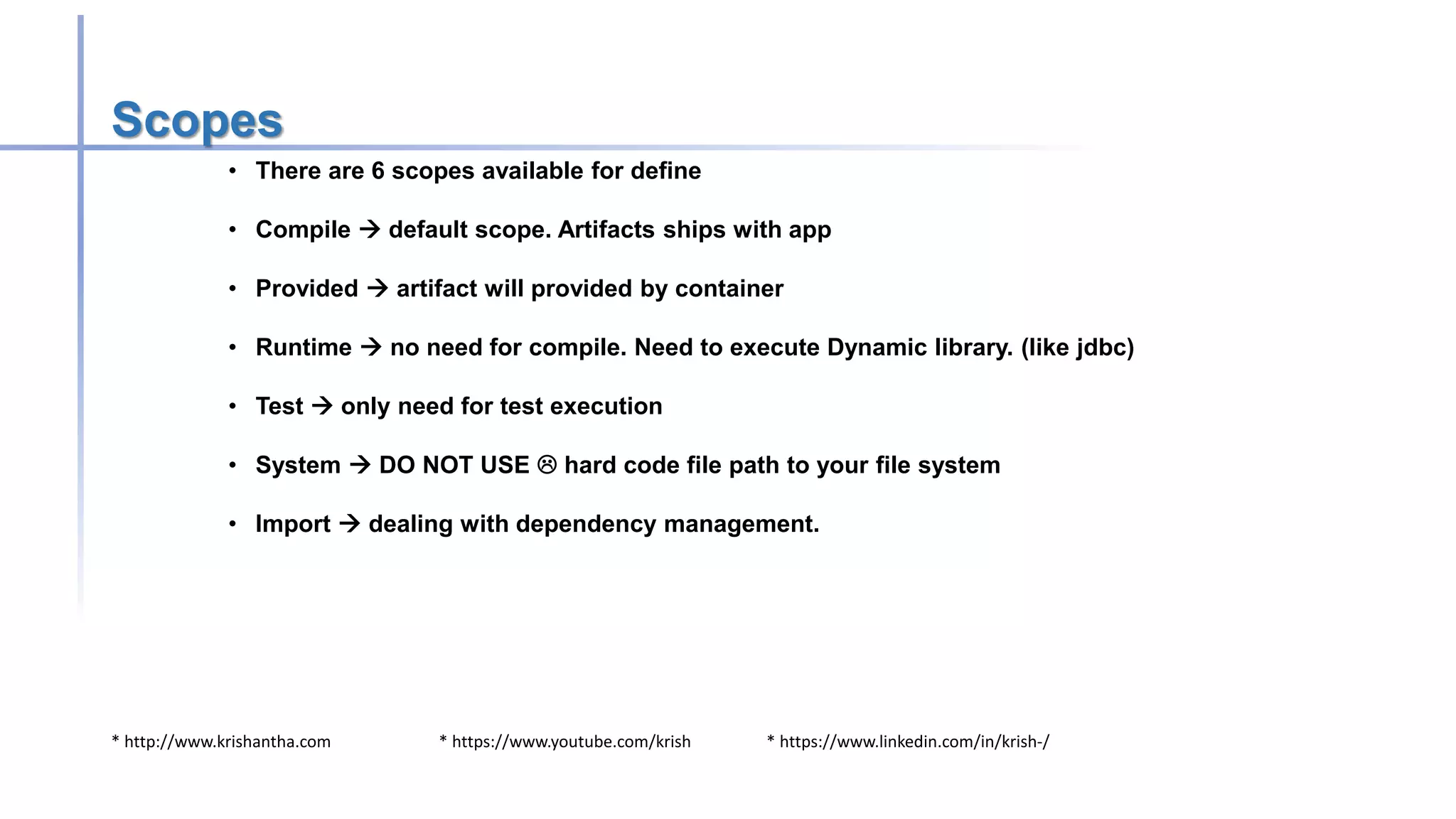
Scopes
• There are 6 scopes available for define
• Compile  default scope. Artifacts ships with app
• Provided  artifact will provided by container
• Runtime  no need for compile. Need to execute Dynamic library. (like jdbc)
• Test  only need for test execution
• System  DO NOT USE  hard code file path to your file system
• Import  dealing with dependency management.
* http://www.krishantha.com * https://www.youtube.com/krish * https://www.linkedin.com/in/krish-/
Demo configuration
* http://www.krishantha.com * https://www.youtube.com/krish * https://www.linkedin.com/in/krish-/
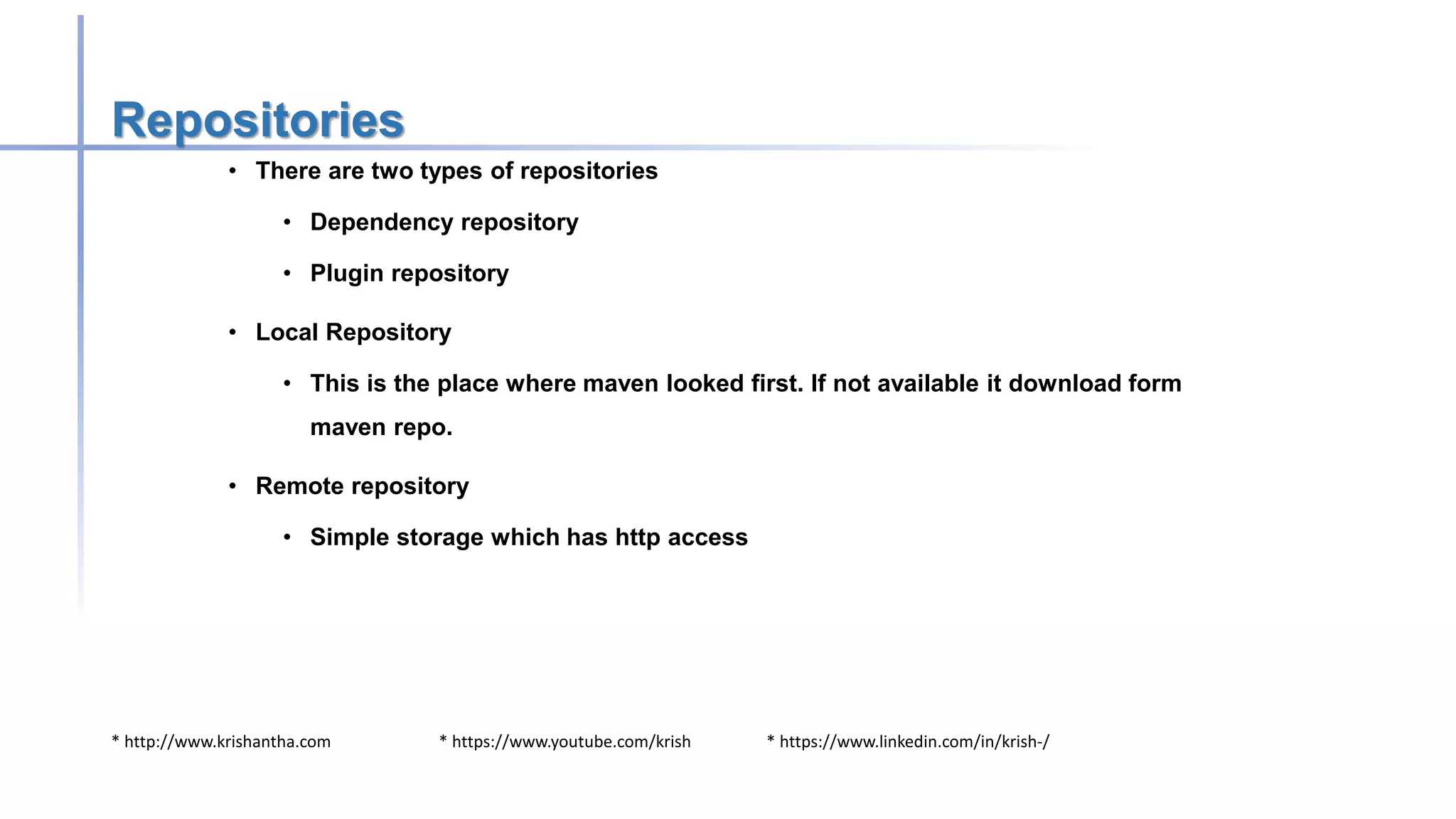
Repositories
• There are two types of repositories
• Dependency repository
• Plugin repository
• Local Repository
• This is the place where maven looked first. If not available it download form
maven repo.
• Remote repository
• Simple storage which has http access
* http://www.krishantha.com * https://www.youtube.com/krish * https://www.linkedin.com/in/krish-/
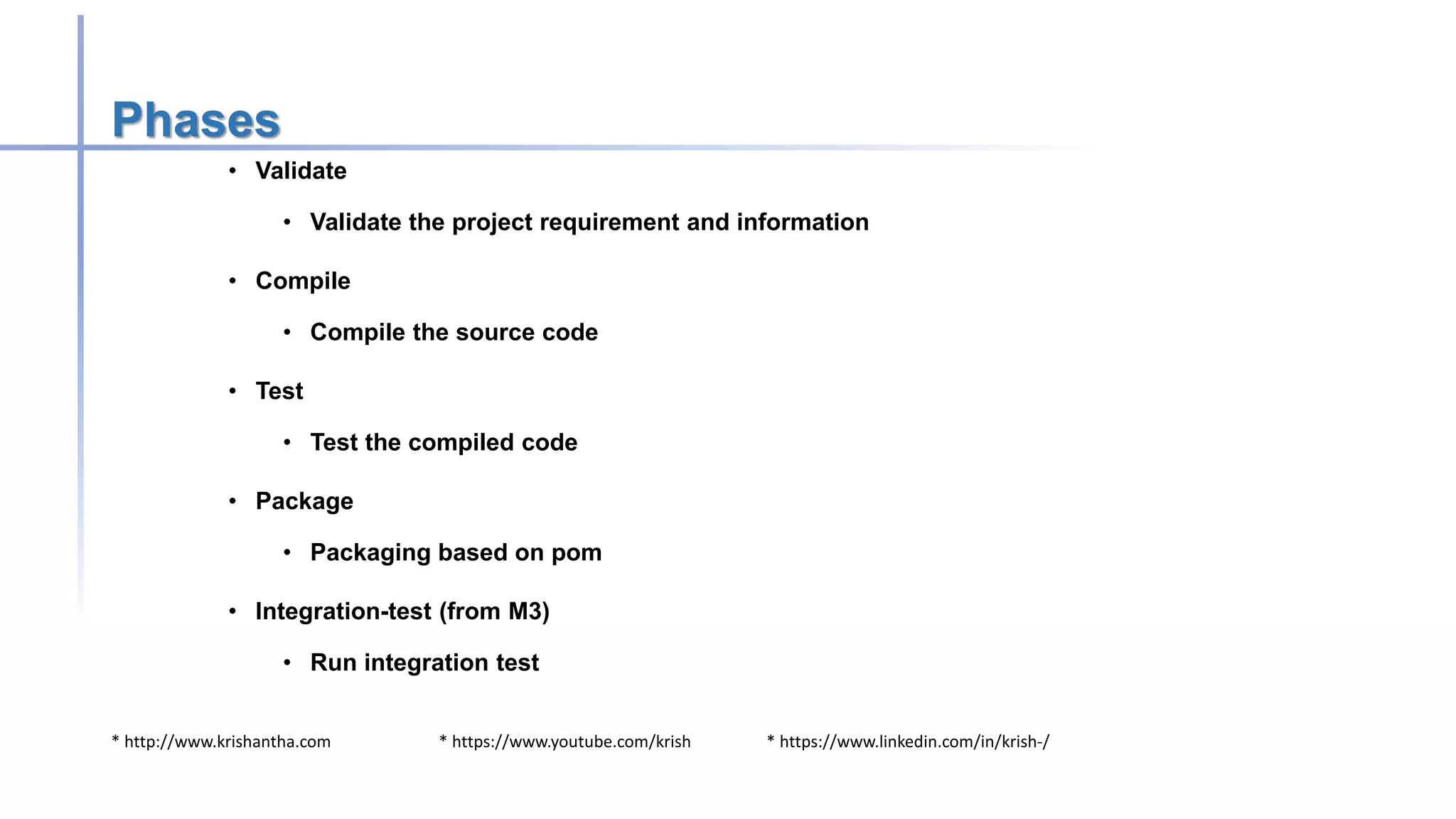
Phases
• Validate
• Validate the project requirement and information
• Compile
• Compile the source code
• Test
• Test the compiled code
• Package
• Packaging based on pom
• Integration-test (from M3)
• Run integration test
* http://www.krishantha.com * https://www.youtube.com/krish * https://www.linkedin.com/in/krish-/
• Verify
• Run integrity checks
• Install
• Install package on local repo
• Deploy
• Copy package for report repo
* http://www.krishantha.com * https://www.youtube.com/krish * https://www.linkedin.com/in/krish-/
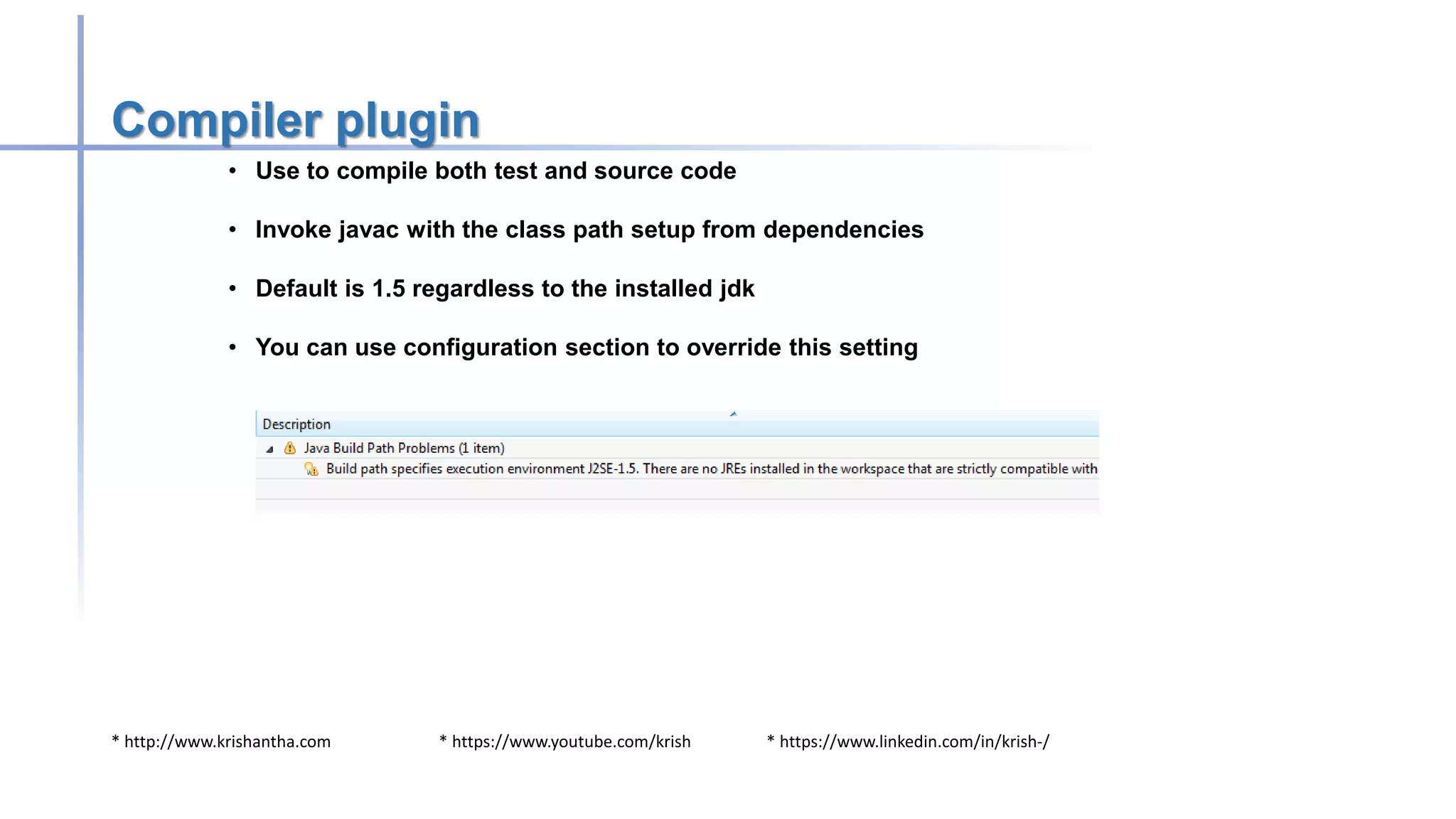
Compiler plugin
• Use to compile both test and source code
• Invoke javac with the class path setup from dependencies
• Default is 1.5 regardless to the installed jdk
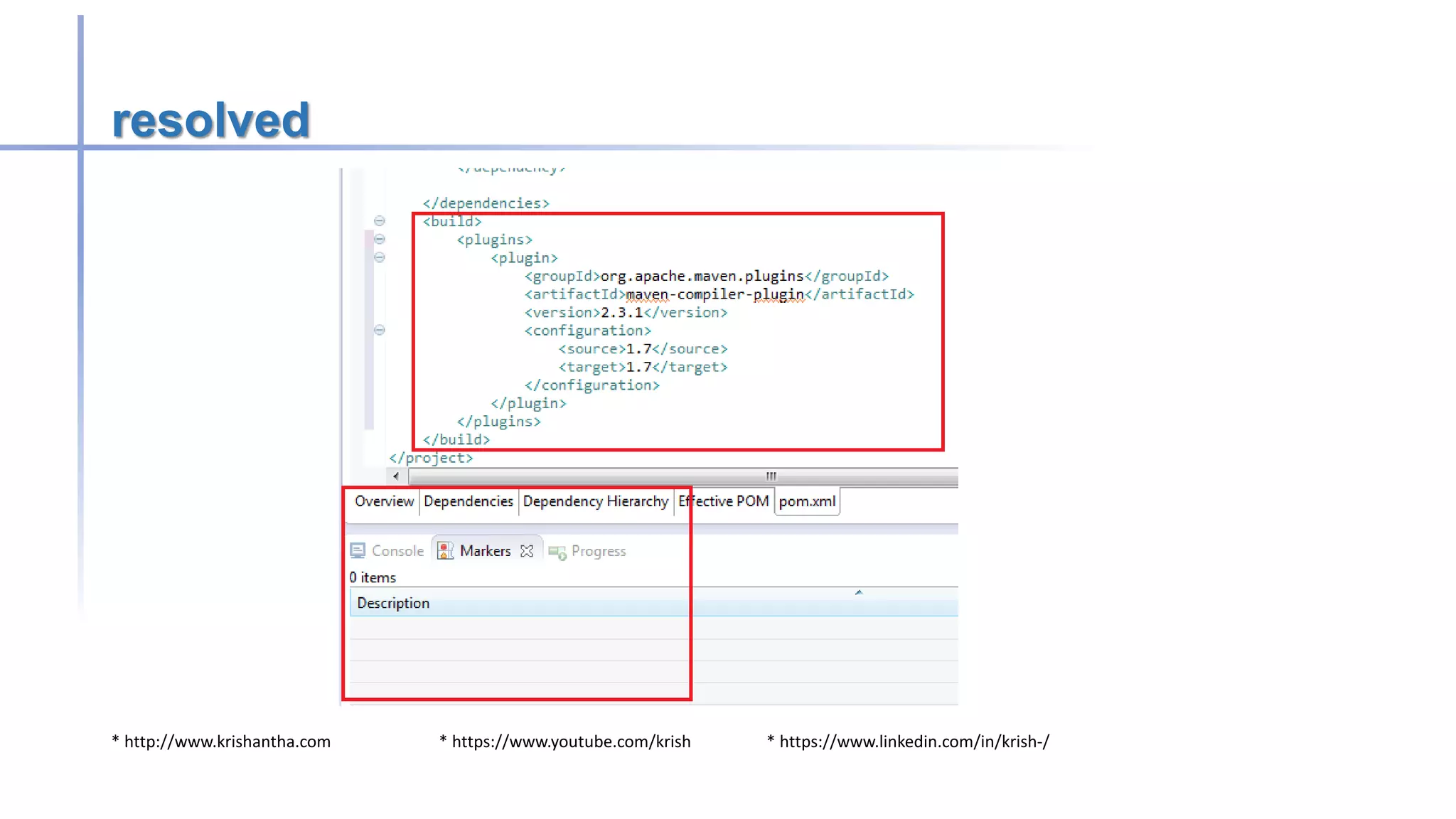
• You can use configuration section to override this setting
* http://www.krishantha.com * https://www.youtube.com/krish * https://www.linkedin.com/in/krish-/
resolved
* http://www.krishantha.com * https://www.youtube.com/krish * https://www.linkedin.com/in/krish-/
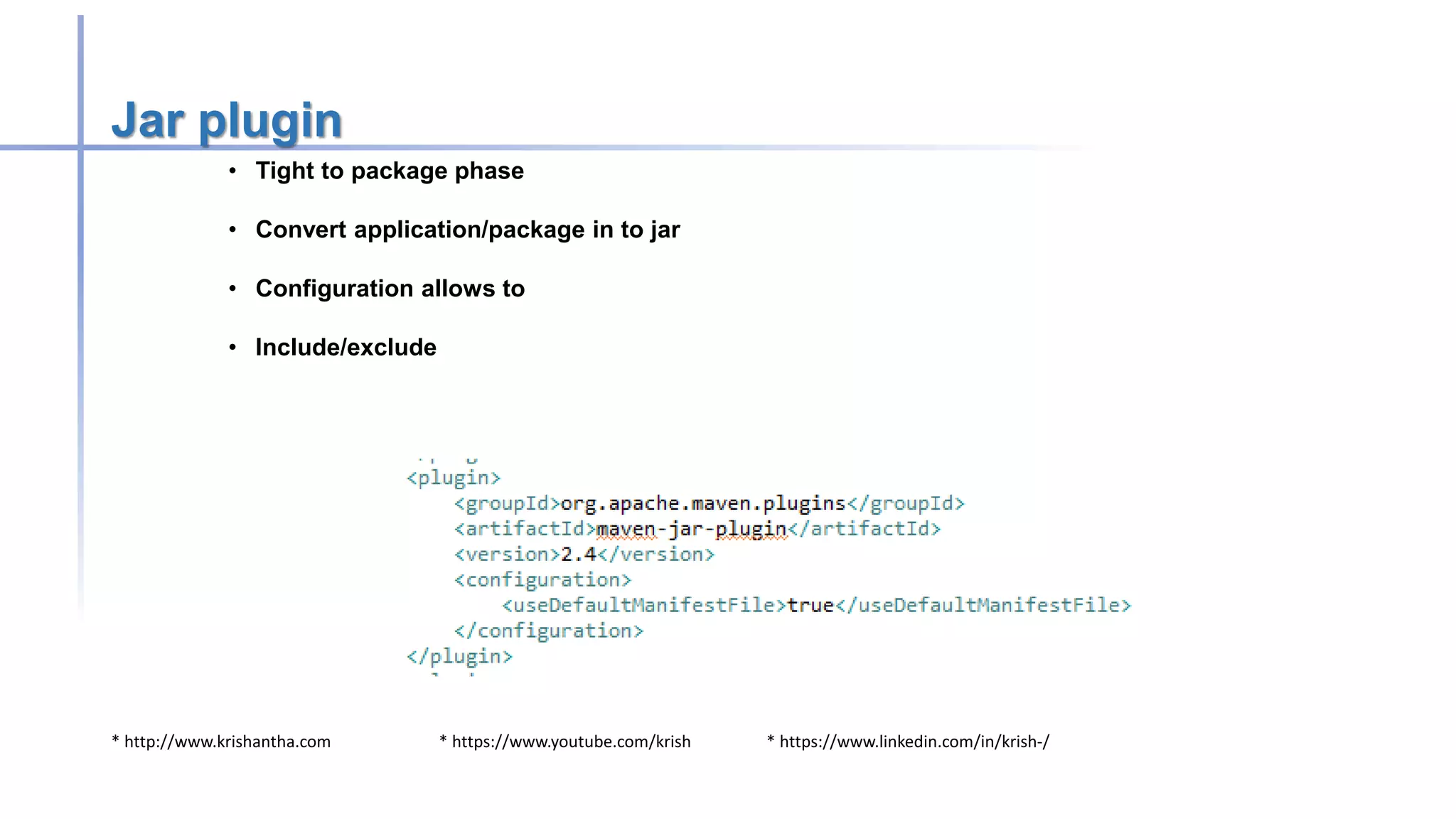
Jar plugin
• Tight to package phase
• Convert application/package in to jar
• Configuration allows to
• Include/exclude
* http://www.krishantha.com * https://www.youtube.com/krish * https://www.linkedin.com/in/krish-/
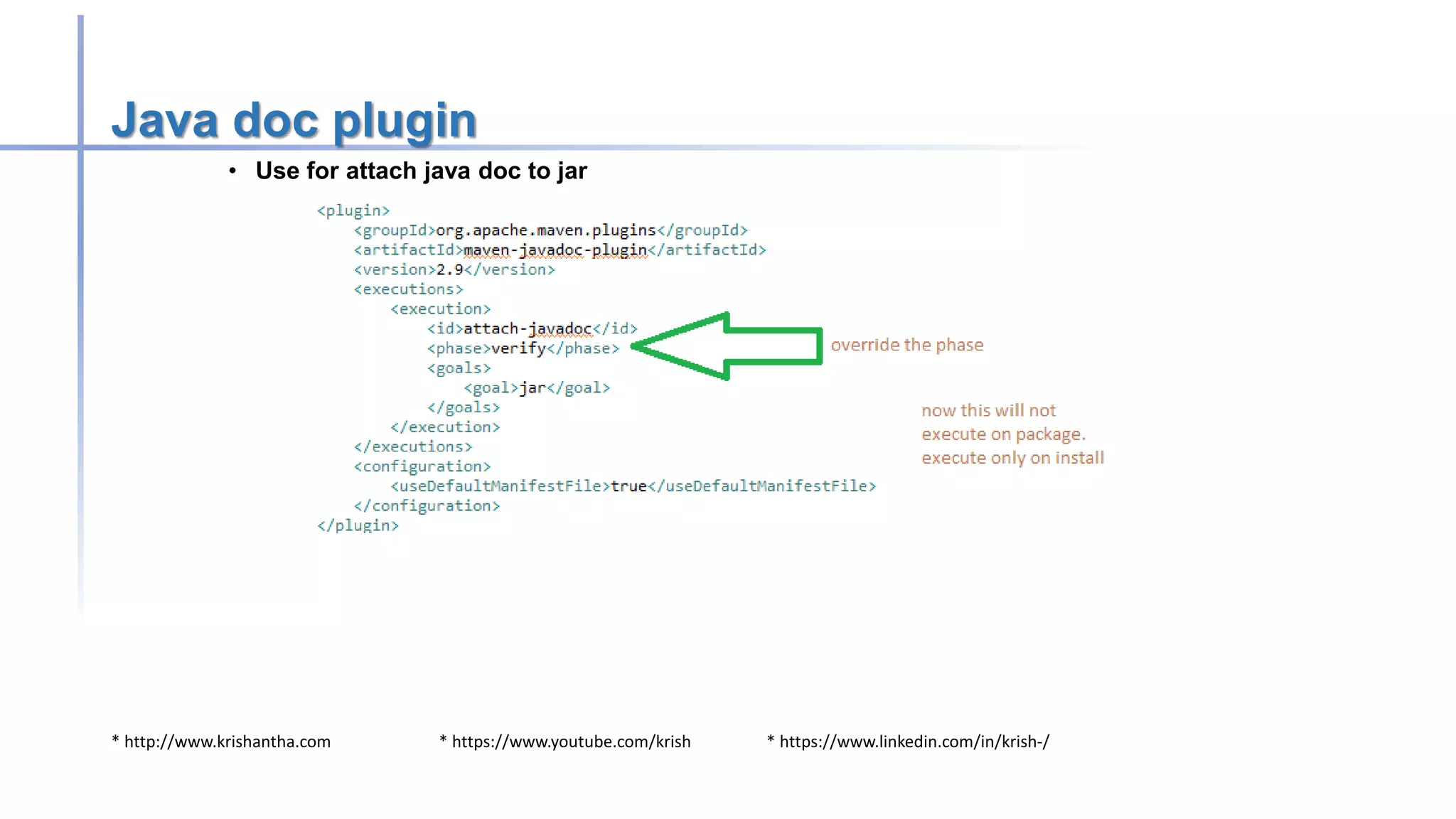
Java doc plugin
• Use for attach java doc to jar
* http://www.krishantha.com * https://www.youtube.com/krish * https://www.linkedin.com/in/krish-/
Happy Automation 

Introduction to apache maven

  • 1.
  • 2.
    * http://www.krishantha.com *https://www.youtube.com/krish * https://www.linkedin.com/in/krish-/ Objectives – Learn about • Not to make expert of Maven in over night.. But make a engineers who can get the start of art technology benefits
  • 3.
    * http://www.krishantha.com *https://www.youtube.com/krish * https://www.linkedin.com/in/krish-/ Prerequisites • Mobilephone.soundmode=soundmode.completesilent && soundmode.completesilent != soundmode.vibrate
  • 4.
    * http://www.krishantha.com *https://www.youtube.com/krish * https://www.linkedin.com/in/krish-/ What's going to Discuss • Introduction about Maven • Main concepts of maven • Conception over configuration • Daily usage of Maven • Integration with IDE eclipse
  • 5.
    * http://www.krishantha.com *https://www.youtube.com/krish * https://www.linkedin.com/in/krish-/ What is Maven • Simple surname for Maven is build tool • Provide artifacts • Resolve dependencies • Maven has a capacity of project management • Can be use for versioning • Can produce the java docs
  • 6.
    * http://www.krishantha.com *https://www.youtube.com/krish * https://www.linkedin.com/in/krish-/ Who is the parent or owner for Maven • It free and open source • Manage by apache software foundation
  • 7.
    * http://www.krishantha.com *https://www.youtube.com/krish * https://www.linkedin.com/in/krish-/ Why we need maven • Reputable build make easy • Download dependency of dependency • Can maintain with local repository. (download once use any time) • Nice integration with IDE
  • 8.
    * http://www.krishantha.com *https://www.youtube.com/krish * https://www.linkedin.com/in/krish-/ Ant vs Maven • ANT • Very procedural tool • Build on top of xml and java and it make it to be cross platform • It is not a comprehensive build tool • We need to define every single step • MAVEN • Maven is build tool over scripting tool • Lot of build in functionality • Consistency across the projects • Version control build
  • 9.
    * http://www.krishantha.com *https://www.youtube.com/krish * https://www.linkedin.com/in/krish-/ Install Maven • Download maven from following url • http://maven.apache.org/download.cgi • Setup environment variable • JAVA_HOME  Directory that you installed jdk not include bin directory • MAVEN_HOME  directory that you extracted Maven not include bin • Update PATH variable, at end of it • ;%JAVA_HOME%bin;%MAVEN_HOME%bin
  • 10.
    * http://www.krishantha.com *https://www.youtube.com/krish * https://www.linkedin.com/in/krish-/ Verify the installation • Go to command prompt end enter following command • mvn –version
  • 11.
    * http://www.krishantha.com *https://www.youtube.com/krish * https://www.linkedin.com/in/krish-/ Lets create a project to demonstrate maven • Open spring STS or eclipse • Create new project [File New  Project • Create new files pom.xml in side project directory [Project Object Model] • Create directory structure as srcmainjava (this is required by maven – convention over configuration) • Add following for pom.xml file
  • 12.
    * http://www.krishantha.com *https://www.youtube.com/krish * https://www.linkedin.com/in/krish-/ What those mean • Group id  similar to company (com.virtusa or things like that) • Artifact id  application name • Version  what is the version going to build • Model version  xml version which we going to process • Packaging  output format (jar)
  • 13.
    * http://www.krishantha.com *https://www.youtube.com/krish * https://www.linkedin.com/in/krish-/ Create Java class
  • 14.
    * http://www.krishantha.com *https://www.youtube.com/krish * https://www.linkedin.com/in/krish-/ First class compile through Maven • Program will look like • Now go to command prompt and navigate to workspace
  • 15.
    * http://www.krishantha.com *https://www.youtube.com/krish * https://www.linkedin.com/in/krish-/ Lets do it • mvn clean • Above command will be download few jar files and other plugins it need • mvn complie • It will compile your program and now should have target directory • mvn package • It will package your program as jar file as expected in pom.xml
  • 16.
    * http://www.krishantha.com *https://www.youtube.com/krish * https://www.linkedin.com/in/krish-/ Structure • By default it need src/main/java directories • Src/test/java is for hold the testing code • Compile source code to target directory • Run according to the pom.xml file
  • 17.
    * http://www.krishantha.com *https://www.youtube.com/krish * https://www.linkedin.com/in/krish-/ Pom.xml • There are major 4 categories for pom.xml • Project information • Groupid • Artifactid • Version • Packaging • Dependencies • Mention about the project dependencies • Build • Directory structure • Repository • From where we can download
  • 18.
    * http://www.krishantha.com *https://www.youtube.com/krish * https://www.linkedin.com/in/krish-/ Dependencies • It is a registry of required dependent libraries • It s need to have 3 minimum parameters to work • Groupid • Artifactid • Version
  • 19.
    * http://www.krishantha.com *https://www.youtube.com/krish * https://www.linkedin.com/in/krish-/ What commands mean • Clean • Delete target directories and generated resource • Compile • Compile source code and copy required resources • Package • Run compile , run unit test , package app based on pom.xml • Install • Package command + install in local repo • Deploy • Install command + install corporate repository
  • 20.
    * http://www.krishantha.com *https://www.youtube.com/krish * https://www.linkedin.com/in/krish-/ Local repository • Default maven repository is you home directory and .m2 • For previous configuration it will store in C:Userskdinesh.m2repositorycommons-langcommons-lang2.1 • It will help to avoid the duplication of lib files over SCM and file system.
  • 21.
    * http://www.krishantha.com *https://www.youtube.com/krish * https://www.linkedin.com/in/krish-/ Default override • There is a way to override this defaults of the maven • Build section can do the job • You have evidence that how maven going to build the final artifact name • Lets see how we can override that method • Change the code as follows and run mvn clean package
  • 22.
    * http://www.krishantha.com *https://www.youtube.com/krish * https://www.linkedin.com/in/krish-/ Override the defaults
  • 23.
    * http://www.krishantha.com *https://www.youtube.com/krish * https://www.linkedin.com/in/krish-/
  • 24.
    * http://www.krishantha.com *https://www.youtube.com/krish * https://www.linkedin.com/in/krish-/ Version • Version can be anything and no hard rules • However SNAPSHOT is a specific version over releases. • Changes always downloaded before compile the code • Save you by sending development version for production • SNAPSHOT must be in capital letter to server the purpose
  • 25.
    * http://www.krishantha.com *https://www.youtube.com/krish * https://www.linkedin.com/in/krish-/ Transitive dependencies • This is the reason to Maven become a super star • If we refer one dependency its automatically pulled all relevant dependencies. • This is very useful as creator only know what are compatible of.
  • 26.
    * http://www.krishantha.com *https://www.youtube.com/krish * https://www.linkedin.com/in/krish-/ Scopes • There are 6 scopes available for define • Compile  default scope. Artifacts ships with app • Provided  artifact will provided by container • Runtime  no need for compile. Need to execute Dynamic library. (like jdbc) • Test  only need for test execution • System  DO NOT USE  hard code file path to your file system • Import  dealing with dependency management.
  • 27.
    * http://www.krishantha.com *https://www.youtube.com/krish * https://www.linkedin.com/in/krish-/ Demo configuration
  • 28.
    * http://www.krishantha.com *https://www.youtube.com/krish * https://www.linkedin.com/in/krish-/ Repositories • There are two types of repositories • Dependency repository • Plugin repository • Local Repository • This is the place where maven looked first. If not available it download form maven repo. • Remote repository • Simple storage which has http access
  • 29.
    * http://www.krishantha.com *https://www.youtube.com/krish * https://www.linkedin.com/in/krish-/ Phases • Validate • Validate the project requirement and information • Compile • Compile the source code • Test • Test the compiled code • Package • Packaging based on pom • Integration-test (from M3) • Run integration test
  • 30.
    * http://www.krishantha.com *https://www.youtube.com/krish * https://www.linkedin.com/in/krish-/ • Verify • Run integrity checks • Install • Install package on local repo • Deploy • Copy package for report repo
  • 31.
    * http://www.krishantha.com *https://www.youtube.com/krish * https://www.linkedin.com/in/krish-/ Compiler plugin • Use to compile both test and source code • Invoke javac with the class path setup from dependencies • Default is 1.5 regardless to the installed jdk • You can use configuration section to override this setting
  • 32.
    * http://www.krishantha.com *https://www.youtube.com/krish * https://www.linkedin.com/in/krish-/ resolved
  • 33.
    * http://www.krishantha.com *https://www.youtube.com/krish * https://www.linkedin.com/in/krish-/ Jar plugin • Tight to package phase • Convert application/package in to jar • Configuration allows to • Include/exclude
  • 34.
    * http://www.krishantha.com *https://www.youtube.com/krish * https://www.linkedin.com/in/krish-/ Java doc plugin • Use for attach java doc to jar
  • 35.
    * http://www.krishantha.com *https://www.youtube.com/krish * https://www.linkedin.com/in/krish-/ Happy Automation 