Massimo Brignoli
Senior Solutions Architect
First steps with Ops Manager
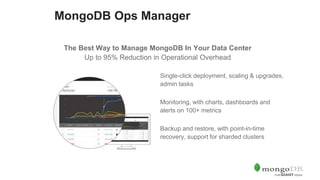
Single-click deployment, scaling & upgrades,
admin tasks
Monitoring, with charts, dashboards and
alerts on 100+ metrics
Backup and restore, with point-in-time
recovery, support for sharded clusters
MongoDB Ops Manager
The Best Way to Manage MongoDB In Your Data Center
Up to 95% Reduction in Operational Overhead
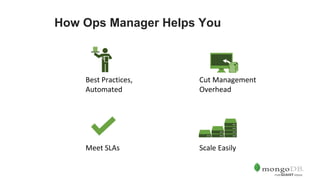
How Ops Manager Helps You
Scale EasilyMeet SLAs
Best Practices,
Automated
Cut Management
Overhead
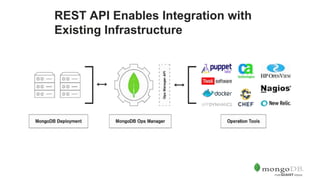
REST API Enables Integration with
Existing Infrastructure
Automation for Operational
Simplicity
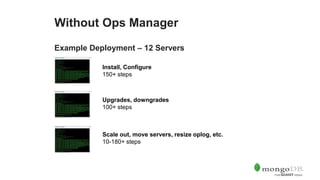
Without Ops Manager
Example Deployment – 12 Servers
Install, Configure
150+ steps
Scale out, move servers, resize oplog, etc.
10-180+ steps
Upgrades, downgrades
100+ steps
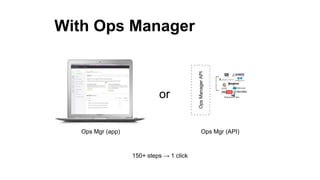
With Ops Manager
or
150+ steps → 1 click
Ops Mgr (app) Ops Mgr (API)
OpsManagerAPI
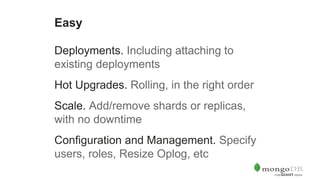
Deployments. Including attaching to
existing deployments
Hot Upgrades. Rolling, in the right order
Scale. Add/remove shards or replicas,
with no downtime
Configuration and Management. Specify
users, roles, Resize Oplog, etc
Easy
Monitoring Designed for MongoDB
Visibility Into Your Cluster. 100+ key
database and systems health metrics
Optimize performance, diagnose
problems
Custom, Metric-Based Alerting.
Comprehensive API.
Monitoring
Backup for Your Mission-Critical
Data
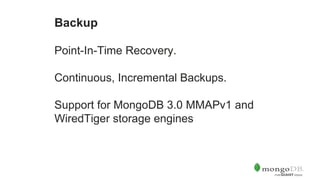
Point-In-Time Recovery.
Continuous, Incremental Backups.
Support for MongoDB 3.0 MMAPv1 and
WiredTiger storage engines
Backup
How it works
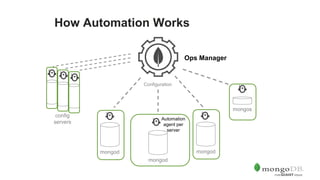
How Automation Works
Ops Manager
Automation
agent per
server
How Automation Works
Ops Manager
mongod mongod
mongod
Automation
agent per
server
Configuration
config
servers
mongos
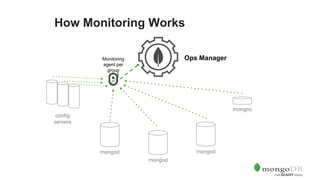
How Monitoring Works
Ops Manager
mongod mongod
mongod
mongos
Monitoring
agent per
group
config
servers
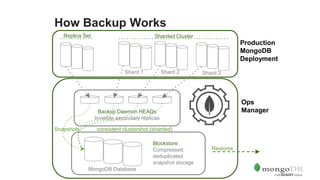
How Backup Works
Replica Set
Shard 2 Shard 3Shard 1
Sharded Cluster
Production
MongoDB
Deployment
How Backup Works
Ops
Manager
Replica Set
Shard 2 Shard 3Shard 1
Sharded Cluster
Production
MongoDB
Deployment
Backup Daemon HEADs
Invisible secondary replicas
How Backup Works
Ops
Manager
MongoDB Database
Replica Set
Shard 2 Shard 3Shard 1
Sharded Cluster
Production
MongoDB
Deployment
Blockstore
Compressed,
deduplicated
snapshot storage
Restores
Snapshots consistent clustershot (sharded)
Backup Daemon HEADs
Invisible secondary replicas
Usability Tour
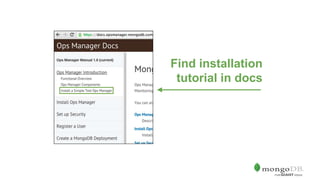
Find installation
tutorial in docs
Use terminal to
install
Browse to
http://<my-ops-mgr>:8080/
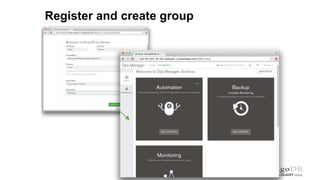
Register and create group
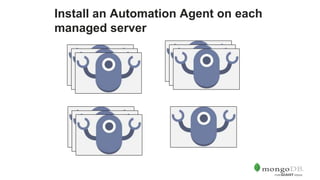
Install an Automation Agent on each
managed server
Next Steps
Ops Manager is Free for Unlimited
Evaluation and Development
Try it today
mongodb.com/download  Ops Manager
Mongodb.com/cloud  Cloud Manager
Documentation
docs.opsmanager.mongodb.com
Get expert help: Planning,
Installing, Sizing Ops Manager
Ops Optimization
What is it?
A custom plan developed by a MongoDB consulting engineer for setting
up Ops Manager on your infrastructure
What to expect
• A plan for setting up Ops Manager in your data center
• Learn how to enable Ops Manager
• Figure out which metrics to monitor and how to enable a backup and
disaster recovery strategy
Find out more at mongodb.com
or email us at sales@mongodb.com
Questions?
#MDBDays
mongodb.com
Get your technical questions answered
Foyer Royal Ballroom, 10:00 - 17:00
By appointment only – register in person in the Foyer
Royal Ballroom

Introducing Ops Manager