Intro to WordPress Theming
Andy McIlwain (www.andymci.com)
Techalicious +TorontoWordPress Group
Crafting Custom CSS | @andymci | #PCTO152015-04-06 1
Hi! I’m Andy McIlwain.
Developer at:
Brainrider
Marketers Without Borders
Events&
Instructor/Mentor at:
Camp Tech
Ladies Learning Code
Organizer with:
Toronto WordPress Meetups
WordCamp Toronto
Find me online:
@andymci on Twitter
linkedin.com/in/andymci
instagram.com/andy.mcilwa
in
Crafting Custom CSS | @andymci | #PCTO152015-04-06 2
Prerequisites.
Let’s get some fundamentals out of the way first.
April 4, 2015 WordPress Theming | @andymci | #WPTO 3
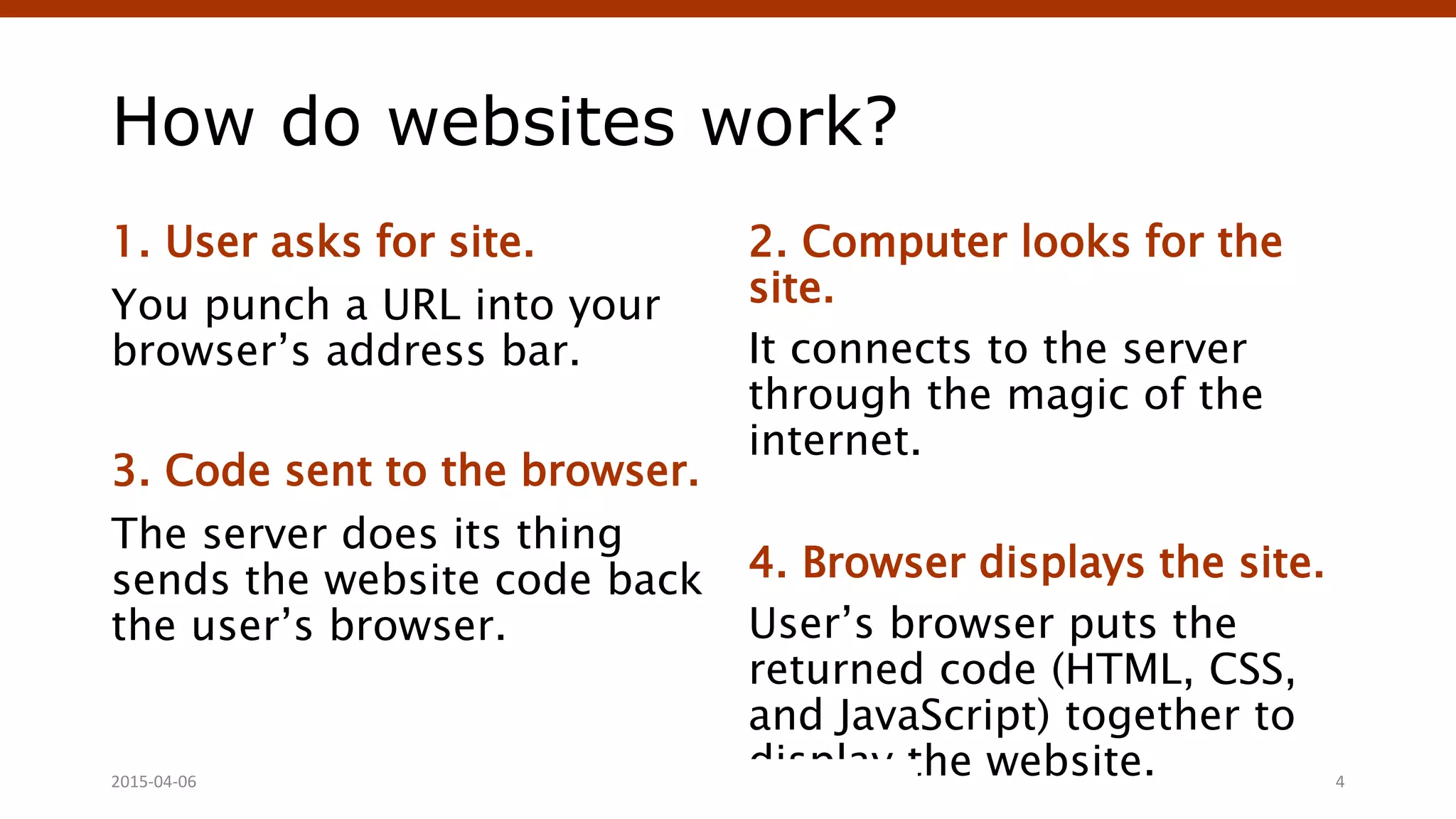
How do websites work?
1. User asks for site.
You punch a URL into your
browser’s address bar.
3. Code sent to the browser.
The server does its thing
sends the website code back
the user’s browser.
2. Computer looks for the
site.
It connects to the server
through the magic of the
internet.
4. Browser displays the site.
User’s browser puts the
returned code (HTML, CSS,
and JavaScript) together to
display the website.Crafting Custom CSS | @andymci | #PCTO152015-04-06 4
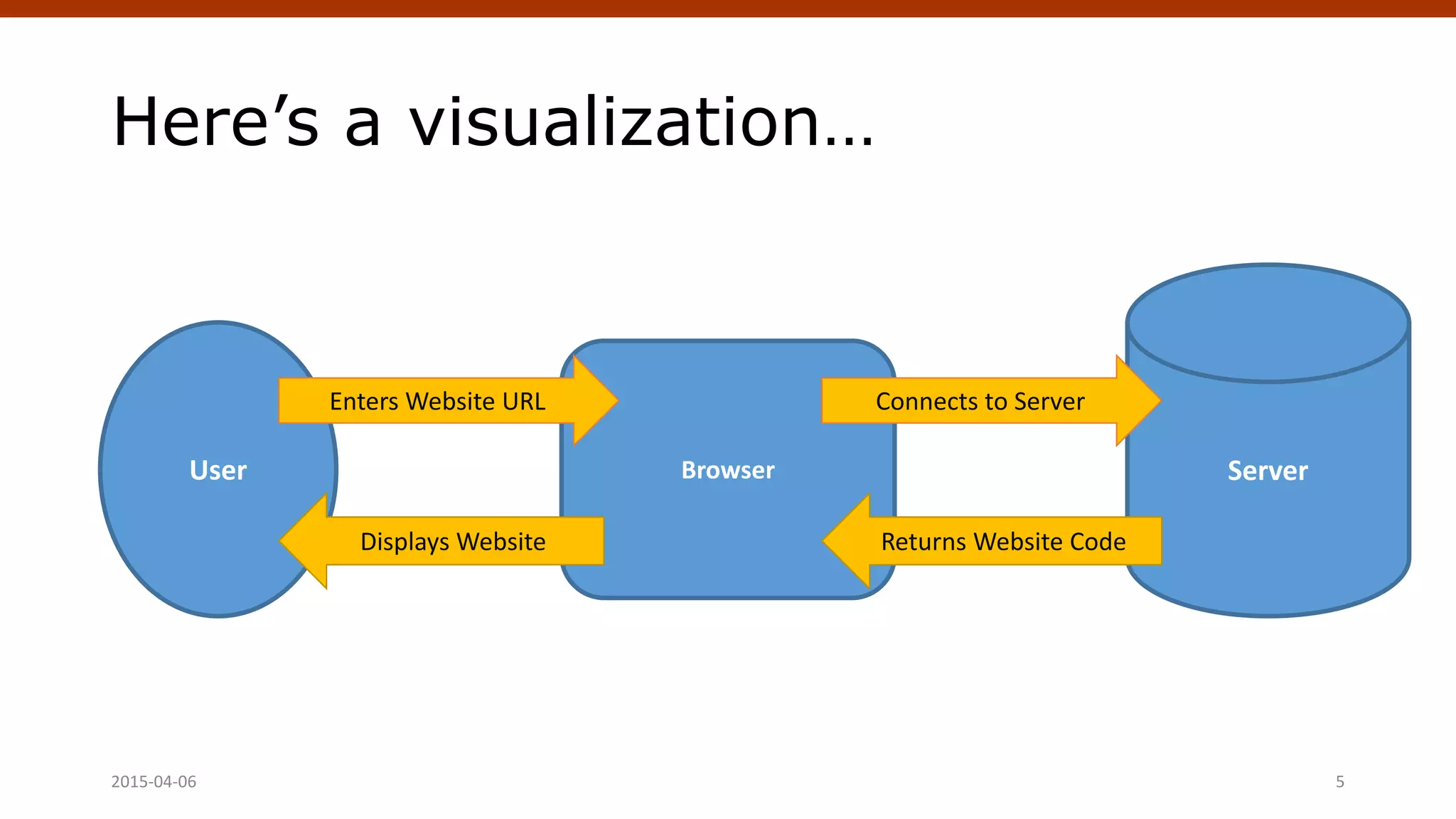
Here’s a visualization…
2015-04-06 Crafting Custom CSS | @andymci | #PCTO15 5
User ServerBrowser
Enters Website URL Connects to Server
Returns Website CodeDisplays Website
So what’s loading in
the browser, anyway?
Let’s take a closer look…
April 4, 2015 WordPress Theming | @andymci | #WPTO 6
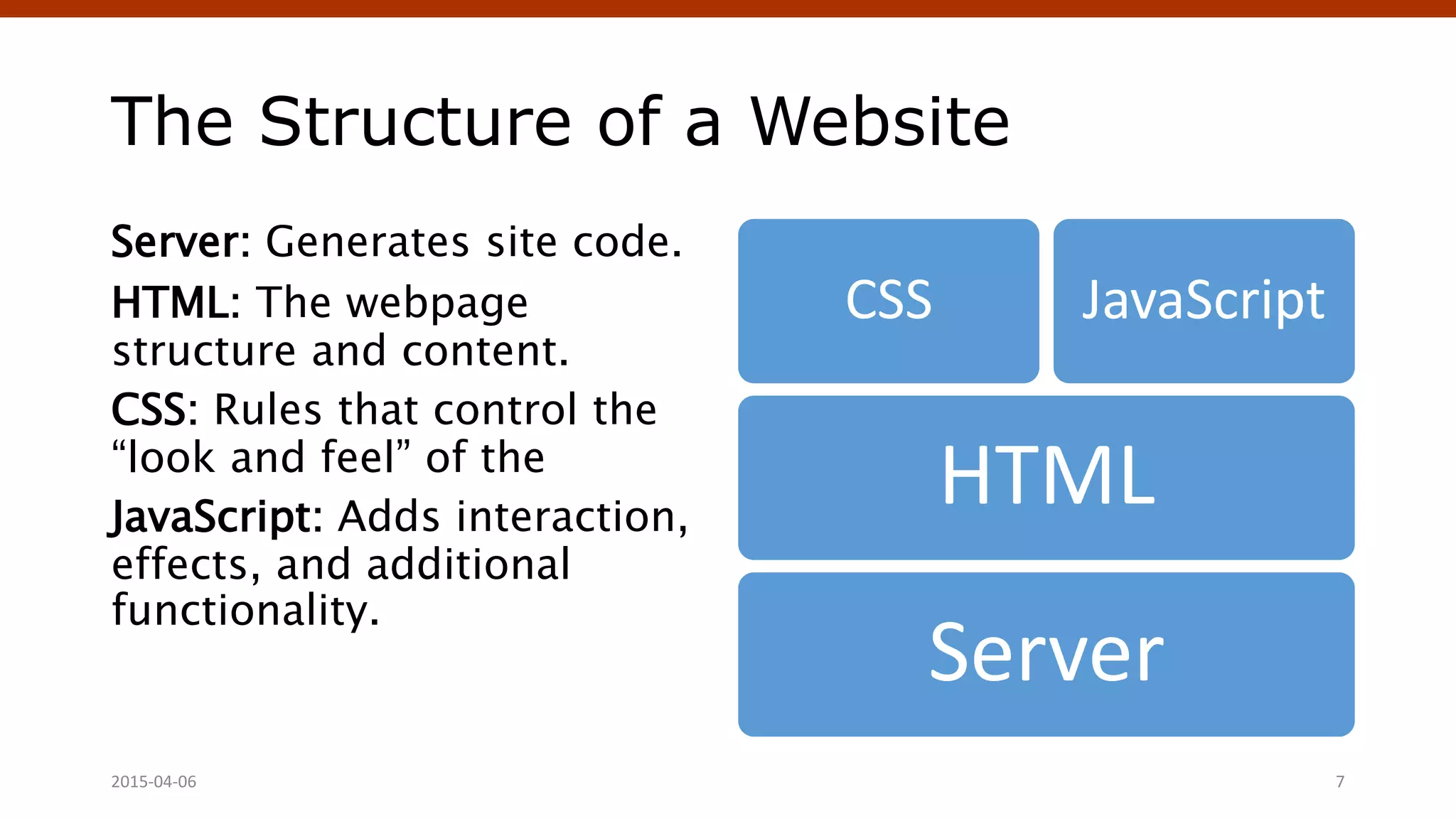
The Structure of a Website
Server: Generates site code.
HTML: The webpage
structure and content.
CSS: Rules that control the
“look and feel” of the
JavaScript: Adds interaction,
effects, and additional
functionality.
Server
HTML
CSS JavaScript
2015-04-06 7
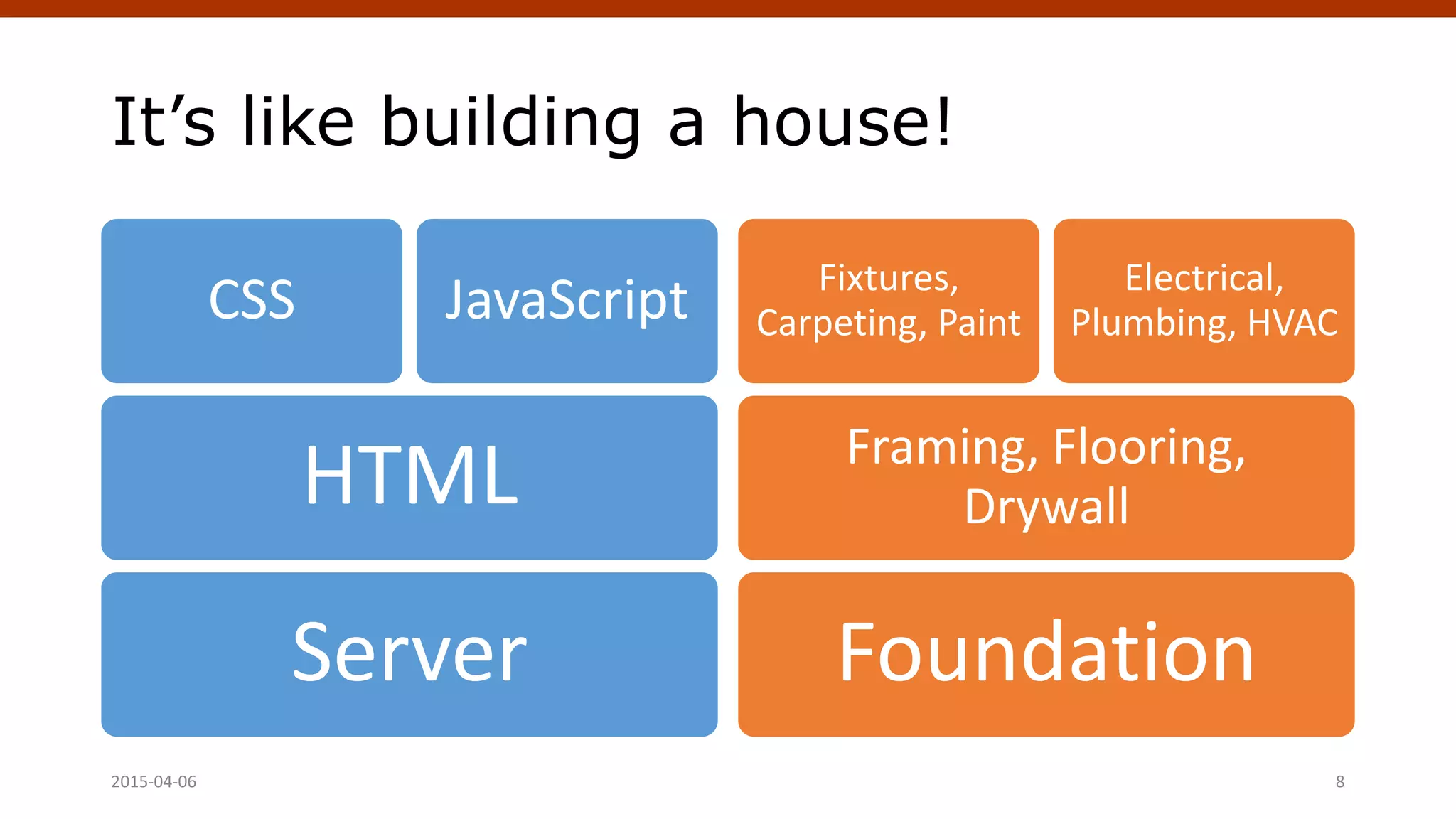
It’s like building a house!
Server
HTML
CSS JavaScript
Foundation
Framing, Flooring,
Drywall
Fixtures,
Carpeting, Paint
Electrical,
Plumbing, HVAC
Crafting Custom CSS | @andymci | #PCTO152015-04-06 8
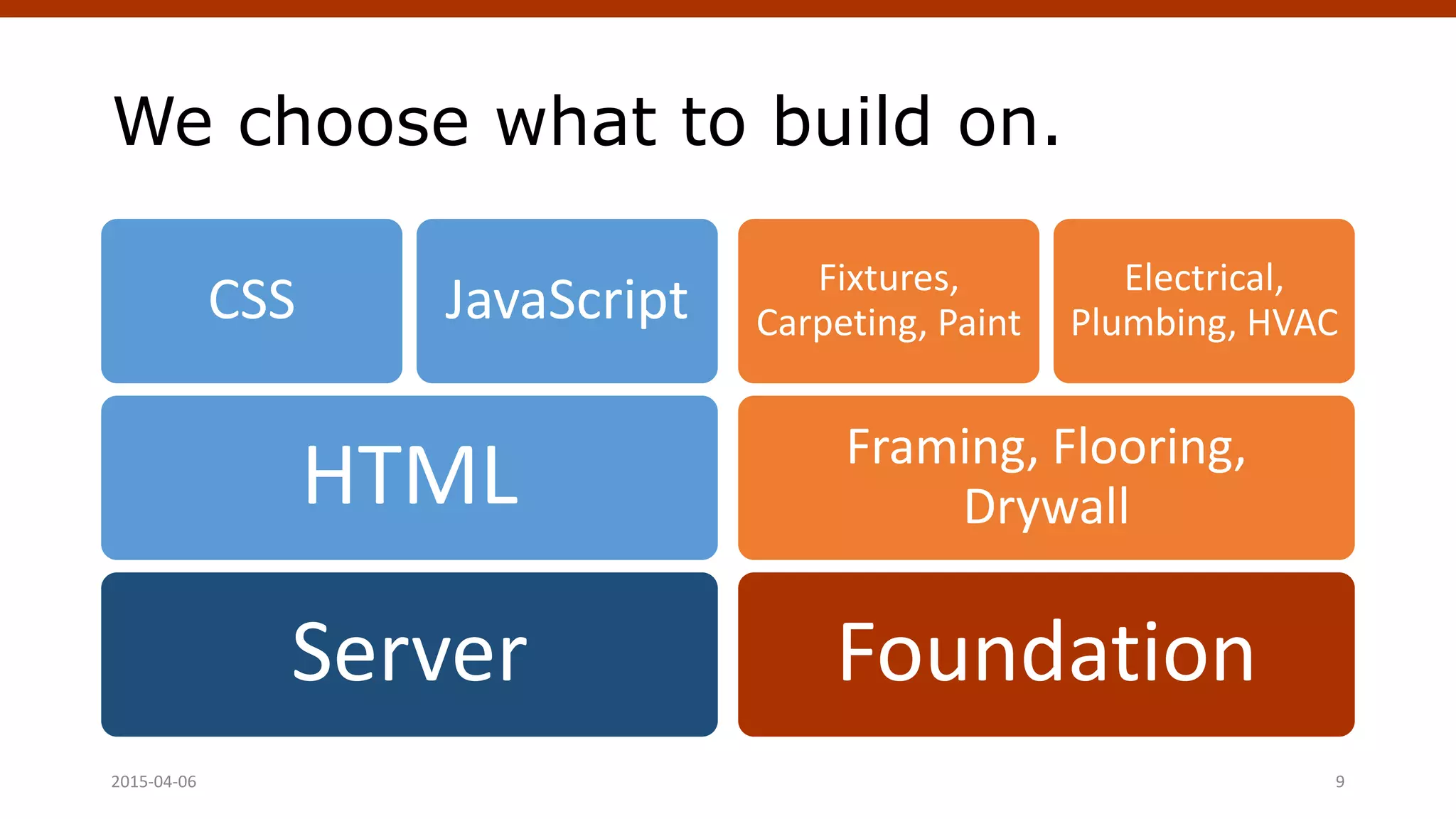
We choose what to build on.
Server
HTML
CSS JavaScript
Foundation
Framing, Flooring,
Drywall
Fixtures,
Carpeting, Paint
Electrical,
Plumbing, HVAC
Crafting Custom CSS | @andymci | #PCTO152015-04-06 9
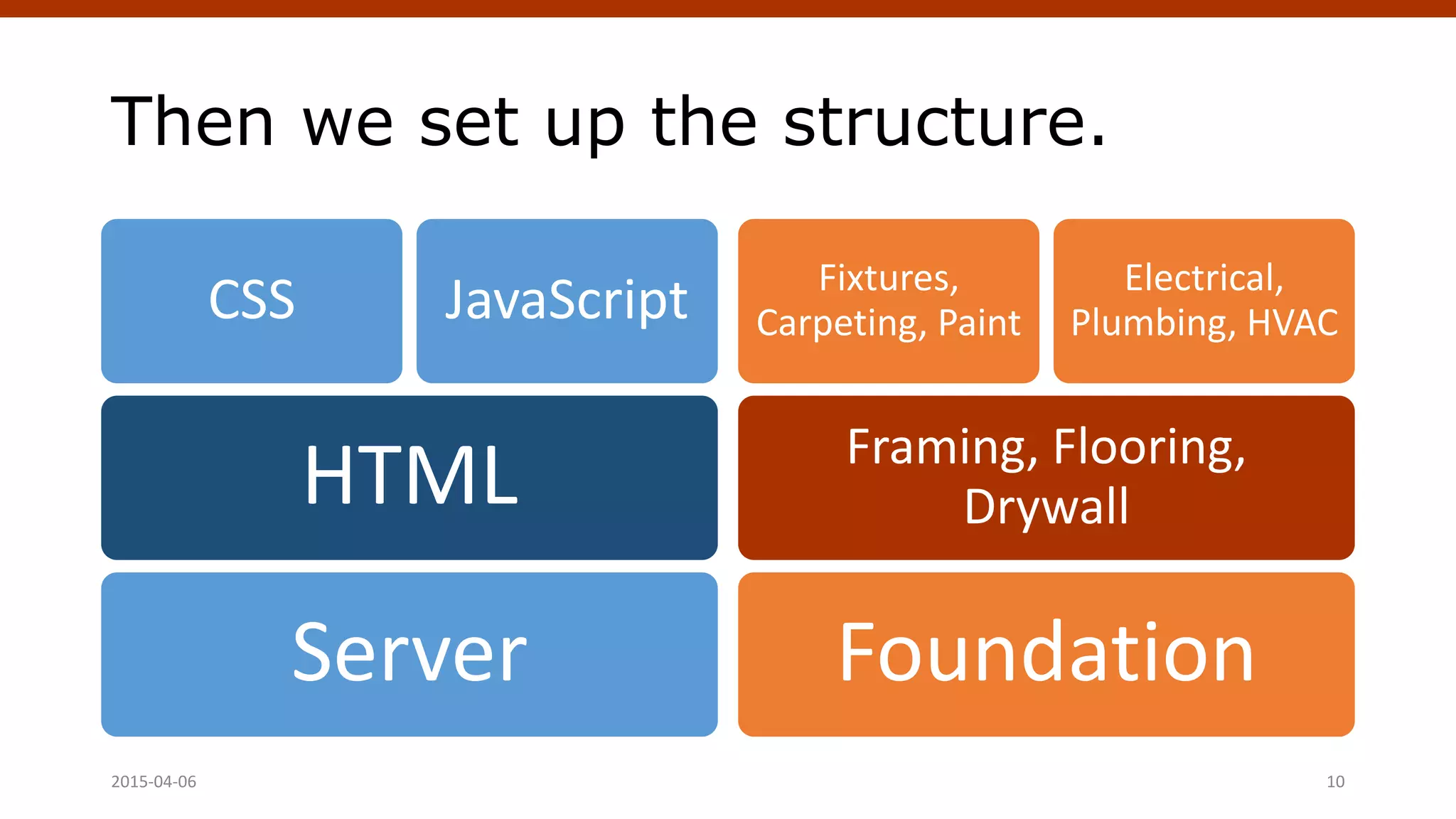
Then we set up the structure.
Server
HTML
CSS JavaScript
Foundation
Framing, Flooring,
Drywall
Fixtures,
Carpeting, Paint
Electrical,
Plumbing, HVAC
Crafting Custom CSS | @andymci | #PCTO152015-04-06 10
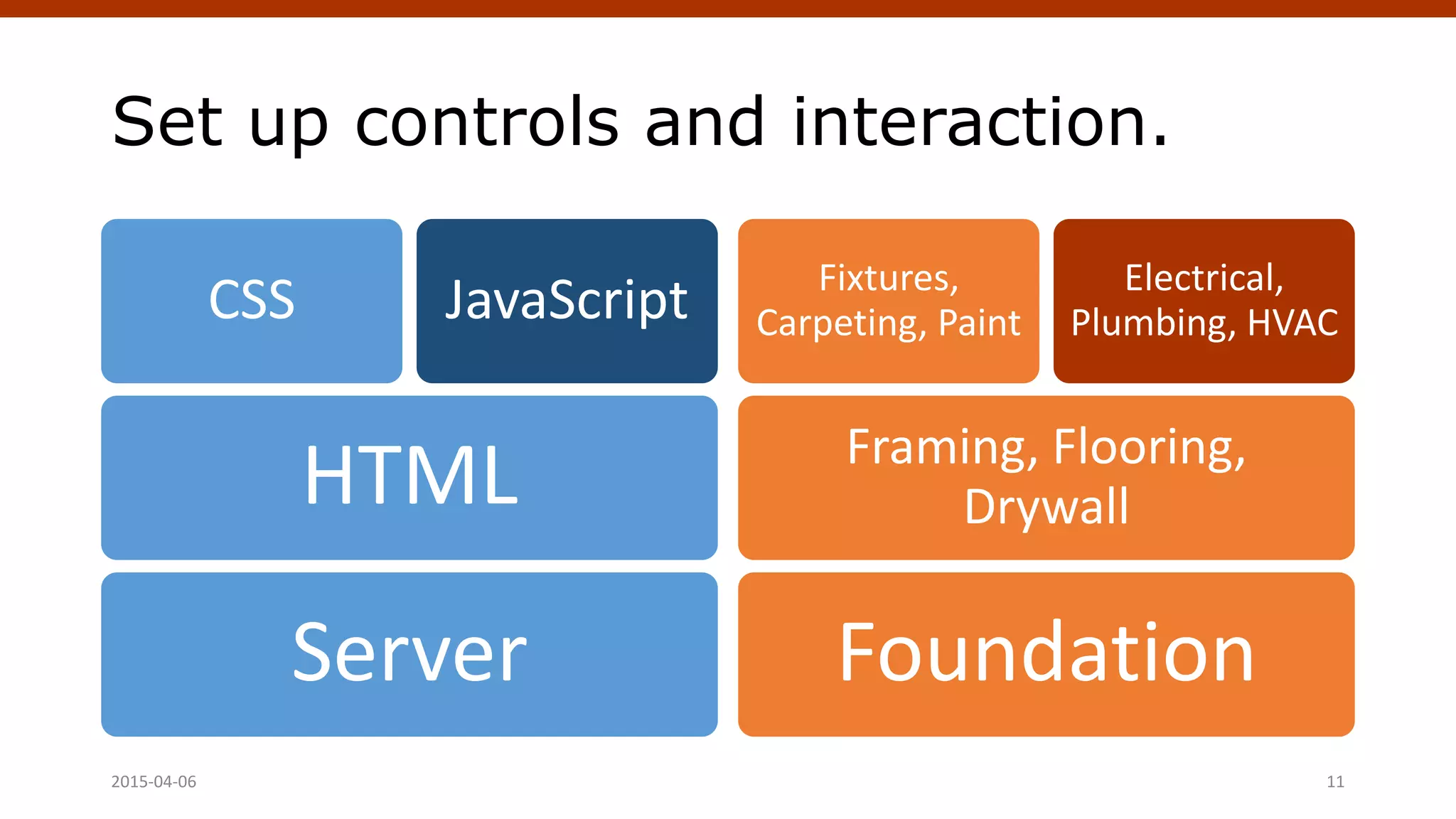
Set up controls and interaction.
Server
HTML
CSS JavaScript
Foundation
Framing, Flooring,
Drywall
Fixtures,
Carpeting, Paint
Electrical,
Plumbing, HVAC
Crafting Custom CSS | @andymci | #PCTO152015-04-06 11
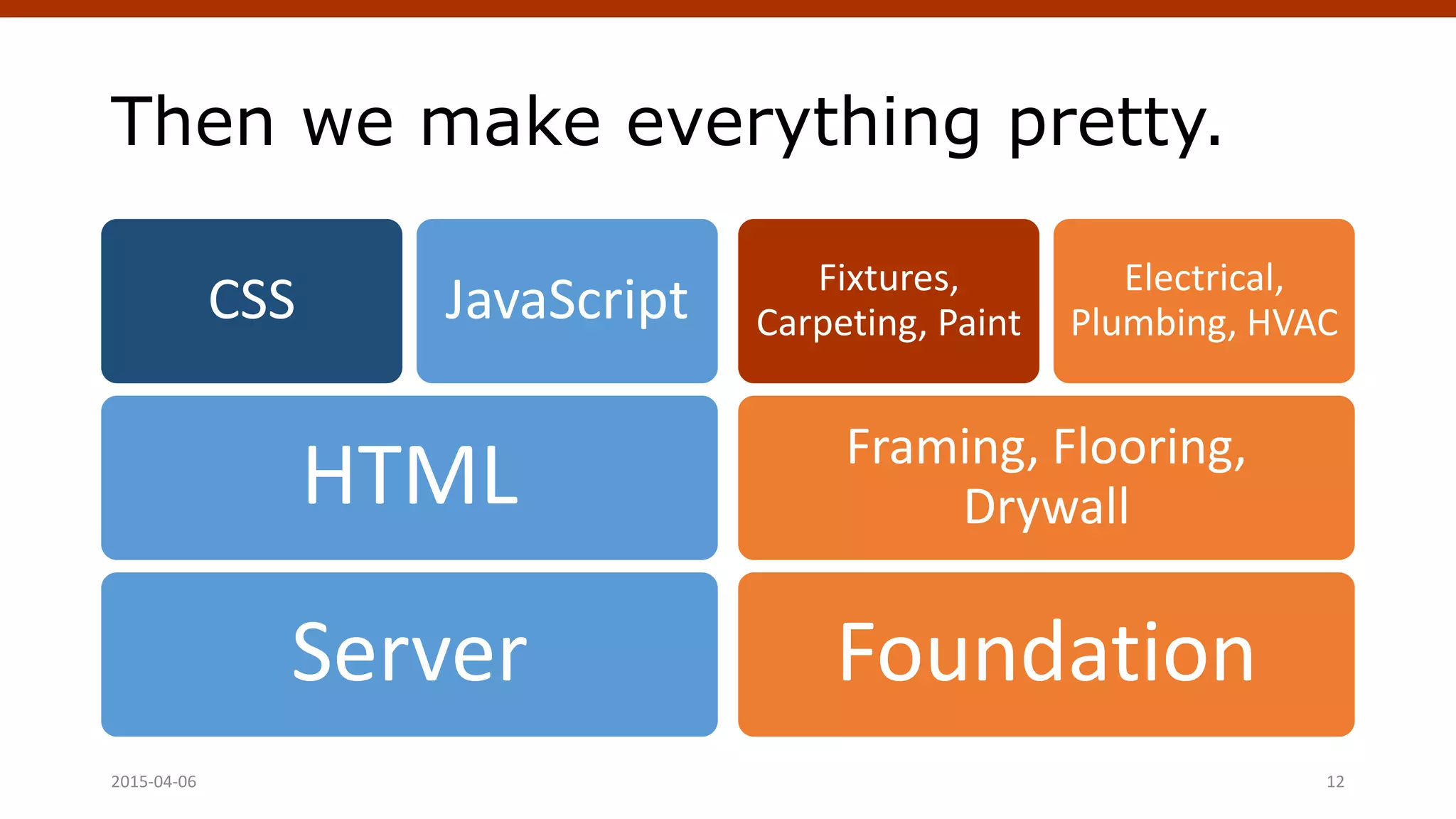
Then we make everything pretty.
Server
HTML
CSS JavaScript
Foundation
Framing, Flooring,
Drywall
Fixtures,
Carpeting, Paint
Electrical,
Plumbing, HVAC
Crafting Custom CSS | @andymci | #PCTO152015-04-06 12
What about
WordPress?
April 4, 2015 WordPress Theming | @andymci | #WPTO 13
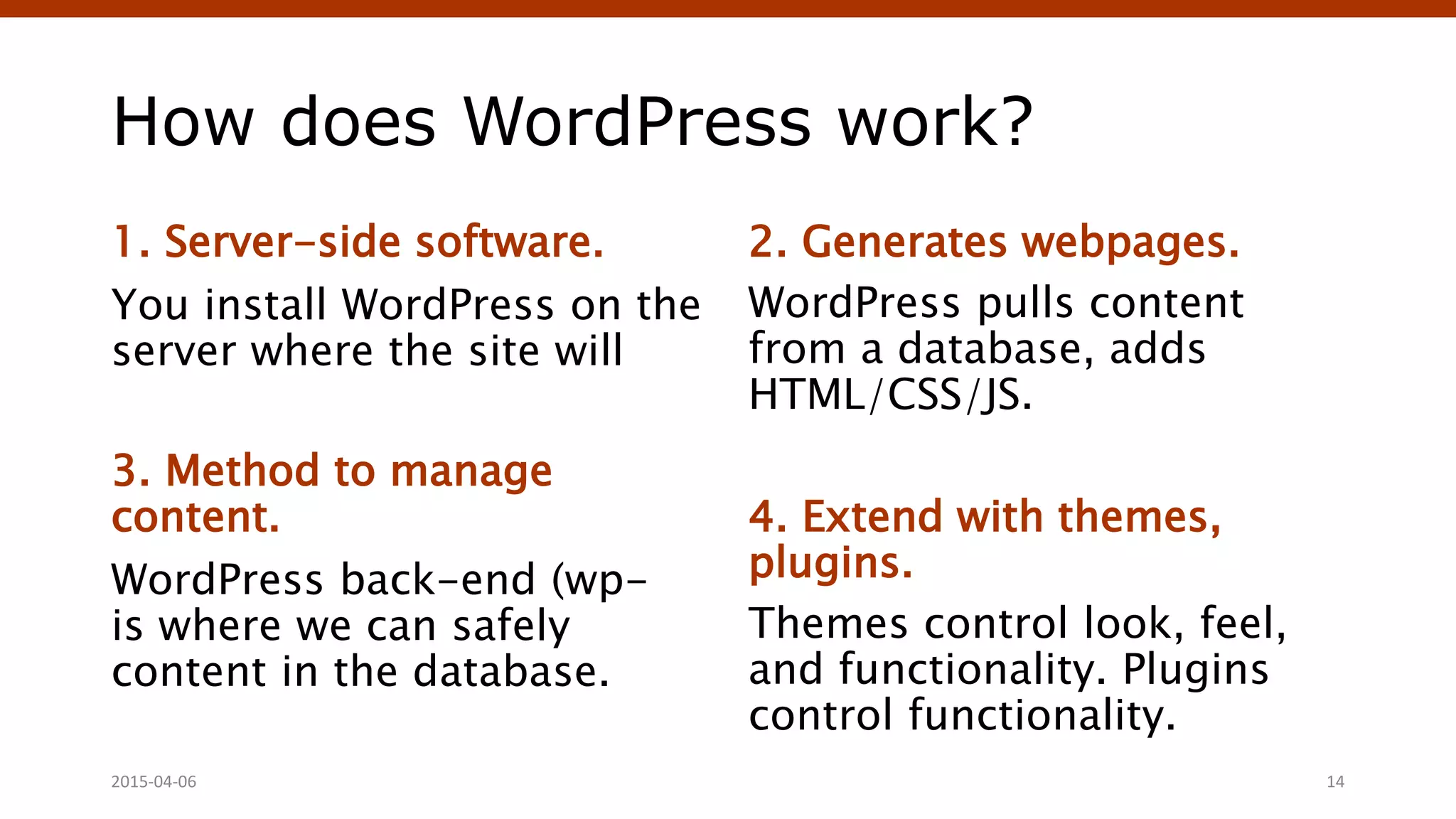
How does WordPress work?
1. Server-side software.
You install WordPress on the
server where the site will
3. Method to manage
content.
WordPress back-end (wp-
is where we can safely
content in the database.
2. Generates webpages.
WordPress pulls content
from a database, adds
HTML/CSS/JS.
4. Extend with themes,
plugins.
Themes control look, feel,
and functionality. Plugins
control functionality.
Crafting Custom CSS | @andymci | #PCTO152015-04-06 14
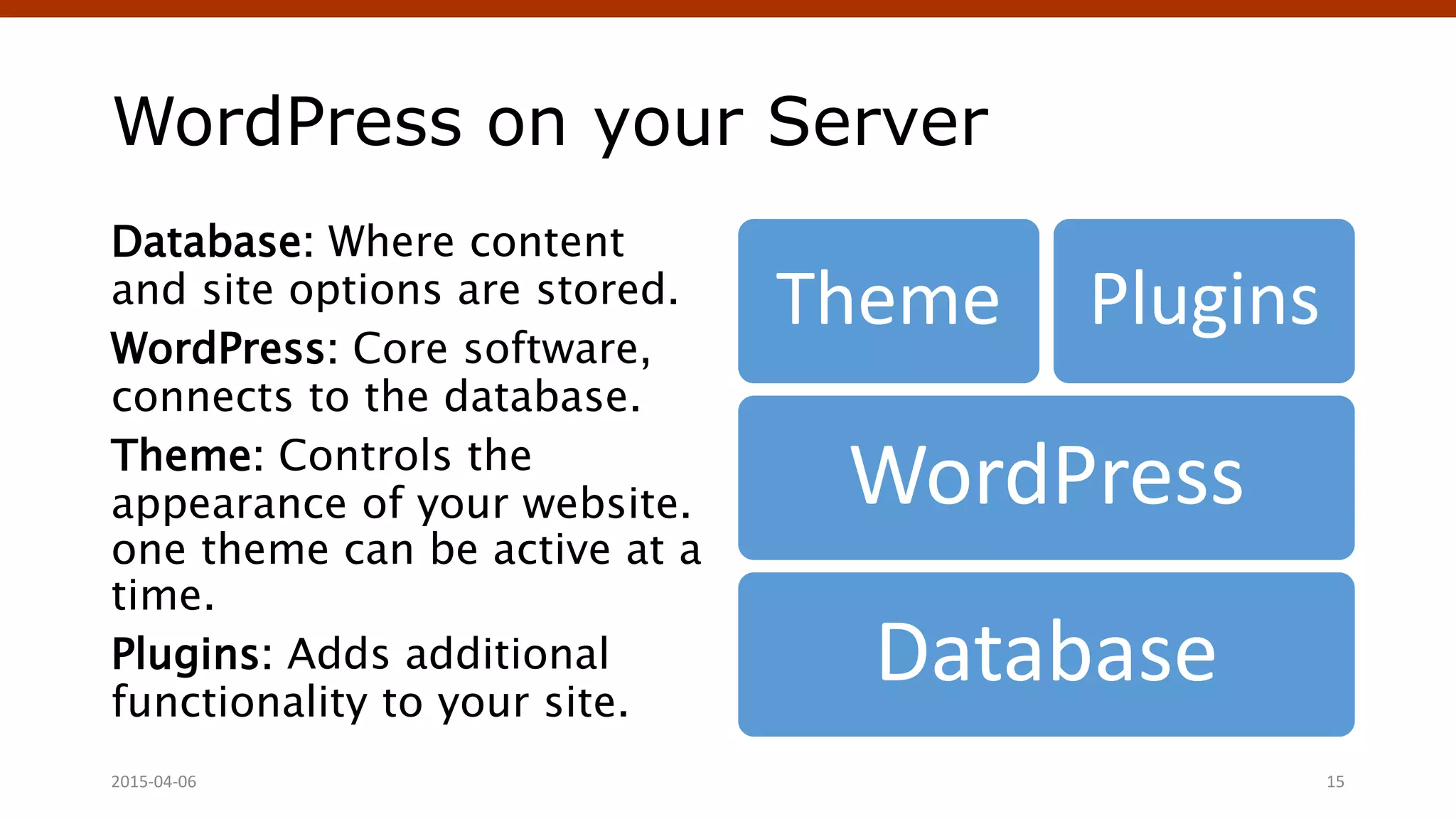
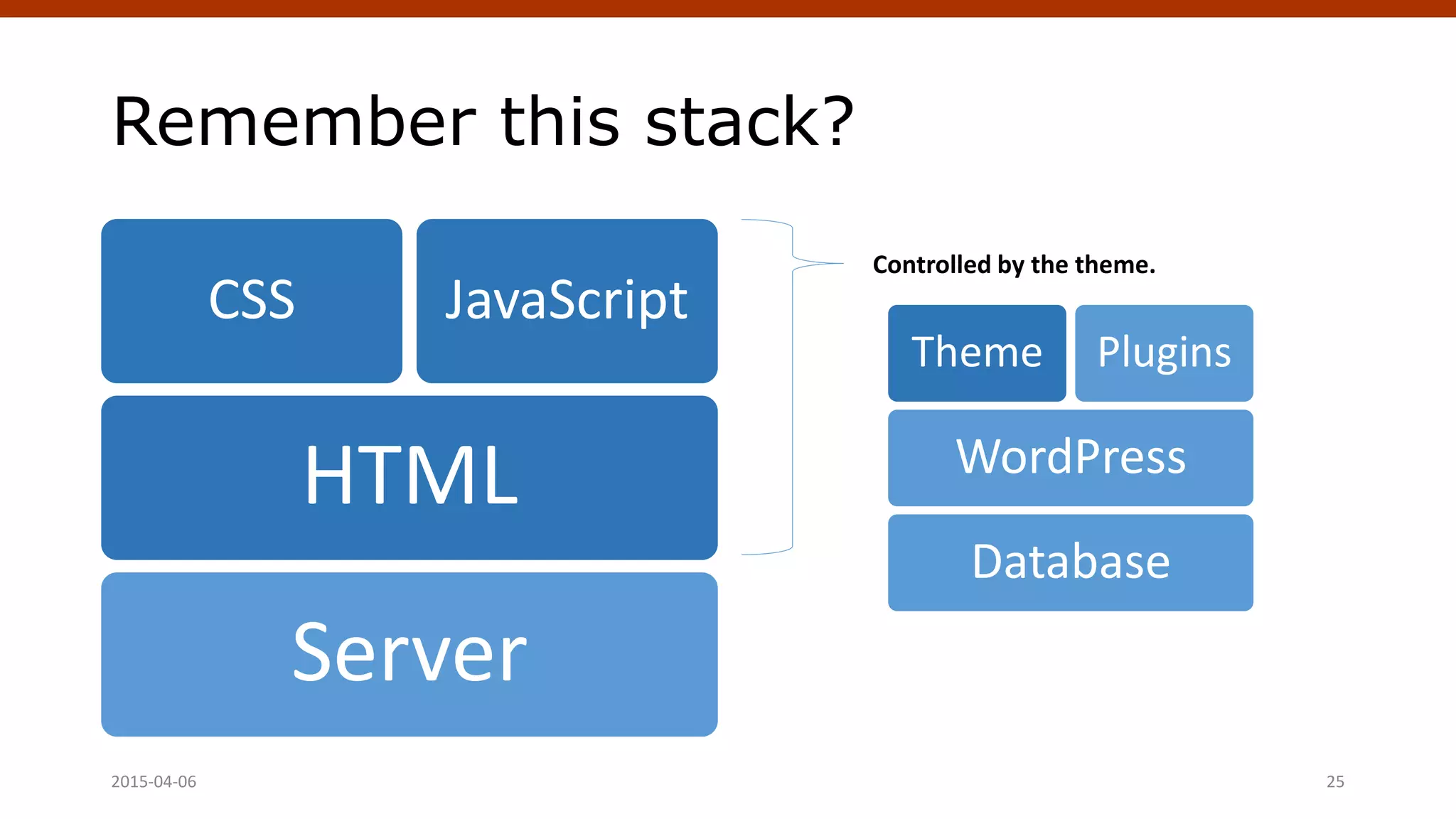
WordPress on your Server
Database: Where content
and site options are stored.
WordPress: Core software,
connects to the database.
Theme: Controls the
appearance of your website.
one theme can be active at a
time.
Plugins: Adds additional
functionality to your site.
Database
WordPress
Theme Plugins
Crafting Custom CSS | @andymci | #PCTO152015-04-06 15
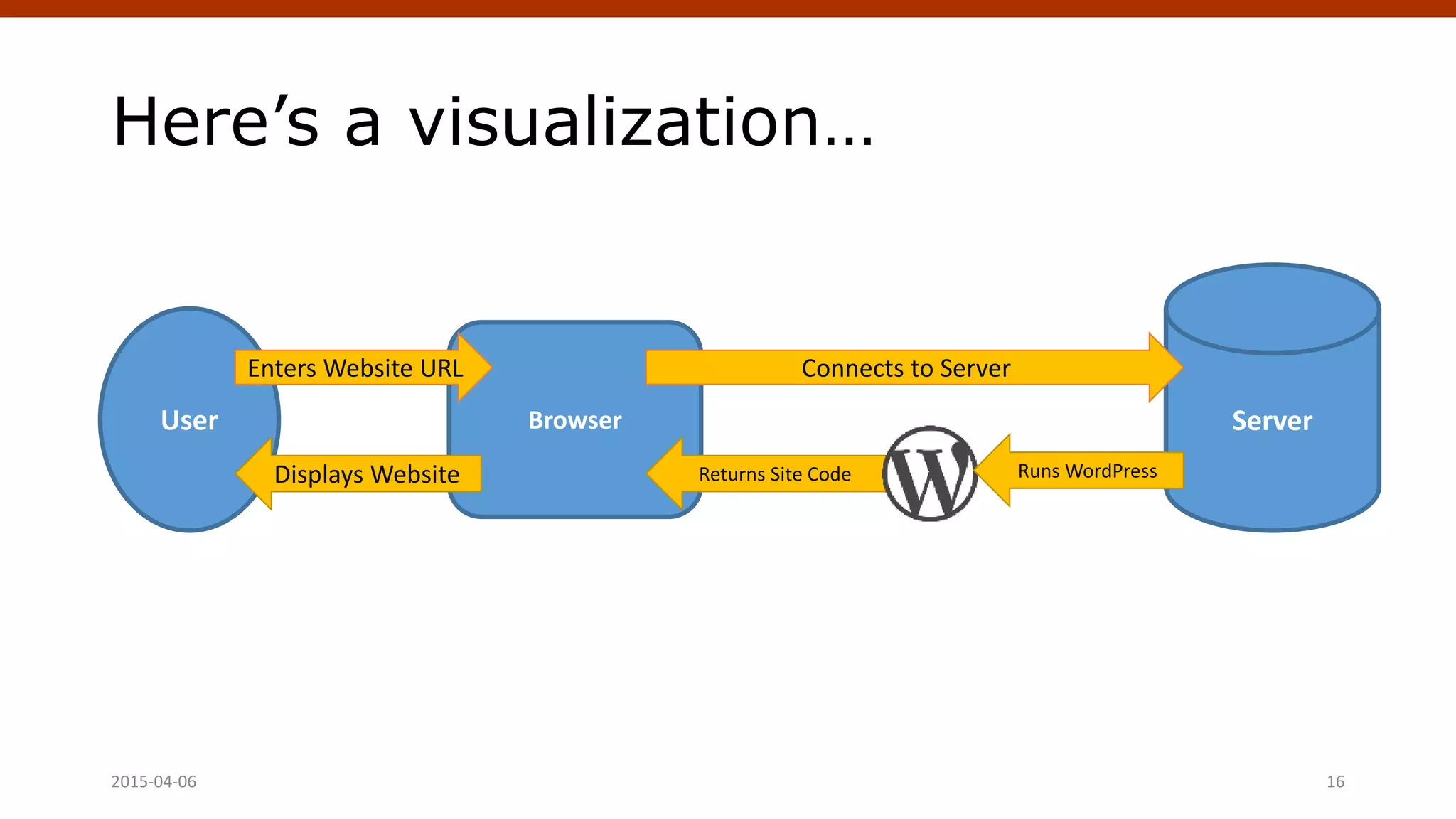
Here’s a visualization…
2015-04-06 Crafting Custom CSS | @andymci | #PCTO15 16
User ServerBrowser
Enters Website URL Connects to Server
Returns Site CodeDisplays Website Runs WordPress
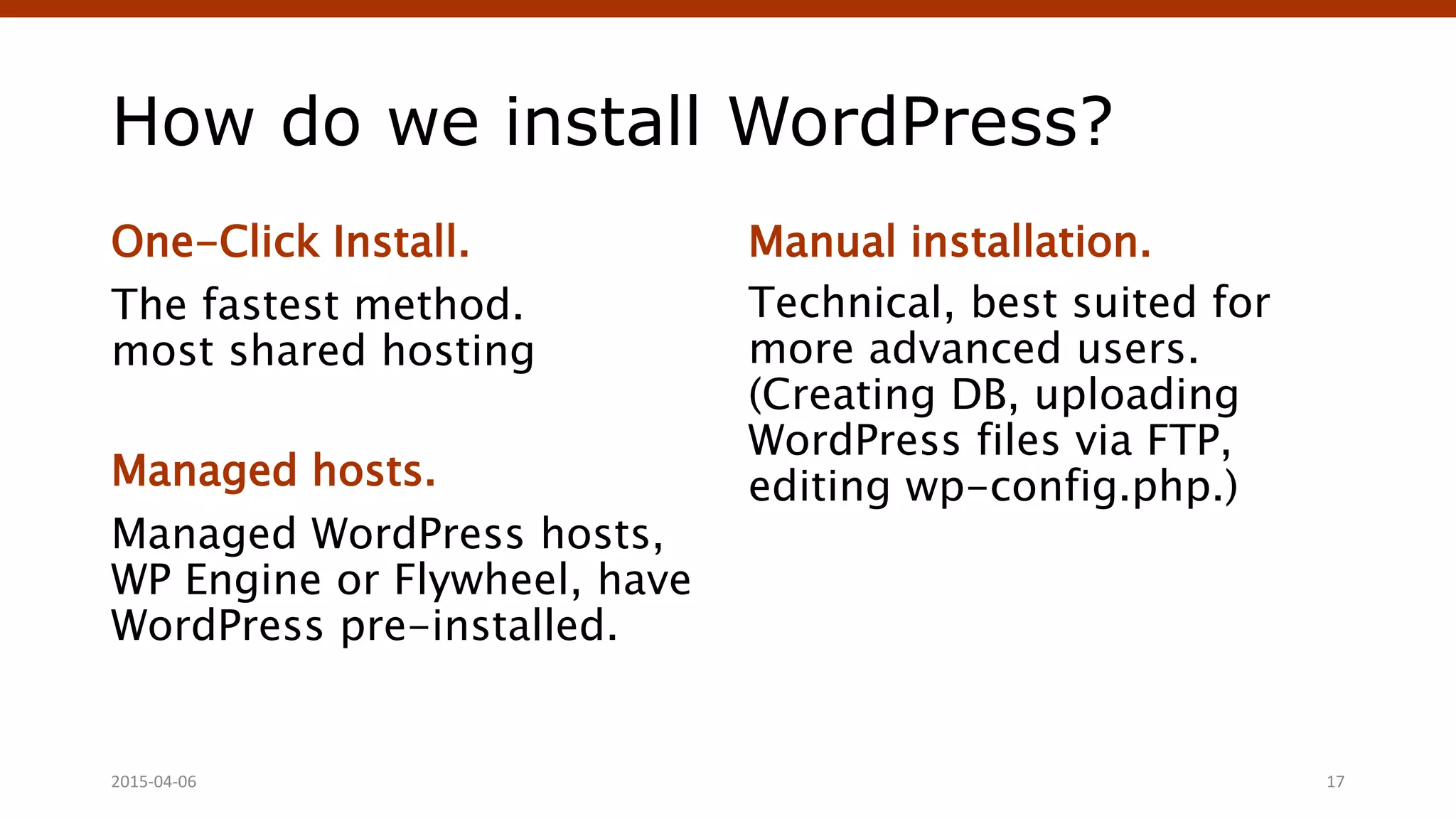
How do we install WordPress?
One-Click Install.
The fastest method.
most shared hosting
Managed hosts.
Managed WordPress hosts,
WP Engine or Flywheel, have
WordPress pre-installed.
Manual installation.
Technical, best suited for
more advanced users.
(Creating DB, uploading
WordPress files via FTP,
editing wp-config.php.)
Crafting Custom CSS | @andymci | #PCTO152015-04-06 17
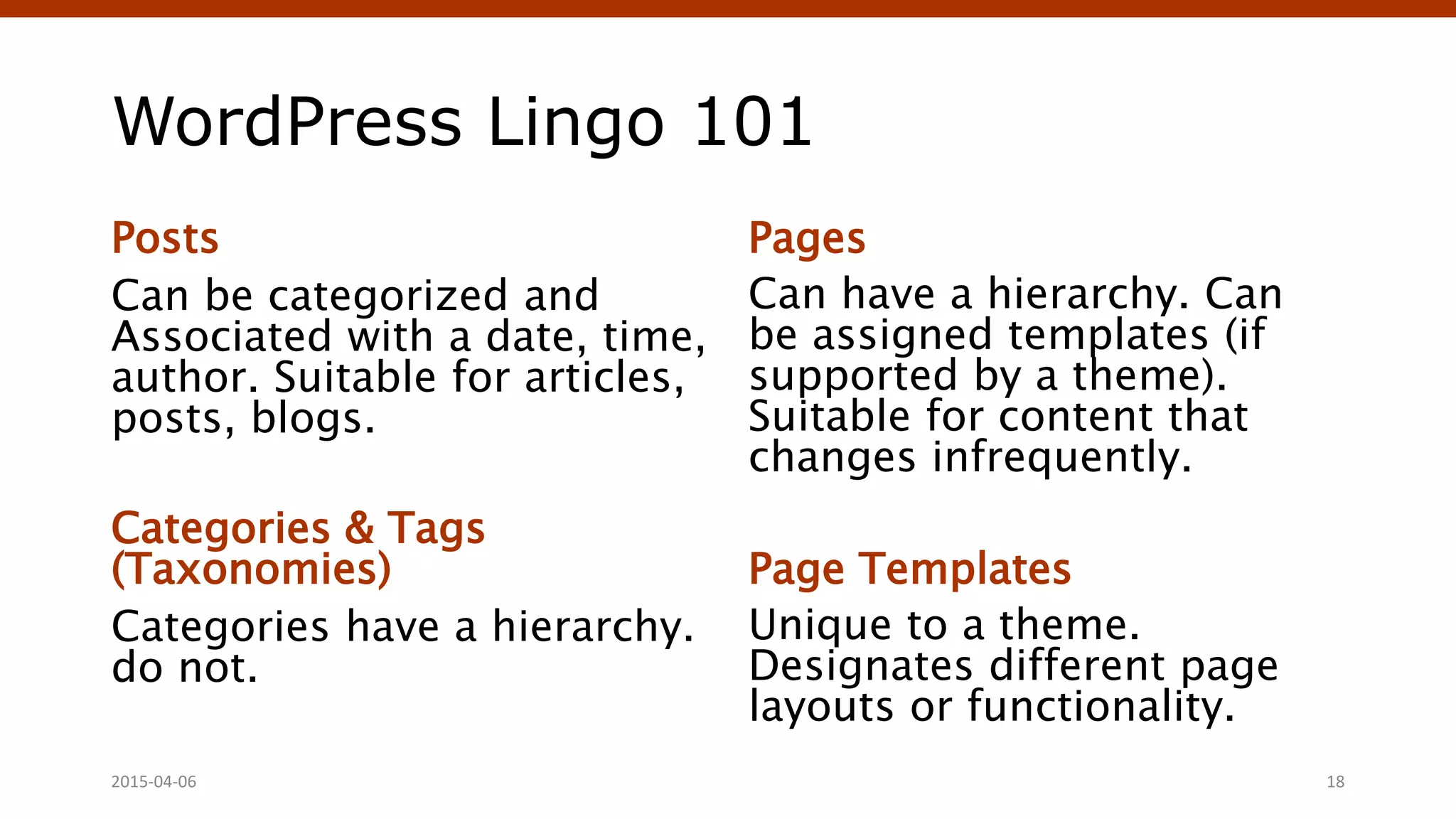
WordPress Lingo 101
Posts
Can be categorized and
Associated with a date, time,
author. Suitable for articles,
posts, blogs.
Categories & Tags
(Taxonomies)
Categories have a hierarchy.
do not.
Pages
Can have a hierarchy. Can
be assigned templates (if
supported by a theme).
Suitable for content that
changes infrequently.
Page Templates
Unique to a theme.
Designates different page
layouts or functionality.
Crafting Custom CSS | @andymci | #PCTO152015-04-06 18
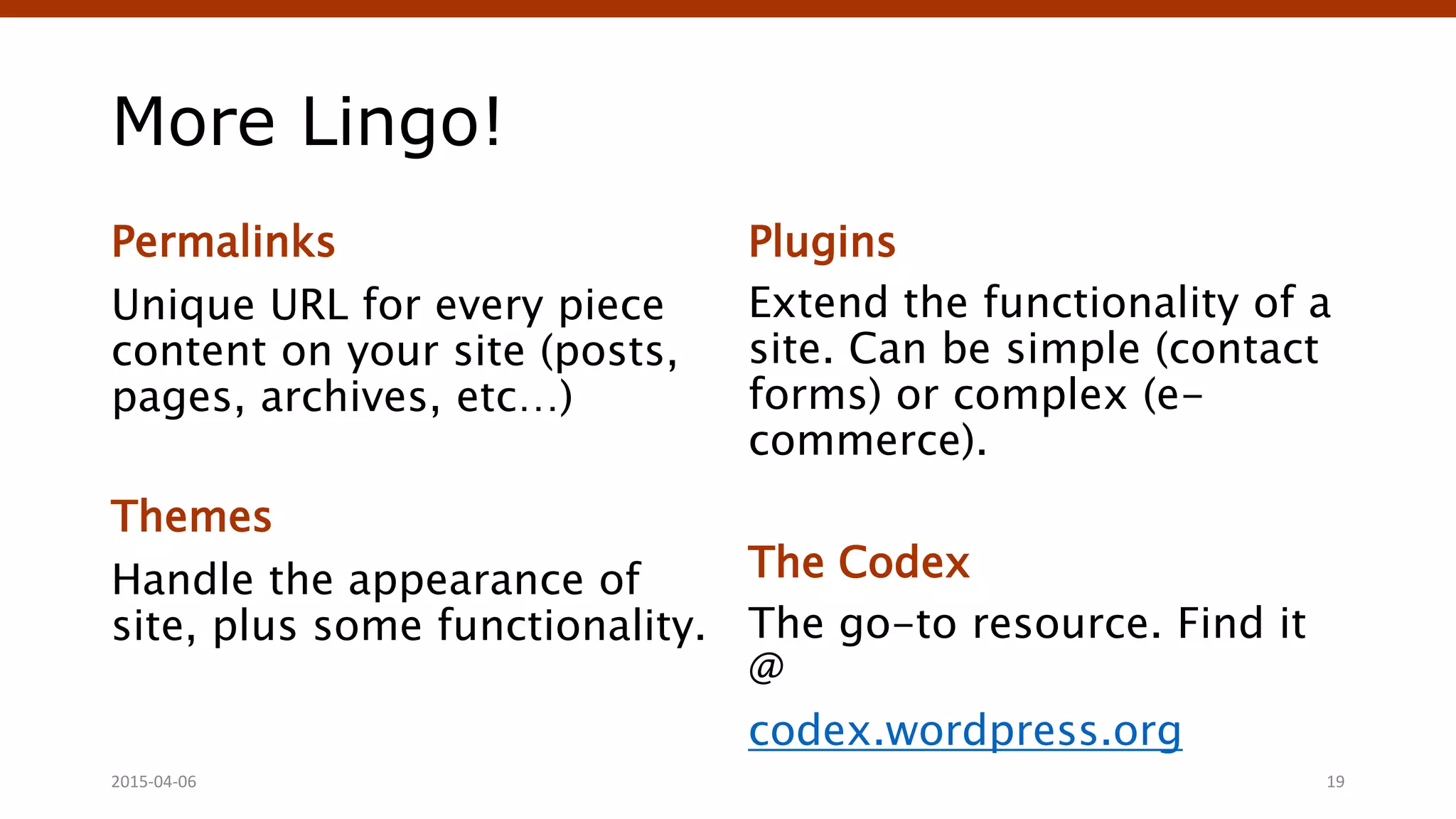
More Lingo!
Permalinks
Unique URL for every piece
content on your site (posts,
pages, archives, etc…)
Themes
Handle the appearance of
site, plus some functionality.
Plugins
Extend the functionality of a
site. Can be simple (contact
forms) or complex (e-
commerce).
The Codex
The go-to resource. Find it
@
codex.wordpress.org
Crafting Custom CSS | @andymci | #PCTO152015-04-06 19
Let’s Talk Themes
The best things in life are (often) free.
April 4, 2015 WordPress Theming | @andymci | #WPTO 20
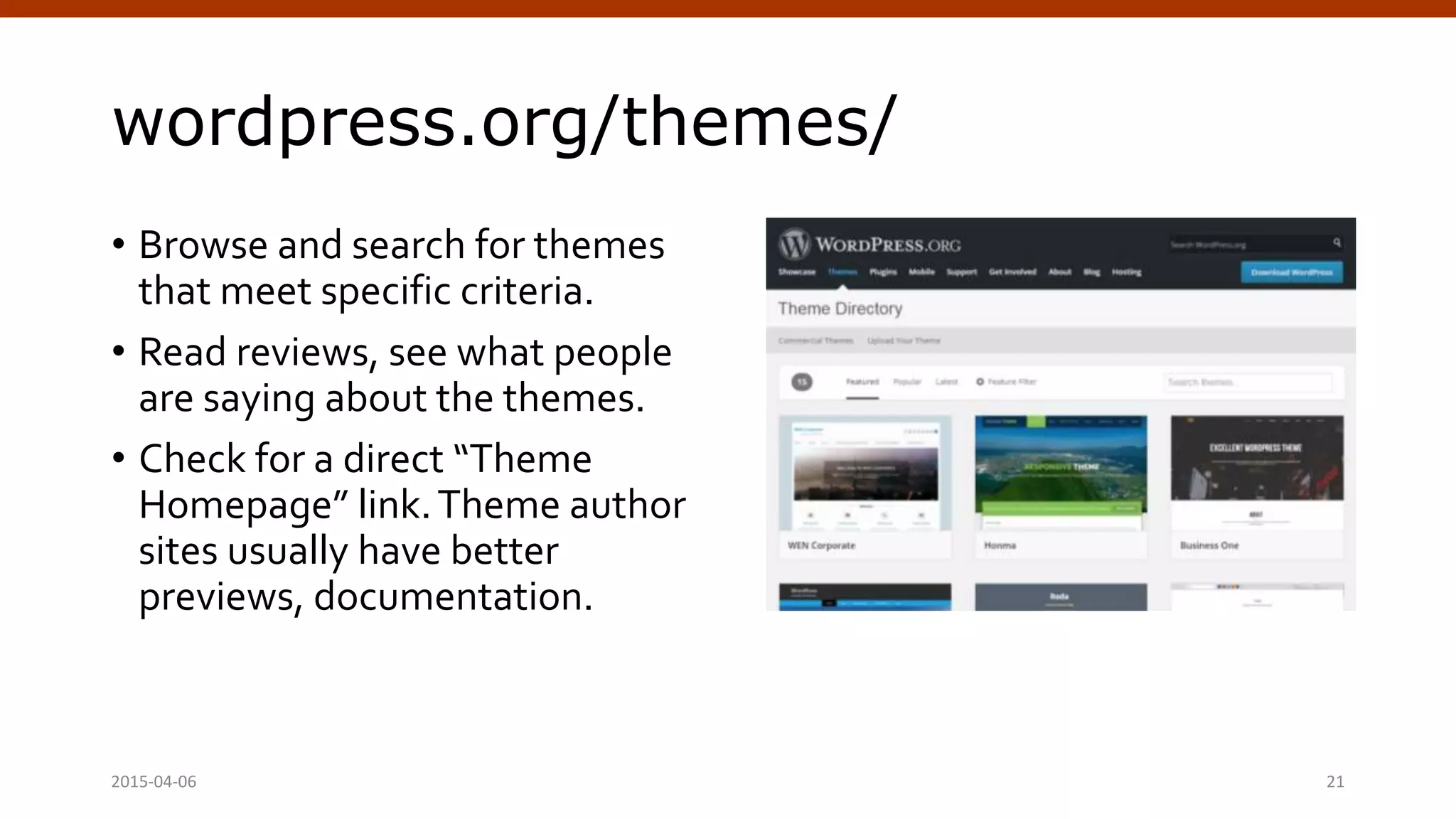
wordpress.org/themes/
• Browse and search for themes
that meet specific criteria.
• Read reviews, see what people
are saying about the themes.
• Check for a direct “Theme
Homepage” link.Theme author
sites usually have better
previews, documentation.
2015-04-06 Crafting Custom CSS | @andymci | #PCTO15 21
What makes for a good theme?
Clean Layout
Easier to add your own flare
images and custom CSS.
Available Reviews, Examples
See how the theme is being
“in the wild”. Look for
from existing users.
Well Documented
Includes inline
documentation (comments
in code).
Crafting Custom CSS | @andymci | #PCTO152015-04-06 22
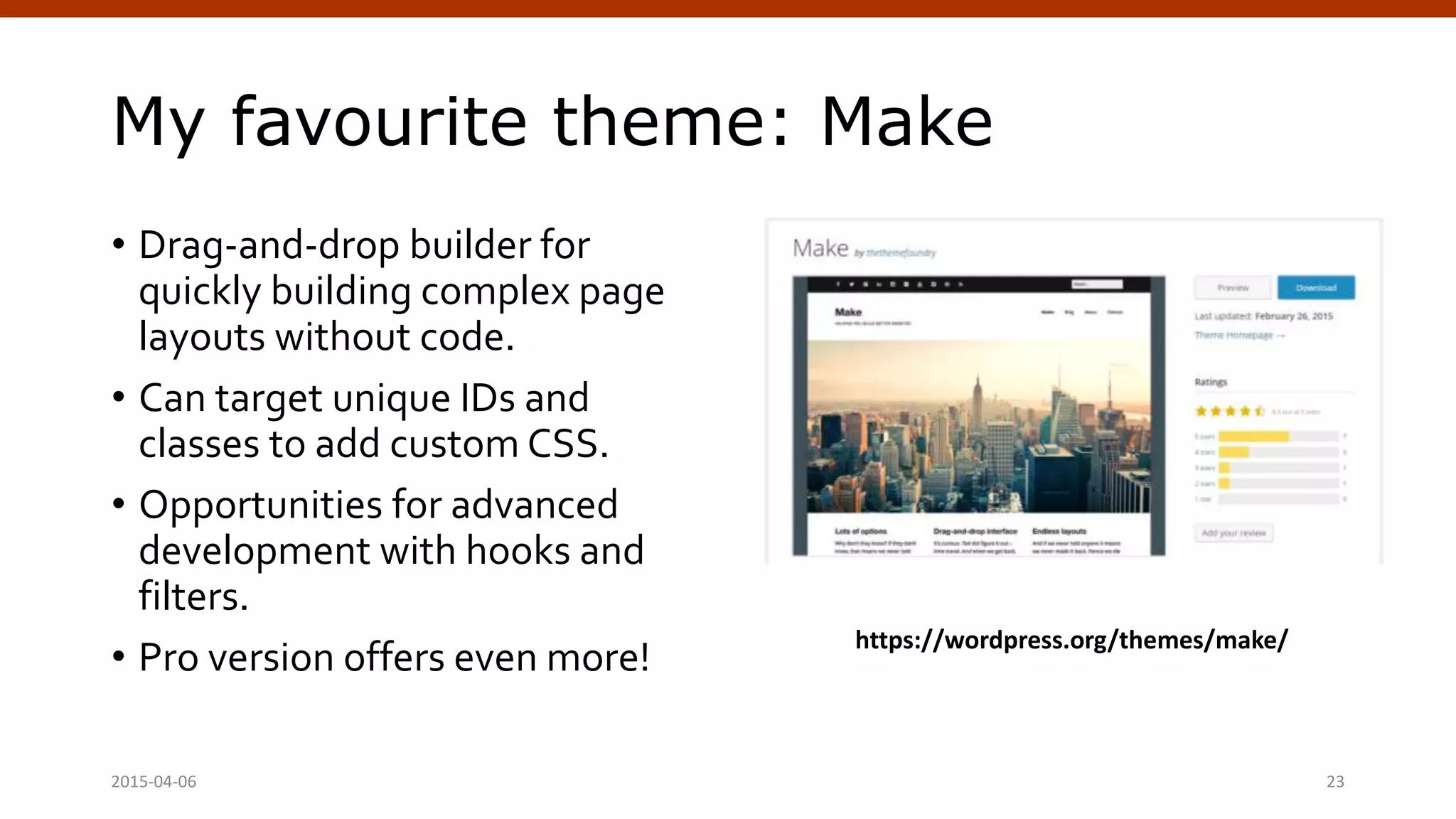
My favourite theme: Make
• Drag-and-drop builder for
quickly building complex page
layouts without code.
• Can target unique IDs and
classes to add custom CSS.
• Opportunities for advanced
development with hooks and
filters.
• Pro version offers even more!
2015-04-06 Crafting Custom CSS | @andymci | #PCTO15 23
https://wordpress.org/themes/make/
Customizing Themes
with CSS
Dipping our toes into the waters of theme development.
April 4, 2015 WordPress Theming | @andymci | #WPTO 24
Remember this stack?
Server
HTML
CSS JavaScript
Crafting Custom CSS | @andymci | #PCTO152015-04-06 25
Controlled by the theme.
Database
WordPress
Theme Plugins
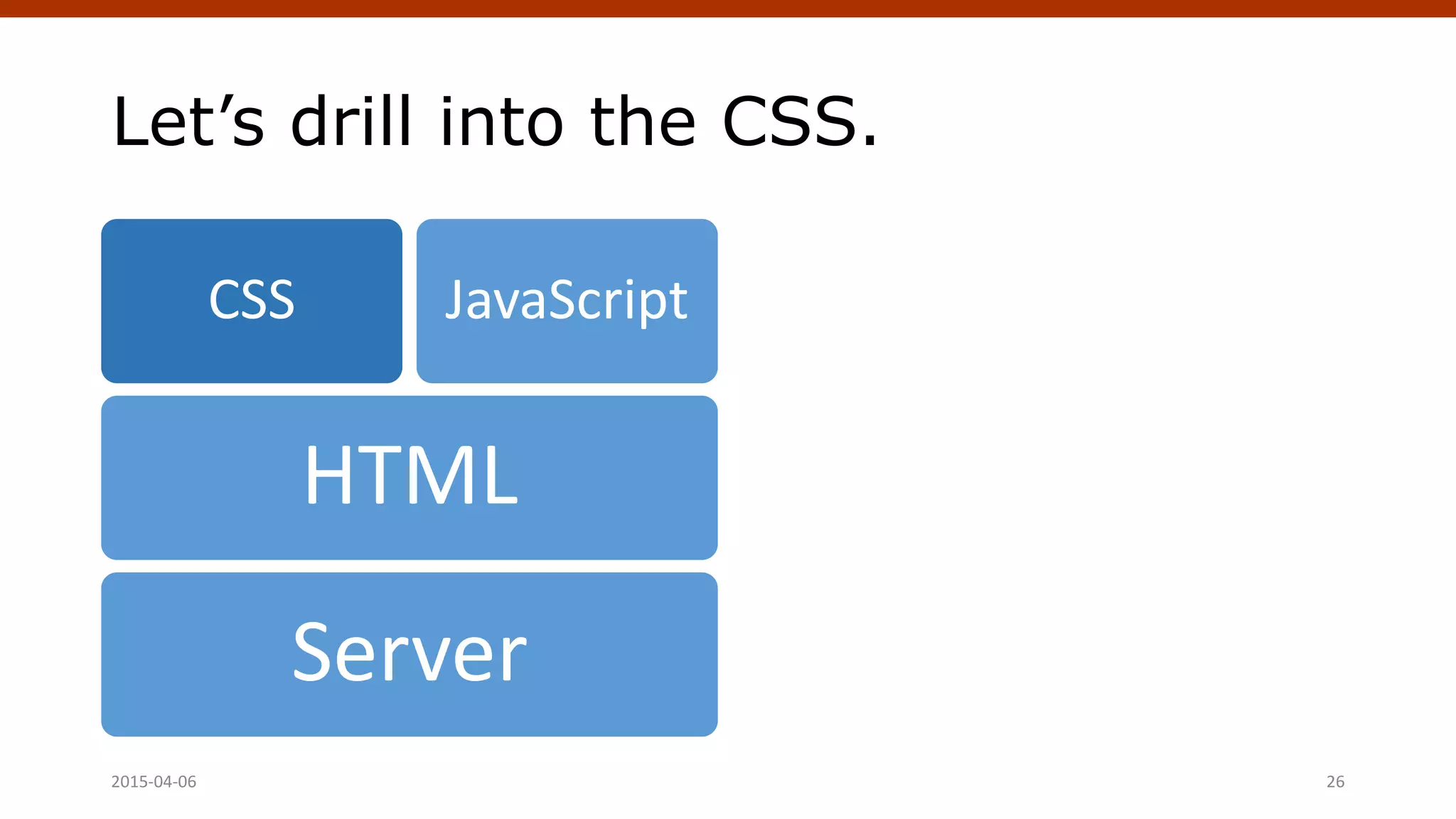
Let’s drill into the CSS.
Server
HTML
CSS JavaScript
Crafting Custom CSS | @andymci | #PCTO152015-04-06 26
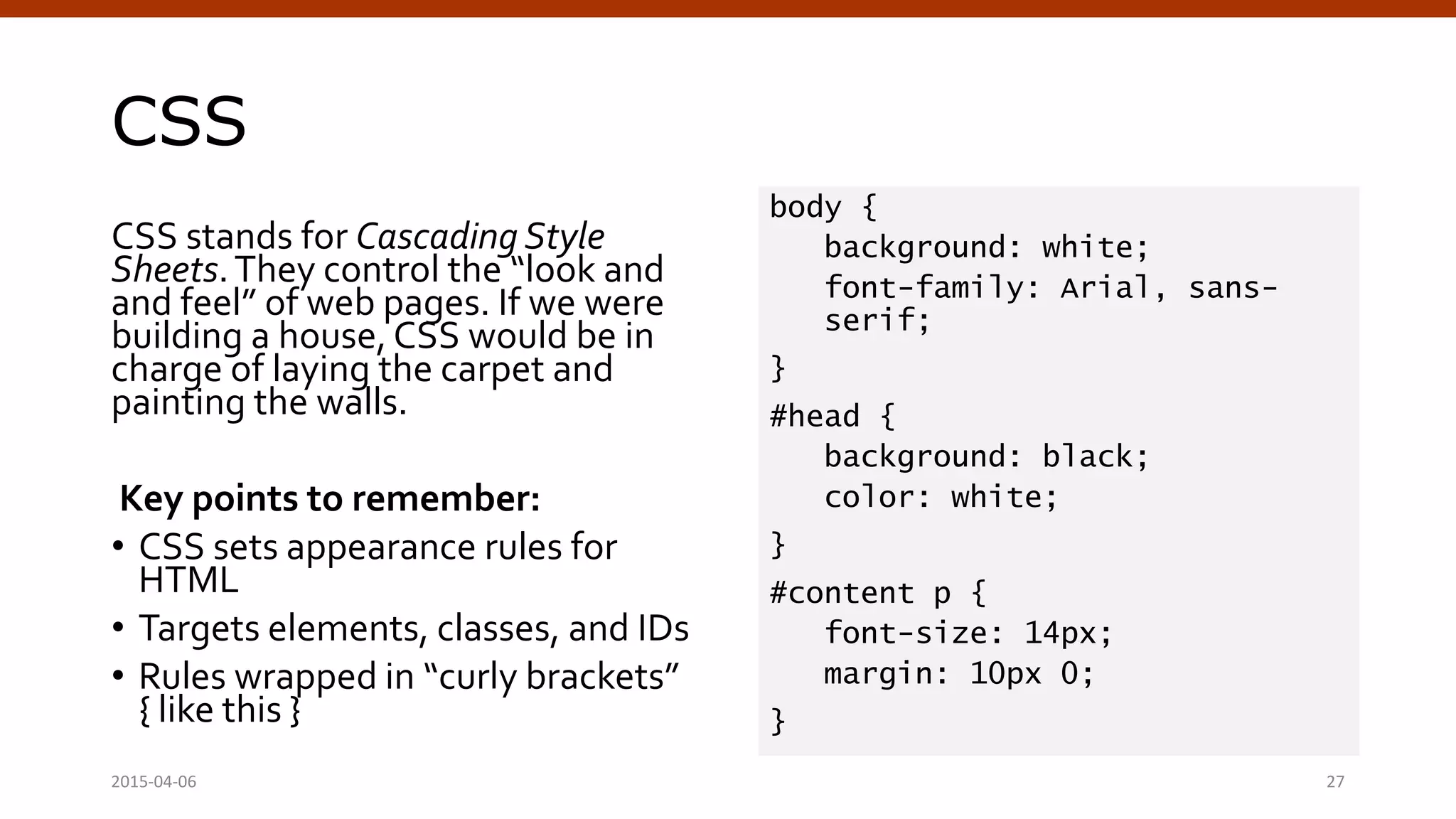
CSS
CSS stands for Cascading Style
Sheets.They control the “look and
and feel” of web pages. If we were
building a house, CSS would be in
charge of laying the carpet and
painting the walls.
Key points to remember:
• CSS sets appearance rules for
HTML
• Targets elements, classes, and IDs
• Rules wrapped in “curly brackets”
{ like this }
body {
background: white;
font-family: Arial, sans-
serif;
}
#head {
background: black;
color: white;
}
#content p {
font-size: 14px;
margin: 10px 0;
}
Crafting Custom CSS | @andymci | #PCTO152015-04-06 27
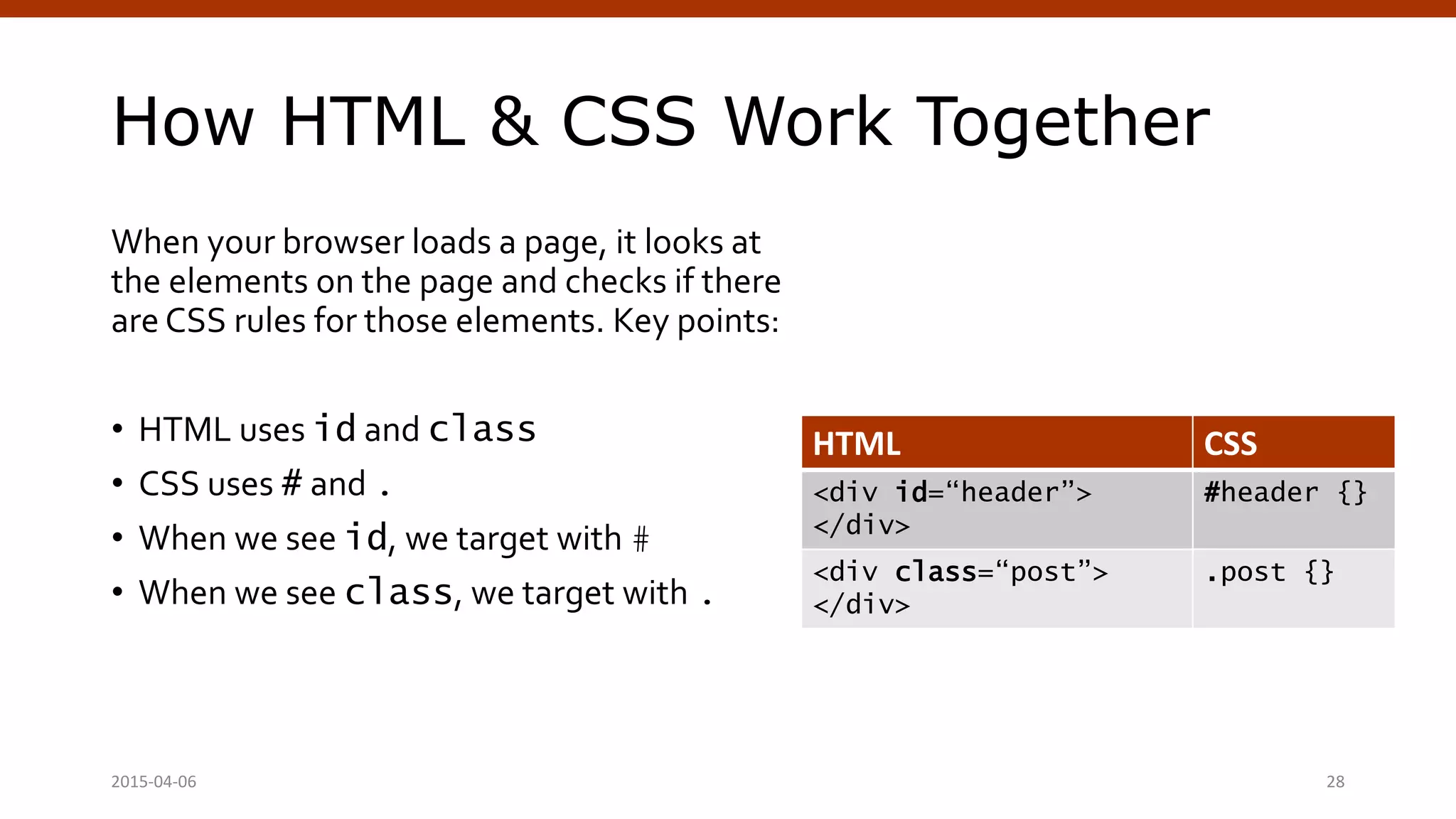
How HTML & CSS Work Together
When your browser loads a page, it looks at
the elements on the page and checks if there
are CSS rules for those elements. Key points:
• HTML uses id and class
• CSS uses # and .
• When we see id, we target with #
• When we see class, we target with .
HTML CSS
<div id=“header”>
</div>
#header {}
<div class=“post”>
</div>
.post {}
Crafting Custom CSS | @andymci | #PCTO152015-04-06 28
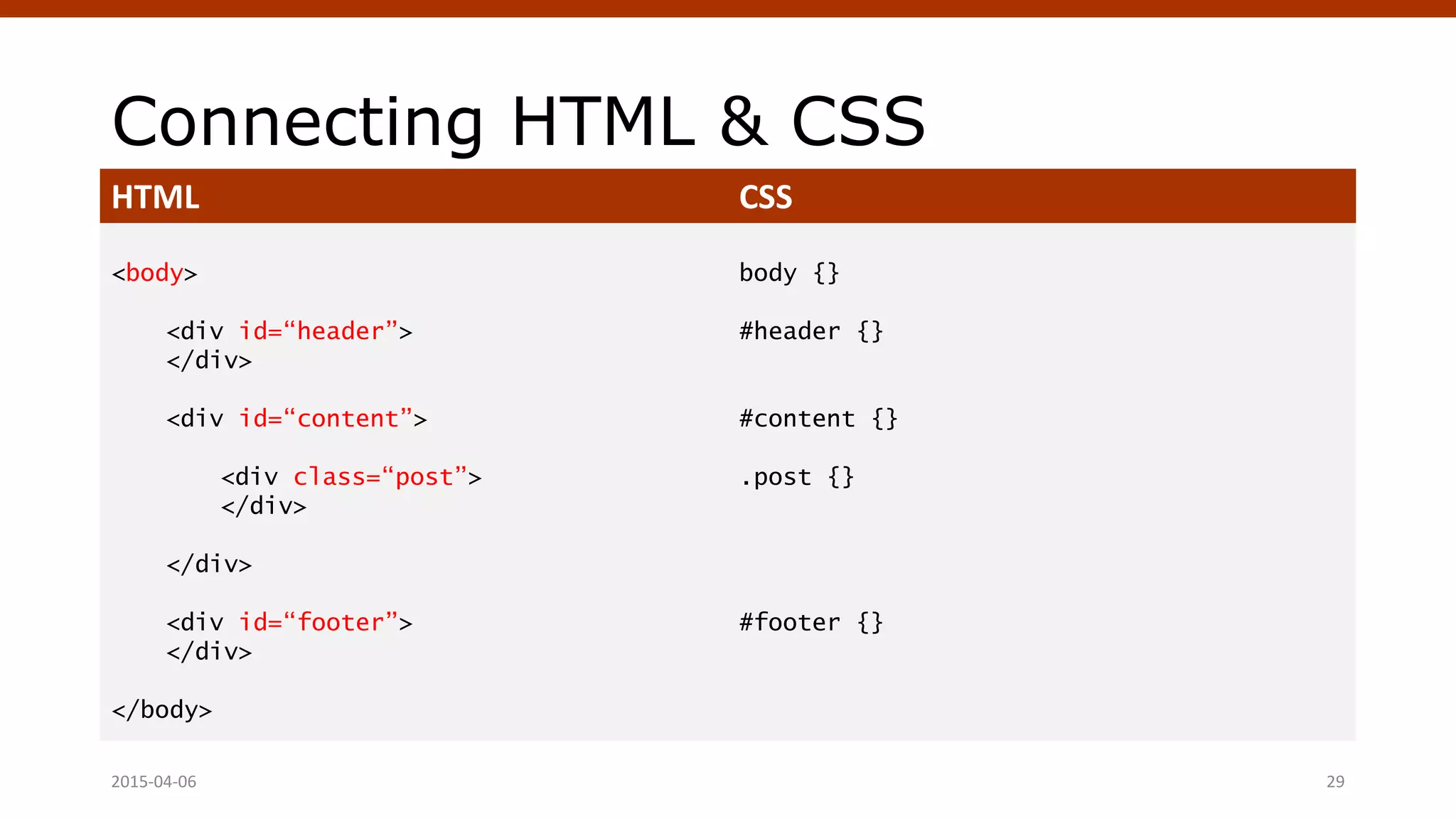
Connecting HTML & CSS
HTML CSS
<body>
<div id=“header”>
</div>
<div id=“content”>
<div class=“post”>
</div>
</div>
<div id=“footer”>
</div>
</body>
body {}
#header {}
#content {}
.post {}
#footer {}
Crafting Custom CSS | @andymci | #PCTO152015-04-06 29
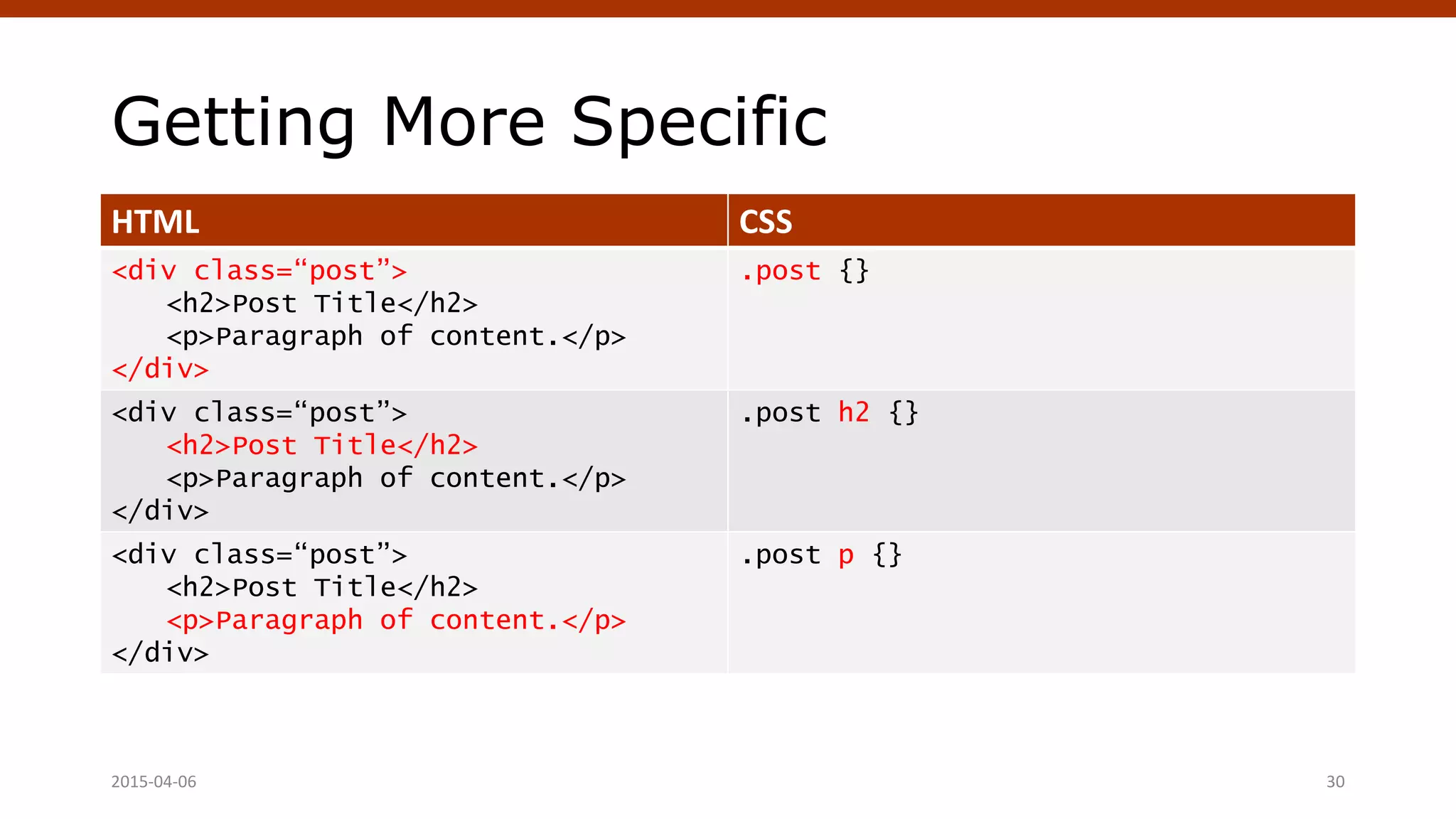
Getting More Specific
HTML CSS
<div class=“post”>
<h2>Post Title</h2>
<p>Paragraph of content.</p>
</div>
.post {}
<div class=“post”>
<h2>Post Title</h2>
<p>Paragraph of content.</p>
</div>
.post h2 {}
<div class=“post”>
<h2>Post Title</h2>
<p>Paragraph of content.</p>
</div>
.post p {}
Crafting Custom CSS | @andymci | #PCTO152015-04-06 30
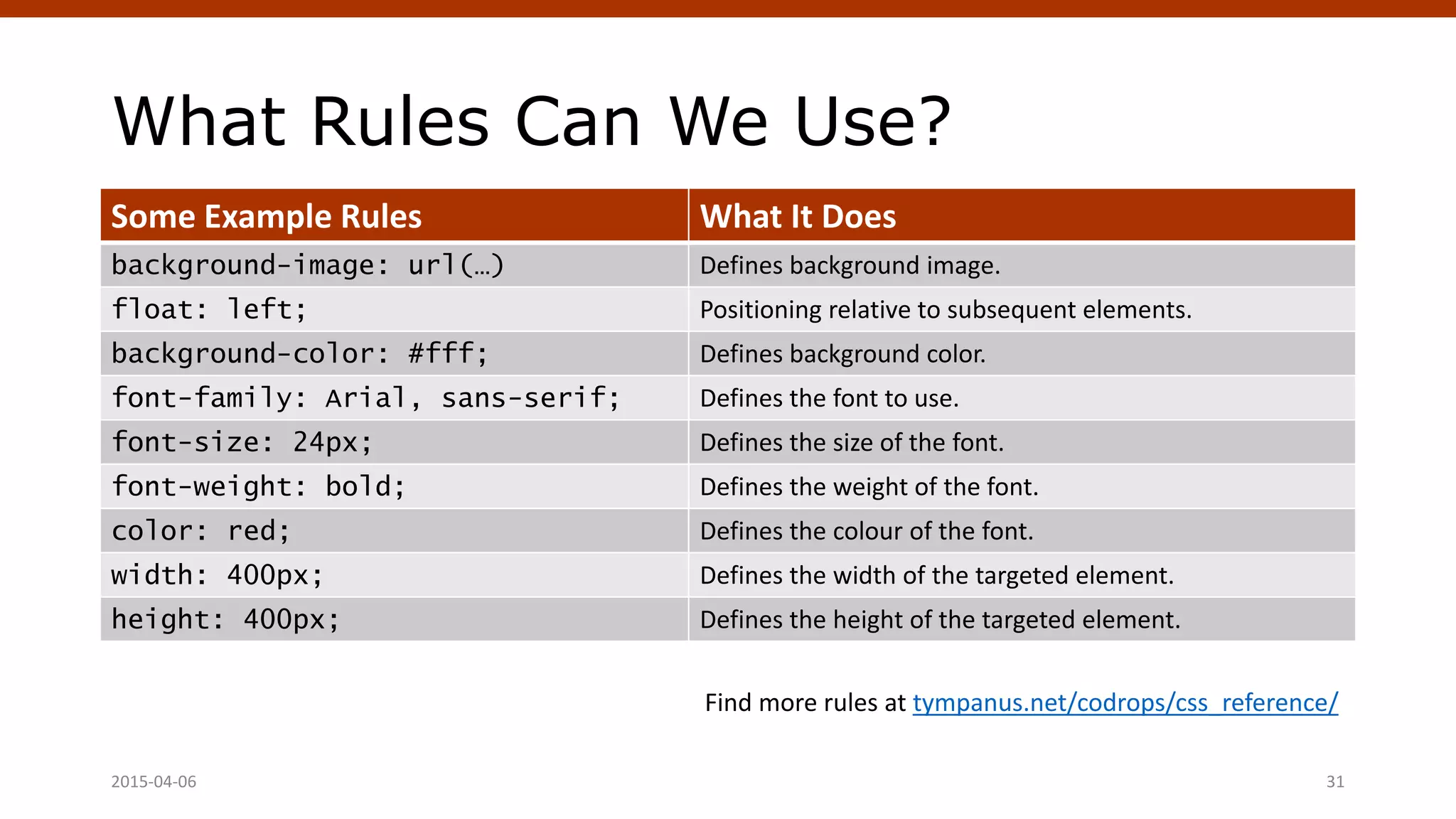
What Rules Can We Use?
Some Example Rules What It Does
background-image: url(…) Defines background image.
float: left; Positioning relative to subsequent elements.
background-color: #fff; Defines background color.
font-family: Arial, sans-serif; Defines the font to use.
font-size: 24px; Defines the size of the font.
font-weight: bold; Defines the weight of the font.
color: red; Defines the colour of the font.
width: 400px; Defines the width of the targeted element.
height: 400px; Defines the height of the targeted element.
Find more rules at tympanus.net/codrops/css_reference/
Crafting Custom CSS | @andymci | #PCTO152015-04-06 31
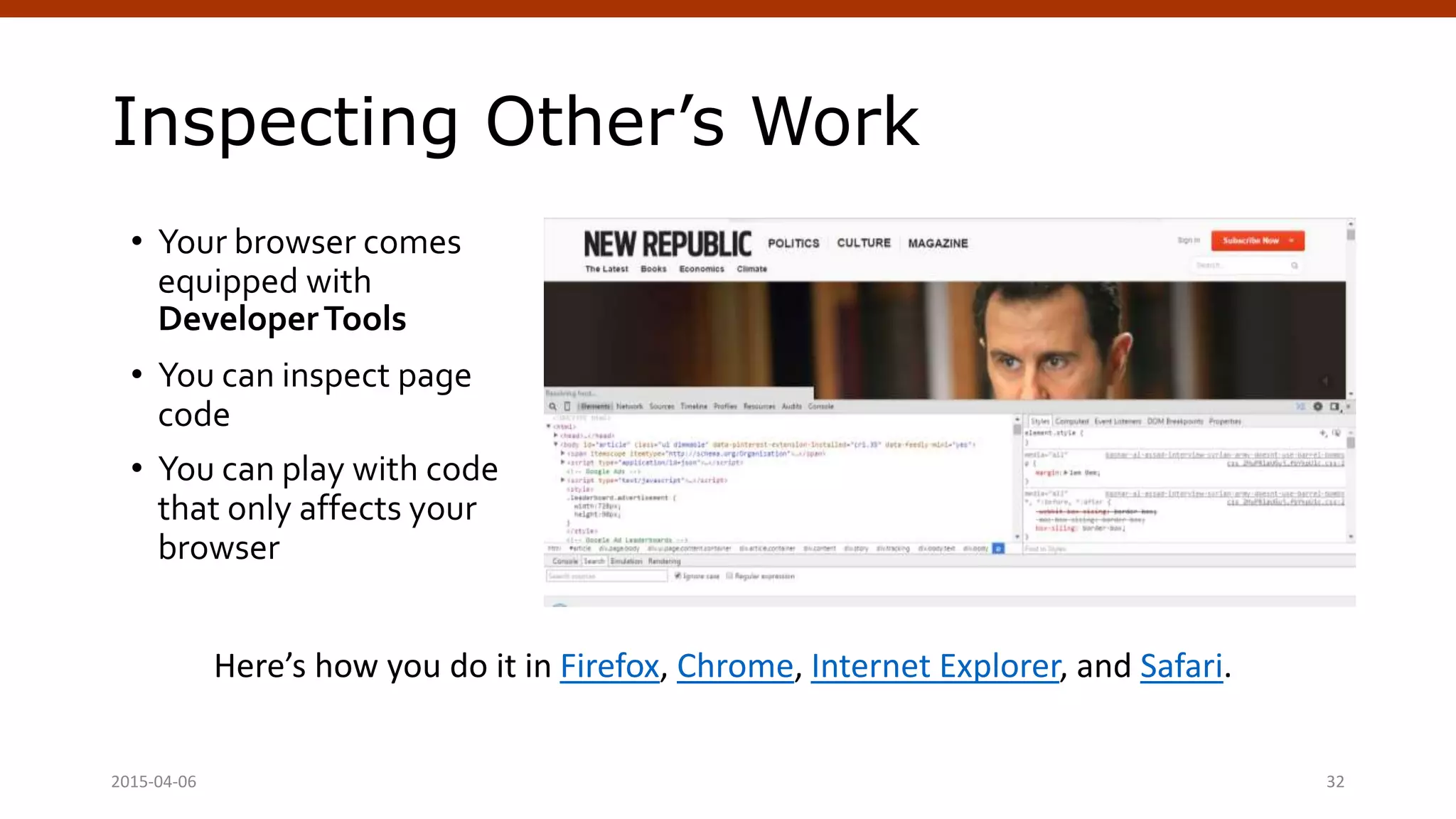
Inspecting Other’s Work
• Your browser comes
equipped with
DeveloperTools
• You can inspect page
code
• You can play with code
that only affects your
browser
Here’s how you do it in Firefox, Chrome, Internet Explorer, and Safari.
Crafting Custom CSS | @andymci | #PCTO152015-04-06 32
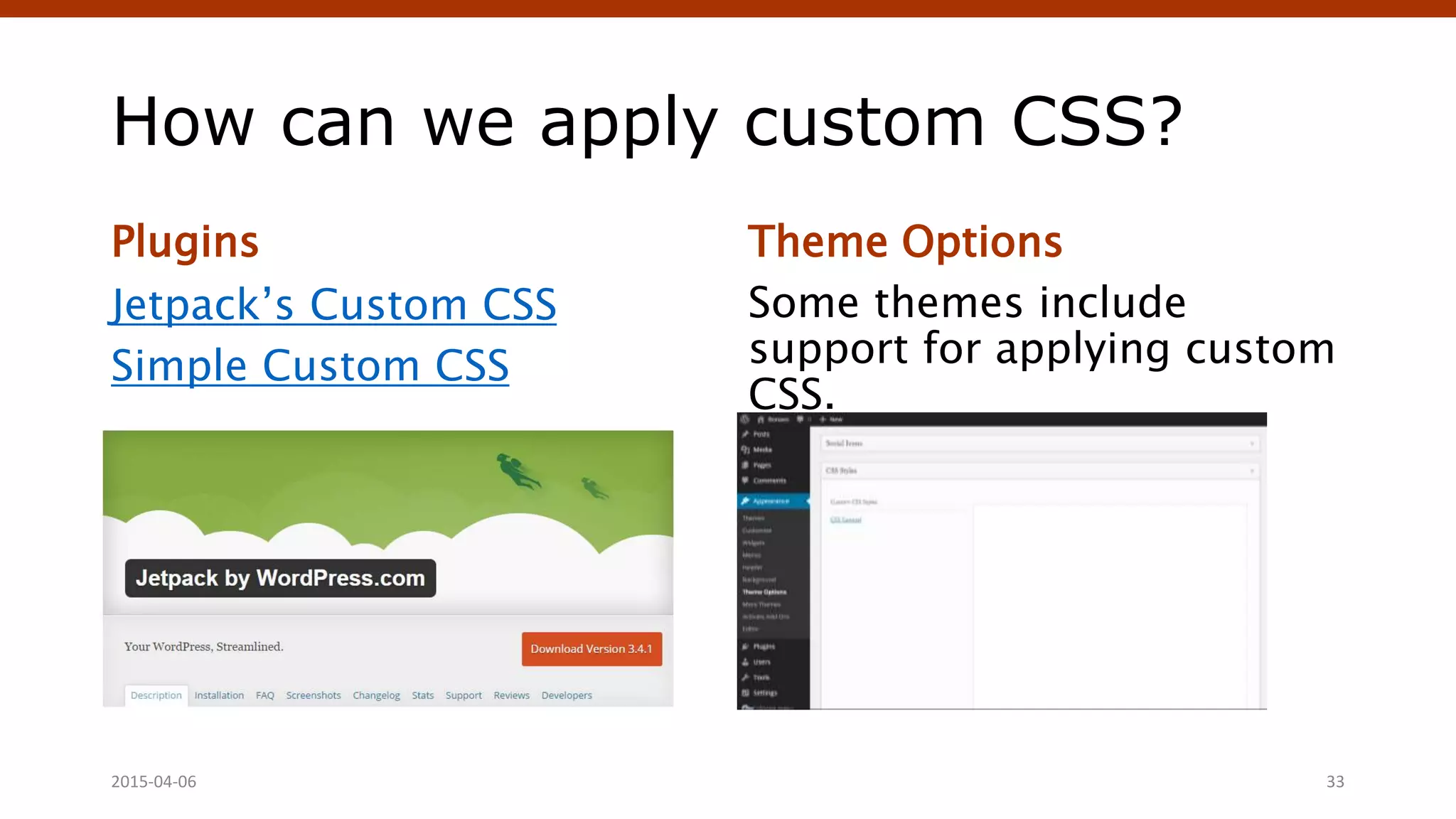
How can we apply custom CSS?
Plugins
Jetpack’s Custom CSS
Simple Custom CSS
Theme Options
Some themes include
support for applying custom
CSS.
Crafting Custom CSS | @andymci | #PCTO152015-04-06 33
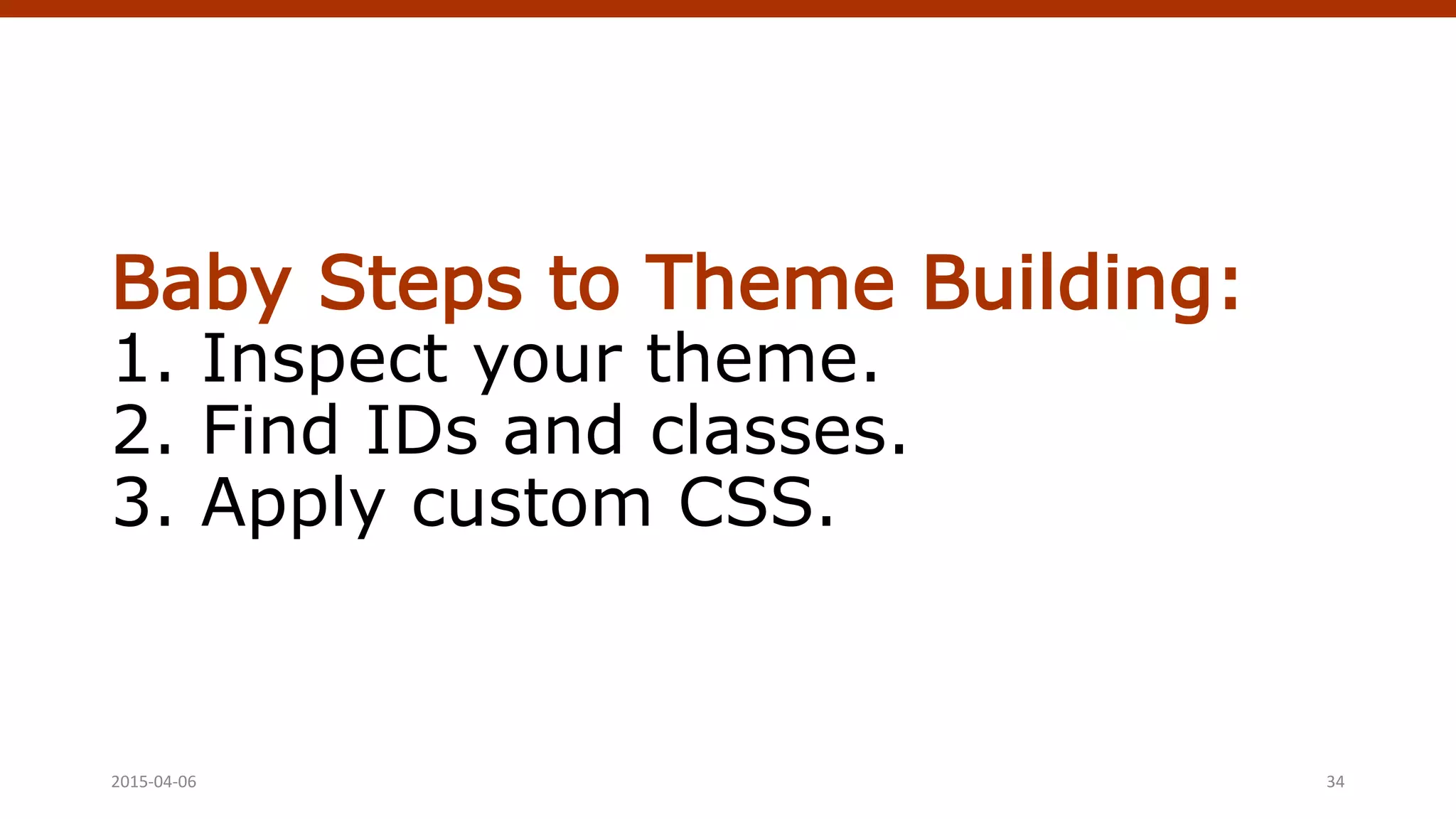
Baby Steps to Theme Building:
1. Inspect your theme.
2. Find IDs and classes.
3. Apply custom CSS.
2015-04-06 Crafting Custom CSS | @andymci | #PCTO15 34
Starter Themes
vs. Theme Frameworks
(Kicking customization up a notch.)
April 4, 2015 WordPress Theming | @andymci | #WPTO 35
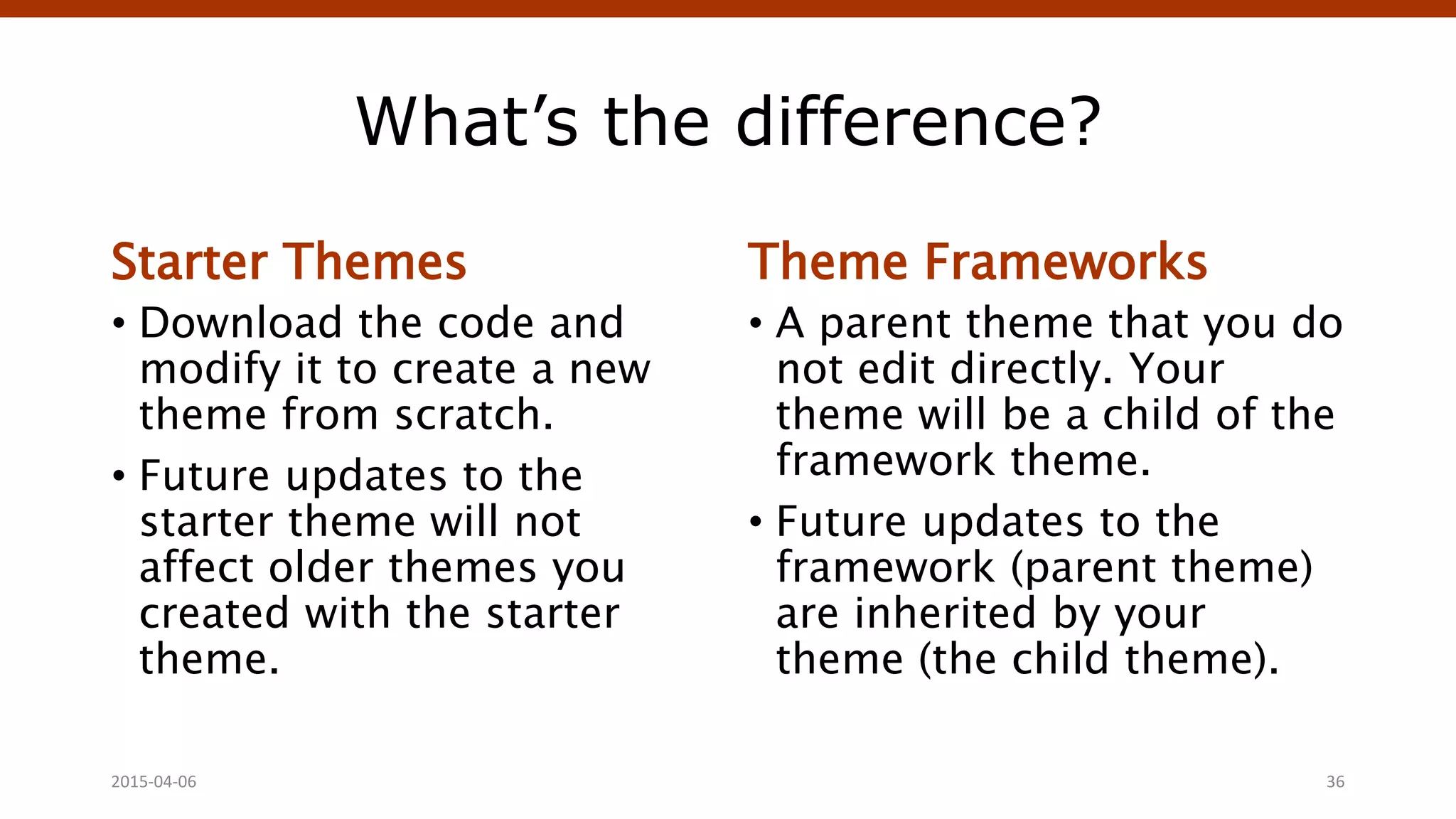
What’s the difference?
Starter Themes
• Download the code and
modify it to create a new
theme from scratch.
• Future updates to the
starter theme will not
affect older themes you
created with the starter
theme.
Theme Frameworks
• A parent theme that you do
not edit directly. Your
theme will be a child of the
framework theme.
• Future updates to the
framework (parent theme)
are inherited by your
theme (the child theme).
2015-04-06 Crafting Custom CSS | @andymci | #PCTO15 36
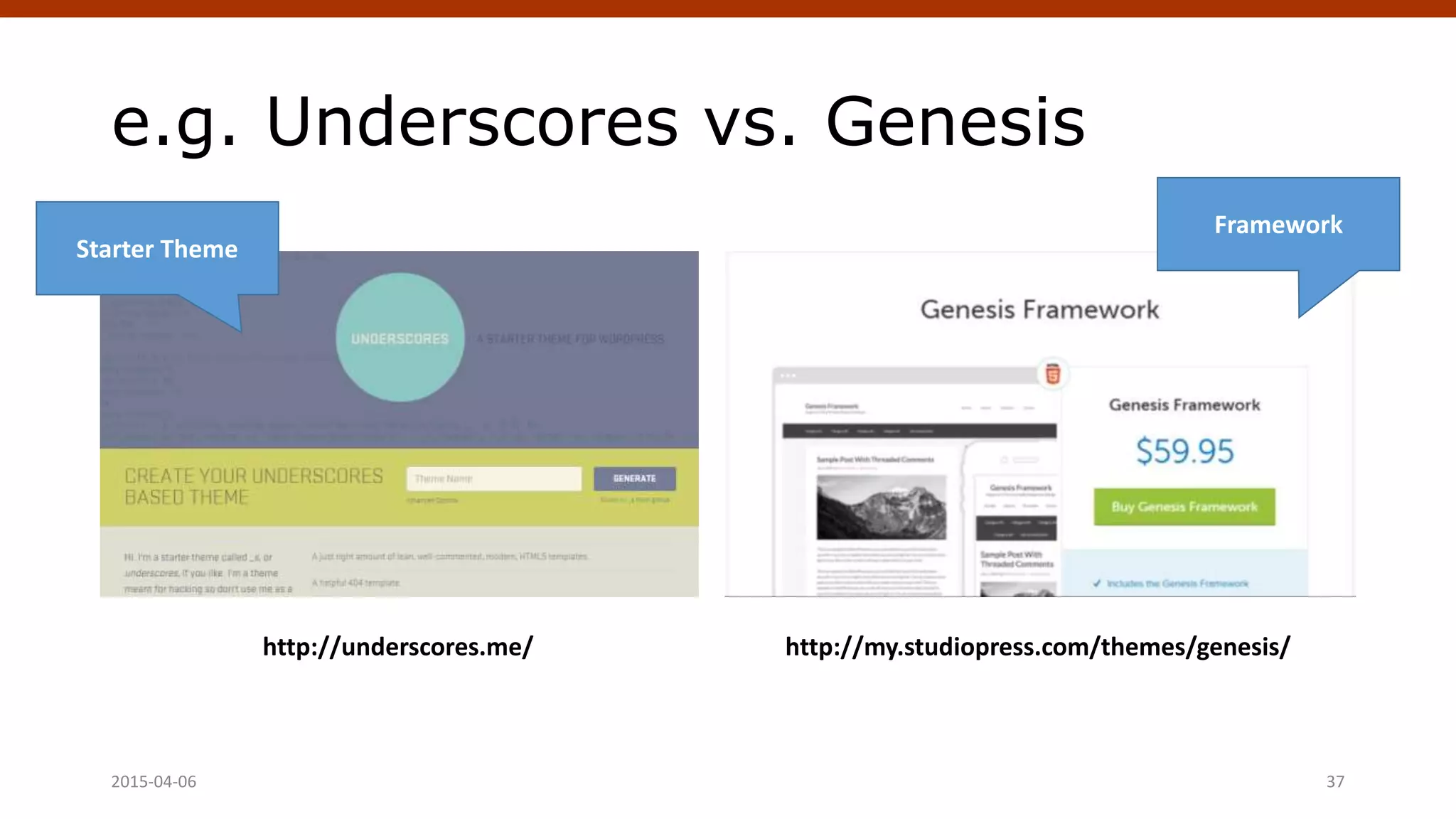
e.g. Underscores vs. Genesis
2015-04-06 Crafting Custom CSS | @andymci | #PCTO15 37
http://underscores.me/ http://my.studiopress.com/themes/genesis/
Starter Theme
Framework
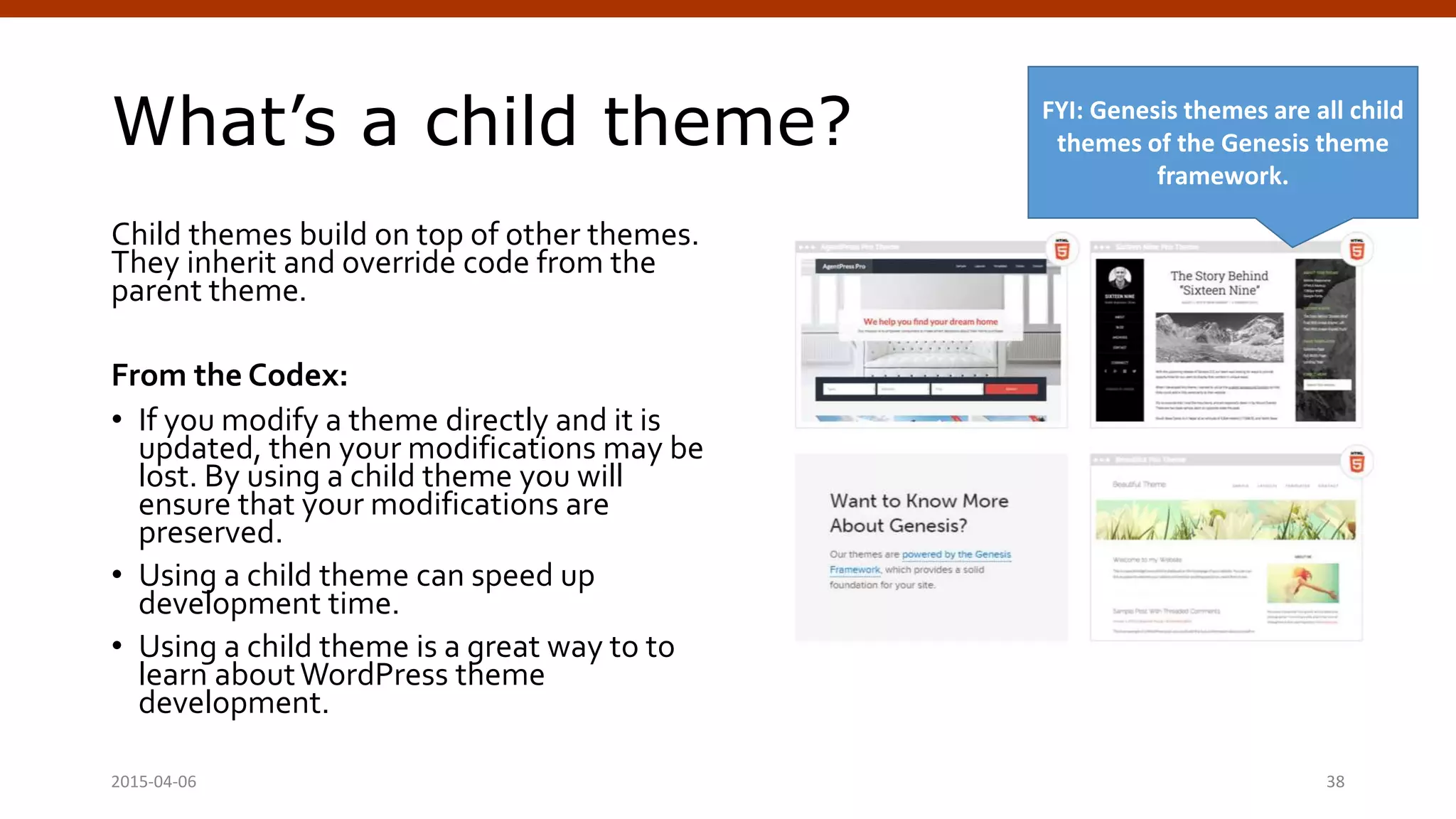
What’s a child theme?
Child themes build on top of other themes.
They inherit and override code from the
parent theme.
From the Codex:
• If you modify a theme directly and it is
updated, then your modifications may be
lost. By using a child theme you will
ensure that your modifications are
preserved.
• Using a child theme can speed up
development time.
• Using a child theme is a great way to to
learn aboutWordPress theme
development.
2015-04-06 Crafting Custom CSS | @andymci | #PCTO15 38
FYI: Genesis themes are all child
themes of the Genesis theme
framework.
Next Steps to Theme Building:
- Choose starter theme or
framework.
- Modify starter theme, or
- Create framework child theme.
2015-04-06 Crafting Custom CSS | @andymci | #PCTO15 39
Building Your Own
Theme From Scratch
(It’s not as hard as it sounds!)
April 4, 2015 WordPress Theming | @andymci | #WPTO 40
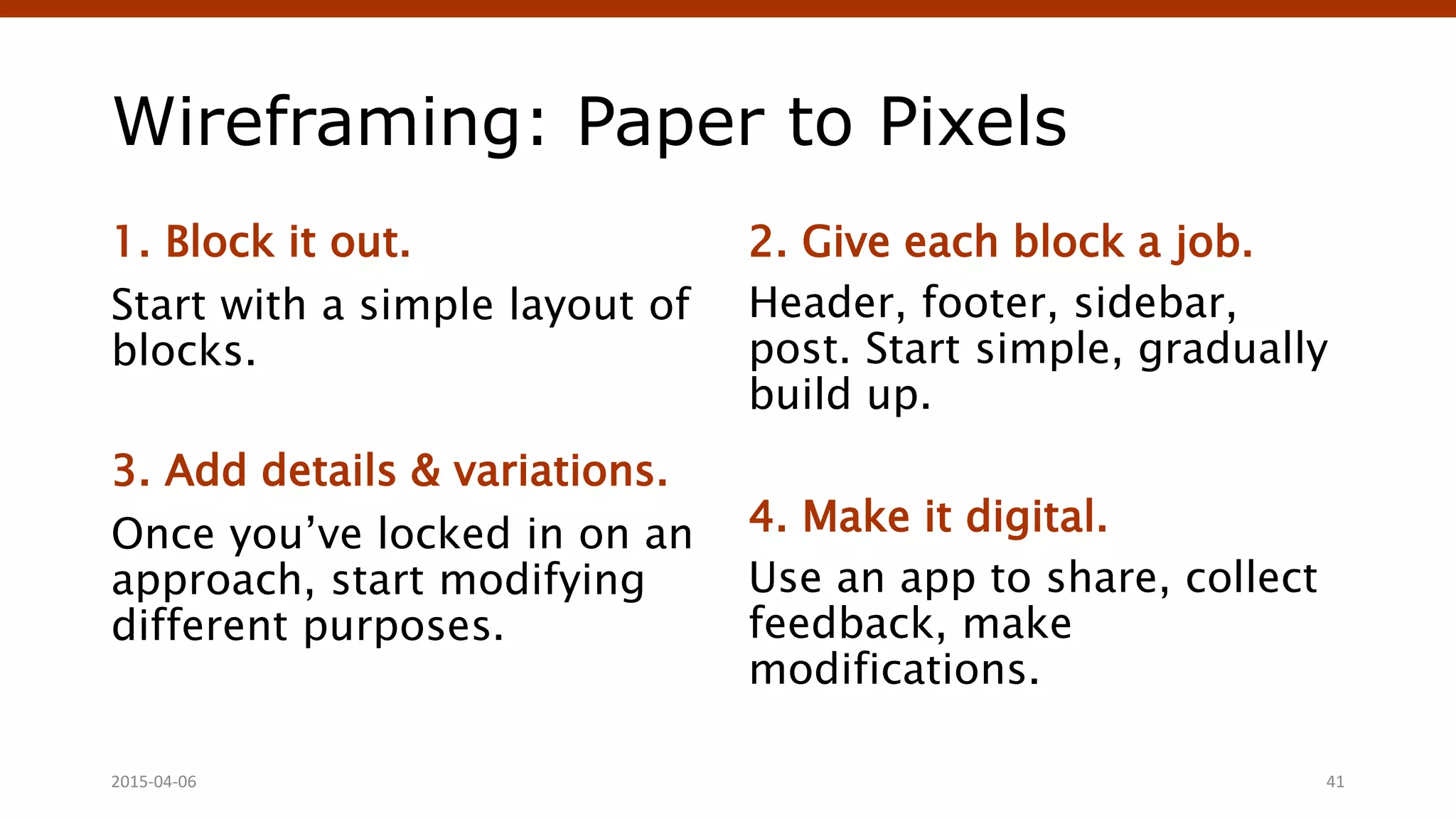
Wireframing: Paper to Pixels
1. Block it out.
Start with a simple layout of
blocks.
3. Add details & variations.
Once you’ve locked in on an
approach, start modifying
different purposes.
2. Give each block a job.
Header, footer, sidebar,
post. Start simple, gradually
build up.
4. Make it digital.
Use an app to share, collect
feedback, make
modifications.
2015-04-06 41
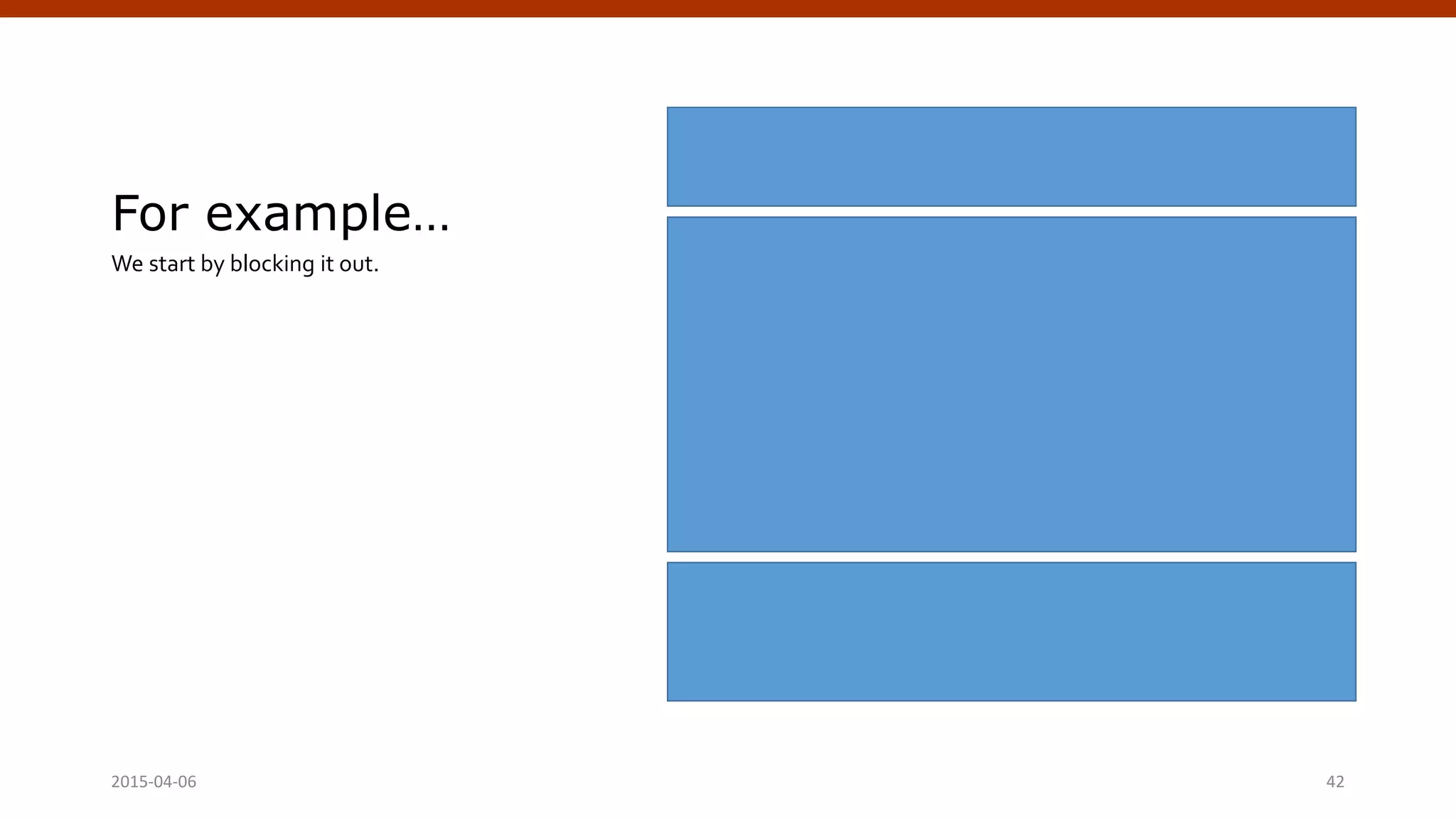
For example…
We start by blocking it out.
2015-04-06 Crafting Custom CSS | @andymci | #PCTO15 42
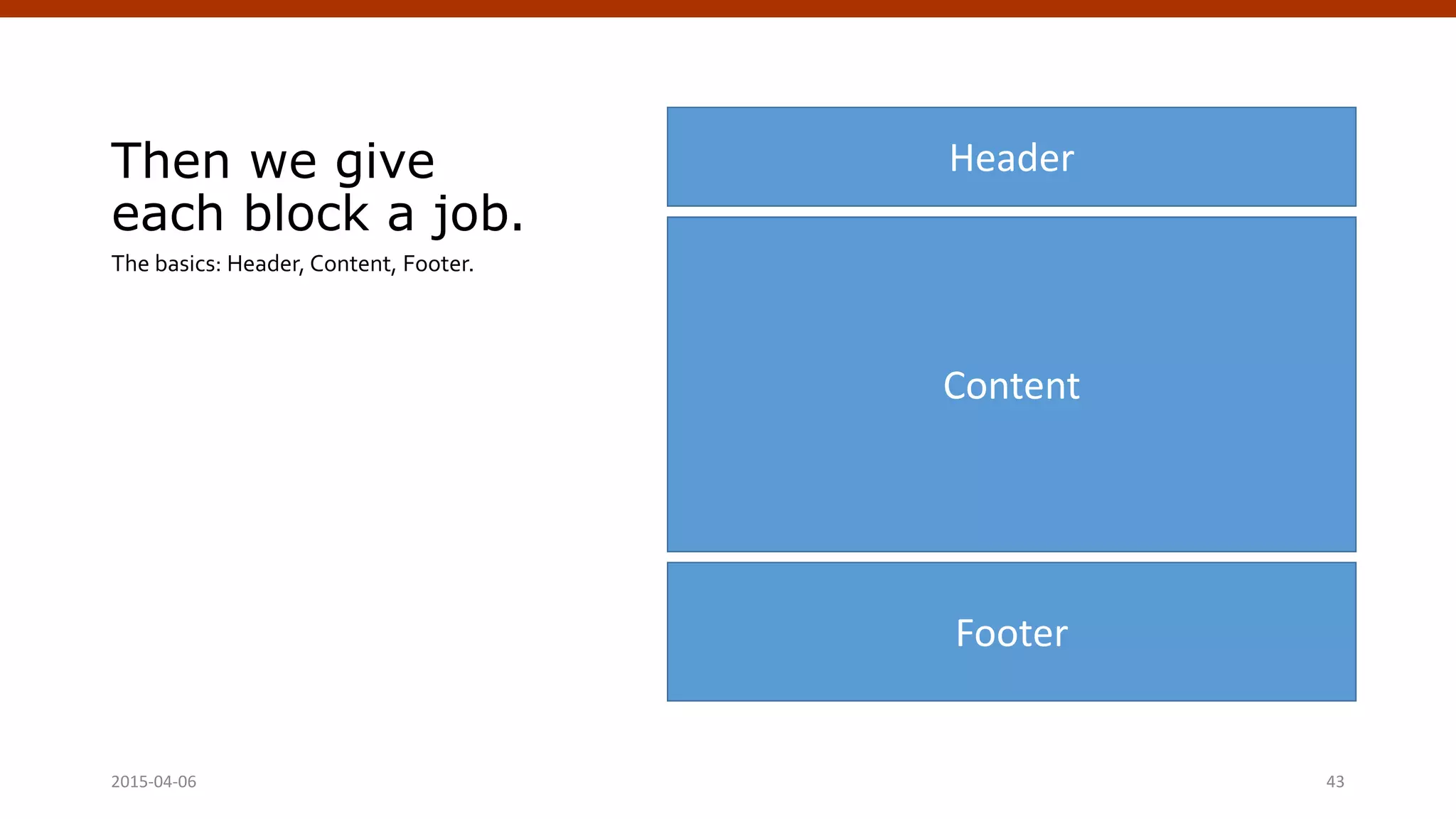
Then we give
each block a job.
The basics: Header, Content, Footer.
2015-04-06 Crafting Custom CSS | @andymci | #PCTO15 43
Header
Footer
Content
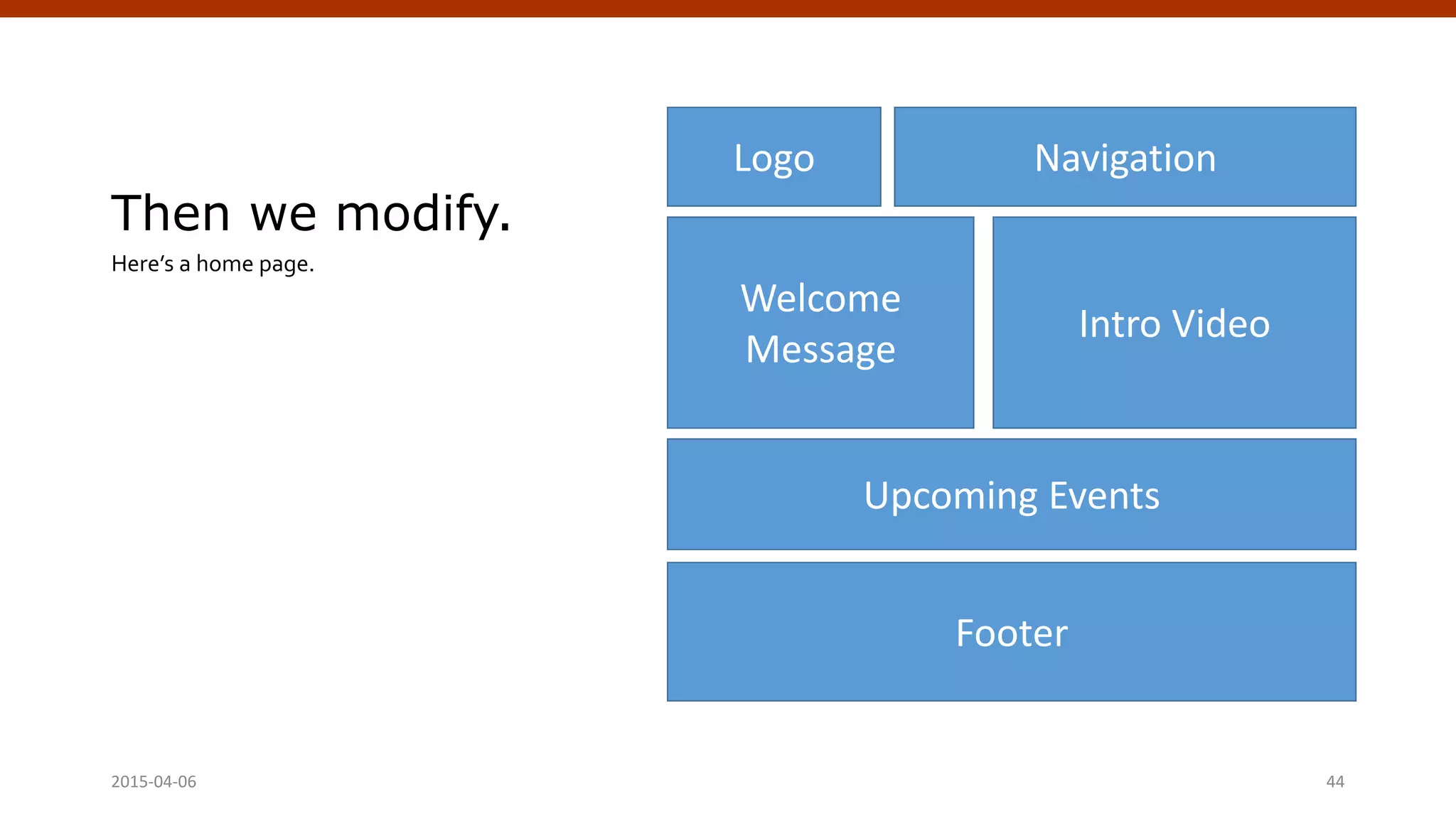
Then we modify.
Here’s a home page.
2015-04-06 Crafting Custom CSS | @andymci | #PCTO15 44
Logo
Footer
Welcome
Message
Intro Video
Upcoming Events
Navigation
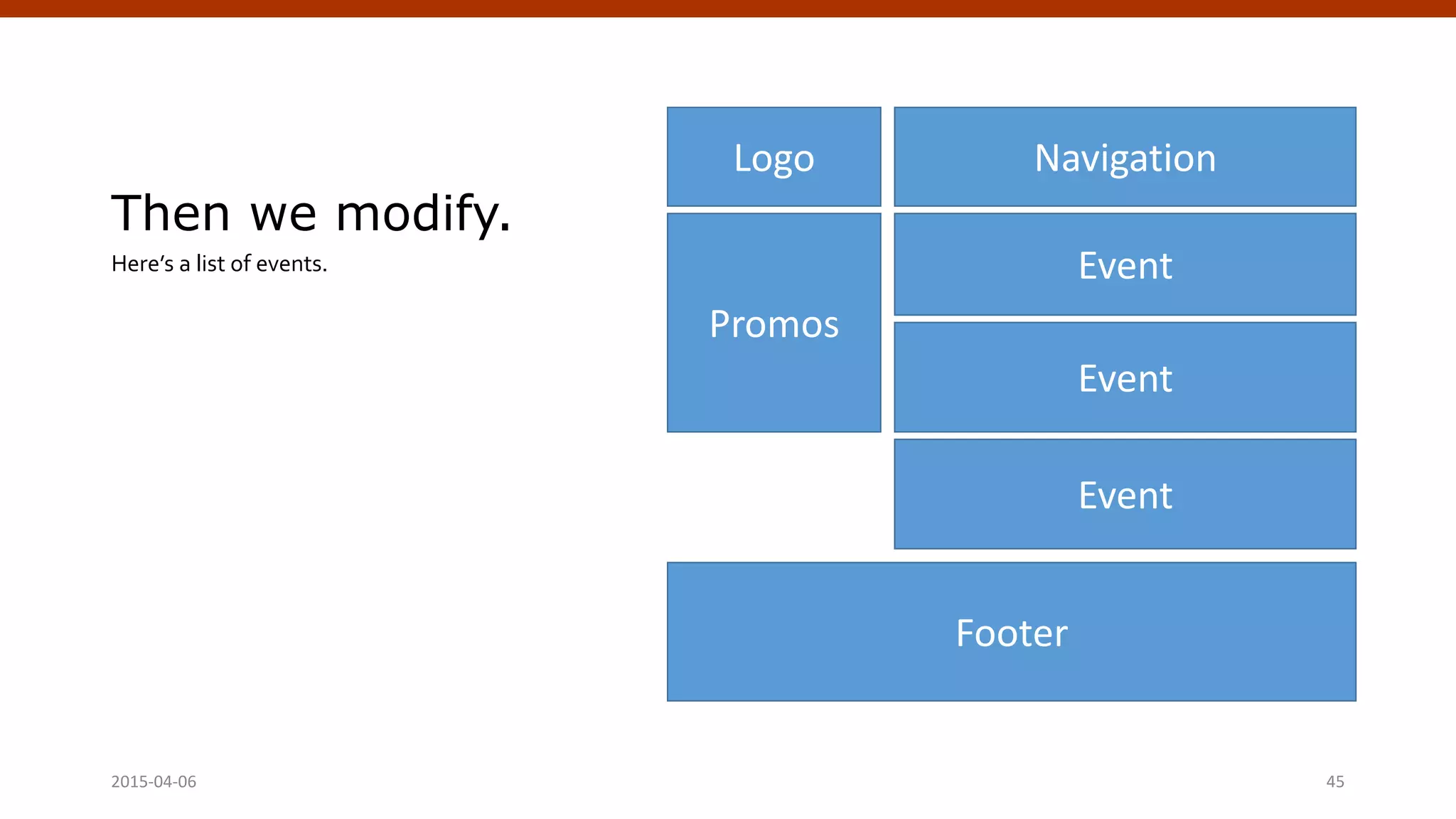
Then we modify.
Here’s a list of events.
2015-04-06 Crafting Custom CSS | @andymci | #PCTO15 45
Logo
Footer
Event
Navigation
Event
Event
Promos
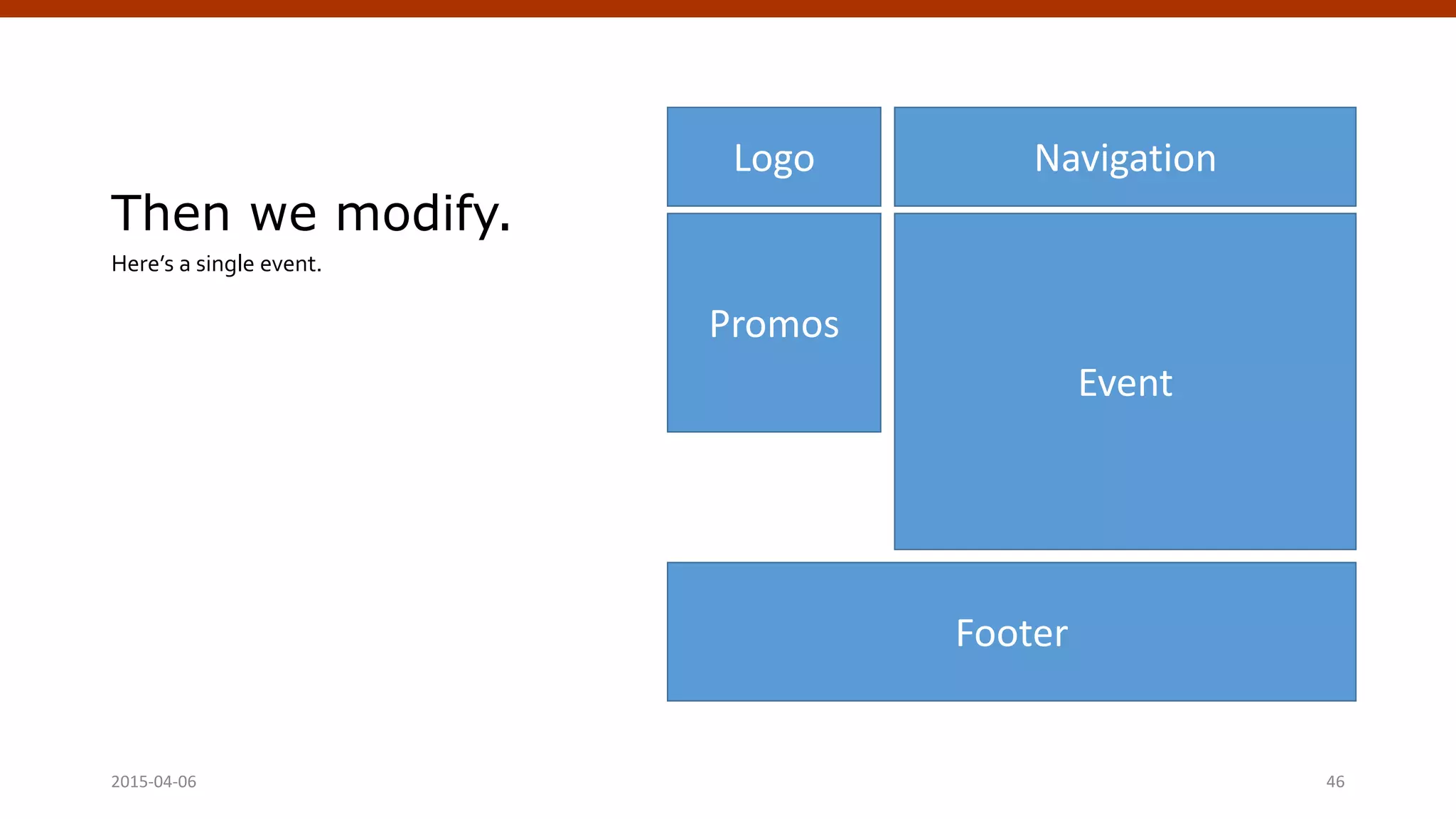
Then we modify.
Here’s a single event.
2015-04-06 Crafting Custom CSS | @andymci | #PCTO15 46
Logo
Footer
Event
Navigation
Promos
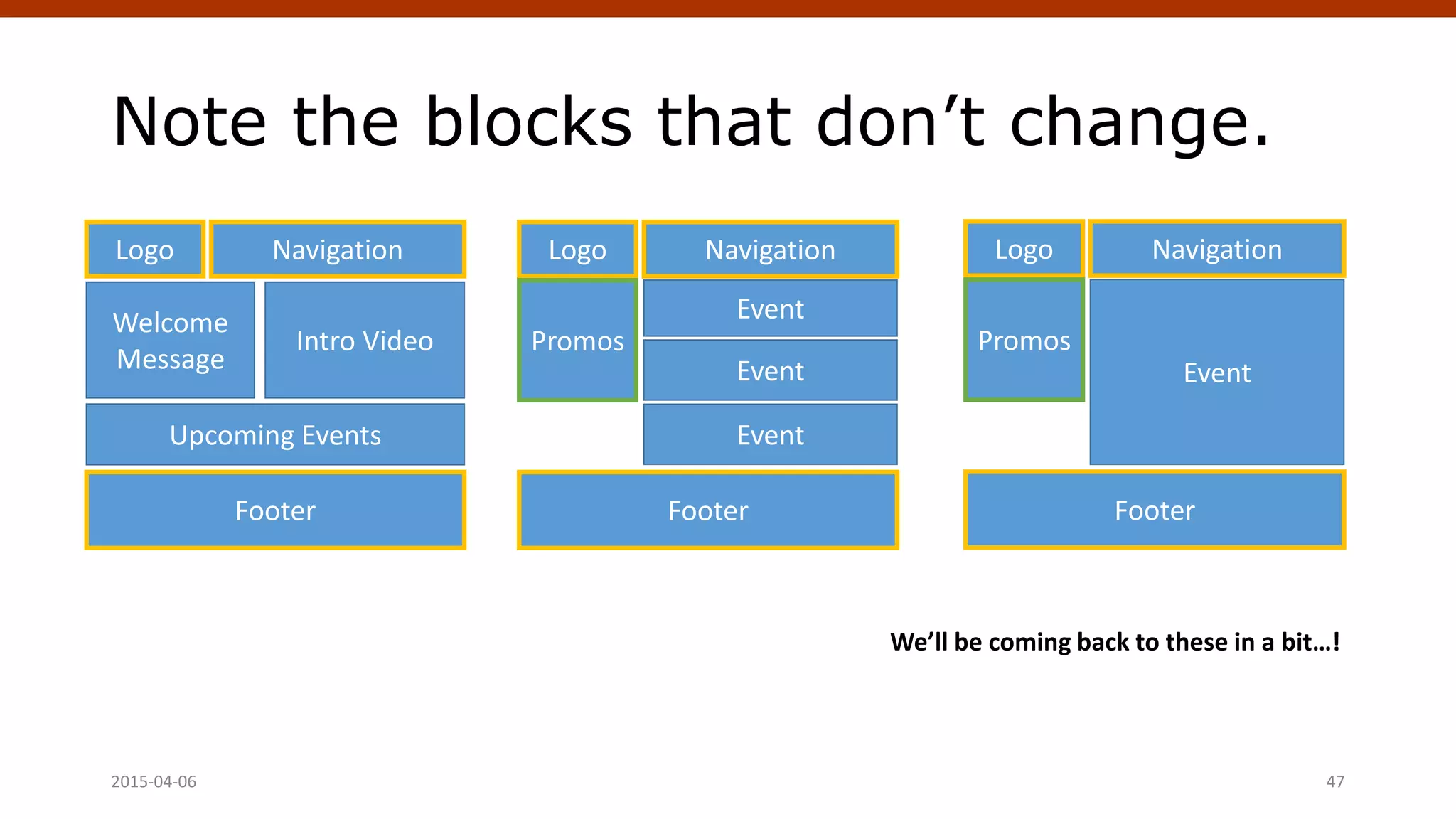
Note the blocks that don’t change.
2015-04-06 Crafting Custom CSS | @andymci | #PCTO15 47
Logo
Footer
Event
Navigation
Promos
Logo
Footer
Event
Navigation
Event
Event
Promos
Logo
Footer
Welcome
Message
Intro Video
Upcoming Events
Navigation
We’ll be coming back to these in a bit…!
Create an HTML & CSS Mockup
Turn layouts into HTML files.
You can do all of this on
computer, no PHP required.
Style everything in style.css
This is your chance to nail
much of the design as you
Add placeholders.
Use placeholders for
images, text, and additional
markup.
Link files together.
You can create a semblance
of “user flow” linking from
HTML file to HTML file. (e.g.
homepage to post,
homepage to page).2015-04-06 48
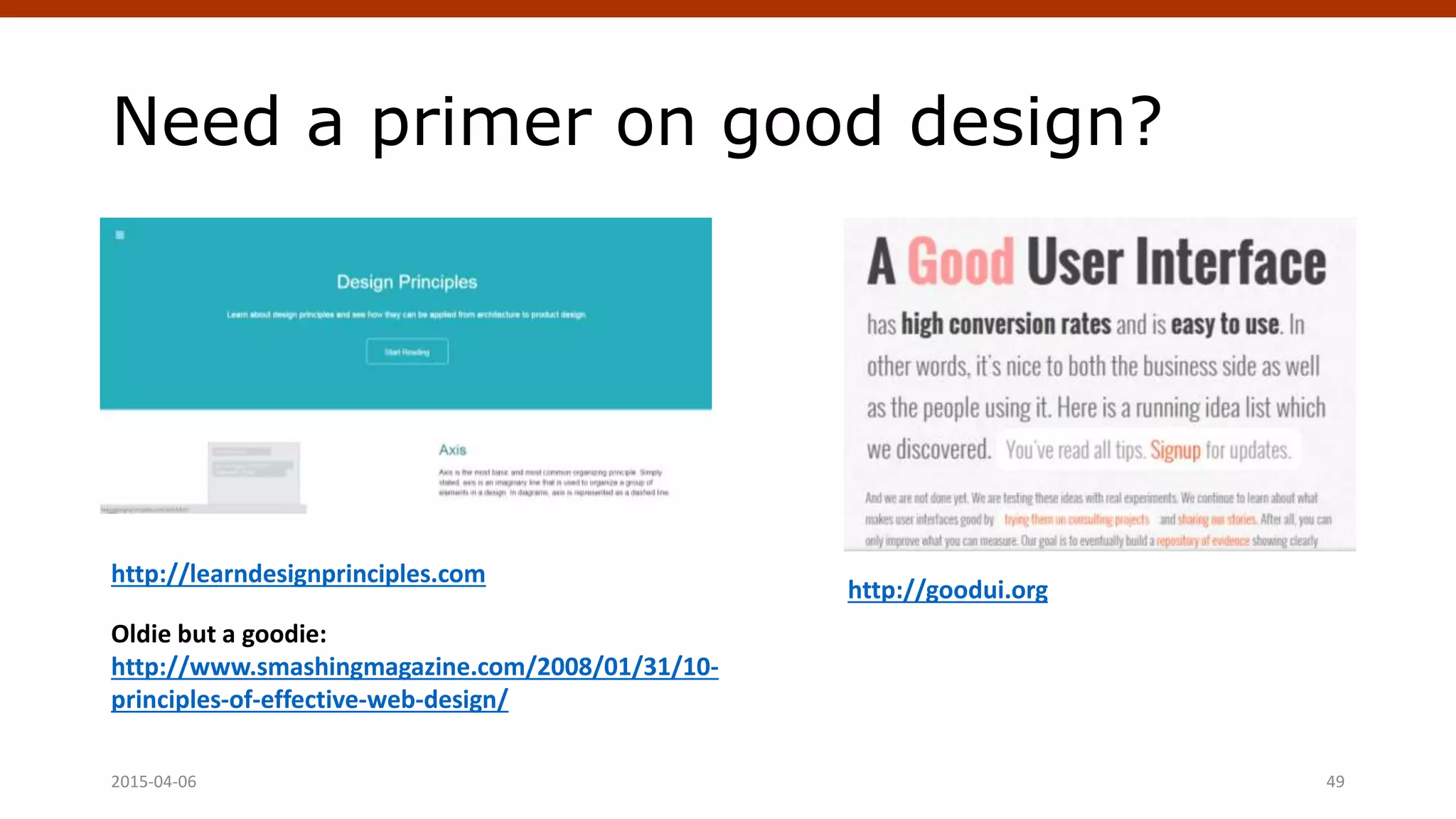
Need a primer on good design?
2015-04-06 49
http://learndesignprinciples.com
http://goodui.org
Oldie but a goodie:
http://www.smashingmagazine.com/2008/01/31/10-
principles-of-effective-web-design/
Get the following:
FTP app to move files.
I recommend Filezilla.
App for editing images.
Photoshop CC or GIMP
(free).
Editor app to work with
code.
I recommend Sublime Text.
A running WordPress site.
What good is a theme if you
don’t have a site to test it
on?
2015-04-06 50
How do we begin theming?
Start with the basics.
Minimum requirements:
index.php and style.css
Add template tags to
index.php
In WordPress, template tags
just PHP functions. Here’s a
listing of template tags.
Add theme info to style.css
This header information is
checked for theme details.
Install in WordPress!
Put your theme files in a
folder under /wp-
content/themes/.
2015-04-06 51
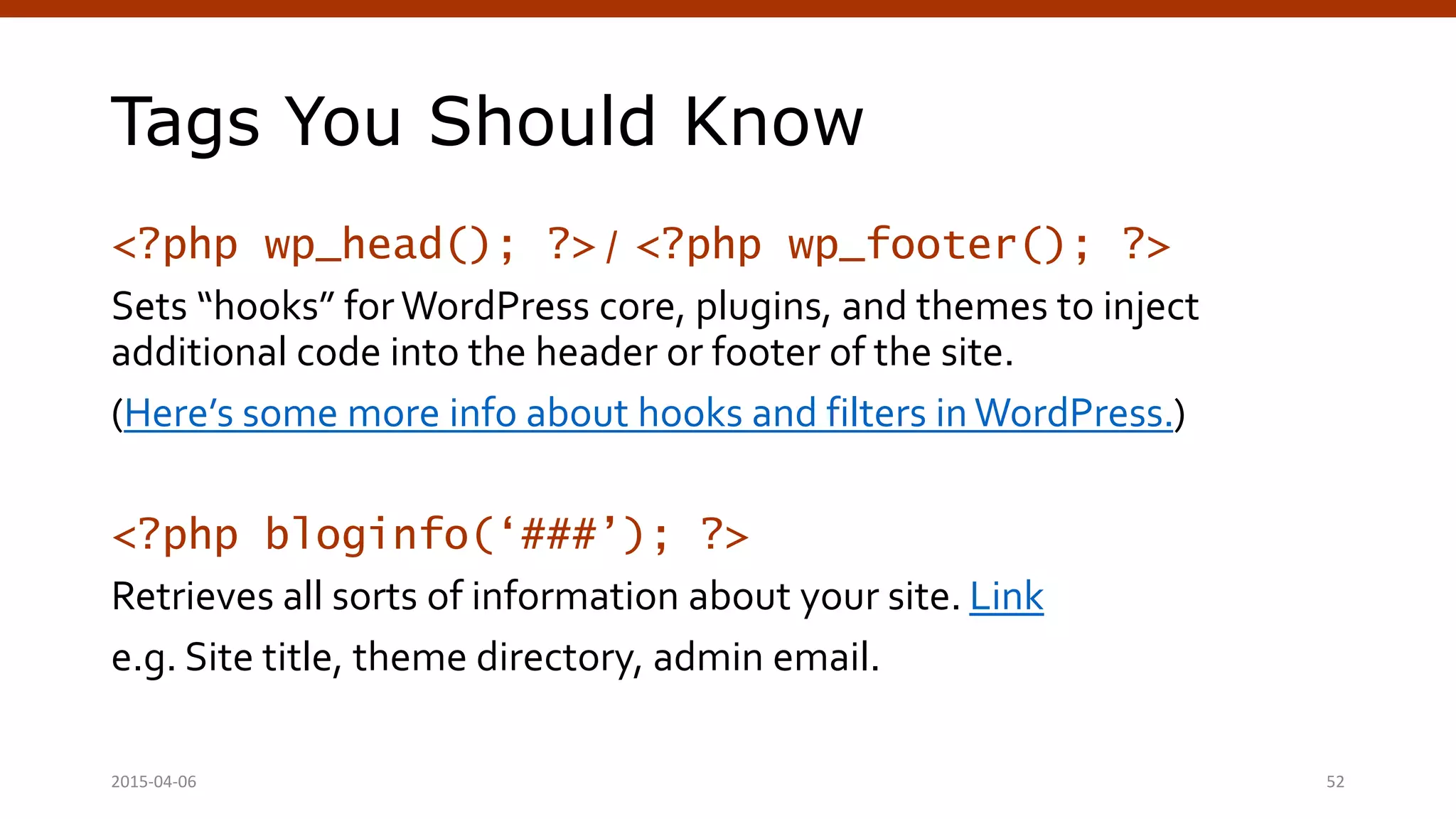
Tags You Should Know
<?php wp_head(); ?> / <?php wp_footer(); ?>
Sets “hooks” for WordPress core, plugins, and themes to inject
additional code into the header or footer of the site.
(Here’s some more info about hooks and filters in WordPress.)
<?php bloginfo(‘###’); ?>
Retrieves all sorts of information about your site. Link
e.g. Site title, theme directory, admin email.
2015-04-06 Crafting Custom CSS | @andymci | #PCTO15 52
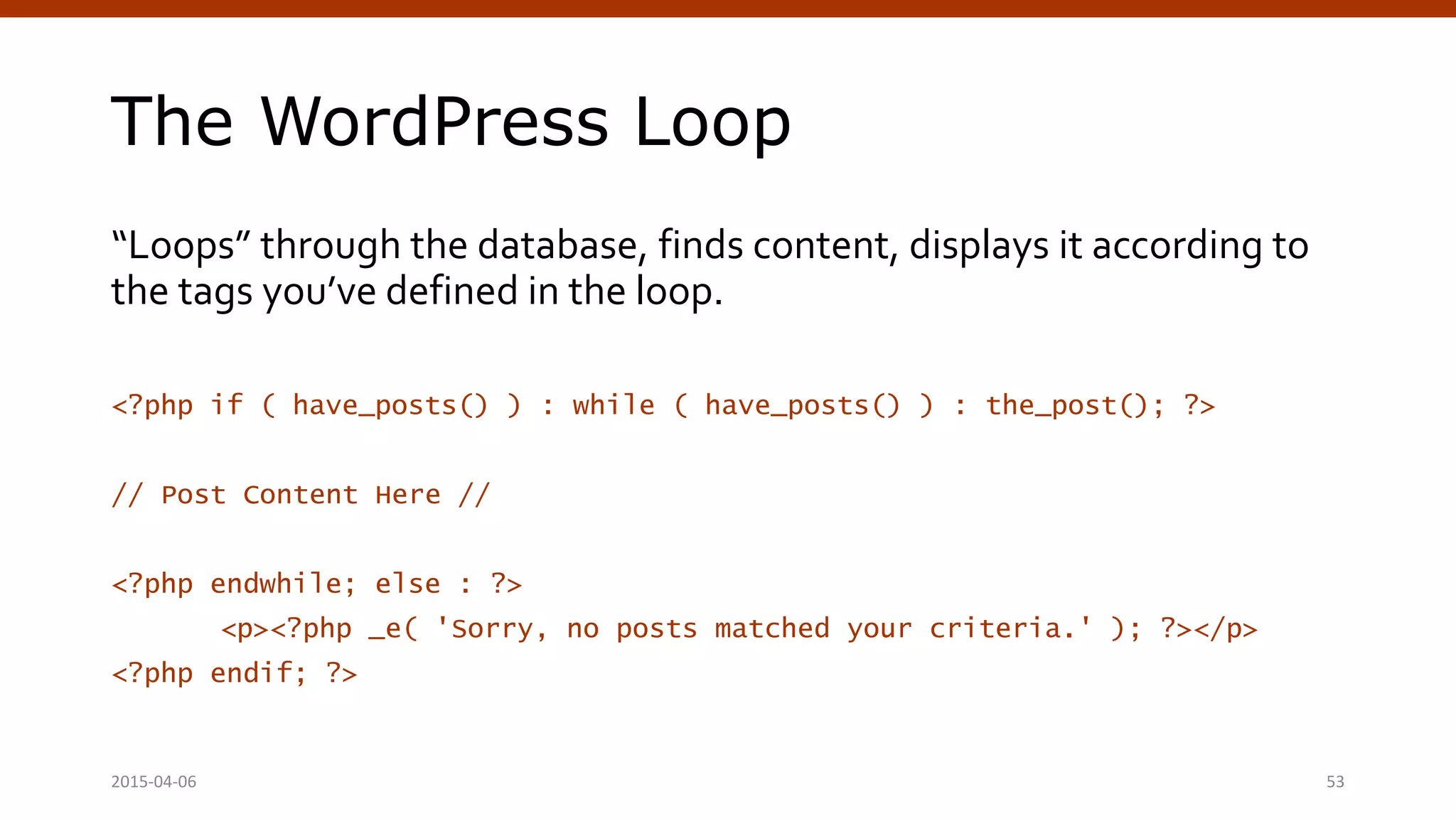
The WordPress Loop
“Loops” through the database, finds content, displays it according to
the tags you’ve defined in the loop.
<?php if ( have_posts() ) : while ( have_posts() ) : the_post(); ?>
// Post Content Here //
<?php endwhile; else : ?>
<p><?php _e( 'Sorry, no posts matched your criteria.' ); ?></p>
<?php endif; ?>
2015-04-06 53
Let’s build a theme!
- Wireframes are our guide.
- We’ll build a prototype in HTML.
- Then transform it into a theme.
2015-04-06 54
(Cue live demo alt-tab!)
Next Steps
Where do we go from here…?
April 4, 2015 WordPress Theming | @andymci | #WPTO 55
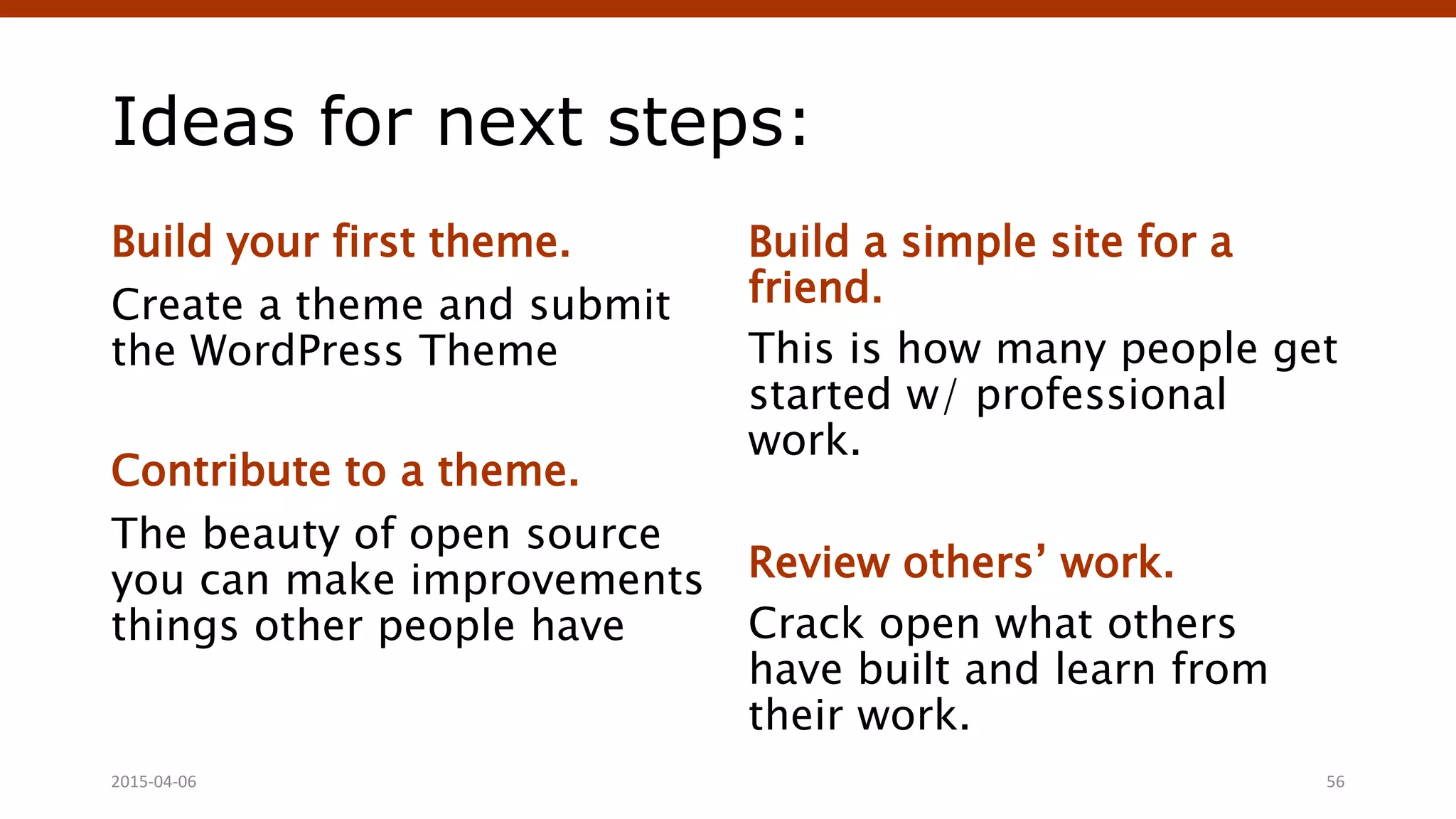
Ideas for next steps:
Build your first theme.
Create a theme and submit
the WordPress Theme
Contribute to a theme.
The beauty of open source
you can make improvements
things other people have
Build a simple site for a
friend.
This is how many people get
started w/ professional
work.
Review others’ work.
Crack open what others
have built and learn from
their work.
2015-04-06 56
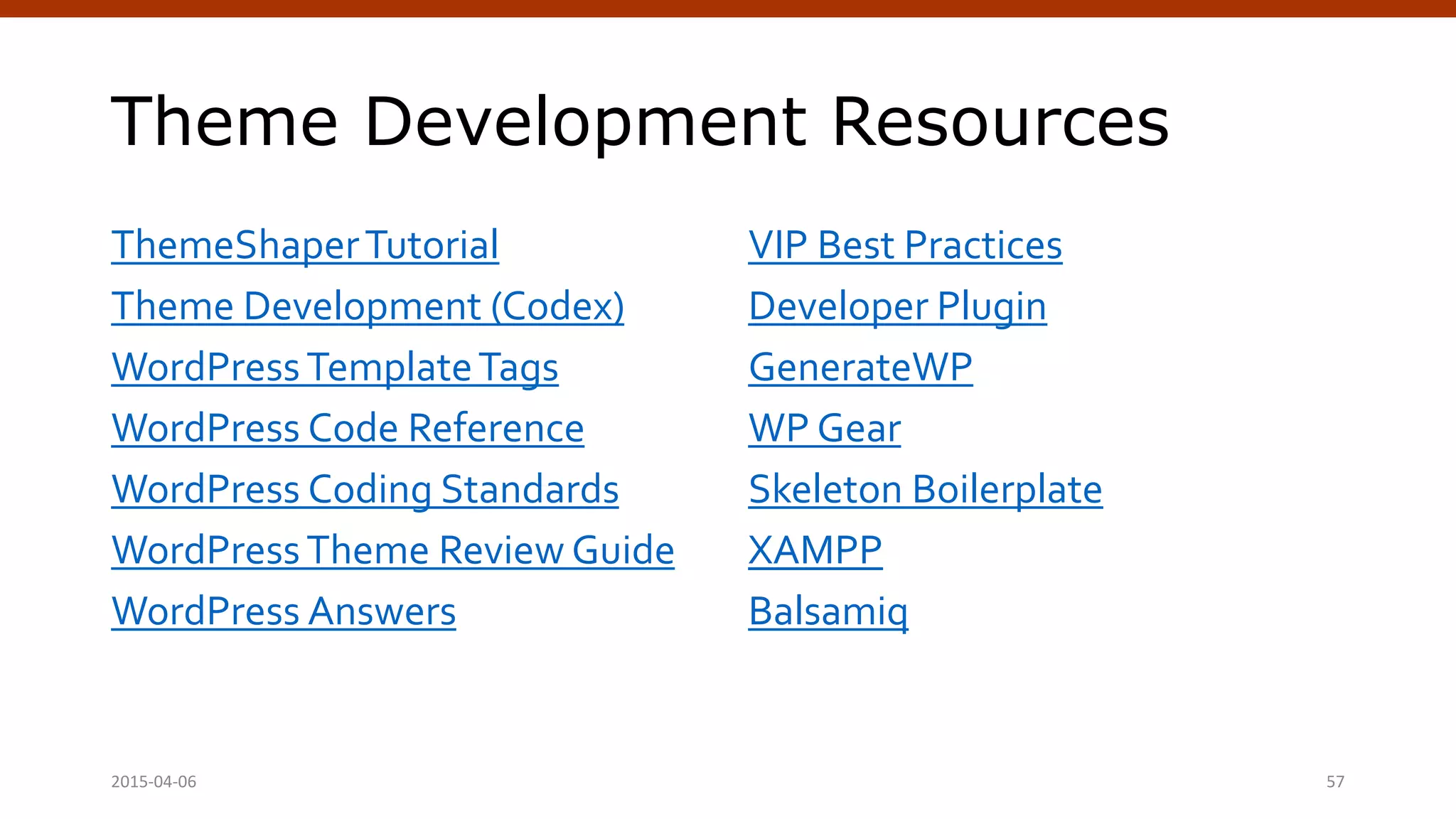
Theme Development Resources
ThemeShaperTutorial
Theme Development (Codex)
WordPressTemplateTags
WordPress Code Reference
WordPress Coding Standards
WordPressTheme Review Guide
WordPress Answers
VIP Best Practices
Developer Plugin
GenerateWP
WP Gear
Skeleton Boilerplate
XAMPP
Balsamiq
Crafting Custom CSS | @andymci | #PCTO152015-04-06 57
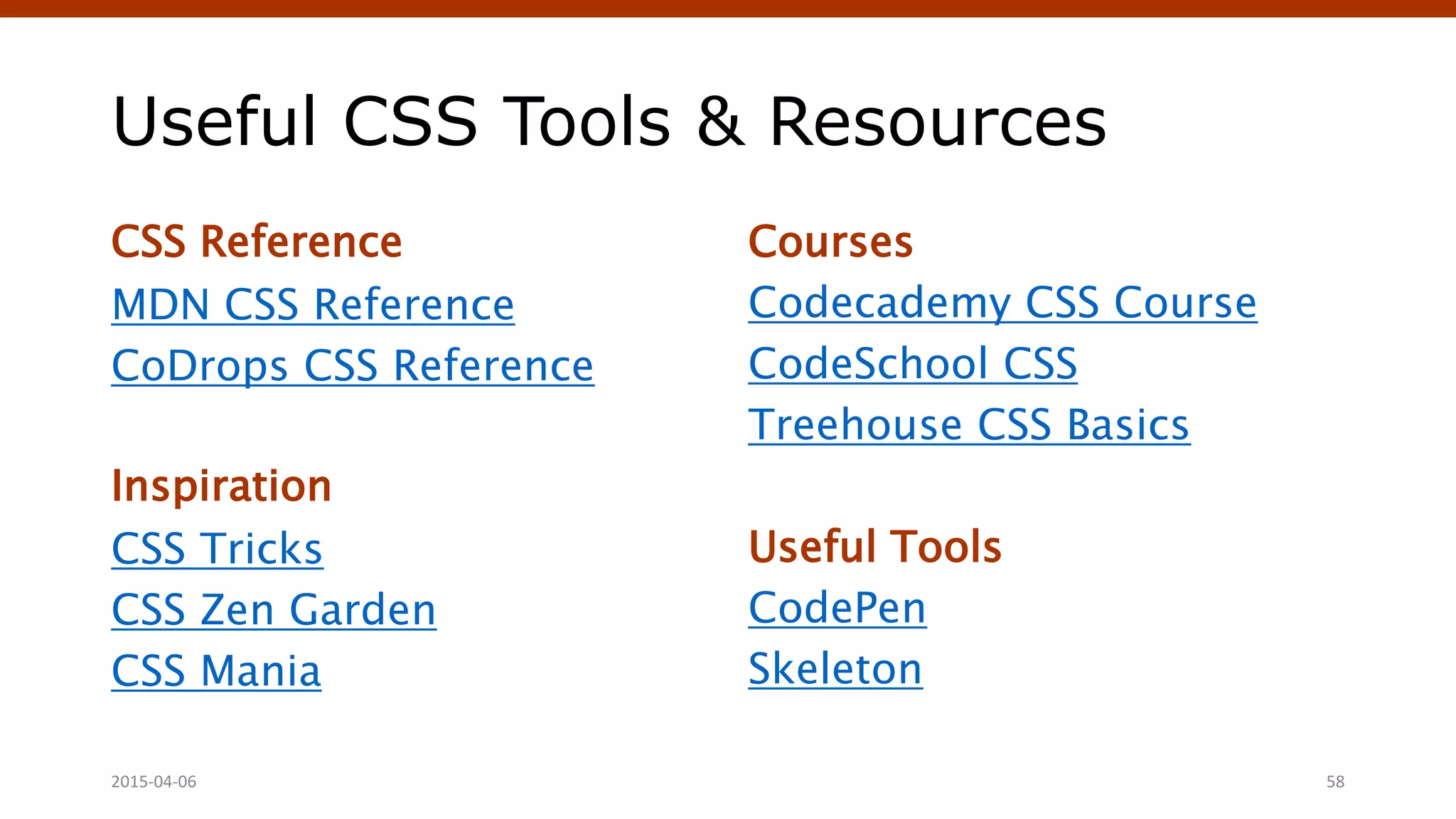
Useful CSS Tools & Resources
CSS Reference
MDN CSS Reference
CoDrops CSS Reference
Inspiration
CSS Tricks
CSS Zen Garden
CSS Mania
Courses
Codecademy CSS Course
CodeSchool CSS
Treehouse CSS Basics
Useful Tools
CodePen
Skeleton
Crafting Custom CSS | @andymci | #PCTO152015-04-06 58
Thank You! Questions?
Slides will be posted online:
www.slideshare.net/andymci
Find me online:
www.andymci.com | @andymci | linkedin.com/in/andymci
Crafting Custom CSS | @andymci | #PCTO152015-04-06 59

Intro to WordPress Theming

  • 1.
    Intro to WordPressTheming Andy McIlwain (www.andymci.com) Techalicious +TorontoWordPress Group Crafting Custom CSS | @andymci | #PCTO152015-04-06 1
  • 2.
    Hi! I’m AndyMcIlwain. Developer at: Brainrider Marketers Without Borders Events& Instructor/Mentor at: Camp Tech Ladies Learning Code Organizer with: Toronto WordPress Meetups WordCamp Toronto Find me online: @andymci on Twitter linkedin.com/in/andymci instagram.com/andy.mcilwa in Crafting Custom CSS | @andymci | #PCTO152015-04-06 2
  • 3.
    Prerequisites. Let’s get somefundamentals out of the way first. April 4, 2015 WordPress Theming | @andymci | #WPTO 3
  • 4.
    How do websiteswork? 1. User asks for site. You punch a URL into your browser’s address bar. 3. Code sent to the browser. The server does its thing sends the website code back the user’s browser. 2. Computer looks for the site. It connects to the server through the magic of the internet. 4. Browser displays the site. User’s browser puts the returned code (HTML, CSS, and JavaScript) together to display the website.Crafting Custom CSS | @andymci | #PCTO152015-04-06 4
  • 5.
    Here’s a visualization… 2015-04-06Crafting Custom CSS | @andymci | #PCTO15 5 User ServerBrowser Enters Website URL Connects to Server Returns Website CodeDisplays Website
  • 6.
    So what’s loadingin the browser, anyway? Let’s take a closer look… April 4, 2015 WordPress Theming | @andymci | #WPTO 6
  • 7.
    The Structure ofa Website Server: Generates site code. HTML: The webpage structure and content. CSS: Rules that control the “look and feel” of the JavaScript: Adds interaction, effects, and additional functionality. Server HTML CSS JavaScript 2015-04-06 7
  • 8.
    It’s like buildinga house! Server HTML CSS JavaScript Foundation Framing, Flooring, Drywall Fixtures, Carpeting, Paint Electrical, Plumbing, HVAC Crafting Custom CSS | @andymci | #PCTO152015-04-06 8
  • 9.
    We choose whatto build on. Server HTML CSS JavaScript Foundation Framing, Flooring, Drywall Fixtures, Carpeting, Paint Electrical, Plumbing, HVAC Crafting Custom CSS | @andymci | #PCTO152015-04-06 9
  • 10.
    Then we setup the structure. Server HTML CSS JavaScript Foundation Framing, Flooring, Drywall Fixtures, Carpeting, Paint Electrical, Plumbing, HVAC Crafting Custom CSS | @andymci | #PCTO152015-04-06 10
  • 11.
    Set up controlsand interaction. Server HTML CSS JavaScript Foundation Framing, Flooring, Drywall Fixtures, Carpeting, Paint Electrical, Plumbing, HVAC Crafting Custom CSS | @andymci | #PCTO152015-04-06 11
  • 12.
    Then we makeeverything pretty. Server HTML CSS JavaScript Foundation Framing, Flooring, Drywall Fixtures, Carpeting, Paint Electrical, Plumbing, HVAC Crafting Custom CSS | @andymci | #PCTO152015-04-06 12
  • 13.
    What about WordPress? April 4,2015 WordPress Theming | @andymci | #WPTO 13
  • 14.
    How does WordPresswork? 1. Server-side software. You install WordPress on the server where the site will 3. Method to manage content. WordPress back-end (wp- is where we can safely content in the database. 2. Generates webpages. WordPress pulls content from a database, adds HTML/CSS/JS. 4. Extend with themes, plugins. Themes control look, feel, and functionality. Plugins control functionality. Crafting Custom CSS | @andymci | #PCTO152015-04-06 14
  • 15.
    WordPress on yourServer Database: Where content and site options are stored. WordPress: Core software, connects to the database. Theme: Controls the appearance of your website. one theme can be active at a time. Plugins: Adds additional functionality to your site. Database WordPress Theme Plugins Crafting Custom CSS | @andymci | #PCTO152015-04-06 15
  • 16.
    Here’s a visualization… 2015-04-06Crafting Custom CSS | @andymci | #PCTO15 16 User ServerBrowser Enters Website URL Connects to Server Returns Site CodeDisplays Website Runs WordPress
  • 17.
    How do weinstall WordPress? One-Click Install. The fastest method. most shared hosting Managed hosts. Managed WordPress hosts, WP Engine or Flywheel, have WordPress pre-installed. Manual installation. Technical, best suited for more advanced users. (Creating DB, uploading WordPress files via FTP, editing wp-config.php.) Crafting Custom CSS | @andymci | #PCTO152015-04-06 17
  • 18.
    WordPress Lingo 101 Posts Canbe categorized and Associated with a date, time, author. Suitable for articles, posts, blogs. Categories & Tags (Taxonomies) Categories have a hierarchy. do not. Pages Can have a hierarchy. Can be assigned templates (if supported by a theme). Suitable for content that changes infrequently. Page Templates Unique to a theme. Designates different page layouts or functionality. Crafting Custom CSS | @andymci | #PCTO152015-04-06 18
  • 19.
    More Lingo! Permalinks Unique URLfor every piece content on your site (posts, pages, archives, etc…) Themes Handle the appearance of site, plus some functionality. Plugins Extend the functionality of a site. Can be simple (contact forms) or complex (e- commerce). The Codex The go-to resource. Find it @ codex.wordpress.org Crafting Custom CSS | @andymci | #PCTO152015-04-06 19
  • 20.
    Let’s Talk Themes Thebest things in life are (often) free. April 4, 2015 WordPress Theming | @andymci | #WPTO 20
  • 21.
    wordpress.org/themes/ • Browse andsearch for themes that meet specific criteria. • Read reviews, see what people are saying about the themes. • Check for a direct “Theme Homepage” link.Theme author sites usually have better previews, documentation. 2015-04-06 Crafting Custom CSS | @andymci | #PCTO15 21
  • 22.
    What makes fora good theme? Clean Layout Easier to add your own flare images and custom CSS. Available Reviews, Examples See how the theme is being “in the wild”. Look for from existing users. Well Documented Includes inline documentation (comments in code). Crafting Custom CSS | @andymci | #PCTO152015-04-06 22
  • 23.
    My favourite theme:Make • Drag-and-drop builder for quickly building complex page layouts without code. • Can target unique IDs and classes to add custom CSS. • Opportunities for advanced development with hooks and filters. • Pro version offers even more! 2015-04-06 Crafting Custom CSS | @andymci | #PCTO15 23 https://wordpress.org/themes/make/
  • 24.
    Customizing Themes with CSS Dippingour toes into the waters of theme development. April 4, 2015 WordPress Theming | @andymci | #WPTO 24
  • 25.
    Remember this stack? Server HTML CSSJavaScript Crafting Custom CSS | @andymci | #PCTO152015-04-06 25 Controlled by the theme. Database WordPress Theme Plugins
  • 26.
    Let’s drill intothe CSS. Server HTML CSS JavaScript Crafting Custom CSS | @andymci | #PCTO152015-04-06 26
  • 27.
    CSS CSS stands forCascading Style Sheets.They control the “look and and feel” of web pages. If we were building a house, CSS would be in charge of laying the carpet and painting the walls. Key points to remember: • CSS sets appearance rules for HTML • Targets elements, classes, and IDs • Rules wrapped in “curly brackets” { like this } body { background: white; font-family: Arial, sans- serif; } #head { background: black; color: white; } #content p { font-size: 14px; margin: 10px 0; } Crafting Custom CSS | @andymci | #PCTO152015-04-06 27
  • 28.
    How HTML &CSS Work Together When your browser loads a page, it looks at the elements on the page and checks if there are CSS rules for those elements. Key points: • HTML uses id and class • CSS uses # and . • When we see id, we target with # • When we see class, we target with . HTML CSS <div id=“header”> </div> #header {} <div class=“post”> </div> .post {} Crafting Custom CSS | @andymci | #PCTO152015-04-06 28
  • 29.
    Connecting HTML &CSS HTML CSS <body> <div id=“header”> </div> <div id=“content”> <div class=“post”> </div> </div> <div id=“footer”> </div> </body> body {} #header {} #content {} .post {} #footer {} Crafting Custom CSS | @andymci | #PCTO152015-04-06 29
  • 30.
    Getting More Specific HTMLCSS <div class=“post”> <h2>Post Title</h2> <p>Paragraph of content.</p> </div> .post {} <div class=“post”> <h2>Post Title</h2> <p>Paragraph of content.</p> </div> .post h2 {} <div class=“post”> <h2>Post Title</h2> <p>Paragraph of content.</p> </div> .post p {} Crafting Custom CSS | @andymci | #PCTO152015-04-06 30
  • 31.
    What Rules CanWe Use? Some Example Rules What It Does background-image: url(…) Defines background image. float: left; Positioning relative to subsequent elements. background-color: #fff; Defines background color. font-family: Arial, sans-serif; Defines the font to use. font-size: 24px; Defines the size of the font. font-weight: bold; Defines the weight of the font. color: red; Defines the colour of the font. width: 400px; Defines the width of the targeted element. height: 400px; Defines the height of the targeted element. Find more rules at tympanus.net/codrops/css_reference/ Crafting Custom CSS | @andymci | #PCTO152015-04-06 31
  • 32.
    Inspecting Other’s Work •Your browser comes equipped with DeveloperTools • You can inspect page code • You can play with code that only affects your browser Here’s how you do it in Firefox, Chrome, Internet Explorer, and Safari. Crafting Custom CSS | @andymci | #PCTO152015-04-06 32
  • 33.
    How can weapply custom CSS? Plugins Jetpack’s Custom CSS Simple Custom CSS Theme Options Some themes include support for applying custom CSS. Crafting Custom CSS | @andymci | #PCTO152015-04-06 33
  • 34.
    Baby Steps toTheme Building: 1. Inspect your theme. 2. Find IDs and classes. 3. Apply custom CSS. 2015-04-06 Crafting Custom CSS | @andymci | #PCTO15 34
  • 35.
    Starter Themes vs. ThemeFrameworks (Kicking customization up a notch.) April 4, 2015 WordPress Theming | @andymci | #WPTO 35
  • 36.
    What’s the difference? StarterThemes • Download the code and modify it to create a new theme from scratch. • Future updates to the starter theme will not affect older themes you created with the starter theme. Theme Frameworks • A parent theme that you do not edit directly. Your theme will be a child of the framework theme. • Future updates to the framework (parent theme) are inherited by your theme (the child theme). 2015-04-06 Crafting Custom CSS | @andymci | #PCTO15 36
  • 37.
    e.g. Underscores vs.Genesis 2015-04-06 Crafting Custom CSS | @andymci | #PCTO15 37 http://underscores.me/ http://my.studiopress.com/themes/genesis/ Starter Theme Framework
  • 38.
    What’s a childtheme? Child themes build on top of other themes. They inherit and override code from the parent theme. From the Codex: • If you modify a theme directly and it is updated, then your modifications may be lost. By using a child theme you will ensure that your modifications are preserved. • Using a child theme can speed up development time. • Using a child theme is a great way to to learn aboutWordPress theme development. 2015-04-06 Crafting Custom CSS | @andymci | #PCTO15 38 FYI: Genesis themes are all child themes of the Genesis theme framework.
  • 39.
    Next Steps toTheme Building: - Choose starter theme or framework. - Modify starter theme, or - Create framework child theme. 2015-04-06 Crafting Custom CSS | @andymci | #PCTO15 39
  • 40.
    Building Your Own ThemeFrom Scratch (It’s not as hard as it sounds!) April 4, 2015 WordPress Theming | @andymci | #WPTO 40
  • 41.
    Wireframing: Paper toPixels 1. Block it out. Start with a simple layout of blocks. 3. Add details & variations. Once you’ve locked in on an approach, start modifying different purposes. 2. Give each block a job. Header, footer, sidebar, post. Start simple, gradually build up. 4. Make it digital. Use an app to share, collect feedback, make modifications. 2015-04-06 41
  • 42.
    For example… We startby blocking it out. 2015-04-06 Crafting Custom CSS | @andymci | #PCTO15 42
  • 43.
    Then we give eachblock a job. The basics: Header, Content, Footer. 2015-04-06 Crafting Custom CSS | @andymci | #PCTO15 43 Header Footer Content
  • 44.
    Then we modify. Here’sa home page. 2015-04-06 Crafting Custom CSS | @andymci | #PCTO15 44 Logo Footer Welcome Message Intro Video Upcoming Events Navigation
  • 45.
    Then we modify. Here’sa list of events. 2015-04-06 Crafting Custom CSS | @andymci | #PCTO15 45 Logo Footer Event Navigation Event Event Promos
  • 46.
    Then we modify. Here’sa single event. 2015-04-06 Crafting Custom CSS | @andymci | #PCTO15 46 Logo Footer Event Navigation Promos
  • 47.
    Note the blocksthat don’t change. 2015-04-06 Crafting Custom CSS | @andymci | #PCTO15 47 Logo Footer Event Navigation Promos Logo Footer Event Navigation Event Event Promos Logo Footer Welcome Message Intro Video Upcoming Events Navigation We’ll be coming back to these in a bit…!
  • 48.
    Create an HTML& CSS Mockup Turn layouts into HTML files. You can do all of this on computer, no PHP required. Style everything in style.css This is your chance to nail much of the design as you Add placeholders. Use placeholders for images, text, and additional markup. Link files together. You can create a semblance of “user flow” linking from HTML file to HTML file. (e.g. homepage to post, homepage to page).2015-04-06 48
  • 49.
    Need a primeron good design? 2015-04-06 49 http://learndesignprinciples.com http://goodui.org Oldie but a goodie: http://www.smashingmagazine.com/2008/01/31/10- principles-of-effective-web-design/
  • 50.
    Get the following: FTPapp to move files. I recommend Filezilla. App for editing images. Photoshop CC or GIMP (free). Editor app to work with code. I recommend Sublime Text. A running WordPress site. What good is a theme if you don’t have a site to test it on? 2015-04-06 50
  • 51.
    How do webegin theming? Start with the basics. Minimum requirements: index.php and style.css Add template tags to index.php In WordPress, template tags just PHP functions. Here’s a listing of template tags. Add theme info to style.css This header information is checked for theme details. Install in WordPress! Put your theme files in a folder under /wp- content/themes/. 2015-04-06 51
  • 52.
    Tags You ShouldKnow <?php wp_head(); ?> / <?php wp_footer(); ?> Sets “hooks” for WordPress core, plugins, and themes to inject additional code into the header or footer of the site. (Here’s some more info about hooks and filters in WordPress.) <?php bloginfo(‘###’); ?> Retrieves all sorts of information about your site. Link e.g. Site title, theme directory, admin email. 2015-04-06 Crafting Custom CSS | @andymci | #PCTO15 52
  • 53.
    The WordPress Loop “Loops”through the database, finds content, displays it according to the tags you’ve defined in the loop. <?php if ( have_posts() ) : while ( have_posts() ) : the_post(); ?> // Post Content Here // <?php endwhile; else : ?> <p><?php _e( 'Sorry, no posts matched your criteria.' ); ?></p> <?php endif; ?> 2015-04-06 53
  • 54.
    Let’s build atheme! - Wireframes are our guide. - We’ll build a prototype in HTML. - Then transform it into a theme. 2015-04-06 54 (Cue live demo alt-tab!)
  • 55.
    Next Steps Where dowe go from here…? April 4, 2015 WordPress Theming | @andymci | #WPTO 55
  • 56.
    Ideas for nextsteps: Build your first theme. Create a theme and submit the WordPress Theme Contribute to a theme. The beauty of open source you can make improvements things other people have Build a simple site for a friend. This is how many people get started w/ professional work. Review others’ work. Crack open what others have built and learn from their work. 2015-04-06 56
  • 57.
    Theme Development Resources ThemeShaperTutorial ThemeDevelopment (Codex) WordPressTemplateTags WordPress Code Reference WordPress Coding Standards WordPressTheme Review Guide WordPress Answers VIP Best Practices Developer Plugin GenerateWP WP Gear Skeleton Boilerplate XAMPP Balsamiq Crafting Custom CSS | @andymci | #PCTO152015-04-06 57
  • 58.
    Useful CSS Tools& Resources CSS Reference MDN CSS Reference CoDrops CSS Reference Inspiration CSS Tricks CSS Zen Garden CSS Mania Courses Codecademy CSS Course CodeSchool CSS Treehouse CSS Basics Useful Tools CodePen Skeleton Crafting Custom CSS | @andymci | #PCTO152015-04-06 58
  • 59.
    Thank You! Questions? Slideswill be posted online: www.slideshare.net/andymci Find me online: www.andymci.com | @andymci | linkedin.com/in/andymci Crafting Custom CSS | @andymci | #PCTO152015-04-06 59

Editor's Notes

  • #31 Be more precise with your CSS rules! - Look at surrounding elements. - Look at types of elements.
  • #42 Do a demo with Google Drive.
  • #49 Do a demo with Google Drive.
  • #51 Do a demo with Google Drive.
  • #52 Do a demo with Google Drive.
  • #57 Do a demo with Google Drive.
  • #58 Do a demo with Google Drive.