Intro. to
Social Media
What is Social Media?
 The best way to define social media is to break it
down. Media is an instrument on communication,
like a newspaper or a radio, so social media would
be a social instrument of communication. This
would be a website that doesn't just give you
information, but interacts with you while giving you
that information.
 Think of regular media as a one-way street where
you can read a newspaper or listen to a report on
television, but you have very limited ability to give
your thoughts on the matter.
 Social media, on the other hand, is a two-way
street that gives you the ability to communicate
too.
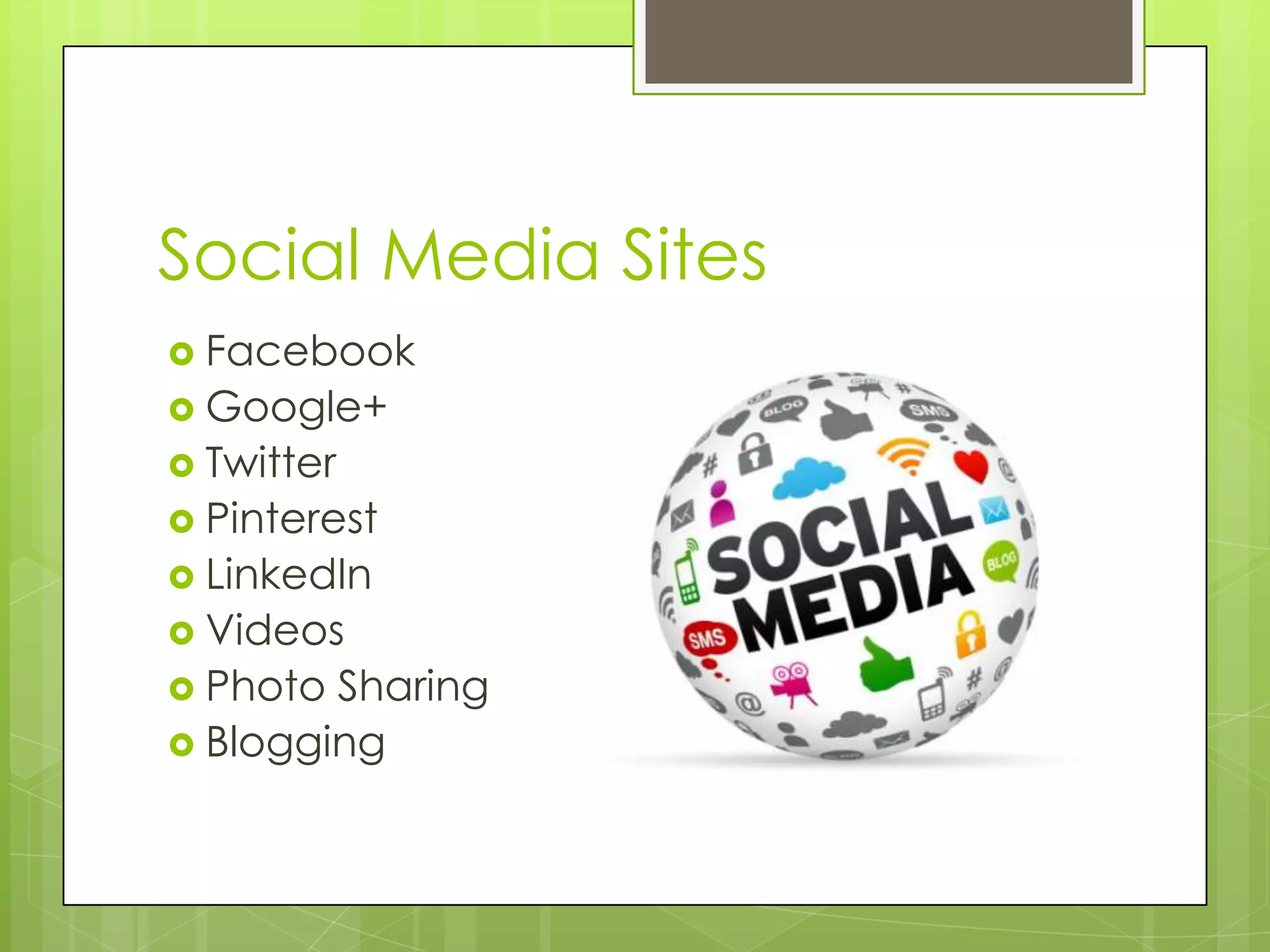
Social Media Sites
 Facebook
 Google+
 Twitter
 Pinterest
 LinkedIn
 Videos
 Photo Sharing
 Blogging
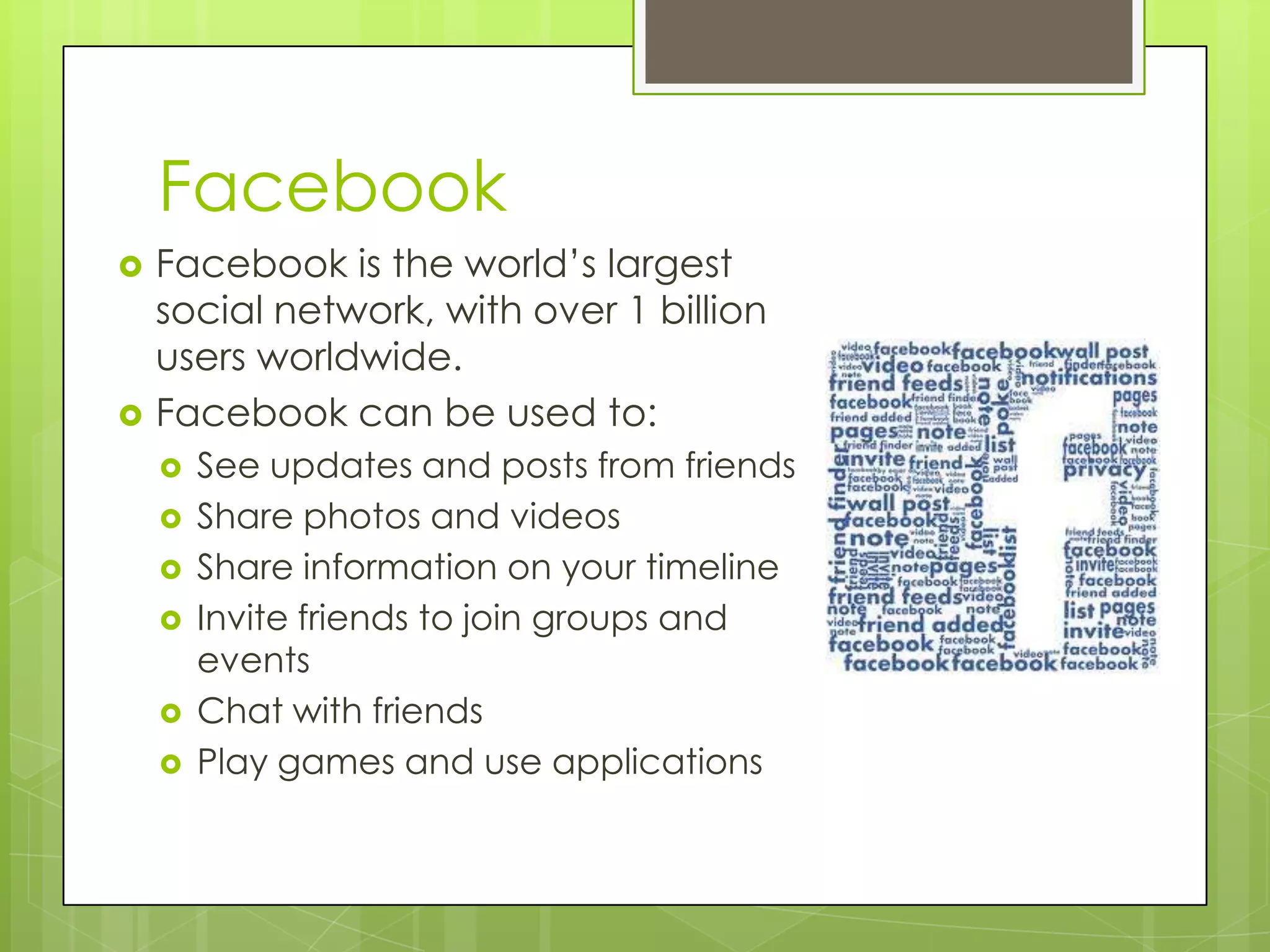
Facebook
 Facebook is the world’s largest
social network, with over 1 billion
users worldwide.
 Facebook can be used to:
 See updates and posts from friends
 Share photos and videos
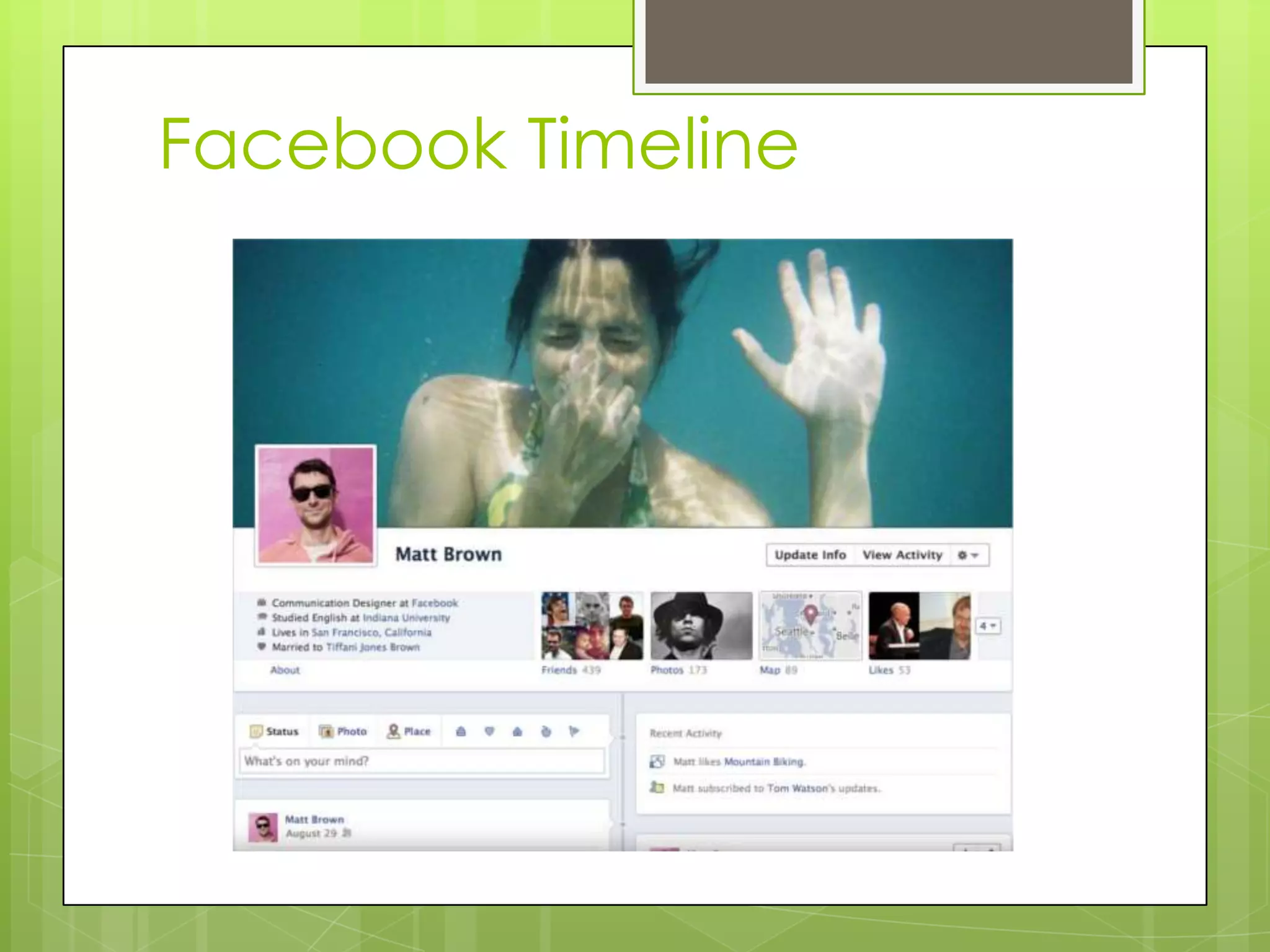
 Share information on your timeline
 Invite friends to join groups and
events
 Chat with friends
 Play games and use applications
Facebook Timeline
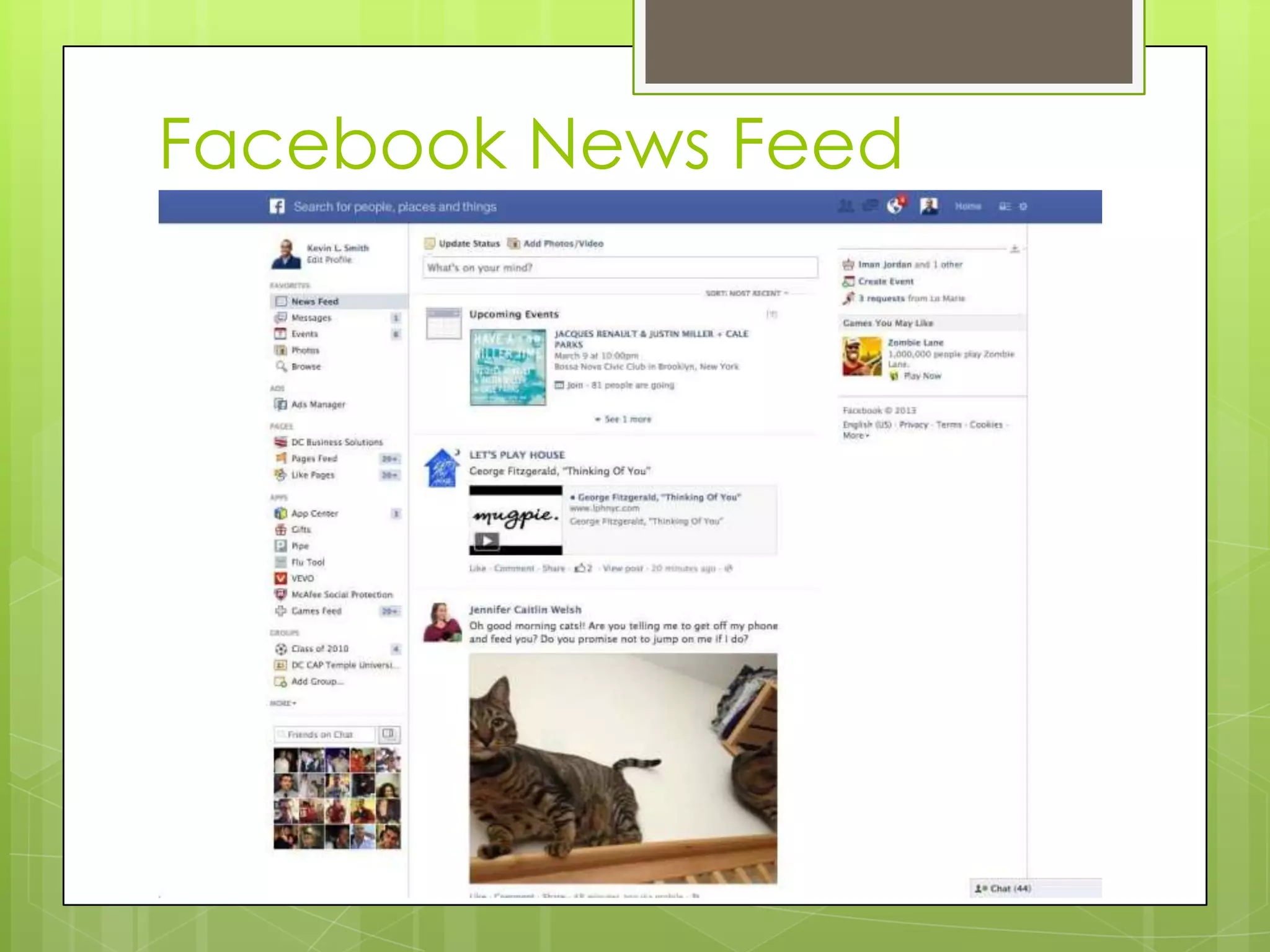
Facebook News Feed
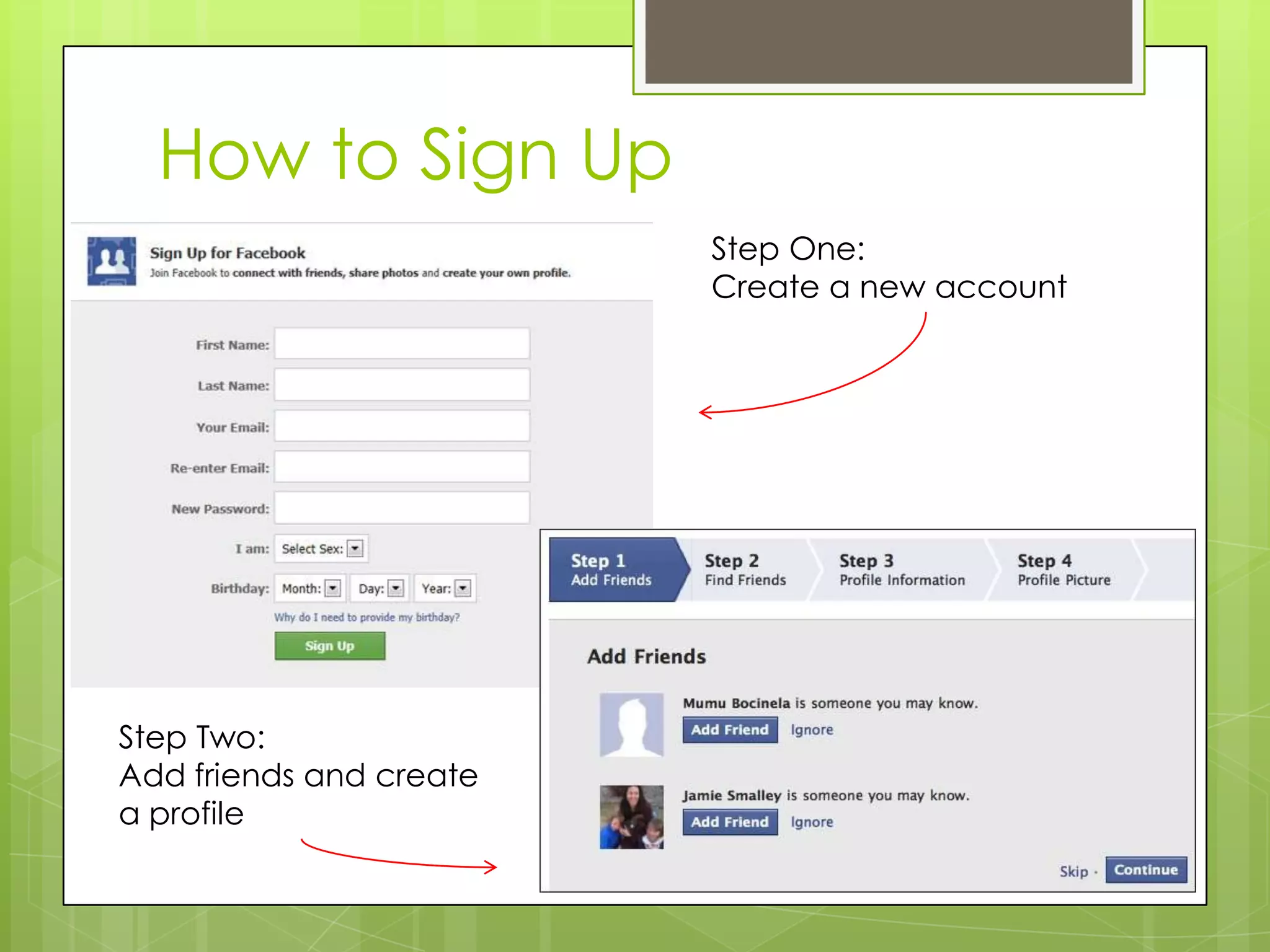
How to Sign Up
Step One:
Create a new account
Step Two:
Add friends and create
a profile
Google+
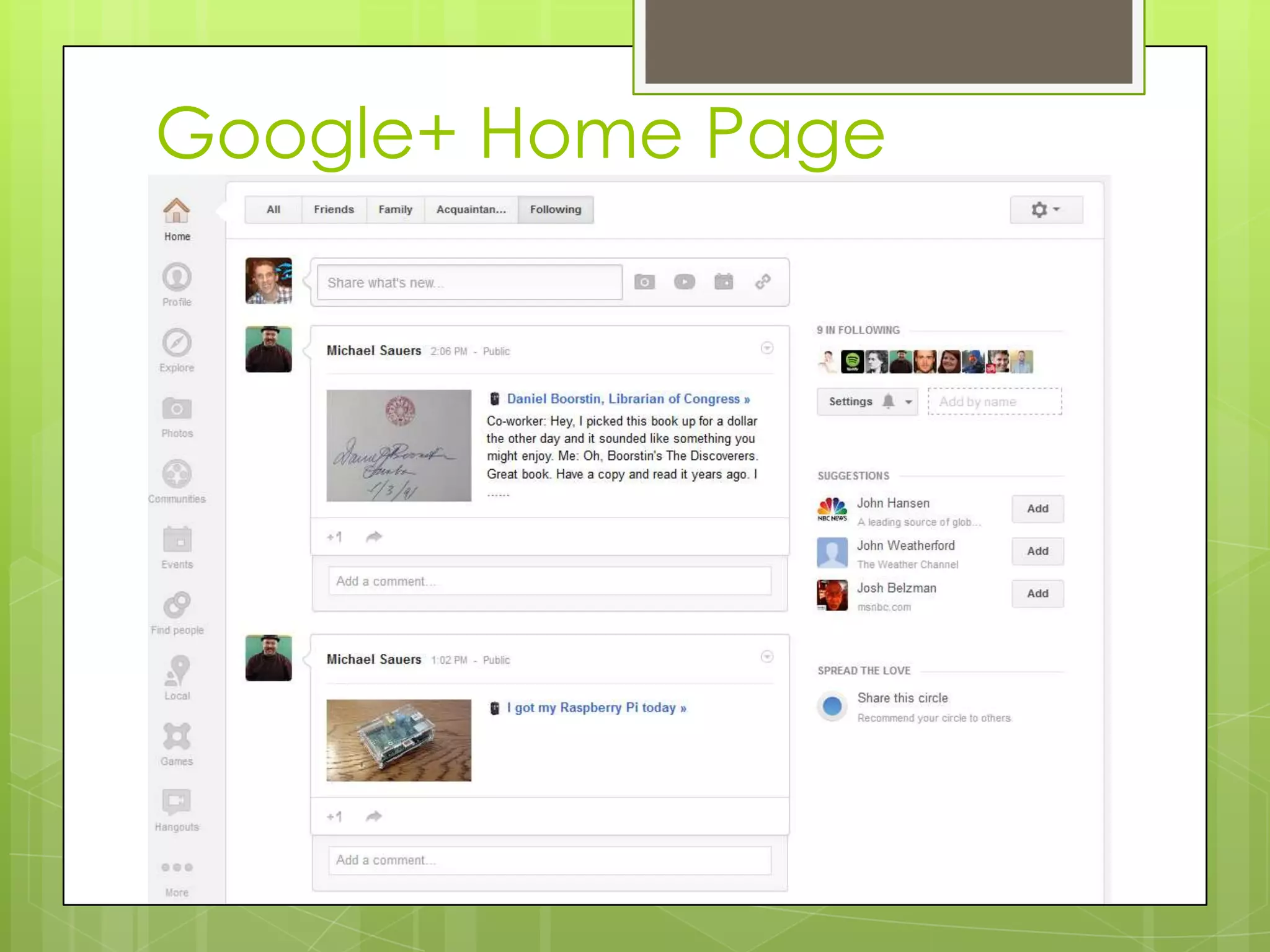
 Google+ is a social network created
by Google in 2011.
 Google+ allows you to:
 Create a custom profile
 Create circles to control who can see
what you post
 Join communities to connect with
people with shared interests
 Share photos easily
 Video chat with friends
 Integrate your profile with other
Google products
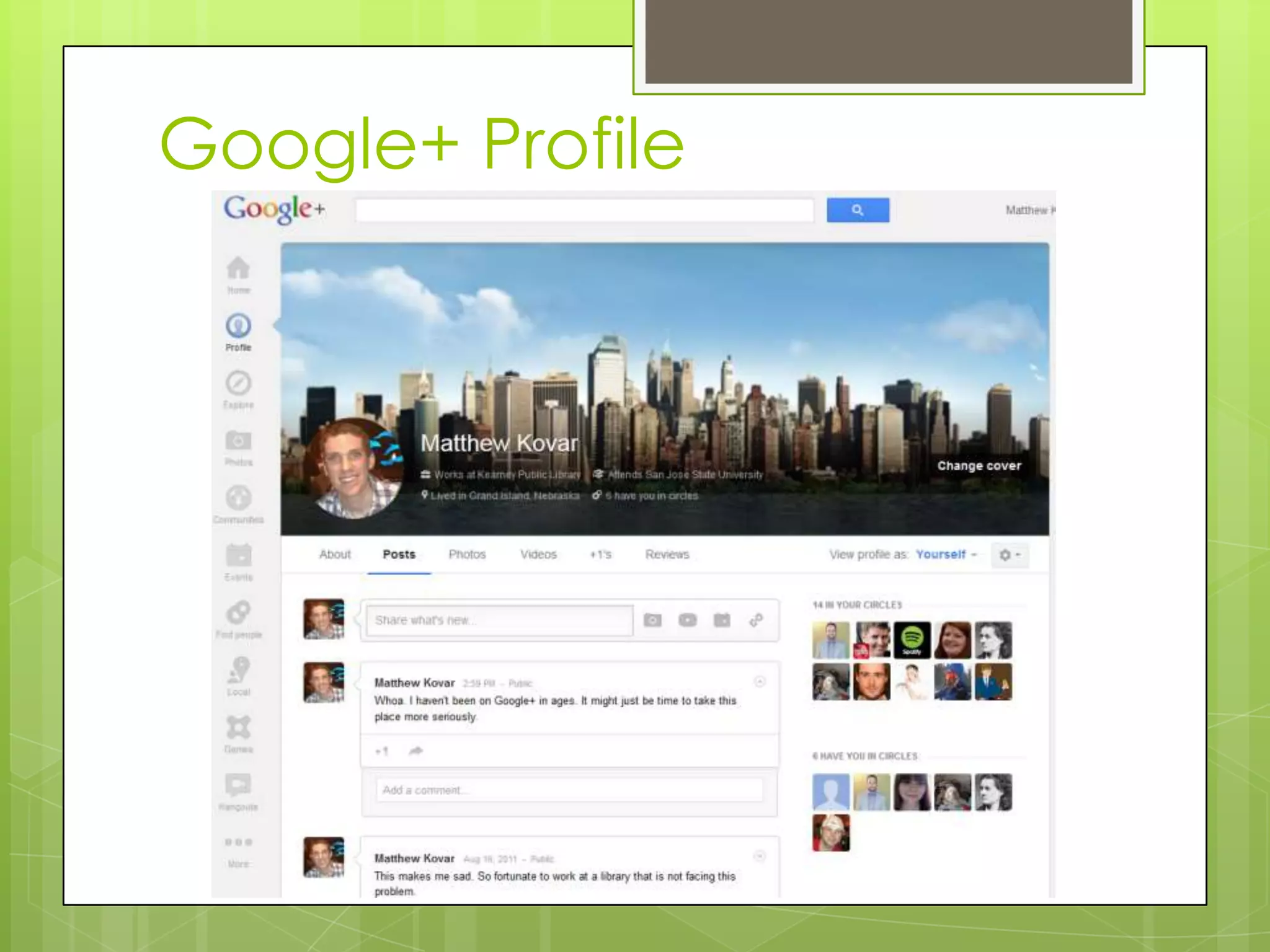
Google+ Profile
Google+ Home Page
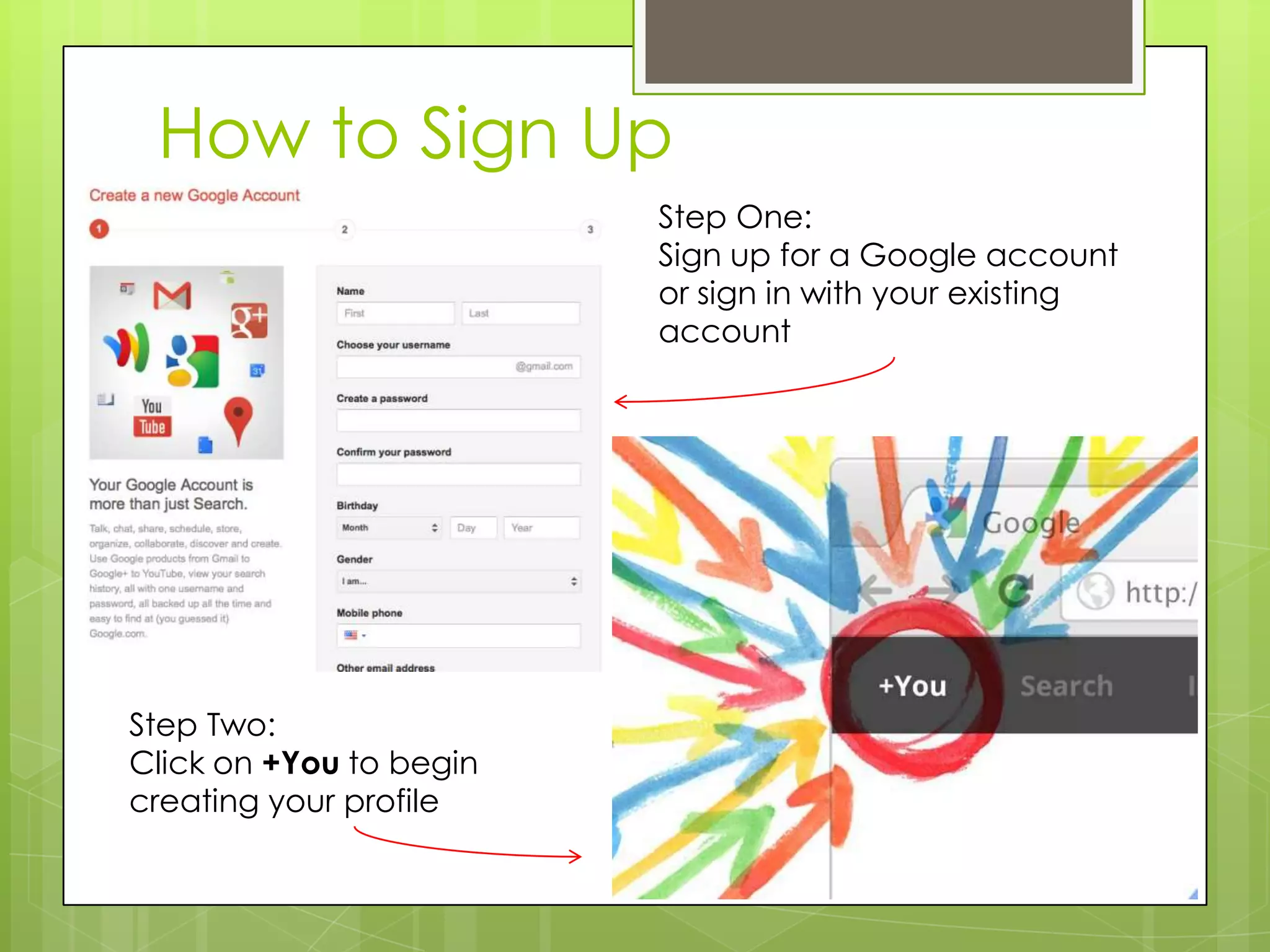
How to Sign Up
Step One:
Sign up for a Google account
or sign in with your existing
account
Step Two:
Click on +You to begin
creating your profile
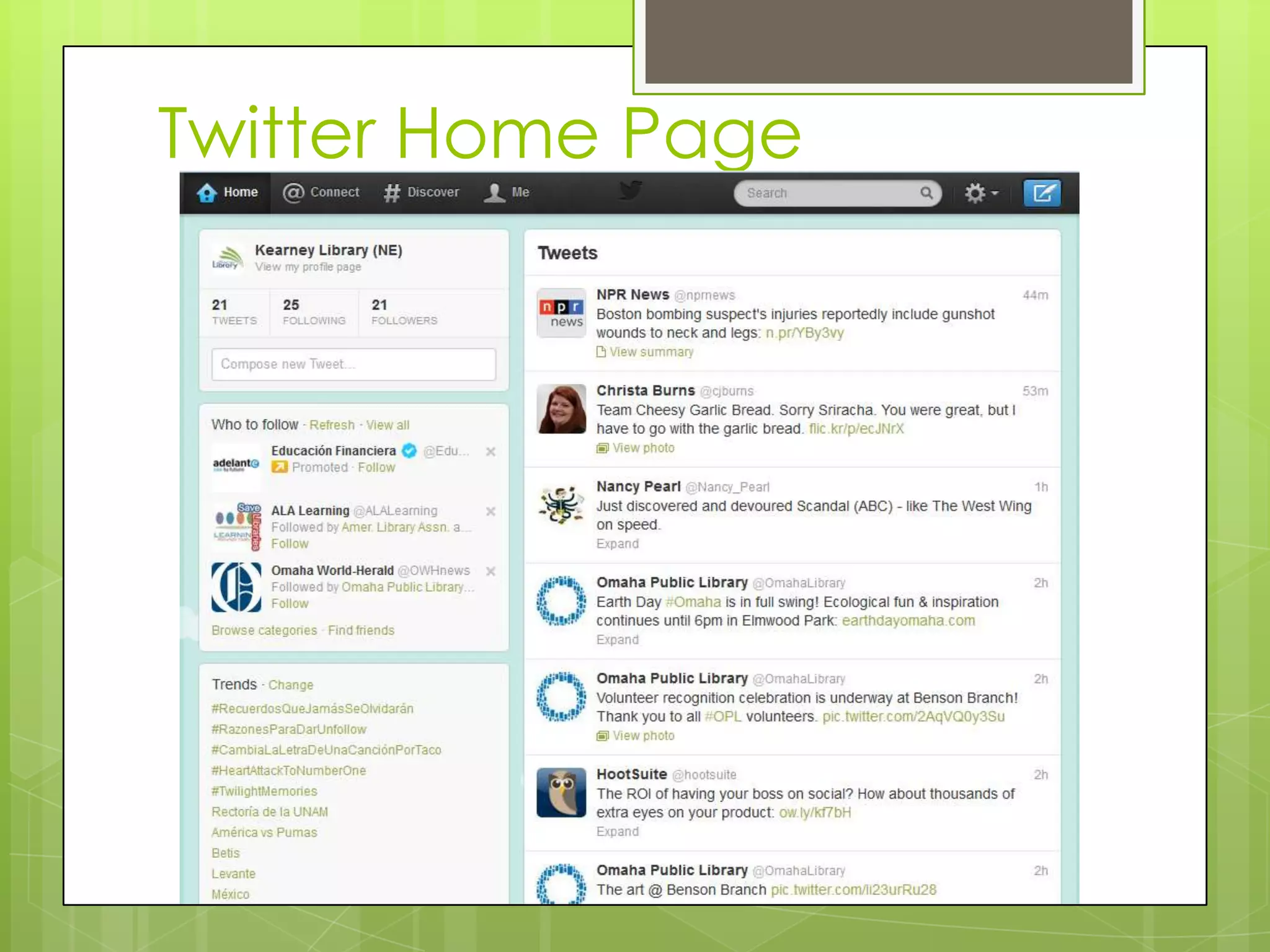
Twitter
 Twitter is a real-time information
network that connects you to the
latest stories, ideas, opinions and
news about what you find
interesting. Simply find the accounts
you find most compelling and
follow the conversations.
 At the heart of Twitter are small
bursts of information called Tweets.
Each Tweet is 140 characters long,
but don’t let the small size fool
you—you can discover a lot in a
little space. You can see photos,
videos and conversations directly in
Tweets to get the whole story at a
glance, and all in one place.
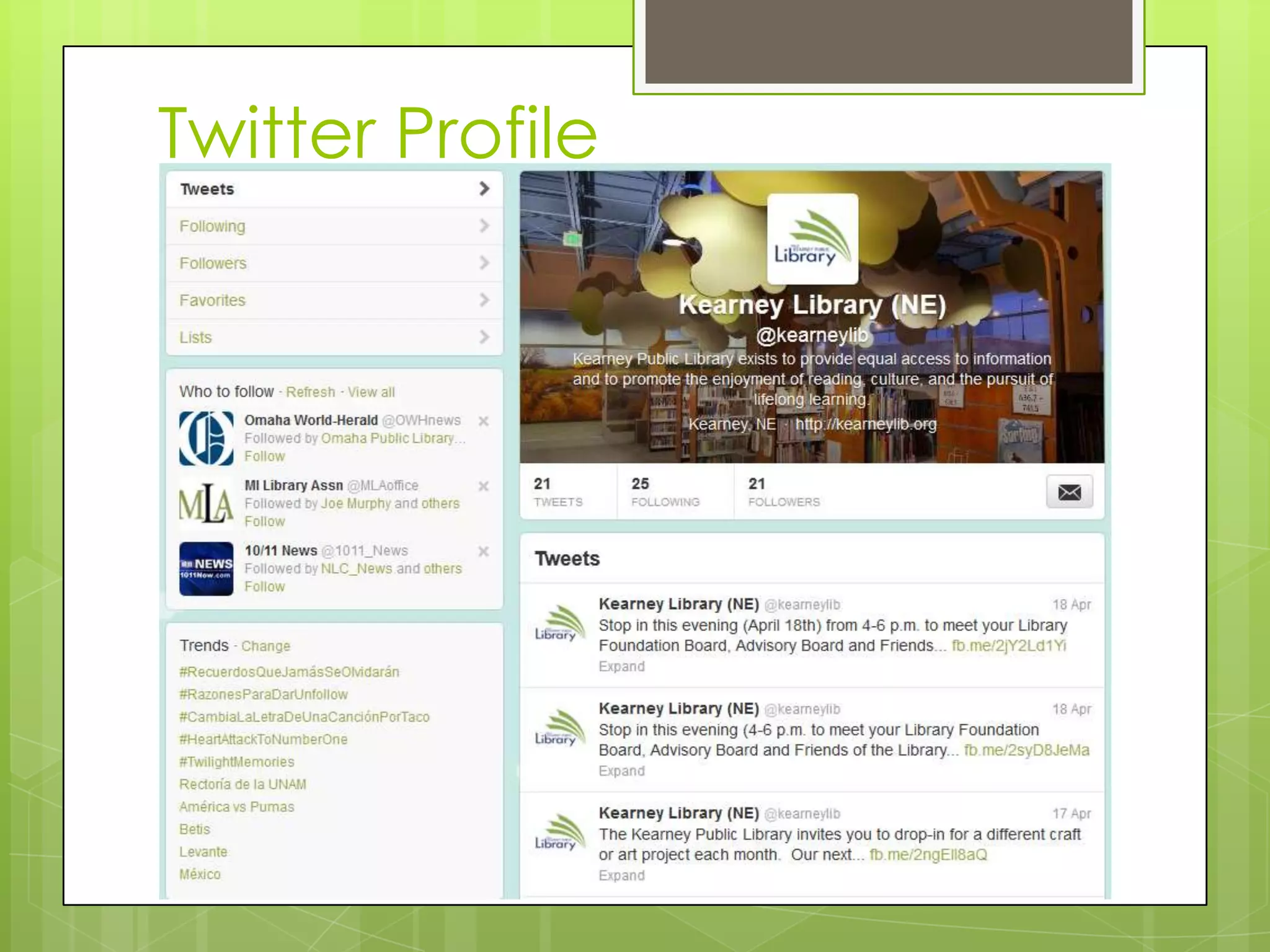
Twitter Profile
Twitter Home Page
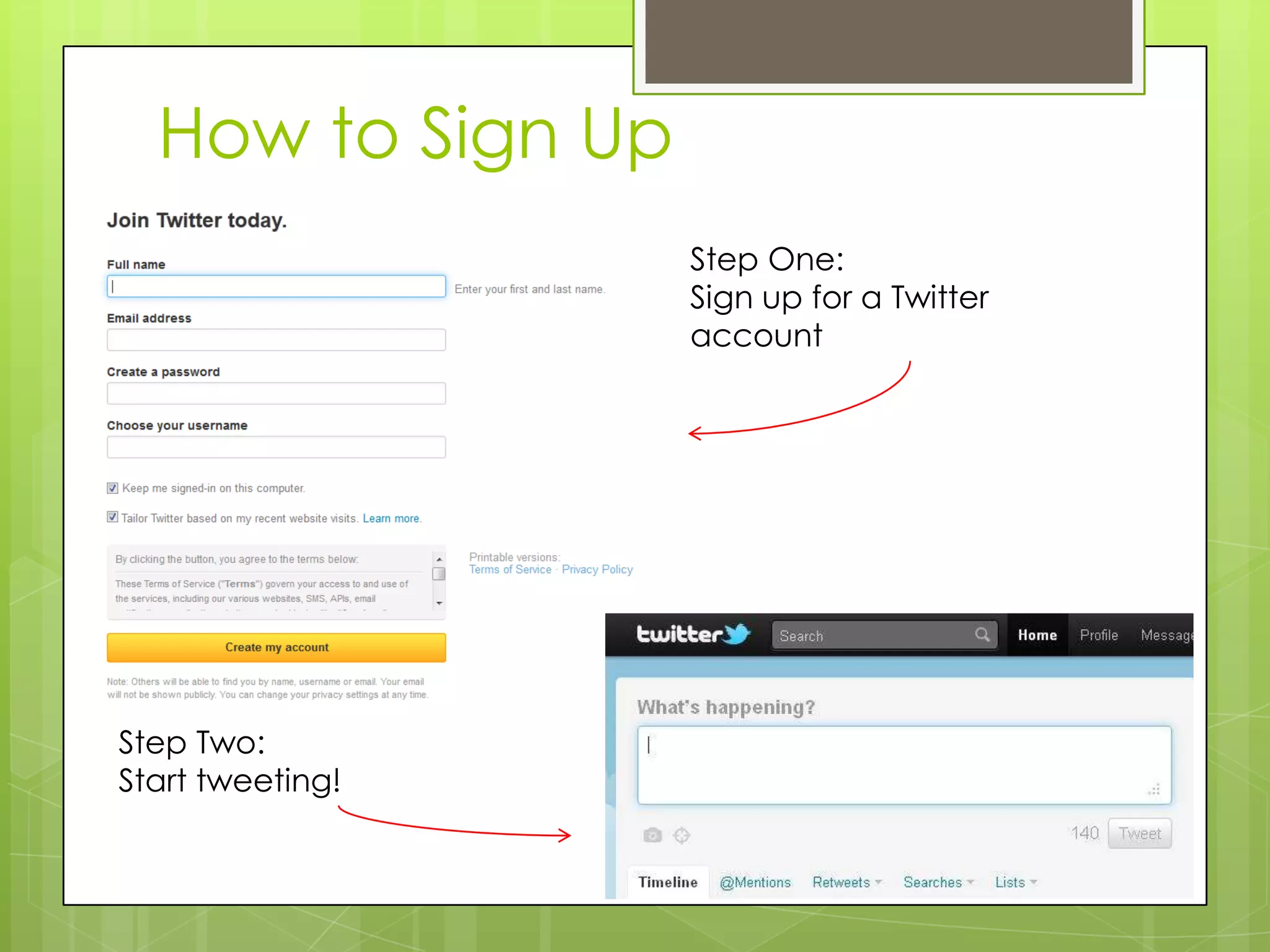
How to Sign Up
Step One:
Sign up for a Twitter
account
Step Two:
Start tweeting!
Pinterest
 Pinterest is one of the fastest
growing social networks in the
world.
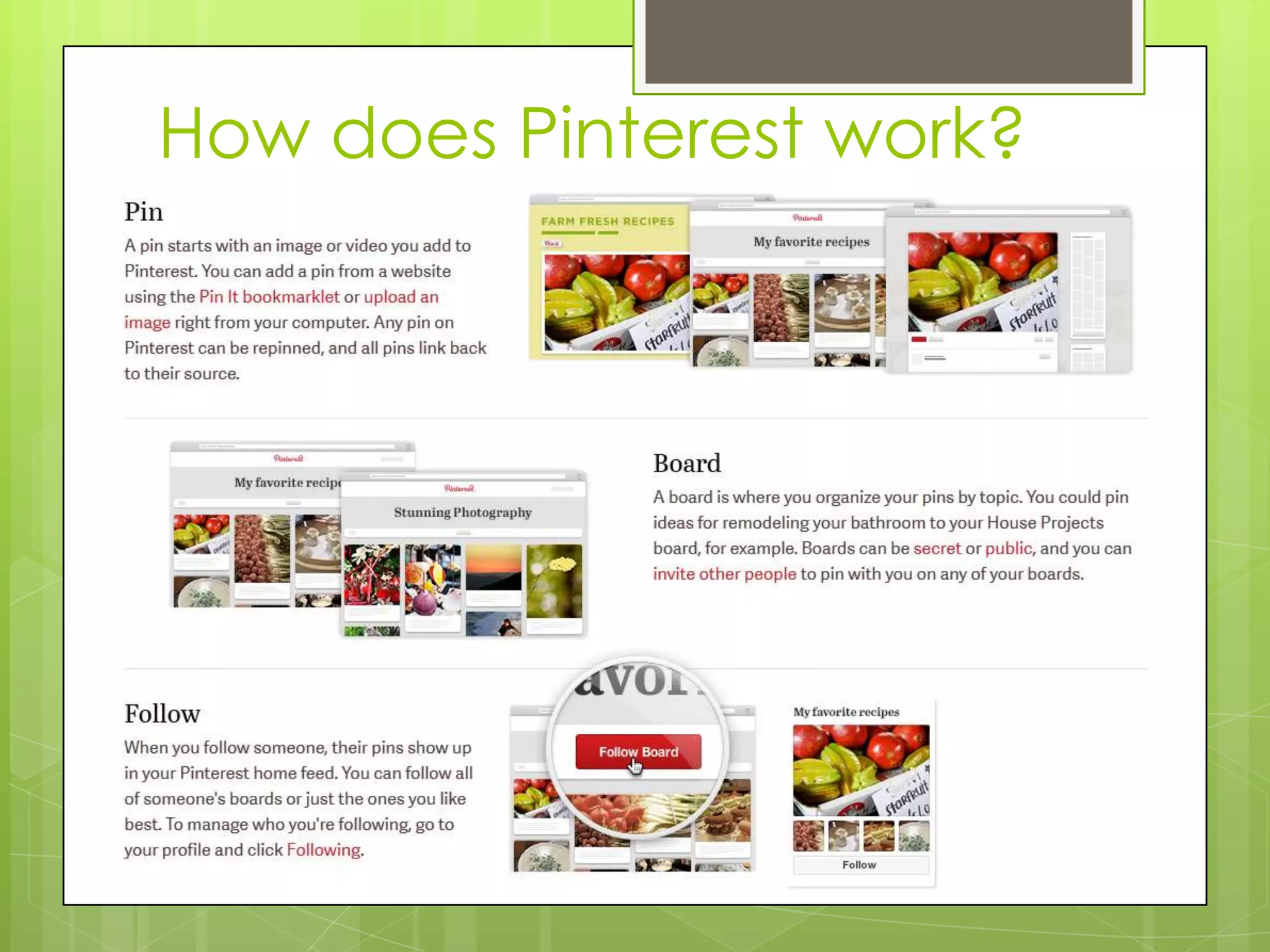
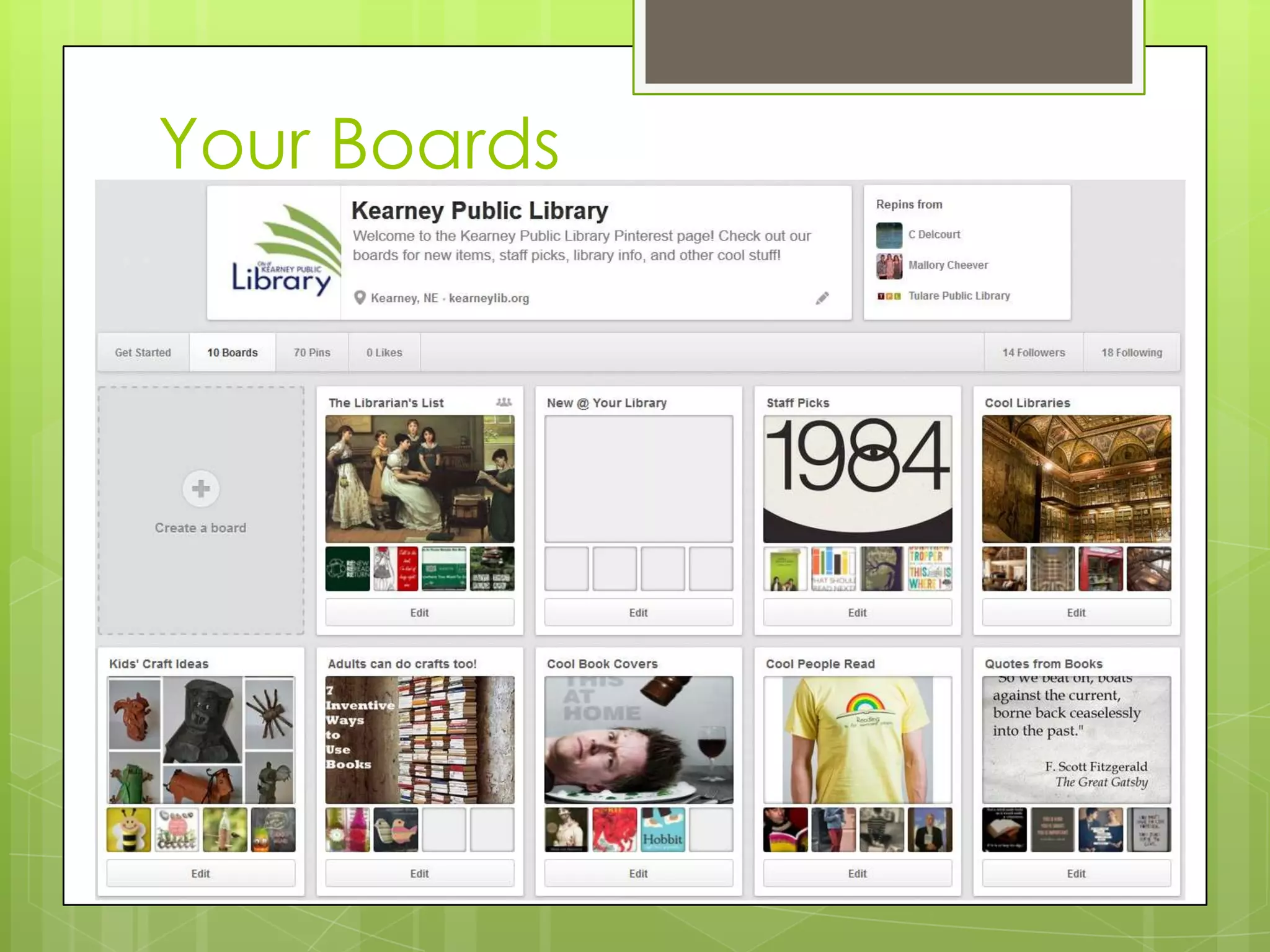
 Pinterest is an online pinboard
that allows users to “pin”
content to their own personal
“boards” that can then be
seen by other users. Others
can then “repin” content to
their own boards.
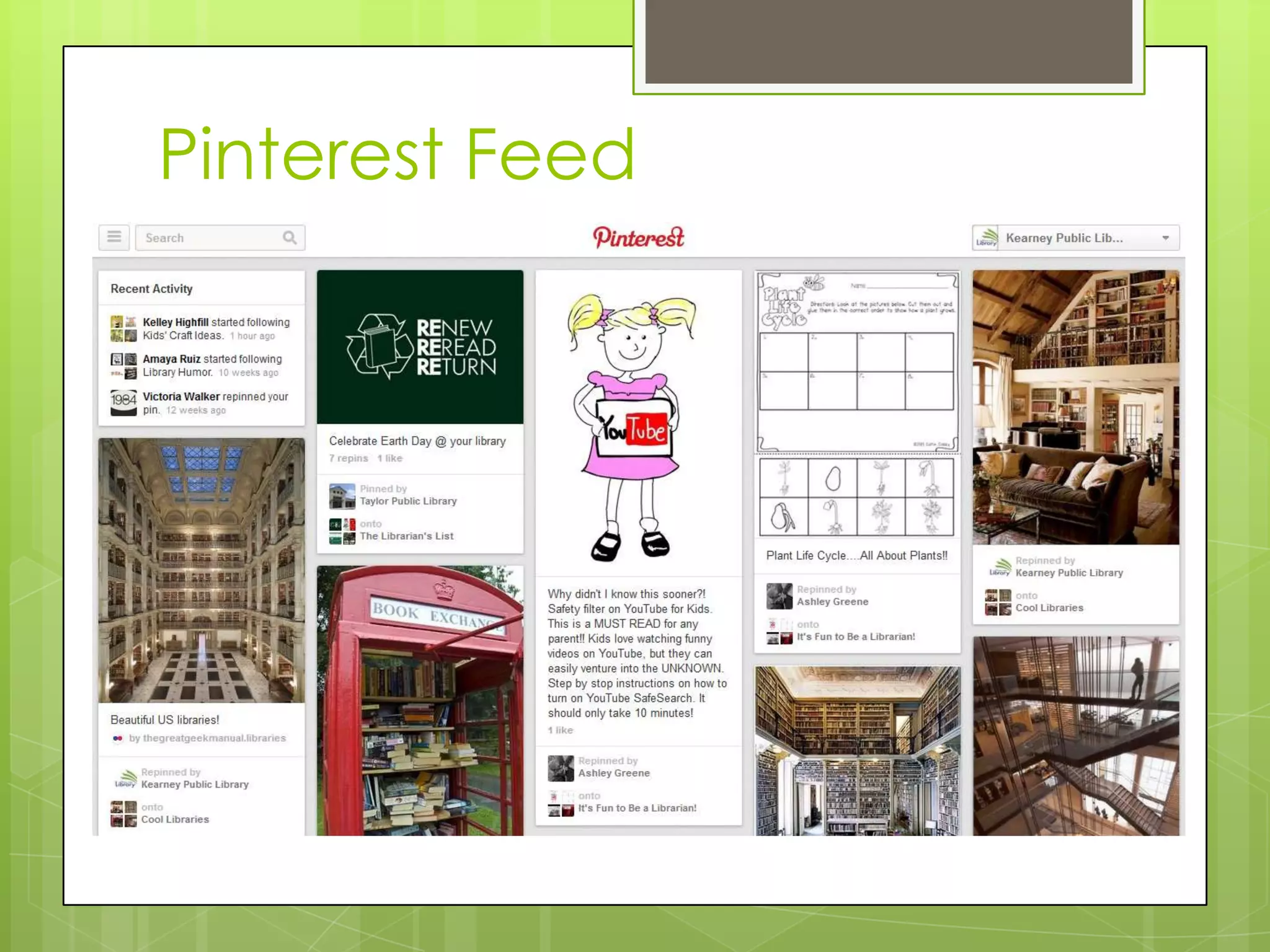
How does Pinterest work?
Pinterest Feed
Your Boards
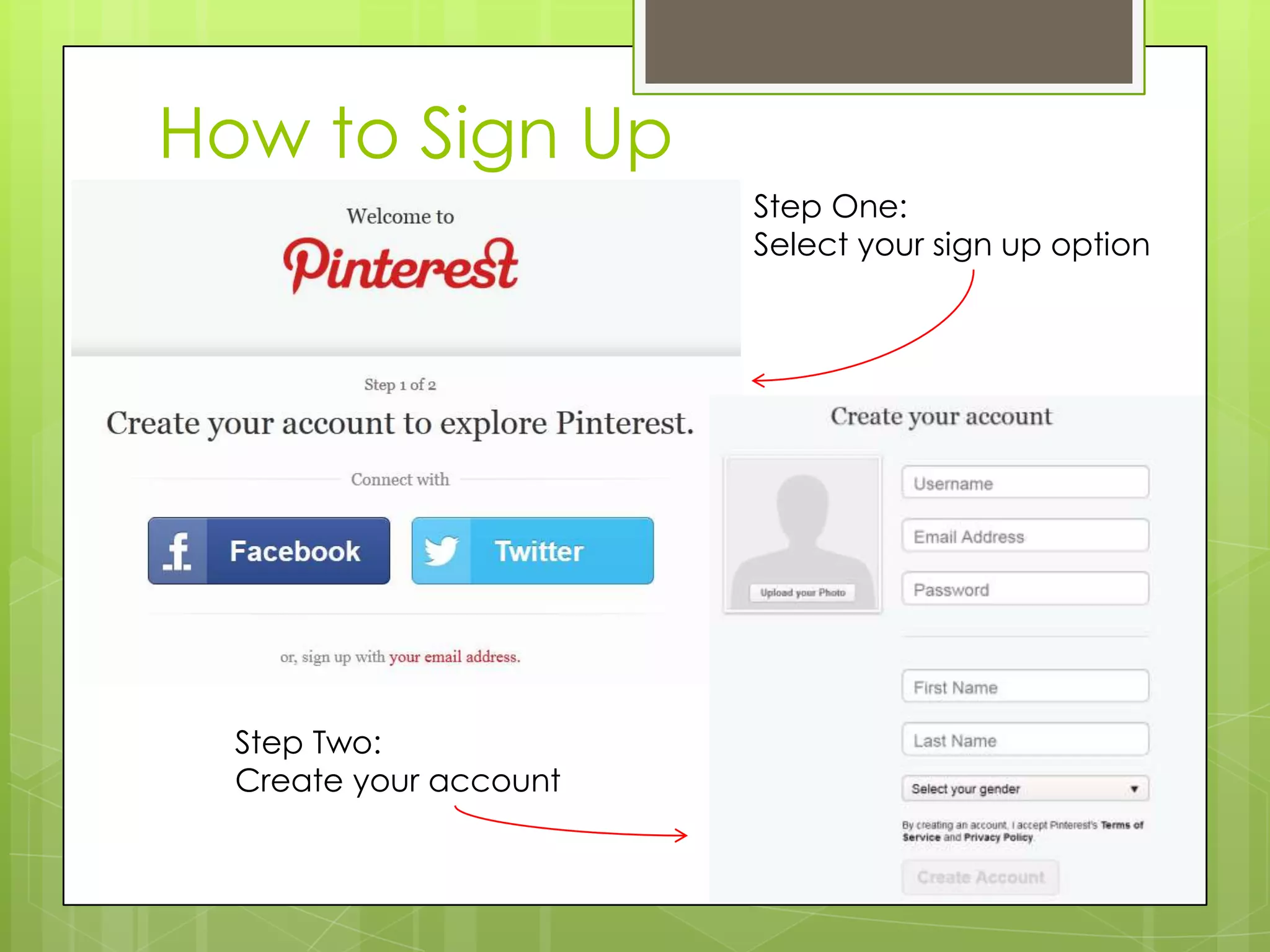
How to Sign Up
Step One:
Select your sign up option
Step Two:
Create your account
LinkedIn
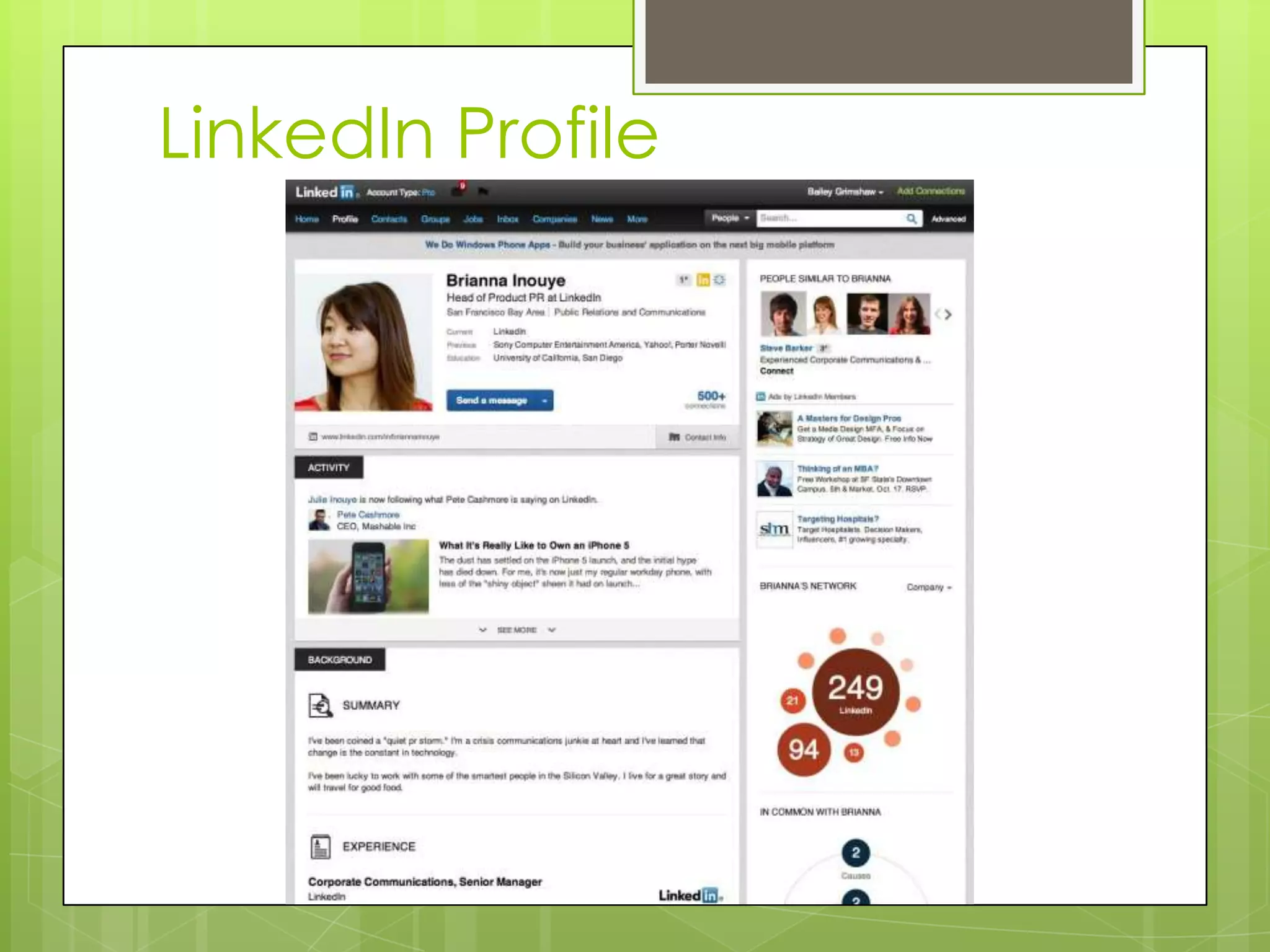
 LinkedIn is the world’s largest
professional network with
200 million members in 200
countries and territories
around the globe.
 Mission: connect the world's
professionals to make them
more productive and
successful. When you join
LinkedIn, you get access to
people, jobs, news, updates,
and insights that help you
be great at what you do.
 Who can benefit from
joining LinkedIn?
 Anyone with professional
skills looking to network with
other professionals
LinkedIn Profile
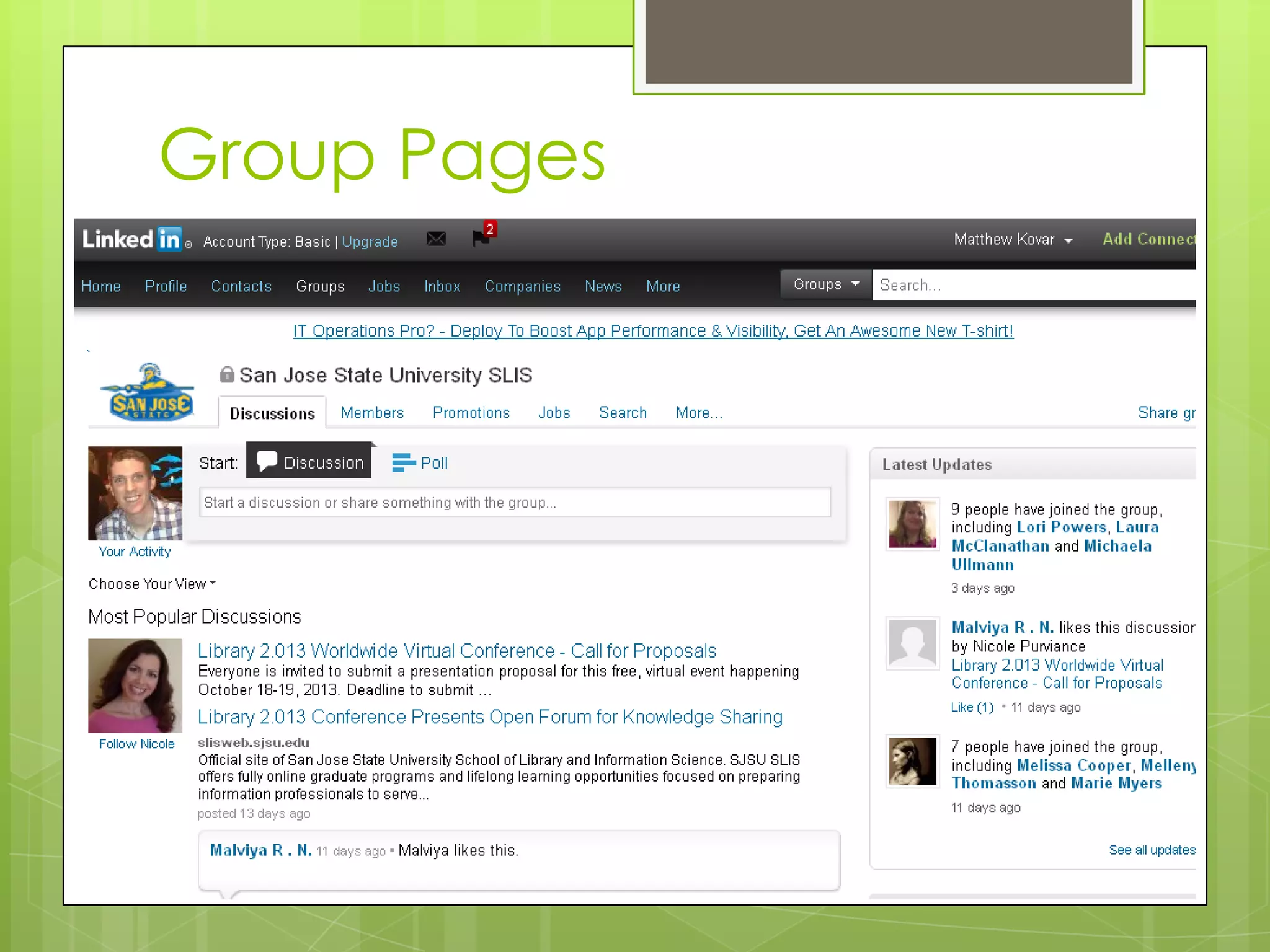
Group Pages
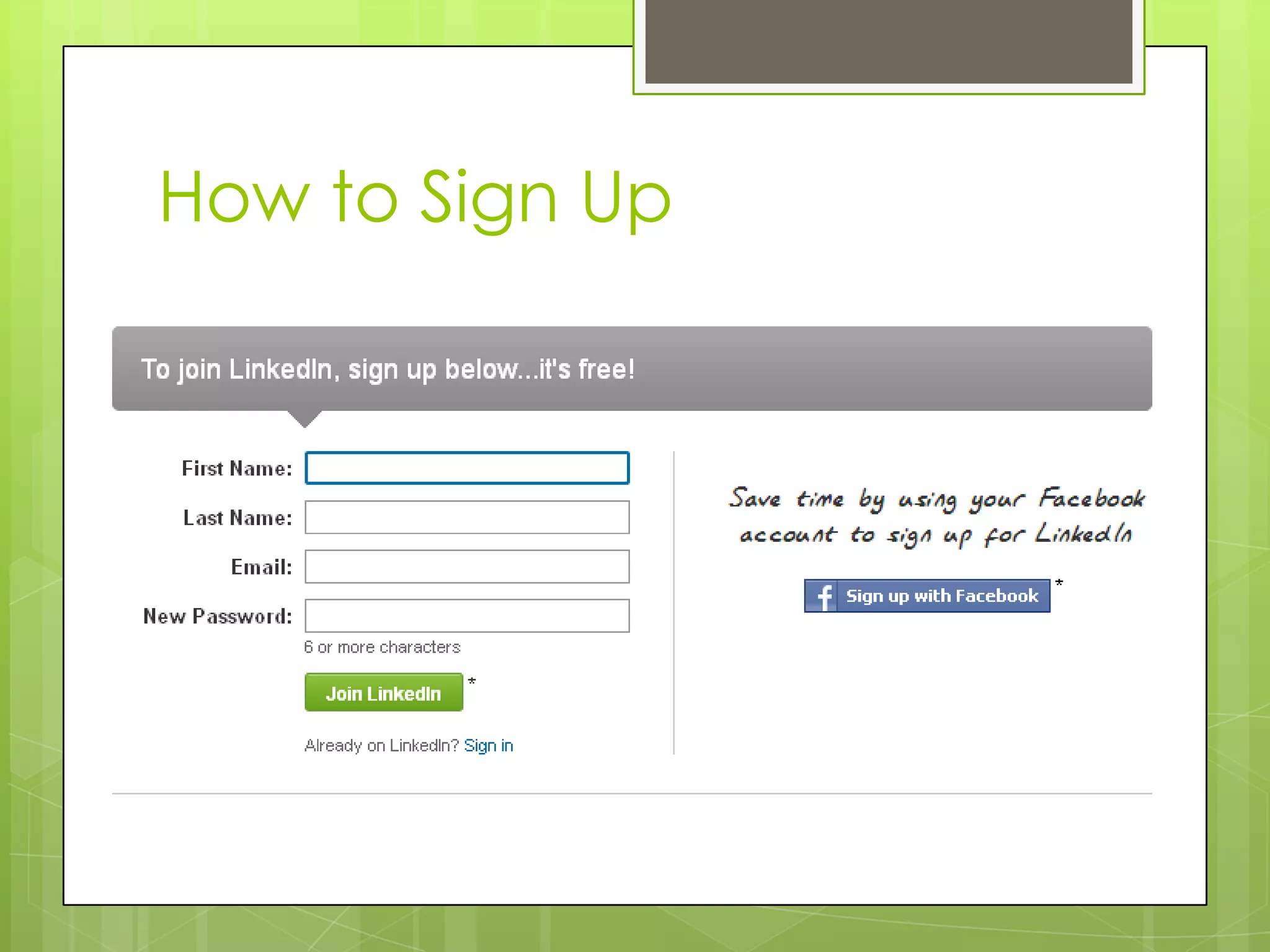
How to Sign Up
Video Sharing
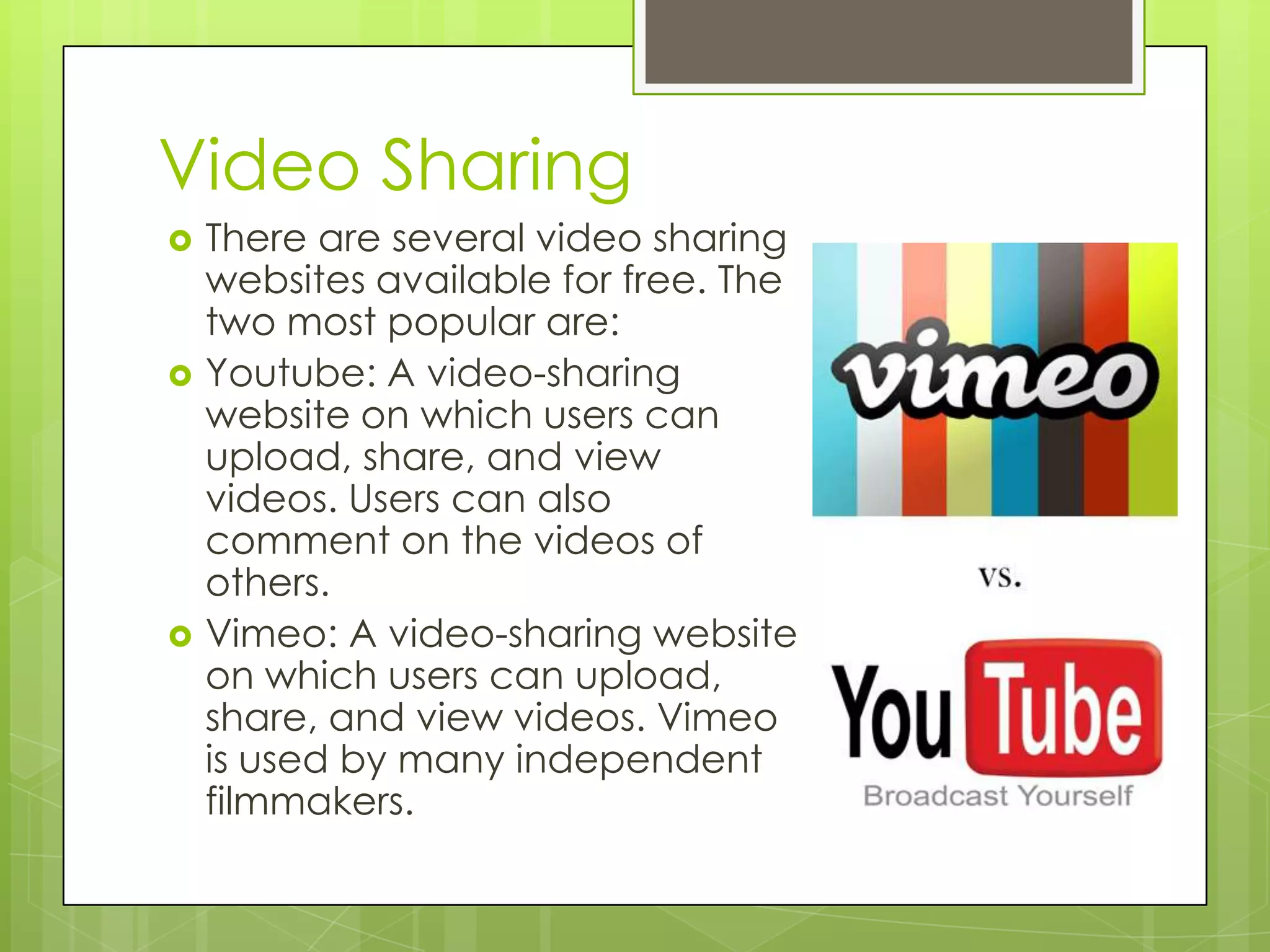
 There are several video sharing
websites available for free. The
two most popular are:
 Youtube: A video-sharing
website on which users can
upload, share, and view
videos. Users can also
comment on the videos of
others.
 Vimeo: A video-sharing website
on which users can upload,
share, and view videos. Vimeo
is used by many independent
filmmakers.
Photo Sharing
 There are many free photo-sharing
websites that allow users to upload,
store, and share their personal
photos:
 Flickr: Flickr is the world’s most
popular photo sharing website.
Users can upload, organize, share,
and print photos.
 Picasa: In addition to allowing you
to manage your photos, Picasa
allows you to perform basic edits
and gives you many options for
sharing those pictures with others.
 Photobucket: Photobucket allows
users to upload, store, edit, share,
and create slideshows with their
photos.
Blogging
 Blogging is an interactive form of
publishing content on the web. It comes
from the term "web log." The act of
blogging dates back to the late 1990s,
and has become a dominant way of self-
publishing in the 2000s.
 Most blog sites offer free accounts that
allow users to publish their own content
and interact with other bloggers.
 The most popular blog sites are:
 Blogger
 Tumblr
 Wordpress
Social Media Tips
 No Such Thing as Private
 X Marks the Spot
 Separate Work and Family
 How Old Are You Now?
 Check Security Settings
 Review Before Posting
 Public vs. Private
Conversations
 You Play, You Pay…In Loss of
Privacy
 How Do I Know You?
Questions?
Matt Kovar
TLC Coordinator
(308) 233-3612
mkovar@kearneygov.org

Intro to Social Media

  • 1.
  • 2.
    What is SocialMedia?  The best way to define social media is to break it down. Media is an instrument on communication, like a newspaper or a radio, so social media would be a social instrument of communication. This would be a website that doesn't just give you information, but interacts with you while giving you that information.  Think of regular media as a one-way street where you can read a newspaper or listen to a report on television, but you have very limited ability to give your thoughts on the matter.  Social media, on the other hand, is a two-way street that gives you the ability to communicate too.
  • 3.
    Social Media Sites Facebook  Google+  Twitter  Pinterest  LinkedIn  Videos  Photo Sharing  Blogging
  • 4.
    Facebook  Facebook isthe world’s largest social network, with over 1 billion users worldwide.  Facebook can be used to:  See updates and posts from friends  Share photos and videos  Share information on your timeline  Invite friends to join groups and events  Chat with friends  Play games and use applications
  • 5.
  • 6.
  • 7.
    How to SignUp Step One: Create a new account Step Two: Add friends and create a profile
  • 8.
    Google+  Google+ isa social network created by Google in 2011.  Google+ allows you to:  Create a custom profile  Create circles to control who can see what you post  Join communities to connect with people with shared interests  Share photos easily  Video chat with friends  Integrate your profile with other Google products
  • 9.
  • 10.
  • 11.
    How to SignUp Step One: Sign up for a Google account or sign in with your existing account Step Two: Click on +You to begin creating your profile
  • 12.
    Twitter  Twitter isa real-time information network that connects you to the latest stories, ideas, opinions and news about what you find interesting. Simply find the accounts you find most compelling and follow the conversations.  At the heart of Twitter are small bursts of information called Tweets. Each Tweet is 140 characters long, but don’t let the small size fool you—you can discover a lot in a little space. You can see photos, videos and conversations directly in Tweets to get the whole story at a glance, and all in one place.
  • 13.
  • 14.
  • 15.
    How to SignUp Step One: Sign up for a Twitter account Step Two: Start tweeting!
  • 16.
    Pinterest  Pinterest isone of the fastest growing social networks in the world.  Pinterest is an online pinboard that allows users to “pin” content to their own personal “boards” that can then be seen by other users. Others can then “repin” content to their own boards.
  • 17.
  • 18.
  • 19.
  • 20.
    How to SignUp Step One: Select your sign up option Step Two: Create your account
  • 21.
    LinkedIn  LinkedIn isthe world’s largest professional network with 200 million members in 200 countries and territories around the globe.  Mission: connect the world's professionals to make them more productive and successful. When you join LinkedIn, you get access to people, jobs, news, updates, and insights that help you be great at what you do.  Who can benefit from joining LinkedIn?  Anyone with professional skills looking to network with other professionals
  • 22.
  • 23.
  • 24.
  • 25.
    Video Sharing  Thereare several video sharing websites available for free. The two most popular are:  Youtube: A video-sharing website on which users can upload, share, and view videos. Users can also comment on the videos of others.  Vimeo: A video-sharing website on which users can upload, share, and view videos. Vimeo is used by many independent filmmakers.
  • 26.
    Photo Sharing  Thereare many free photo-sharing websites that allow users to upload, store, and share their personal photos:  Flickr: Flickr is the world’s most popular photo sharing website. Users can upload, organize, share, and print photos.  Picasa: In addition to allowing you to manage your photos, Picasa allows you to perform basic edits and gives you many options for sharing those pictures with others.  Photobucket: Photobucket allows users to upload, store, edit, share, and create slideshows with their photos.
  • 27.
    Blogging  Blogging isan interactive form of publishing content on the web. It comes from the term "web log." The act of blogging dates back to the late 1990s, and has become a dominant way of self- publishing in the 2000s.  Most blog sites offer free accounts that allow users to publish their own content and interact with other bloggers.  The most popular blog sites are:  Blogger  Tumblr  Wordpress
  • 28.
    Social Media Tips No Such Thing as Private  X Marks the Spot  Separate Work and Family  How Old Are You Now?  Check Security Settings  Review Before Posting  Public vs. Private Conversations  You Play, You Pay…In Loss of Privacy  How Do I Know You?
  • 29.
    Questions? Matt Kovar TLC Coordinator (308)233-3612 mkovar@kearneygov.org