Smarter Searching The Evolving Internet
How Search Engines Work Crawler-Based-  Create their lists automatically by “crawling” the web and people sort through the results. Human-Powered Directories-  Depends on humans to write a short description of the site to be added to the directory. Social Search-NEW  Determines relevance based on the contributions & interactions of users.
The BIG Four Google -  Crawler-based service is the top choice for most searchers. Tons of features: blogs, scholar, images, books, maps, etc. Yahoo-   Web’s oldest directory & now integrates a crawler. Becoming more of a media company than SE. Windows Live Search  (MSN Search)- Prides themselves on being “more precise”. Ask.com   (AskJeeves)- Let’s you use “natural language” to ask questions & provides the right answer.
Meta-search Engines Searches are sent to several SEs all at once and blended onto one page. Dogpile -  Customizable listing. Vivisimo -  Organizes pages into categories. Kartoo -  Shows the results with sites being interconnected by keywords.   SurfWax -  "SiteSnaps" feature, you can preview any page & see where your terms appear in the document. Allows results to be saved for future use.
All-in-One Not a true meta-crawler, but allows you to compare results from numerous SEs at once. TwinGine -  displays the search results of the two most popular SES, Google and Yahoo, side by side. Google  vs  Yahoo Tool-  Visually compares results. Proteus-   Send your search to one of several search engines .
Visual Searching Clusty -   Takes broad search topics and “clusters” display results into sub categories. Grokker -   Graphic organizer for results using sub categories to help display hits.
News Search Engines These services provide exceptionally good results for current event searching, because they crawl only news sites. The results are usually focused and timely.  GoogleNews YahooNews AllTheWebNews AltaVistaNews DayPop NewsMap
Social Searching Del.icio.us -  Store and organize all of your bookmarks, share with others.   MyWeb -  Social tagging powered by Yahoo. Rolloyo -  Create a customized search engine. Eurekster -  Community powered search engine.
Get the most out of your search Using the Advanced Options Use "phrase searching" whenever possible  Add more words to focus results  Try a title search for subject focus  Limit to .edu or .gov to exclude most ecommerce sites  Use link search to find who links to a specific page  Use the advanced search forms, or at least look to see what it offers. They often include ability to limit search to title, a specific domain, or do a link search. http://searchengineshowdown.com/strat/advancedsearch.shtml
Learn the Language Boolean Searching refers to how multiple terms are defined in a search. Each SE has their own language and different search capabilities. http:// www.searchengineshowdown.com /features/
Search Toolbars Provide direct access to search engines from within your browser. Most major SEs have a downloadable bar you can add to your desktop. Meta-search utilities make it easy to search more than one SE at the same time. Groowe   - It’s default is set to include the top 16 SES. Advanced  SearchBar -   Access to 60 SEs.
What’s New? Web 2.0-  Second generation of web-based communities such as social networking sites, wikis and folksonomies that facilitate collaboration and sharing between users.   Mashups-  A website or web application that combines content from more than one source.   RSS feeds-  Really Simple Syndication makes it possible for people to keep up with all of their favorite sites with one click.
Not all searches are the same Try to use a new one each month so you can familiarize yourself with the features of each, you’ll be surprised at the different results each will present!
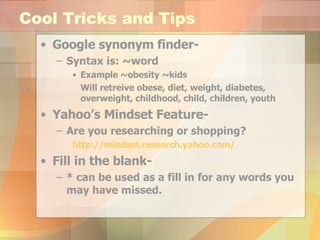
Cool Tricks and Tips Google synonym finder-  Syntax is: ~word Example ~obesity ~kids Will retreive obese, diet, weight, diabetes, overweight, childhood, child, children, youth Yahoo’s Mindset Feature- Are you researching or shopping? http://mindset.research.yahoo.com/ Fill in the blank-  * can be used as a fill in for any words you may have missed.
Get Busy Basic Internet Searching Advanced Internet Searching By: Greg R. Notess http://searchengineshowdown.com/strat/basicsearch.html

Smarter Searching

  • 1.
    Smarter Searching TheEvolving Internet
  • 2.
    How Search EnginesWork Crawler-Based- Create their lists automatically by “crawling” the web and people sort through the results. Human-Powered Directories- Depends on humans to write a short description of the site to be added to the directory. Social Search-NEW Determines relevance based on the contributions & interactions of users.
  • 3.
    The BIG FourGoogle - Crawler-based service is the top choice for most searchers. Tons of features: blogs, scholar, images, books, maps, etc. Yahoo- Web’s oldest directory & now integrates a crawler. Becoming more of a media company than SE. Windows Live Search (MSN Search)- Prides themselves on being “more precise”. Ask.com (AskJeeves)- Let’s you use “natural language” to ask questions & provides the right answer.
  • 4.
    Meta-search Engines Searchesare sent to several SEs all at once and blended onto one page. Dogpile - Customizable listing. Vivisimo - Organizes pages into categories. Kartoo - Shows the results with sites being interconnected by keywords. SurfWax - "SiteSnaps" feature, you can preview any page & see where your terms appear in the document. Allows results to be saved for future use.
  • 5.
    All-in-One Not atrue meta-crawler, but allows you to compare results from numerous SEs at once. TwinGine - displays the search results of the two most popular SES, Google and Yahoo, side by side. Google vs Yahoo Tool- Visually compares results. Proteus- Send your search to one of several search engines .
  • 6.
    Visual Searching Clusty- Takes broad search topics and “clusters” display results into sub categories. Grokker - Graphic organizer for results using sub categories to help display hits.
  • 7.
    News Search EnginesThese services provide exceptionally good results for current event searching, because they crawl only news sites. The results are usually focused and timely. GoogleNews YahooNews AllTheWebNews AltaVistaNews DayPop NewsMap
  • 8.
    Social Searching Del.icio.us- Store and organize all of your bookmarks, share with others. MyWeb - Social tagging powered by Yahoo. Rolloyo - Create a customized search engine. Eurekster - Community powered search engine.
  • 9.
    Get the mostout of your search Using the Advanced Options Use "phrase searching" whenever possible Add more words to focus results Try a title search for subject focus Limit to .edu or .gov to exclude most ecommerce sites Use link search to find who links to a specific page Use the advanced search forms, or at least look to see what it offers. They often include ability to limit search to title, a specific domain, or do a link search. http://searchengineshowdown.com/strat/advancedsearch.shtml
  • 10.
    Learn the LanguageBoolean Searching refers to how multiple terms are defined in a search. Each SE has their own language and different search capabilities. http:// www.searchengineshowdown.com /features/
  • 11.
    Search Toolbars Providedirect access to search engines from within your browser. Most major SEs have a downloadable bar you can add to your desktop. Meta-search utilities make it easy to search more than one SE at the same time. Groowe - It’s default is set to include the top 16 SES. Advanced SearchBar - Access to 60 SEs.
  • 12.
    What’s New? Web2.0- Second generation of web-based communities such as social networking sites, wikis and folksonomies that facilitate collaboration and sharing between users. Mashups- A website or web application that combines content from more than one source. RSS feeds- Really Simple Syndication makes it possible for people to keep up with all of their favorite sites with one click.
  • 13.
    Not all searchesare the same Try to use a new one each month so you can familiarize yourself with the features of each, you’ll be surprised at the different results each will present!
  • 14.
    Cool Tricks andTips Google synonym finder- Syntax is: ~word Example ~obesity ~kids Will retreive obese, diet, weight, diabetes, overweight, childhood, child, children, youth Yahoo’s Mindset Feature- Are you researching or shopping? http://mindset.research.yahoo.com/ Fill in the blank- * can be used as a fill in for any words you may have missed.
  • 15.
    Get Busy BasicInternet Searching Advanced Internet Searching By: Greg R. Notess http://searchengineshowdown.com/strat/basicsearch.html