Smart Academic Timetable
Reminder Mobile Application
Prepared By
Mohamad Faiz Bin Mohamad Mokhtar
Supervisor
Dr. Ismahafezi Bin Ismail
OBJECTIVES
• To propose a mobile application that help users especially
UniSZA’s students to get reminded 10 minutes before class
started or class had been cancelled by lecturer.
• To develop a platform for lecturer directly tells students if
the class will be delay or cancel.
• To make a centralized database for all student had latest
changes and latest information about the next lecture.
Key : help student 10 minutes, help lecturer, centralized database
SCOPE (USER)
1. Use smartphone to get push notification of academic schedule from database.
2. Get status lecture notification 10 minutes before the lecture.
3. Student need to choose which class they will having for this semester.
1. Get notification to confirm about the next lecture status and the system will push
notification to tell all the student in the lecture.
2. Can change the time and place if want to make any changes in the academic timetable.
3. Just using mobile application to use this application.
1. The organizer need to fill all academic timetable into the system database.
2. They can manage create, update and delete in the academic timetable.
3. They need to fill the academic timetable with lecturer name, class name, and time range.
4. They need to use official website of this application to enter the information into the
database.
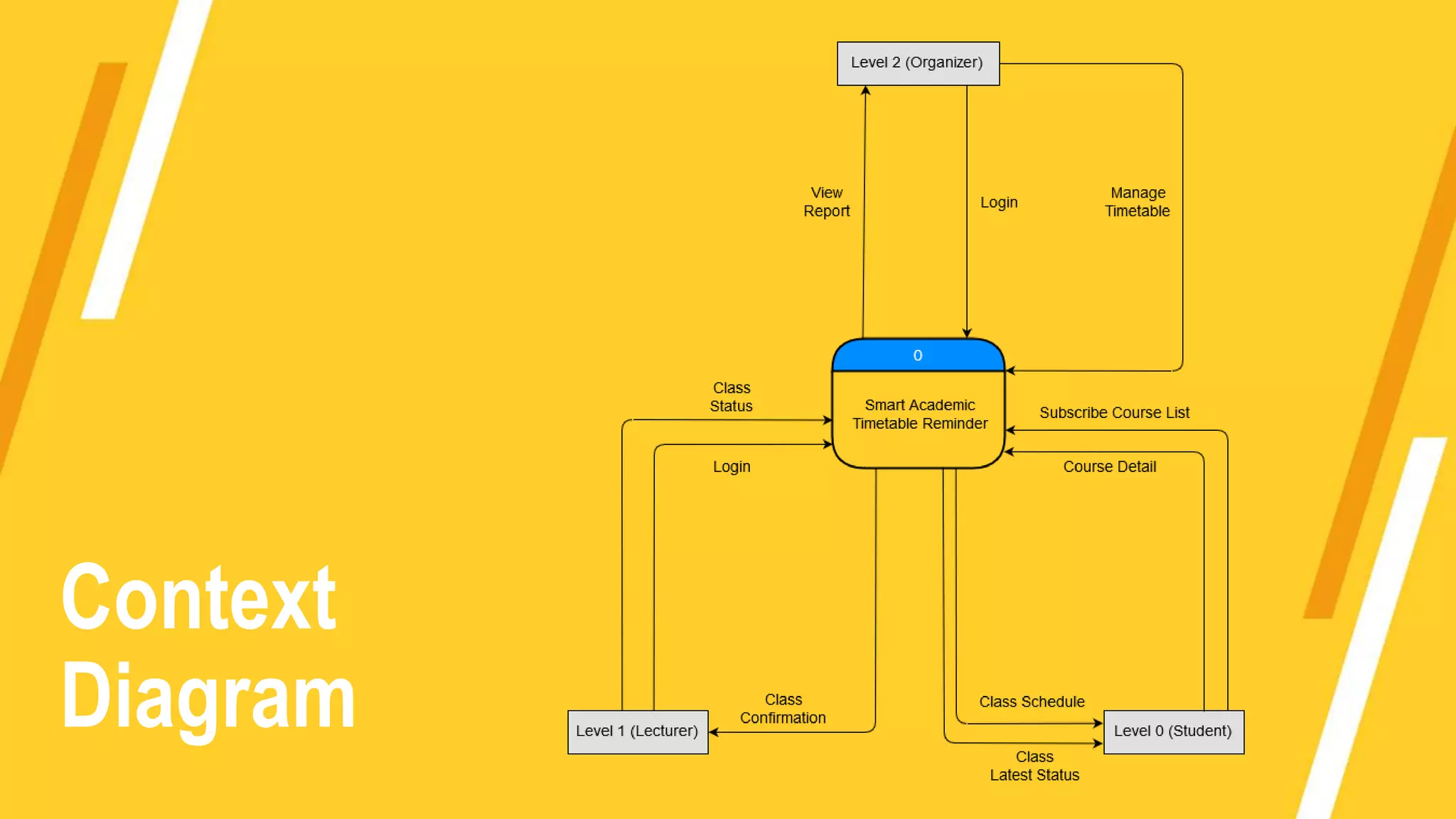
Level 0 (Student)
Level 1 (Lecturer)
Level 2 (Organizer)
Process Model
Context
Diagram
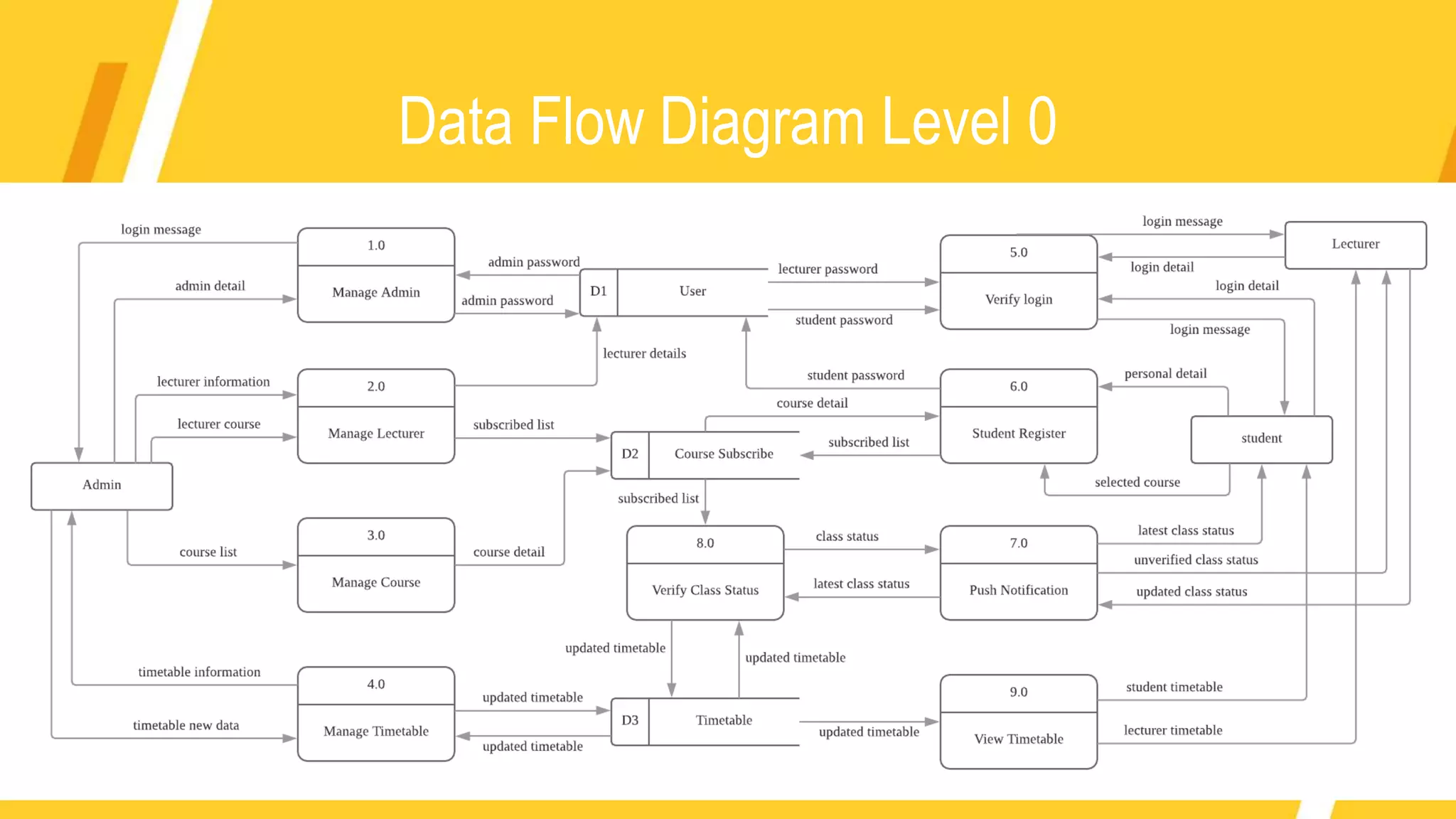
Data Flow Diagram Level 0
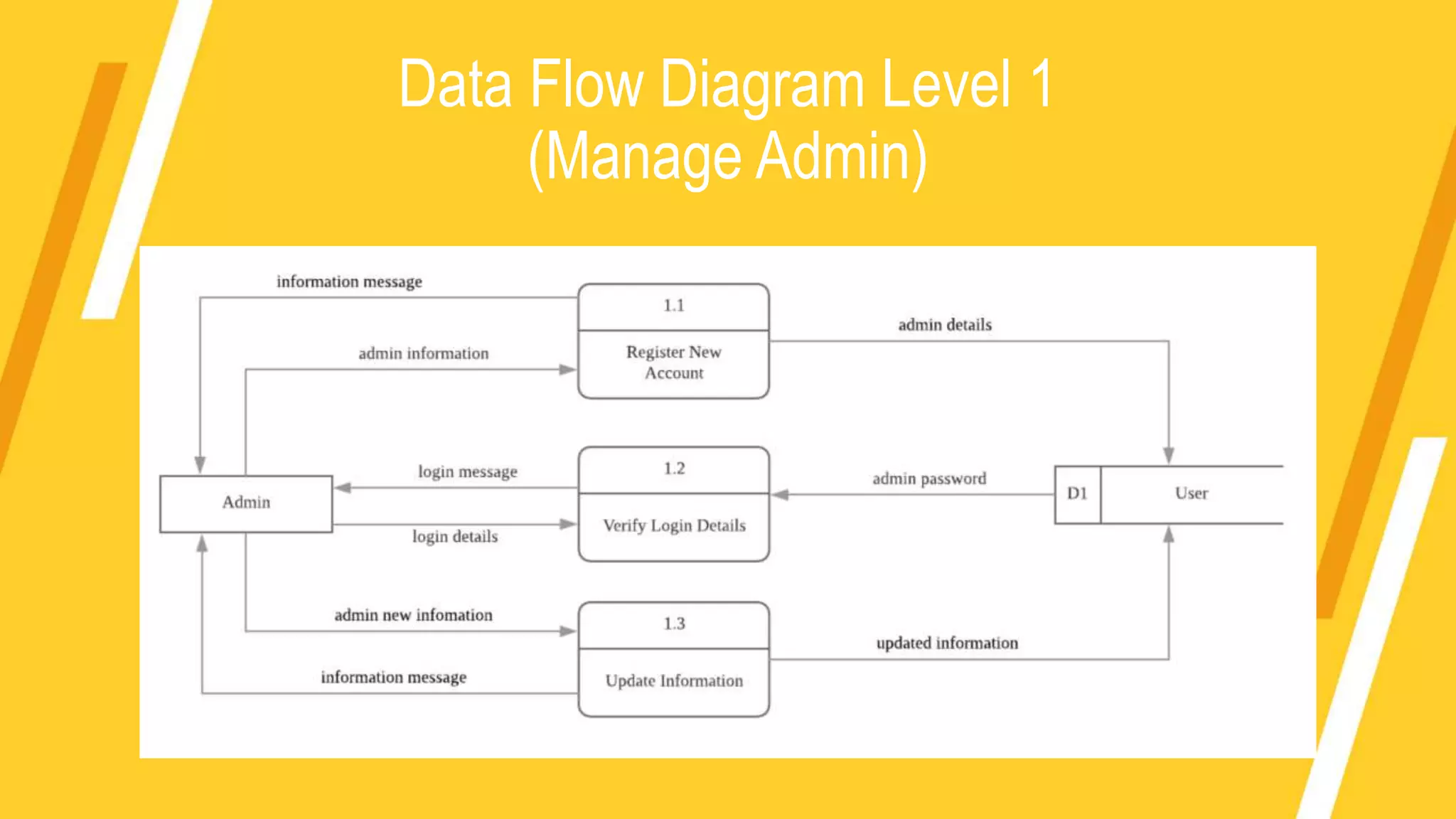
Data Flow Diagram Level 1
(Manage Admin)
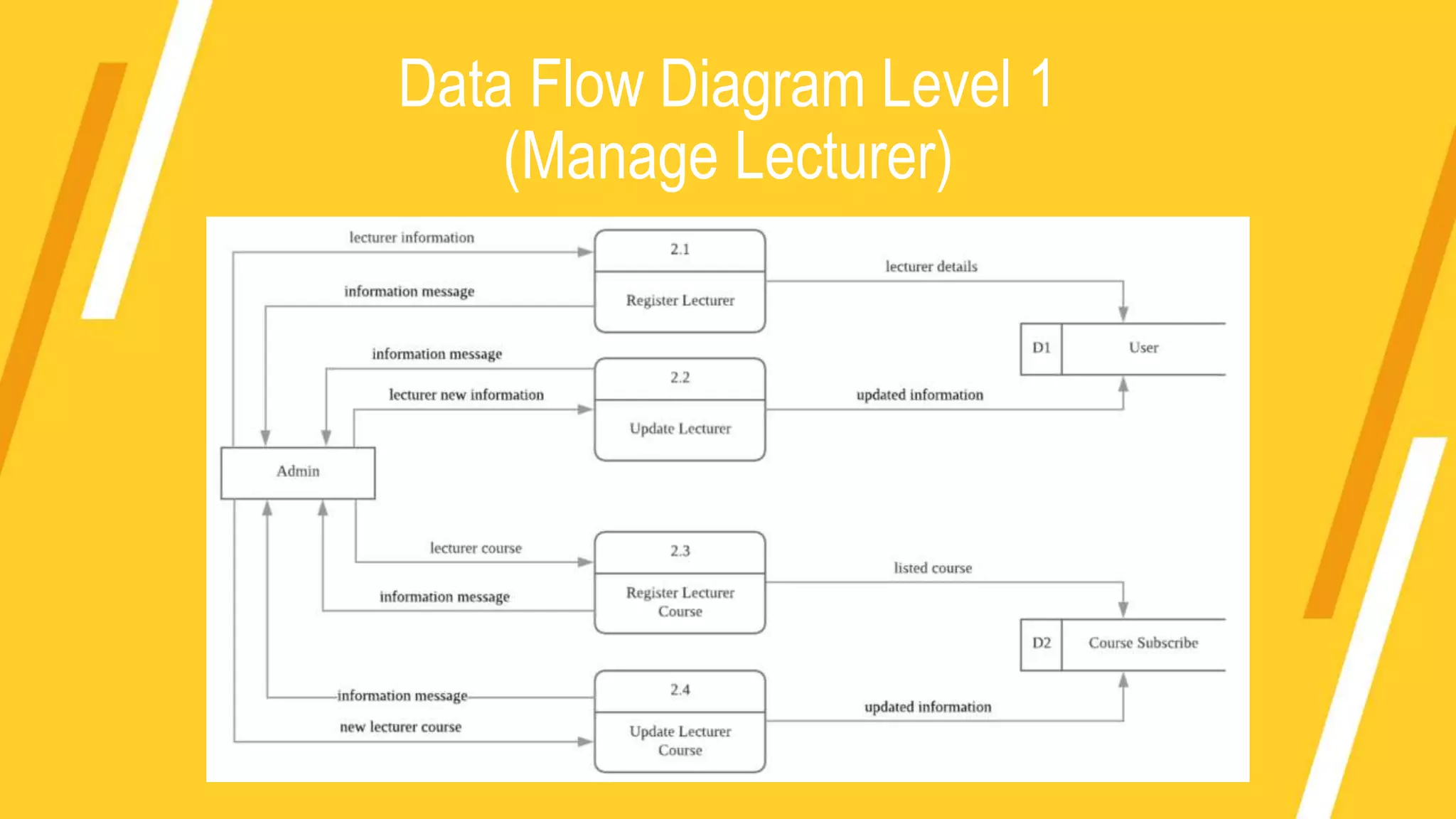
Data Flow Diagram Level 1
(Manage Lecturer)
Data Flow Diagram Level 1
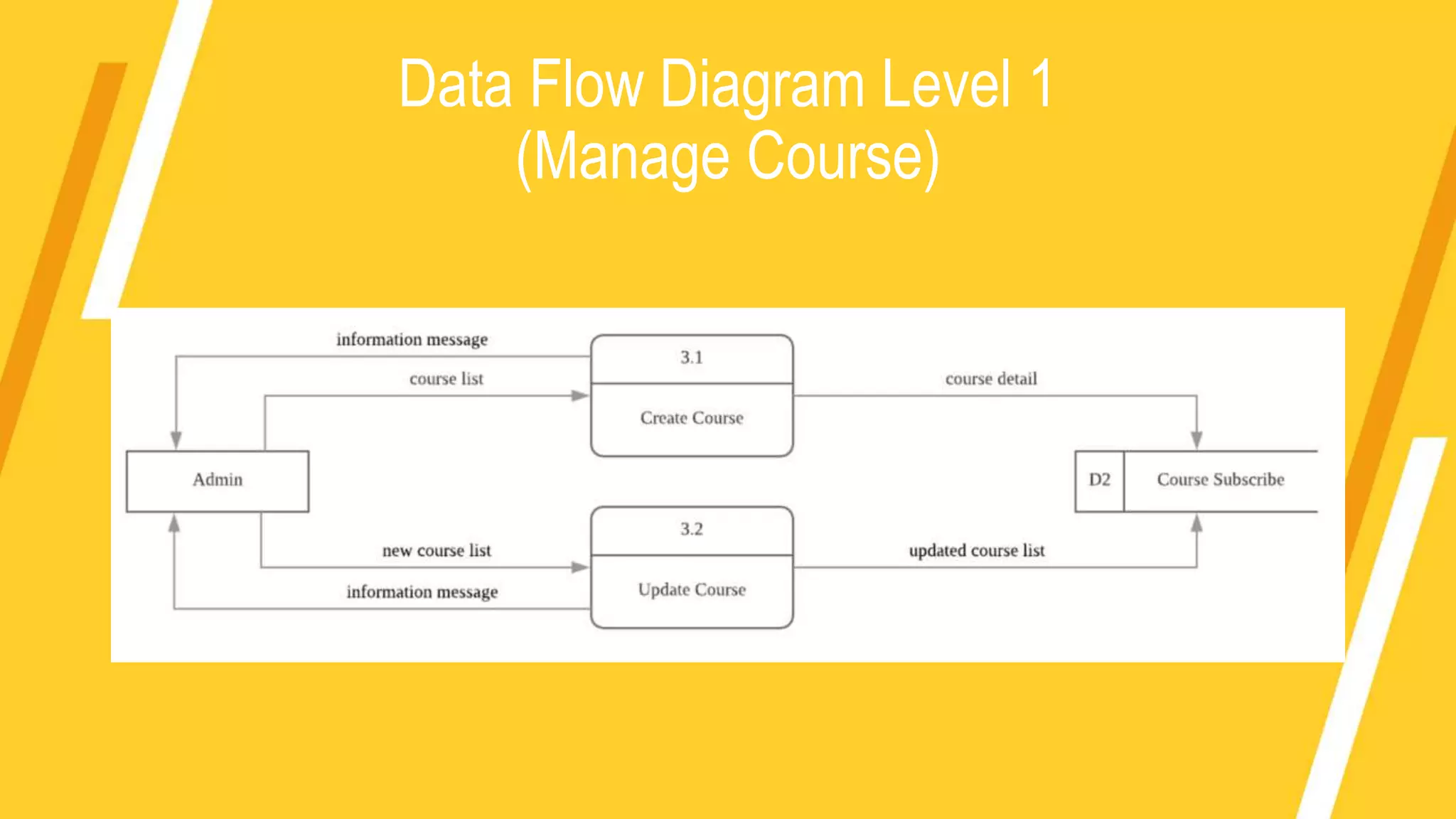
(Manage Course)
Data Flow Diagram Level 1
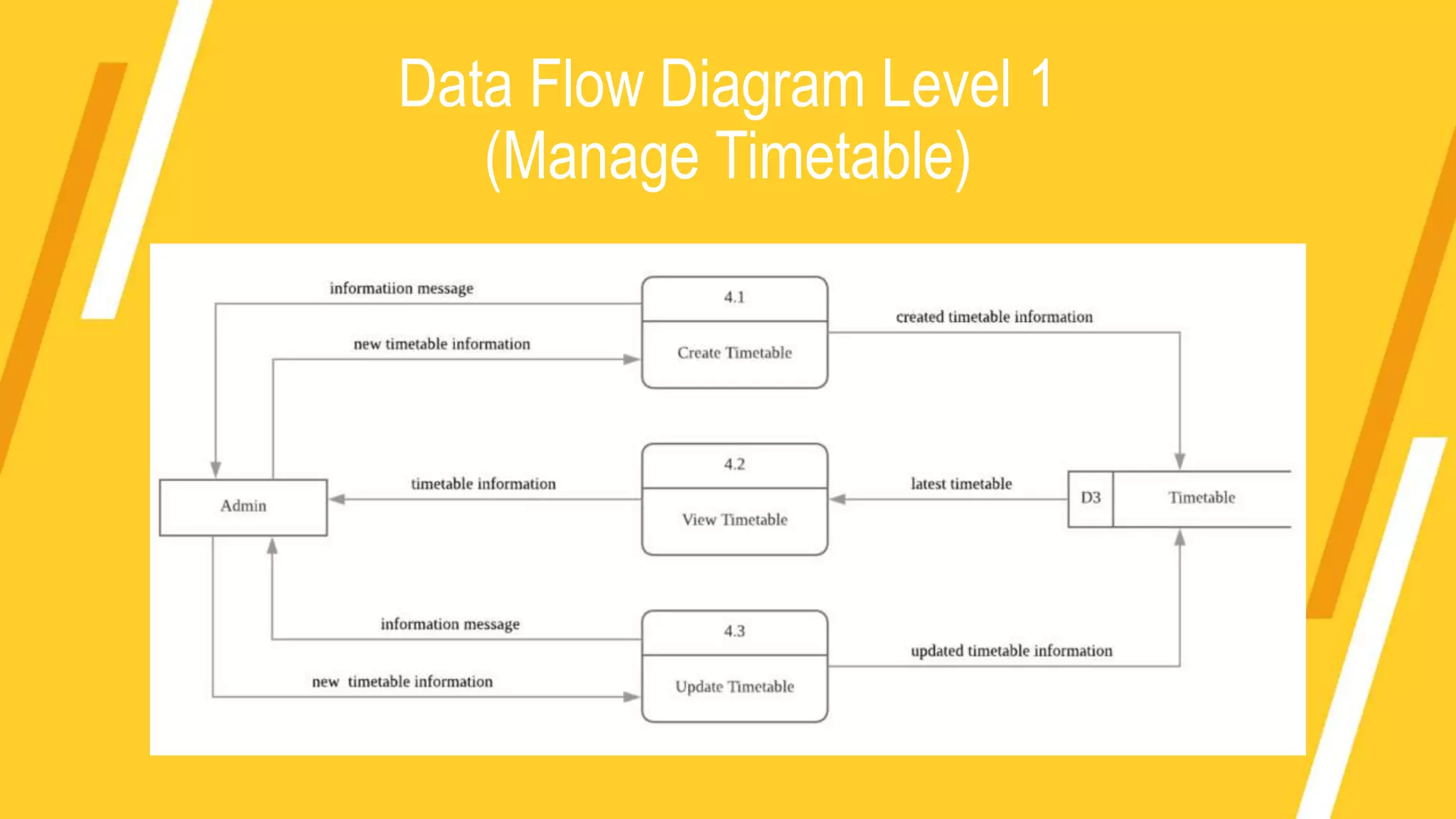
(Manage Timetable)
Data Flow Diagram Level 1
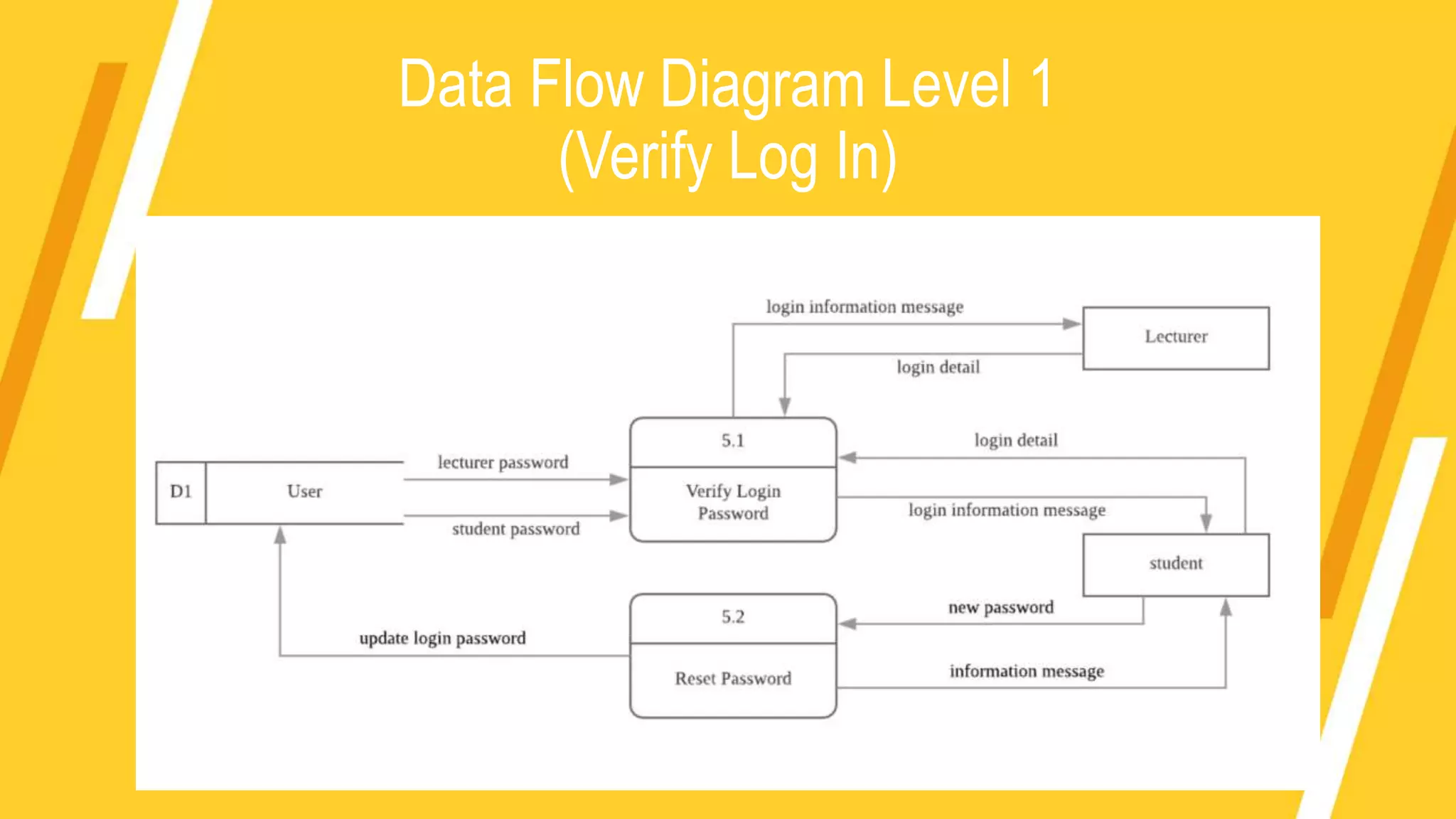
(Verify Log In)
Data Flow Diagram Level 1
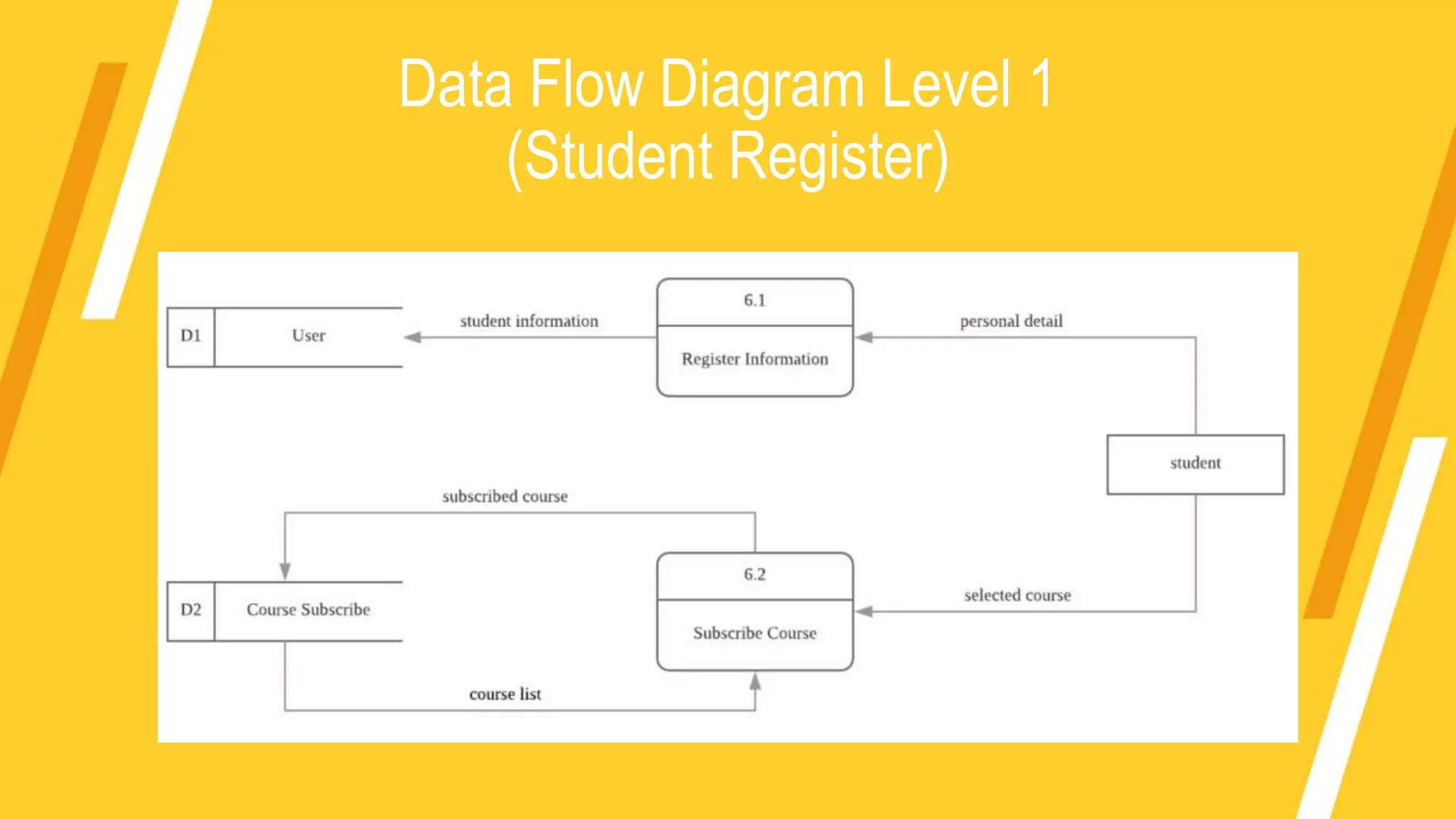
(Student Register)
Data Flow Diagram Level 1
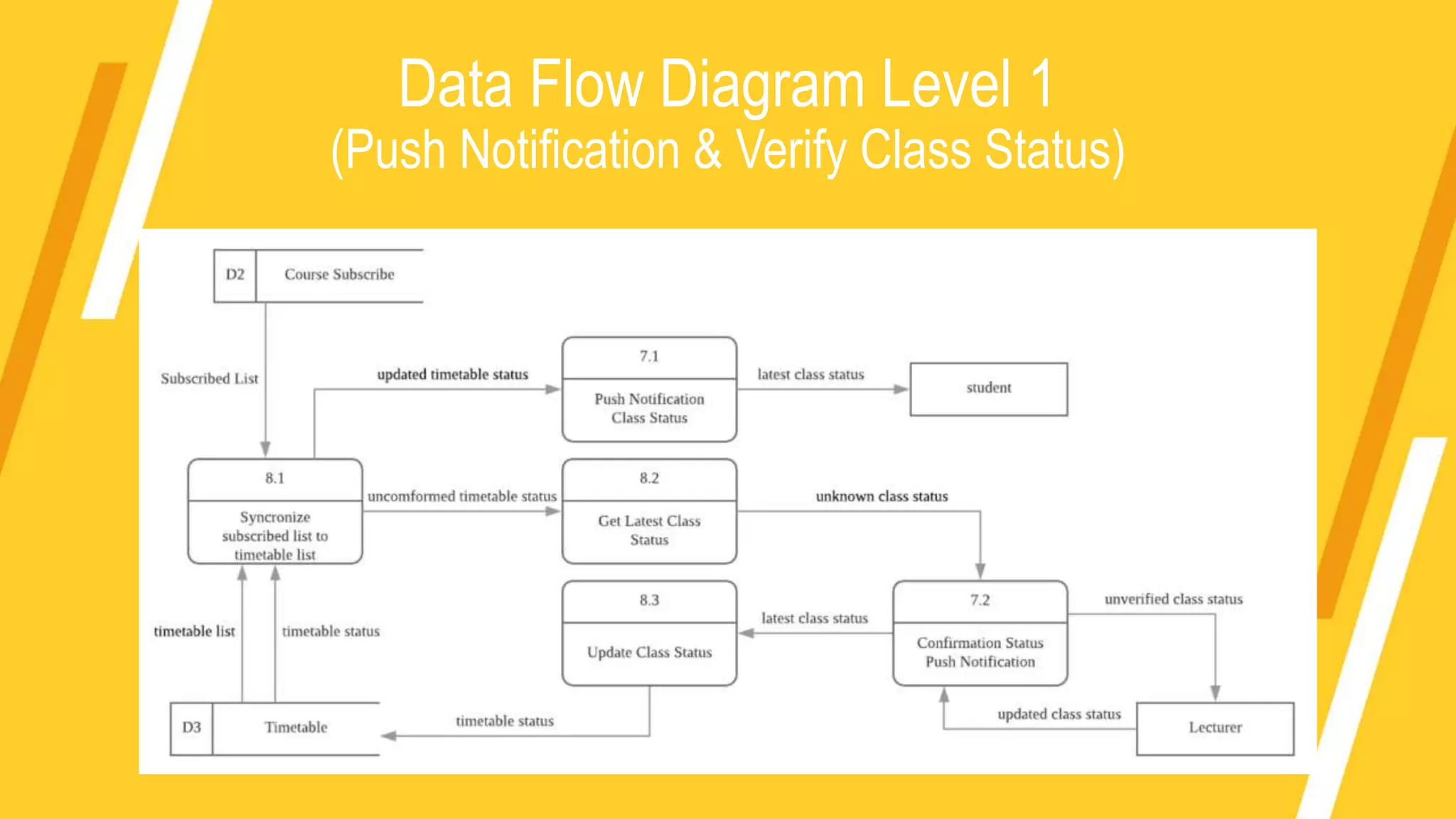
(Push Notification & Verify Class Status)
Data Flow Diagram Level 1
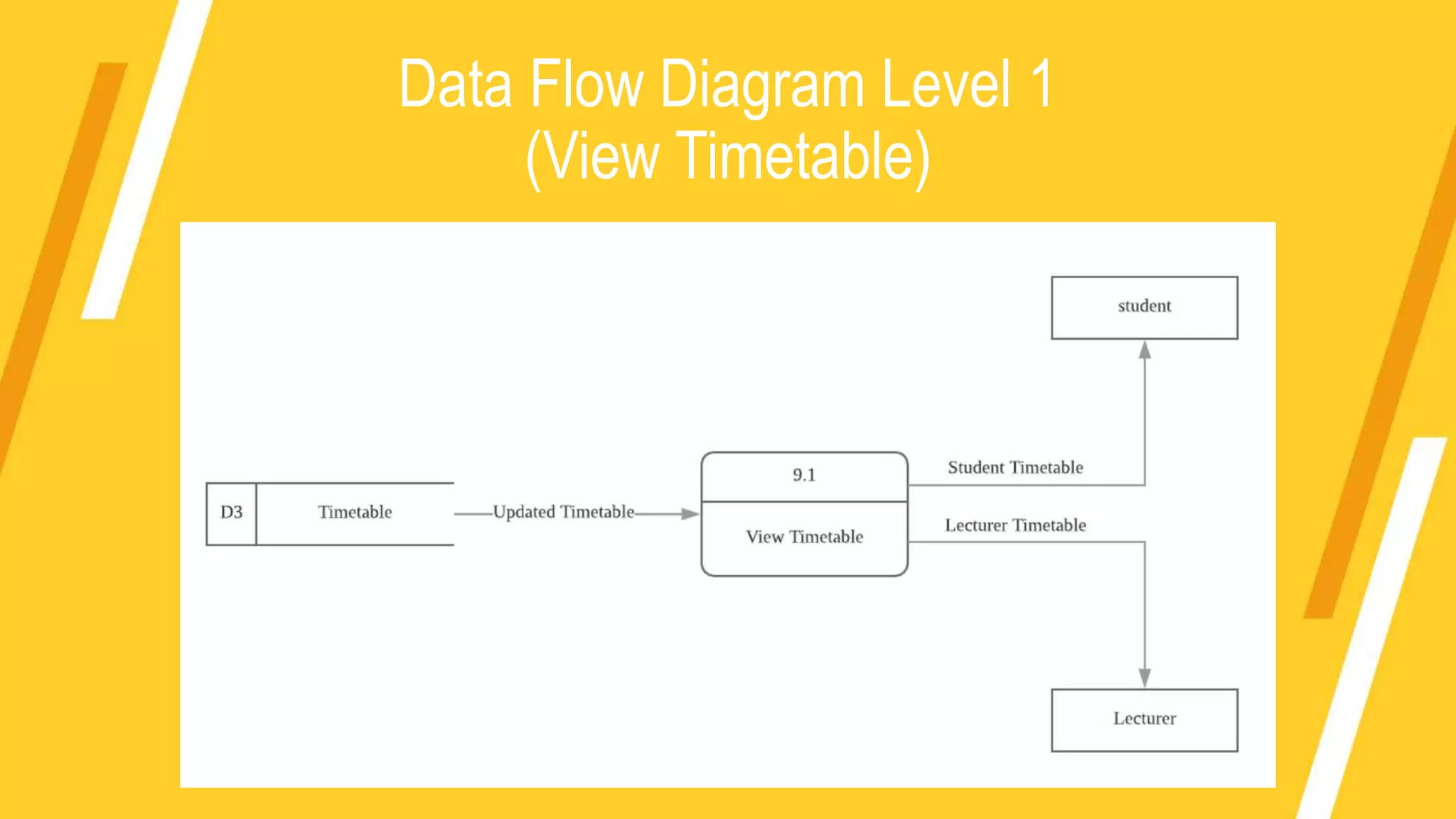
(View Timetable)
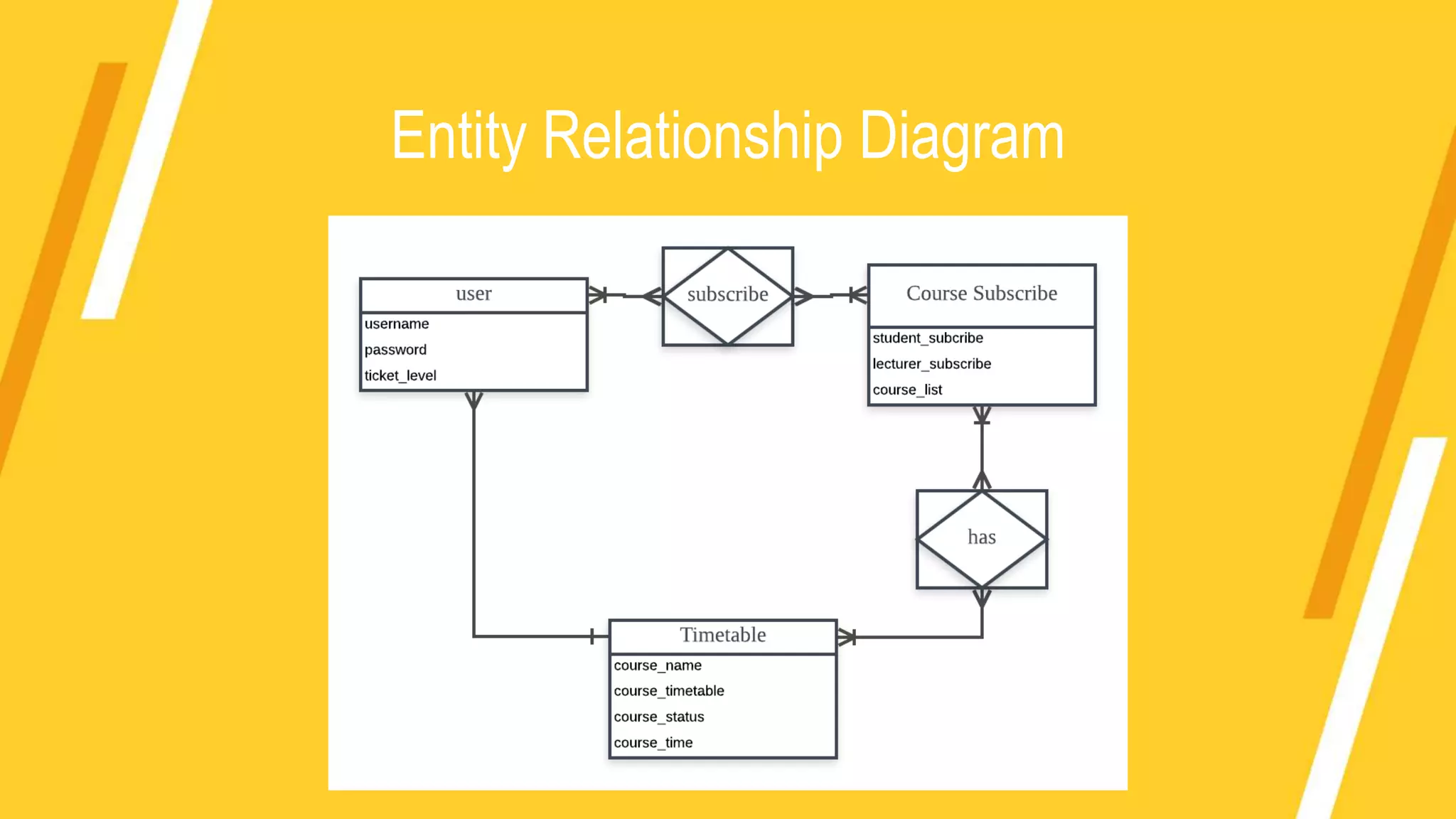
Entity Relationship Diagram
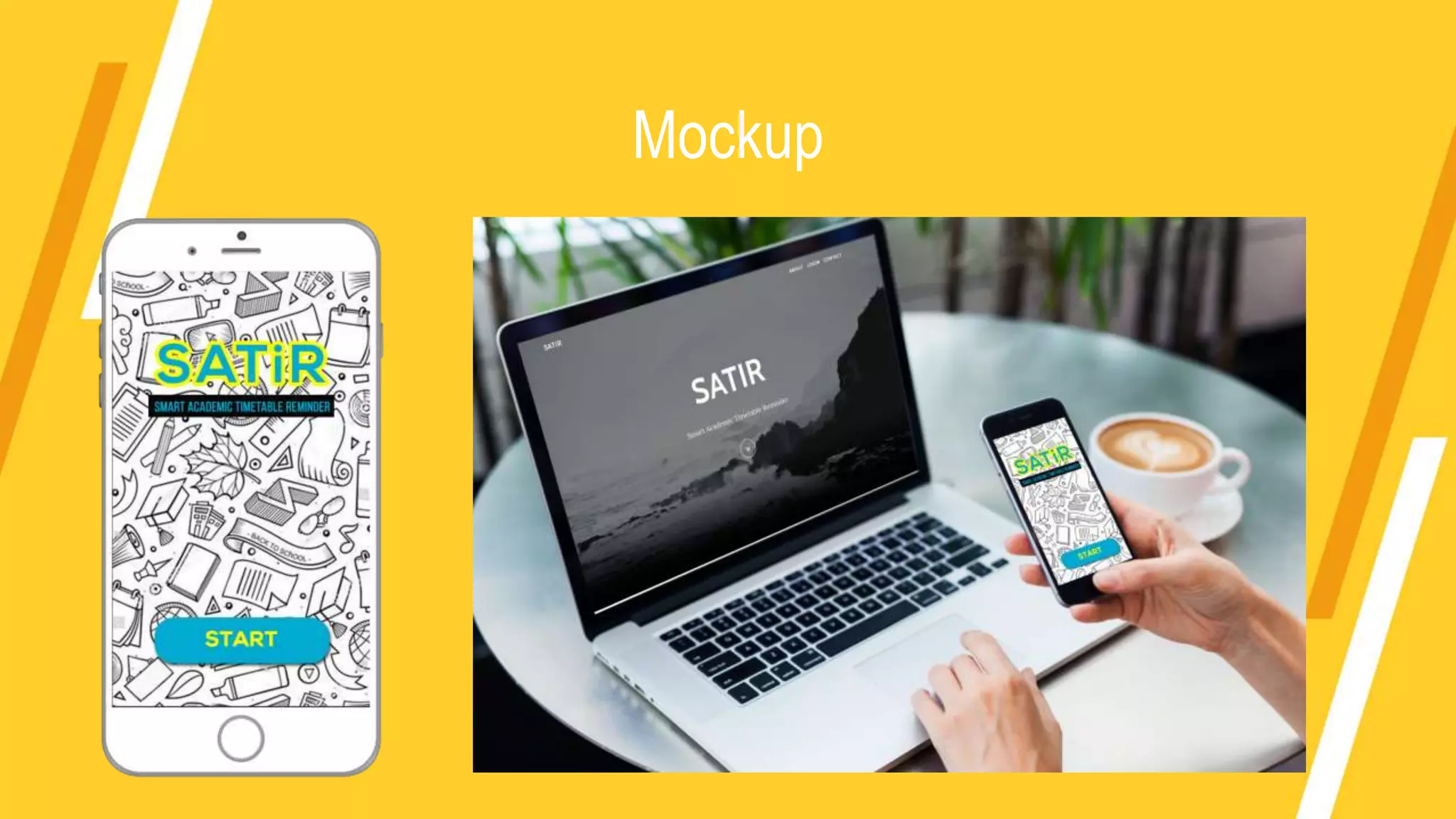
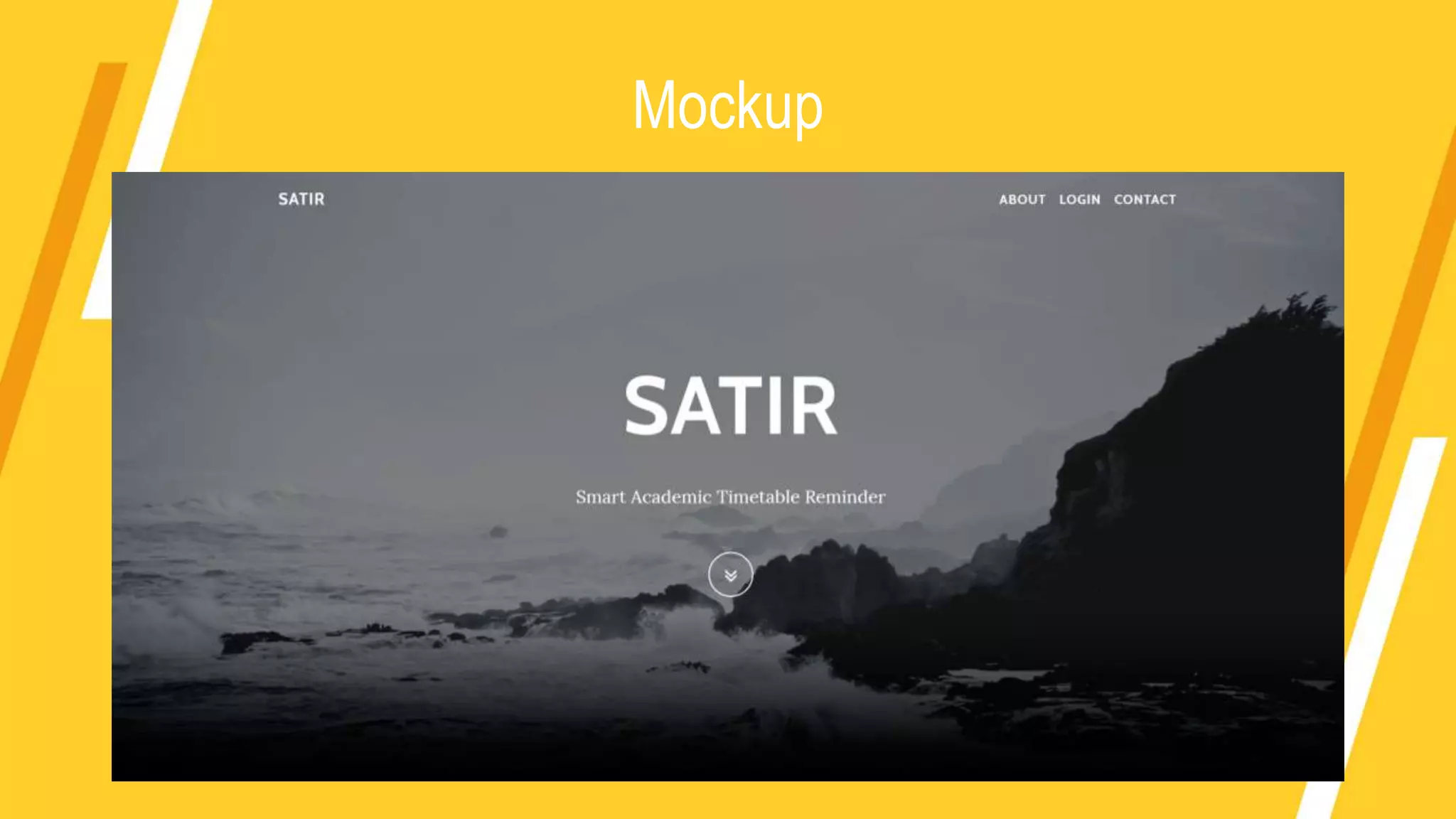
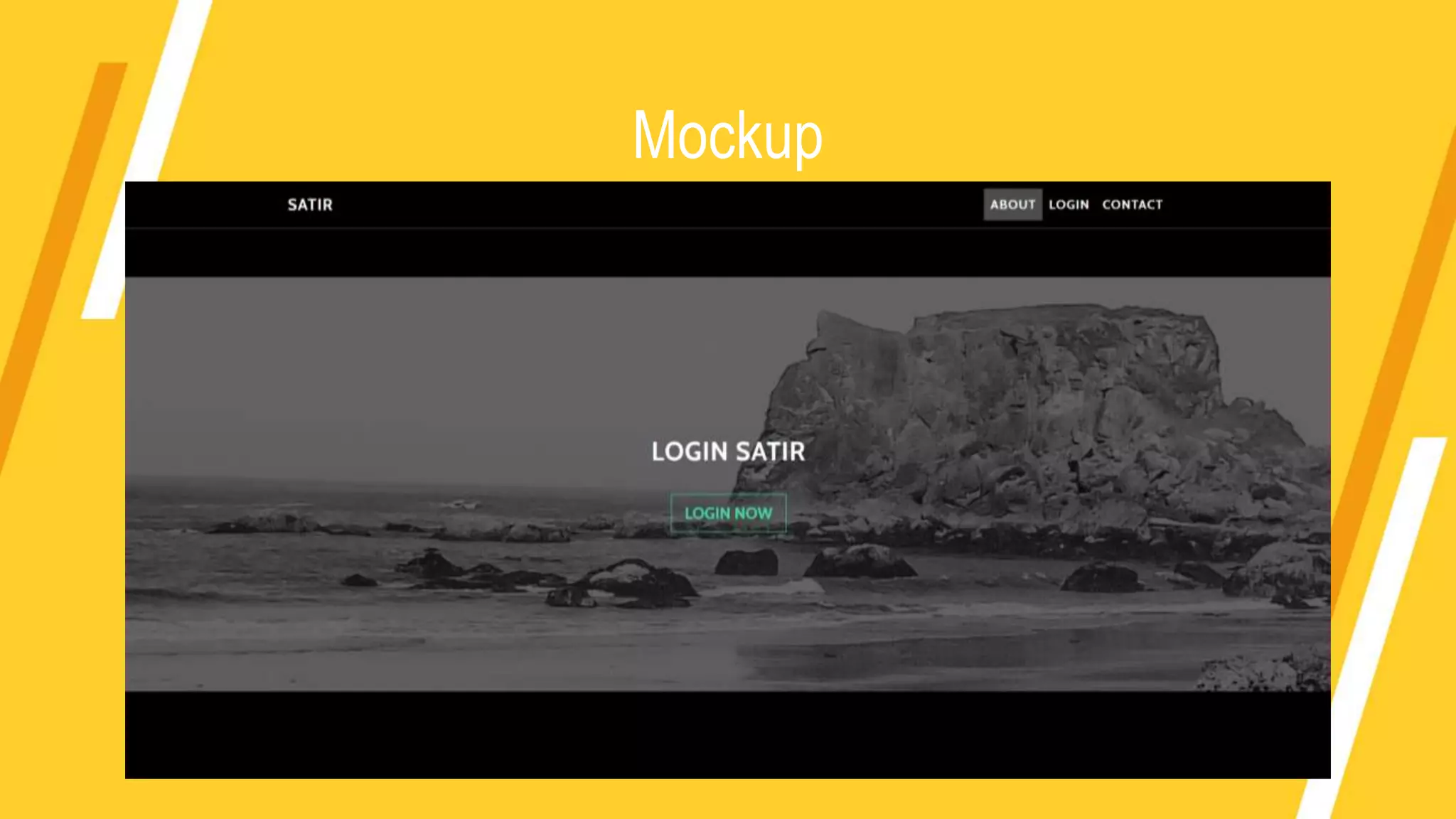
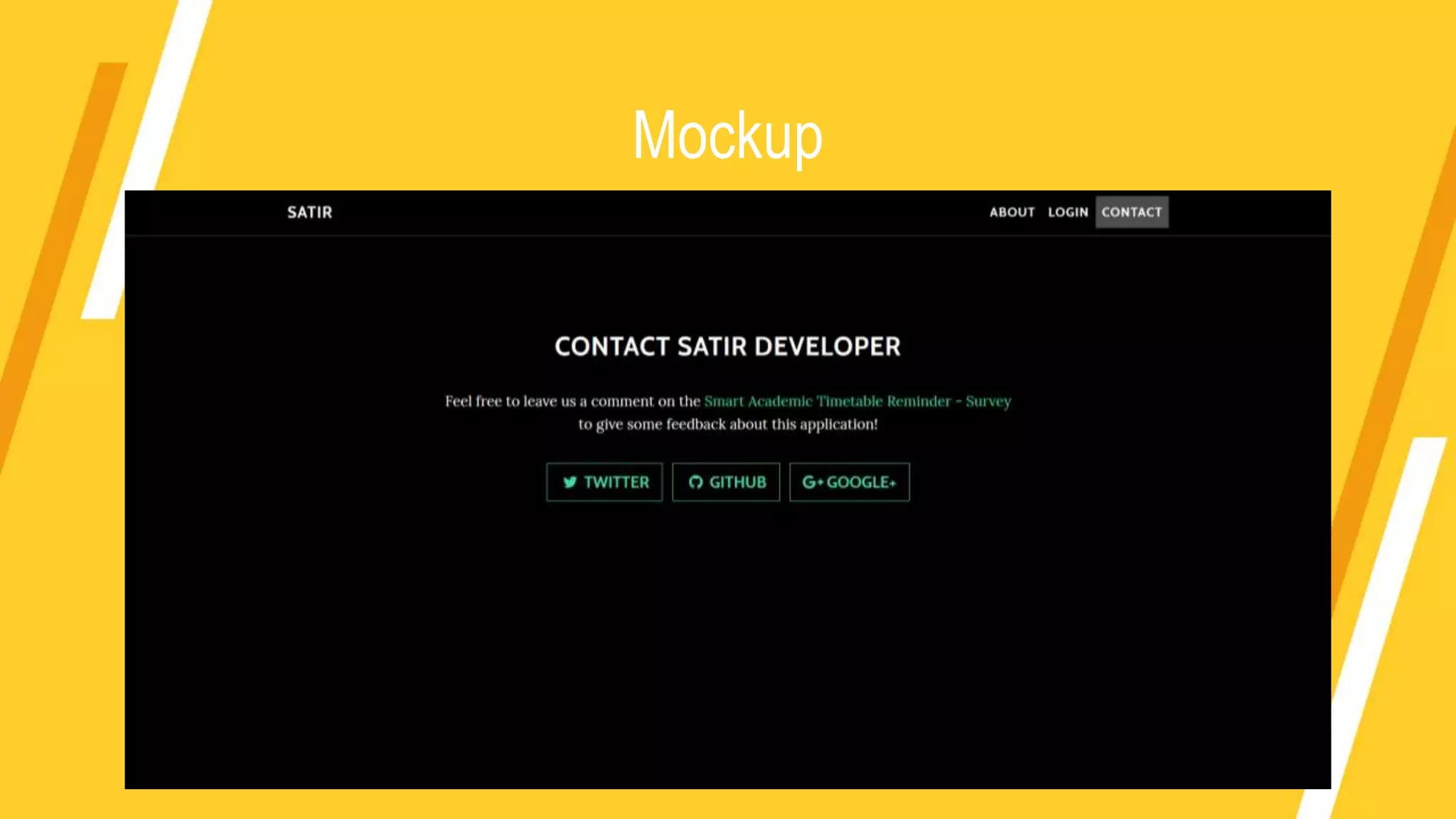
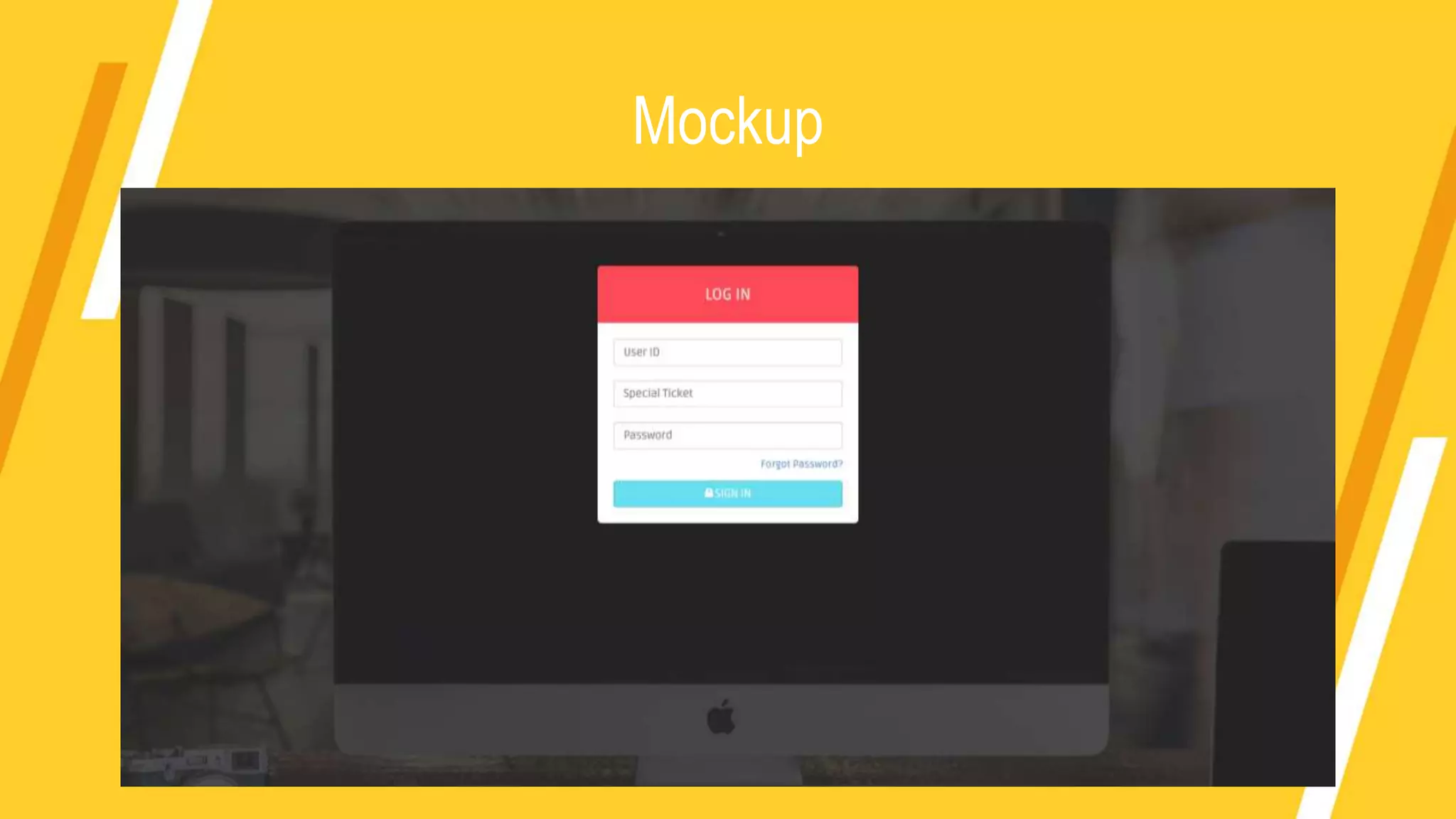
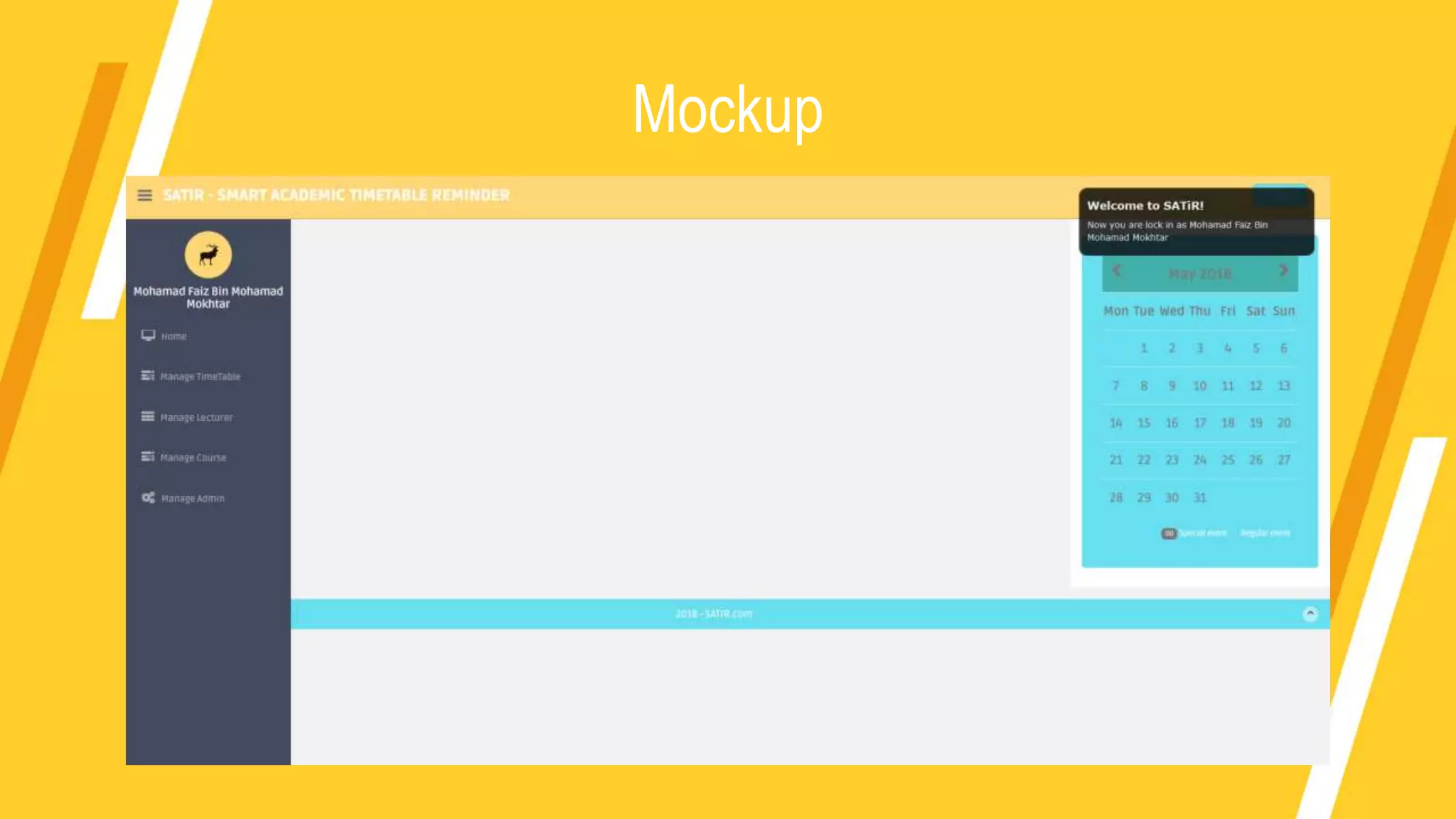
Mockup
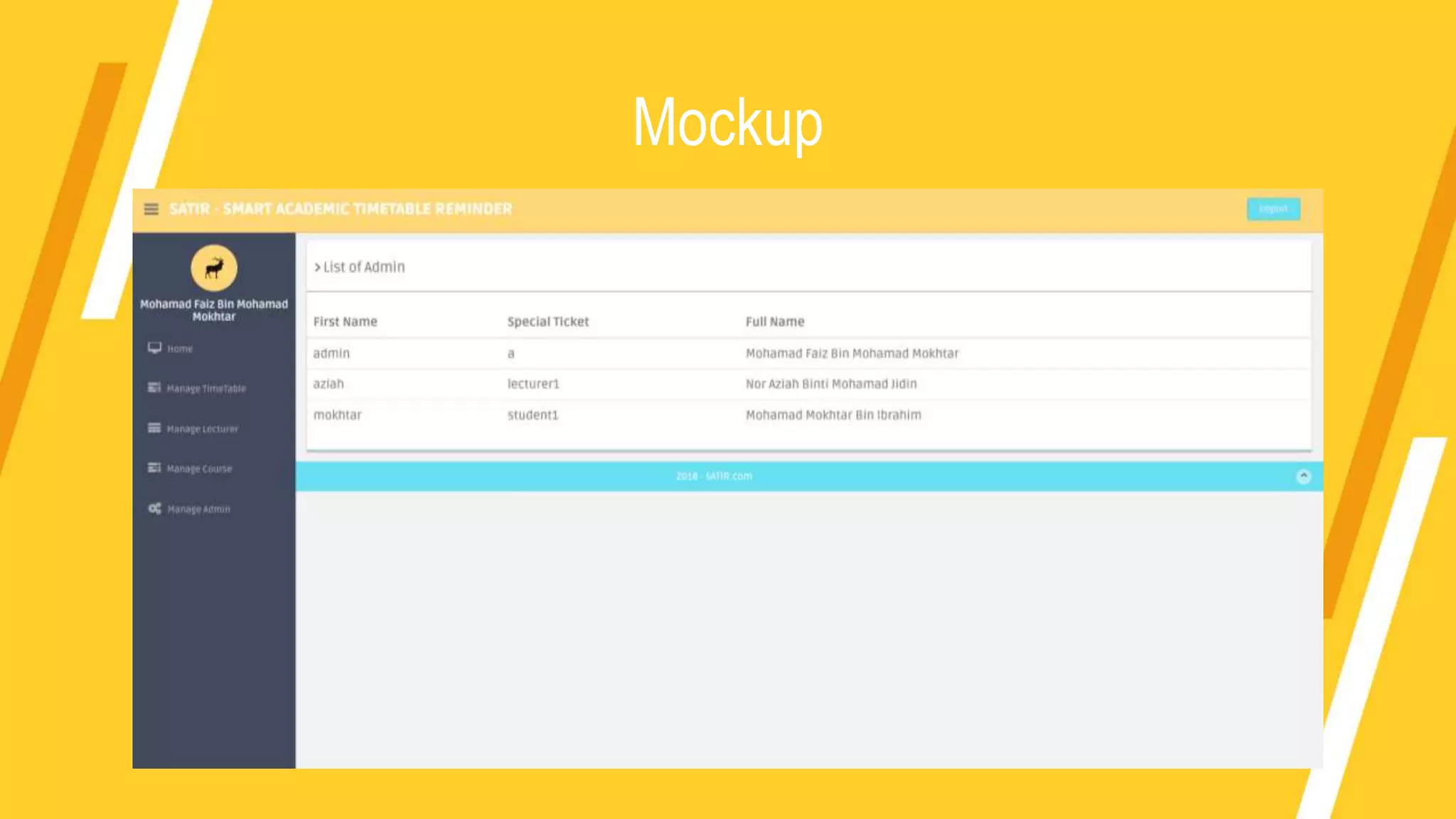
Mockup
Mockup
Mockup
Mockup
Mockup
Mockup
Smart Academic Timetable Reminder Mobile Application - Second Slide

Smart Academic Timetable Reminder Mobile Application - Second Slide

  • 1.
    Smart Academic Timetable ReminderMobile Application Prepared By Mohamad Faiz Bin Mohamad Mokhtar Supervisor Dr. Ismahafezi Bin Ismail
  • 2.
    OBJECTIVES • To proposea mobile application that help users especially UniSZA’s students to get reminded 10 minutes before class started or class had been cancelled by lecturer. • To develop a platform for lecturer directly tells students if the class will be delay or cancel. • To make a centralized database for all student had latest changes and latest information about the next lecture. Key : help student 10 minutes, help lecturer, centralized database
  • 3.
    SCOPE (USER) 1. Usesmartphone to get push notification of academic schedule from database. 2. Get status lecture notification 10 minutes before the lecture. 3. Student need to choose which class they will having for this semester. 1. Get notification to confirm about the next lecture status and the system will push notification to tell all the student in the lecture. 2. Can change the time and place if want to make any changes in the academic timetable. 3. Just using mobile application to use this application. 1. The organizer need to fill all academic timetable into the system database. 2. They can manage create, update and delete in the academic timetable. 3. They need to fill the academic timetable with lecturer name, class name, and time range. 4. They need to use official website of this application to enter the information into the database. Level 0 (Student) Level 1 (Lecturer) Level 2 (Organizer)
  • 4.
  • 5.
  • 6.
  • 7.
    Data Flow DiagramLevel 1 (Manage Admin)
  • 8.
    Data Flow DiagramLevel 1 (Manage Lecturer)
  • 9.
    Data Flow DiagramLevel 1 (Manage Course)
  • 10.
    Data Flow DiagramLevel 1 (Manage Timetable)
  • 11.
    Data Flow DiagramLevel 1 (Verify Log In)
  • 12.
    Data Flow DiagramLevel 1 (Student Register)
  • 13.
    Data Flow DiagramLevel 1 (Push Notification & Verify Class Status)
  • 14.
    Data Flow DiagramLevel 1 (View Timetable)
  • 15.
  • 16.
  • 17.
  • 18.
  • 19.
  • 20.
  • 21.
  • 22.