WELCOME TO DUCAT INDIA
Language | Industrial Training | Digital Marketing | Web Technology | Testing+ | Database |
Networking | Mobile Application | ERP | Graphic | Big Data | Cloud Computing
7070905090
info@ducatindia.com
Interactive
Reports
Development
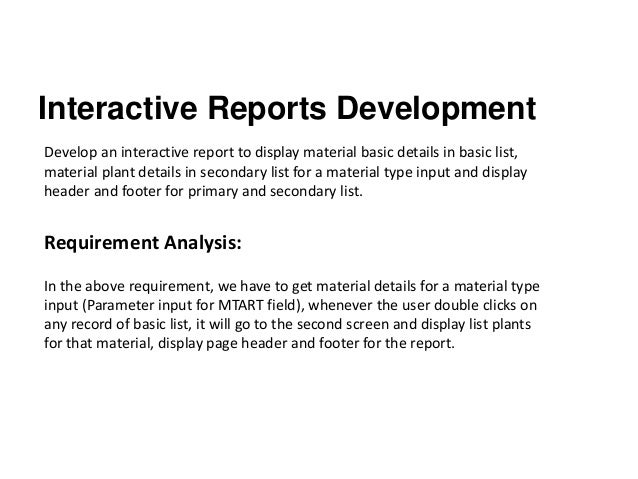
Interactive Reports Development
Develop an interactive report to display material basic details in basic list,
material plant details in secondary list for a material type input and display
header and footer for primary and secondary list.
Requirement Analysis:
In the above requirement, we have to get material details for a material type
input (Parameter input for MTART field), whenever the user double clicks on
any record of basic list, it will go to the second screen and display list plants
for that material, display page header and footer for the report.
SAP Tables to be used are:
MARA(Material Master), MARC(Material Plants).
Step1:Define report heading.
Go to SE38, create a program ZSAPN_INTERACTIVE_REPORT.In order to display
footer information we have to provide some space for the footer, it can be
defined in the report definition(First line of the report), to provide space for
footer we use below syntax.
REPORT ZSAPN_INTERACTIVE_REPORT LINE-COUNT 34(2) NO STANDARD PAGE
HEADING. “Leave some pages for footer and hide standard heading
In the above deceleration we have provided 34 lines for report and 2 lines for
footer i:e 34(2), we don`t need a standard page heading so we used NO
STANDARD PAGE HEADING.
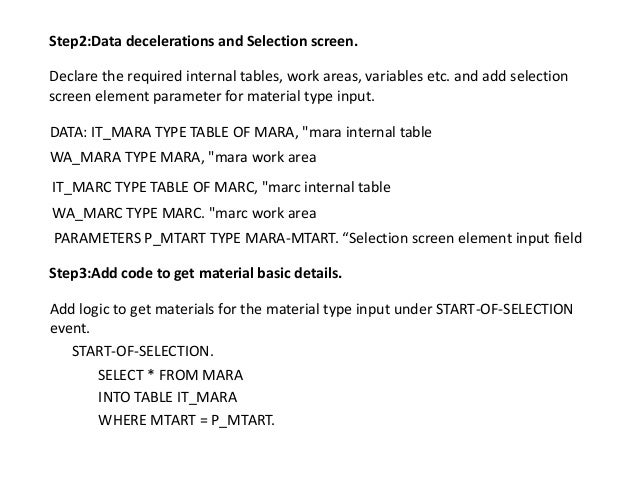
Step2:Data decelerations and Selection screen.
Declare the required internal tables, work areas, variables etc. and add selection
screen element parameter for material type input.
DATA: IT_MARA TYPE TABLE OF MARA, "mara internal table
WA_MARA TYPE MARA, "mara work area
IT_MARC TYPE TABLE OF MARC, "marc internal table
WA_MARC TYPE MARC. "marc work area
PARAMETERS P_MTART TYPE MARA-MTART. “Selection screen element input field
Step3:Add code to get material basic details.
Add logic to get materials for the material type input under START-OF-SELECTION
event.
START-OF-SELECTION.
SELECT * FROM MARA
INTO TABLE IT_MARA
WHERE MTART = P_MTART.
THANK YOU
7070905090
info@ducatindia.com
Interactive
Reports
Development

Interactive reports development

  • 1.
    WELCOME TO DUCATINDIA Language | Industrial Training | Digital Marketing | Web Technology | Testing+ | Database | Networking | Mobile Application | ERP | Graphic | Big Data | Cloud Computing 7070905090 info@ducatindia.com Interactive Reports Development
  • 2.
    Interactive Reports Development Developan interactive report to display material basic details in basic list, material plant details in secondary list for a material type input and display header and footer for primary and secondary list. Requirement Analysis: In the above requirement, we have to get material details for a material type input (Parameter input for MTART field), whenever the user double clicks on any record of basic list, it will go to the second screen and display list plants for that material, display page header and footer for the report.
  • 3.
    SAP Tables tobe used are: MARA(Material Master), MARC(Material Plants). Step1:Define report heading. Go to SE38, create a program ZSAPN_INTERACTIVE_REPORT.In order to display footer information we have to provide some space for the footer, it can be defined in the report definition(First line of the report), to provide space for footer we use below syntax. REPORT ZSAPN_INTERACTIVE_REPORT LINE-COUNT 34(2) NO STANDARD PAGE HEADING. “Leave some pages for footer and hide standard heading In the above deceleration we have provided 34 lines for report and 2 lines for footer i:e 34(2), we don`t need a standard page heading so we used NO STANDARD PAGE HEADING.
  • 4.
    Step2:Data decelerations andSelection screen. Declare the required internal tables, work areas, variables etc. and add selection screen element parameter for material type input. DATA: IT_MARA TYPE TABLE OF MARA, "mara internal table WA_MARA TYPE MARA, "mara work area IT_MARC TYPE TABLE OF MARC, "marc internal table WA_MARC TYPE MARC. "marc work area PARAMETERS P_MTART TYPE MARA-MTART. “Selection screen element input field Step3:Add code to get material basic details. Add logic to get materials for the material type input under START-OF-SELECTION event. START-OF-SELECTION. SELECT * FROM MARA INTO TABLE IT_MARA WHERE MTART = P_MTART.
  • 5.