About Devin
Assuming thisgoes well.
Popup books about
maintaining a healthy
relationship with your
miniature donkeys.
And supporting cult being investigated by
the government.
A collection of internet cat pictures
President, Pragmatic Works Training
Microsoft Data Platform MVP
Author of 10 books
Contributor JAX PUG
Blogs at DevinKnightSQL.com
Twitter: @knight_devin
DKnight@pragmaticworks.com
3.
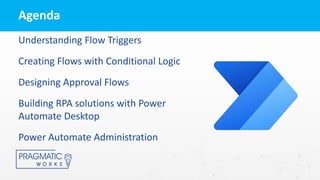
Understanding Flow Triggers
CreatingFlows with Conditional Logic
Designing Approval Flows
Building RPA solutions with Power
Automate Desktop
Power Automate Administration
Agenda
4.
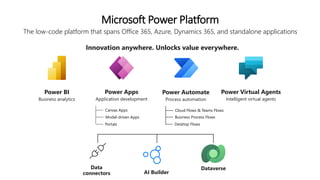
Microsoft Power Platform
Thelow-code platform that spans Office 365, Azure, Dynamics 365, and standalone applications
Innovation anywhere. Unlocks value everywhere.
Dataverse
Data
connectors AI Builder
Power BI
Business analytics
Power Apps
Application development
Power Automate
Process automation
Power Virtual Agents
Intelligent virtual agents
Canvas Apps
Model-driven Apps
Portals
Cloud Flows & Teams Flows
Business Process Flows
Desktop Flows
5.
Workflow Automation
Minimize repetitivemanual tasks in favor of
more strategic work.
Puts the power to automate in the hands of
those who have the business problem
Gives you the confidence to empower users
with more control, freeing up IT resources
for more complex work
Power Automate is…
Power Automate Vision:
Peopleshould only have to focus on
tasks where they can bring unique
human value
Their potential is limitless.
But their time is not.
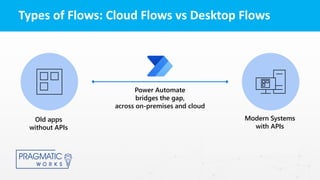
Types of Flows:Cloud Flows vs Desktop Flows
Power Automate
bridges the gap,
across on-premises and cloud
Old apps
without APIs
Modern Systems
with APIs
10.
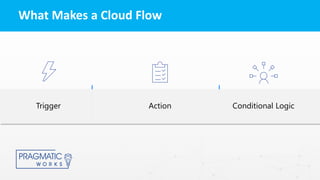
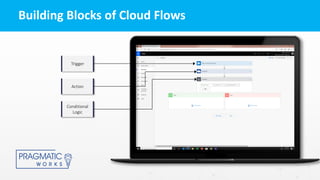
What Makes aCloud Flow
Action Conditional Logic
Trigger
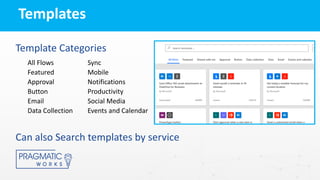
Template Categories
All FlowsSync
Featured Mobile
Approval Notifications
Button Productivity
Email Social Media
Data Collection Events and Calendar
Can also Search templates by service
Templates
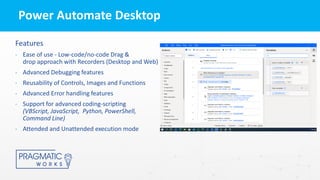
Power Automate Desktop
Features
•Ease of use - Low-code/no-code Drag &
drop approach with Recorders (Desktop and Web)
• Advanced Debugging features
• Reusability of Controls, Images and Functions
• Advanced Error handling features
• Support for advanced coding-scripting
(VBScript, JavaScript, Python, PowerShell,
Command Line)
• Attended and Unattended execution mode