Integrating Banner:
Transform Your Student Data
Sarah Hawkins, Project Lead for Administrative Applications
Caitlin Marshall, Senior Consultant
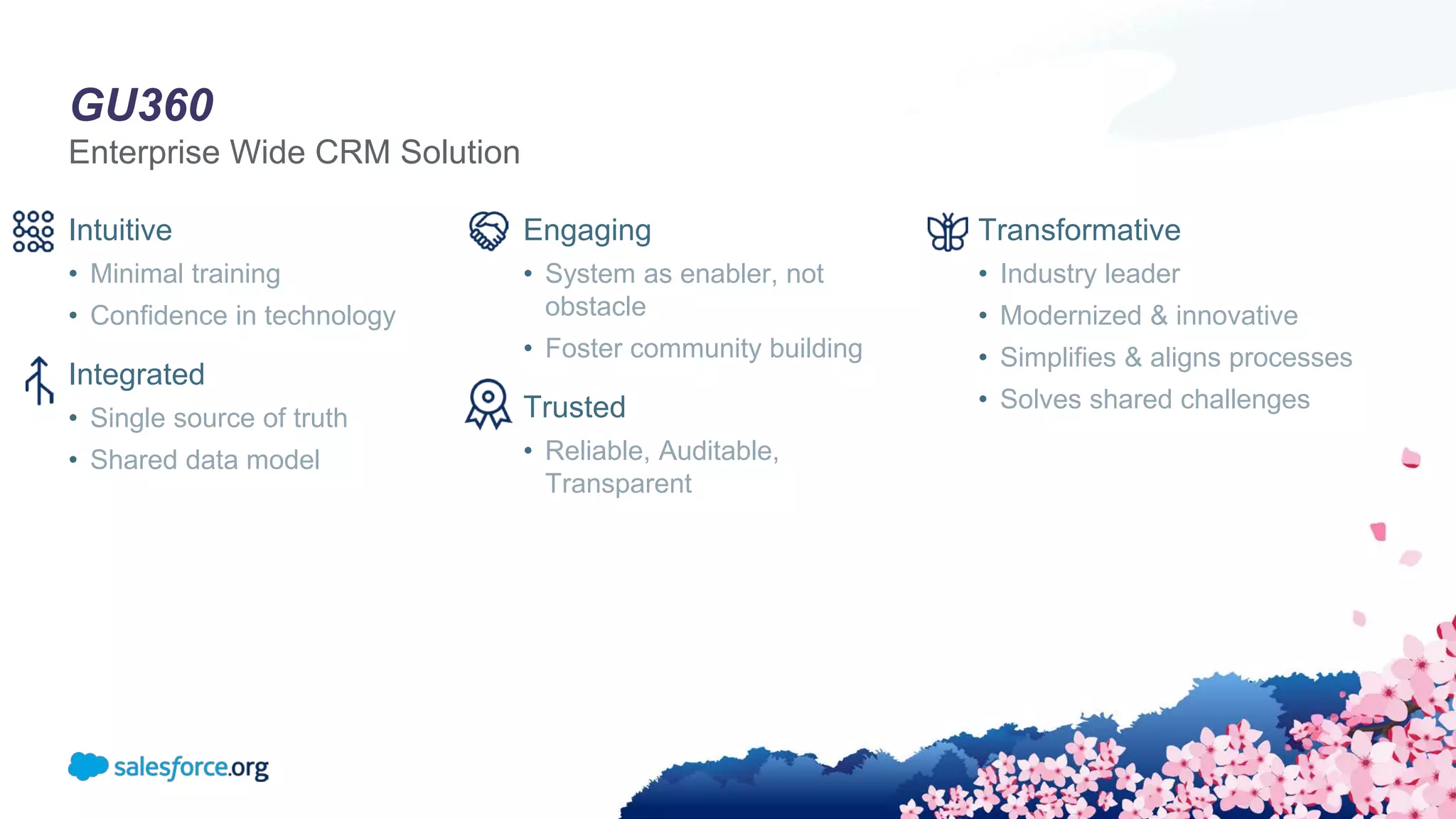
GU360
Enterprise Wide CRM Solution
Intuitive
• Minimal training
• Confidence in technology
Integrated
• Single source of truth
• Shared data model
Engaging
• System as enabler, not
obstacle
• Foster community building
Trusted
• Reliable, Auditable,
Transparent
Transformative
• Industry leader
• Modernized & innovative
• Simplifies & aligns processes
• Solves shared challenges
What We Did
Bringing an Academic Hierarchy to the Salesforce Object Model
“How do we avoid recreating the
SIS while also presenting the data
using the advantages of
Salesforce? ”
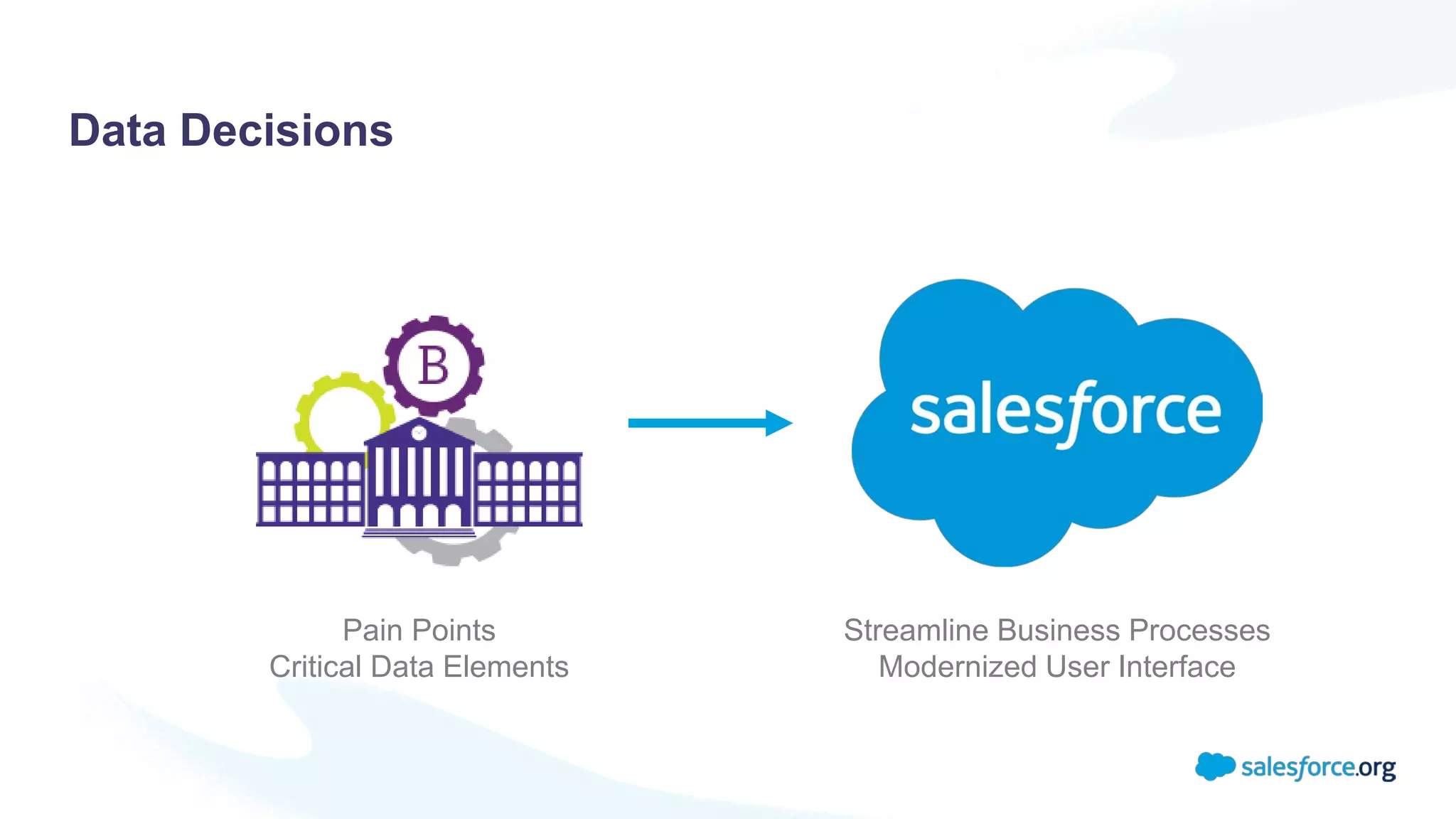
Pain Points
Critical Data Elements
Streamline Business Processes
Modernized User Interface
Data Decisions
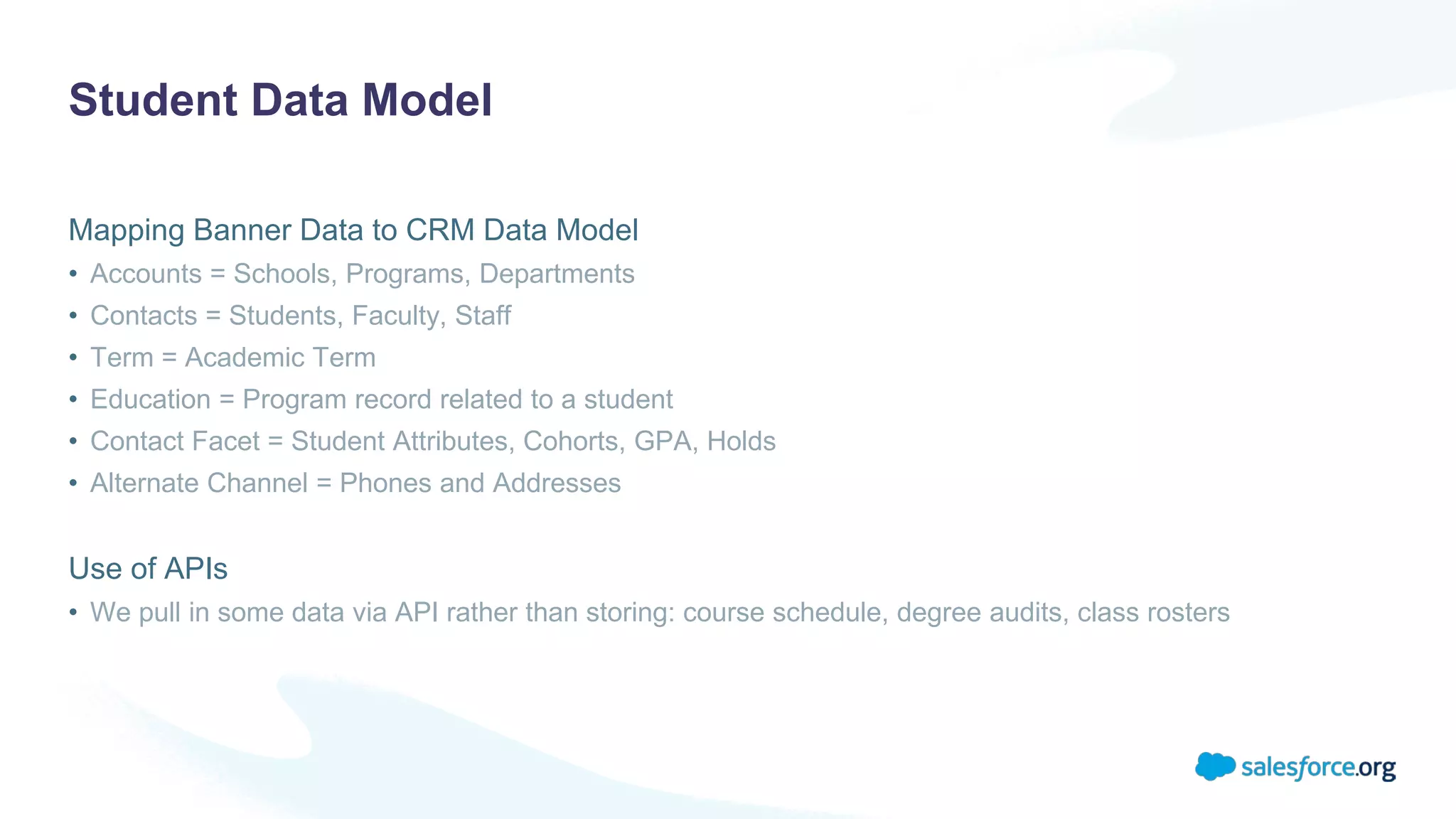
Student Data Model
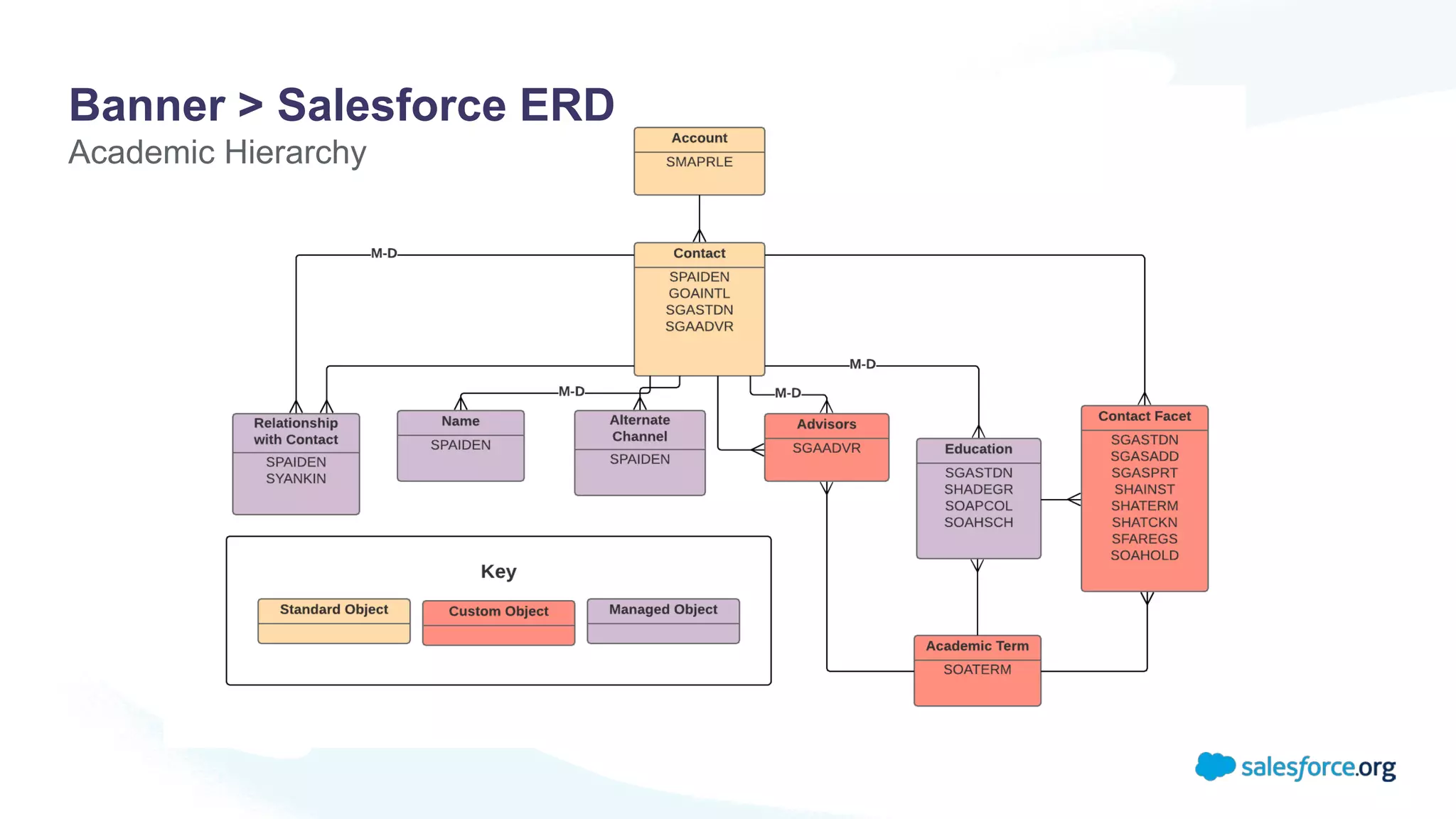
Mapping Banner Data to CRM Data Model
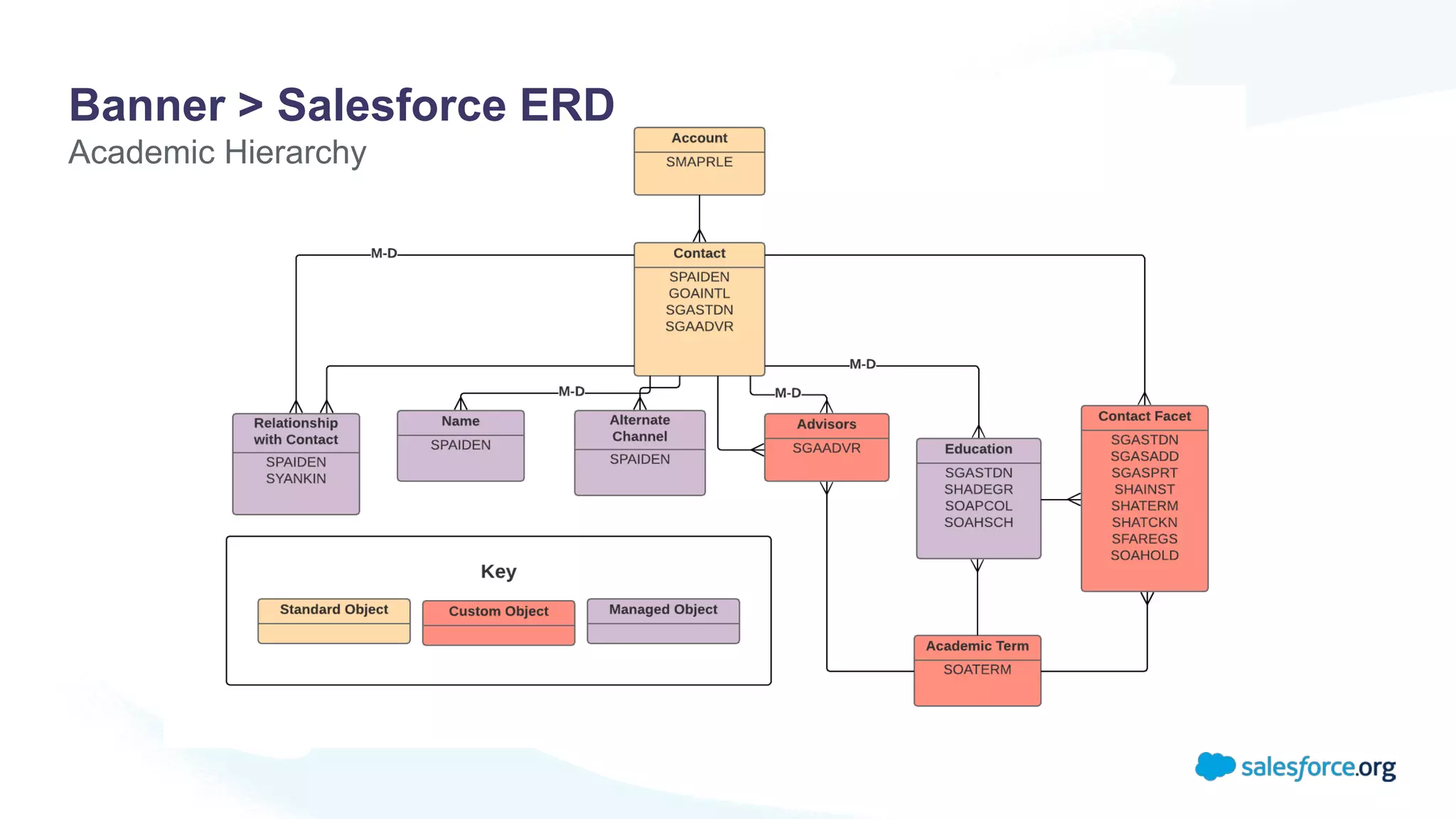
• Accounts = Schools, Programs, Departments
• Contacts = Students, Faculty, Staff
• Term = Academic Term
• Education = Program record related to a student
• Contact Facet = Student Attributes, Cohorts, GPA, Holds
• Alternate Channel = Phones and Addresses
Use of APIs
• We pull in some data via API rather than storing: course schedule, degree audits, class rosters
Banner > Salesforce ERD
Academic Hierarchy
Integration Design
How Did We Do It?
Integration Design Overview
Initial Data Load
• Historical student data going back 5 years
Mulesoft as Middleware
• Ability to schedule batch processes
• Robust API layer
Core integration: Scheduled Mulesoft job
syncs Banner data to Salesforce
• Nightly upsert of data
Process Builder/Apex writes data back to
Banner in real time
• Limited to set of data students can update
API layer used to display some data in
Salesforce without storing it
• Class rosters, financial information, and course
schedules
• Considerations: data storage, nature of this data
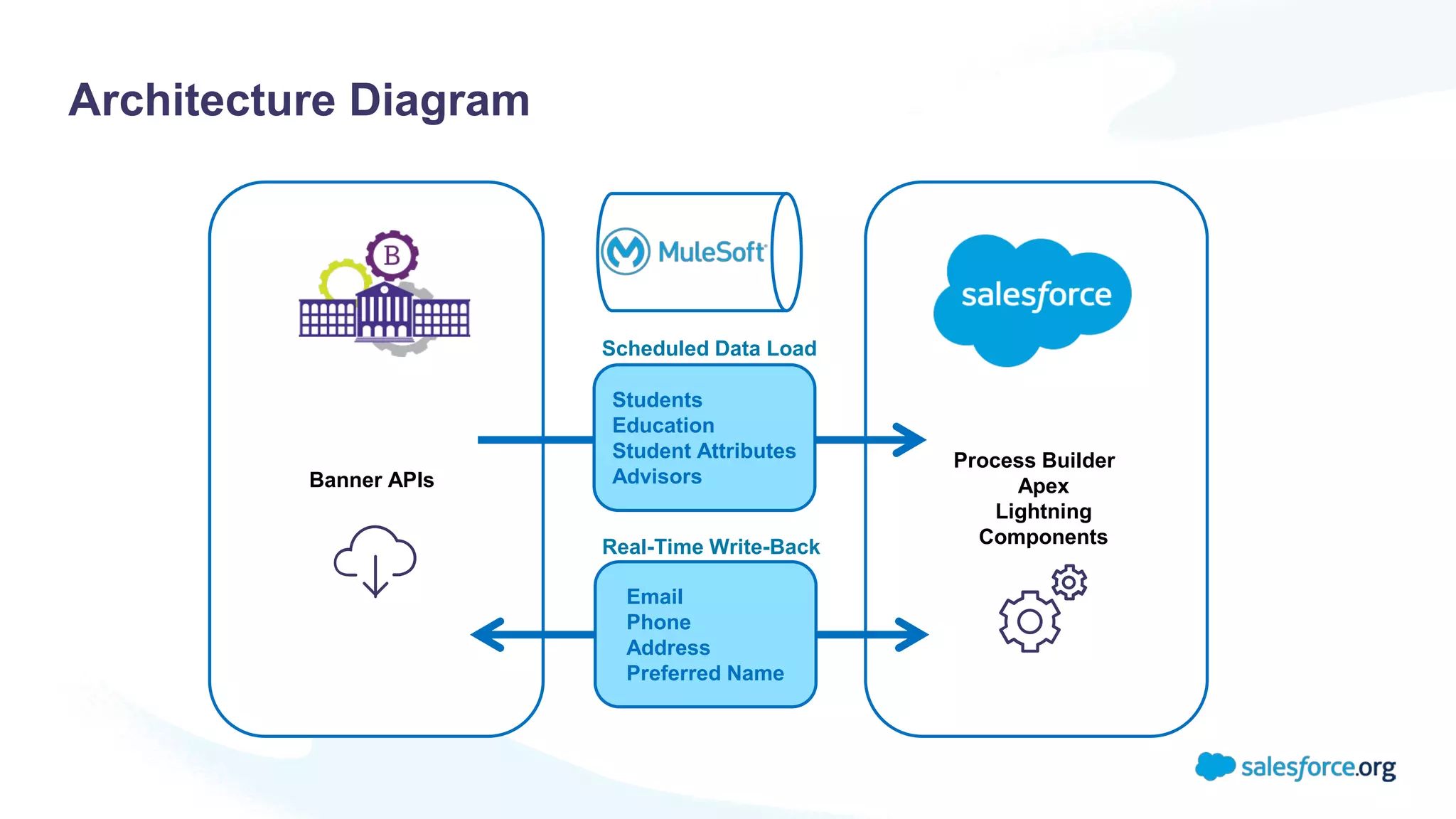
Architecture Diagram
Email
Phone
Address
Preferred Name
Students
Education
Student Attributes
Advisors
Scheduled Data Load
Real-Time Write-Back
Banner APIs
Process Builder
Apex
Lightning
Components
Handling Banner Complexities
What happens when records are updated in Banner?
• For some tables, old records are removed
• For other tables, old records are deactivated
Evaluated table by table to understand Banner behavior and plan integration approach
Goal: ensure Salesforce
reflects latest Banner data
set after every nightly
integration run.
Integration Approach
Approach 1: Drop all records in Salesforce and then upsert
• Example: Contact Facets, i.e., GPA, Holds, Student Attributes
Approach 2: Deactivate all records in Salesforce and then
upsert
• Example: advisor data
• Result: Salesforce shows only current set of advisors as active and
any deleted records as inactive.
Filtering data to bring in: Changed since last run vs. Active in
current term
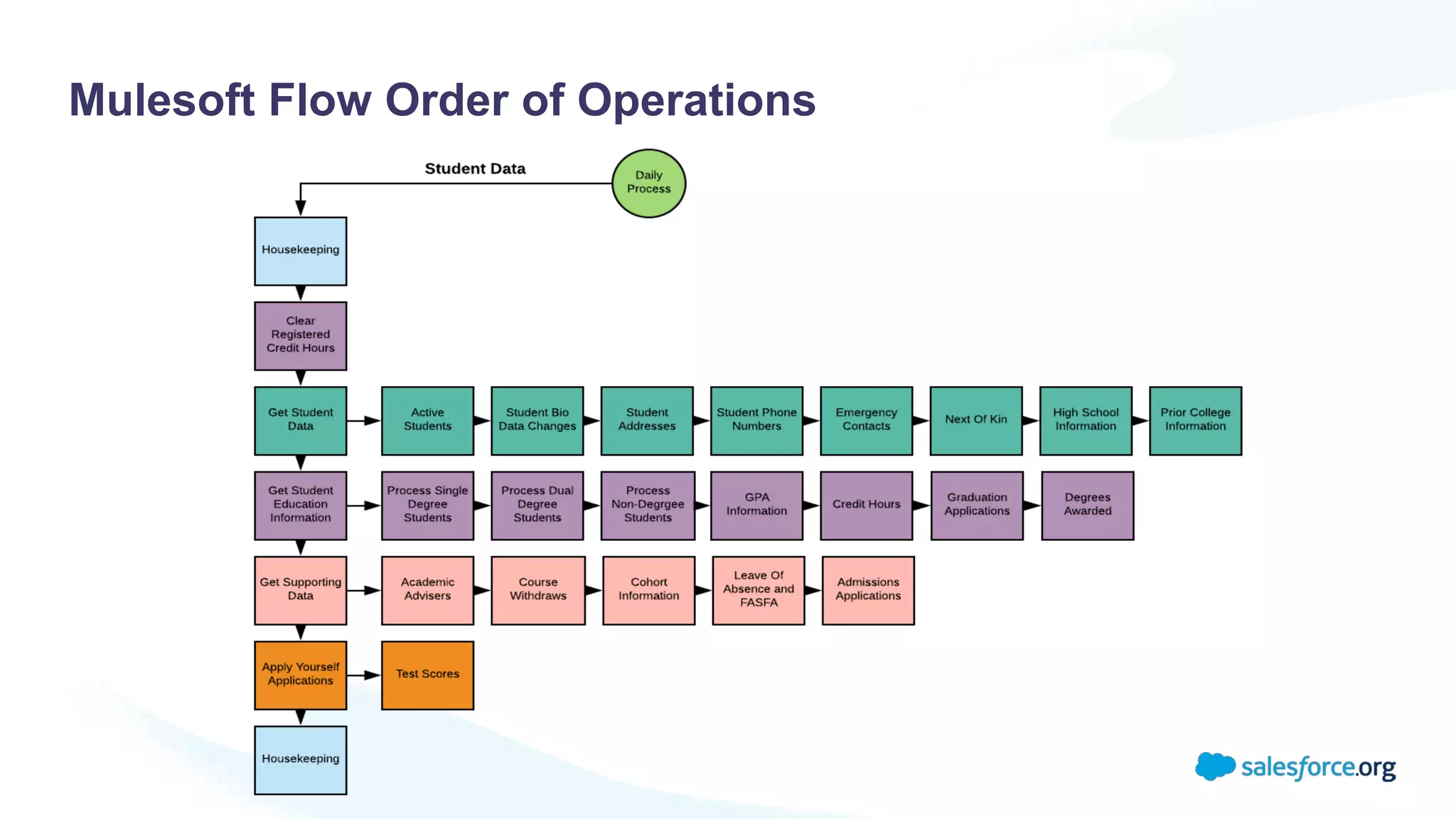
Mulesoft Flow Order of Operations
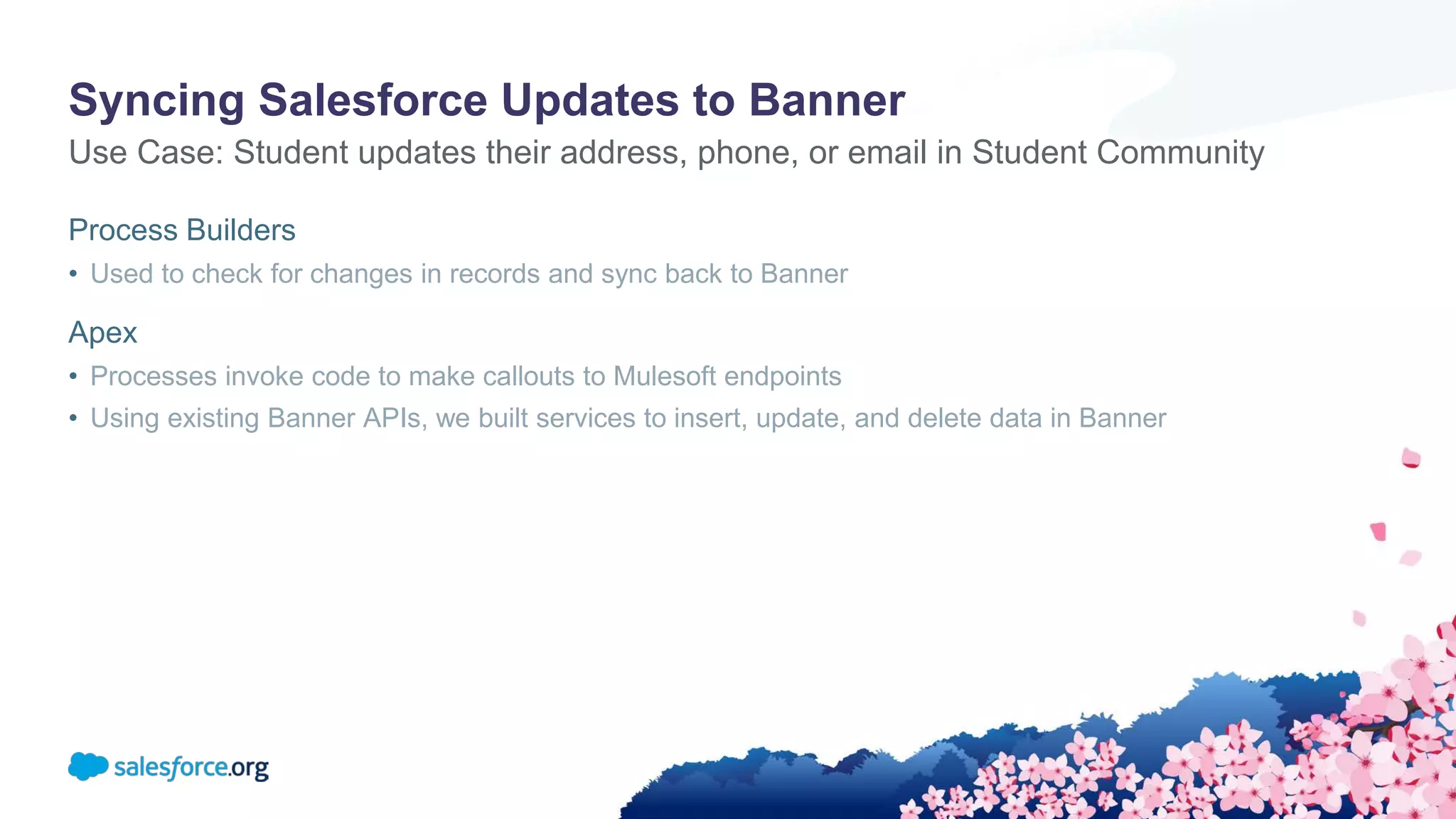
Syncing Salesforce Updates to Banner
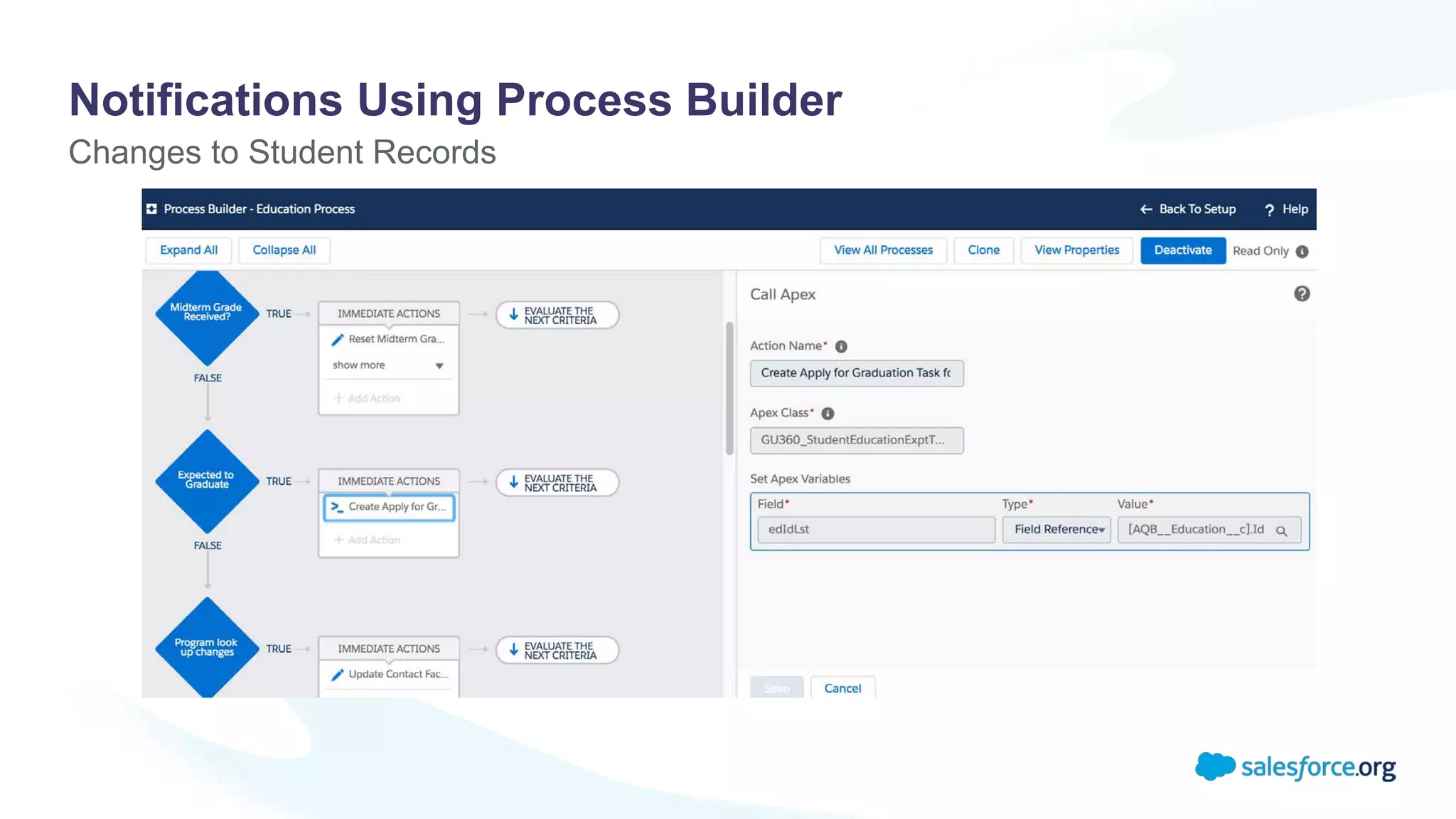
Process Builders
• Used to check for changes in records and sync back to Banner
Apex
• Processes invoke code to make callouts to Mulesoft endpoints
• Using existing Banner APIs, we built services to insert, update, and delete data in Banner
Use Case: Student updates their address, phone, or email in Student Community
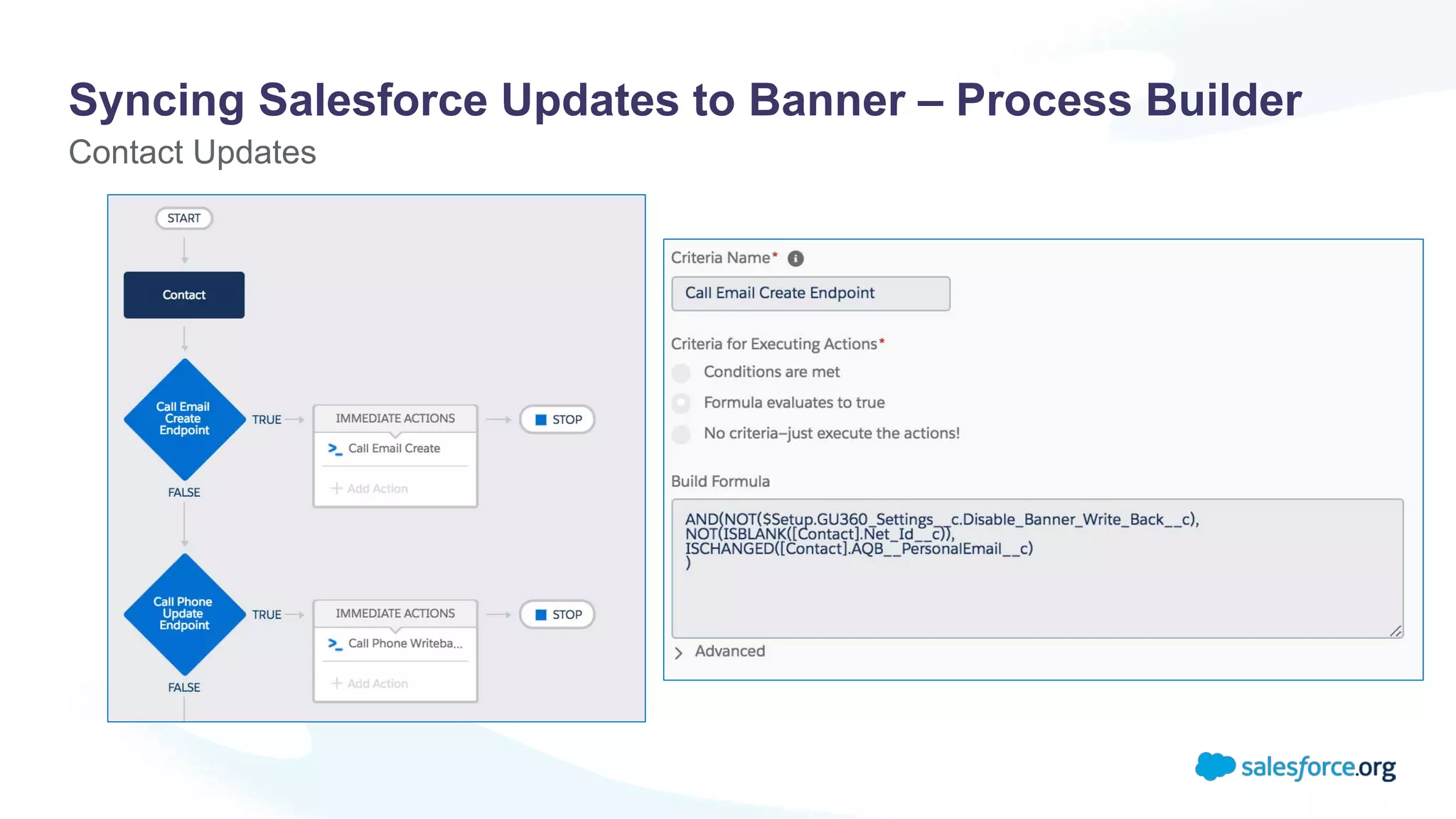
Syncing Salesforce Updates to Banner – Process Builder
Contact Updates
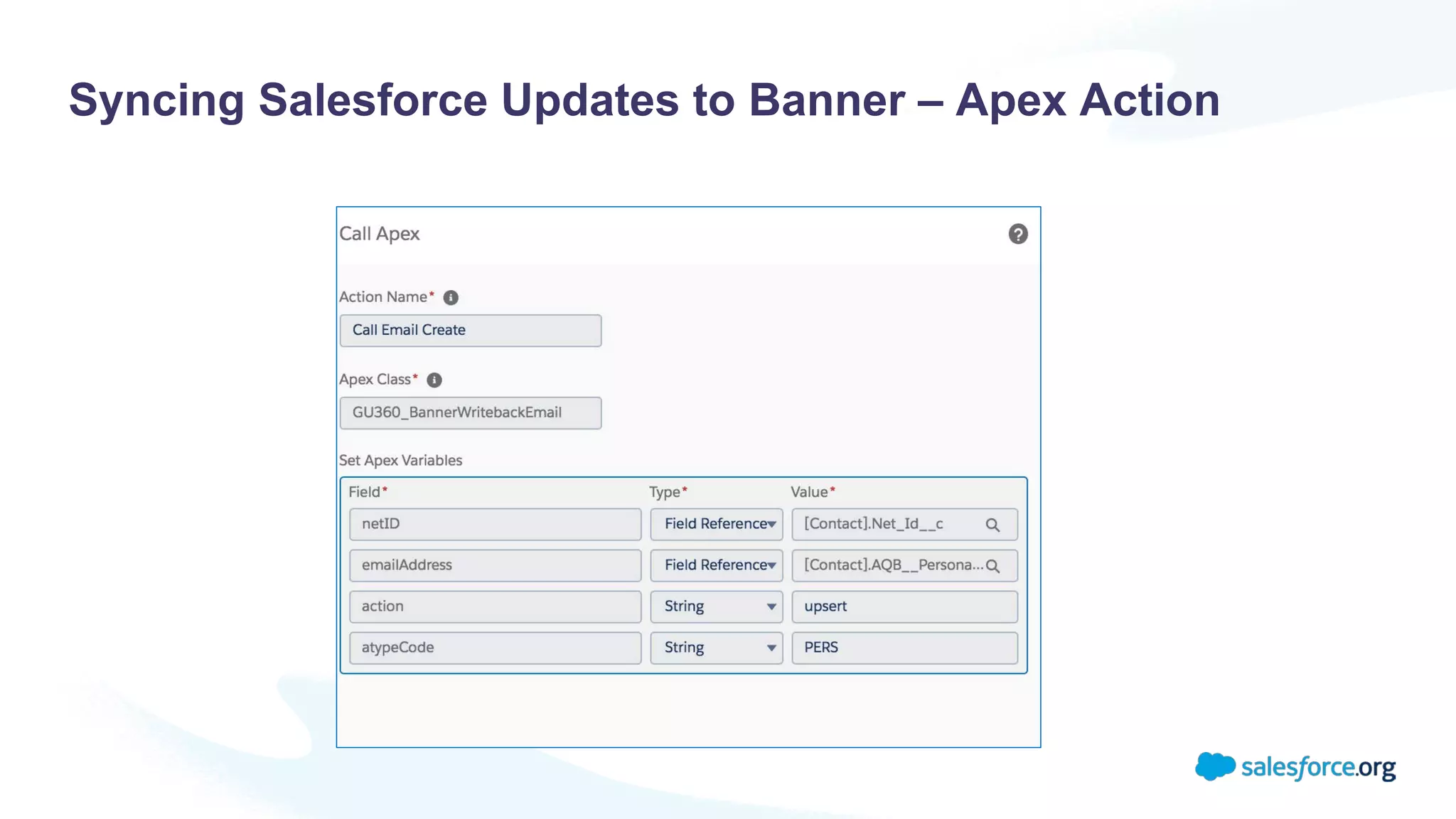
Syncing Salesforce Updates to Banner – Apex Action
Considerations
Banner Customizations & Validations
• Know your customizations and validations so you can account for them early on
System Limits and Best Practices
• Be aware of all the processes and code working on objects you are touching with the integration
• Consider batch size
• Ensure all code in org is following best practices
Error Handling
• Custom System Logs for real-time feedback
Why We Did It
Results
Modernize the way that we do business!
• Improve User Experience
• Streamline Business Processes
• Increase Efficiency
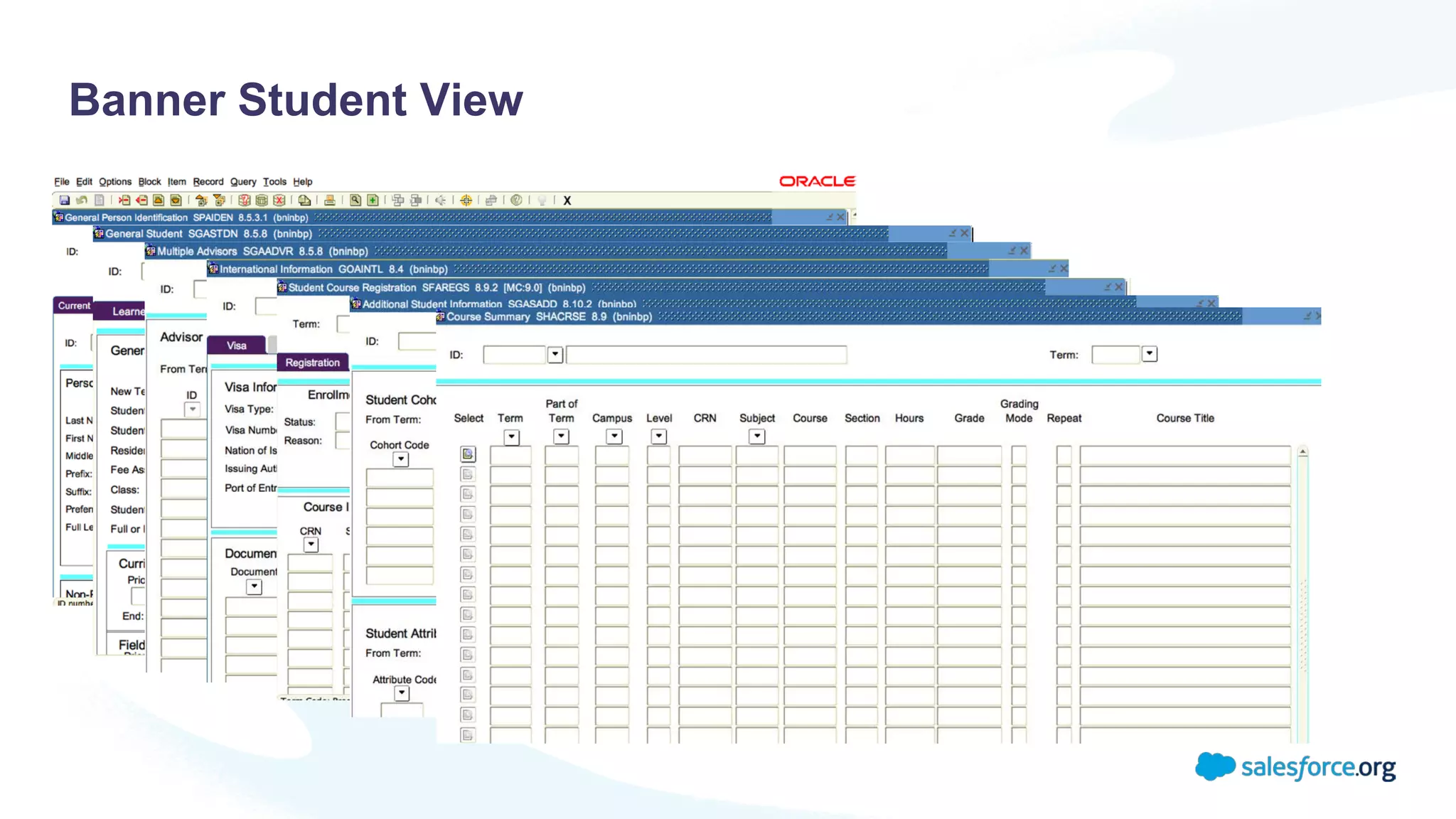
Banner Student View
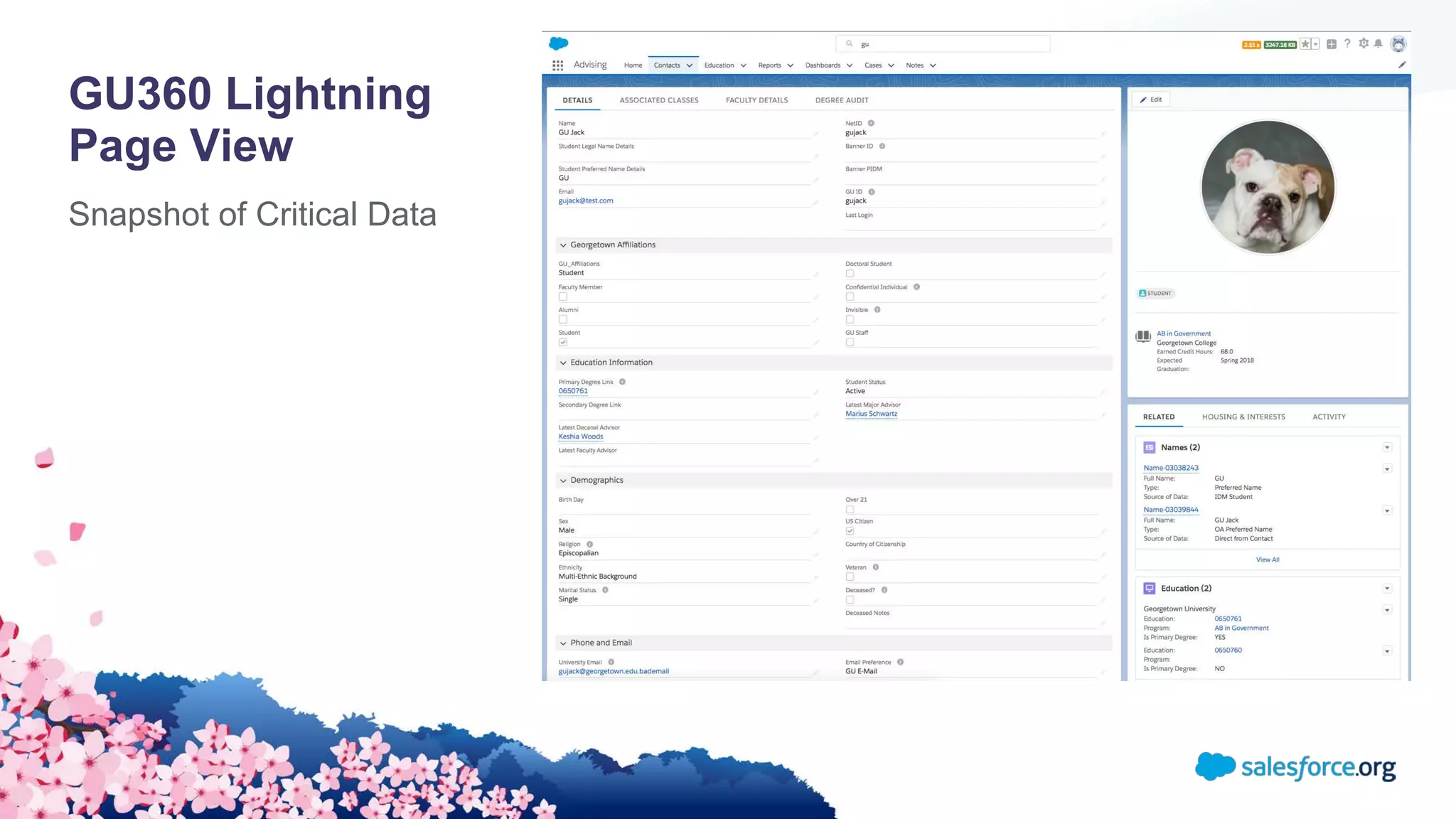
GU360 Lightning
Page View
Snapshot of Critical Data
Banner > Salesforce ERD
Academic Hierarchy
Notifications Using Process Builder
Changes to Student Records
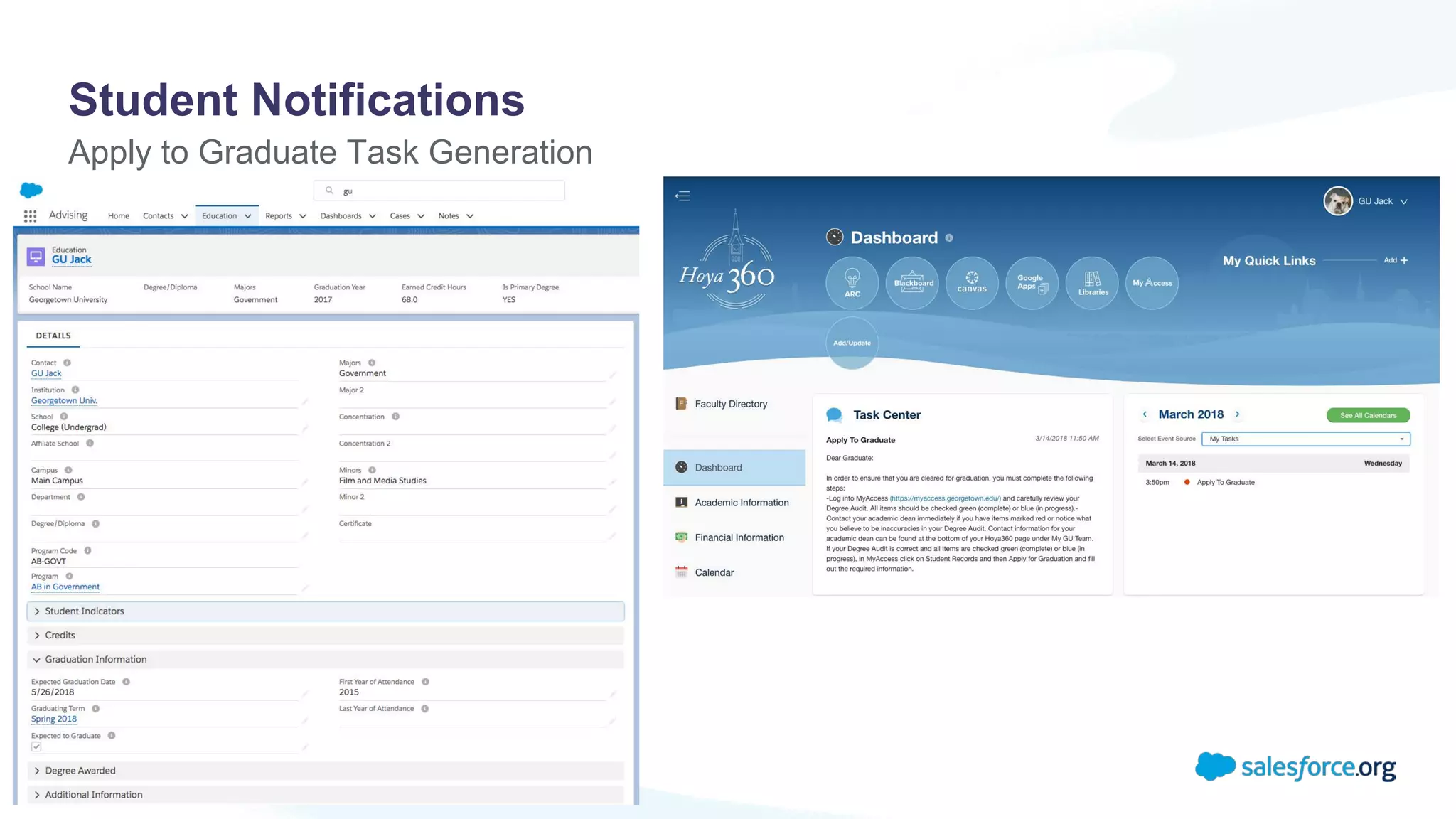
Student Notifications
Apply to Graduate Task Generation
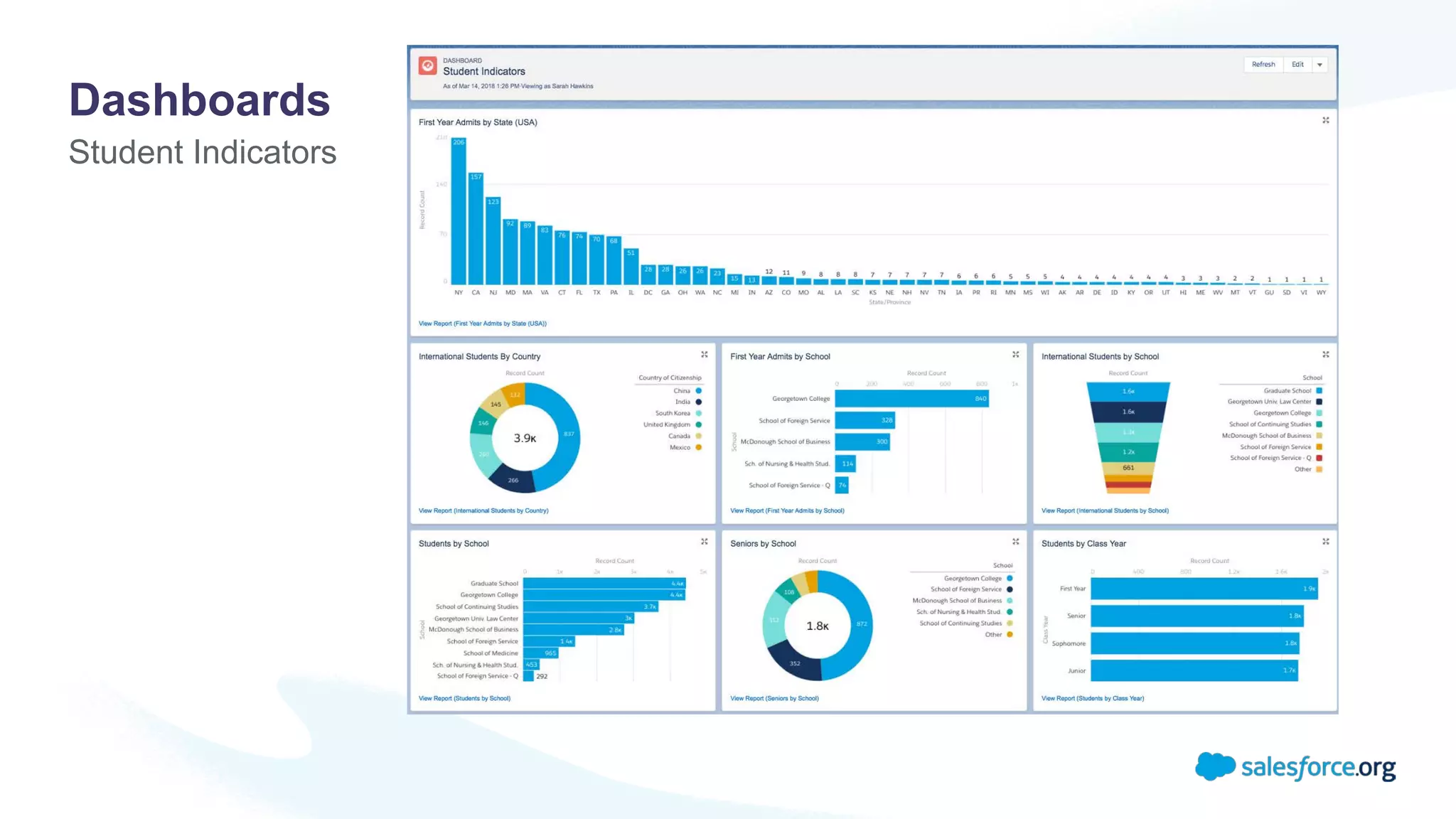
Student Indicators
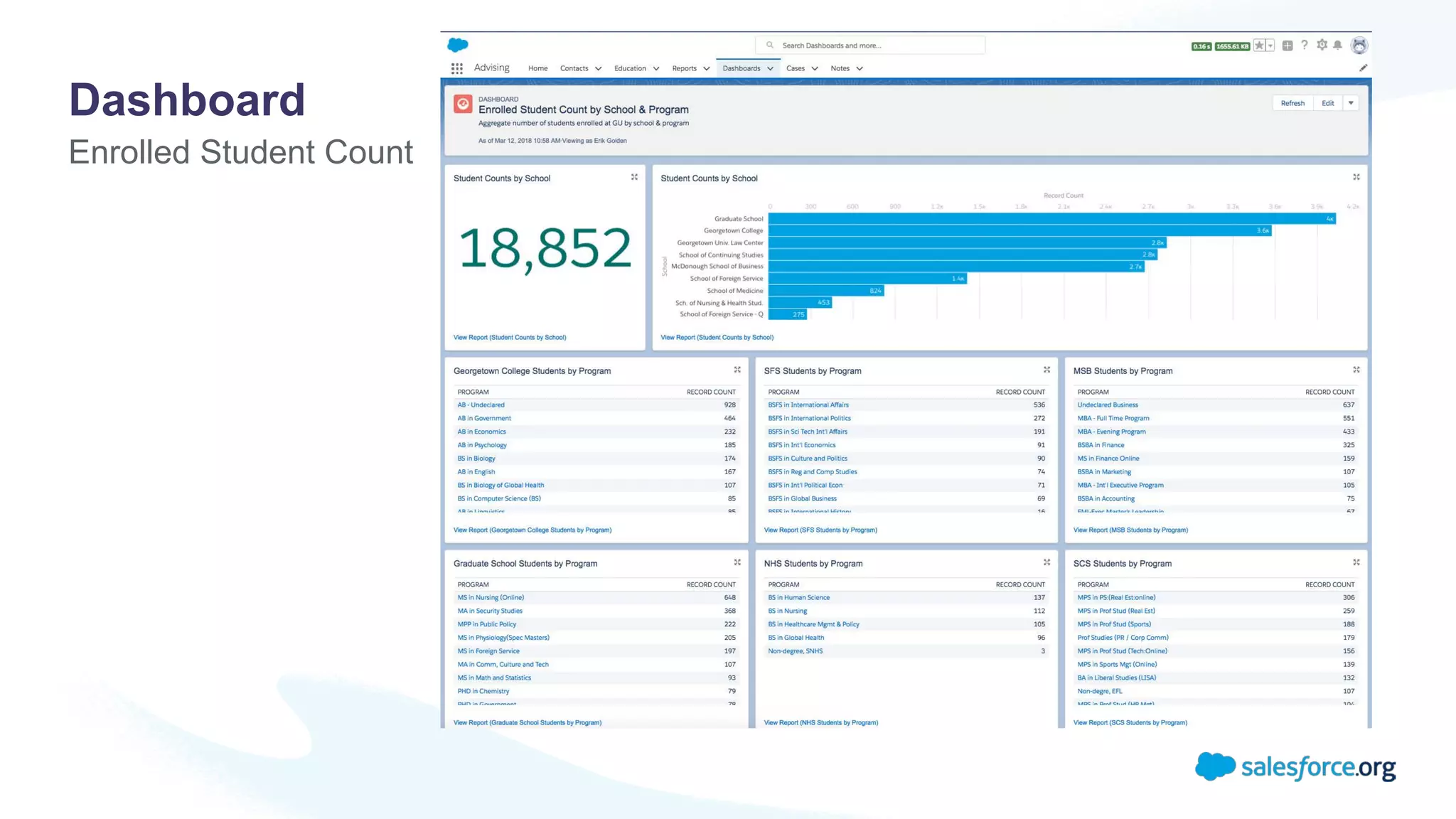
Dashboards
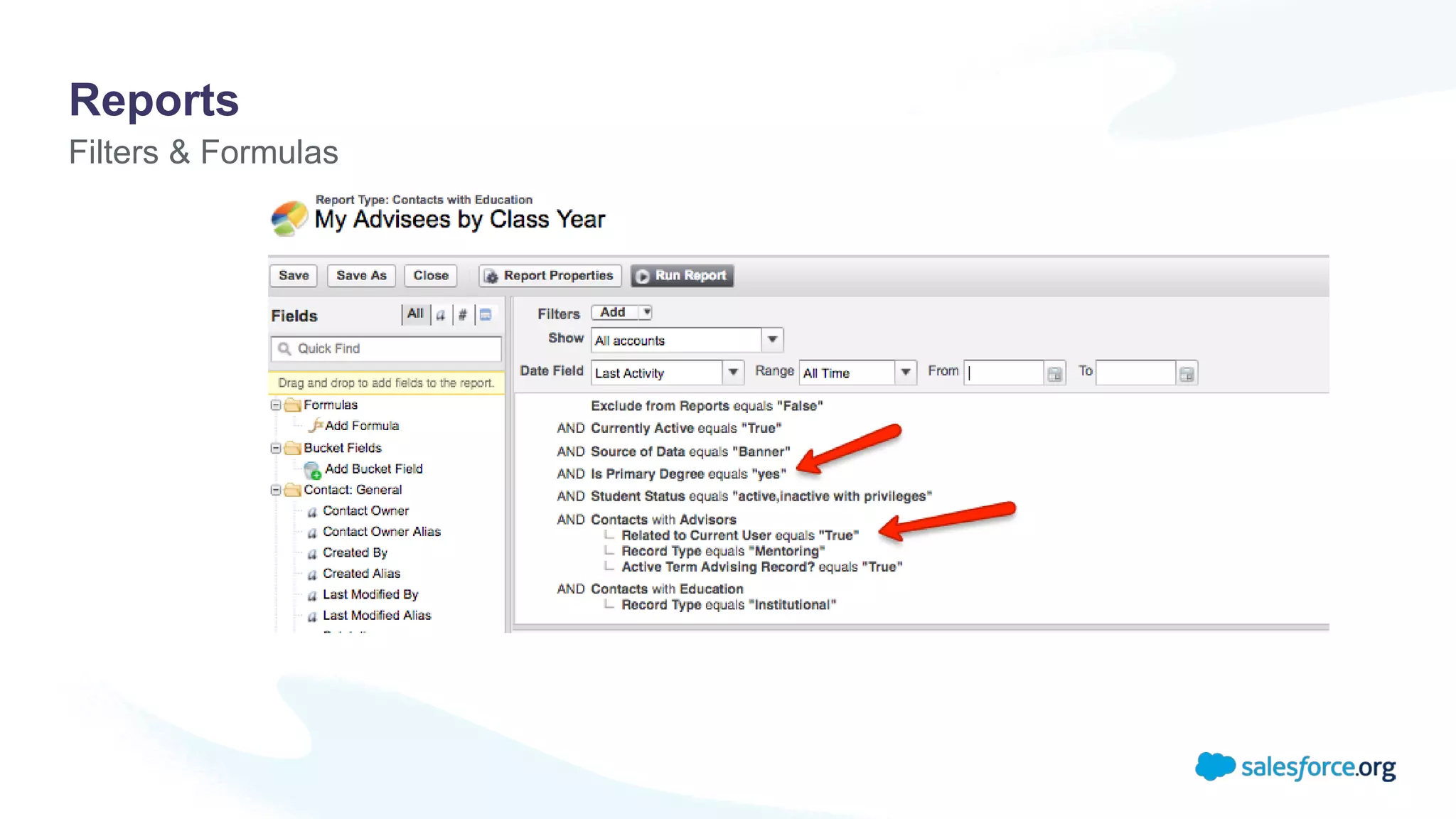
Filters & Formulas
Reports
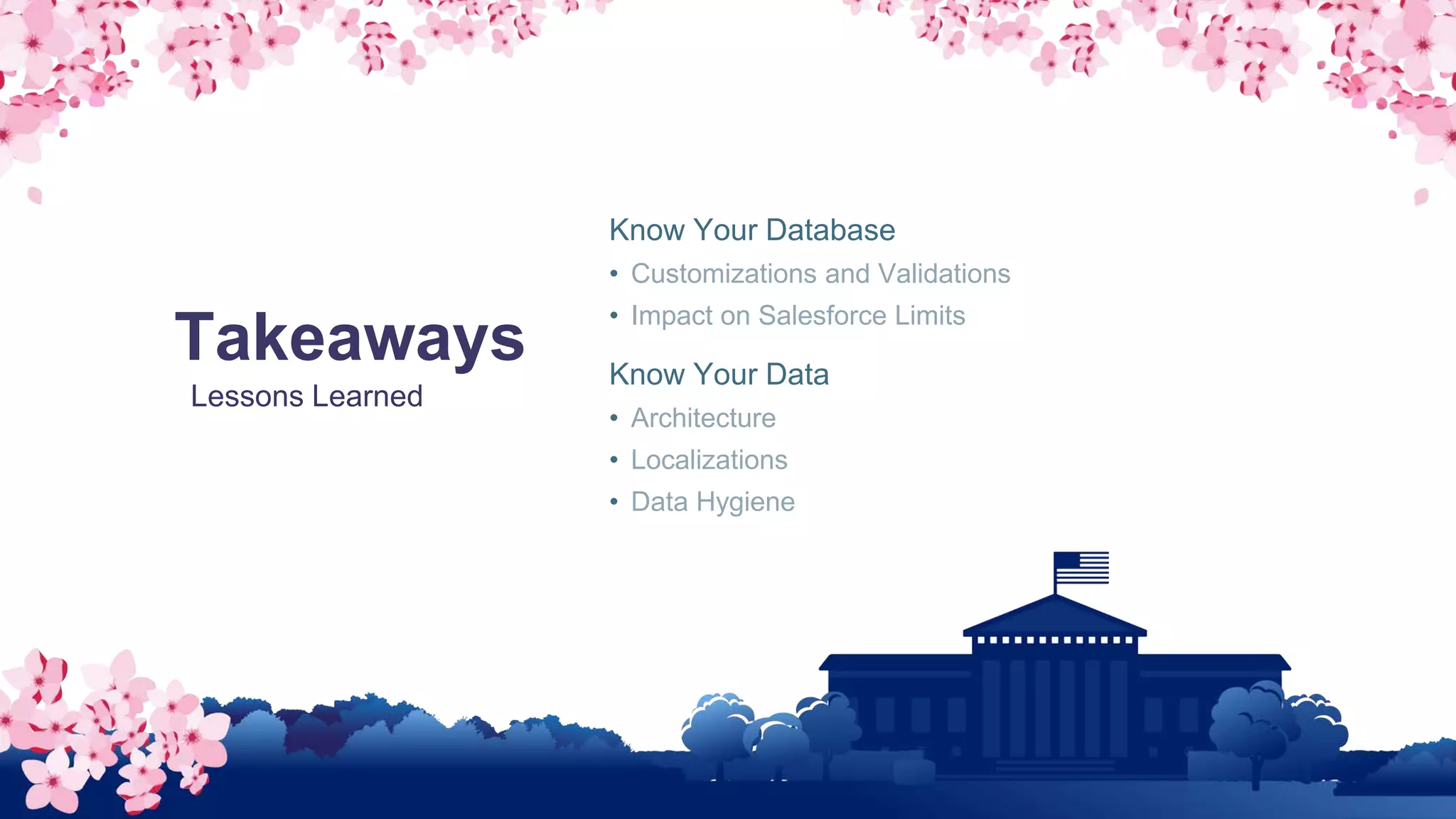
Takeaways
Lessons Learned
Know Your Database
• Customizations and Validations
• Impact on Salesforce Limits
Know Your Data
• Architecture
• Localizations
• Data Hygiene
Enrolled Student Count
Dashboard
Building Momentum Around a Single Organization
• Thursday @ 4:30pm Breakout #7 (National Harbor 11)
Extending the Power of Lightning Communities to Empower our Faculty and Students
• Friday @ 9:00am Breakout #7 (National Harbor 11)
Keynote: Education Empowered
• Online TBD
Visit us in the Quad
Website: gu360.georgetown.edu
Learn More about GU360
Other Sessions @ Higher Ed Summit

Integrating Banner: Transform Your Student Data

  • 1.
    Integrating Banner: Transform YourStudent Data Sarah Hawkins, Project Lead for Administrative Applications Caitlin Marshall, Senior Consultant
  • 2.
    GU360 Enterprise Wide CRMSolution Intuitive • Minimal training • Confidence in technology Integrated • Single source of truth • Shared data model Engaging • System as enabler, not obstacle • Foster community building Trusted • Reliable, Auditable, Transparent Transformative • Industry leader • Modernized & innovative • Simplifies & aligns processes • Solves shared challenges
  • 3.
    What We Did Bringingan Academic Hierarchy to the Salesforce Object Model
  • 4.
    “How do weavoid recreating the SIS while also presenting the data using the advantages of Salesforce? ”
  • 5.
    Pain Points Critical DataElements Streamline Business Processes Modernized User Interface Data Decisions
  • 6.
    Student Data Model MappingBanner Data to CRM Data Model • Accounts = Schools, Programs, Departments • Contacts = Students, Faculty, Staff • Term = Academic Term • Education = Program record related to a student • Contact Facet = Student Attributes, Cohorts, GPA, Holds • Alternate Channel = Phones and Addresses Use of APIs • We pull in some data via API rather than storing: course schedule, degree audits, class rosters
  • 7.
    Banner > SalesforceERD Academic Hierarchy
  • 8.
  • 9.
    Integration Design Overview InitialData Load • Historical student data going back 5 years Mulesoft as Middleware • Ability to schedule batch processes • Robust API layer Core integration: Scheduled Mulesoft job syncs Banner data to Salesforce • Nightly upsert of data Process Builder/Apex writes data back to Banner in real time • Limited to set of data students can update API layer used to display some data in Salesforce without storing it • Class rosters, financial information, and course schedules • Considerations: data storage, nature of this data
  • 10.
    Architecture Diagram Email Phone Address Preferred Name Students Education StudentAttributes Advisors Scheduled Data Load Real-Time Write-Back Banner APIs Process Builder Apex Lightning Components
  • 11.
    Handling Banner Complexities Whathappens when records are updated in Banner? • For some tables, old records are removed • For other tables, old records are deactivated Evaluated table by table to understand Banner behavior and plan integration approach
  • 12.
    Goal: ensure Salesforce reflectslatest Banner data set after every nightly integration run. Integration Approach Approach 1: Drop all records in Salesforce and then upsert • Example: Contact Facets, i.e., GPA, Holds, Student Attributes Approach 2: Deactivate all records in Salesforce and then upsert • Example: advisor data • Result: Salesforce shows only current set of advisors as active and any deleted records as inactive. Filtering data to bring in: Changed since last run vs. Active in current term
  • 13.
    Mulesoft Flow Orderof Operations
  • 14.
    Syncing Salesforce Updatesto Banner Process Builders • Used to check for changes in records and sync back to Banner Apex • Processes invoke code to make callouts to Mulesoft endpoints • Using existing Banner APIs, we built services to insert, update, and delete data in Banner Use Case: Student updates their address, phone, or email in Student Community
  • 15.
    Syncing Salesforce Updatesto Banner – Process Builder Contact Updates
  • 16.
    Syncing Salesforce Updatesto Banner – Apex Action
  • 17.
    Considerations Banner Customizations &Validations • Know your customizations and validations so you can account for them early on System Limits and Best Practices • Be aware of all the processes and code working on objects you are touching with the integration • Consider batch size • Ensure all code in org is following best practices Error Handling • Custom System Logs for real-time feedback
  • 18.
    Why We DidIt Results Modernize the way that we do business! • Improve User Experience • Streamline Business Processes • Increase Efficiency
  • 19.
  • 20.
  • 21.
    Banner > SalesforceERD Academic Hierarchy
  • 22.
    Notifications Using ProcessBuilder Changes to Student Records
  • 23.
    Student Notifications Apply toGraduate Task Generation
  • 24.
  • 25.
  • 26.
    Takeaways Lessons Learned Know YourDatabase • Customizations and Validations • Impact on Salesforce Limits Know Your Data • Architecture • Localizations • Data Hygiene
  • 27.
  • 29.
    Building Momentum Arounda Single Organization • Thursday @ 4:30pm Breakout #7 (National Harbor 11) Extending the Power of Lightning Communities to Empower our Faculty and Students • Friday @ 9:00am Breakout #7 (National Harbor 11) Keynote: Education Empowered • Online TBD Visit us in the Quad Website: gu360.georgetown.edu Learn More about GU360 Other Sessions @ Higher Ed Summit