INPAGE
Lecture No. 1
Icon
History of Inpage
Software
In 1994, an Indian software
development team - Concept
Software Pvt Ltd, led by Rarendra
Singh & Vijay Gupta, with the
collaboration of a UK company
called Multilingual Solutions led by
Kamran Rouhi, developed InPage
Urdu for Pakistan's newspaper
industry.
InPage is a word processor
software for languages
such as Urdu, Balochi,
Persian, Pashto and
Arabic under Windows
and Mac (Macintosh).
InPage is the software that is
used for professional and
personal use for writing Urdu
scripts.
It is the standardized software
used for newspapers, books and
magazines that need to be
written in Urdu or Arabic
languages.
USAGES
OF
INPAGE
1. Typing of Urdu Applications
2. Typing of Urdu Letters
3. Typing of Urdu Books
4. Typing of Urdu Newspapers
5. Typing of Urdu Magazines
6. All other Urdu Typing relates
activities
File Extension
in
Inpage
Software
Zoom Range
in
Inpage
Software
Standard Zoom Size:
100%
Maximum Zoom Size:
200%
But manually a user can
increase it 2000%
Minimum Zoom Size:
10%
INTRODUCTION
TO
MENU BAR /
TABS
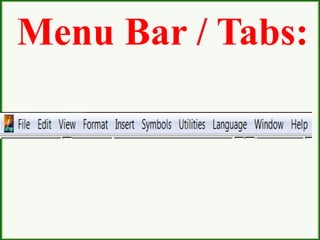
Menu Bar / Tabs:
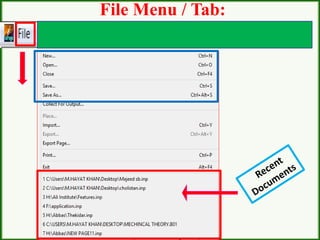
File Menu / Tab:
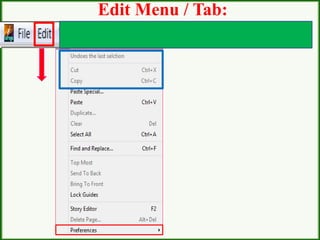
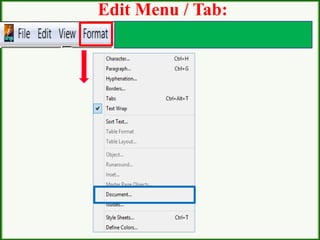
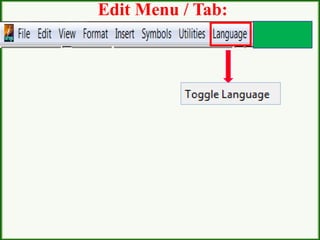
Edit Menu / Tab:
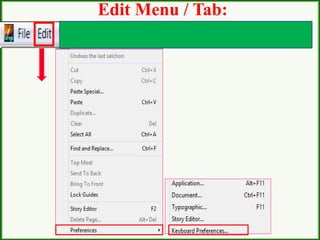
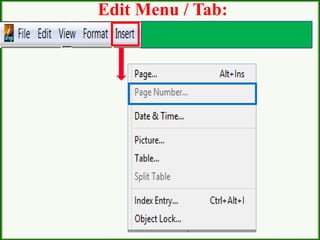
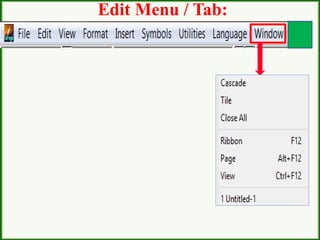
Edit Menu / Tab:
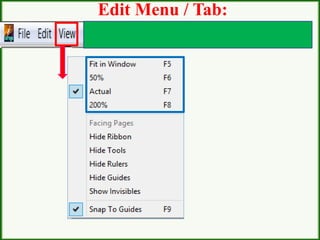
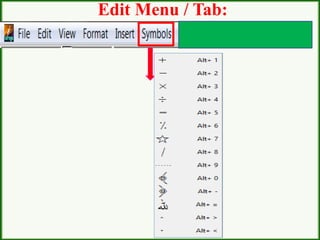
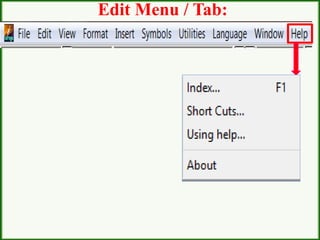
Edit Menu / Tab:
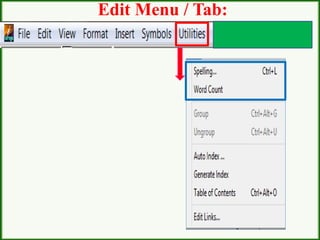
Edit Menu / Tab:
Edit Menu / Tab:
Edit Menu / Tab:
Edit Menu / Tab:
Edit Menu / Tab:
Edit Menu / Tab:
Edit Menu / Tab:
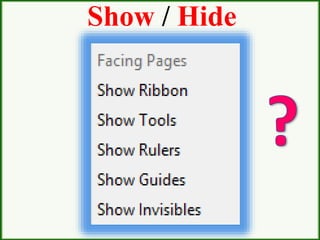
HOW TO
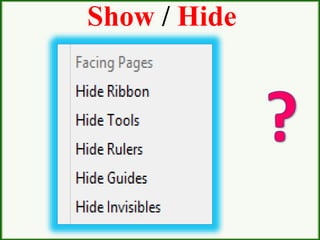
SHOW OR HIDE
1. RIBBON
2. TOOLS
3. RULER
Use of
Show and
Hide
Show / Hide
Show / Hide
Use of
ZOOM
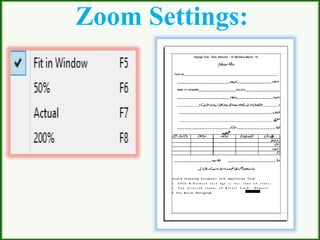
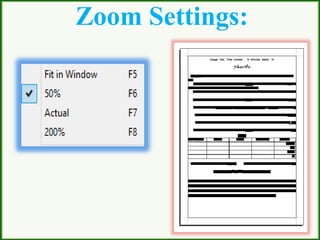
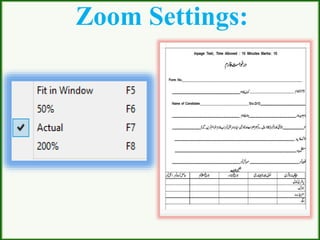
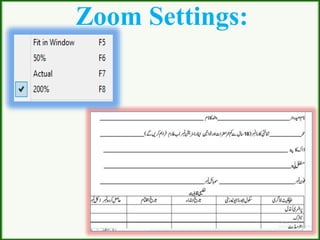
Zoom Settings:
Zoom Settings:
Zoom Settings:
Zoom Settings:
Undo Levels:
Only 1 time
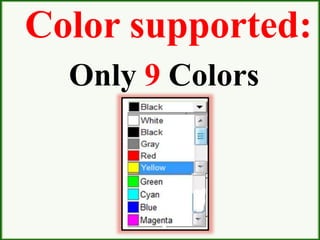
Color supported:
Only 9 Colors
Standard
Keyboard
Name
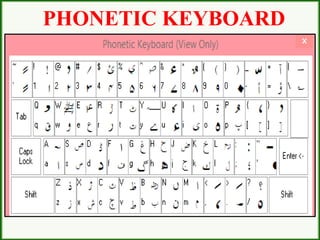
Phonetic Keyboard
Is used as standard
keyboard for typing
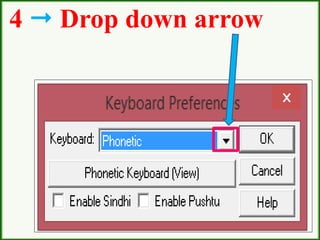
How I can active
the Phonetic
Keyboard on my
Computer?
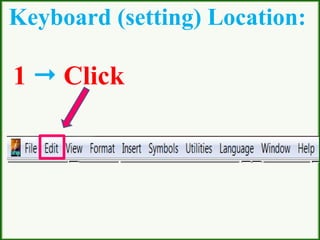
Keyboard (setting) Location:
1  Click
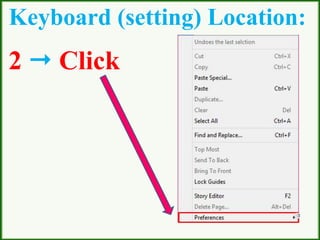
Keyboard (setting) Location:
2  Click
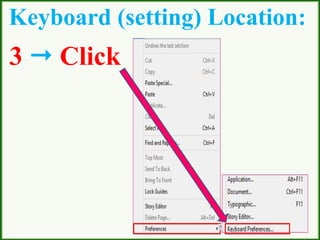
Keyboard (setting) Location:
3  Click
4  Drop down arrow
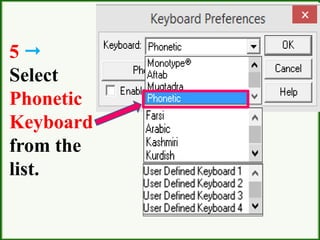
5 
Select
Phonetic
Keyboard
from the
list.
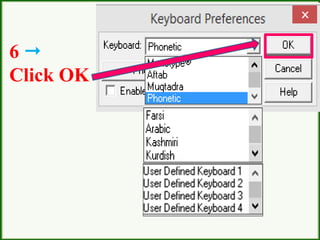
6 
Click OK
PHONETIC KEYBOARD
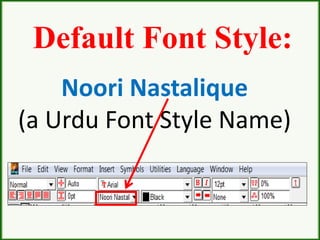
Default Font Style:
Noori Nastalique
(a Urdu Font Style Name)
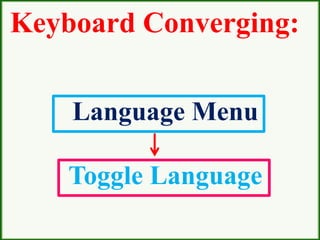
Keyboard Converging:
Ctrl + Spacebar
(For Urdu to English
and English to Urdu)
OR
Keyboard Converging:
Language Menu
Toggle Language
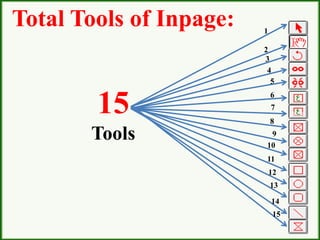
Total Tools of Inpage:
15
Tools
1
2
3
4
5
6
7
8
9
10
11
12
13
14
15
Maximum Open
document at the same
time.
7 Document
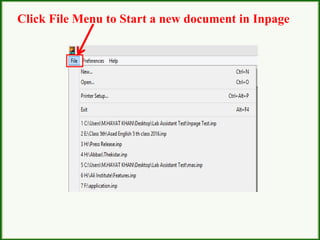
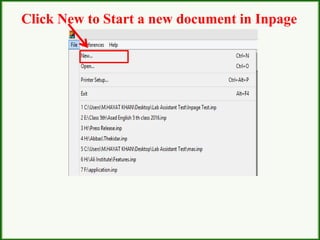
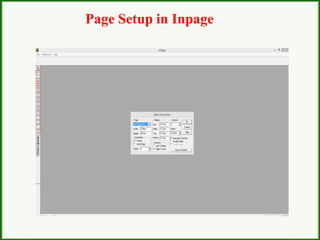
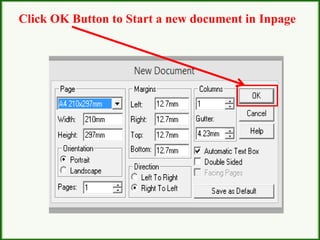
How to start a
new document?
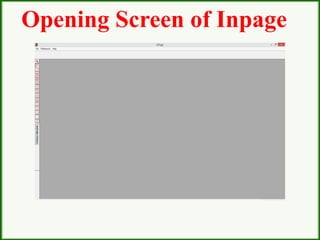
Opening Screen of Inpage
Click File Menu to Start a new document in Inpage
Click New to Start a new document in Inpage
Page Setup in Inpage
Click OK Button to Start a new document in Inpage
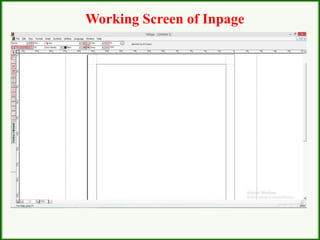
Working Screen of Inpage
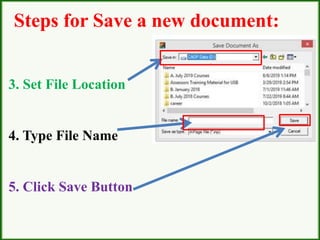
How we can save
a new document?
1. Click File Menu
2. Click Save
OR
Ctrl + S
Steps for Save a
new document:
3. Set File Location
4. Type File Name
5. Click Save Button
Steps for Save a new document:
RECAP:
What is the File extension in
Inpage Software?
RECAP:
What is the Maximum Zoom
Size in Inpage Software?
RECAP:
What is the Minimum Zoom
Size in Inpage Software?
RECAP:
What is the Standard Zoom
Size in Inpage Software?
RECAP:
How we can set Phonetic
Keyboard in Inpage
Software?
RECAP:
How we can change Urdu to
English and English to Urdu
typing Language in Inpage
Software?
Activity No. 1:
Open the Inpage Sotware and
Set Phonetic Keyboard.
Activity No. 2:
Open the Inpage Sotware and
type Urdu Letters from Alaf
to Yeh.
(Minimum two time)
Inpage lecture 1

Inpage lecture 1