Infrastructure development using
Consul
DevOps engineer
Volodymyr Tselm
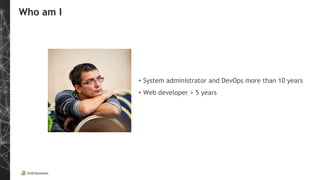
Who am I
• System administrator and DevOps more than 10 years
• Web developer > 5 years
Agenda
• First application
• Problems
• What is Consul
• Service discovery and DNS
• Key-value store
• Consul-template and Key-Value
• Service and health check
• Consul-template and services
• Consul-template use cases
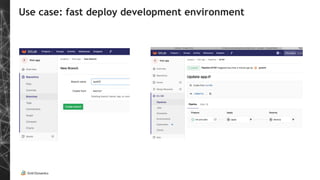
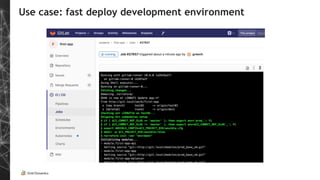
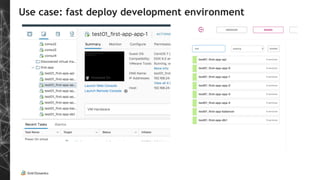
• Consul use case: fast deploy development environment
• Result
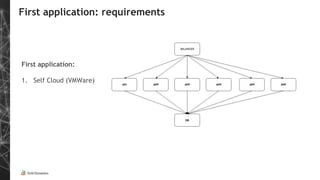
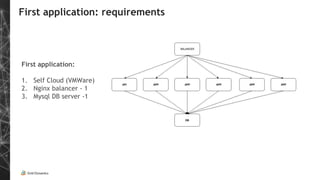
First application: requirements
First application:
1. Self Cloud (VMWare)
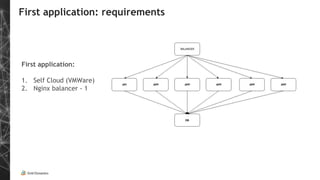
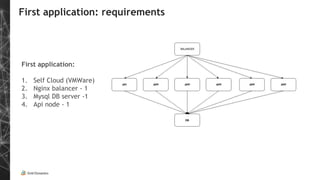
First application: requirements
First application:
1. Self Cloud (VMWare)
2. Nginx balancer - 1
First application: requirements
First application:
1. Self Cloud (VMWare)
2. Nginx balancer - 1
3. Mysql DB server -1
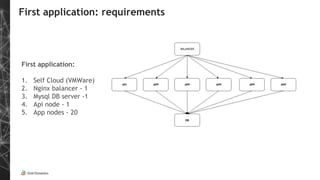
First application: requirements
First application:
1. Self Cloud (VMWare)
2. Nginx balancer - 1
3. Mysql DB server -1
4. Api node - 1
First application: requirements
First application:
1. Self Cloud (VMWare)
2. Nginx balancer - 1
3. Mysql DB server -1
4. Api node - 1
5. App nodes - 20
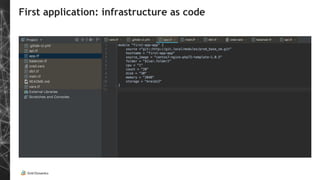
First application: infrastructure as code
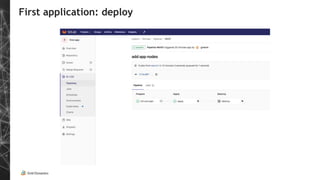
First application: deploy
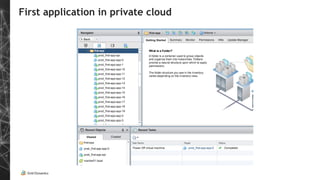
First application in private cloud
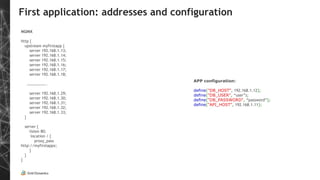
First application: addresses and configuration
NGINX
http {
upstream myfirstapp {
server 192.168.1.13;
server 192.168.1.14;
server 192.168.1.15;
server 192.168.1.16;
server 192.168.1.17;
server 192.168.1.18;
………………..
server 192.168.1.29;
server 192.168.1.30;
server 192.168.1.31;
server 192.168.1.32;
server 192.168.1.33;
}
server {
listen 80;
location / {
proxy_pass
http://myfirstappx;
}
}
}
APP configuration:
define("DB_HOST", 192.168.1.12);
define("DB_USER", “user”);
define("DB_PASSWORD", “password”);
define("API_HOST", 192.168.1.11);
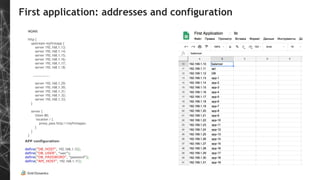
First application: addresses and configuration
NGINX
http {
upstream myfirstapp {
server 192.168.1.13;
server 192.168.1.14;
server 192.168.1.15;
server 192.168.1.16;
server 192.168.1.17;
server 192.168.1.18;
………………..
server 192.168.1.29;
server 192.168.1.30;
server 192.168.1.31;
server 192.168.1.32;
server 192.168.1.33;
}
server {
listen 80;
location / {
proxy_pass http://myfirstappx;
}
}
}
APP configuration:
define("DB_HOST", 192.168.1.12);
define("DB_USER", “user”);
define("DB_PASSWORD", “password”);
define("API_HOST", 192.168.1.11);
First application: first results
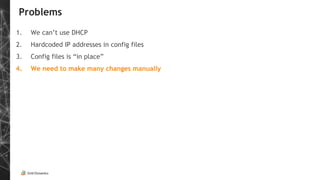
Problems
1. We can’t use DHCP
2. Hardcoded IP addresses in config files
3. Config files is “in place”
4. We need to make many changes manually
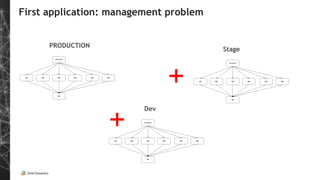
First application: management problem
PRODUCTION
Stage
Dev
+
+
Solution
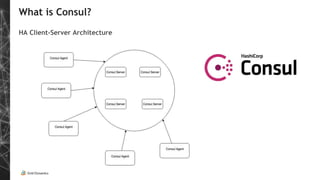
What is Consul?
HA Client-Server Architecture
Problems
1. We can’t use DHCP
2. Hardcoded IP addresses in configs
3. Config files is “in place”
4. We need to make many changes manually
Service Discovery
Node and Service discovery with DNS and HTTP API
[root@gitlab-runner-0 ~]# dig first-app-app-1.node.consul
…….
;; ANSWER SECTION:
first-app-app-1.node.ad1.consul. 0 IN A 192.168.24.104
gitlab-runner@gitlab-runner-0 ansible]$ dig
first-app-app-15.service.consul
………..
;; ANSWER SECTION:
first-app-app-15.service.consul. 0 IN A 192.168.24.79
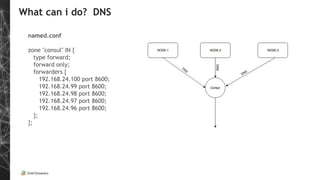
What can i do? DNS
named.conf
zone "consul" IN {
type forward;
forward only;
forwarders {
192.168.24.100 port 8600;
192.168.24.99 port 8600;
192.168.24.98 port 8600;
192.168.24.97 port 8600;
192.168.24.96 port 8600;
};
};
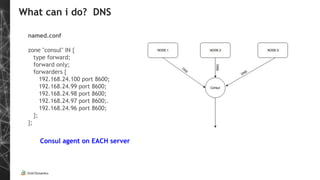
What can i do? DNS
named.conf
zone "consul" IN {
type forward;
forward only;
forwarders {
192.168.24.100 port 8600;
192.168.24.99 port 8600;
192.168.24.98 port 8600;
192.168.24.97 port 8600;.
192.168.24.96 port 8600;
};
};
Consul agent on EACH server
Problems
1. We can’t use DHCP
2. Hardcoded IP addresses in config files
3. Config files is “in place”
4. We need to make many changes manually
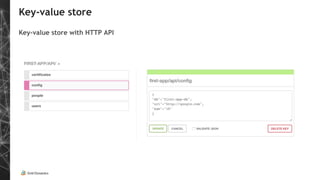
Key-value store
Key-value store with HTTP API
Key-value store
Key-value store with HTTP API
[root@gitlab-runner-0 consul.d]# curl http://consul1.local:8500/v1/kv/first-app/api/config
[{"LockIndex":0,"Key":"first-app/api/config","Flags":0,"Value":"ewoiZGIiOiJmaXJzdC1hcHAtZGIiLAoidXJsIjoiaHR0cDovL2dvb2dsZS5jb20
iLAoiYWdlIjoiMTgiCn0=","CreateIndex":1425749,"ModifyIndex":1425793}]
[root@gitlab-runner-0 ~]# echo ewoiZGIiOiJmaXJzdC1hcHAtZGIiLAoidXJsIjoiaHR0cDovL2dvb2dsZS5jb20iLAoiYWdlIjoiMTgiCn0= | base64 -d
{
"db":"first-app-db",
"url":"http://google.com",
"age":"18"
}
[root@gitlab-runner-0 ]# consul kv get first-app/api/config
{
"db":"first-app-db",
"url":"http://google.com",
"age":"18"
}
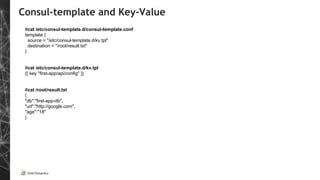
Consul-template and Key-Value
#cat /etc/consul-template.d/consul-template.conf
template {
source = "/etc/consul-template.d/kv.tpl"
destination = "/root/result.txt"
}
#cat /etc/consul-template.d/kv.tpl
{{ key "first-app/api/config" }}
#cat /root/result.txt
{
"db":"first-app-db",
"url":"http://google.com",
"age":"18"
}
Service and health check definition
{
"service": {"name": "first-app-app-0", "tags": ["web", “production”, “app”], "port": 80,
"check": {"args": ["curl", "first-app-app-0.node.consul"], "interval": "10s"}}
}
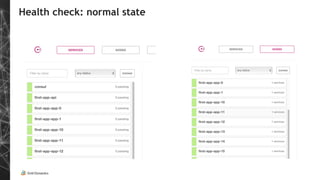
Health check: normal state
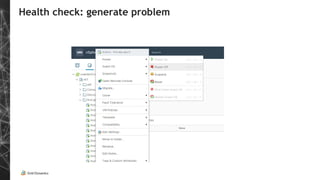
Health check: generate problem
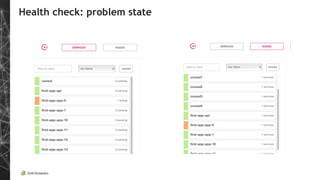
Health check: problem state
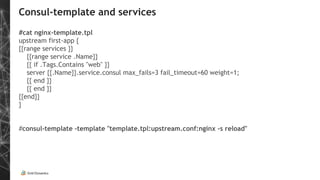
Consul-template and services
#cat nginx-template.tpl
upstream first-app {
{{range services }}
{{range service .Name}}
{{ if .Tags.Contains "web" }}
server {{.Name}}.service.consul max_fails=3 fail_timeout=60 weight=1;
{{ end }}
{{ end }}
{{end}}
}
#consul-template -template "template.tpl:upstream.conf:nginx -s reload"
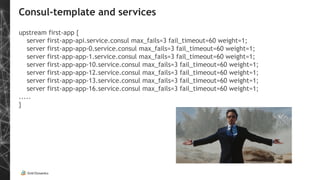
Consul-template and services
upstream first-app {
server first-app-api.service.consul max_fails=3 fail_timeout=60 weight=1;
server first-app-app-0.service.consul max_fails=3 fail_timeout=60 weight=1;
server first-app-app-1.service.consul max_fails=3 fail_timeout=60 weight=1;
server first-app-app-10.service.consul max_fails=3 fail_timeout=60 weight=1;
server first-app-app-12.service.consul max_fails=3 fail_timeout=60 weight=1;
server first-app-app-13.service.consul max_fails=3 fail_timeout=60 weight=1;
server first-app-app-16.service.consul max_fails=3 fail_timeout=60 weight=1;
.....
}
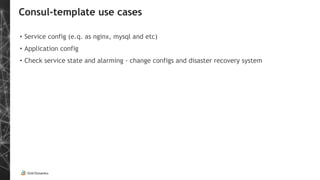
Consul-template use cases
• Service config (e.q. as nginx, mysql and etc)
• Application config
• Check service state and alarming - change configs and disaster recovery system
Problems
1. We can’t use DHCP
2. Hardcoded IP addresses in config files
3. Config files is “in place”
4. We need to make many changes manually
Use case: fast deploy development environment
Consul: additional features
1. HA
2. Encryption
3. Multi datacenters
4. Vault Integration
5. RAFT!
6. Health Check
7. GCP and AWS integration
Result:
Result:
• no IP addresses in config files
Result:
• no IP addresses in configs
• no config files “in place”
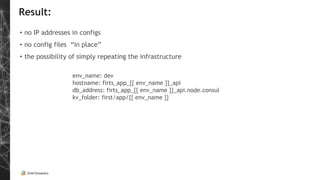
Result:
• no IP addresses in configs
• no config files “in place”
• the possibility of simply repeating the infrastructure
env_name: dev
hostname: firts_app_{{ env_name }}_api
db_address: firts_app_{{ env_name }}_api.node.consul
kv_folder: first/app/{{ env_name }}
You choose
Questions & Answers
www.griddynamics.co
m
Thank you!

Infrastructure development using Consul

  • 1.
  • 2.
    Who am I •System administrator and DevOps more than 10 years • Web developer > 5 years
  • 3.
    Agenda • First application •Problems • What is Consul • Service discovery and DNS • Key-value store • Consul-template and Key-Value • Service and health check • Consul-template and services • Consul-template use cases • Consul use case: fast deploy development environment • Result
  • 4.
    First application: requirements Firstapplication: 1. Self Cloud (VMWare)
  • 5.
    First application: requirements Firstapplication: 1. Self Cloud (VMWare) 2. Nginx balancer - 1
  • 6.
    First application: requirements Firstapplication: 1. Self Cloud (VMWare) 2. Nginx balancer - 1 3. Mysql DB server -1
  • 7.
    First application: requirements Firstapplication: 1. Self Cloud (VMWare) 2. Nginx balancer - 1 3. Mysql DB server -1 4. Api node - 1
  • 8.
    First application: requirements Firstapplication: 1. Self Cloud (VMWare) 2. Nginx balancer - 1 3. Mysql DB server -1 4. Api node - 1 5. App nodes - 20
  • 9.
  • 10.
  • 11.
    First application inprivate cloud
  • 12.
    First application: addressesand configuration NGINX http { upstream myfirstapp { server 192.168.1.13; server 192.168.1.14; server 192.168.1.15; server 192.168.1.16; server 192.168.1.17; server 192.168.1.18; ……………….. server 192.168.1.29; server 192.168.1.30; server 192.168.1.31; server 192.168.1.32; server 192.168.1.33; } server { listen 80; location / { proxy_pass http://myfirstappx; } } } APP configuration: define("DB_HOST", 192.168.1.12); define("DB_USER", “user”); define("DB_PASSWORD", “password”); define("API_HOST", 192.168.1.11);
  • 13.
    First application: addressesand configuration NGINX http { upstream myfirstapp { server 192.168.1.13; server 192.168.1.14; server 192.168.1.15; server 192.168.1.16; server 192.168.1.17; server 192.168.1.18; ……………….. server 192.168.1.29; server 192.168.1.30; server 192.168.1.31; server 192.168.1.32; server 192.168.1.33; } server { listen 80; location / { proxy_pass http://myfirstappx; } } } APP configuration: define("DB_HOST", 192.168.1.12); define("DB_USER", “user”); define("DB_PASSWORD", “password”); define("API_HOST", 192.168.1.11);
  • 14.
  • 15.
    Problems 1. We can’tuse DHCP 2. Hardcoded IP addresses in config files 3. Config files is “in place” 4. We need to make many changes manually
  • 16.
    First application: managementproblem PRODUCTION Stage Dev + +
  • 17.
  • 18.
    What is Consul? HAClient-Server Architecture
  • 19.
    Problems 1. We can’tuse DHCP 2. Hardcoded IP addresses in configs 3. Config files is “in place” 4. We need to make many changes manually
  • 20.
    Service Discovery Node andService discovery with DNS and HTTP API [root@gitlab-runner-0 ~]# dig first-app-app-1.node.consul ……. ;; ANSWER SECTION: first-app-app-1.node.ad1.consul. 0 IN A 192.168.24.104 gitlab-runner@gitlab-runner-0 ansible]$ dig first-app-app-15.service.consul ……….. ;; ANSWER SECTION: first-app-app-15.service.consul. 0 IN A 192.168.24.79
  • 21.
    What can ido? DNS named.conf zone "consul" IN { type forward; forward only; forwarders { 192.168.24.100 port 8600; 192.168.24.99 port 8600; 192.168.24.98 port 8600; 192.168.24.97 port 8600; 192.168.24.96 port 8600; }; };
  • 22.
    What can ido? DNS named.conf zone "consul" IN { type forward; forward only; forwarders { 192.168.24.100 port 8600; 192.168.24.99 port 8600; 192.168.24.98 port 8600; 192.168.24.97 port 8600;. 192.168.24.96 port 8600; }; }; Consul agent on EACH server
  • 23.
    Problems 1. We can’tuse DHCP 2. Hardcoded IP addresses in config files 3. Config files is “in place” 4. We need to make many changes manually
  • 24.
  • 25.
    Key-value store Key-value storewith HTTP API [root@gitlab-runner-0 consul.d]# curl http://consul1.local:8500/v1/kv/first-app/api/config [{"LockIndex":0,"Key":"first-app/api/config","Flags":0,"Value":"ewoiZGIiOiJmaXJzdC1hcHAtZGIiLAoidXJsIjoiaHR0cDovL2dvb2dsZS5jb20 iLAoiYWdlIjoiMTgiCn0=","CreateIndex":1425749,"ModifyIndex":1425793}] [root@gitlab-runner-0 ~]# echo ewoiZGIiOiJmaXJzdC1hcHAtZGIiLAoidXJsIjoiaHR0cDovL2dvb2dsZS5jb20iLAoiYWdlIjoiMTgiCn0= | base64 -d { "db":"first-app-db", "url":"http://google.com", "age":"18" } [root@gitlab-runner-0 ]# consul kv get first-app/api/config { "db":"first-app-db", "url":"http://google.com", "age":"18" }
  • 26.
    Consul-template and Key-Value #cat/etc/consul-template.d/consul-template.conf template { source = "/etc/consul-template.d/kv.tpl" destination = "/root/result.txt" } #cat /etc/consul-template.d/kv.tpl {{ key "first-app/api/config" }} #cat /root/result.txt { "db":"first-app-db", "url":"http://google.com", "age":"18" }
  • 27.
    Service and healthcheck definition { "service": {"name": "first-app-app-0", "tags": ["web", “production”, “app”], "port": 80, "check": {"args": ["curl", "first-app-app-0.node.consul"], "interval": "10s"}} }
  • 28.
  • 29.
  • 30.
  • 31.
    Consul-template and services #catnginx-template.tpl upstream first-app { {{range services }} {{range service .Name}} {{ if .Tags.Contains "web" }} server {{.Name}}.service.consul max_fails=3 fail_timeout=60 weight=1; {{ end }} {{ end }} {{end}} } #consul-template -template "template.tpl:upstream.conf:nginx -s reload"
  • 32.
    Consul-template and services upstreamfirst-app { server first-app-api.service.consul max_fails=3 fail_timeout=60 weight=1; server first-app-app-0.service.consul max_fails=3 fail_timeout=60 weight=1; server first-app-app-1.service.consul max_fails=3 fail_timeout=60 weight=1; server first-app-app-10.service.consul max_fails=3 fail_timeout=60 weight=1; server first-app-app-12.service.consul max_fails=3 fail_timeout=60 weight=1; server first-app-app-13.service.consul max_fails=3 fail_timeout=60 weight=1; server first-app-app-16.service.consul max_fails=3 fail_timeout=60 weight=1; ..... }
  • 33.
    Consul-template use cases •Service config (e.q. as nginx, mysql and etc) • Application config • Check service state and alarming - change configs and disaster recovery system
  • 34.
    Problems 1. We can’tuse DHCP 2. Hardcoded IP addresses in config files 3. Config files is “in place” 4. We need to make many changes manually
  • 35.
    Use case: fastdeploy development environment
  • 36.
    Use case: fastdeploy development environment
  • 37.
    Use case: fastdeploy development environment
  • 38.
    Consul: additional features 1.HA 2. Encryption 3. Multi datacenters 4. Vault Integration 5. RAFT! 6. Health Check 7. GCP and AWS integration
  • 39.
  • 40.
    Result: • no IPaddresses in config files
  • 41.
    Result: • no IPaddresses in configs • no config files “in place”
  • 42.
    Result: • no IPaddresses in configs • no config files “in place” • the possibility of simply repeating the infrastructure env_name: dev hostname: firts_app_{{ env_name }}_api db_address: firts_app_{{ env_name }}_api.node.consul kv_folder: first/app/{{ env_name }}
  • 43.
  • 44.
  • 45.