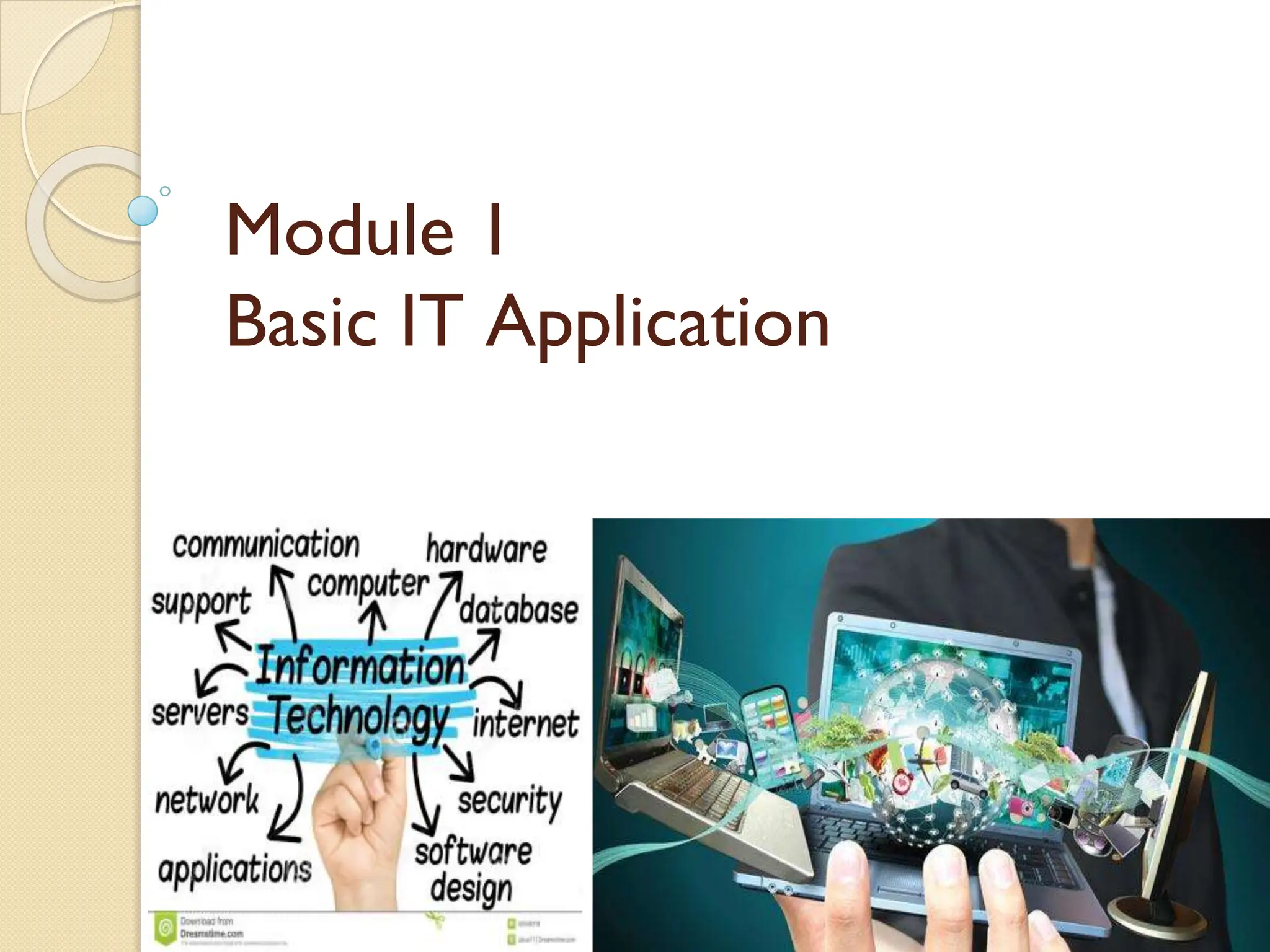
Module 1
Basic IT Application
Information Technology (IT)
Information technology is the application
of computers and telecommunications equipment to store, retrieve,
transmit and manipulate data, often in the context of a business or other
enterprise.
Several industries are associated with information technology
including:
• Software
• Electronics
• Internet
• Telecommunications equipment
• Engineering
• Healthcare
• E-commerce
• Computer hardware & its services.

Cont.
The term information technology in its modern sense first appeared in a
1958 article published in the Harvard Business Review; authors Harold J.
Leavitt and Thomas L.Whisler commented that “The new technology
does not yet have a single established name. We shall call it
Information Technology (IT)."
Their definition consists of three categories:
⚫ Techniques for processing.
⚫ The application of statistical and mathematical methods to decision-
making.
⚫ The simulation of higher-order thinking through computer programs.
The Important Role of IT in Modern Business
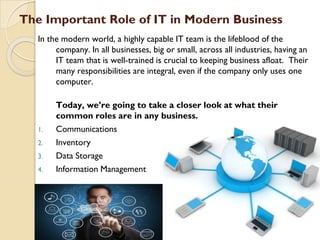
In the modern world, a highly capable IT team is the lifeblood of the
company. In all businesses, big or small, across all industries, having an
IT team that is well-trained is crucial to keeping business afloat. Their
many responsibilities are integral, even if the company only uses one
computer.
Today, we’re going to take a closer look at what their
common roles are in any business.
1. Communications
2. Inventory
3. Data Storage
4. Information Management
Roles of IT in Modern Business
1. Communications
In the business world,
communication plays an
important role in maintaining
the relationship between
employees, suppliers, and
customers. Therefore, the use
of IT we can simplify the way to
communicate through e-mail,
live chat, video chat rooms or
social networking site.
2. Inventory
Organization need to maintain
enough stock to meet customer
demand. By using IT in inventory
management, it also will helps in
track quantity of each item a
company maintains, additional
stock can automatically be
ordered when necessary and to
keep this loop running smoothly.
Cont.
3. Data Storage
Now, data is stored in the
cloud or in some other
digital server, and the IT
team is there to make
sure that data is well-
maintained and secure.
We all know how
debilitating a data breach
can be, and for that
reason only, you put a lot
of trust in your IT team
to take preventative
measures.
4. Information Management
Data used is as part of a strategic
plan for achieving the purpose and
mission, it can be used to track
sales, manage expenses, monitor
activity, and maintain customer
relationships.
IT team can help to keep your data
organized while also condensing it
into reports that can be used to
boost productivity, capitalize on new
opportunities, perform, make special
offers, and react to any abnormal
activity on the account.
Advantages of IT in Modern Business
Information technology provides tremendous benefits to the business
world such as allowing the organization to work more efficiently and
to maximize productivity.
The advantages of information technologies in business are:
⚫ Storing and Protecting Information
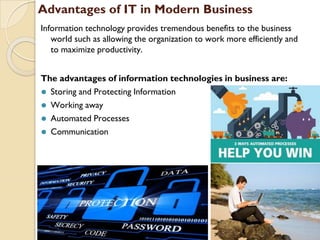
⚫ Working away
⚫ Automated Processes
⚫ Communication
Cont.
❑Storing and Protecting Information: ❑Working Away:
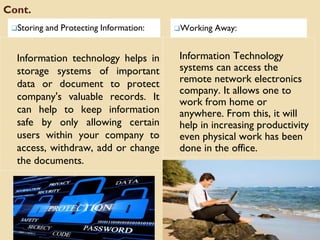
Information technology helps in
storage systems of important
data or document to protect
company's valuable records. It
can help to keep information
safe by only allowing certain
users within your company to
access, withdraw, add or change
the documents.
Information Technology
systems can access the
remote network electronics
company. It allows one to
work from home or
anywhere. From this, it will
help in increasing productivity
even physical work has been
done in the office.
Cont.
❑Automated Processes: ❑Communication:
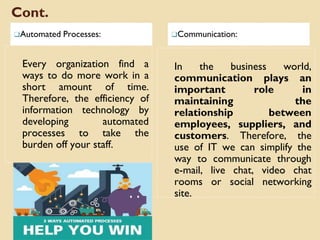
Every organization find a
ways to do more work in a
short amount of time.
Therefore, the efficiency of
information technology by
developing automated
processes to take the
burden off your staff.
In the business world,
communication plays an
important role in
maintaining the
relationship between
employees, suppliers, and
customers. Therefore, the
use of IT we can simplify the
way to communicate through
e-mail, live chat, video chat
rooms or social networking
site.
Network security concept
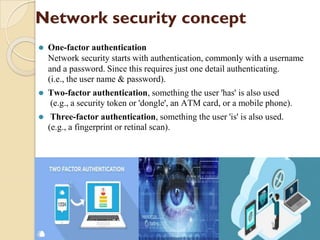
⚫ One-factor authentication
Network security starts with authentication, commonly with a username
and a password. Since this requires just one detail authenticating.
(i.e., the user name & password).
⚫ Two-factor authentication, something the user 'has' is also used
(e.g., a security token or 'dongle', an ATM card, or a mobile phone).
⚫ Three-factor authentication, something the user 'is' is also used.
(e.g., a fingerprint or retinal scan).
Cont.
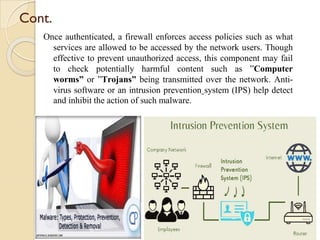
Once authenticated, a firewall enforces access policies such as what
services are allowed to be accessed by the network users. Though
effective to prevent unauthorized access, this component may fail
to check potentially harmful content such as ”Computer
worms” or ”Trojans” being transmitted over the network. Anti-
virus software or an intrusion prevention system (IPS) help detect
and inhibit the action of such malware.
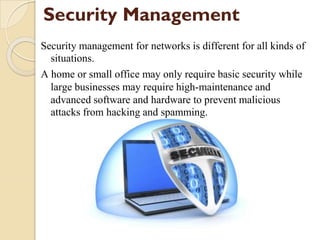
Security Management
Security management for networks is different for all kinds of
situations.
A home or small office may only require basic security while
large businesses may require high-maintenance and
advanced software and hardware to prevent malicious
attacks from hacking and spamming.
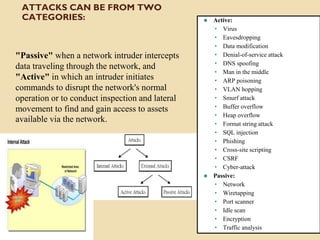
ATTACKS CAN BE FROM TWO
CATEGORIES:
"Passive" when a network intruder intercepts
data traveling through the network, and
"Active" in which an intruder initiates
commands to disrupt the network's normal
operation or to conduct inspection and lateral
movement to find and gain access to assets
available via the network.
⚫ Active:
• Virus
• Eavesdropping
• Data modification
• Denial-of-service attack
• DNS spoofing
• Man in the middle
• ARP poisoning
• VLAN hopping
• Smurf attack
• Buffer overflow
• Heap overflow
• Format string attack
• SQL injection
• Phishing
• Cross-site scripting
• CSRF
• Cyber-attack
⚫ Passive:
• Network
• Wiretapping
• Port scanner
• Idle scan
• Encryption
• Traffic analysis
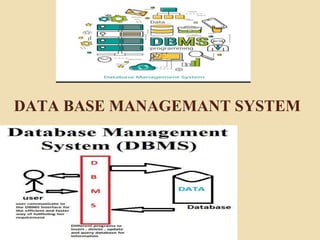
DATA BASE MANAGEMANT SYSTEM
Introduction of Database Management System
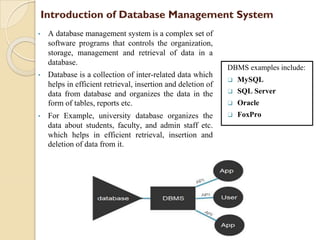
• A database management system is a complex set of
software programs that controls the organization,
storage, management and retrieval of data in a
database.
• Database is a collection of inter-related data which
helps in efficient retrieval, insertion and deletion of
data from database and organizes the data in the
form of tables, reports etc.
• For Example, university database organizes the
data about students, faculty, and admin staff etc.
which helps in efficient retrieval, insertion and
deletion of data from it.
DBMS examples include:
❑ MySQL
❑ SQL Server
❑ Oracle
❑ FoxPro
Limitations
However, the following can be viewed as some of the limitations of a
database:
1. Database systems are complex, difficult, and time-consuming to design.
2. Substantial hardware and software start-up costs.
3. Damage to database affects virtually all applications programs.
4. Extensive conversion costs in moving form a file-based system to a
database system
5. Initial training required for all programmers and users.
Components of DBMS
⚫ User: Application Programmers, End User, Database Administrator
⚫ Software: Controls the storage, Management, Retrieval of data in data base.
⚫ Hardware: Input Device, Output Device, Network Device, Storage Device.
⚫ Data: Data stored in database, numerical, non numerical or logical data.
Advantages
A good database management system (DBMS) should provide the
following advantages over a conventional system.
1. Controls database redundancy
2. Data Sharing
3. Easy Maintenance
4. Reduce Time
5. Backup
6. Multiple User Interface
7. Greater data integrity and independence from applications programs
8. Improved data security
9. Reduced storage and retrieval costs.
Disadvantages of DBMS
⚫ Cost of Hardware and Software
⚫ Size
⚫ Higher impact of Failure
Applications of DBMS used in:
Banking- For customer information, Account activities, Payment, Deposits, Loans
& etc.
Airlines- For reservations and schedule information.
Universities- Student information, course registration, colleges and grades.
Telecommunication- Keep call records, monthly bills, maintain balance, etc.
Finance- Stocks, sales, purchase of financial instrument like stocks & Bonds.
Sales- Storing customer, product & sales Information.
Manufacturing- Management of supply chain and for tracking production of items,
inventory status in warehouse.
HR Management- Information about Employees, salaries, payroll, deduction,
generation of paychecks, etc.
Objectives of Database Management System
An expression of database management system objectives serves and
focuses attention on the needs of the using environment and the system
and administrative requirements for meeting those needs. Some
objectives of database management system derive directly from the
assumed context of organization and management information system.
1. Share ability
2. Availability
3. Evolvability
4. Adaptability
5. Integrity
In developing database management system, the accountant’s concept
of internal control has been practically ignored. Computer specialist
need such concept to improve database integrity and enhance
management confidence.
1. Share ability 2. Availability
An ability to share data resources is a
fundamental objective of database
management.
⚫Serving different types of users with
varying skill levels.
⚫Handling different user views of the
same stored data.
⚫Combining inter related data.
⚫Setting standards.
⚫Controlling concurrent updates so as
to maintain data integrity.
⚫Co-ordinating restart and recovery
operations across multiple users.
⚫ Availability means bringing the data of
an organization to the user of that data.
The system which manages data
resources should be easily accessible to
the people within organization making
the data available when and where it is
needed and in the manner and from in
which it is needed.
⚫ Availability refers to both the data and
the database management
system which delivers the data.
Availability function makes the
database available to users defining
and creating a database and getting
data in and out of the database.
3. Evolvability
Evolvability refers to the ability of the database management system to change in
response to growing user needs and advancing technology. It is the system
characteristics system that enhances the future availability of the data resources.
4. Adaptability
Adaptability is a more advanced form of evolvability in which built in algorithms
enable a system to change itself, rather than having a change made to it.
Adaptability involves purposive, self organizing, self controlling behavior, that is,
self regulation towards a single criterion of success, it is an ultimate long term
survival. System exhibiting adaptive behavior actively seeks a particular state or
goal by changing itself in response to change in itself or its environment.
5. Integrity
The three primary facets of database integrity are:
- Protecting the existence of the database.
- Marinating the quality of the database.
- Ensuring the privacy of the database.
Purpose of Database Management System
⚫ Creating - The needed information which is to be stored in the
database is created first using the appropriate software.
⚫ Storing - The created data are then stored up in the appropriate location
in the database file.
⚫ Protecting - The most important duty of the database is to protect the
data stored.
⚫ Retrieving - Database management system derives from the data a
logical record needed by the application program.
The purpose of database management system is to create, store and
retrieve the information in an efficient manner. The most important
duty of a database is to protect the data.
Functions of Database Management System
⚫ Define, acquire and retire data according to the user needs.
⚫ Provide tools to access and update the data and produce reports.
⚫ Inform and assist users in planning and using data resources and database
management tools.
⚫ Maintain database integrity protecting its existence, maintain its quality
and controlling access to private data.
⚫ Monitor operations for efficient performance and integrity threats.
⚫ It provides a building block in constructing data processing system for
application requiring database access- MIS or system for the accounting,
production and inventory control or customer support.
Data mining & Business Intelligence
⚫ What is Data Mining?
• Data mining refers to extracting or mining knowledge
from large amounts of data.
• Data mining is the process of extracting the useful information
stored in the large database.
• It is the extraction of hidden predictive information.
• Data Mining is the practice of automatically searching the large
stores of data to discover patterns.
• It is a powerful new technology with great potential that helps
organization to focus on the most important information in their
data warehouse.
• Data mining is a powerful tool used to retrieve the useful
information from available data warehouses.
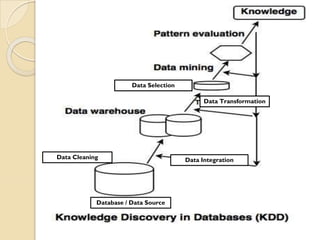
• Data mining is also called knowledge discovery and data mining
(KDD)
Data Integration
Data Cleaning
Data Selection
Data Transformation
Database / Data Source
Different steps of KDD as per
the above diagram are:
1. Data cleaning :removes irrelevant data from the
database.
2. Data integration: The heterogeneous data sources are
merged into a single data source.
3. Data selection retrieves the relevant data to the
analysis process from the database.
4. Data transformation: The selected data is
transformed in forms which are suitable for data mining.
5. Data mining: The various techniques are applied to
extract the data patterns.
6. Pattern evaluation evaluates different data patterns.
7. Knowledge representation: This is the final step of
KDD which represents the knowledge.
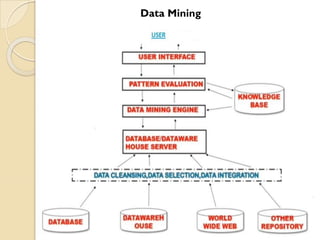
Data Mining
Data Mining is used to generate
Business Intelligence
⚫ Business Intelligence is the ability to transform data into
information and information into knowledge. It is the best way to
optimize the decision-making process in business.
⚫ In this sense, Business Intelligence is a set of methodologies, applications
and technologies to collect, refine and transform this data from
transactional systems and unstructured information (internal and external
to the company), in structured information for direct exploitation or for
analysis.
⚫ Data mining and Business Intelligence have made possible that various
industries, such as sales and marketing, healthcare organization or
financial institutions, could have a quick analysis of data and thereby,
improving the quality of decision making process in their industries.
⚫ In addition, data mining technologies have bright future in
business applications, making possible new opportunities by
automated prediction of trends and behaviours in these businesses. So,
how data mining is used to generate Business Intelligence is a concept
that we will hear a lot during these years: it is the future.
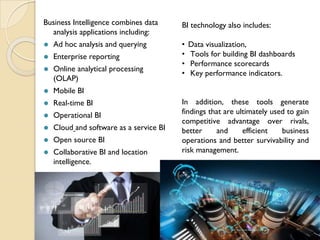
Business Intelligence combines data
analysis applications including:
⚫ Ad hoc analysis and querying
⚫ Enterprise reporting
⚫ Online analytical processing
(OLAP)
⚫ Mobile BI
⚫ Real-time BI
⚫ Operational BI
⚫ Cloud and software as a service BI
⚫ Open source BI
⚫ Collaborative BI and location
intelligence.
BI technology also includes:
• Data visualization,
• Tools for building BI dashboards
• Performance scorecards
• Key performance indicators.
In addition, these tools generate
findings that are ultimately used to gain
competitive advantage over rivals,
better and efficient business
operations and better survivability and
risk management.
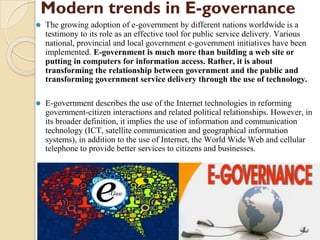
Modern trends in E-governance
⚫ The growing adoption of e-government by different nations worldwide is a
testimony to its role as an effective tool for public service delivery. Various
national, provincial and local government e-government initiatives have been
implemented. E-government is much more than building a web site or
putting in computers for information access. Rather, it is about
transforming the relationship between government and the public and
transforming government service delivery through the use of technology.
⚫ E-government describes the use of the Internet technologies in reforming
government-citizen interactions and related political relationships. However, in
its broader definition, it implies the use of information and communication
technology (ICT, satellite communication and geographical information
systems), in addition to the use of Internet, the World Wide Web and cellular
telephone to provide better services to citizens and businesses.
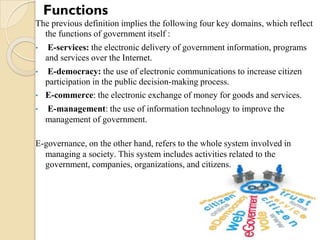
The previous definition implies the following four key domains, which reflect
the functions of government itself :
• E-services: the electronic delivery of government information, programs
and services over the Internet.
• E-democracy: the use of electronic communications to increase citizen
participation in the public decision-making process.
• E-commerce: the electronic exchange of money for goods and services.
• E-management: the use of information technology to improve the
management of government.
E-governance, on the other hand, refers to the whole system involved in
managing a society. This system includes activities related to the
government, companies, organizations, and citizens.
Functions
Sectors of E-Government
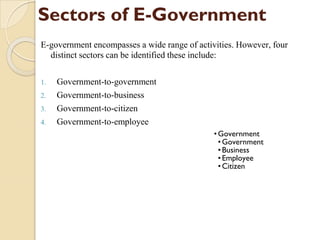
E-government encompasses a wide range of activities. However, four
distinct sectors can be identified these include:
1. Government-to-government
2. Government-to-business
3. Government-to-citizen
4. Government-to-employee
•Government
•Government
•Business
•Employee
•Citizen
1. Government-to-Government (G2G): G2G e-government
involves sharing data and conducting electronic exchanges
between governmental actors.
1. Government-to-Business (G2B): The G2B sector includes both
the sale of surplus government goods to the public, as well as the
procurement of goods and services.
1. Government-to-Citizen (G2C): G2C initiatives are designed to
facilitate citizen interaction with government, such as renewing
licenses and certifications, paying taxes, and applying for
benefits.
1. Government to - employee (G2E): information and internal
services that provide easy access to government information and
systems in order to enable the staff give a better performance.
☺ Thank you ☺

Information Technology Basic IT Application.pptx

  • 1.
    Module 1 Basic ITApplication
  • 2.
    Information Technology (IT) Informationtechnology is the application of computers and telecommunications equipment to store, retrieve, transmit and manipulate data, often in the context of a business or other enterprise. Several industries are associated with information technology including: • Software • Electronics • Internet • Telecommunications equipment • Engineering • Healthcare • E-commerce • Computer hardware & its services.
  • 3.
    Cont. The term informationtechnology in its modern sense first appeared in a 1958 article published in the Harvard Business Review; authors Harold J. Leavitt and Thomas L.Whisler commented that “The new technology does not yet have a single established name. We shall call it Information Technology (IT)." Their definition consists of three categories: ⚫ Techniques for processing. ⚫ The application of statistical and mathematical methods to decision- making. ⚫ The simulation of higher-order thinking through computer programs.
  • 4.
    The Important Roleof IT in Modern Business In the modern world, a highly capable IT team is the lifeblood of the company. In all businesses, big or small, across all industries, having an IT team that is well-trained is crucial to keeping business afloat. Their many responsibilities are integral, even if the company only uses one computer. Today, we’re going to take a closer look at what their common roles are in any business. 1. Communications 2. Inventory 3. Data Storage 4. Information Management
  • 5.
    Roles of ITin Modern Business 1. Communications In the business world, communication plays an important role in maintaining the relationship between employees, suppliers, and customers. Therefore, the use of IT we can simplify the way to communicate through e-mail, live chat, video chat rooms or social networking site. 2. Inventory Organization need to maintain enough stock to meet customer demand. By using IT in inventory management, it also will helps in track quantity of each item a company maintains, additional stock can automatically be ordered when necessary and to keep this loop running smoothly.
  • 6.
    Cont. 3. Data Storage Now,data is stored in the cloud or in some other digital server, and the IT team is there to make sure that data is well- maintained and secure. We all know how debilitating a data breach can be, and for that reason only, you put a lot of trust in your IT team to take preventative measures. 4. Information Management Data used is as part of a strategic plan for achieving the purpose and mission, it can be used to track sales, manage expenses, monitor activity, and maintain customer relationships. IT team can help to keep your data organized while also condensing it into reports that can be used to boost productivity, capitalize on new opportunities, perform, make special offers, and react to any abnormal activity on the account.
  • 7.
    Advantages of ITin Modern Business Information technology provides tremendous benefits to the business world such as allowing the organization to work more efficiently and to maximize productivity. The advantages of information technologies in business are: ⚫ Storing and Protecting Information ⚫ Working away ⚫ Automated Processes ⚫ Communication
  • 8.
    Cont. ❑Storing and ProtectingInformation: ❑Working Away: Information technology helps in storage systems of important data or document to protect company's valuable records. It can help to keep information safe by only allowing certain users within your company to access, withdraw, add or change the documents. Information Technology systems can access the remote network electronics company. It allows one to work from home or anywhere. From this, it will help in increasing productivity even physical work has been done in the office.
  • 9.
    Cont. ❑Automated Processes: ❑Communication: Everyorganization find a ways to do more work in a short amount of time. Therefore, the efficiency of information technology by developing automated processes to take the burden off your staff. In the business world, communication plays an important role in maintaining the relationship between employees, suppliers, and customers. Therefore, the use of IT we can simplify the way to communicate through e-mail, live chat, video chat rooms or social networking site.
  • 10.
    Network security concept ⚫One-factor authentication Network security starts with authentication, commonly with a username and a password. Since this requires just one detail authenticating. (i.e., the user name & password). ⚫ Two-factor authentication, something the user 'has' is also used (e.g., a security token or 'dongle', an ATM card, or a mobile phone). ⚫ Three-factor authentication, something the user 'is' is also used. (e.g., a fingerprint or retinal scan).
  • 11.
    Cont. Once authenticated, afirewall enforces access policies such as what services are allowed to be accessed by the network users. Though effective to prevent unauthorized access, this component may fail to check potentially harmful content such as ”Computer worms” or ”Trojans” being transmitted over the network. Anti- virus software or an intrusion prevention system (IPS) help detect and inhibit the action of such malware.
  • 12.
    Security Management Security managementfor networks is different for all kinds of situations. A home or small office may only require basic security while large businesses may require high-maintenance and advanced software and hardware to prevent malicious attacks from hacking and spamming.
  • 13.
    ATTACKS CAN BEFROM TWO CATEGORIES: "Passive" when a network intruder intercepts data traveling through the network, and "Active" in which an intruder initiates commands to disrupt the network's normal operation or to conduct inspection and lateral movement to find and gain access to assets available via the network. ⚫ Active: • Virus • Eavesdropping • Data modification • Denial-of-service attack • DNS spoofing • Man in the middle • ARP poisoning • VLAN hopping • Smurf attack • Buffer overflow • Heap overflow • Format string attack • SQL injection • Phishing • Cross-site scripting • CSRF • Cyber-attack ⚫ Passive: • Network • Wiretapping • Port scanner • Idle scan • Encryption • Traffic analysis
  • 14.
  • 15.
    Introduction of DatabaseManagement System • A database management system is a complex set of software programs that controls the organization, storage, management and retrieval of data in a database. • Database is a collection of inter-related data which helps in efficient retrieval, insertion and deletion of data from database and organizes the data in the form of tables, reports etc. • For Example, university database organizes the data about students, faculty, and admin staff etc. which helps in efficient retrieval, insertion and deletion of data from it. DBMS examples include: ❑ MySQL ❑ SQL Server ❑ Oracle ❑ FoxPro
  • 16.
    Limitations However, the followingcan be viewed as some of the limitations of a database: 1. Database systems are complex, difficult, and time-consuming to design. 2. Substantial hardware and software start-up costs. 3. Damage to database affects virtually all applications programs. 4. Extensive conversion costs in moving form a file-based system to a database system 5. Initial training required for all programmers and users.
  • 17.
    Components of DBMS ⚫User: Application Programmers, End User, Database Administrator ⚫ Software: Controls the storage, Management, Retrieval of data in data base. ⚫ Hardware: Input Device, Output Device, Network Device, Storage Device. ⚫ Data: Data stored in database, numerical, non numerical or logical data.
  • 18.
    Advantages A good databasemanagement system (DBMS) should provide the following advantages over a conventional system. 1. Controls database redundancy 2. Data Sharing 3. Easy Maintenance 4. Reduce Time 5. Backup 6. Multiple User Interface 7. Greater data integrity and independence from applications programs 8. Improved data security 9. Reduced storage and retrieval costs.
  • 19.
    Disadvantages of DBMS ⚫Cost of Hardware and Software ⚫ Size ⚫ Higher impact of Failure
  • 20.
    Applications of DBMSused in: Banking- For customer information, Account activities, Payment, Deposits, Loans & etc. Airlines- For reservations and schedule information. Universities- Student information, course registration, colleges and grades. Telecommunication- Keep call records, monthly bills, maintain balance, etc. Finance- Stocks, sales, purchase of financial instrument like stocks & Bonds. Sales- Storing customer, product & sales Information. Manufacturing- Management of supply chain and for tracking production of items, inventory status in warehouse. HR Management- Information about Employees, salaries, payroll, deduction, generation of paychecks, etc.
  • 21.
    Objectives of DatabaseManagement System An expression of database management system objectives serves and focuses attention on the needs of the using environment and the system and administrative requirements for meeting those needs. Some objectives of database management system derive directly from the assumed context of organization and management information system. 1. Share ability 2. Availability 3. Evolvability 4. Adaptability 5. Integrity In developing database management system, the accountant’s concept of internal control has been practically ignored. Computer specialist need such concept to improve database integrity and enhance management confidence.
  • 22.
    1. Share ability2. Availability An ability to share data resources is a fundamental objective of database management. ⚫Serving different types of users with varying skill levels. ⚫Handling different user views of the same stored data. ⚫Combining inter related data. ⚫Setting standards. ⚫Controlling concurrent updates so as to maintain data integrity. ⚫Co-ordinating restart and recovery operations across multiple users. ⚫ Availability means bringing the data of an organization to the user of that data. The system which manages data resources should be easily accessible to the people within organization making the data available when and where it is needed and in the manner and from in which it is needed. ⚫ Availability refers to both the data and the database management system which delivers the data. Availability function makes the database available to users defining and creating a database and getting data in and out of the database.
  • 23.
    3. Evolvability Evolvability refersto the ability of the database management system to change in response to growing user needs and advancing technology. It is the system characteristics system that enhances the future availability of the data resources. 4. Adaptability Adaptability is a more advanced form of evolvability in which built in algorithms enable a system to change itself, rather than having a change made to it. Adaptability involves purposive, self organizing, self controlling behavior, that is, self regulation towards a single criterion of success, it is an ultimate long term survival. System exhibiting adaptive behavior actively seeks a particular state or goal by changing itself in response to change in itself or its environment. 5. Integrity The three primary facets of database integrity are: - Protecting the existence of the database. - Marinating the quality of the database. - Ensuring the privacy of the database.
  • 24.
    Purpose of DatabaseManagement System ⚫ Creating - The needed information which is to be stored in the database is created first using the appropriate software. ⚫ Storing - The created data are then stored up in the appropriate location in the database file. ⚫ Protecting - The most important duty of the database is to protect the data stored. ⚫ Retrieving - Database management system derives from the data a logical record needed by the application program. The purpose of database management system is to create, store and retrieve the information in an efficient manner. The most important duty of a database is to protect the data.
  • 25.
    Functions of DatabaseManagement System ⚫ Define, acquire and retire data according to the user needs. ⚫ Provide tools to access and update the data and produce reports. ⚫ Inform and assist users in planning and using data resources and database management tools. ⚫ Maintain database integrity protecting its existence, maintain its quality and controlling access to private data. ⚫ Monitor operations for efficient performance and integrity threats. ⚫ It provides a building block in constructing data processing system for application requiring database access- MIS or system for the accounting, production and inventory control or customer support.
  • 26.
    Data mining &Business Intelligence ⚫ What is Data Mining? • Data mining refers to extracting or mining knowledge from large amounts of data. • Data mining is the process of extracting the useful information stored in the large database. • It is the extraction of hidden predictive information. • Data Mining is the practice of automatically searching the large stores of data to discover patterns. • It is a powerful new technology with great potential that helps organization to focus on the most important information in their data warehouse. • Data mining is a powerful tool used to retrieve the useful information from available data warehouses. • Data mining is also called knowledge discovery and data mining (KDD)
  • 27.
    Data Integration Data Cleaning DataSelection Data Transformation Database / Data Source
  • 28.
    Different steps ofKDD as per the above diagram are: 1. Data cleaning :removes irrelevant data from the database. 2. Data integration: The heterogeneous data sources are merged into a single data source. 3. Data selection retrieves the relevant data to the analysis process from the database. 4. Data transformation: The selected data is transformed in forms which are suitable for data mining. 5. Data mining: The various techniques are applied to extract the data patterns. 6. Pattern evaluation evaluates different data patterns. 7. Knowledge representation: This is the final step of KDD which represents the knowledge.
  • 29.
  • 30.
    Data Mining isused to generate Business Intelligence ⚫ Business Intelligence is the ability to transform data into information and information into knowledge. It is the best way to optimize the decision-making process in business. ⚫ In this sense, Business Intelligence is a set of methodologies, applications and technologies to collect, refine and transform this data from transactional systems and unstructured information (internal and external to the company), in structured information for direct exploitation or for analysis. ⚫ Data mining and Business Intelligence have made possible that various industries, such as sales and marketing, healthcare organization or financial institutions, could have a quick analysis of data and thereby, improving the quality of decision making process in their industries. ⚫ In addition, data mining technologies have bright future in business applications, making possible new opportunities by automated prediction of trends and behaviours in these businesses. So, how data mining is used to generate Business Intelligence is a concept that we will hear a lot during these years: it is the future.
  • 31.
    Business Intelligence combinesdata analysis applications including: ⚫ Ad hoc analysis and querying ⚫ Enterprise reporting ⚫ Online analytical processing (OLAP) ⚫ Mobile BI ⚫ Real-time BI ⚫ Operational BI ⚫ Cloud and software as a service BI ⚫ Open source BI ⚫ Collaborative BI and location intelligence. BI technology also includes: • Data visualization, • Tools for building BI dashboards • Performance scorecards • Key performance indicators. In addition, these tools generate findings that are ultimately used to gain competitive advantage over rivals, better and efficient business operations and better survivability and risk management.
  • 32.
    Modern trends inE-governance ⚫ The growing adoption of e-government by different nations worldwide is a testimony to its role as an effective tool for public service delivery. Various national, provincial and local government e-government initiatives have been implemented. E-government is much more than building a web site or putting in computers for information access. Rather, it is about transforming the relationship between government and the public and transforming government service delivery through the use of technology. ⚫ E-government describes the use of the Internet technologies in reforming government-citizen interactions and related political relationships. However, in its broader definition, it implies the use of information and communication technology (ICT, satellite communication and geographical information systems), in addition to the use of Internet, the World Wide Web and cellular telephone to provide better services to citizens and businesses.
  • 33.
    The previous definitionimplies the following four key domains, which reflect the functions of government itself : • E-services: the electronic delivery of government information, programs and services over the Internet. • E-democracy: the use of electronic communications to increase citizen participation in the public decision-making process. • E-commerce: the electronic exchange of money for goods and services. • E-management: the use of information technology to improve the management of government. E-governance, on the other hand, refers to the whole system involved in managing a society. This system includes activities related to the government, companies, organizations, and citizens. Functions
  • 34.
    Sectors of E-Government E-governmentencompasses a wide range of activities. However, four distinct sectors can be identified these include: 1. Government-to-government 2. Government-to-business 3. Government-to-citizen 4. Government-to-employee •Government •Government •Business •Employee •Citizen
  • 35.
    1. Government-to-Government (G2G):G2G e-government involves sharing data and conducting electronic exchanges between governmental actors. 1. Government-to-Business (G2B): The G2B sector includes both the sale of surplus government goods to the public, as well as the procurement of goods and services. 1. Government-to-Citizen (G2C): G2C initiatives are designed to facilitate citizen interaction with government, such as renewing licenses and certifications, paying taxes, and applying for benefits. 1. Government to - employee (G2E): information and internal services that provide easy access to government information and systems in order to enable the staff give a better performance.
  • 36.