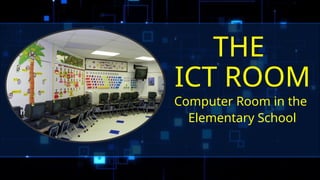
THE
ICT ROOM
Computer Room in the
Elementary School
Department of Communication and
Information Technology
Mission
“DICT of the people and for the
people.”
Vision
“An innovative, safe and happy nation
that thrives through and is enabled
by Information and Communications
Technology.”
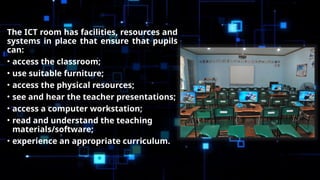
The ICT room has facilities, resources and
systems in place that ensure that pupils
can:
• access the classroom;
• use suitable furniture;
• access the physical resources;
• see and hear the teacher presentations;
• access a computer workstation;
• read and understand the teaching
materials/software;
• experience an appropriate curriculum.
WHAT IS INSIDE THE ICT ROOM?
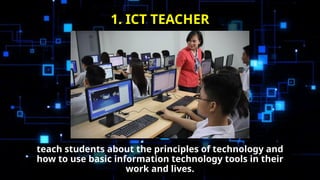
teach students about the principles of technology and
how to use basic information technology tools in their
work and lives.
1. ICT TEACHER
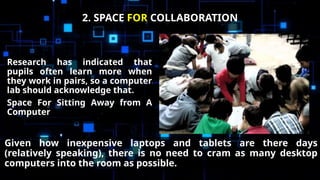
Research has indicated that
pupils often learn more when
they work in pairs, so a computer
lab should acknowledge that.
Space For Sitting Away from A
Computer
2. SPACE FOR COLLABORATION
Given how inexpensive laptops and tablets are there days
(relatively speaking), there is no need to cram as many desktop
computers into the room as possible.
If the room is large enough, it must
have the following:
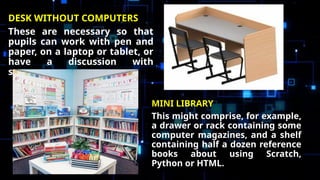
DESK WITHOUT COMPUTERS
These are necessary so that
pupils can work with pen and
paper, on a laptop or tablet, or
have a discussion with
someone.
MINI LIBRARY
This might comprise, for example,
a drawer or rack containing some
computer magazines, and a shelf
containing half a dozen reference
books about using Scratch,
Python or HTML.
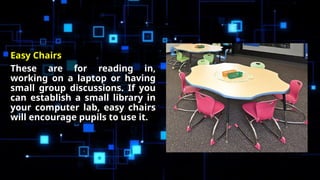
Easy Chairs
These are for reading in,
working on a laptop or having
small group discussions. If you
can establish a small library in
your computer lab, easy chairs
will encourage pupils to use it.
The RIGHT Equipment
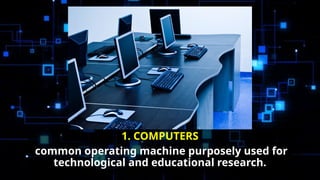
1. COMPUTERS
common operating machine purposely used for
technological and educational research.
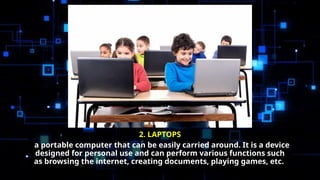
2. LAPTOPS
a portable computer that can be easily carried around. It is a device
designed for personal use and can perform various functions such
as browsing the internet, creating documents, playing games, etc.
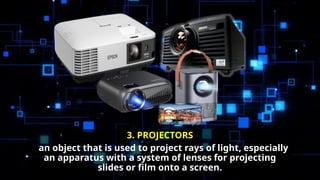
3. PROJECTORS
an object that is used to project rays of light, especially
an apparatus with a system of lenses for projecting
slides or film onto a screen.
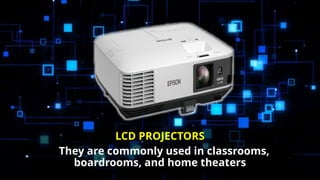
LCD PROJECTORS
They are commonly used in classrooms,
boardrooms, and home theaters
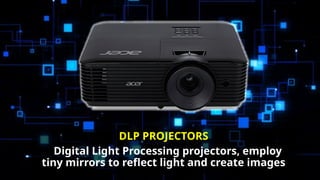
DLP PROJECTORS
Digital Light Processing projectors, employ
tiny mirrors to reflect light and create images
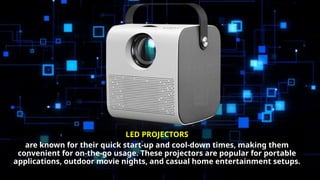
LED PROJECTORS
are known for their quick start-up and cool-down times, making them
convenient for on-the-go usage. These projectors are popular for portable
applications, outdoor movie nights, and casual home entertainment setups.
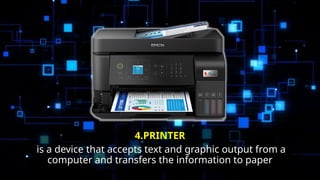
4.PRINTER
is a device that accepts text and graphic output from a
computer and transfers the information to paper
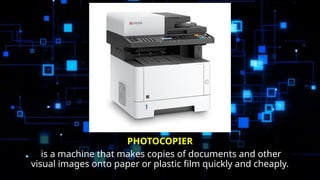
PHOTOCOPIER
is a machine that makes copies of documents and other
visual images onto paper or plastic film quickly and cheaply.
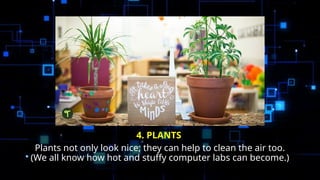
4. PLANTS
Plants not only look nice; they can help to clean the air too.
(We all know how hot and stuffy computer labs can become.)
MUSIC
Having a nice Vivaldi or Mozart album playing in the
background is useful. It helps keep pupils nice and calm, and
can help them concentrate too.
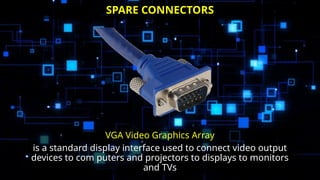
VGA Video Graphics Array
is a standard display interface used to connect video output
devices to com puters and projectors to displays to monitors
and TVs
SPARE CONNECTORS
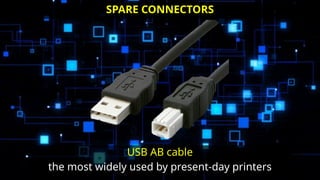
USB AB cable
the most widely used by present-day printers
SPARE CONNECTORS
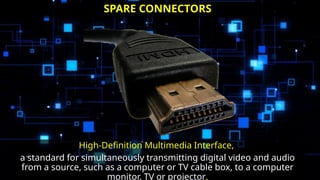
High-Definition Multimedia Interface,
a standard for simultaneously transmitting digital video and audio
from a source, such as a computer or TV cable box, to a computer
monitor, TV or projector.
SPARE CONNECTORS
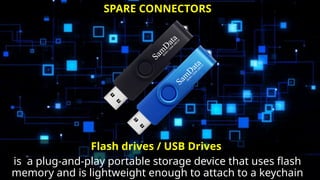
Flash drives / USB Drives
is a plug-and-play portable storage device that uses flash
memory and is lightweight enough to attach to a keychain
SPARE CONNECTORS
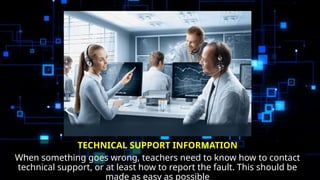
TECHNICAL SUPPORT INFORMATION
When something goes wrong, teachers need to know how to contact
technical support, or at least how to report the fault. This should be
made as easy as possible
TECHNICAL SUPPORT INFORMATION
What are the other things that an ICT must have?
• bank of laptops or tablets that pupils can use as they require
• Ditto some cameras (with a video function as well, of course)
• Podcast/voice recorders
• Spare pens
• Paper to write on
Information and Communication Technology  ROOM.pptx

Information and Communication Technology ROOM.pptx

  • 1.
    THE ICT ROOM Computer Roomin the Elementary School
  • 2.
    Department of Communicationand Information Technology Mission “DICT of the people and for the people.” Vision “An innovative, safe and happy nation that thrives through and is enabled by Information and Communications Technology.”
  • 3.
    The ICT roomhas facilities, resources and systems in place that ensure that pupils can: • access the classroom; • use suitable furniture; • access the physical resources; • see and hear the teacher presentations; • access a computer workstation; • read and understand the teaching materials/software; • experience an appropriate curriculum.
  • 4.
    WHAT IS INSIDETHE ICT ROOM?
  • 5.
    teach students aboutthe principles of technology and how to use basic information technology tools in their work and lives. 1. ICT TEACHER
  • 6.
    Research has indicatedthat pupils often learn more when they work in pairs, so a computer lab should acknowledge that. Space For Sitting Away from A Computer 2. SPACE FOR COLLABORATION Given how inexpensive laptops and tablets are there days (relatively speaking), there is no need to cram as many desktop computers into the room as possible.
  • 7.
    If the roomis large enough, it must have the following:
  • 8.
    DESK WITHOUT COMPUTERS Theseare necessary so that pupils can work with pen and paper, on a laptop or tablet, or have a discussion with someone. MINI LIBRARY This might comprise, for example, a drawer or rack containing some computer magazines, and a shelf containing half a dozen reference books about using Scratch, Python or HTML.
  • 9.
    Easy Chairs These arefor reading in, working on a laptop or having small group discussions. If you can establish a small library in your computer lab, easy chairs will encourage pupils to use it.
  • 10.
  • 11.
    1. COMPUTERS common operatingmachine purposely used for technological and educational research.
  • 12.
    2. LAPTOPS a portablecomputer that can be easily carried around. It is a device designed for personal use and can perform various functions such as browsing the internet, creating documents, playing games, etc.
  • 13.
    3. PROJECTORS an objectthat is used to project rays of light, especially an apparatus with a system of lenses for projecting slides or film onto a screen.
  • 14.
    LCD PROJECTORS They arecommonly used in classrooms, boardrooms, and home theaters
  • 15.
    DLP PROJECTORS Digital LightProcessing projectors, employ tiny mirrors to reflect light and create images
  • 16.
    LED PROJECTORS are knownfor their quick start-up and cool-down times, making them convenient for on-the-go usage. These projectors are popular for portable applications, outdoor movie nights, and casual home entertainment setups.
  • 17.
    4.PRINTER is a devicethat accepts text and graphic output from a computer and transfers the information to paper
  • 18.
    PHOTOCOPIER is a machinethat makes copies of documents and other visual images onto paper or plastic film quickly and cheaply.
  • 19.
    4. PLANTS Plants notonly look nice; they can help to clean the air too. (We all know how hot and stuffy computer labs can become.)
  • 20.
    MUSIC Having a niceVivaldi or Mozart album playing in the background is useful. It helps keep pupils nice and calm, and can help them concentrate too.
  • 21.
    VGA Video GraphicsArray is a standard display interface used to connect video output devices to com puters and projectors to displays to monitors and TVs SPARE CONNECTORS
  • 22.
    USB AB cable themost widely used by present-day printers SPARE CONNECTORS
  • 23.
    High-Definition Multimedia Interface, astandard for simultaneously transmitting digital video and audio from a source, such as a computer or TV cable box, to a computer monitor, TV or projector. SPARE CONNECTORS
  • 24.
    Flash drives /USB Drives is a plug-and-play portable storage device that uses flash memory and is lightweight enough to attach to a keychain SPARE CONNECTORS
  • 25.
    TECHNICAL SUPPORT INFORMATION Whensomething goes wrong, teachers need to know how to contact technical support, or at least how to report the fault. This should be made as easy as possible
  • 26.
    TECHNICAL SUPPORT INFORMATION Whatare the other things that an ICT must have? • bank of laptops or tablets that pupils can use as they require • Ditto some cameras (with a video function as well, of course) • Podcast/voice recorders • Spare pens • Paper to write on