Information and Communication
Technology (ICT) Integration in
Science teaching
Module 4
• TEACHING AIDS
• We remember 20% of what we Hear
• We remember 30% of what we See
• We remember 50% of what we See & Hear
• We remember 90% of what we Say & Do
• Information and communications Technology
(ICT) is an extensional term for information
technology(IT) that stresses the role of unified
communications and the integration of
telecommunications (telephone lines and
wireless signals) and computers, as well as
necessary enterprise software , middleware,
storage and audiovisual systems, that enable
users to access, store, transmit, and
manipulate information.
ICT in Science
• Ability to work with information and
communication technologies (ICT) is
recognized as one of the key competencies
necessary for success in life. In the past two
decades, there has been a growing
understanding of the important role of ICT,
not only for business and economics, but also
for learning and teaching.
Benefits of ICT
• • There is considerable research evidence that learners are more
highly motivated when their learning is supported by ICT.
• • Students are more engaged in activities, they show increased
interest and demonstrate a longer attention span.
• • ICT can provide access to a huge range of resources that are of
high quality and relevant to scientific learning. In some cases the
resources fill gaps where there are no good conventional
alternatives; in other cases they complement existing resources. In
some cases ICT resources are less good than conventional
alternatives and do not add to learning.
• • The multi-media resources available enable visualisation and
manipulation of complex models, three dimensional images and
movement to enhance understanding of scientific ideas.
• • ICT widens the range of material that can be used in teaching and
learning to include text, still and moving images and sound, and
increases the variety of ways that the material can be used for
whole class and individual learning. This means that a teacher can
go some way to meeting the needs of students with different
learning styles. ICT also allows teachers with different teaching
styles to modify materials and the way they are used in different
and effective ways.
• • ICT can improve the quality of data available to students.
Information gleaned from the internet can be more up to date, and
data obtained from loggers can include more frequent and more
accurate experimental readings.
• • Computers also allow repetitive tasks to be carried out quickly
and accurately so that more student time can be spent on thinking
about the scientific data that has been generated
• Many ICT tasks do not require the use of a
specific classroom or laboratory. They can,
therefore, extend learning beyond the teaching
space and class contact time, and place the use of
ICT at the heart of the learning process rather
than as an additional peripheral experience. An
activity, started in one classroom, can be
continued in a different room later in the day or
at home in the evening.
• • ICT provides opportunities for teachers to be
creative in their teaching and in student learning
ICT tools
• IT suites
Over the last decade, the main thrust of introducing new IT
hardware in schools and colleges has been to meet the needs of
students working alone or in small groups. This has led, typically,
to networked computer systems and groups of computers
concentrated in dedicated IT suites as part of a whole school or
college policy. Often the emphasis has been on learning about IT
rather than using IT as a learning tool in curriculum areas such as
science. This approach to introducing centralised IT resources has
tended to create barriers to the use of ICT in supporting science.
The logistical difficulties and time and forward planning required
have proved a considerable disincentive for many science teachers
to take advantage of the resources. In addition, the physical
separation of ICT resources from the normal science teaching space
means that ICT is perceived by teacher and student as an ‘add on’
to normal learning rather than an integral part of it.
• Laptop computers
• More recently, strategies to bring ICT support into the science teaching space have
received much more attention. One approach is the use of a class set of laptop or
notebook computers within a science area. These computers can be linked via a
wireless connection to the school network to access the full facilities that this
provides. Computers of this kind can be stored and recharged on a trolley so that
they can be easily moved into different rooms on the same floor of a building.
This is a flexible system that lends itself to individual or small group work in the
science area and also provides ready access to data logging activities. The
drawback is that class sets of laptop computers are expensive.
• Whole class viewing systems
• A different approach to bringing ICT into the laboratory or science classroom is to
install a whole class viewing system for electronic resources. The advantages of
this approach are:
• • ICT can be used as an everyday, integral part of learning, • the ‘teacher led’ style
of teaching is one with which most teachers are familiar and comfortable, • it is a
very effective solution to the problem of bringing ICT into a laboratory where
overall space is limited or where existing bench space is needed for practical work,
• it is more cost effective than the use of class sets of laptop computers
• Data projectors
• The single biggest impact on the use of ICT in science areas is brought about by the
installation of a Liquid Crystal Display (LCD) projector, permanently fixed to the
ceiling and wired to appropriate sockets placed near some form of permanent
screen. This arrangement significantly lowers the threshold of difficulty teachers
face in using ICT in support of science and thereby significantly increases the
likelihood of real progress in this area. When choosing a projector the luminosity
and sound are important. For most rooms a projector of at least 1000 and
preferably 1200 ANSI lumens is needed so that the image can be easily seen
without blacking out windows. The loud speakers in some projectors are fairly
basic and may not do justice to the sound track of videos. It may be better to make
connections to external loud speakers that are fixed to the wall. This is best
included as part of the initial installation process. The projector system can be
linked to a PC dedicated to this purpose or it can provide a plug in facility for a
laptop computer. In some schools and colleges, each teacher is loaned a laptop
which becomes used as a lesson folder. This arrangement does seem to drive
forward whole staff ICT progress and promotes the sharing of expertise and ideas.
Connecting the system to the school network expands the usefulness of the
arrangement
• Screens and boards
• Screens and ordinary whiteboards
• There are several alternative ways of viewing the images from a LCD projector. The simplest
method is to use an ordinary screen or whiteboard, which may often be already in place when the
projector is installed. This low cost option is effective and trouble free. A white board has the
advantage over a projector screen in that the image can be annotated using ordinary white board
pens. Modern projectors are equipped with remote control devices that include a narrow infra-red
beam, a zoom facility and the ability to act as a mouse for computer software. This means that the
teacher and students can manipulate and place emphasis on images at some distance from the
screen.
• Interactive whiteboards There is a range of interactive whiteboards available commercially that are
connected to the computer and projector, and allow the image to be controlled from the board
itself. Some boards are operated by finger pressure or the use of dummy pens, while others make
use of an electronic pen specially dedicated to the system. The boards behave exactly like a
computer screen, using the finger or pen instead of a mouse. Most boards also have specially
designed software that allows images on the board to be annotated and saved, and permits rapid
and very useful movement between current and previous screen images. Some manufacturers have
developed notepads that link to the whiteboards, so that students can contribute to what is on the
main board from their seat in class. The Mimio device is one example of a low cost piece of
equipment that can be linked to a laptop and an ordinary, non-interactive whiteboard. It can be
used to save what is written on the board to the computer for later use. The mouse pen also makes
the board interactive when an image is projected onto it from an LCD projector
• Plasma screens
• Plasma screens are large, flat surfaces that permit the viewing of big
images without distortion. They can be free standing or wall mounted and,
because they are quite thin, fit into limited spaces. They are 7 Hardware
Resources connected to an LCD projector and a computer, but they are not
interactive. They are currently quite expensive.
• Scan converters
• Scan converters are a low cost alternative technology for whole class
teaching using ICT. A signal from a laptop or PC is fed through the device
and into one or several TV monitors. In this way the system allows any
image that can be viewed on a computer to be seen by a class on a TV. The
advantage of the system is that it is inexpensive to buy, and may make use
of equipment that is already in the school or college. The disadvantage is
that the size of the image is limited by the size of the TV monitor, and the
system is not interactive.
ICT skills for teachers
• In the most effective examples of progress in the use of ICT to support science, training of teachers has
accompanied the installation of hardware infrastructure. As it becomes easier for teachers to use ICT
equipment, it becomes even more important that they should be sufficiently well trained to make use of
the new opportunities they are presented. NOF (New Opportunities Fund) training has provided significant
support for teachers in some schools and more emphasis is also now placed on the ICT training of teachers
in colleges. The role of the teacher in using ICT in science is changing. When classes had to move to a
computer suite to find IT facilities such as science CDs placed on the school network, the role of the
teacher was fairly peripheral, and limited to organisation of the activity. When ICT facilities are brought
into the science teaching space, the teacher becomes the main user and driver of ICT. This is usually a
whole school or college issue and has implications for the provision of technical support and training for
teachers. More important, and often much less well developed, are strategies to meet the training needs
of teachers in terms of approaches to learning using the new technologies. In some schools and colleges,
the introduction of an effective ICT infrastructure has led to a re-evaluation of styles of teaching and
learning in science, and a sharing of expertise and ideas. In examples of effective practice, ICT activities are
used in the laboratory or classroom, and students continue them outside of class time, sometimes at
home, so that ICT becomes an integral part of learning. More frequent use of ICT by teachers may well
give an impetus to the production of ‘in house’ resources. This will have implications for the provision of
training in software package skills such as MS Office, PowerPoint and Front Page, for the specific purpose
of producing presentations and electronic worksheets. This is often a whole institution issue, and raises
questions about sharing of expertise between teachers and the effective use of ICT champions. Training
and ICT infrastructure need to be considered together. Where teachers have individual lap top computers,
ICT can become a part of the teacher’s normal activity, and not as some ‘bolt on’ or enrichment
experience. The very process of creating this kind of infrastructure, however, immediately brings with it a
demand for training, so that teachers can feel familiar with hardware and software.
Introduction to Open Educational
Resources (OER)
• Open Educational Resources (OERs) are learning and
teaching materials that are freely available online for
anyone to use. OERs can consist of full courses, course
materials, modules, textbooks, videos, tests, software and
any other tools, materials or techniques used to support
access to knowledge. Normally, small units of OER (eg
animations, videos, podcasts, etc) are most attractive to
educators from both the re-use and production angles, as
they are easier to embed into existing classroom or online
learning activities. Many teachers embed OER material
into teaching sessions (eg classroom sessions, practical
classes, workshops, seminars) and/or provide links to
OERs via the VLE to enhance self-directed learning
opportunities.
Benefits of OER
• There are many benefits for educators and learners which can arise from creating,
sharing and utilising OERs in student education:
• Student experience: Use of appropriate OERs can enhance the student learning
experience and help to address learners’ specific needs by giving students access
to media-rich materials or resources that individual staff or institutions are unable
to provide.
• Digital literacy: Helping students to search for, critically evaluate, use and
reference high quality and relevant open educational resources is an important
and useful skill.
• Recognition: For the individual who creates OERs, there is external recognition of
their learning and teaching activities and the promotion of their school/faculty or
institution. If OERs are modified or re-purposed by users, both the original creator
and their students benefit from any improvements or additions.
• Marketing and external relations: For colleges, OERs provide an opportunity to
promote their excellence and innovation in learning and teaching, and widen the
pool of high quality applicants for their programmes.
• Efficiency: OERs have the potential for enormous savings in cost and time.
• Increasingly, search engines and websites allow you to
search for materials by licence type (eg. Google
advanced search, YouTube, Flickr image search). This
makes searching for Creative Commons licensed
material easier. There are also a large number of OER
repositories .OERs should not be confused with Open
Access resources: the latter also includes e-resources
available on websites, but for these resources
copyright and permitted usage is either unclear or not
defined at all.
FOSS (Full Option Science System)
• FOSS (Full Option Science System) is a research-based science
curriculum for grades K-8 developed at the Lawrence Hall of
Science, University of California, Berkeley. FOSS has evolved from a
philosophy of teaching and learning that has guided the
development of successful active-learning science curricula for
more than 40 years. The FOSS Program bridges research and
practice by providing tools and strategies to engage students and
teachers in enduring experiences that lead to deeper understanding
of the natural and designed worlds
Impact
• More than half of California students attend schools that have
adopted the hands-on, inquiry-based FOSS curriculum. Studies
show that, when coupled with strong professional development for
teachers, FOSS has significantly improved science teaching and, by
extension, students’ understanding of science.
• FOSS is also an ongoing research project dedicated to improving the learning and
teaching of science.
• FOSS has three goals:
• 1) Scientific literacy: providing students with science experiences that offer a
foundation for more advanced understanding of core science ideas. The program is
organized in learning progressions and aims to prepare students for life in an
increasingly complex scientific and technological world.
• 2) Instructional efficiency: giving all teachers a complete, cohesive, flexible, easy-
to-use science program that reflects current research on teaching and learning,
including student discourse, argumentation, writing to learn, and reflective
thinking. FOSS is designed to make active learning in science engaging for teachers
as well as for students.
• 3) Systemic reform: offering schools and school systems a program that addresses
the community’s science achievement standards. FOSS prepares students by
helping them acquire the knowledge and thinking capacity appropriate for world
citizens. With the initial support of the National Science Foundation and continued
support from the University of California and Delta Education, the FOSS Program
aims to provide meaningful science education for all students in diverse American
classrooms and to prepare them for life in the 21st century.
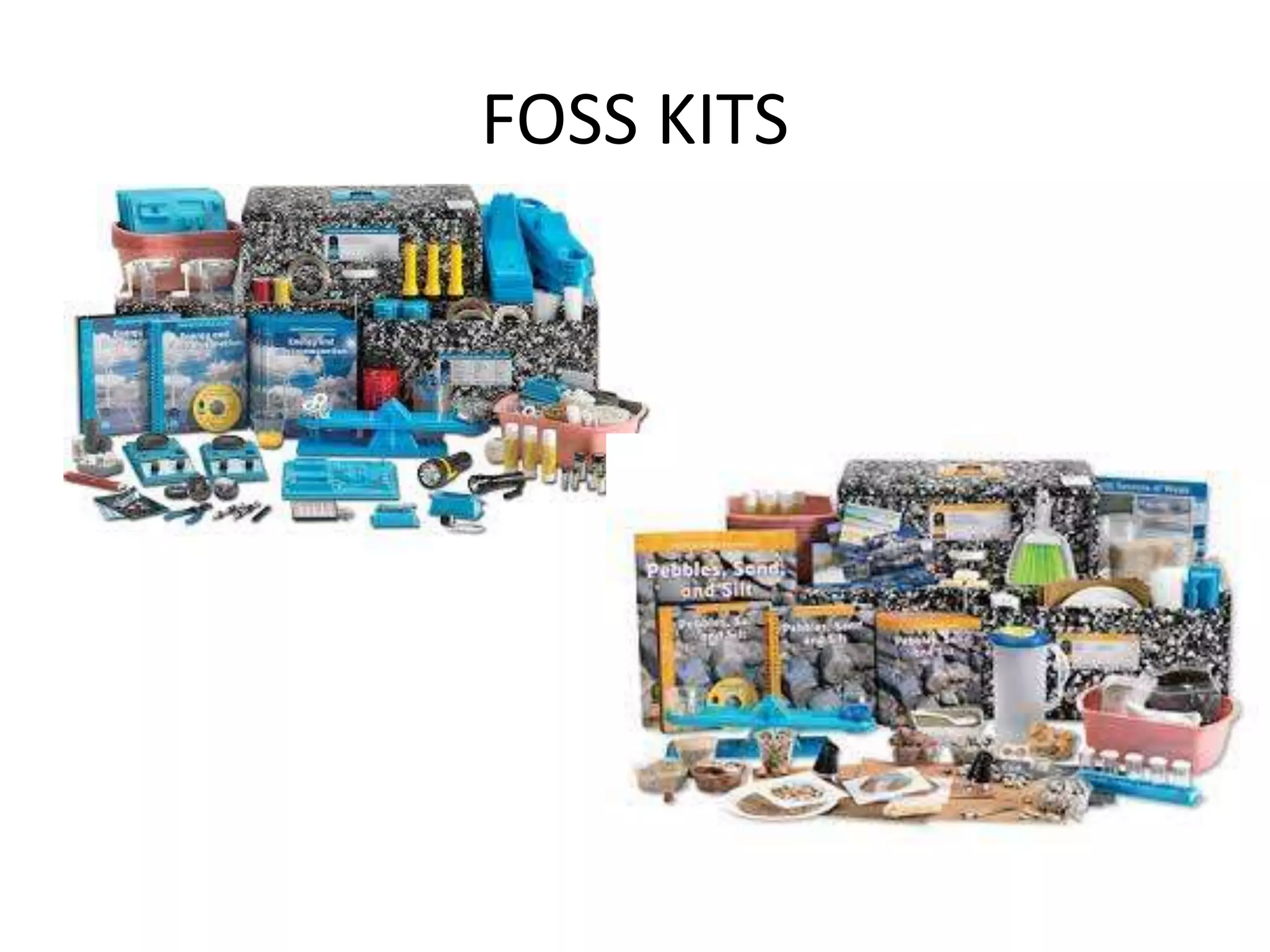
FOSS KITS
Module 2
PLANNING AND DESIGNING FOR EFFECTIVE
INSTRUCTION IN SCIENCE
• Planning is important in every walk of life. The
success of a piece of work is ensured if the
work is properly planned. Without planning
we shall be aimlessly loitering about, applying
means without aiming at the achievement of
ends. Just as planning is important in our daily
life, likewise planning is of unique importance
in the teaching- learning process.
• Advantages of Planning
• Planning is necessary for enabling the teacher (you) to
organize and select science materials suitable for your
teaching.
• Good planning has the following advantages.
• it facilitates verbal learning by the use of appropriate
teaching aids and strategies of teaching;
• it provides opportunity for relating subject structure to
teaching structure;
• it helps to plan varied learning activities catering to
individual differences; and
• it brings orderliness and development in thinking about
teaching; etc.
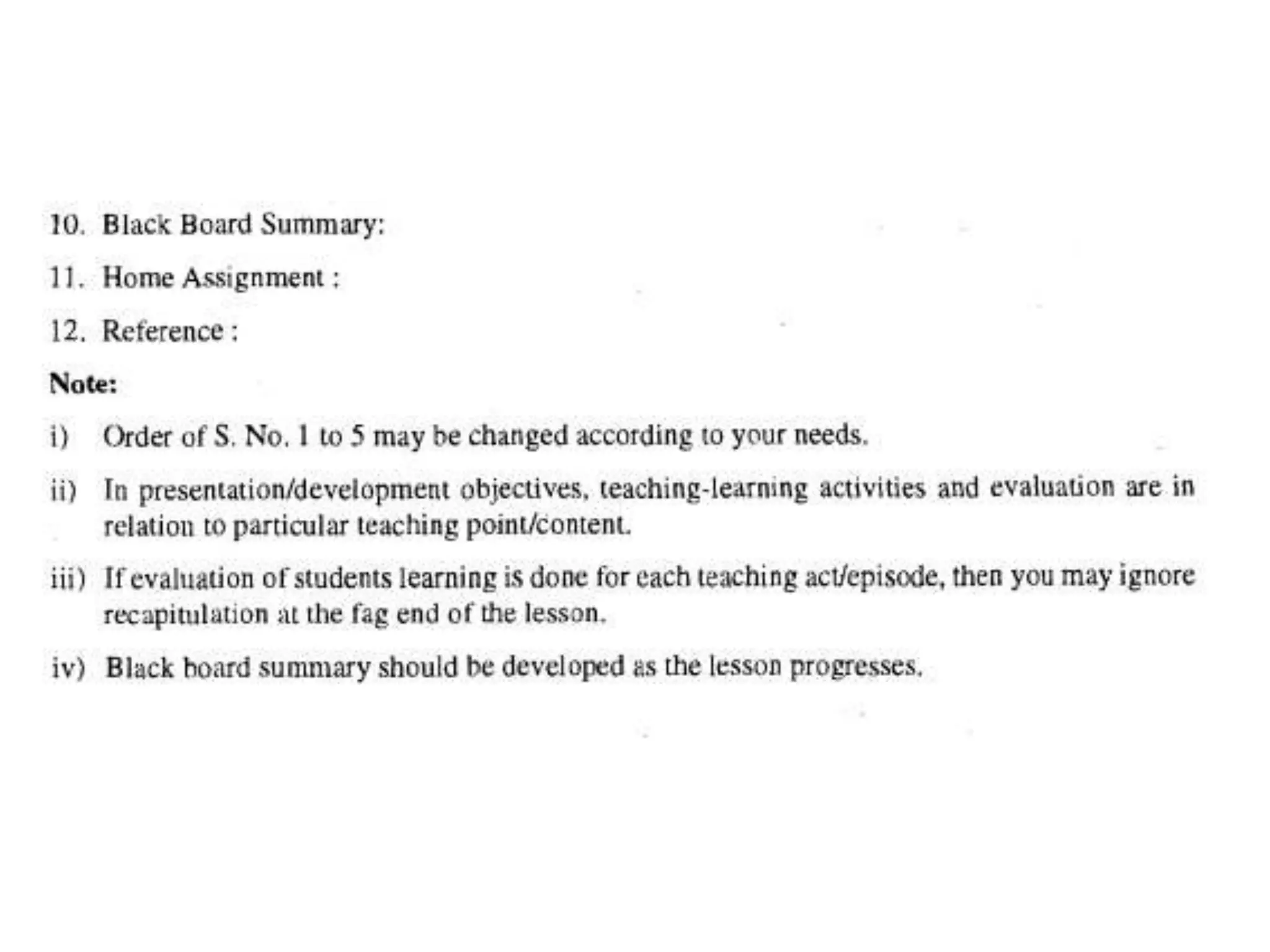
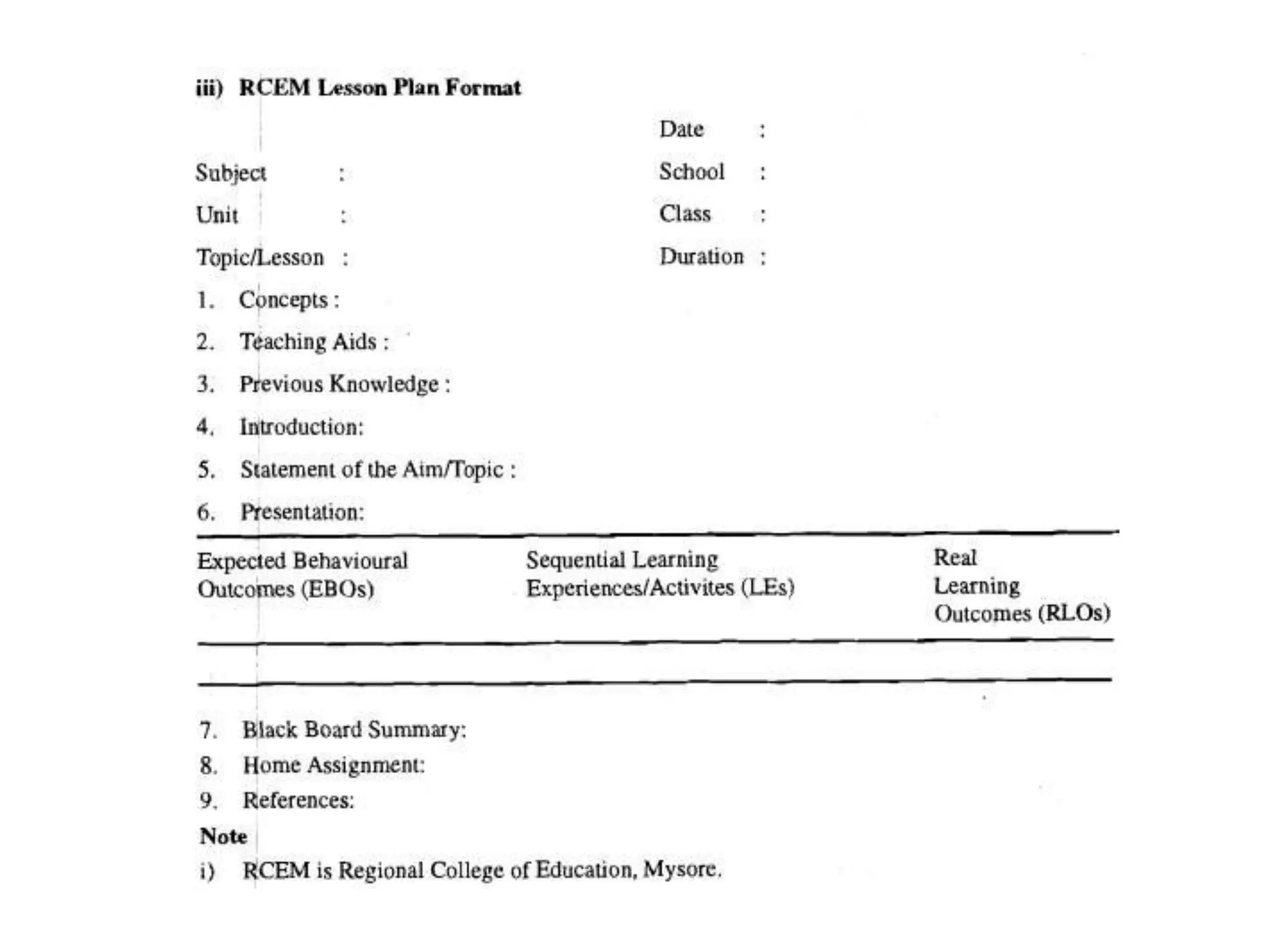
DESIGNS OF LESSON PLANNING
• The term lesson is interpreted in different ways
by different people. Generally, teachers take it as
a job to be covered in a class period which runs
over 40-50 minutes or in two or three periods. A
lesson is defined as a blueprint, a guide map, a
plan for action in the near future.
• Lesson planning refers to sequencing of teaching
acts or events or episode, that we plan, organize
and carry out in order to generate a learning
environment for our students.
Approaches to Lesson Planning
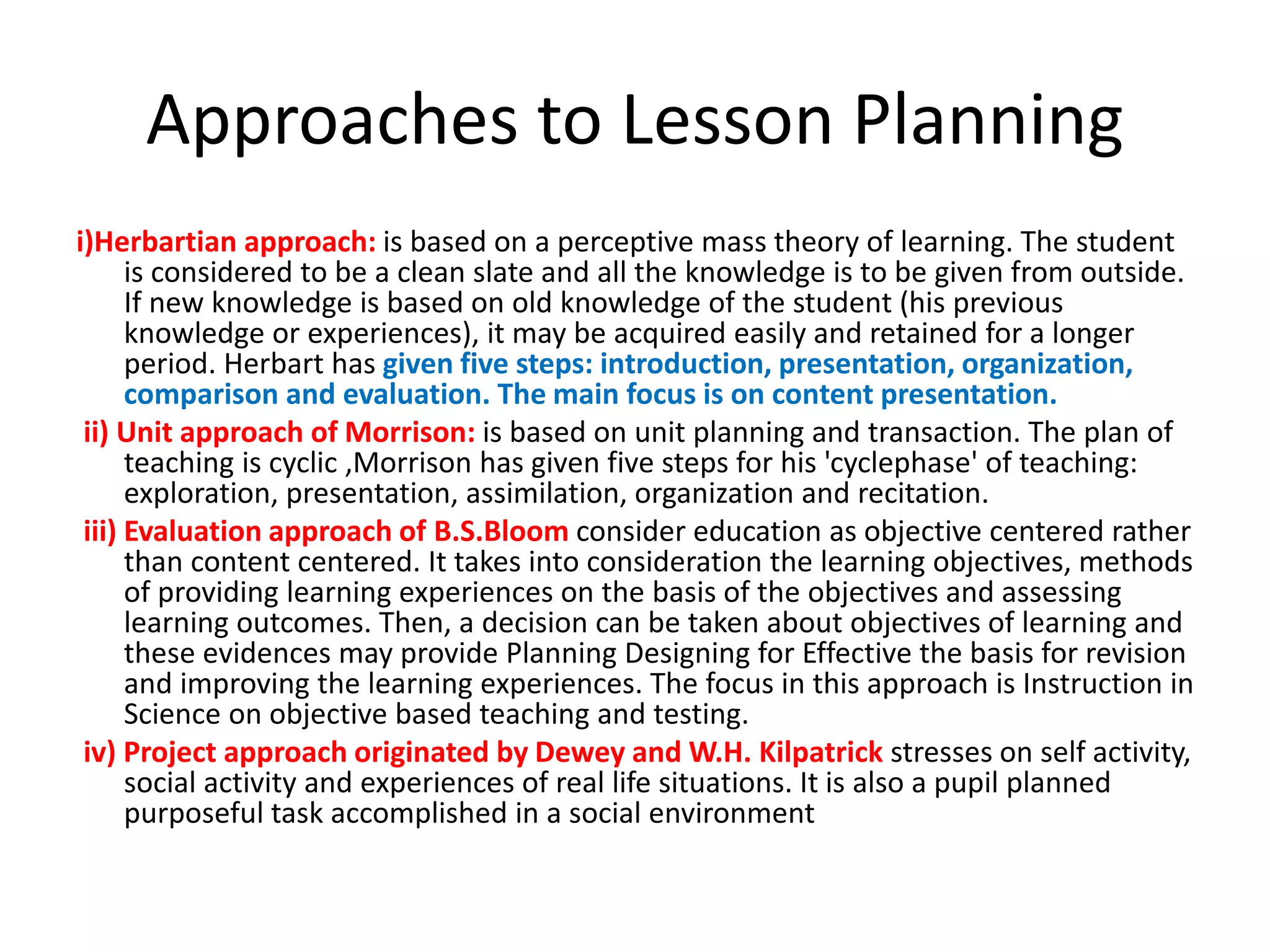
i)Herbartian approach: is based on a perceptive mass theory of learning. The student
is considered to be a clean slate and all the knowledge is to be given from outside.
If new knowledge is based on old knowledge of the student (his previous
knowledge or experiences), it may be acquired easily and retained for a longer
period. Herbart has given five steps: introduction, presentation, organization,
comparison and evaluation. The main focus is on content presentation.
ii) Unit approach of Morrison: is based on unit planning and transaction. The plan of
teaching is cyclic ,Morrison has given five steps for his 'cyclephase' of teaching:
exploration, presentation, assimilation, organization and recitation.
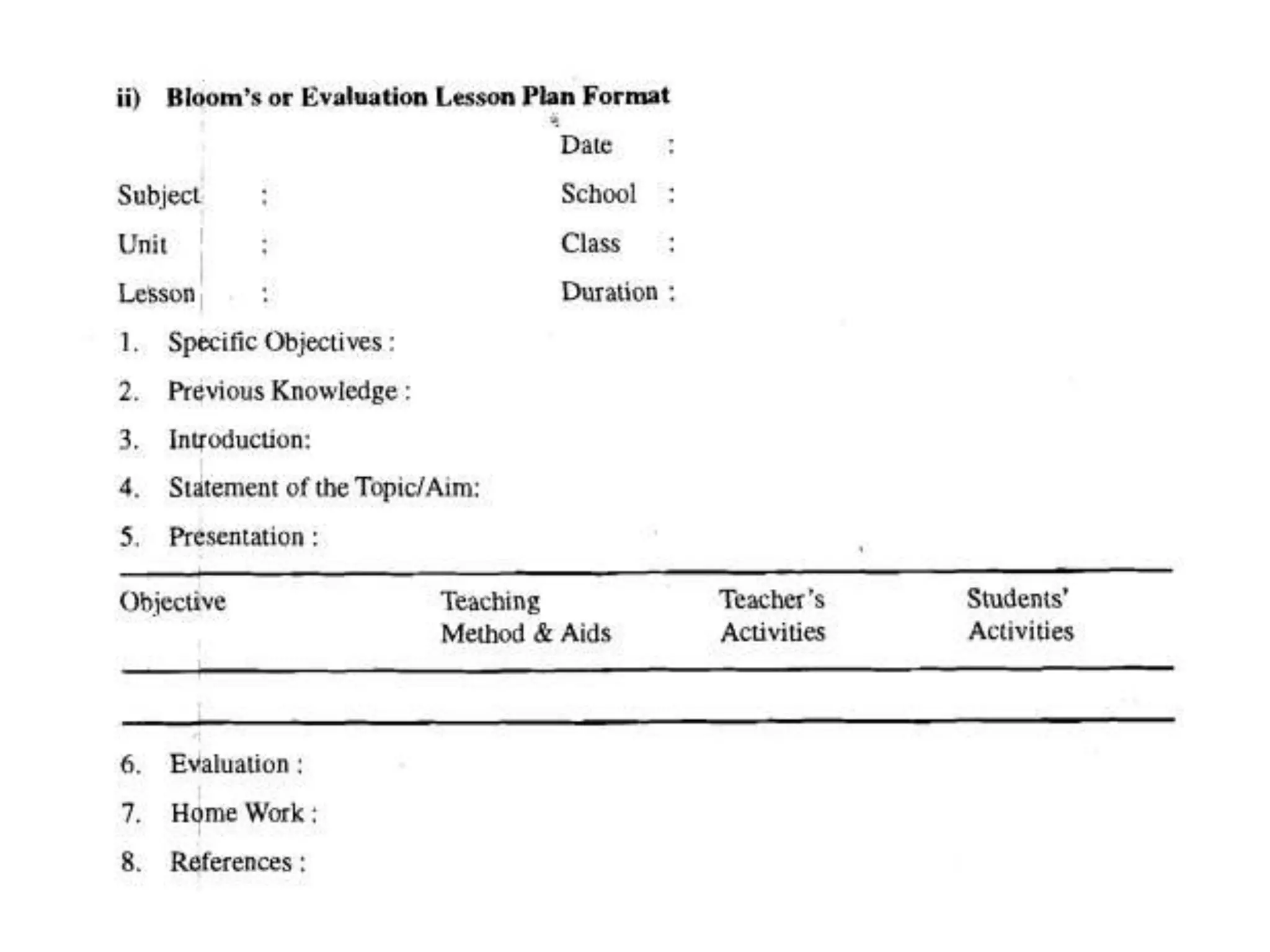
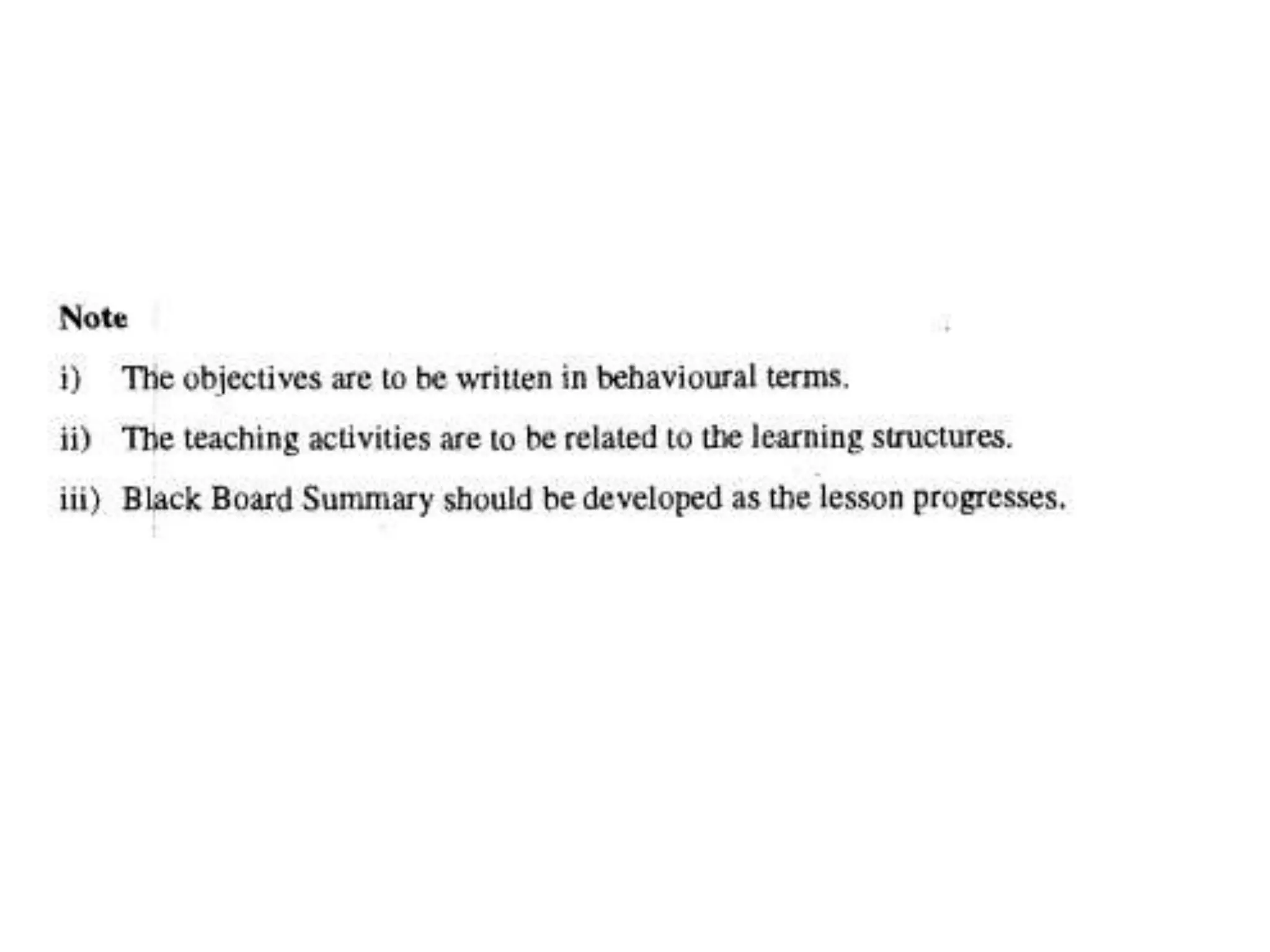
iii) Evaluation approach of B.S.Bloom consider education as objective centered rather
than content centered. It takes into consideration the learning objectives, methods
of providing learning experiences on the basis of the objectives and assessing
learning outcomes. Then, a decision can be taken about objectives of learning and
these evidences may provide Planning Designing for Effective the basis for revision
and improving the learning experiences. The focus in this approach is Instruction in
Science on objective based teaching and testing.
iv) Project approach originated by Dewey and W.H. Kilpatrick stresses on self activity,
social activity and experiences of real life situations. It is also a pupil planned
purposeful task accomplished in a social environment
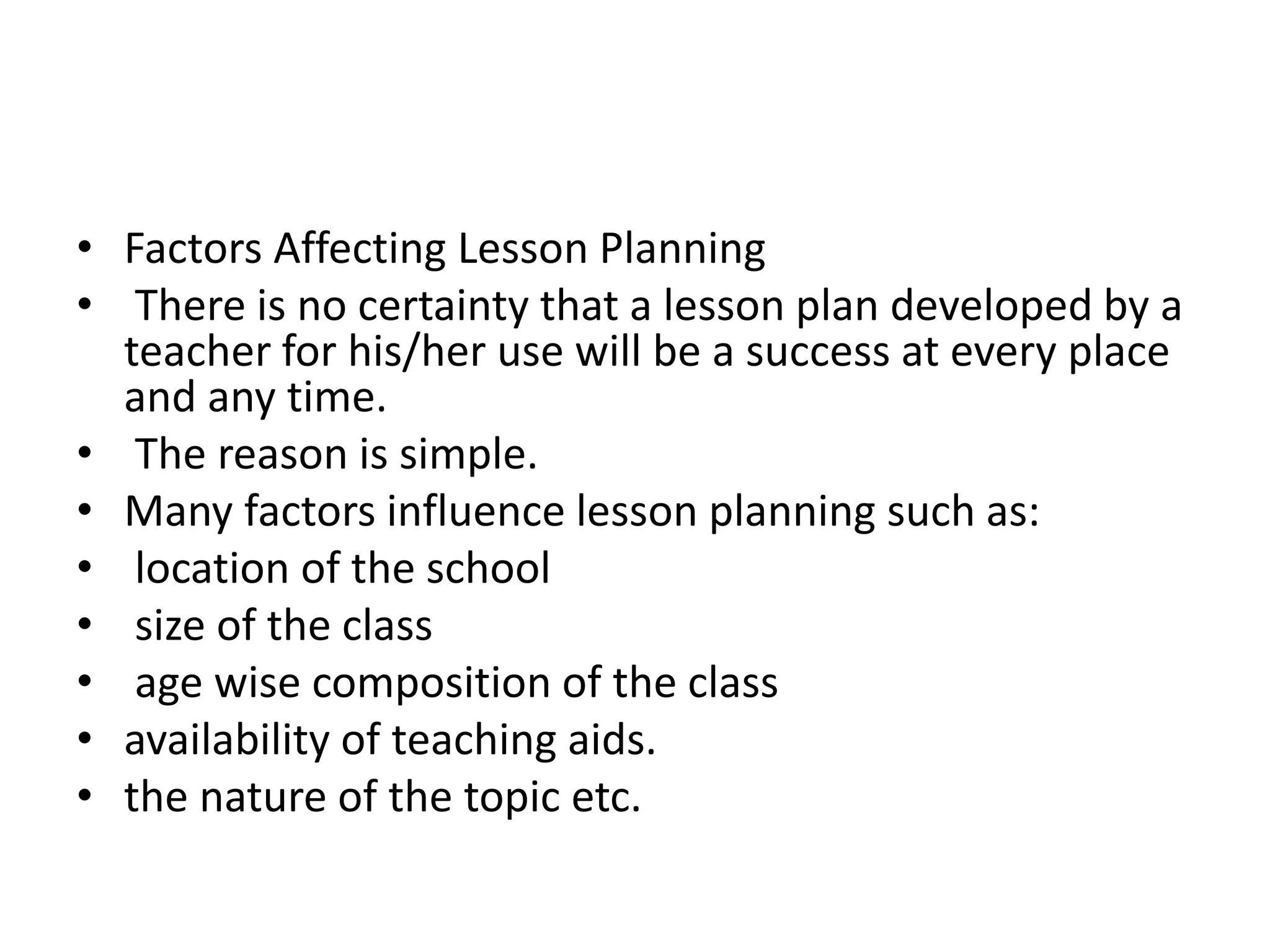
• Factors Affecting Lesson Planning
• There is no certainty that a lesson plan developed by a
teacher for his/her use will be a success at every place
and any time.
• The reason is simple.
• Many factors influence lesson planning such as:
• location of the school
• size of the class
• age wise composition of the class
• availability of teaching aids.
• the nature of the topic etc.
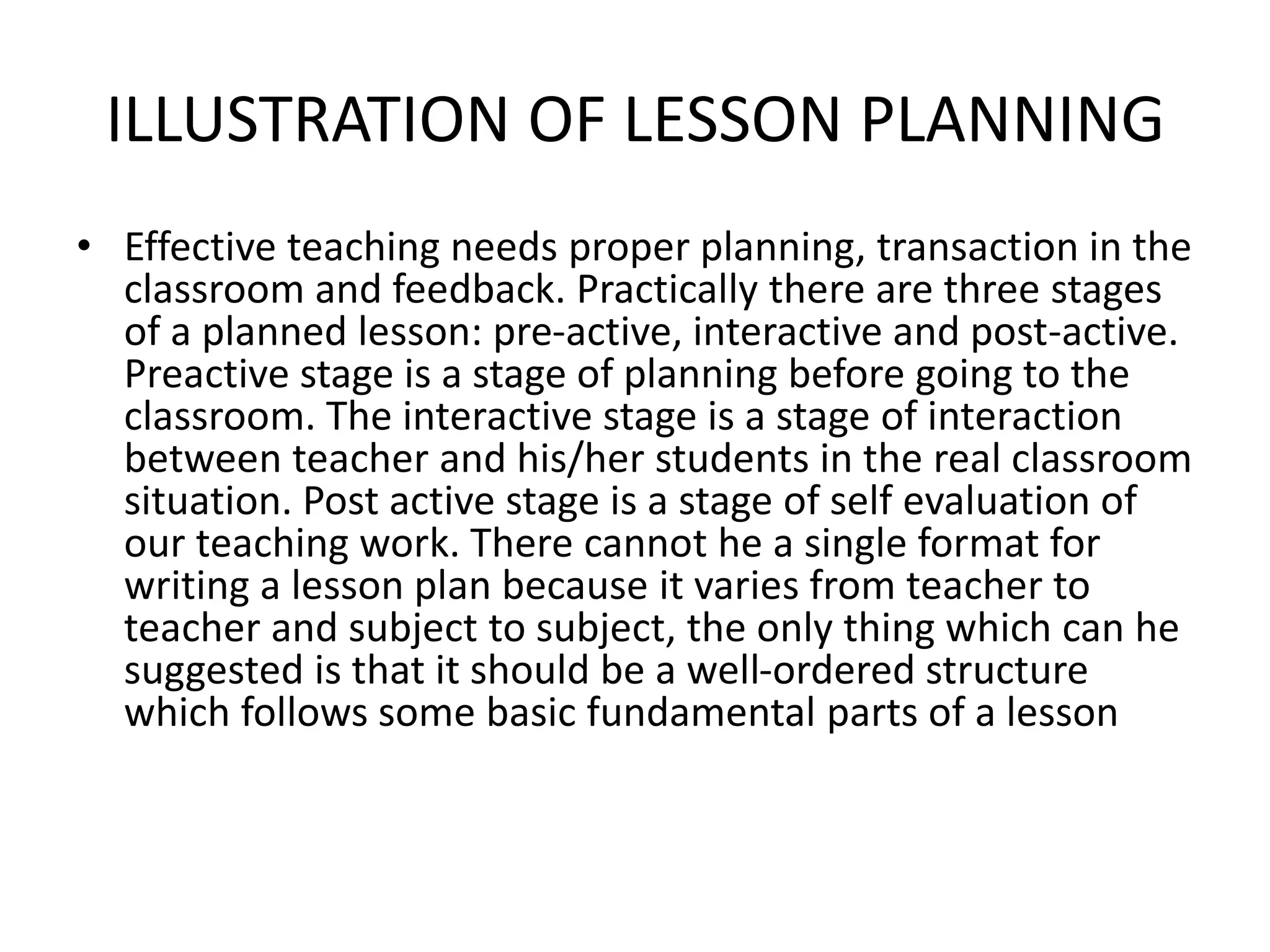
ILLUSTRATION OF LESSON PLANNING
• Effective teaching needs proper planning, transaction in the
classroom and feedback. Practically there are three stages
of a planned lesson: pre-active, interactive and post-active.
Preactive stage is a stage of planning before going to the
classroom. The interactive stage is a stage of interaction
between teacher and his/her students in the real classroom
situation. Post active stage is a stage of self evaluation of
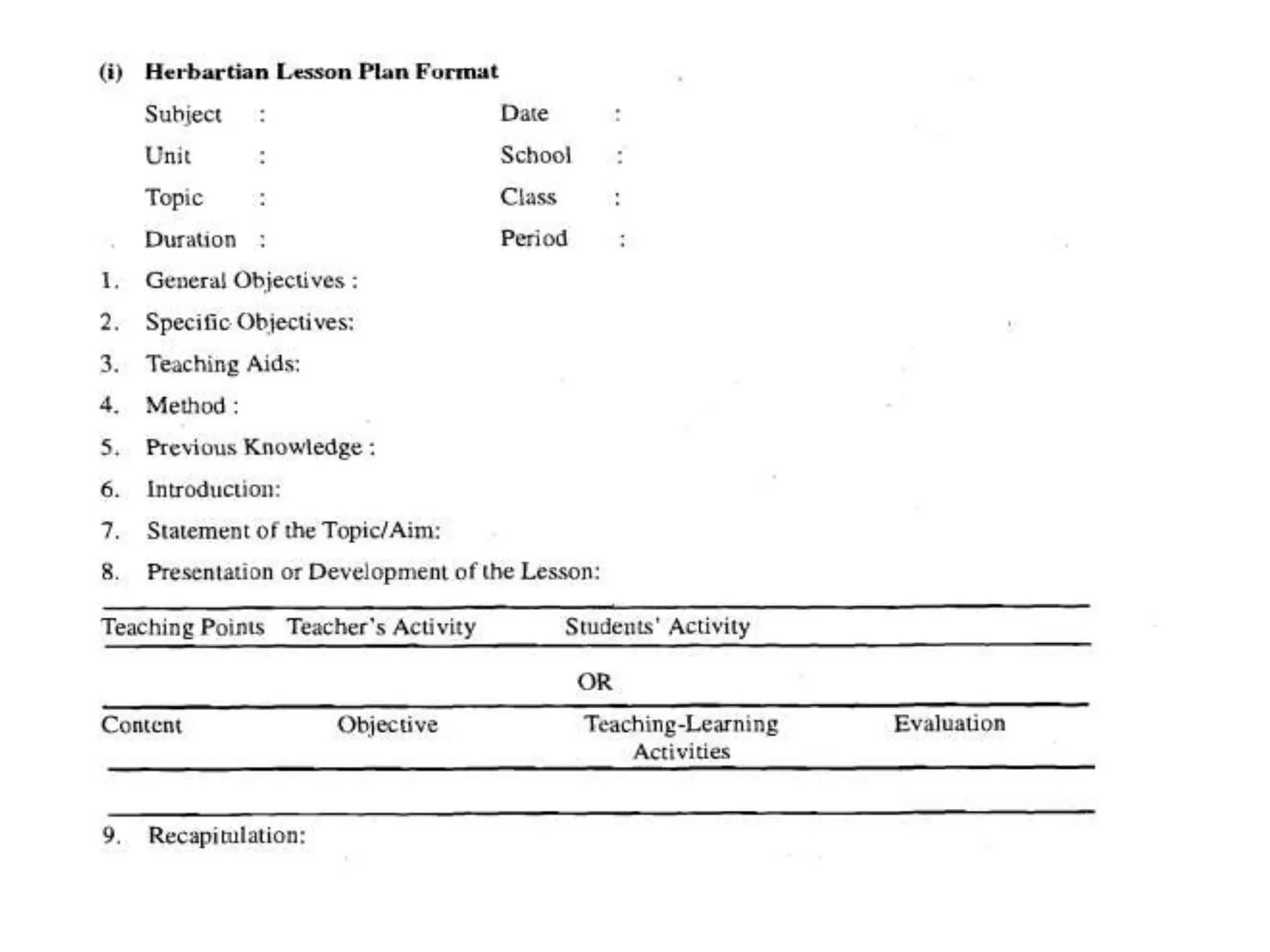
our teaching work. There cannot he a single format for
writing a lesson plan because it varies from teacher to
teacher and subject to subject, the only thing which can he
suggested is that it should be a well-ordered structure
which follows some basic fundamental parts of a lesson
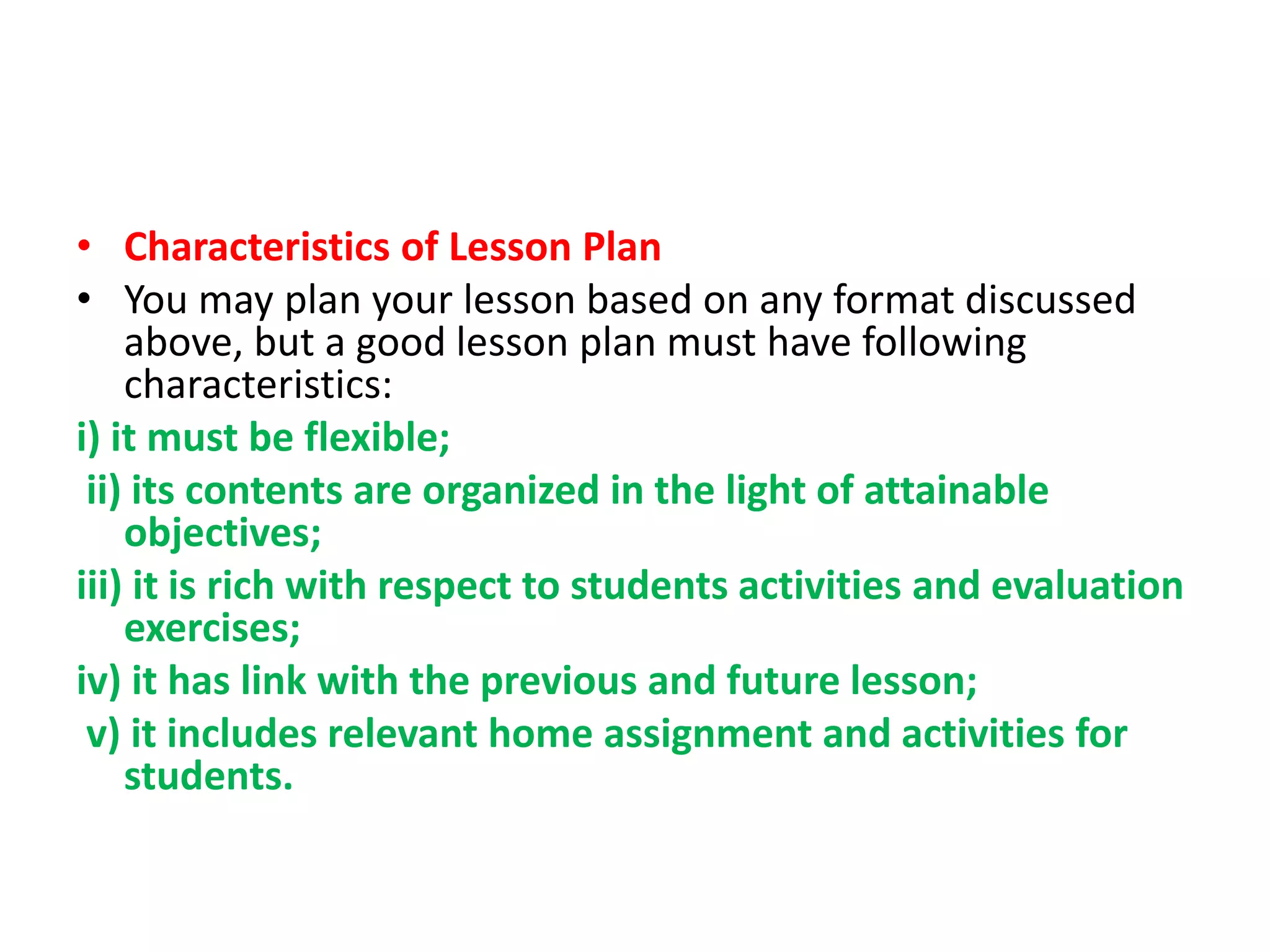
• Characteristics of Lesson Plan
• You may plan your lesson based on any format discussed
above, but a good lesson plan must have following
characteristics:
i) it must be flexible;
ii) its contents are organized in the light of attainable
objectives;
iii) it is rich with respect to students activities and evaluation
exercises;
iv) it has link with the previous and future lesson;
v) it includes relevant home assignment and activities for
students.
module 4.pptx

module 4.pptx

  • 1.
    Information and Communication Technology(ICT) Integration in Science teaching Module 4
  • 2.
    • TEACHING AIDS •We remember 20% of what we Hear • We remember 30% of what we See • We remember 50% of what we See & Hear • We remember 90% of what we Say & Do
  • 3.
    • Information andcommunications Technology (ICT) is an extensional term for information technology(IT) that stresses the role of unified communications and the integration of telecommunications (telephone lines and wireless signals) and computers, as well as necessary enterprise software , middleware, storage and audiovisual systems, that enable users to access, store, transmit, and manipulate information.
  • 4.
    ICT in Science •Ability to work with information and communication technologies (ICT) is recognized as one of the key competencies necessary for success in life. In the past two decades, there has been a growing understanding of the important role of ICT, not only for business and economics, but also for learning and teaching.
  • 5.
    Benefits of ICT •• There is considerable research evidence that learners are more highly motivated when their learning is supported by ICT. • • Students are more engaged in activities, they show increased interest and demonstrate a longer attention span. • • ICT can provide access to a huge range of resources that are of high quality and relevant to scientific learning. In some cases the resources fill gaps where there are no good conventional alternatives; in other cases they complement existing resources. In some cases ICT resources are less good than conventional alternatives and do not add to learning. • • The multi-media resources available enable visualisation and manipulation of complex models, three dimensional images and movement to enhance understanding of scientific ideas.
  • 6.
    • • ICTwidens the range of material that can be used in teaching and learning to include text, still and moving images and sound, and increases the variety of ways that the material can be used for whole class and individual learning. This means that a teacher can go some way to meeting the needs of students with different learning styles. ICT also allows teachers with different teaching styles to modify materials and the way they are used in different and effective ways. • • ICT can improve the quality of data available to students. Information gleaned from the internet can be more up to date, and data obtained from loggers can include more frequent and more accurate experimental readings. • • Computers also allow repetitive tasks to be carried out quickly and accurately so that more student time can be spent on thinking about the scientific data that has been generated
  • 7.
    • Many ICTtasks do not require the use of a specific classroom or laboratory. They can, therefore, extend learning beyond the teaching space and class contact time, and place the use of ICT at the heart of the learning process rather than as an additional peripheral experience. An activity, started in one classroom, can be continued in a different room later in the day or at home in the evening. • • ICT provides opportunities for teachers to be creative in their teaching and in student learning
  • 8.
    ICT tools • ITsuites Over the last decade, the main thrust of introducing new IT hardware in schools and colleges has been to meet the needs of students working alone or in small groups. This has led, typically, to networked computer systems and groups of computers concentrated in dedicated IT suites as part of a whole school or college policy. Often the emphasis has been on learning about IT rather than using IT as a learning tool in curriculum areas such as science. This approach to introducing centralised IT resources has tended to create barriers to the use of ICT in supporting science. The logistical difficulties and time and forward planning required have proved a considerable disincentive for many science teachers to take advantage of the resources. In addition, the physical separation of ICT resources from the normal science teaching space means that ICT is perceived by teacher and student as an ‘add on’ to normal learning rather than an integral part of it.
  • 9.
    • Laptop computers •More recently, strategies to bring ICT support into the science teaching space have received much more attention. One approach is the use of a class set of laptop or notebook computers within a science area. These computers can be linked via a wireless connection to the school network to access the full facilities that this provides. Computers of this kind can be stored and recharged on a trolley so that they can be easily moved into different rooms on the same floor of a building. This is a flexible system that lends itself to individual or small group work in the science area and also provides ready access to data logging activities. The drawback is that class sets of laptop computers are expensive. • Whole class viewing systems • A different approach to bringing ICT into the laboratory or science classroom is to install a whole class viewing system for electronic resources. The advantages of this approach are: • • ICT can be used as an everyday, integral part of learning, • the ‘teacher led’ style of teaching is one with which most teachers are familiar and comfortable, • it is a very effective solution to the problem of bringing ICT into a laboratory where overall space is limited or where existing bench space is needed for practical work, • it is more cost effective than the use of class sets of laptop computers
  • 10.
    • Data projectors •The single biggest impact on the use of ICT in science areas is brought about by the installation of a Liquid Crystal Display (LCD) projector, permanently fixed to the ceiling and wired to appropriate sockets placed near some form of permanent screen. This arrangement significantly lowers the threshold of difficulty teachers face in using ICT in support of science and thereby significantly increases the likelihood of real progress in this area. When choosing a projector the luminosity and sound are important. For most rooms a projector of at least 1000 and preferably 1200 ANSI lumens is needed so that the image can be easily seen without blacking out windows. The loud speakers in some projectors are fairly basic and may not do justice to the sound track of videos. It may be better to make connections to external loud speakers that are fixed to the wall. This is best included as part of the initial installation process. The projector system can be linked to a PC dedicated to this purpose or it can provide a plug in facility for a laptop computer. In some schools and colleges, each teacher is loaned a laptop which becomes used as a lesson folder. This arrangement does seem to drive forward whole staff ICT progress and promotes the sharing of expertise and ideas. Connecting the system to the school network expands the usefulness of the arrangement
  • 11.
    • Screens andboards • Screens and ordinary whiteboards • There are several alternative ways of viewing the images from a LCD projector. The simplest method is to use an ordinary screen or whiteboard, which may often be already in place when the projector is installed. This low cost option is effective and trouble free. A white board has the advantage over a projector screen in that the image can be annotated using ordinary white board pens. Modern projectors are equipped with remote control devices that include a narrow infra-red beam, a zoom facility and the ability to act as a mouse for computer software. This means that the teacher and students can manipulate and place emphasis on images at some distance from the screen. • Interactive whiteboards There is a range of interactive whiteboards available commercially that are connected to the computer and projector, and allow the image to be controlled from the board itself. Some boards are operated by finger pressure or the use of dummy pens, while others make use of an electronic pen specially dedicated to the system. The boards behave exactly like a computer screen, using the finger or pen instead of a mouse. Most boards also have specially designed software that allows images on the board to be annotated and saved, and permits rapid and very useful movement between current and previous screen images. Some manufacturers have developed notepads that link to the whiteboards, so that students can contribute to what is on the main board from their seat in class. The Mimio device is one example of a low cost piece of equipment that can be linked to a laptop and an ordinary, non-interactive whiteboard. It can be used to save what is written on the board to the computer for later use. The mouse pen also makes the board interactive when an image is projected onto it from an LCD projector
  • 12.
    • Plasma screens •Plasma screens are large, flat surfaces that permit the viewing of big images without distortion. They can be free standing or wall mounted and, because they are quite thin, fit into limited spaces. They are 7 Hardware Resources connected to an LCD projector and a computer, but they are not interactive. They are currently quite expensive. • Scan converters • Scan converters are a low cost alternative technology for whole class teaching using ICT. A signal from a laptop or PC is fed through the device and into one or several TV monitors. In this way the system allows any image that can be viewed on a computer to be seen by a class on a TV. The advantage of the system is that it is inexpensive to buy, and may make use of equipment that is already in the school or college. The disadvantage is that the size of the image is limited by the size of the TV monitor, and the system is not interactive.
  • 13.
    ICT skills forteachers • In the most effective examples of progress in the use of ICT to support science, training of teachers has accompanied the installation of hardware infrastructure. As it becomes easier for teachers to use ICT equipment, it becomes even more important that they should be sufficiently well trained to make use of the new opportunities they are presented. NOF (New Opportunities Fund) training has provided significant support for teachers in some schools and more emphasis is also now placed on the ICT training of teachers in colleges. The role of the teacher in using ICT in science is changing. When classes had to move to a computer suite to find IT facilities such as science CDs placed on the school network, the role of the teacher was fairly peripheral, and limited to organisation of the activity. When ICT facilities are brought into the science teaching space, the teacher becomes the main user and driver of ICT. This is usually a whole school or college issue and has implications for the provision of technical support and training for teachers. More important, and often much less well developed, are strategies to meet the training needs of teachers in terms of approaches to learning using the new technologies. In some schools and colleges, the introduction of an effective ICT infrastructure has led to a re-evaluation of styles of teaching and learning in science, and a sharing of expertise and ideas. In examples of effective practice, ICT activities are used in the laboratory or classroom, and students continue them outside of class time, sometimes at home, so that ICT becomes an integral part of learning. More frequent use of ICT by teachers may well give an impetus to the production of ‘in house’ resources. This will have implications for the provision of training in software package skills such as MS Office, PowerPoint and Front Page, for the specific purpose of producing presentations and electronic worksheets. This is often a whole institution issue, and raises questions about sharing of expertise between teachers and the effective use of ICT champions. Training and ICT infrastructure need to be considered together. Where teachers have individual lap top computers, ICT can become a part of the teacher’s normal activity, and not as some ‘bolt on’ or enrichment experience. The very process of creating this kind of infrastructure, however, immediately brings with it a demand for training, so that teachers can feel familiar with hardware and software.
  • 14.
    Introduction to OpenEducational Resources (OER) • Open Educational Resources (OERs) are learning and teaching materials that are freely available online for anyone to use. OERs can consist of full courses, course materials, modules, textbooks, videos, tests, software and any other tools, materials or techniques used to support access to knowledge. Normally, small units of OER (eg animations, videos, podcasts, etc) are most attractive to educators from both the re-use and production angles, as they are easier to embed into existing classroom or online learning activities. Many teachers embed OER material into teaching sessions (eg classroom sessions, practical classes, workshops, seminars) and/or provide links to OERs via the VLE to enhance self-directed learning opportunities.
  • 15.
    Benefits of OER •There are many benefits for educators and learners which can arise from creating, sharing and utilising OERs in student education: • Student experience: Use of appropriate OERs can enhance the student learning experience and help to address learners’ specific needs by giving students access to media-rich materials or resources that individual staff or institutions are unable to provide. • Digital literacy: Helping students to search for, critically evaluate, use and reference high quality and relevant open educational resources is an important and useful skill. • Recognition: For the individual who creates OERs, there is external recognition of their learning and teaching activities and the promotion of their school/faculty or institution. If OERs are modified or re-purposed by users, both the original creator and their students benefit from any improvements or additions. • Marketing and external relations: For colleges, OERs provide an opportunity to promote their excellence and innovation in learning and teaching, and widen the pool of high quality applicants for their programmes. • Efficiency: OERs have the potential for enormous savings in cost and time.
  • 16.
    • Increasingly, searchengines and websites allow you to search for materials by licence type (eg. Google advanced search, YouTube, Flickr image search). This makes searching for Creative Commons licensed material easier. There are also a large number of OER repositories .OERs should not be confused with Open Access resources: the latter also includes e-resources available on websites, but for these resources copyright and permitted usage is either unclear or not defined at all.
  • 17.
    FOSS (Full OptionScience System) • FOSS (Full Option Science System) is a research-based science curriculum for grades K-8 developed at the Lawrence Hall of Science, University of California, Berkeley. FOSS has evolved from a philosophy of teaching and learning that has guided the development of successful active-learning science curricula for more than 40 years. The FOSS Program bridges research and practice by providing tools and strategies to engage students and teachers in enduring experiences that lead to deeper understanding of the natural and designed worlds Impact • More than half of California students attend schools that have adopted the hands-on, inquiry-based FOSS curriculum. Studies show that, when coupled with strong professional development for teachers, FOSS has significantly improved science teaching and, by extension, students’ understanding of science.
  • 18.
    • FOSS isalso an ongoing research project dedicated to improving the learning and teaching of science. • FOSS has three goals: • 1) Scientific literacy: providing students with science experiences that offer a foundation for more advanced understanding of core science ideas. The program is organized in learning progressions and aims to prepare students for life in an increasingly complex scientific and technological world. • 2) Instructional efficiency: giving all teachers a complete, cohesive, flexible, easy- to-use science program that reflects current research on teaching and learning, including student discourse, argumentation, writing to learn, and reflective thinking. FOSS is designed to make active learning in science engaging for teachers as well as for students. • 3) Systemic reform: offering schools and school systems a program that addresses the community’s science achievement standards. FOSS prepares students by helping them acquire the knowledge and thinking capacity appropriate for world citizens. With the initial support of the National Science Foundation and continued support from the University of California and Delta Education, the FOSS Program aims to provide meaningful science education for all students in diverse American classrooms and to prepare them for life in the 21st century.
  • 20.
  • 21.
    Module 2 PLANNING ANDDESIGNING FOR EFFECTIVE INSTRUCTION IN SCIENCE
  • 22.
    • Planning isimportant in every walk of life. The success of a piece of work is ensured if the work is properly planned. Without planning we shall be aimlessly loitering about, applying means without aiming at the achievement of ends. Just as planning is important in our daily life, likewise planning is of unique importance in the teaching- learning process.
  • 23.
    • Advantages ofPlanning • Planning is necessary for enabling the teacher (you) to organize and select science materials suitable for your teaching. • Good planning has the following advantages. • it facilitates verbal learning by the use of appropriate teaching aids and strategies of teaching; • it provides opportunity for relating subject structure to teaching structure; • it helps to plan varied learning activities catering to individual differences; and • it brings orderliness and development in thinking about teaching; etc.
  • 24.
    DESIGNS OF LESSONPLANNING • The term lesson is interpreted in different ways by different people. Generally, teachers take it as a job to be covered in a class period which runs over 40-50 minutes or in two or three periods. A lesson is defined as a blueprint, a guide map, a plan for action in the near future. • Lesson planning refers to sequencing of teaching acts or events or episode, that we plan, organize and carry out in order to generate a learning environment for our students.
  • 25.
    Approaches to LessonPlanning i)Herbartian approach: is based on a perceptive mass theory of learning. The student is considered to be a clean slate and all the knowledge is to be given from outside. If new knowledge is based on old knowledge of the student (his previous knowledge or experiences), it may be acquired easily and retained for a longer period. Herbart has given five steps: introduction, presentation, organization, comparison and evaluation. The main focus is on content presentation. ii) Unit approach of Morrison: is based on unit planning and transaction. The plan of teaching is cyclic ,Morrison has given five steps for his 'cyclephase' of teaching: exploration, presentation, assimilation, organization and recitation. iii) Evaluation approach of B.S.Bloom consider education as objective centered rather than content centered. It takes into consideration the learning objectives, methods of providing learning experiences on the basis of the objectives and assessing learning outcomes. Then, a decision can be taken about objectives of learning and these evidences may provide Planning Designing for Effective the basis for revision and improving the learning experiences. The focus in this approach is Instruction in Science on objective based teaching and testing. iv) Project approach originated by Dewey and W.H. Kilpatrick stresses on self activity, social activity and experiences of real life situations. It is also a pupil planned purposeful task accomplished in a social environment
  • 26.
    • Factors AffectingLesson Planning • There is no certainty that a lesson plan developed by a teacher for his/her use will be a success at every place and any time. • The reason is simple. • Many factors influence lesson planning such as: • location of the school • size of the class • age wise composition of the class • availability of teaching aids. • the nature of the topic etc.
  • 27.
    ILLUSTRATION OF LESSONPLANNING • Effective teaching needs proper planning, transaction in the classroom and feedback. Practically there are three stages of a planned lesson: pre-active, interactive and post-active. Preactive stage is a stage of planning before going to the classroom. The interactive stage is a stage of interaction between teacher and his/her students in the real classroom situation. Post active stage is a stage of self evaluation of our teaching work. There cannot he a single format for writing a lesson plan because it varies from teacher to teacher and subject to subject, the only thing which can he suggested is that it should be a well-ordered structure which follows some basic fundamental parts of a lesson
  • 33.
    • Characteristics ofLesson Plan • You may plan your lesson based on any format discussed above, but a good lesson plan must have following characteristics: i) it must be flexible; ii) its contents are organized in the light of attainable objectives; iii) it is rich with respect to students activities and evaluation exercises; iv) it has link with the previous and future lesson; v) it includes relevant home assignment and activities for students.