Infographics:
Best practices &
recent case studies,


June 8, 2012
E&E Call
Jason Jercinovic, ER4D


                         1
Overview
•   Definition
•   Why & History: infographics
•   Best practices: How to create effective infographics
•   Case studies
•   How to measure success
•   Appendix: Tools and links


                                                           2
Definition


             3
General definition


    Good information graphics =
    the efficient use of visual
    metaphor to describe or explain
    the story behind raw data.

                                      4
IBM definition


      Good information graphics
      accelerates forward thinkers'
      understanding of data, so they
      have the confidence to act.

                                       5
Why Infographics?


                    6
Why Infographics?
• They’re eye-catching & engaging.
  A great way to bring to life content that would otherwise be dry, uninteresting or
  unshareable. According to research, 83% of learning occurs visually.

• It’s everything you need to know, simplified.
    Easily digested because they address the valuable ideas, facts and statistics
    that people want to know. In fact, studies show, people remember only 20%
    of what they read.

• They are shareable.
   Easily downloaded and shared via social channels.

• They improve SEO.
   Increasing the number of backlinks to your website improves visibility to
   search engine‟s algorithms. As a result, page rankings become higher.


                                                                                       7
Edward Tufte: Literally wrote the book on Information Design
                    “One of the Best 100 books of the 20th century."

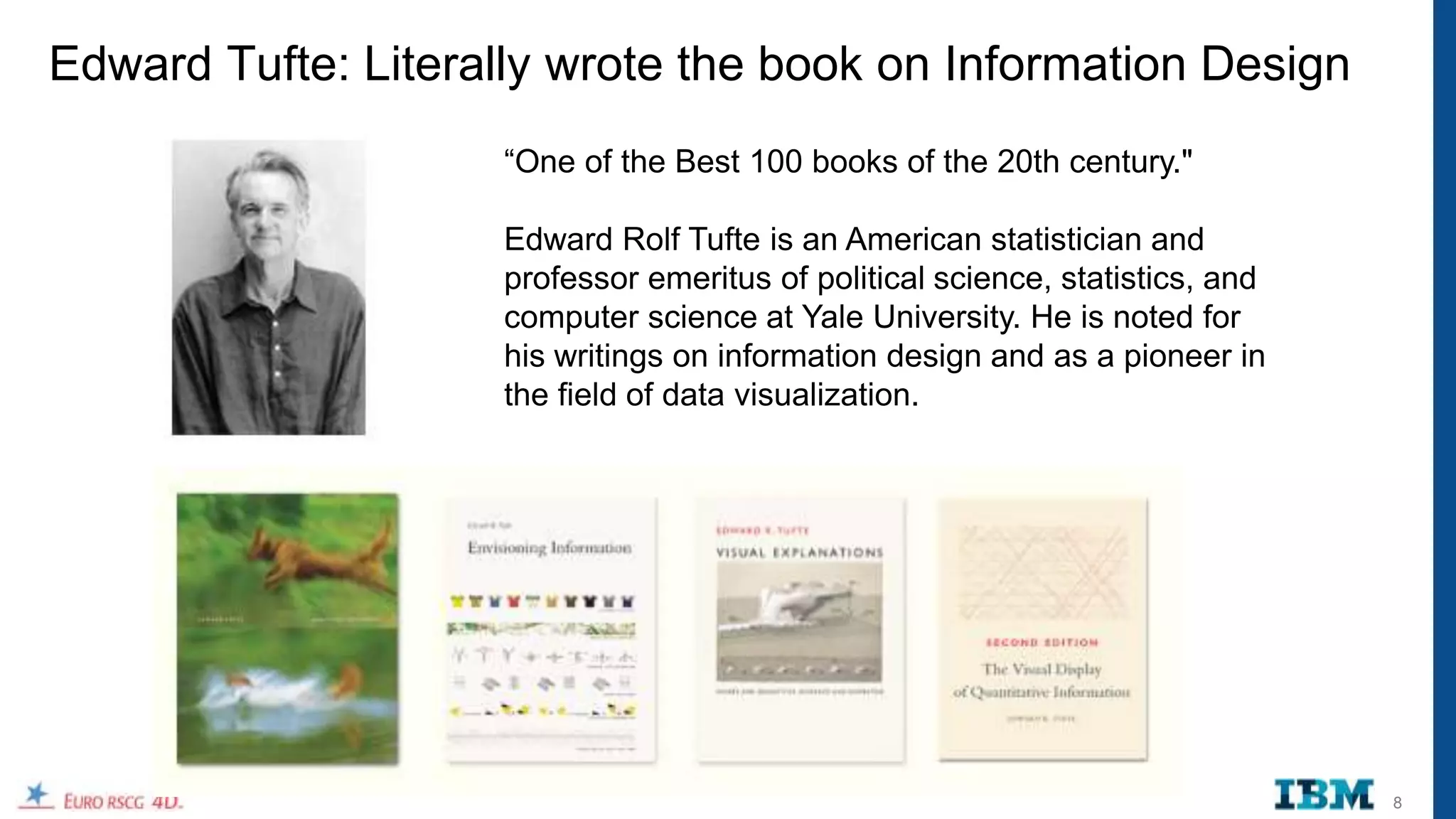
                    Edward Rolf Tufte is an American statistician and
                    professor emeritus of political science, statistics, and
                    computer science at Yale University. He is noted for
                    his writings on information design and as a pioneer in
                    the field of data visualization.


                                                                               8
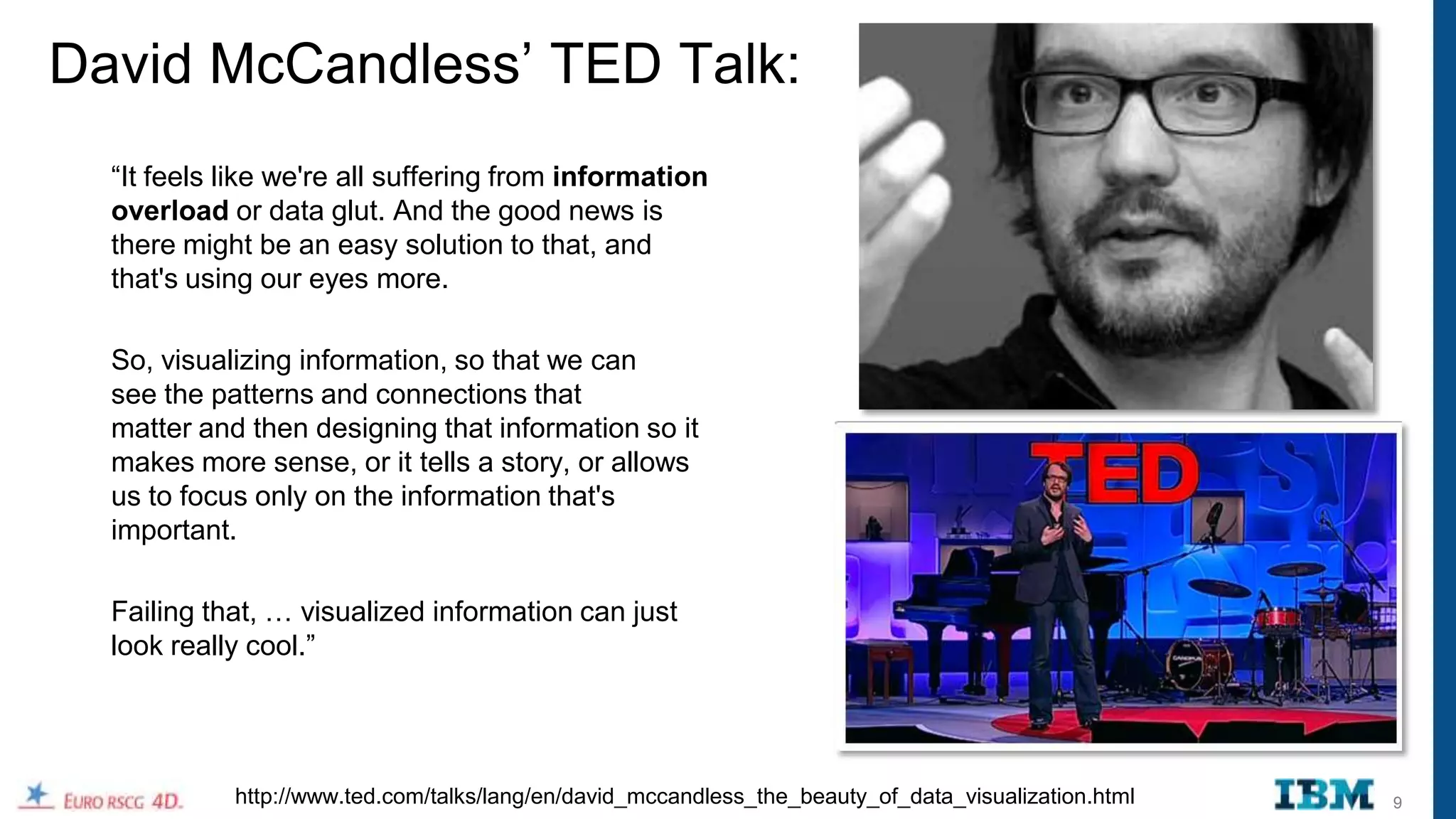
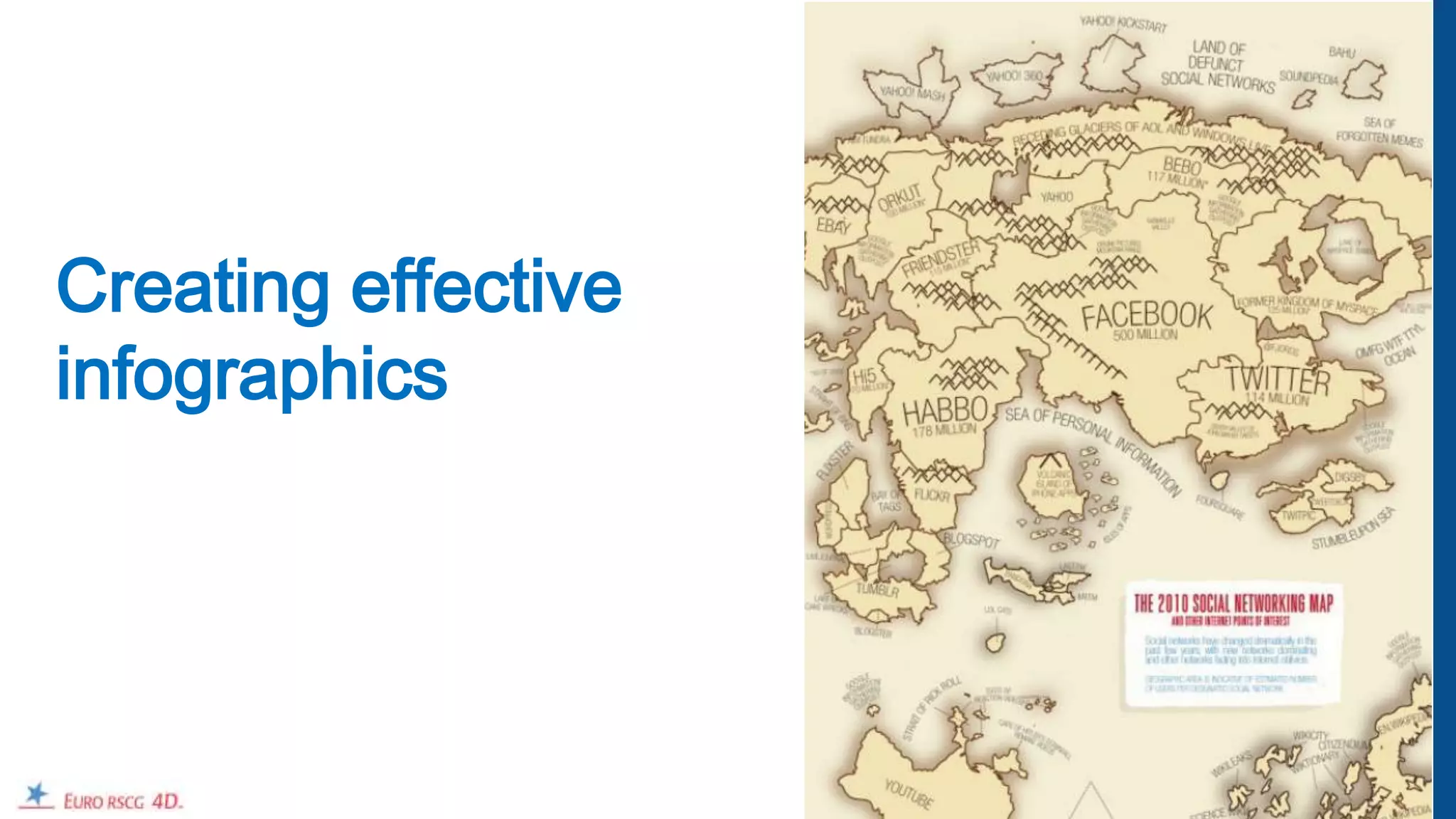
David McCandless‟ TED Talk:
  “It feels like we're all suffering from information
  overload or data glut. And the good news is
  there might be an easy solution to that, and
  that's using our eyes more.

  So, visualizing information, so that we can
  see the patterns and connections that
  matter and then designing that information so it
  makes more sense, or it tells a story, or allows
  us to focus only on the information that's
  important.

  Failing that, … visualized information can just
  look really cool.”


            http://www.ted.com/talks/lang/en/david_mccandless_the_beauty_of_data_visualization.html   9
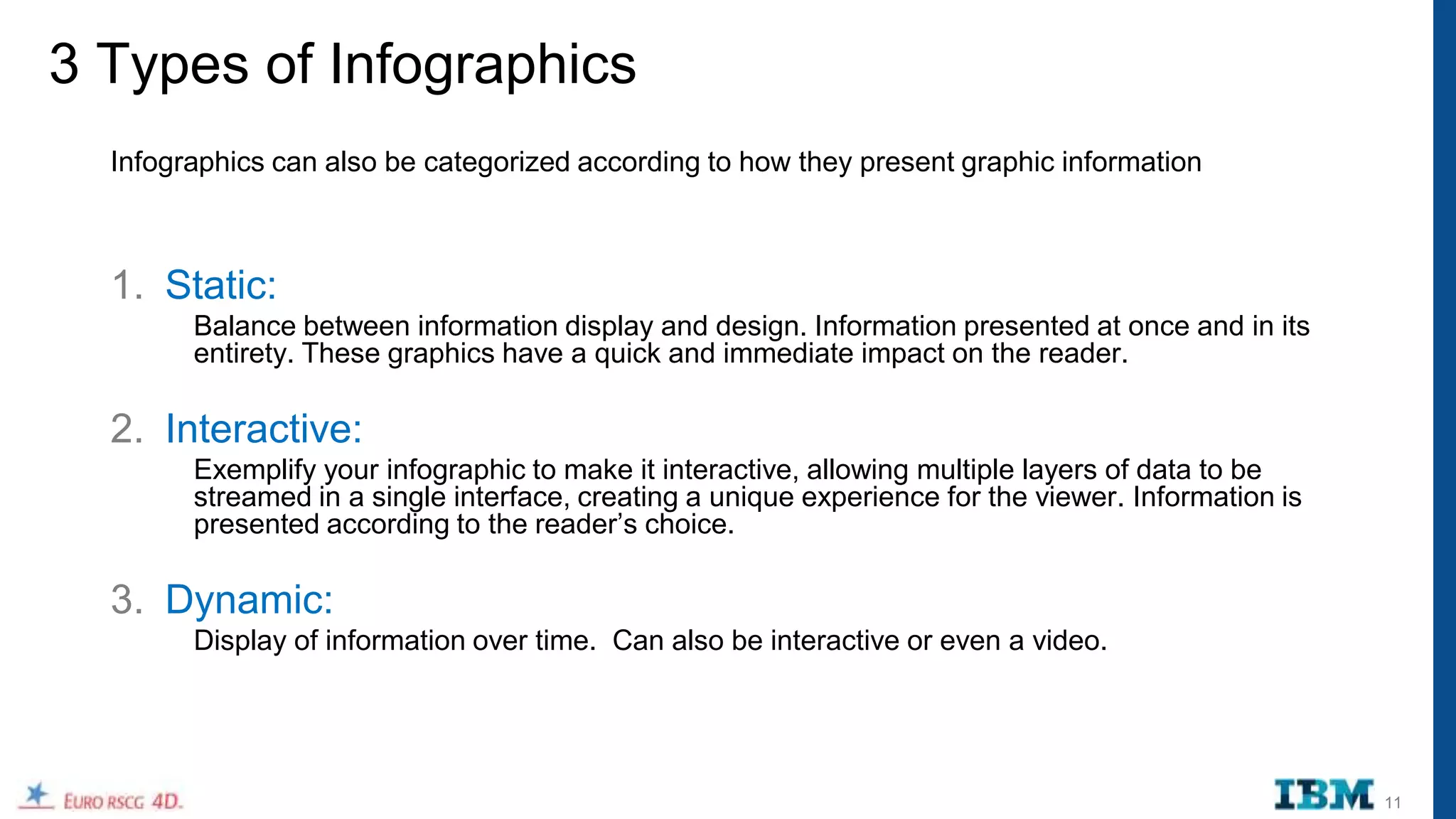
Creating effective
infographics


                     10
3 Types of Infographics
  Infographics can also be categorized according to how they present graphic information


  1. Static:
        Balance between information display and design. Information presented at once and in its
        entirety. These graphics have a quick and immediate impact on the reader.

  2. Interactive:
        Exemplify your infographic to make it interactive, allowing multiple layers of data to be
        streamed in a single interface, creating a unique experience for the viewer. Information is
        presented according to the reader‟s choice.

  3. Dynamic:
        Display of information over time. Can also be interactive or even a video.


                                                                                                      11
3 Types of Infographics: Demonstrated with GDP


  1. Static:
    http://en.rian.ru/infographics/20120425/173008889.html


  2. Interactive:
    http://www.maps.igemoe.com/fact_gdp_growth.htm

  3. Dynamic:
    http://www.gapminder.org/world/#$majorMode=chart$is;shi=t;ly=2003;lb=f;il=t;fs=11;al=30;stl=t;st=t;nsl=t;se=t$
    wst;tts=C$ts;sp=5.59290322580644;ti=2011$zpv;v=1$inc_x;mmid=XCOORDS;iid=phAwcNAVuyj1jiMAkmq1iM
    g;by=ind$inc_y;mmid=YCOORDS;iid=phAwcNAVuyj2tPLxKvvnNPA;by=ind$inc_s;uniValue=8.21;iid=phAwcN
    AVuyj0XOoBL_n5tAQ;by=ind$inc_c;uniValue=255;gid=CATID0;by=grp$map_x;scale=log;dataMin=282;dataM
    ax=119849$map_y;scale=lin;dataMin=12;dataMax=83$map_s;sma=49;smi=2.65$cd;bd=0$inds=;example=75


                                                                                                                     12
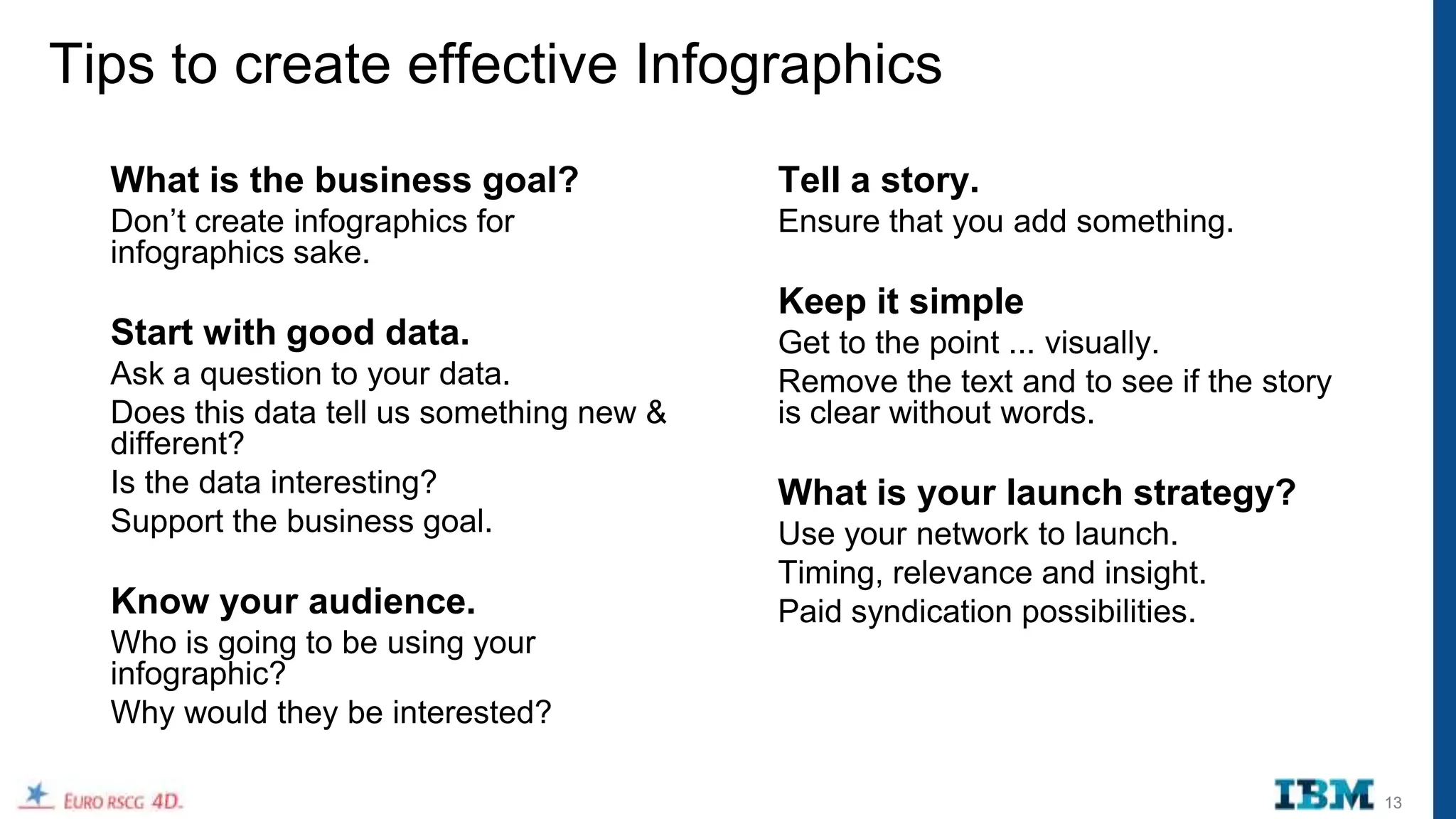
Tips to create effective Infographics
  What is the business goal?               Tell a story.
  Don‟t create infographics for            Ensure that you add something.
  infographics sake.
                                           Keep it simple
  Start with good data.                    Get to the point ... visually.
  Ask a question to your data.             Remove the text and to see if the story
  Does this data tell us something new &   is clear without words.
  different?
  Is the data interesting?                 What is your launch strategy?
  Support the business goal.               Use your network to launch.
                                           Timing, relevance and insight.
  Know your audience.                      Paid syndication possibilities.
  Who is going to be using your
  infographic?
  Why would they be interested?

                                                                                     13
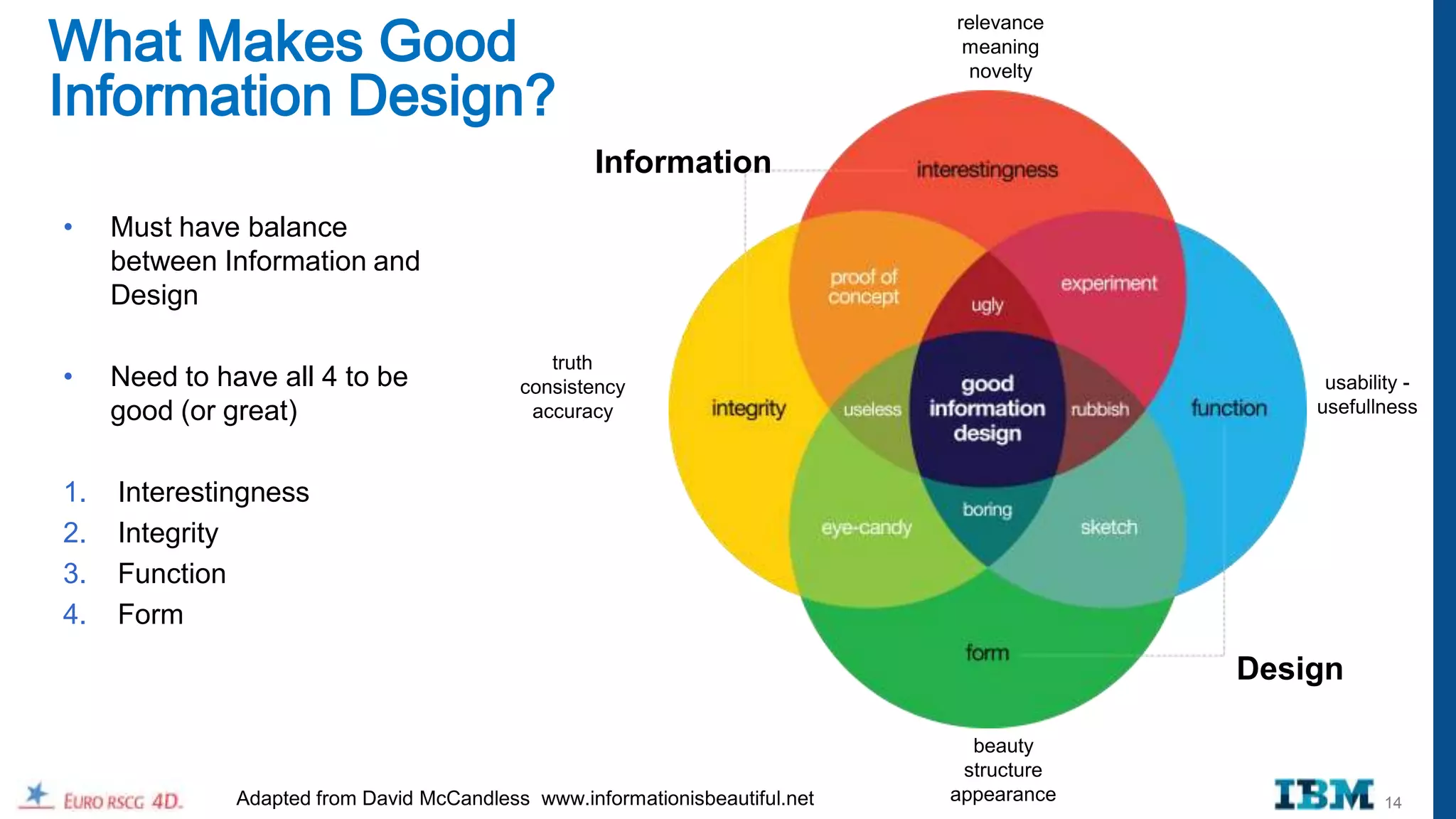
What Makes Good
                                                                              relevance
                                                                               meaning


Information Design?
                                                                               novelty


                                                    Information
•    Must have balance
     between Information and
     Design

                                               truth
•    Need to have all 4 to be               consistency                                         usability -
     good (or great)                         accuracy                                          usefullness


1.   Interestingness
2.   Integrity
3.   Function
4.   Form
                                                                                           Design

                                                                                beauty
                                                                               structure
               Adapted from David McCandless www.informationisbeautiful.net   appearance               14
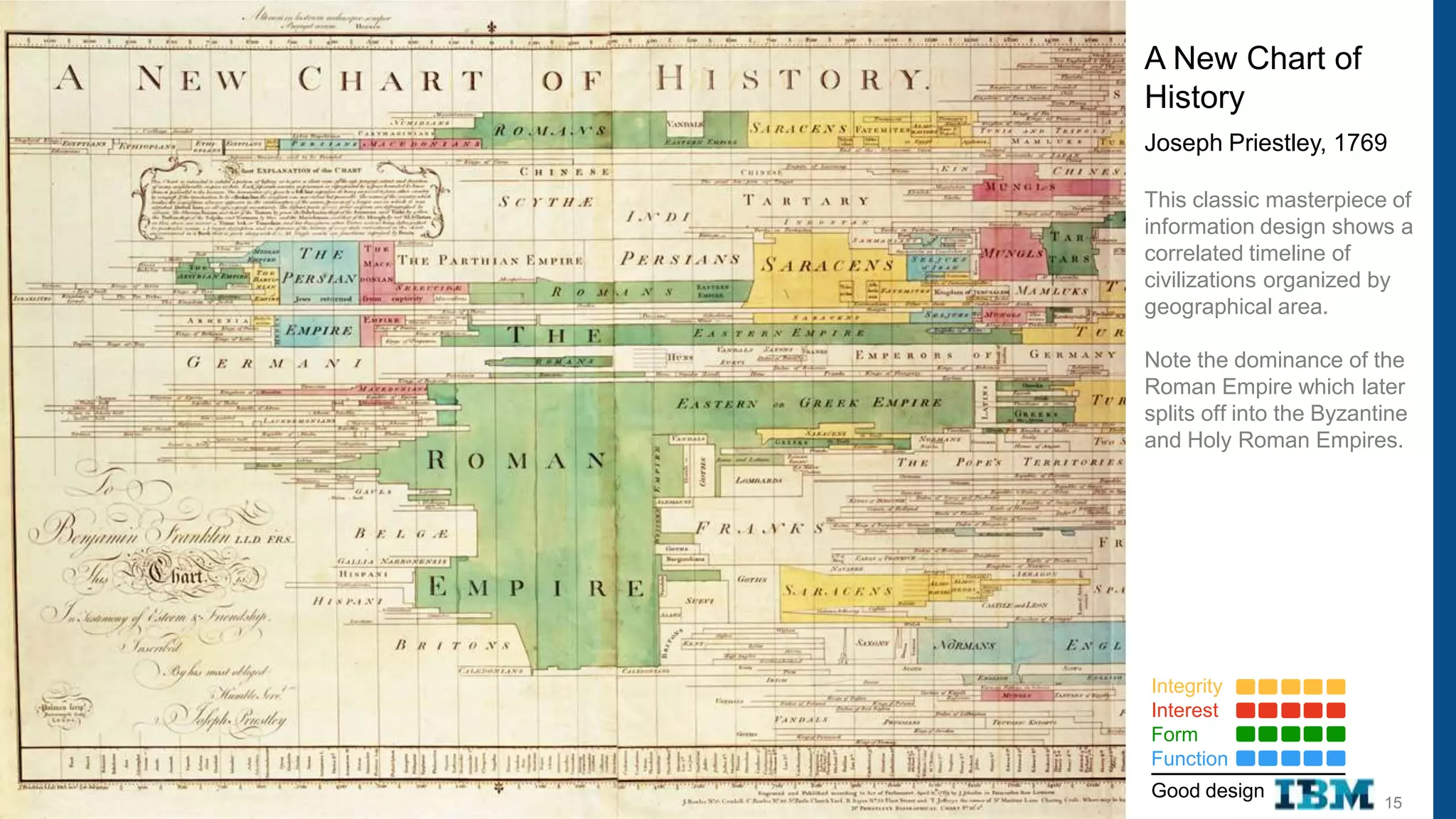
A New Chart of
History
Joseph Priestley, 1769

This classic masterpiece of
information design shows a
correlated timeline of
civilizations organized by
geographical area.

Note the dominance of the
Roman Empire which later
splits off into the Byzantine
and Holy Roman Empires.


Integrity
Interest
Form
Function
Good design
                          15
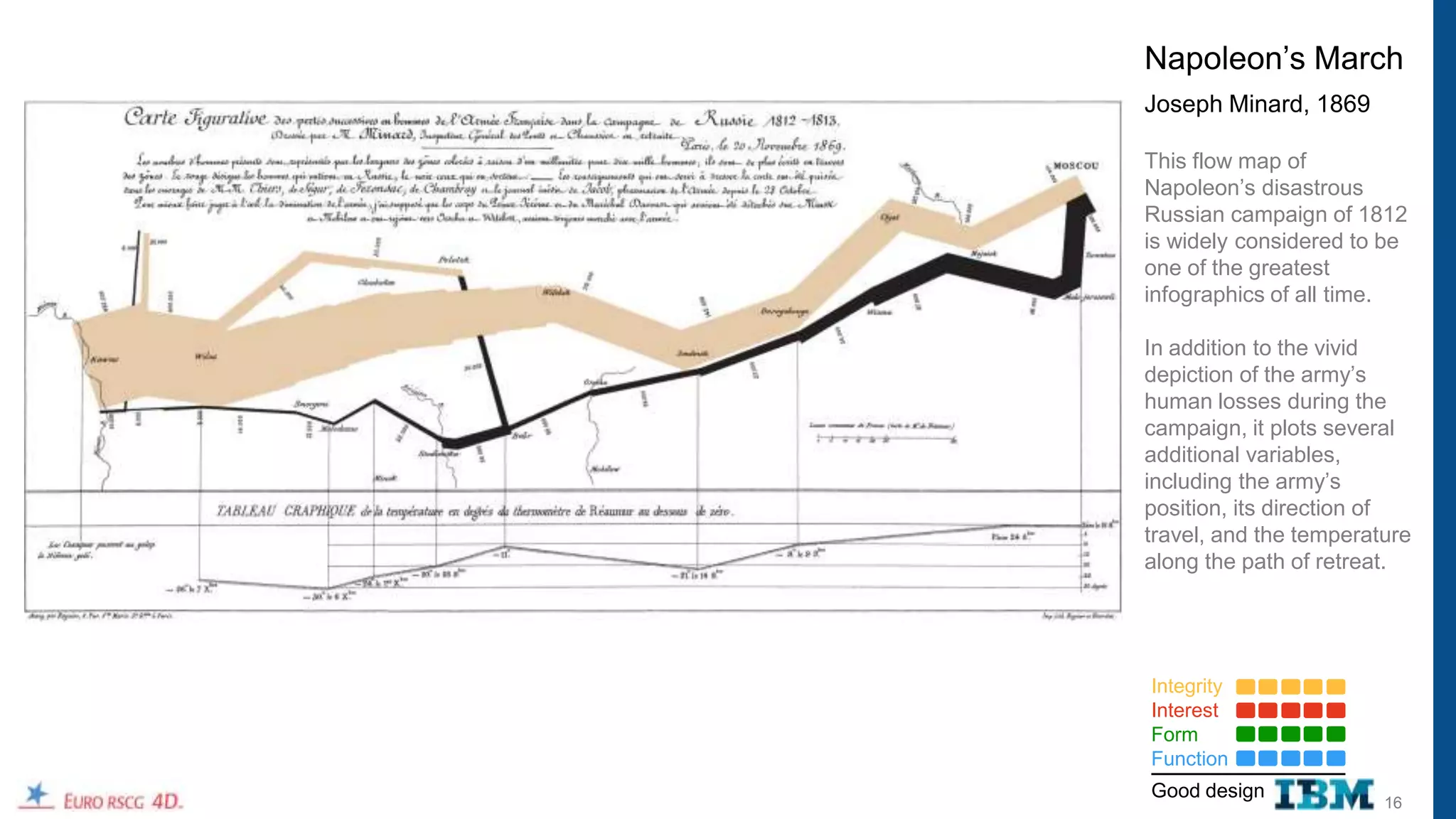
Napoleon‟s March
Joseph Minard, 1869

This flow map of
Napoleon‟s disastrous
Russian campaign of 1812
is widely considered to be
one of the greatest
infographics of all time.

In addition to the vivid
depiction of the army‟s
human losses during the
campaign, it plots several
additional variables,
including the army‟s
position, its direction of
travel, and the temperature
along the path of retreat.


Integrity
Interest
Form
Function
Good design
                        16
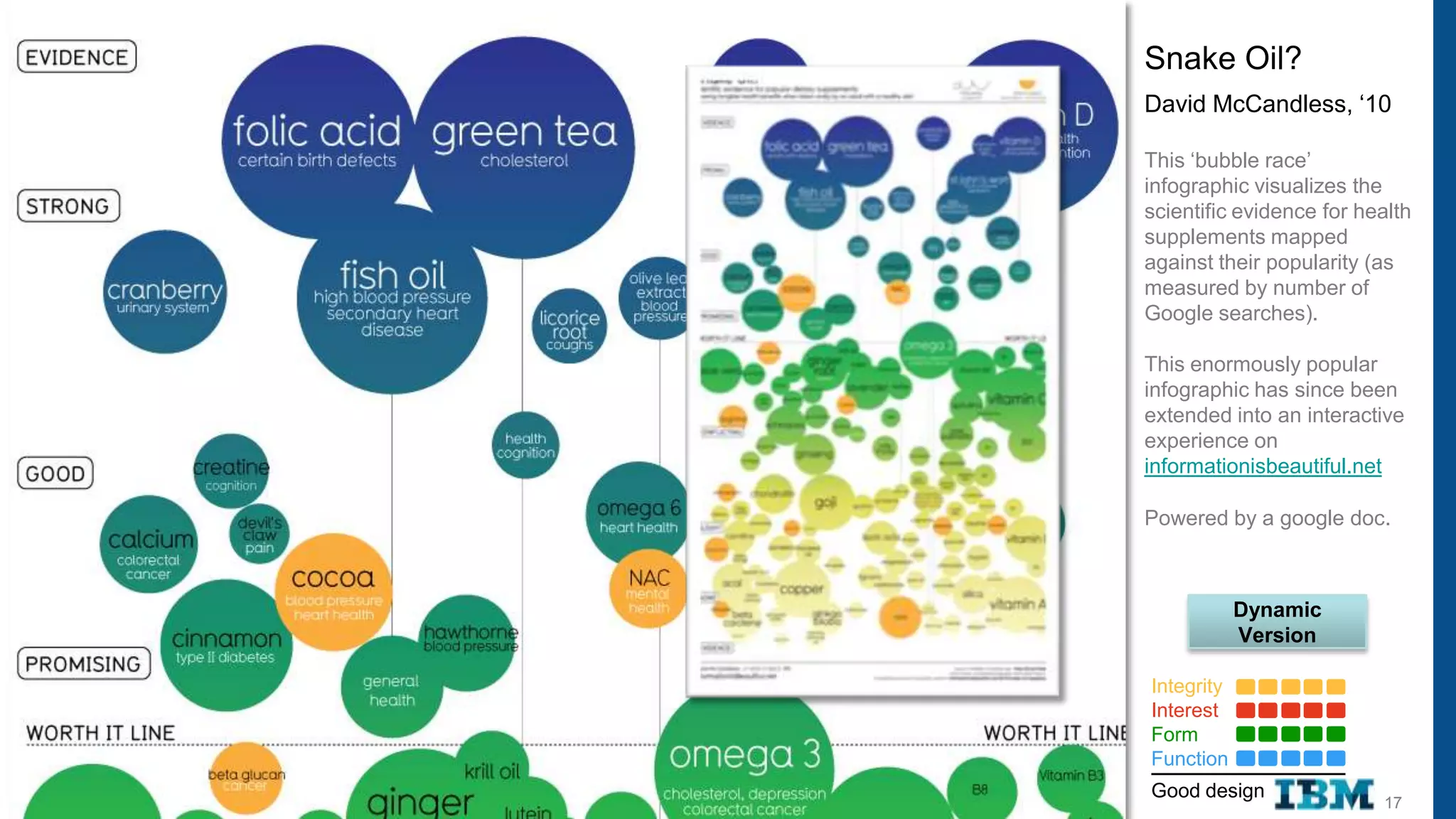
Snake Oil?
David McCandless, „10

This „bubble race‟
infographic visualizes the
scientific evidence for health
supplements mapped
against their popularity (as
measured by number of
Google searches).

This enormously popular
infographic has since been
extended into an interactive
experience on
informationisbeautiful.net

Powered by a google doc.


            Dynamic
            Version

Integrity
Interest
Form
Function
Good design
                          17
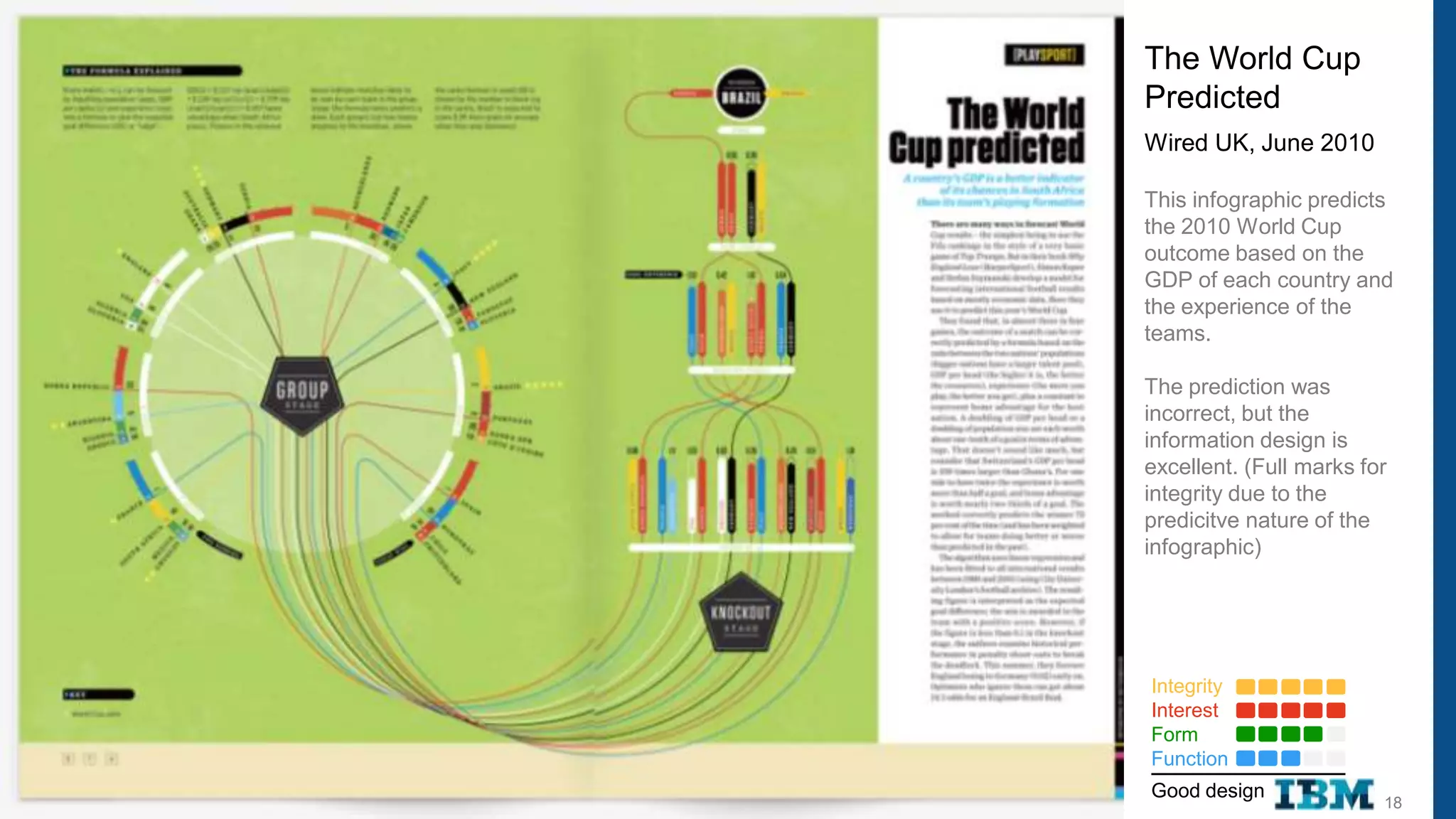
The World Cup
Predicted
Wired UK, June 2010

This infographic predicts
the 2010 World Cup
outcome based on the
GDP of each country and
the experience of the
teams.

The prediction was
incorrect, but the
information design is
excellent. (Full marks for
integrity due to the
predicitve nature of the
infographic)


Integrity
Interest
Form
Function
Good design
                         18
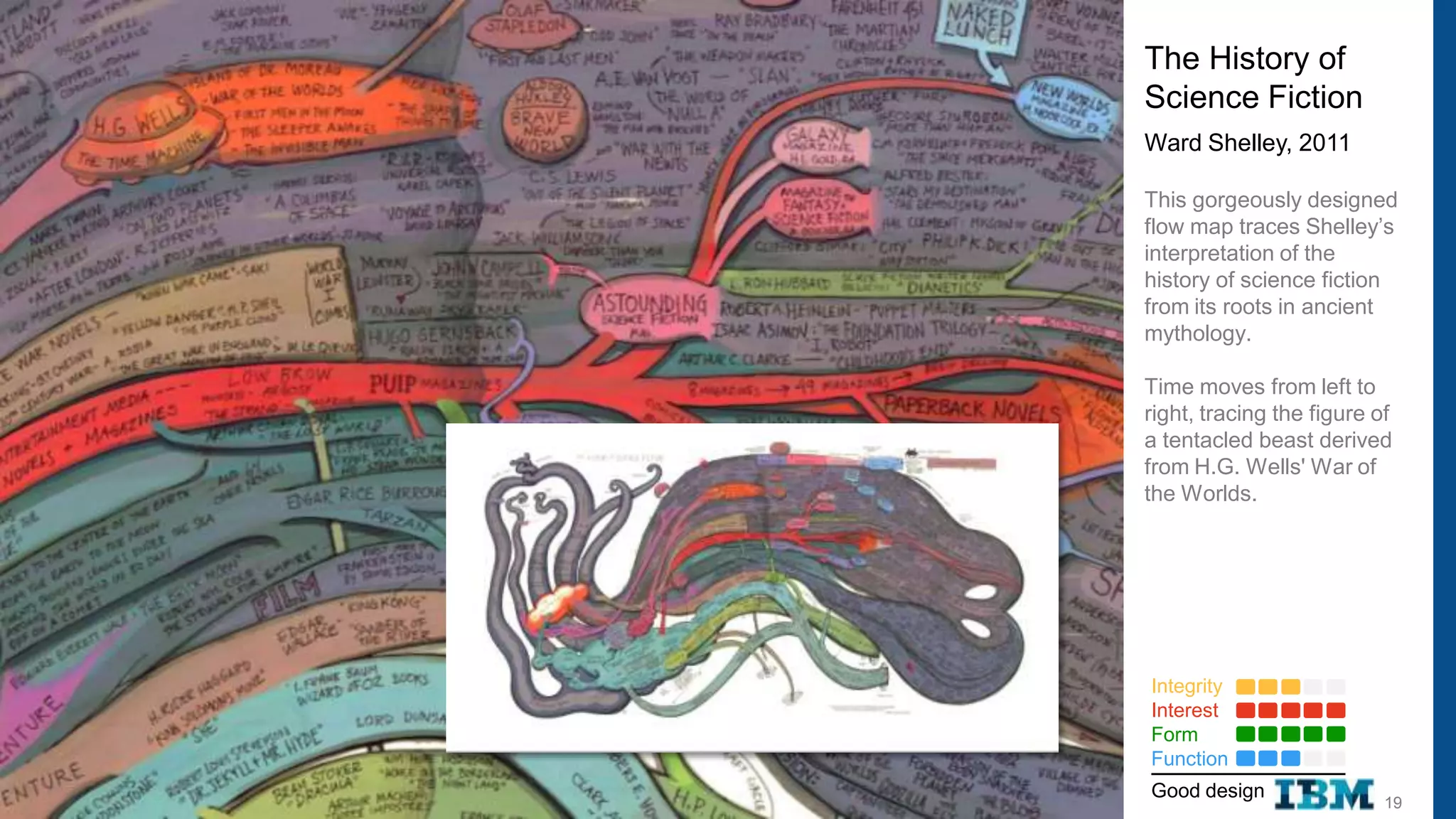
The History of
Science Fiction
Ward Shelley, 2011

This gorgeously designed
flow map traces Shelley‟s
interpretation of the
history of science fiction
from its roots in ancient
mythology.

Time moves from left to
right, tracing the figure of
a tentacled beast derived
from H.G. Wells' War of
the Worlds.


Integrity
Interest
Form
Function
Good design
                           19
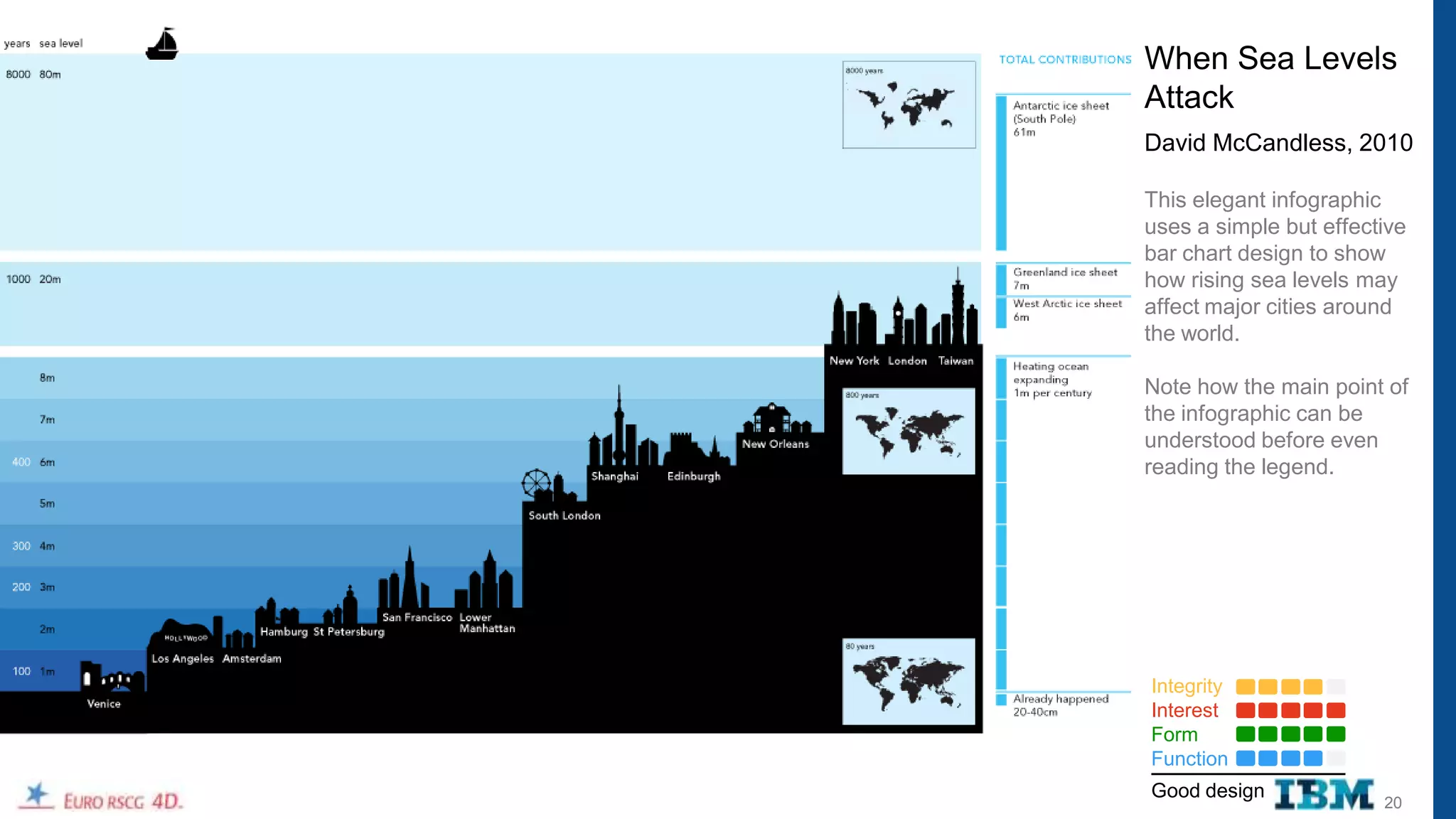
When Sea Levels
Attack
David McCandless, 2010

This elegant infographic
uses a simple but effective
bar chart design to show
how rising sea levels may
affect major cities around
the world.

Note how the main point of
the infographic can be
understood before even
reading the legend.


Integrity
Interest
Form
Function
Good design
                        20
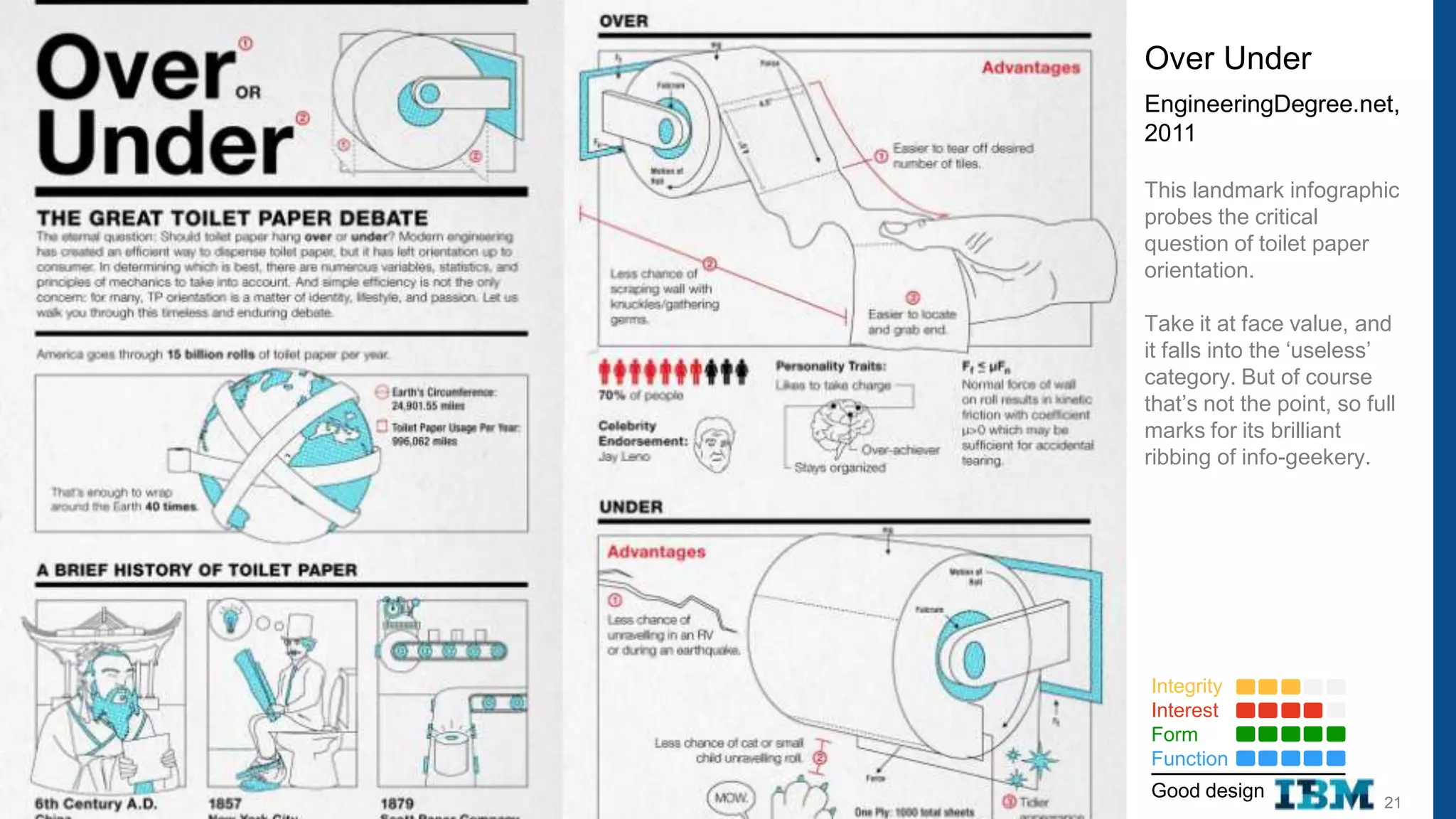
Over Under
EngineeringDegree.net,
2011

This landmark infographic
probes the critical
question of toilet paper
orientation.

Take it at face value, and
it falls into the „useless‟
category. But of course
that‟s not the point, so full
marks for its brilliant
ribbing of info-geekery.


Integrity
Interest
Form
Function
Good design
                           21
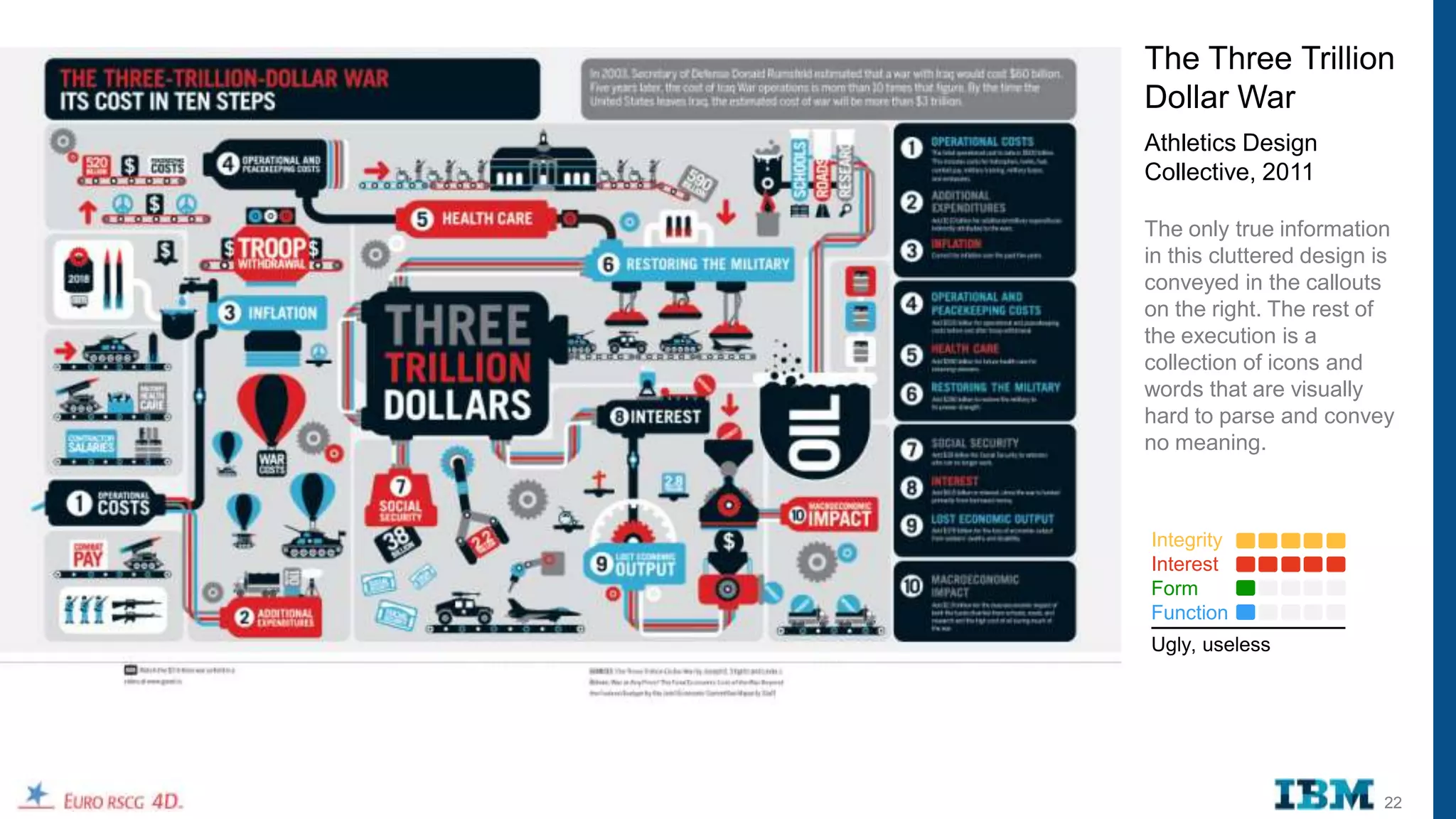
The Three Trillion
Dollar War
Athletics Design
Collective, 2011

The only true information
in this cluttered design is
conveyed in the callouts
on the right. The rest of
the execution is a
collection of icons and
words that are visually
hard to parse and convey
no meaning.


Integrity
Interest
Form
Function
Ugly, useless


                         22
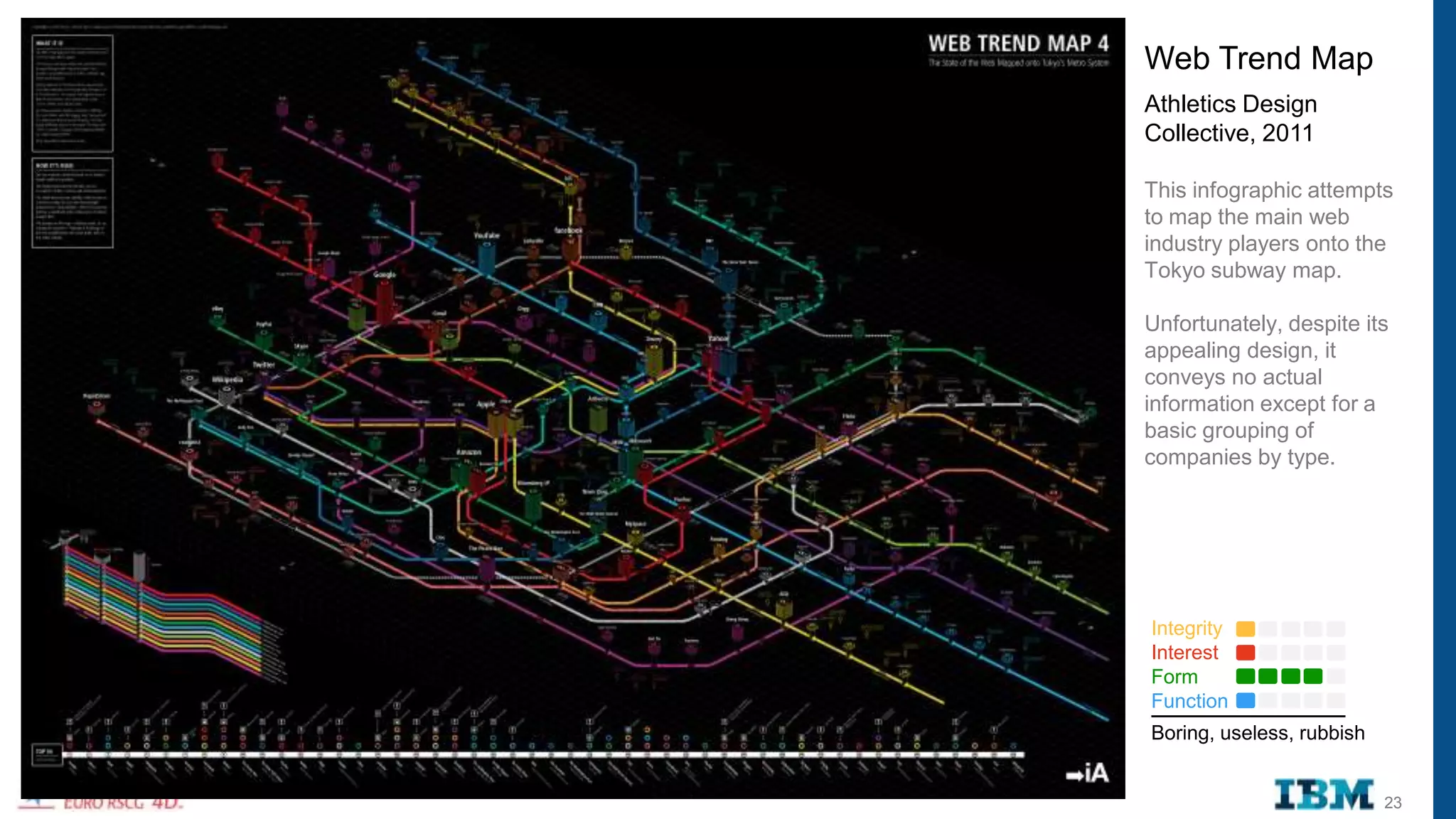
Web Trend Map
Athletics Design
Collective, 2011

This infographic attempts
to map the main web
industry players onto the
Tokyo subway map.

Unfortunately, despite its
appealing design, it
conveys no actual
information except for a
basic grouping of
companies by type.


Integrity
Interest
Form
Function
Boring, useless, rubbish


                           23
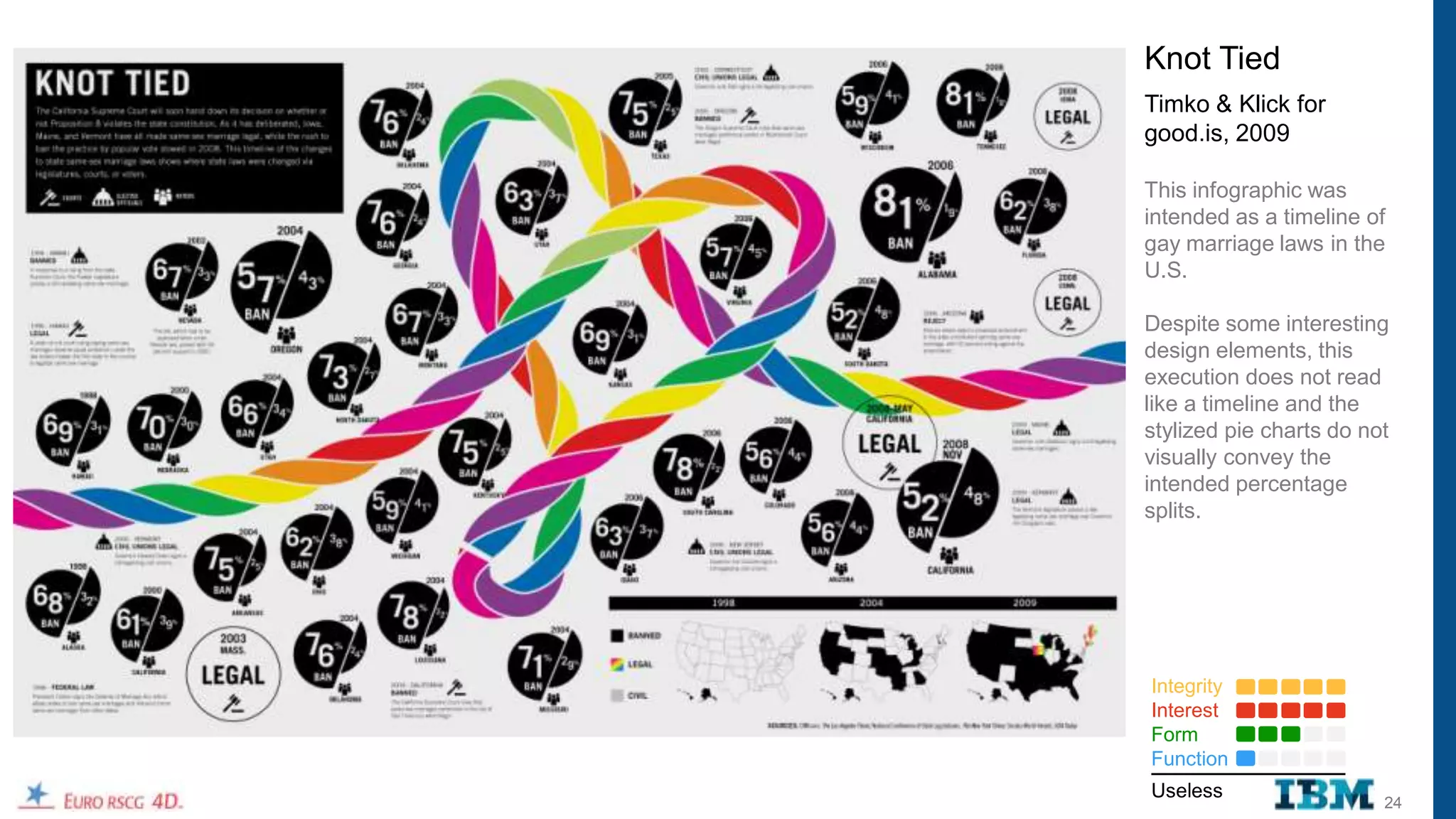
Knot Tied
Timko & Klick for
good.is, 2009

This infographic was
intended as a timeline of
gay marriage laws in the
U.S.

Despite some interesting
design elements, this
execution does not read
like a timeline and the
stylized pie charts do not
visually convey the
intended percentage
splits.


Integrity
Interest
Form
Function
Useless
                         24
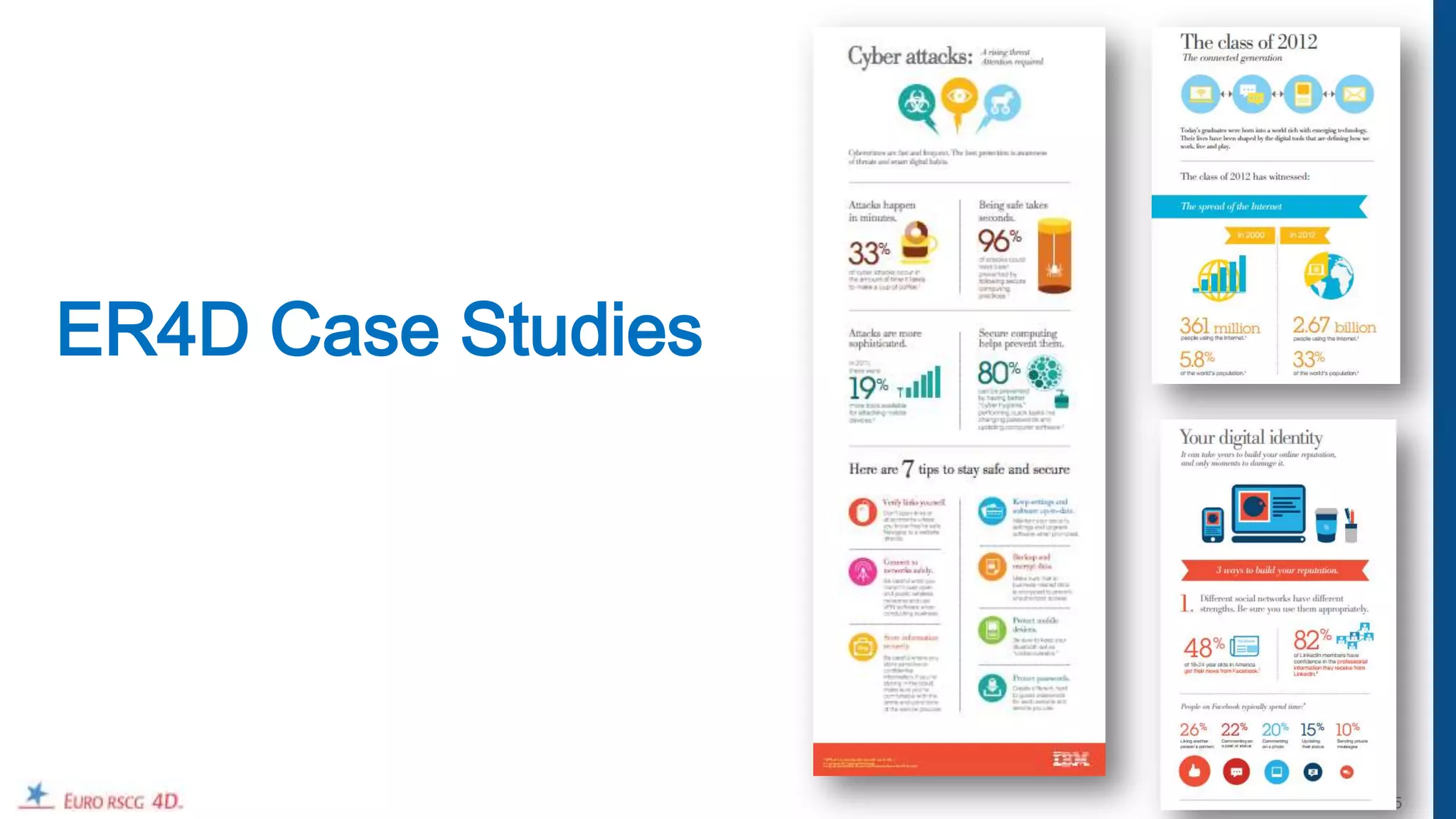
ER4D Case Studies


                    25
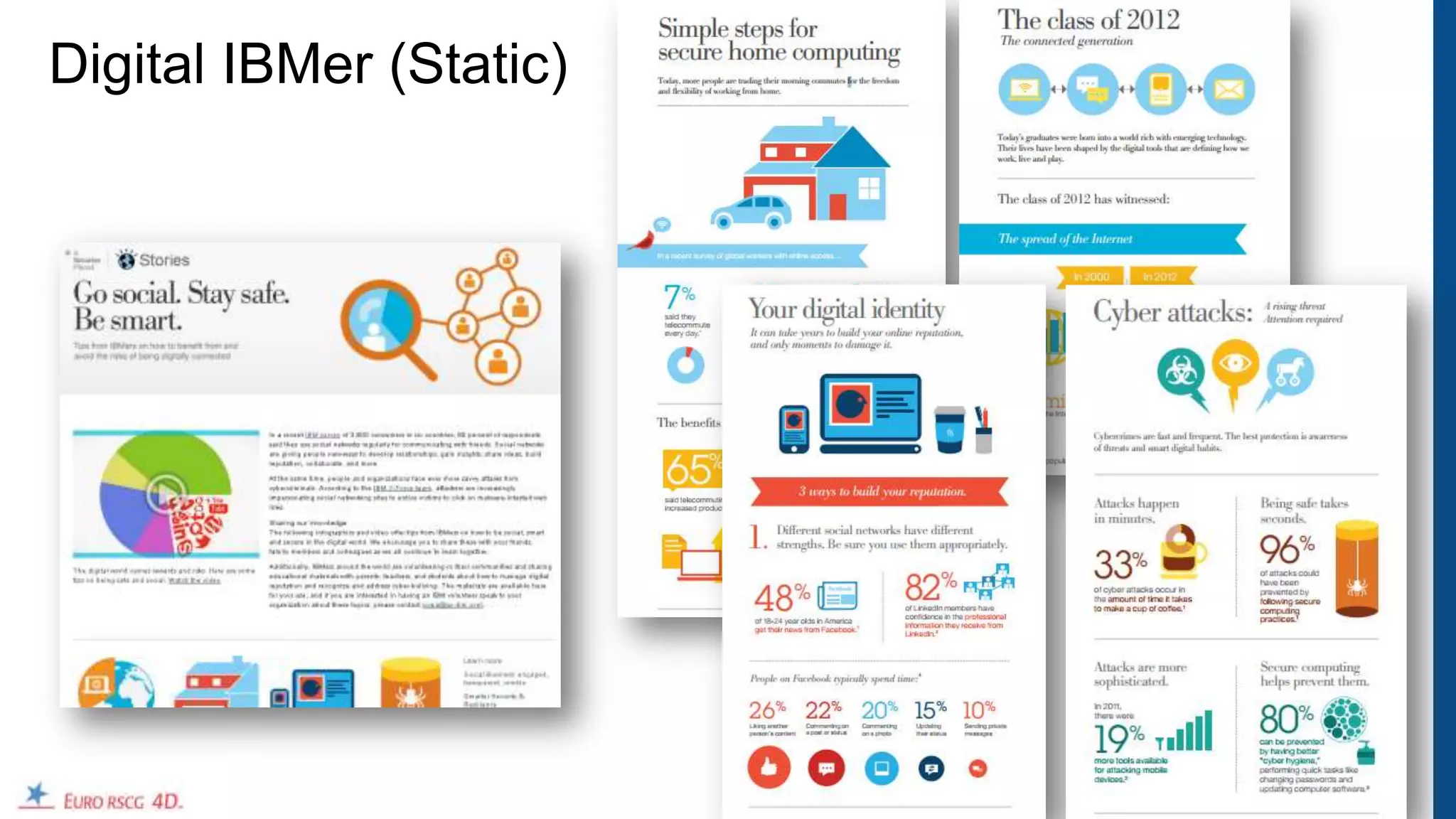
Digital IBMer (Static)


                         26
URLS of Infographics

•   http://www.flickr.com/photos/ibm_media/7065042077/

•   http://www.ibm.com/ibm/ideasfromibm/zz/en/securesocialsmart/pdf/ibm_classof2012_infographic_050112.pdf
•   http://www.ibm.com/ibm/ideasfromibm/zz/en/securesocialsmart/pdf/ibm_homesecurity_infographic_050112.pdf
•   http://www.ibm.com/ibm/ideasfromibm/zz/en/securesocialsmart/pdf/reputation_id_cCard_sb_0501v4.pdf
•   http://www.ibm.com/ibm/ideasfromibm/zz/en/securesocialsmart/pdf/ibm_cyberattacks_infographic_050112.pdf


                                                                                                              27
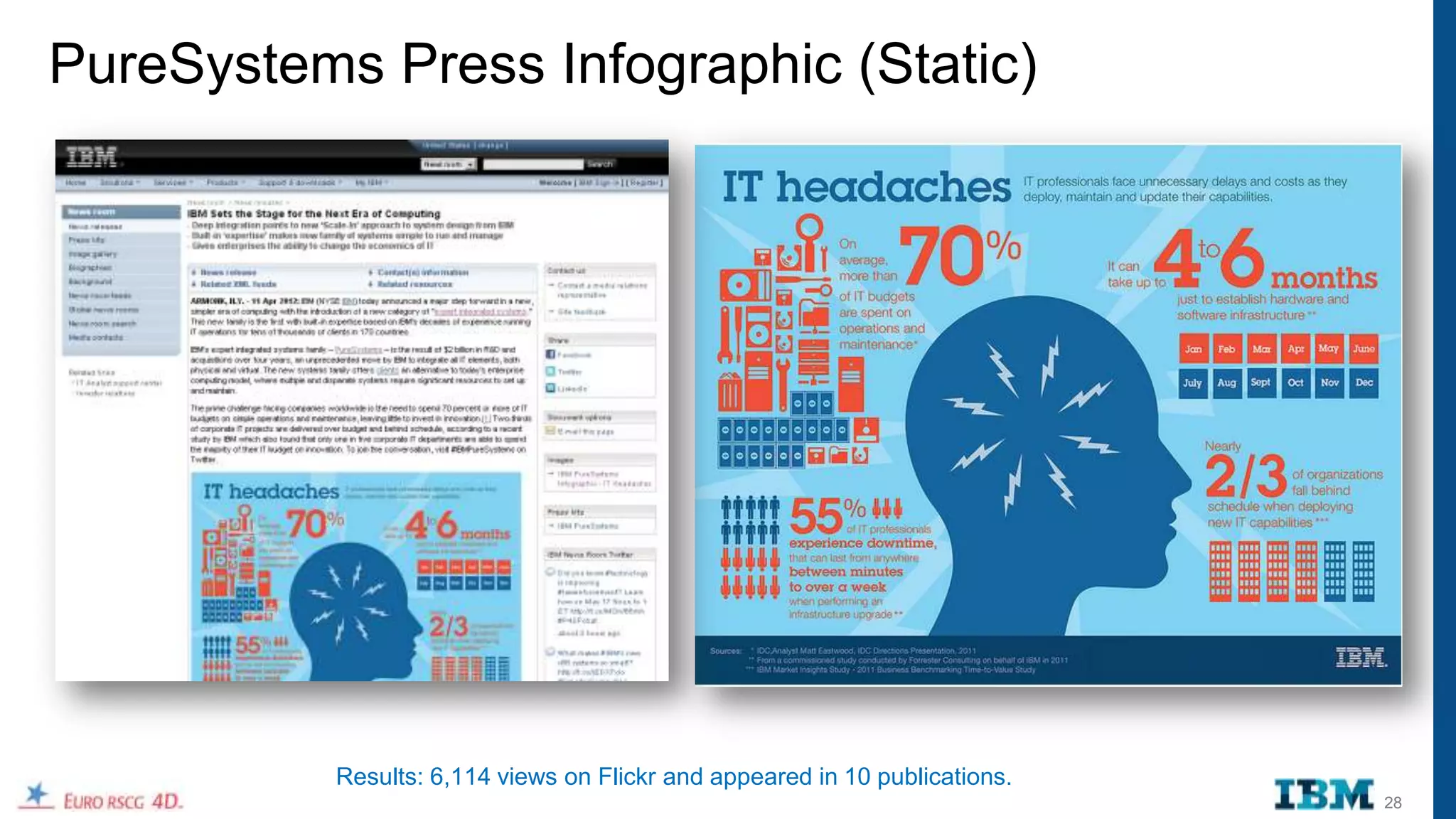
PureSystems Press Infographic (Static)


           Results: 6,114 views on Flickr and appeared in 10 publications.
                                                                             28
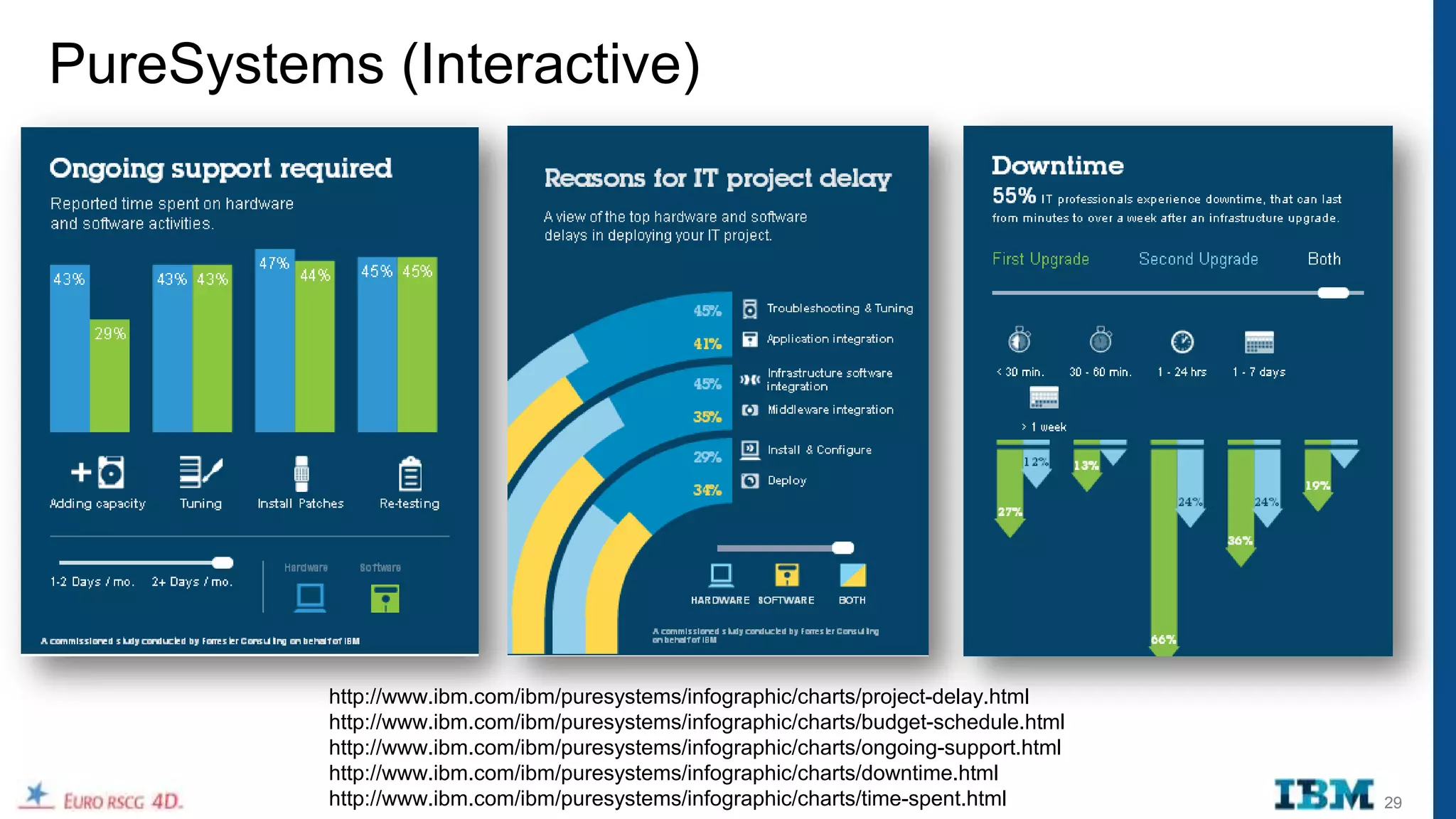
PureSystems (Interactive)


          http://www.ibm.com/ibm/puresystems/infographic/charts/project-delay.html
          http://www.ibm.com/ibm/puresystems/infographic/charts/budget-schedule.html
          http://www.ibm.com/ibm/puresystems/infographic/charts/ongoing-support.html
          http://www.ibm.com/ibm/puresystems/infographic/charts/downtime.html
          http://www.ibm.com/ibm/puresystems/infographic/charts/time-spent.html        29
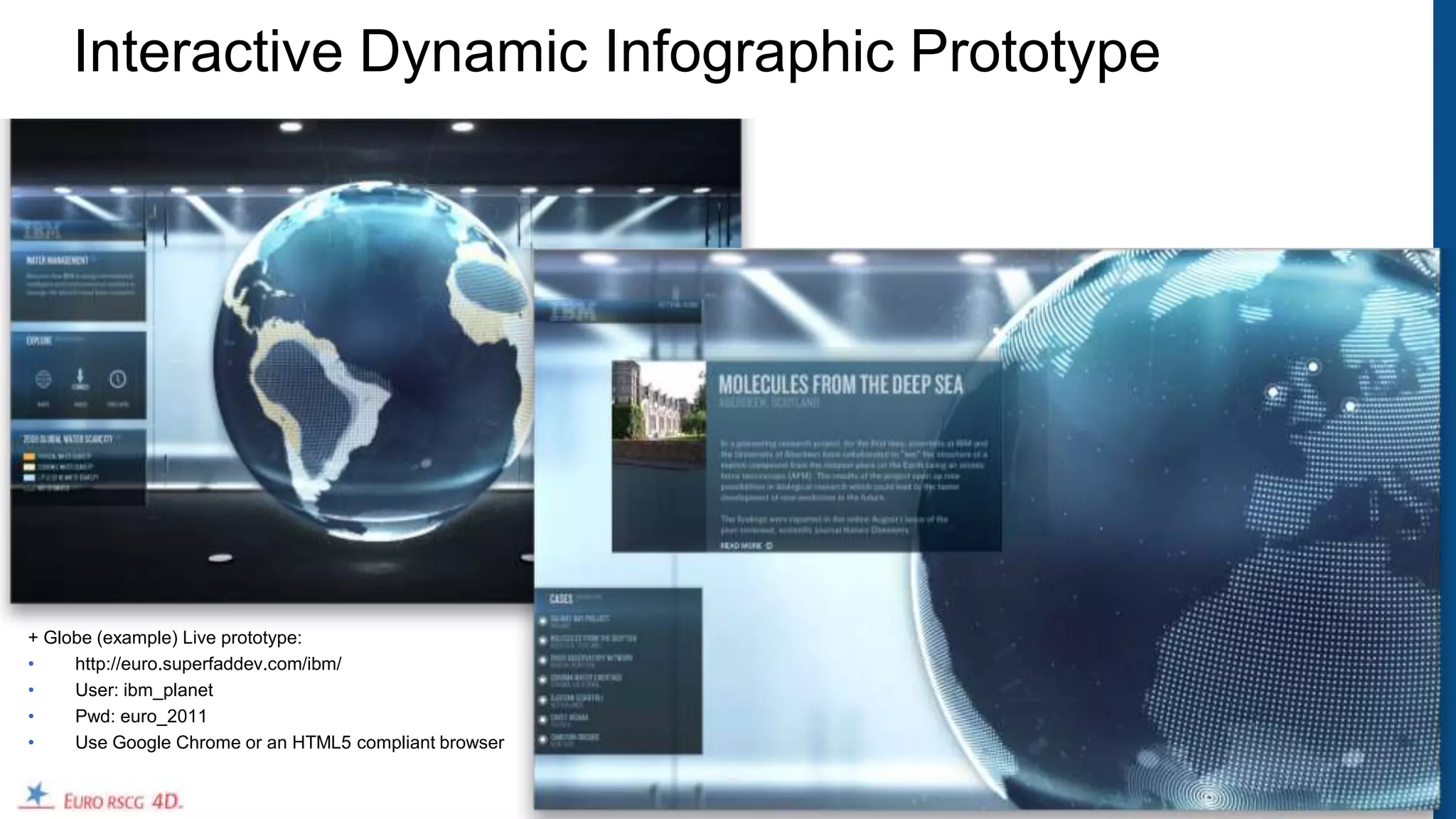
Interactive Dynamic Infographic Prototype


+ Globe (example) Live prototype:
•    http://euro.superfaddev.com/ibm/
•    User: ibm_planet
•    Pwd: euro_2011
•    Use Google Chrome or an HTML5 compliant browser


                                                       30
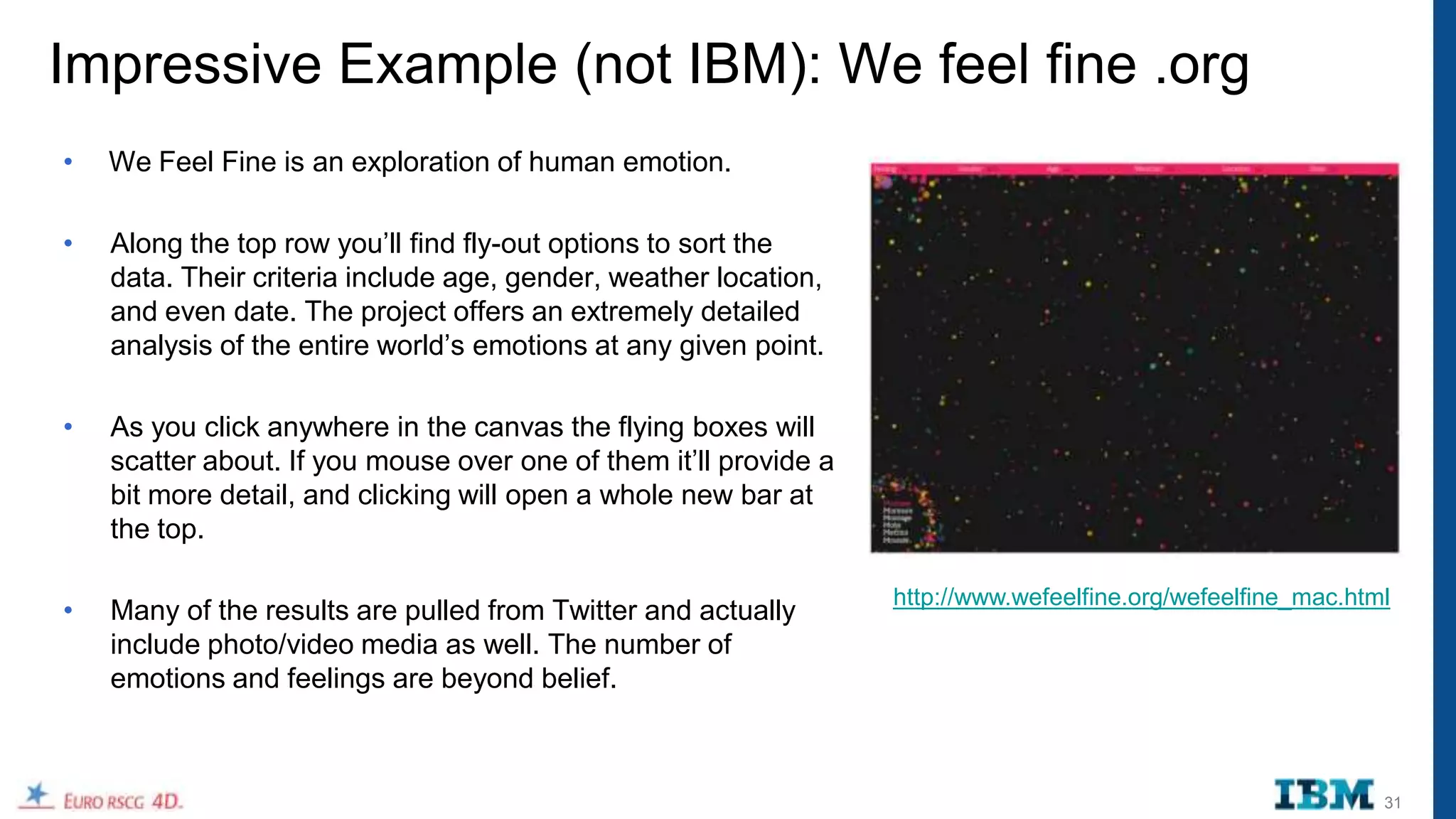
Impressive Example (not IBM): We feel fine .org
•   We Feel Fine is an exploration of human emotion.

•   Along the top row you‟ll find fly-out options to sort the
    data. Their criteria include age, gender, weather location,
    and even date. The project offers an extremely detailed
    analysis of the entire world‟s emotions at any given point.

•   As you click anywhere in the canvas the flying boxes will
    scatter about. If you mouse over one of them it‟ll provide a
    bit more detail, and clicking will open a whole new bar at
    the top.

                                                                   http://www.wefeelfine.org/wefeelfine_mac.html
•   Many of the results are pulled from Twitter and actually
    include photo/video media as well. The number of
    emotions and feelings are beyond belief.


                                                                                                               31
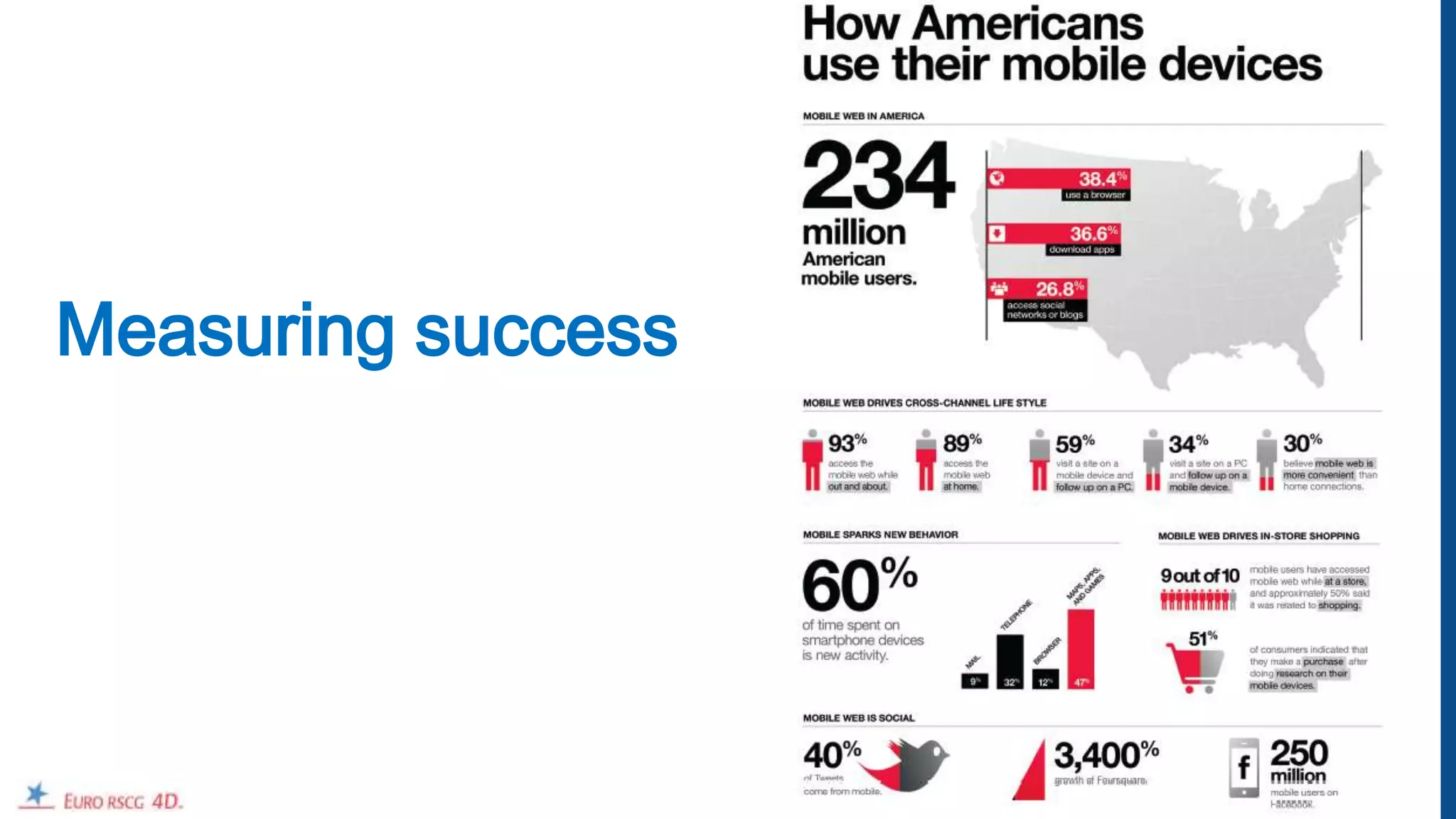
Measuring success


                    32
How do we measure success:
•   Views
•   Shares
•   Placements
•   Volume of conversation
•   Sentiment of conversation


                                33
34
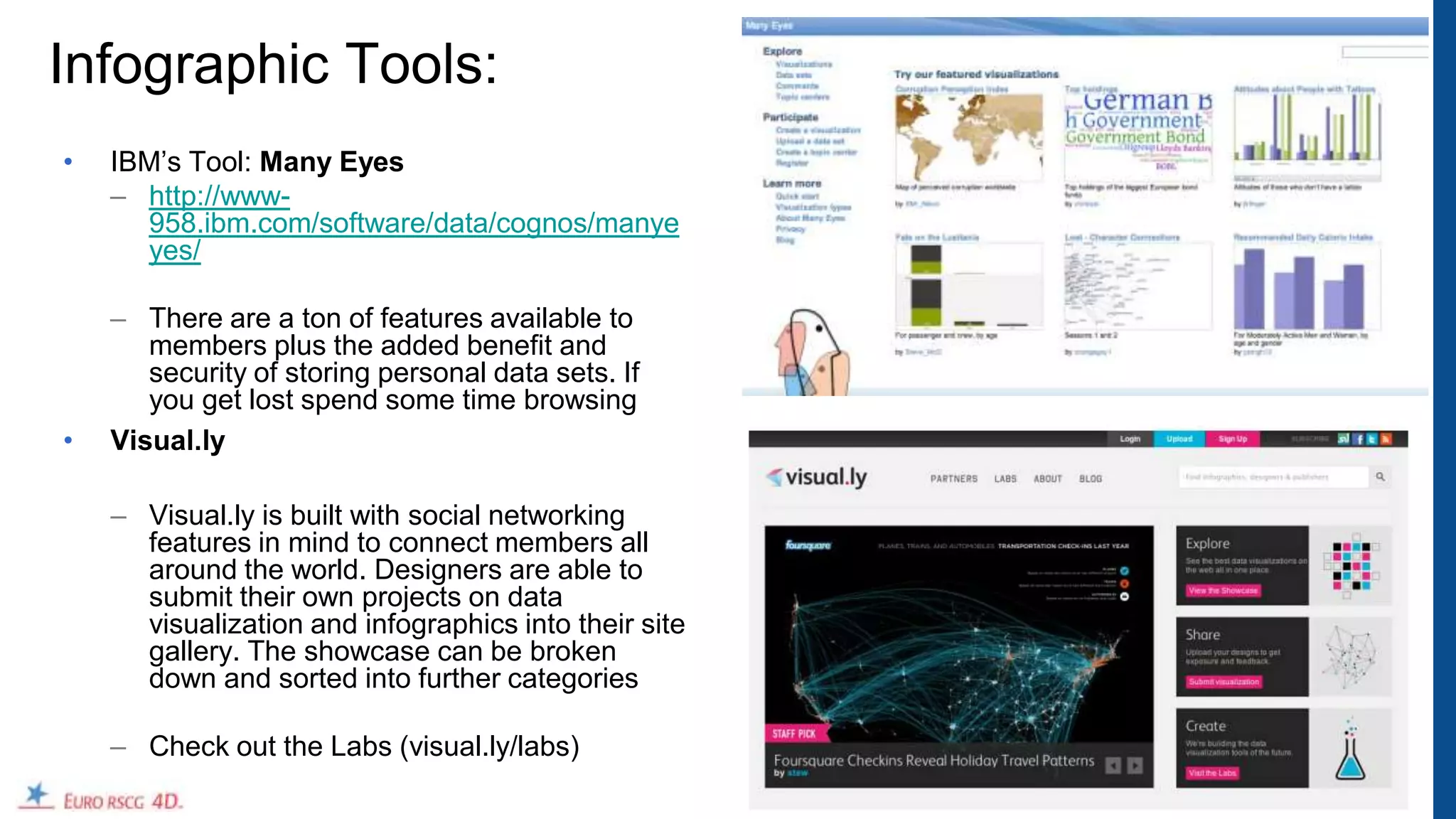
Infographic Tools:
•   IBM‟s Tool: Many Eyes
    – http://www-
      958.ibm.com/software/data/cognos/manye
      yes/

    – There are a ton of features available to
       members plus the added benefit and
       security of storing personal data sets. If
       you get lost spend some time browsing
•   Visual.ly

    – Visual.ly is built with social networking
      features in mind to connect members all
      around the world. Designers are able to
      submit their own projects on data
      visualization and infographics into their site
      gallery. The showcase can be broken
      down and sorted into further categories

    – Check out the Labs (visual.ly/labs)
                                                       35
Infographic Resources
•   http://dailyinfographic.com/
•   http://davidwarlick.com/graphicaday/

•   http://www.instantshift.com/2011/03/25/what-are-infographics-and-why-are-they-important/
•   http://www.readwriteweb.com/enterprise/2011/11/6-reasons-most-infographics-do.php
•   http://www.smashingmagazine.com/2011/10/14/the-dos-and-donts-of-infographic-design/
•   http://www.readwriteweb.com/archives/why_your_infographic_is_evil_and_three_ways_to_fix.php
•   http://naldzgraphics.net/tips/reasons-why-infographics-are-important/
•   http://www.washingtonpost.com/blogs/on-small-business/post/how-can-businesses-use-
    infographics/2012/04/06/gIQAjbbh4S_blog.html
•   http://sparkboutik.com/ideation/why-infographics-work/
•   http://www.marketingtechblog.com/why-use-infographics/

SLIDESHARE
    http://www.slideshare.net/jess3/how-brands-can-use-data-visualization-to-make-an-impact-11976833
•   http://www.slideshare.net/ripetungi/why-are-infographics-important


                                                                                                       36
Infographic Examples
•   State of the internet: http://www.onlineschools.org/state-of-the-internet/soti.html
•   Slavery Footprint: http://slaveryfootprint.org/
    – http://slaveryfootprint.org/survey/#whats_on_your_plate , http://slaveryfootprint.org/survey/#jewellery ,
       http://slaveryfootprint.org/survey/#closet_clothing
•   Presidential Poll Tracker Slider : http://www.usatoday.com/news/politics/presidential-poll-tracker
•   Candidate match game: http://www.usatoday.com/news/politics/candidate-match-game
•   Edlundart : http://www.edlundart.com/pages/is-the-internet-awake.html
•   What‟s Your Economic Outlook? : http://www.nytimes.com/interactive/business/2011-economy-sentiment.html
•   Evolution of the web : http://evolutionofweb.appspot.com/

•   http://mashable.com/2011/10/23/top-mashable-infographics/
•   http://mashable.com/2011/09/16/airlines-social-media-infographic/
•   http://news.xerox.com/pr/xerox/photo.aspx?fid=146374&id=E0C17733
•   http://venturebeat.com/2011/10/21/how-the-enterprise-is-adopting-tablets-infographic/
•   http://gigaom.com/2011/11/02/what-do-young-workers-want-social-media-device-freedom/


                                                                                                                  37
Twitter Data Visualization
  Twitter tools to create data visualization (dynamic infographics with the twitter firehose)

  – http://moritz.stefaner.eu/projects/revisit


                                                                                                38
Pinterist


            39

Infographics overview e&e 20120608_final

  • 1.
    Infographics: Best practices & recentcase studies, June 8, 2012 E&E Call Jason Jercinovic, ER4D 1
  • 2.
    Overview • Definition • Why & History: infographics • Best practices: How to create effective infographics • Case studies • How to measure success • Appendix: Tools and links 2
  • 3.
  • 4.
    General definition Good information graphics = the efficient use of visual metaphor to describe or explain the story behind raw data. 4
  • 5.
    IBM definition Good information graphics accelerates forward thinkers' understanding of data, so they have the confidence to act. 5
  • 6.
  • 7.
    Why Infographics? • They’reeye-catching & engaging. A great way to bring to life content that would otherwise be dry, uninteresting or unshareable. According to research, 83% of learning occurs visually. • It’s everything you need to know, simplified. Easily digested because they address the valuable ideas, facts and statistics that people want to know. In fact, studies show, people remember only 20% of what they read. • They are shareable. Easily downloaded and shared via social channels. • They improve SEO. Increasing the number of backlinks to your website improves visibility to search engine‟s algorithms. As a result, page rankings become higher. 7
  • 8.
    Edward Tufte: Literallywrote the book on Information Design “One of the Best 100 books of the 20th century." Edward Rolf Tufte is an American statistician and professor emeritus of political science, statistics, and computer science at Yale University. He is noted for his writings on information design and as a pioneer in the field of data visualization. 8
  • 9.
    David McCandless‟ TEDTalk: “It feels like we're all suffering from information overload or data glut. And the good news is there might be an easy solution to that, and that's using our eyes more. So, visualizing information, so that we can see the patterns and connections that matter and then designing that information so it makes more sense, or it tells a story, or allows us to focus only on the information that's important. Failing that, … visualized information can just look really cool.” http://www.ted.com/talks/lang/en/david_mccandless_the_beauty_of_data_visualization.html 9
  • 10.
  • 11.
    3 Types ofInfographics Infographics can also be categorized according to how they present graphic information 1. Static: Balance between information display and design. Information presented at once and in its entirety. These graphics have a quick and immediate impact on the reader. 2. Interactive: Exemplify your infographic to make it interactive, allowing multiple layers of data to be streamed in a single interface, creating a unique experience for the viewer. Information is presented according to the reader‟s choice. 3. Dynamic: Display of information over time. Can also be interactive or even a video. 11
  • 12.
    3 Types ofInfographics: Demonstrated with GDP 1. Static: http://en.rian.ru/infographics/20120425/173008889.html 2. Interactive: http://www.maps.igemoe.com/fact_gdp_growth.htm 3. Dynamic: http://www.gapminder.org/world/#$majorMode=chart$is;shi=t;ly=2003;lb=f;il=t;fs=11;al=30;stl=t;st=t;nsl=t;se=t$ wst;tts=C$ts;sp=5.59290322580644;ti=2011$zpv;v=1$inc_x;mmid=XCOORDS;iid=phAwcNAVuyj1jiMAkmq1iM g;by=ind$inc_y;mmid=YCOORDS;iid=phAwcNAVuyj2tPLxKvvnNPA;by=ind$inc_s;uniValue=8.21;iid=phAwcN AVuyj0XOoBL_n5tAQ;by=ind$inc_c;uniValue=255;gid=CATID0;by=grp$map_x;scale=log;dataMin=282;dataM ax=119849$map_y;scale=lin;dataMin=12;dataMax=83$map_s;sma=49;smi=2.65$cd;bd=0$inds=;example=75 12
  • 13.
    Tips to createeffective Infographics What is the business goal? Tell a story. Don‟t create infographics for Ensure that you add something. infographics sake. Keep it simple Start with good data. Get to the point ... visually. Ask a question to your data. Remove the text and to see if the story Does this data tell us something new & is clear without words. different? Is the data interesting? What is your launch strategy? Support the business goal. Use your network to launch. Timing, relevance and insight. Know your audience. Paid syndication possibilities. Who is going to be using your infographic? Why would they be interested? 13
  • 14.
    What Makes Good relevance meaning Information Design? novelty Information • Must have balance between Information and Design truth • Need to have all 4 to be consistency usability - good (or great) accuracy usefullness 1. Interestingness 2. Integrity 3. Function 4. Form Design beauty structure Adapted from David McCandless www.informationisbeautiful.net appearance 14
  • 15.
    A New Chartof History Joseph Priestley, 1769 This classic masterpiece of information design shows a correlated timeline of civilizations organized by geographical area. Note the dominance of the Roman Empire which later splits off into the Byzantine and Holy Roman Empires. Integrity Interest Form Function Good design 15
  • 16.
    Napoleon‟s March Joseph Minard,1869 This flow map of Napoleon‟s disastrous Russian campaign of 1812 is widely considered to be one of the greatest infographics of all time. In addition to the vivid depiction of the army‟s human losses during the campaign, it plots several additional variables, including the army‟s position, its direction of travel, and the temperature along the path of retreat. Integrity Interest Form Function Good design 16
  • 17.
    Snake Oil? David McCandless,„10 This „bubble race‟ infographic visualizes the scientific evidence for health supplements mapped against their popularity (as measured by number of Google searches). This enormously popular infographic has since been extended into an interactive experience on informationisbeautiful.net Powered by a google doc. Dynamic Version Integrity Interest Form Function Good design 17
  • 18.
    The World Cup Predicted WiredUK, June 2010 This infographic predicts the 2010 World Cup outcome based on the GDP of each country and the experience of the teams. The prediction was incorrect, but the information design is excellent. (Full marks for integrity due to the predicitve nature of the infographic) Integrity Interest Form Function Good design 18
  • 19.
    The History of ScienceFiction Ward Shelley, 2011 This gorgeously designed flow map traces Shelley‟s interpretation of the history of science fiction from its roots in ancient mythology. Time moves from left to right, tracing the figure of a tentacled beast derived from H.G. Wells' War of the Worlds. Integrity Interest Form Function Good design 19
  • 20.
    When Sea Levels Attack DavidMcCandless, 2010 This elegant infographic uses a simple but effective bar chart design to show how rising sea levels may affect major cities around the world. Note how the main point of the infographic can be understood before even reading the legend. Integrity Interest Form Function Good design 20
  • 21.
    Over Under EngineeringDegree.net, 2011 This landmarkinfographic probes the critical question of toilet paper orientation. Take it at face value, and it falls into the „useless‟ category. But of course that‟s not the point, so full marks for its brilliant ribbing of info-geekery. Integrity Interest Form Function Good design 21
  • 22.
    The Three Trillion DollarWar Athletics Design Collective, 2011 The only true information in this cluttered design is conveyed in the callouts on the right. The rest of the execution is a collection of icons and words that are visually hard to parse and convey no meaning. Integrity Interest Form Function Ugly, useless 22
  • 23.
    Web Trend Map AthleticsDesign Collective, 2011 This infographic attempts to map the main web industry players onto the Tokyo subway map. Unfortunately, despite its appealing design, it conveys no actual information except for a basic grouping of companies by type. Integrity Interest Form Function Boring, useless, rubbish 23
  • 24.
    Knot Tied Timko &Klick for good.is, 2009 This infographic was intended as a timeline of gay marriage laws in the U.S. Despite some interesting design elements, this execution does not read like a timeline and the stylized pie charts do not visually convey the intended percentage splits. Integrity Interest Form Function Useless 24
  • 25.
  • 26.
  • 27.
    URLS of Infographics • http://www.flickr.com/photos/ibm_media/7065042077/ • http://www.ibm.com/ibm/ideasfromibm/zz/en/securesocialsmart/pdf/ibm_classof2012_infographic_050112.pdf • http://www.ibm.com/ibm/ideasfromibm/zz/en/securesocialsmart/pdf/ibm_homesecurity_infographic_050112.pdf • http://www.ibm.com/ibm/ideasfromibm/zz/en/securesocialsmart/pdf/reputation_id_cCard_sb_0501v4.pdf • http://www.ibm.com/ibm/ideasfromibm/zz/en/securesocialsmart/pdf/ibm_cyberattacks_infographic_050112.pdf 27
  • 28.
    PureSystems Press Infographic(Static) Results: 6,114 views on Flickr and appeared in 10 publications. 28
  • 29.
    PureSystems (Interactive) http://www.ibm.com/ibm/puresystems/infographic/charts/project-delay.html http://www.ibm.com/ibm/puresystems/infographic/charts/budget-schedule.html http://www.ibm.com/ibm/puresystems/infographic/charts/ongoing-support.html http://www.ibm.com/ibm/puresystems/infographic/charts/downtime.html http://www.ibm.com/ibm/puresystems/infographic/charts/time-spent.html 29
  • 30.
    Interactive Dynamic InfographicPrototype + Globe (example) Live prototype: • http://euro.superfaddev.com/ibm/ • User: ibm_planet • Pwd: euro_2011 • Use Google Chrome or an HTML5 compliant browser 30
  • 31.
    Impressive Example (notIBM): We feel fine .org • We Feel Fine is an exploration of human emotion. • Along the top row you‟ll find fly-out options to sort the data. Their criteria include age, gender, weather location, and even date. The project offers an extremely detailed analysis of the entire world‟s emotions at any given point. • As you click anywhere in the canvas the flying boxes will scatter about. If you mouse over one of them it‟ll provide a bit more detail, and clicking will open a whole new bar at the top. http://www.wefeelfine.org/wefeelfine_mac.html • Many of the results are pulled from Twitter and actually include photo/video media as well. The number of emotions and feelings are beyond belief. 31
  • 32.
  • 33.
    How do wemeasure success: • Views • Shares • Placements • Volume of conversation • Sentiment of conversation 33
  • 34.
  • 35.
    Infographic Tools: • IBM‟s Tool: Many Eyes – http://www- 958.ibm.com/software/data/cognos/manye yes/ – There are a ton of features available to members plus the added benefit and security of storing personal data sets. If you get lost spend some time browsing • Visual.ly – Visual.ly is built with social networking features in mind to connect members all around the world. Designers are able to submit their own projects on data visualization and infographics into their site gallery. The showcase can be broken down and sorted into further categories – Check out the Labs (visual.ly/labs) 35
  • 36.
    Infographic Resources • http://dailyinfographic.com/ • http://davidwarlick.com/graphicaday/ • http://www.instantshift.com/2011/03/25/what-are-infographics-and-why-are-they-important/ • http://www.readwriteweb.com/enterprise/2011/11/6-reasons-most-infographics-do.php • http://www.smashingmagazine.com/2011/10/14/the-dos-and-donts-of-infographic-design/ • http://www.readwriteweb.com/archives/why_your_infographic_is_evil_and_three_ways_to_fix.php • http://naldzgraphics.net/tips/reasons-why-infographics-are-important/ • http://www.washingtonpost.com/blogs/on-small-business/post/how-can-businesses-use- infographics/2012/04/06/gIQAjbbh4S_blog.html • http://sparkboutik.com/ideation/why-infographics-work/ • http://www.marketingtechblog.com/why-use-infographics/ SLIDESHARE http://www.slideshare.net/jess3/how-brands-can-use-data-visualization-to-make-an-impact-11976833 • http://www.slideshare.net/ripetungi/why-are-infographics-important 36
  • 37.
    Infographic Examples • State of the internet: http://www.onlineschools.org/state-of-the-internet/soti.html • Slavery Footprint: http://slaveryfootprint.org/ – http://slaveryfootprint.org/survey/#whats_on_your_plate , http://slaveryfootprint.org/survey/#jewellery , http://slaveryfootprint.org/survey/#closet_clothing • Presidential Poll Tracker Slider : http://www.usatoday.com/news/politics/presidential-poll-tracker • Candidate match game: http://www.usatoday.com/news/politics/candidate-match-game • Edlundart : http://www.edlundart.com/pages/is-the-internet-awake.html • What‟s Your Economic Outlook? : http://www.nytimes.com/interactive/business/2011-economy-sentiment.html • Evolution of the web : http://evolutionofweb.appspot.com/ • http://mashable.com/2011/10/23/top-mashable-infographics/ • http://mashable.com/2011/09/16/airlines-social-media-infographic/ • http://news.xerox.com/pr/xerox/photo.aspx?fid=146374&id=E0C17733 • http://venturebeat.com/2011/10/21/how-the-enterprise-is-adopting-tablets-infographic/ • http://gigaom.com/2011/11/02/what-do-young-workers-want-social-media-device-freedom/ 37
  • 38.
    Twitter Data Visualization Twitter tools to create data visualization (dynamic infographics with the twitter firehose) – http://moritz.stefaner.eu/projects/revisit 38
  • 39.

Editor's Notes

  • #8 Sources:http://www.slideshare.net/jess3/how-brands-can-use-data-visualization-to-make-an-impact-11976833http://naldzgraphics.net/tips/reasons-why-infographics-are-important/http://www.washingtonpost.com/blogs/on-small-business/post/how-can-businesses-use-infographics/2012/04/06/gIQAjbbh4S_blog.htmlhttp://sparkboutik.com/ideation/why-infographics-work/http://www.marketingtechblog.com/why-use-infographics/http://www.slideshare.net/ripetungi/why-are-infographics-important
  • #14 http://www.readwriteweb.com/enterprise/2011/11/6-reasons-most-infographics-do.phphttp://www.smashingmagazine.com/2011/10/14/the-dos-and-donts-of-infographic-design/http://www.readwriteweb.com/archives/why_your_infographic_is_evil_and_three_ways_to_fix.php