Downloaded 45 times


![Web Thin Clients
Web Thin Client
HTTPS over
TCP/IP
InduSoft Web Tunneling Gateway
[TCP Port 443, by default]
IIS Web Server
InduSoft Protocol
over TCP/IP
InduSoft Web Studio (TCP/IP Server)
[TCP Port 1234, by default]](https://image.slidesharecdn.com/systemsecuritywebinar2012-120125172003-phpapp02/85/InduSoft-System-security-webinar-2012-5-320.jpg)


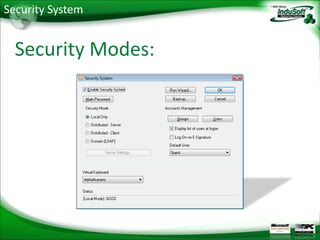


Web thin clients connect to an InduSoft Web Studio server over HTTPS using a web tunneling gateway and IIS web server. The gateway allows secure communication between thin clients and the server using the InduSoft protocol over TCP/IP, with the web server handling HTTPS over the default port 443. Security is configured through security modes and group settings in Web Studio.


