What’s coming in InduSoft Web Studio v8.1
www.InduSoft.com
info@InduSoft.com
InduSoft Web Studio
v8.1
www.InduSoft.com | info@InduSoft.com
Agenda
• Overview – What is InduSoft Web Studio
• Recent new features
• Version 8.1 new features
• Roadmap
Please Cast Your Vote Here!
www.InduSoft.com
info@InduSoft.com
Overview
www.InduSoft.com | info@InduSoft.com
Value Proposition
InduSoft Web Studio is an easy-to-use, powerful, and affordable
HMI/SCADA software for PCs, industrial panels, embedded &
mobile devices
Design the applications in an integrated development environment and
deploy/run it on multiple platforms, including any current Microsoft Operating
system - Windows CE/Mobile, Embedded, Desktop and Server Editions,
Linux, VxWorks, among others.
www.InduSoft.com | info@InduSoft.com
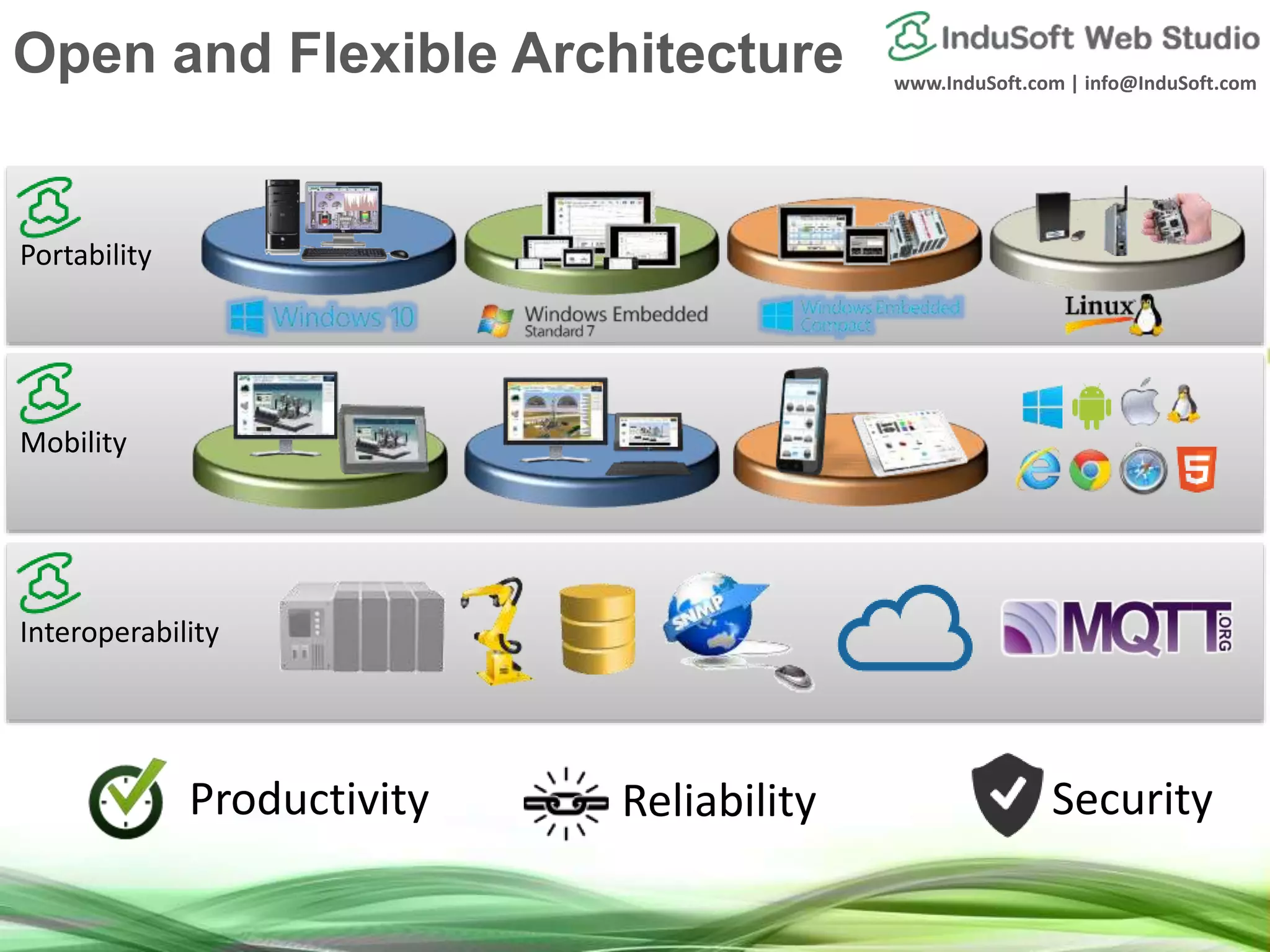
Interoperability
Mobility
Portability
Open and Flexible Architecture
Productivity Reliability Security
www.InduSoft.com | info@InduSoft.com
100% Compatibility with applications designed in previous versions
Evolve protecting your investment!
1997
InduSoft v1.0
Windows NT
Windows 95
Windows CE v1.0
2017
InduSoft Web Studio v8.1
Windows 10 / 8 / 7
Windows Server 2016 / 2012
Windows Embedded Standard 7
Windows Embedded Compact 7 / 6 / 5
Linux / Vxworks
Investment Protection
www.InduSoft.com
info@InduSoft.com
Recent New Features
Benefits
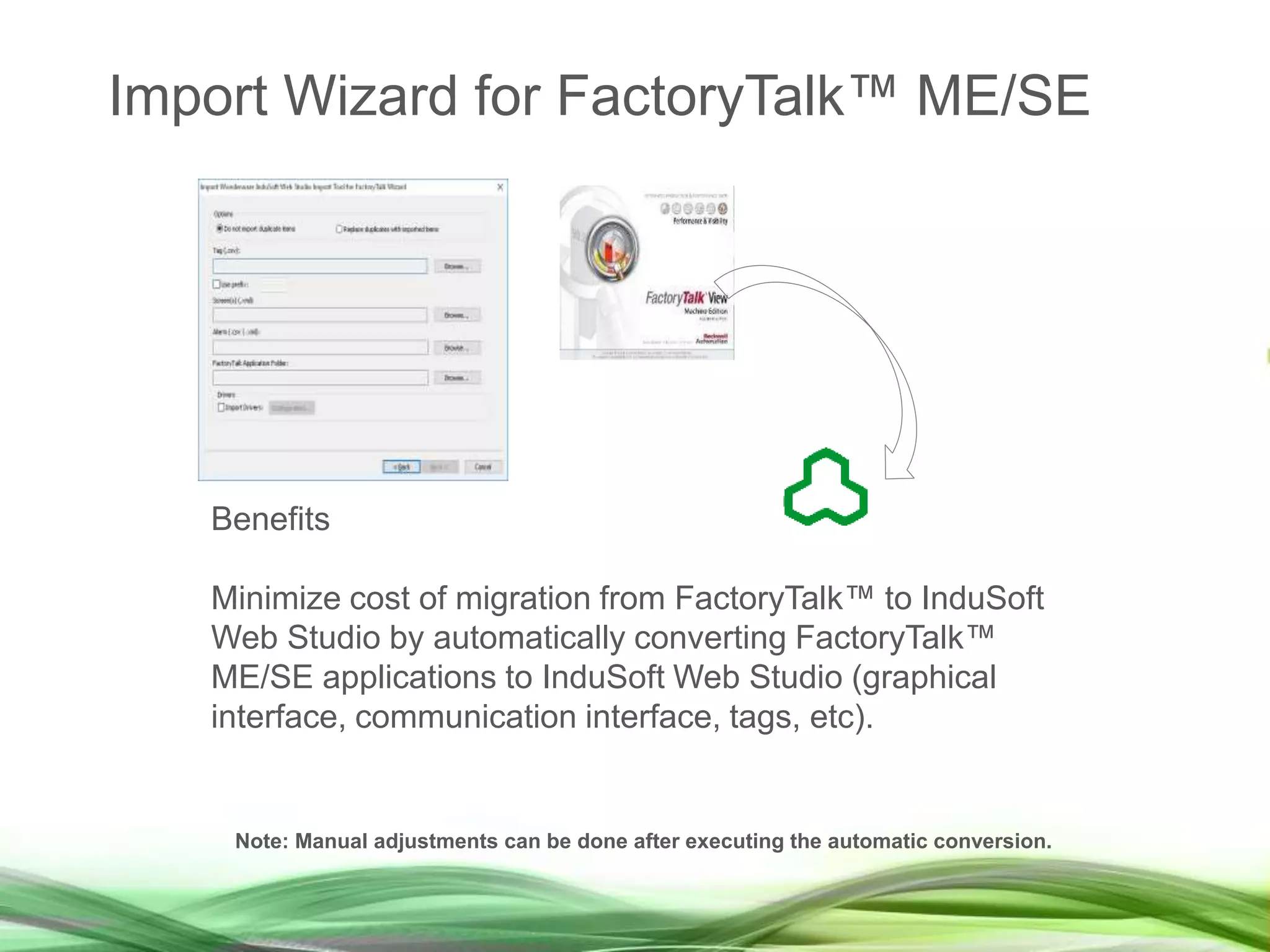
Minimize cost of migration from FactoryTalk™ to InduSoft
Web Studio by automatically converting FactoryTalk™
ME/SE applications to InduSoft Web Studio (graphical
interface, communication interface, tags, etc).
Note: Manual adjustments can be done after executing the automatic conversion.
Import Wizard for FactoryTalk™ ME/SE
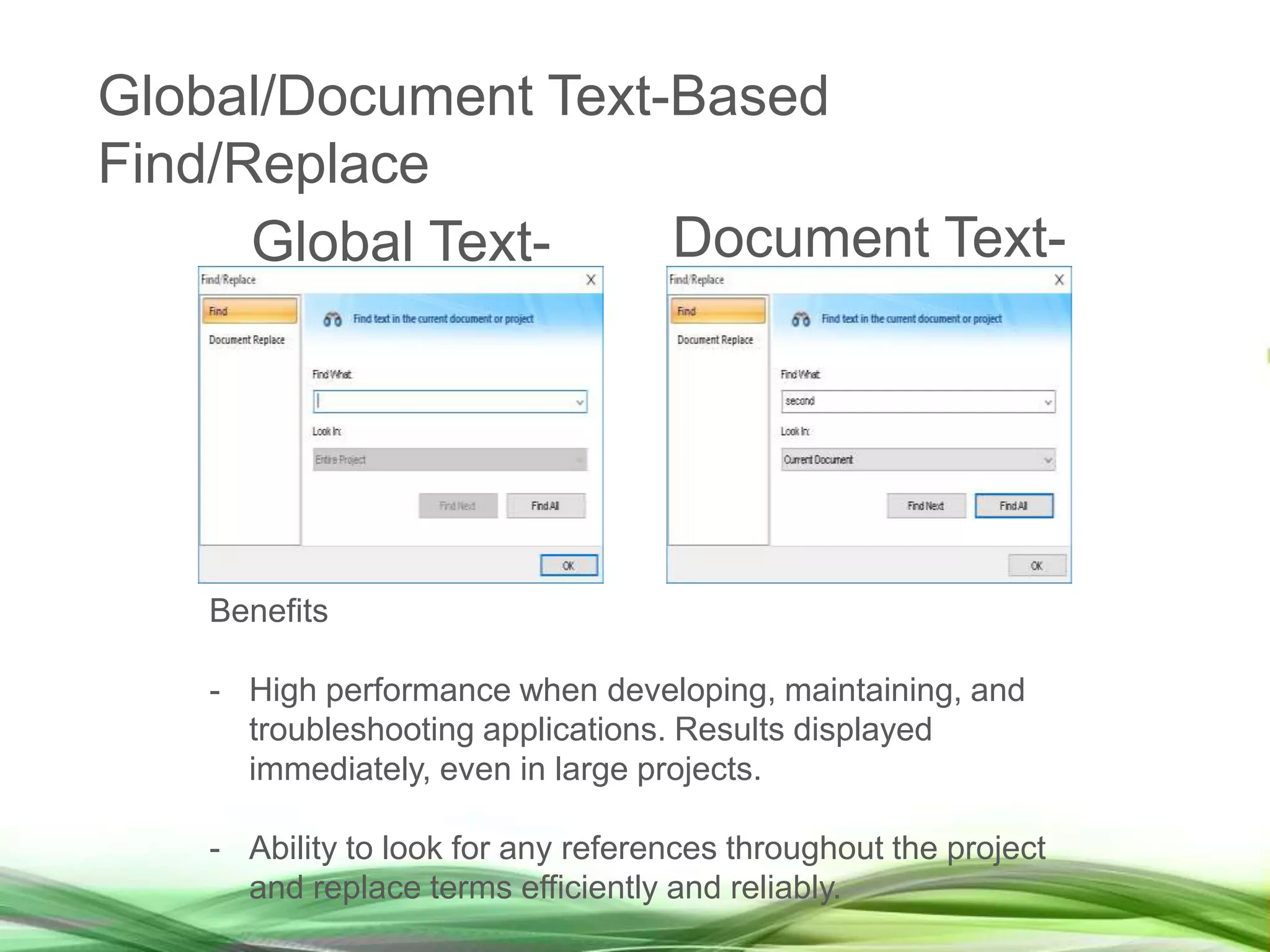
Global Text-
Based
Document Text-
Based
Find/Replace
Benefits
- High performance when developing, maintaining, and
troubleshooting applications. Results displayed
immediately, even in large projects.
- Ability to look for any references throughout the project
and replace terms efficiently and reliably.
Global/Document Text-Based
Find/Replace
EmbeddedView for Windows 10 IoT
Enterprise
Benefits
- In addition to Windows Embedded Standard 7,
EmbeddedView licensing model was improved to support
Windows Embedded Standard 8 (including Windows 8.1
Embedded Industry Pro), and Windows 10 IoT Enterprise
as well.
- Enhances portability of EmbeddedView runtime across
multiple platforms.
EmbeddedView
Benefits
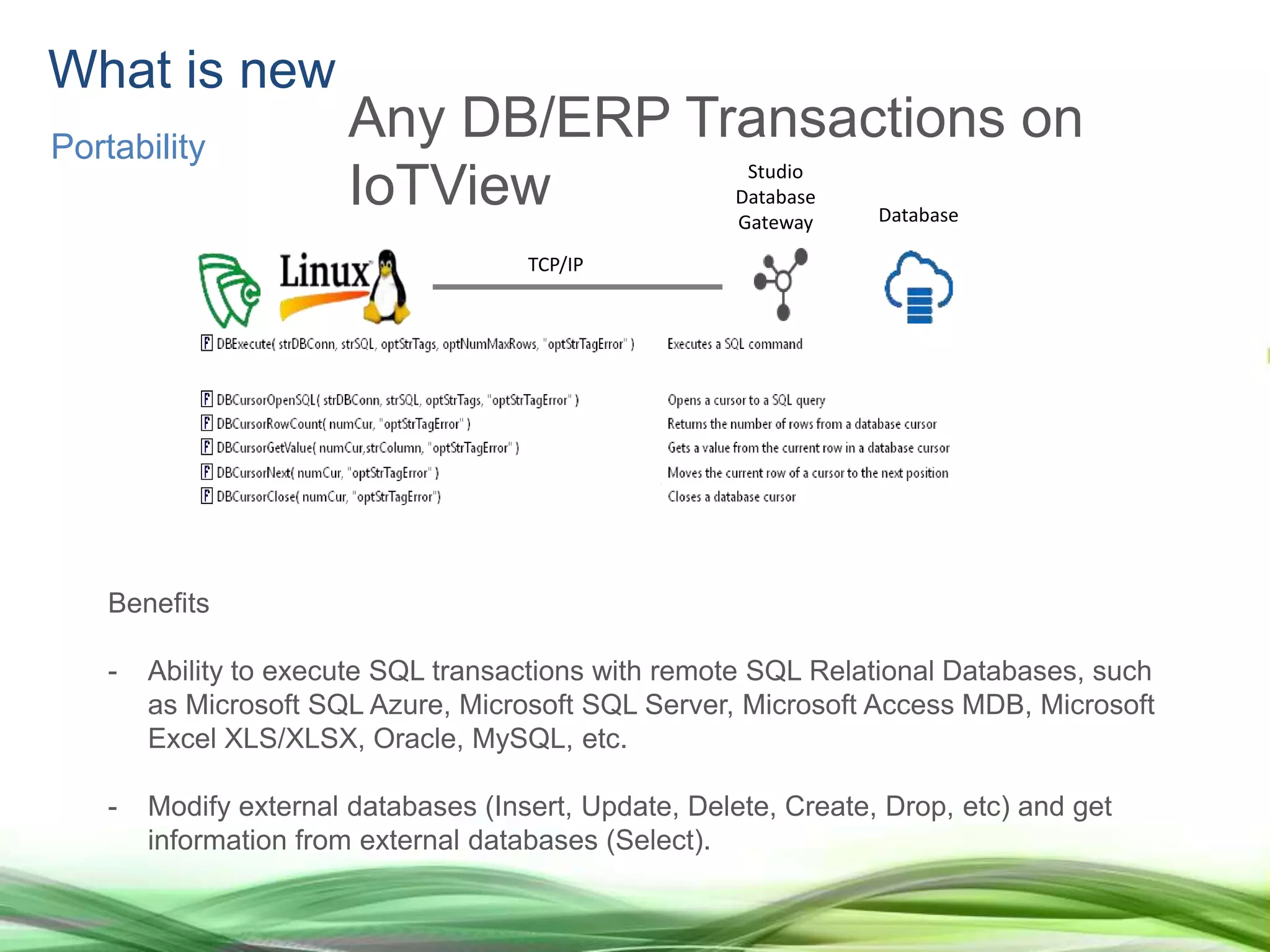
- Ability to execute SQL transactions with remote SQL Relational Databases, such
as Microsoft SQL Azure, Microsoft SQL Server, Microsoft Access MDB, Microsoft
Excel XLS/XLSX, Oracle, MySQL, etc.
- Modify external databases (Insert, Update, Delete, Create, Drop, etc) and get
information from external databases (Select).
Studio
Database
Gateway Database
TCP/IP
What is new
Portability
Any DB/ERP Transactions on
IoTView
What is new
Interoperability
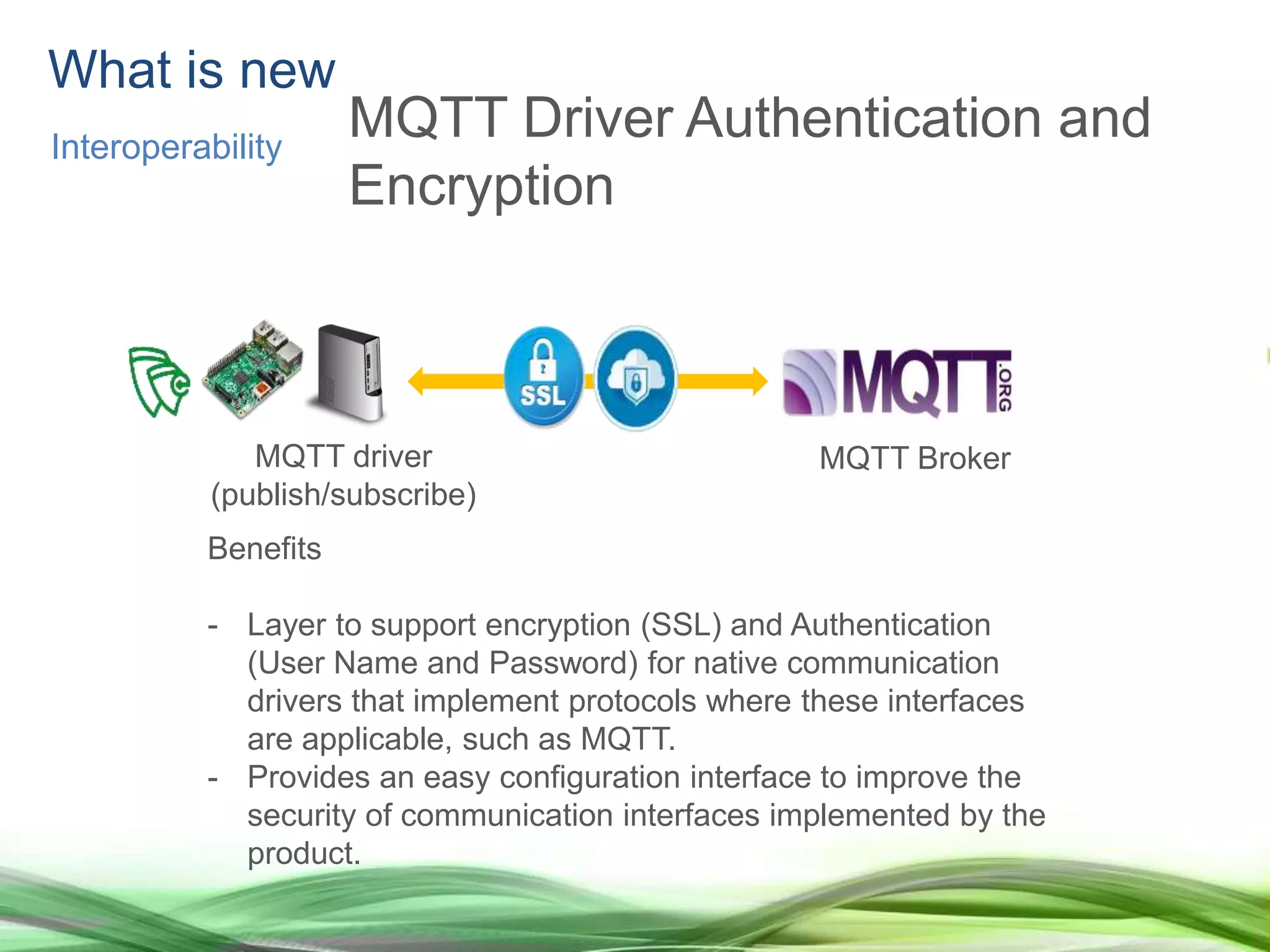
MQTT Driver Authentication and
Encryption
Benefits
- Layer to support encryption (SSL) and Authentication
(User Name and Password) for native communication
drivers that implement protocols where these interfaces
are applicable, such as MQTT.
- Provides an easy configuration interface to improve the
security of communication interfaces implemented by the
product.
MQTT driver
(publish/subscribe)
MQTT Broker
Screen Gestures - Swiping
Benefits
- Easily identify swiping gestures on the screen and trigger
actions accordingly. For example, navigate through
screens swiping on the touch screen interface.
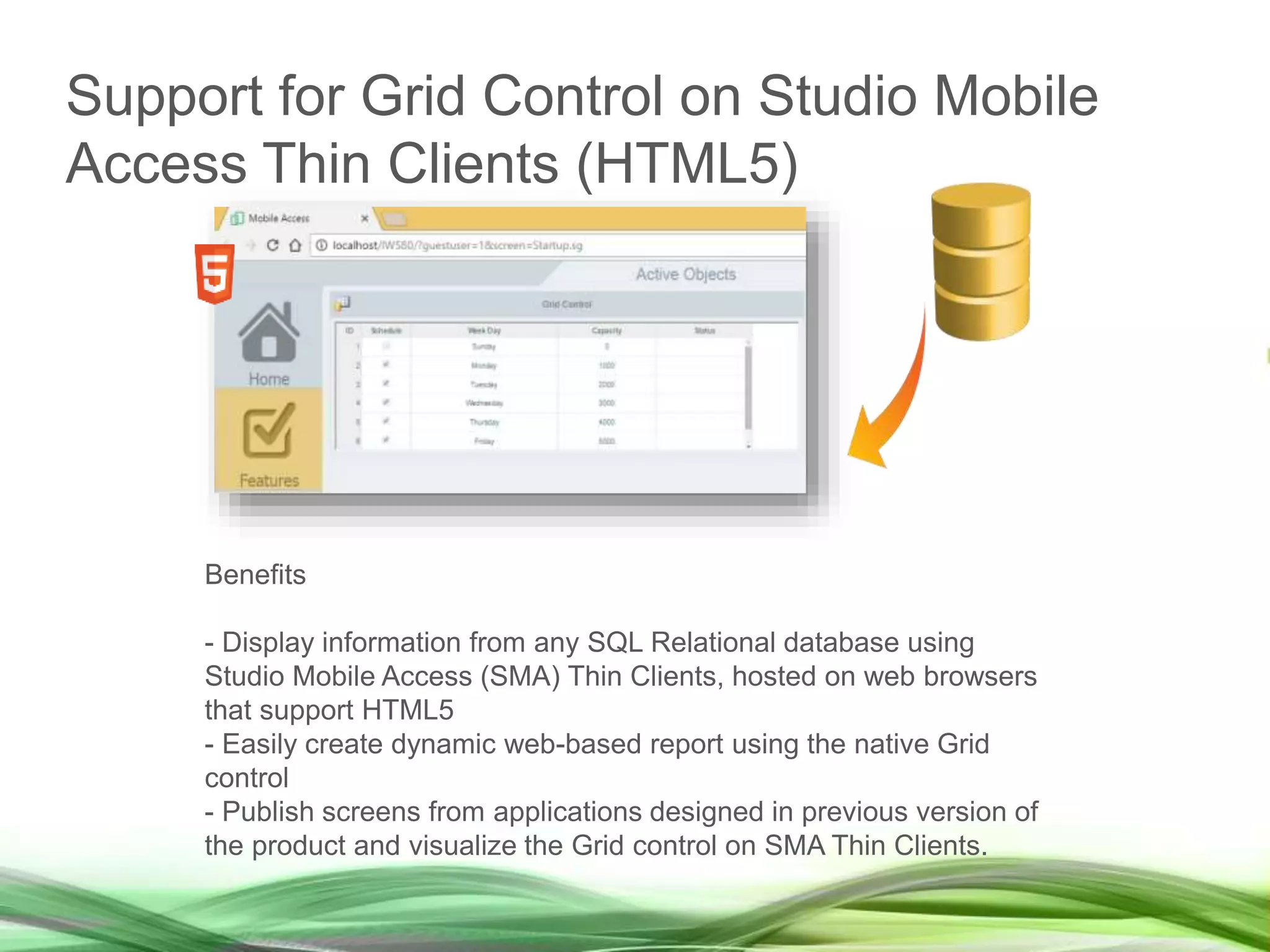
Support for Grid Control on Studio Mobile
Access Thin Clients (HTML5)
Benefits
- Display information from any SQL Relational database using
Studio Mobile Access (SMA) Thin Clients, hosted on web browsers
that support HTML5
- Easily create dynamic web-based report using the native Grid
control
- Publish screens from applications designed in previous version of
the product and visualize the Grid control on SMA Thin Clients.
Support for Trend Control on Studio Mobile
Access Thin Clients (HTML5)
Benefits
- Ability to visualize online and history data from tag
values on multiple devices based on different platforms
and web browsers (HTML5), using a modern and
intuitive user interface.
www.InduSoft.com
info@InduSoft.com
Version 8.1 New
Features
www.InduSoft.com | info@InduSoft.com
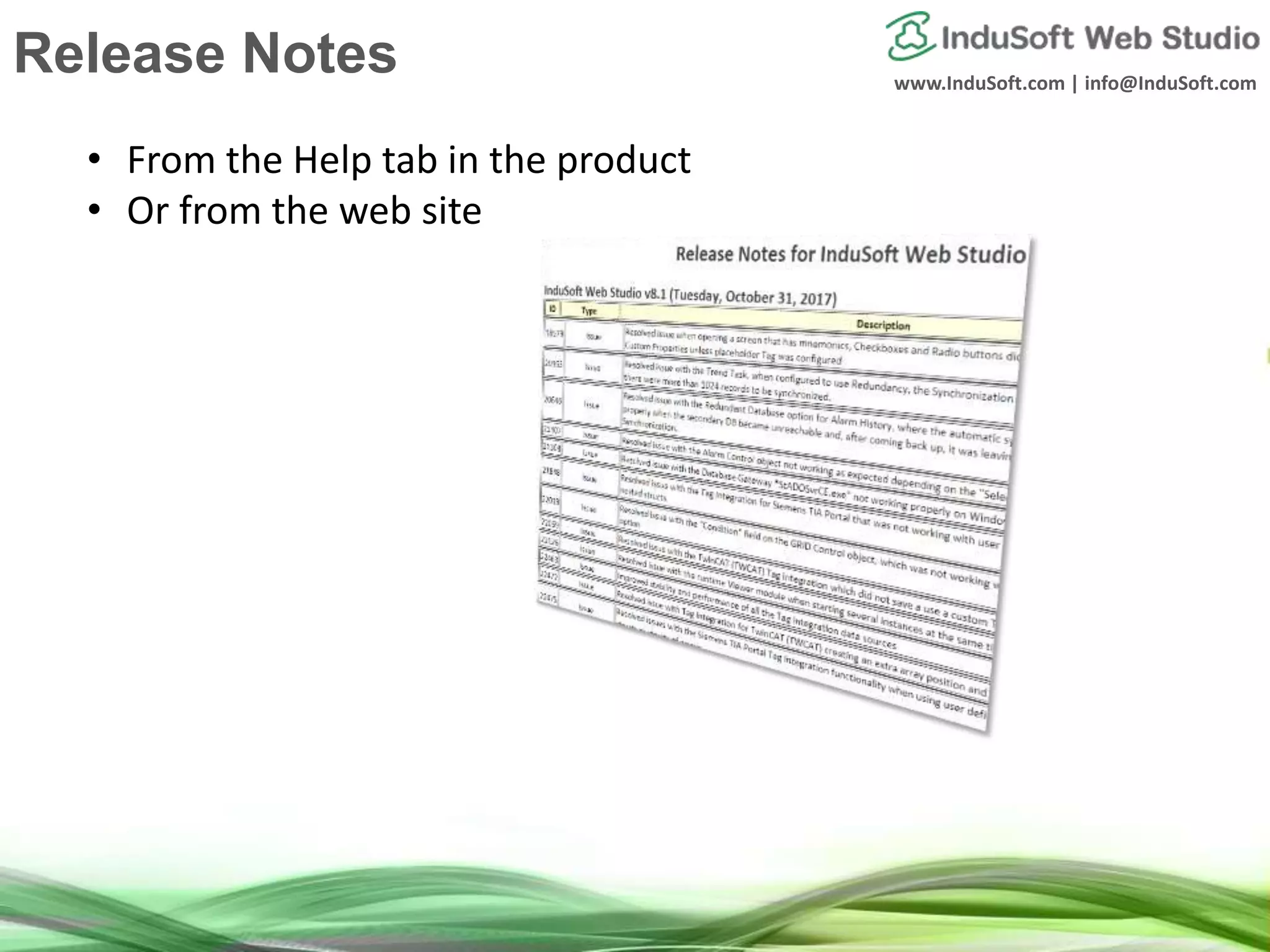
Release Notes
• From the Help tab in the product
• Or from the web site
www.InduSoft.com | info@InduSoft.com
Alarm/Event Control on SMA
Thin Clients (HTML5)
Benefits
- Ability to visualize and interact (e.g.: acknowledge, filter, etc) with online
and history alarms from devices based on different platforms and web
browsers (HTML5), using a modern and intuitive user interface.
www.InduSoft.com | info@InduSoft.com
Smart Message on SMA Thin
Clients (HTML5)
Benefits
- Ability to visualize and interact with the Smart Message native object from
Studio Mobile Access (SMA) Thin Client stations (HTML5).
www.InduSoft.com | info@InduSoft.com
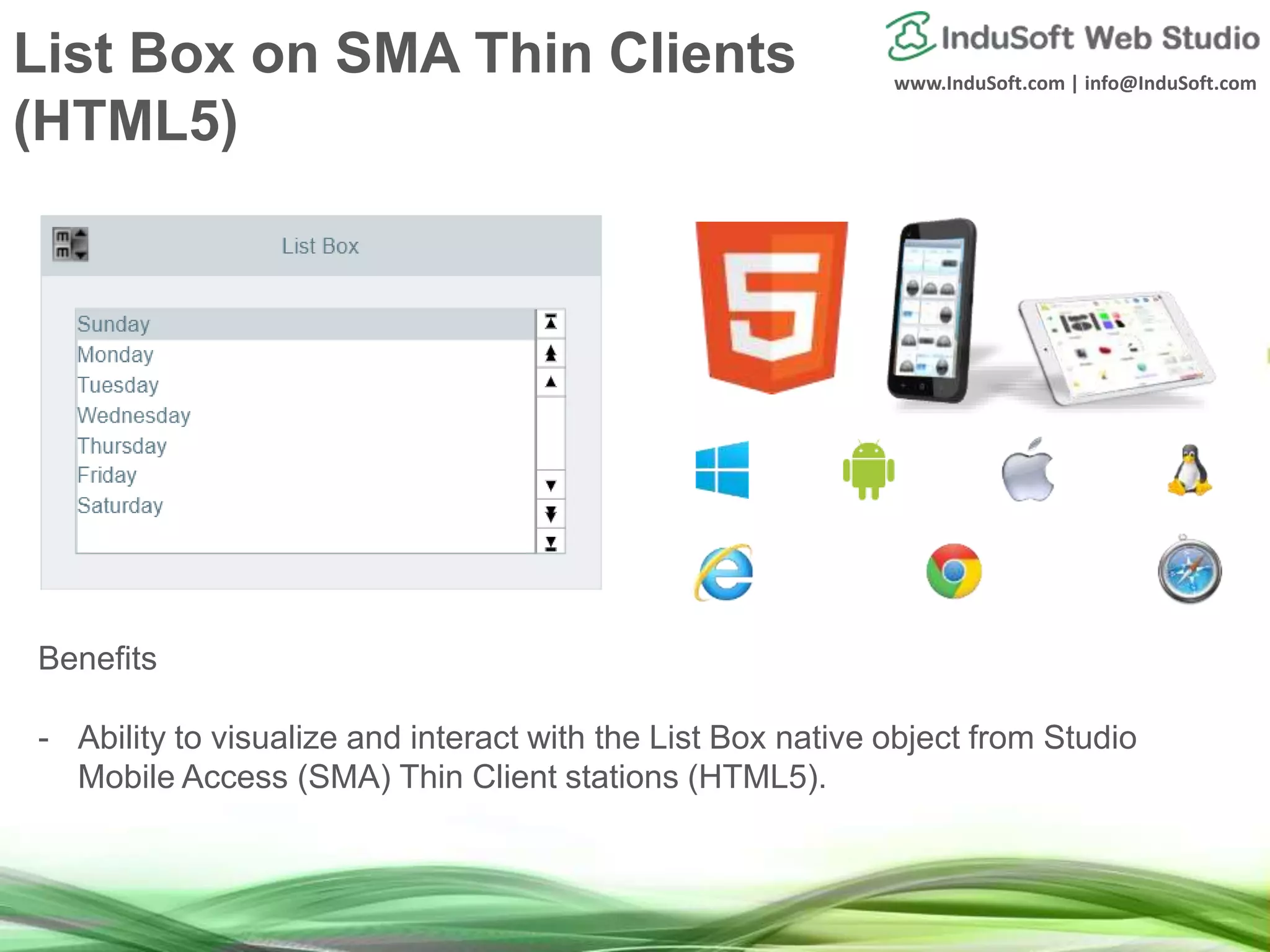
List Box on SMA Thin Clients
(HTML5)
Benefits
- Ability to visualize and interact with the List Box native object from Studio
Mobile Access (SMA) Thin Client stations (HTML5).
www.InduSoft.com | info@InduSoft.com
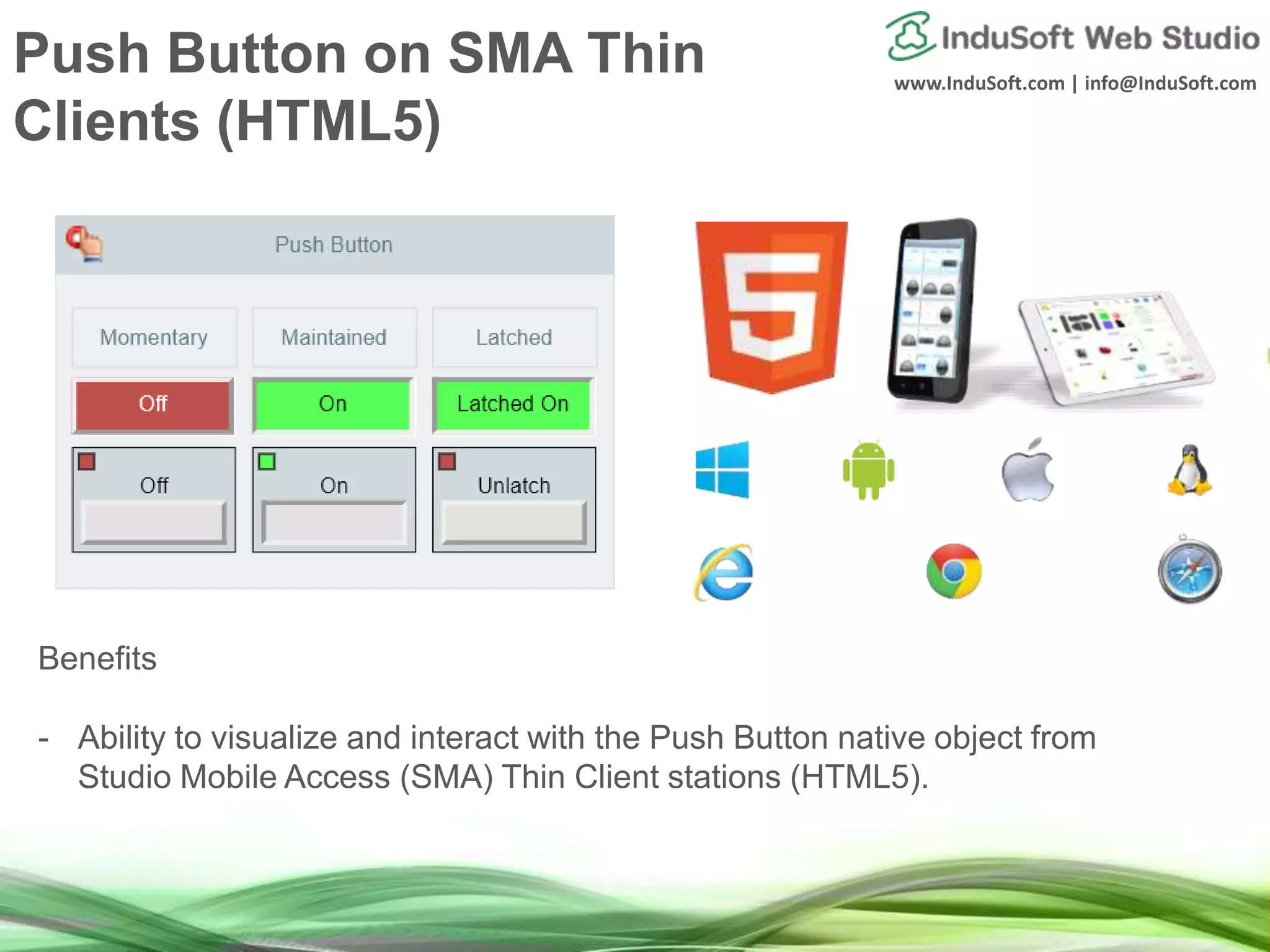
Push Button on SMA Thin
Clients (HTML5)
Benefits
- Ability to visualize and interact with the Push Button native object from
Studio Mobile Access (SMA) Thin Client stations (HTML5).
www.InduSoft.com | info@InduSoft.com
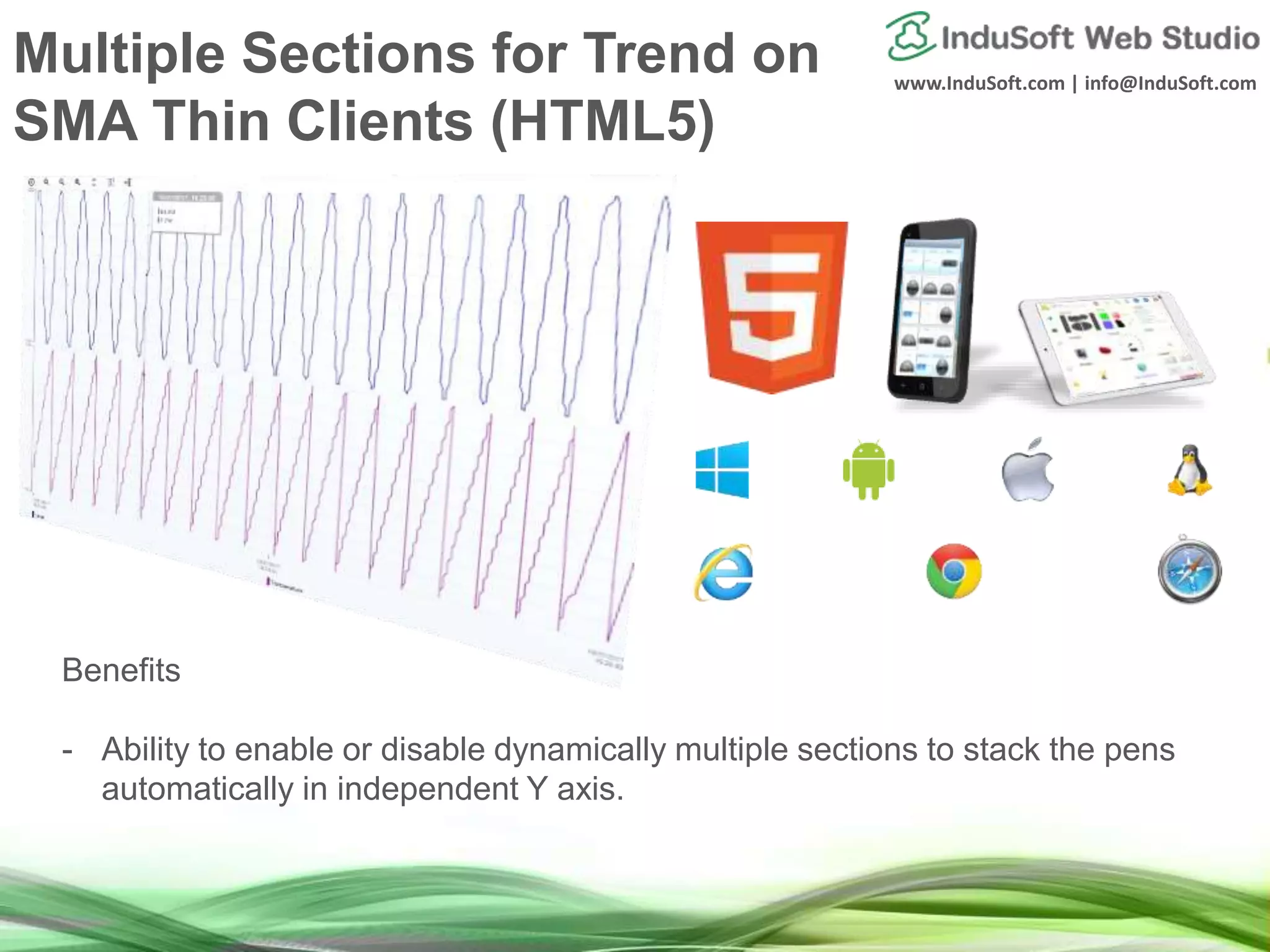
Multiple Sections for Trend on
SMA Thin Clients (HTML5)
Benefits
- Ability to enable or disable dynamically multiple sections to stack the pens
automatically in independent Y axis.
www.InduSoft.com | info@InduSoft.com
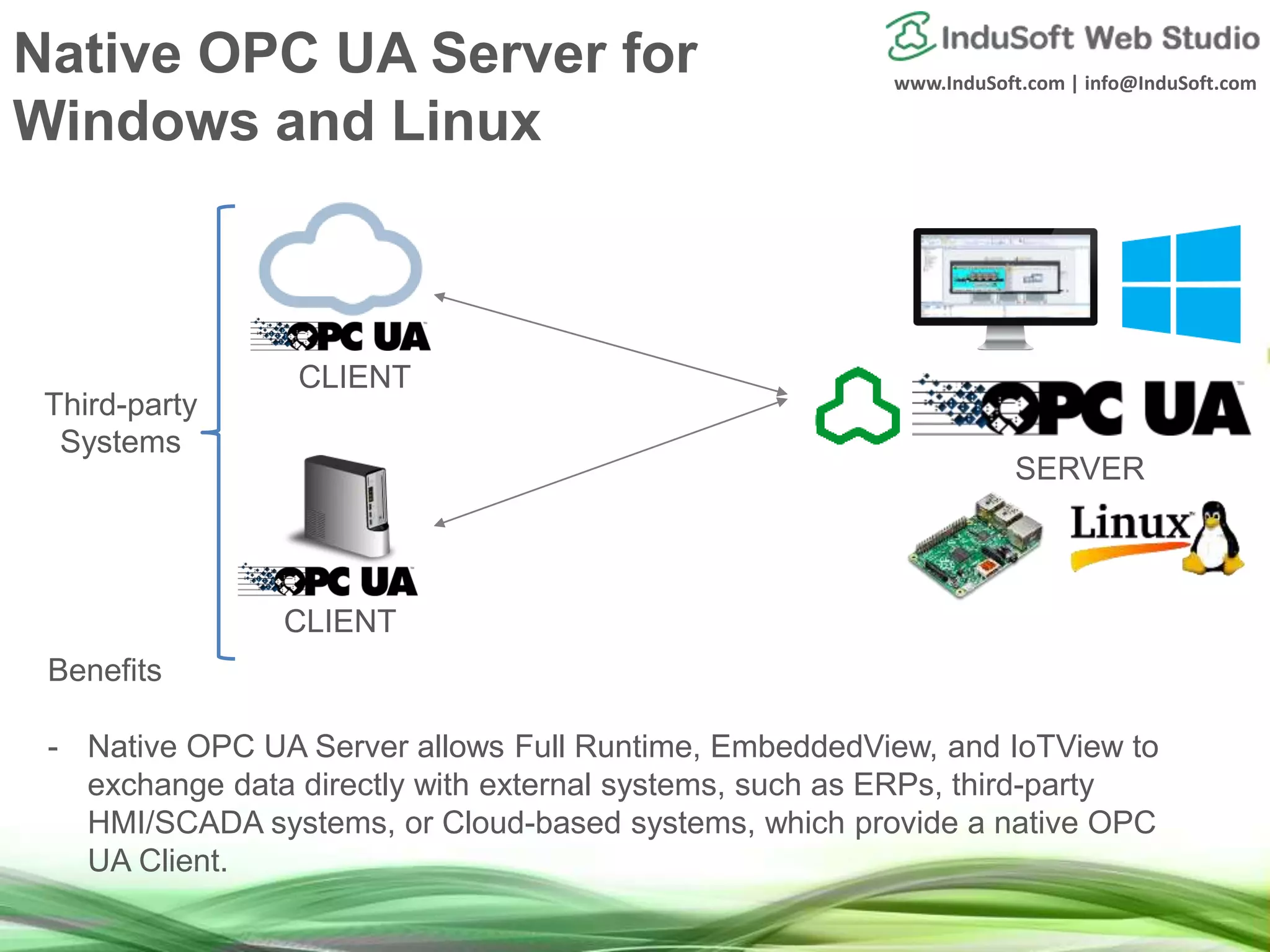
Native OPC UA Server for
Windows and Linux
Benefits
- Native OPC UA Server allows Full Runtime, EmbeddedView, and IoTView to
exchange data directly with external systems, such as ERPs, third-party
HMI/SCADA systems, or Cloud-based systems, which provide a native OPC
UA Client.
SERVER
CLIENT
CLIENT
Third-party
Systems
www.InduSoft.com | info@InduSoft.com
Native communication across
platforms though OPC UA
EmbeddedViewFull Runtime IoTView
Client Server
www.InduSoft.com | info@InduSoft.com
Simplified Licensing Model
 All licenses support unlimited number of concurrent communication drivers
(limited by physical constraints)
 Native communication drivers for the electrical protocols (DNP/IEC) available for all
licenses (Full Runtime, Embedded) – no longer an add-on.
 All Import Wizards (PanelBuilder™, PanelMate™, and FactoryTalk™) are enabled in
the same add-on.
 License no longer restricts the type of Thin Clients, nor pre-defined packages of
Thin Clients. The user can define the exact number of maximum Thin Clients that
should be concurrently supported by the license.
Higher Productivity Higher Competitiveness
www.InduSoft.com | info@InduSoft.com
License/Maintenance Promo
• Any license purchased on or after July 1st, 2017 are eligible to upgrade to
IWSv8.1 free of charge.
• Any licenses purchased from January 1st, 2017 to July 30th, 2017 are eligible to
upgrade to IWS v8.1 by purchasing the “IND-ASMP-ST: Standard Annual Software
License” (20% of the license price), retroactive from the date when the license
was originally purchased.
• For example, if a license was purchased on February 1st, 2017, the customer
can purchase “IND-ASMP-ST: Standard Annual Software License” (20% of
the license price), so this license will be eligible to free upgrades to newer
versions from January 31st, 2018.
• Any license purchased before January 1st, 2017 would require the version
upgrade fee (60% of the license price) in order to upgrade it to IWS v8.1 – unless
the license is already covered by the “IND-ASMP-ST: Standard Annual Software
License”.
IMPORTANT REMARK: This promotion expires on December 31st, 2017. Licenses
purchased on any date before IWS v8.1 was released to the market and require a
version upgrade after December 31st, 2017 will require the version upgrade fee
(60% of the license price) in order to upgrade it to IWS v8.1 – unless the license is
already covered by the “IND-ASMP-ST: Standard Annual Software License”.
www.InduSoft.com
info@InduSoft.com
Future Roadmap
Roadmap
Upcoming features, planned, subject to change
• Mobility: Create standard apps (iOS, Android, and Windows)
hosting HTML5, as a substitute for Secure Viewer Thin Clients
• Portability: Support for native JScript engine
• Productivity: Native support for nested classes and multi-
dimensional arrays
• Portability: Native interface to deploy and run IWS applications
on the Cloud
• Interoperability: Support for ABCIP (EIP CIP) on IoTView
www.InduSoft.com
info@InduSoft.com
How to contact indusoft
www.InduSoft.com | info@InduSoft.com
Email
(US) info@indusoft.com
(Brazil) info@indusoft.com.br
(Germany) info@indusoft.com.de
Support support@indusoft.com
Web site
(English) www.indusoft.com
(Portuguese) www.indusoft.com.br
(German) www.indusoft.com.de
Phone +1 (512) 349-0334 (US)
+55 (11) 3293-9139 (Brazil)
+49 (0) 6227-732510 (Germany)
Toll-Free 877-INDUSOFT (877-463-8763)
Fax +1 (512) 349-0375 Germany
USA
Brazil
Contact InduSoft today
www.InduSoft.com
info@InduSoft.com
Thank you

What’s coming in InduSoft Web Studio 8.1

  • 1.
    What’s coming inInduSoft Web Studio v8.1
  • 2.
  • 3.
    www.InduSoft.com | info@InduSoft.com Agenda •Overview – What is InduSoft Web Studio • Recent new features • Version 8.1 new features • Roadmap Please Cast Your Vote Here!
  • 4.
  • 5.
    www.InduSoft.com | info@InduSoft.com ValueProposition InduSoft Web Studio is an easy-to-use, powerful, and affordable HMI/SCADA software for PCs, industrial panels, embedded & mobile devices Design the applications in an integrated development environment and deploy/run it on multiple platforms, including any current Microsoft Operating system - Windows CE/Mobile, Embedded, Desktop and Server Editions, Linux, VxWorks, among others.
  • 6.
    www.InduSoft.com | info@InduSoft.com Interoperability Mobility Portability Openand Flexible Architecture Productivity Reliability Security
  • 7.
    www.InduSoft.com | info@InduSoft.com 100%Compatibility with applications designed in previous versions Evolve protecting your investment! 1997 InduSoft v1.0 Windows NT Windows 95 Windows CE v1.0 2017 InduSoft Web Studio v8.1 Windows 10 / 8 / 7 Windows Server 2016 / 2012 Windows Embedded Standard 7 Windows Embedded Compact 7 / 6 / 5 Linux / Vxworks Investment Protection
  • 8.
  • 9.
    Benefits Minimize cost ofmigration from FactoryTalk™ to InduSoft Web Studio by automatically converting FactoryTalk™ ME/SE applications to InduSoft Web Studio (graphical interface, communication interface, tags, etc). Note: Manual adjustments can be done after executing the automatic conversion. Import Wizard for FactoryTalk™ ME/SE
  • 10.
    Global Text- Based Document Text- Based Find/Replace Benefits -High performance when developing, maintaining, and troubleshooting applications. Results displayed immediately, even in large projects. - Ability to look for any references throughout the project and replace terms efficiently and reliably. Global/Document Text-Based Find/Replace
  • 11.
    EmbeddedView for Windows10 IoT Enterprise Benefits - In addition to Windows Embedded Standard 7, EmbeddedView licensing model was improved to support Windows Embedded Standard 8 (including Windows 8.1 Embedded Industry Pro), and Windows 10 IoT Enterprise as well. - Enhances portability of EmbeddedView runtime across multiple platforms. EmbeddedView
  • 12.
    Benefits - Ability toexecute SQL transactions with remote SQL Relational Databases, such as Microsoft SQL Azure, Microsoft SQL Server, Microsoft Access MDB, Microsoft Excel XLS/XLSX, Oracle, MySQL, etc. - Modify external databases (Insert, Update, Delete, Create, Drop, etc) and get information from external databases (Select). Studio Database Gateway Database TCP/IP What is new Portability Any DB/ERP Transactions on IoTView
  • 13.
    What is new Interoperability MQTTDriver Authentication and Encryption Benefits - Layer to support encryption (SSL) and Authentication (User Name and Password) for native communication drivers that implement protocols where these interfaces are applicable, such as MQTT. - Provides an easy configuration interface to improve the security of communication interfaces implemented by the product. MQTT driver (publish/subscribe) MQTT Broker
  • 14.
    Screen Gestures -Swiping Benefits - Easily identify swiping gestures on the screen and trigger actions accordingly. For example, navigate through screens swiping on the touch screen interface.
  • 15.
    Support for GridControl on Studio Mobile Access Thin Clients (HTML5) Benefits - Display information from any SQL Relational database using Studio Mobile Access (SMA) Thin Clients, hosted on web browsers that support HTML5 - Easily create dynamic web-based report using the native Grid control - Publish screens from applications designed in previous version of the product and visualize the Grid control on SMA Thin Clients.
  • 16.
    Support for TrendControl on Studio Mobile Access Thin Clients (HTML5) Benefits - Ability to visualize online and history data from tag values on multiple devices based on different platforms and web browsers (HTML5), using a modern and intuitive user interface.
  • 17.
  • 18.
    www.InduSoft.com | info@InduSoft.com ReleaseNotes • From the Help tab in the product • Or from the web site
  • 19.
    www.InduSoft.com | info@InduSoft.com Alarm/EventControl on SMA Thin Clients (HTML5) Benefits - Ability to visualize and interact (e.g.: acknowledge, filter, etc) with online and history alarms from devices based on different platforms and web browsers (HTML5), using a modern and intuitive user interface.
  • 20.
    www.InduSoft.com | info@InduSoft.com SmartMessage on SMA Thin Clients (HTML5) Benefits - Ability to visualize and interact with the Smart Message native object from Studio Mobile Access (SMA) Thin Client stations (HTML5).
  • 21.
    www.InduSoft.com | info@InduSoft.com ListBox on SMA Thin Clients (HTML5) Benefits - Ability to visualize and interact with the List Box native object from Studio Mobile Access (SMA) Thin Client stations (HTML5).
  • 22.
    www.InduSoft.com | info@InduSoft.com PushButton on SMA Thin Clients (HTML5) Benefits - Ability to visualize and interact with the Push Button native object from Studio Mobile Access (SMA) Thin Client stations (HTML5).
  • 23.
    www.InduSoft.com | info@InduSoft.com MultipleSections for Trend on SMA Thin Clients (HTML5) Benefits - Ability to enable or disable dynamically multiple sections to stack the pens automatically in independent Y axis.
  • 24.
    www.InduSoft.com | info@InduSoft.com NativeOPC UA Server for Windows and Linux Benefits - Native OPC UA Server allows Full Runtime, EmbeddedView, and IoTView to exchange data directly with external systems, such as ERPs, third-party HMI/SCADA systems, or Cloud-based systems, which provide a native OPC UA Client. SERVER CLIENT CLIENT Third-party Systems
  • 25.
    www.InduSoft.com | info@InduSoft.com Nativecommunication across platforms though OPC UA EmbeddedViewFull Runtime IoTView Client Server
  • 26.
    www.InduSoft.com | info@InduSoft.com SimplifiedLicensing Model  All licenses support unlimited number of concurrent communication drivers (limited by physical constraints)  Native communication drivers for the electrical protocols (DNP/IEC) available for all licenses (Full Runtime, Embedded) – no longer an add-on.  All Import Wizards (PanelBuilder™, PanelMate™, and FactoryTalk™) are enabled in the same add-on.  License no longer restricts the type of Thin Clients, nor pre-defined packages of Thin Clients. The user can define the exact number of maximum Thin Clients that should be concurrently supported by the license. Higher Productivity Higher Competitiveness
  • 27.
    www.InduSoft.com | info@InduSoft.com License/MaintenancePromo • Any license purchased on or after July 1st, 2017 are eligible to upgrade to IWSv8.1 free of charge. • Any licenses purchased from January 1st, 2017 to July 30th, 2017 are eligible to upgrade to IWS v8.1 by purchasing the “IND-ASMP-ST: Standard Annual Software License” (20% of the license price), retroactive from the date when the license was originally purchased. • For example, if a license was purchased on February 1st, 2017, the customer can purchase “IND-ASMP-ST: Standard Annual Software License” (20% of the license price), so this license will be eligible to free upgrades to newer versions from January 31st, 2018. • Any license purchased before January 1st, 2017 would require the version upgrade fee (60% of the license price) in order to upgrade it to IWS v8.1 – unless the license is already covered by the “IND-ASMP-ST: Standard Annual Software License”. IMPORTANT REMARK: This promotion expires on December 31st, 2017. Licenses purchased on any date before IWS v8.1 was released to the market and require a version upgrade after December 31st, 2017 will require the version upgrade fee (60% of the license price) in order to upgrade it to IWS v8.1 – unless the license is already covered by the “IND-ASMP-ST: Standard Annual Software License”.
  • 28.
  • 29.
    Roadmap Upcoming features, planned,subject to change • Mobility: Create standard apps (iOS, Android, and Windows) hosting HTML5, as a substitute for Secure Viewer Thin Clients • Portability: Support for native JScript engine • Productivity: Native support for nested classes and multi- dimensional arrays • Portability: Native interface to deploy and run IWS applications on the Cloud • Interoperability: Support for ABCIP (EIP CIP) on IoTView
  • 30.
  • 31.
    www.InduSoft.com | info@InduSoft.com Email (US)info@indusoft.com (Brazil) info@indusoft.com.br (Germany) info@indusoft.com.de Support support@indusoft.com Web site (English) www.indusoft.com (Portuguese) www.indusoft.com.br (German) www.indusoft.com.de Phone +1 (512) 349-0334 (US) +55 (11) 3293-9139 (Brazil) +49 (0) 6227-732510 (Germany) Toll-Free 877-INDUSOFT (877-463-8763) Fax +1 (512) 349-0375 Germany USA Brazil Contact InduSoft today
  • 32.

Editor's Notes

  • #10 This is an example of a Text Slide. Reference the different layout options in the Slide Master (under the View tab) for different variations. Remember, our new Brand Guidelines call for clean and simple messages and design. Reference the PowerPoint Guidelines on the Brand Book for tips and useful information on creating effective presentations.