iMovR Reliant Desk Base – Height Extender KIT
GETTING STARTED
Clear a big enough area to be able to flip the desk over.
Unplug the desk’s power cord from the wall outlet.
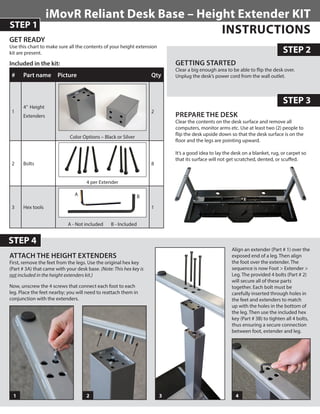
PREPARE THE DESK
Clear the contents on the desk surface and remove all
computers, monitor arms etc. Use at least two (2) people to
flip the desk upside down so that the desk surface is on the
floor and the legs are pointing upward.
It’s a good idea to lay the desk on a blanket, rug, or carpet so
that its surface will not get scratched, dented, or scuffed.
ATTACH THE HEIGHT EXTENDERS
First, remove the feet from the legs. Use the original hex key
(Part # 3A) that came with your desk base. (Note: This hex key is
not included in the height extenders kit.)
Now, unscrew the 4 screws that connect each foot to each
leg. Place the feet nearby; you will need to reattach them in
conjunction with the extenders.
STEP 4
STEP 2
Included in the kit:
# Part name Picture Qty
1
4” Height
Extenders
Color Options – Black or Silver
2
2 Bolts
4 per Extender
8
3 Hex tools
A - Not included B - Included
1
STEP 1
STEP 3
Align an extender (Part # 1) over the
exposed end of a leg. Then align
the foot over the extender. The
sequence is now Foot > Extender >
Leg. The provided 4 bolts (Part # 2)
will secure all of these parts
together. Each bolt must be
carefully inserted through holes in
the feet and extenders to match
up with the holes in the bottom of
the leg. Then use the included hex
key (Part # 3B) to tighten all 4 bolts,
thus ensuring a secure connection
between foot, extender and leg.
21 3 4
GET READY
Use this chart to make sure all the contents of your height extension
kit are present.
A B
INSTRUCTIONS
OVERVIEW
This product shifts the height range of your desk by 4 inches,
creating a new height ceiling of 54.5 inches; a big benefit for
taller standing and treadmill desk users. This new height range
also increases the amount of overlap between your desk’s leg
segments, thereby improving your desk’s overall stability at each
height setting.
It’s a good idea to keep the original screws and hex key incase you
need to revert to the desks original configuration.
HOW TO RE-SET THE HEIGHT INDICATOR
ON THE CONTROL PANEL TO MATCH THE
ACTUAL DESK HEIGHT
As you have now added 4”(10.2cm) to the height of the desk,
it is necessary to re-calibrate your digital control panel’s height
readout. Please follow these steps:
STEP 6
STEP 7
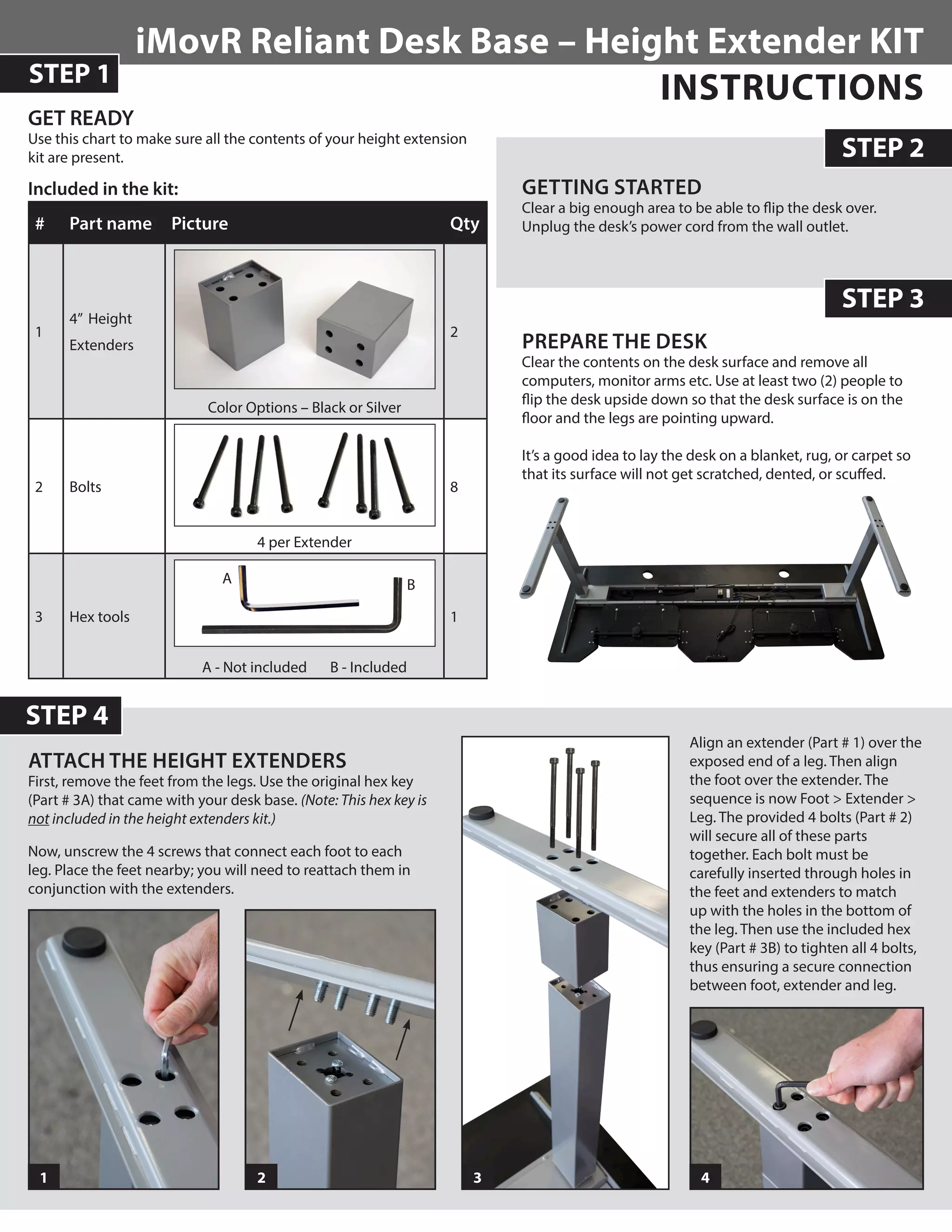
RETURN THE DESK TO AN UPRIGHT
POSITION
Now that both legs have been modified with the height
extenders, the desk needs to be returned to its normal upright
position. Again, use at least two people to flip the desk back and
position in your desired location.
1 –	Set the desk to the lowest position.
2 – 	Using a tape measure, measure the actual height of your desk
from the floor to the surface of your desk-top.
3 – 	Press the orange“S”button. The display will read:“S­—”
4 – 	Press and hold the“down arrow”button until the display starts
flashing. This should take about 8-10 seconds.
5 – 	Adjust the displayed height by pressing the“up arrow”button
until the display reads the actual height you measured. If you
need to adjust the height reading downward, then press the
“down arrow”button.
6 –	Press the orange“S”button. The correct minimum height is
now saved.
NOTE: Adjusting the display height automatically adjusts any
pre-set heights you may have saved as well.
IMovR Contact Information:
Phone: (888) 208-6770 or (425) 999-3550
Fax: (425) 999-3550
E-mail: customercare@iMovR.com
Live Chat: www.iMovR.COM
Hours: See iMovR.com/hours
STEP 5
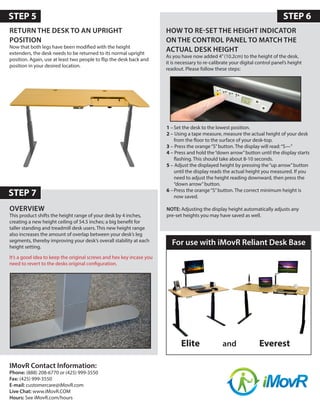
Elite and Everest
For use with iMovR Reliant Desk Base

iMovR Leg Extension Manual

  • 1.
    iMovR Reliant DeskBase – Height Extender KIT GETTING STARTED Clear a big enough area to be able to flip the desk over. Unplug the desk’s power cord from the wall outlet. PREPARE THE DESK Clear the contents on the desk surface and remove all computers, monitor arms etc. Use at least two (2) people to flip the desk upside down so that the desk surface is on the floor and the legs are pointing upward. It’s a good idea to lay the desk on a blanket, rug, or carpet so that its surface will not get scratched, dented, or scuffed. ATTACH THE HEIGHT EXTENDERS First, remove the feet from the legs. Use the original hex key (Part # 3A) that came with your desk base. (Note: This hex key is not included in the height extenders kit.) Now, unscrew the 4 screws that connect each foot to each leg. Place the feet nearby; you will need to reattach them in conjunction with the extenders. STEP 4 STEP 2 Included in the kit: # Part name Picture Qty 1 4” Height Extenders Color Options – Black or Silver 2 2 Bolts 4 per Extender 8 3 Hex tools A - Not included B - Included 1 STEP 1 STEP 3 Align an extender (Part # 1) over the exposed end of a leg. Then align the foot over the extender. The sequence is now Foot > Extender > Leg. The provided 4 bolts (Part # 2) will secure all of these parts together. Each bolt must be carefully inserted through holes in the feet and extenders to match up with the holes in the bottom of the leg. Then use the included hex key (Part # 3B) to tighten all 4 bolts, thus ensuring a secure connection between foot, extender and leg. 21 3 4 GET READY Use this chart to make sure all the contents of your height extension kit are present. A B INSTRUCTIONS
  • 2.
    OVERVIEW This product shiftsthe height range of your desk by 4 inches, creating a new height ceiling of 54.5 inches; a big benefit for taller standing and treadmill desk users. This new height range also increases the amount of overlap between your desk’s leg segments, thereby improving your desk’s overall stability at each height setting. It’s a good idea to keep the original screws and hex key incase you need to revert to the desks original configuration. HOW TO RE-SET THE HEIGHT INDICATOR ON THE CONTROL PANEL TO MATCH THE ACTUAL DESK HEIGHT As you have now added 4”(10.2cm) to the height of the desk, it is necessary to re-calibrate your digital control panel’s height readout. Please follow these steps: STEP 6 STEP 7 RETURN THE DESK TO AN UPRIGHT POSITION Now that both legs have been modified with the height extenders, the desk needs to be returned to its normal upright position. Again, use at least two people to flip the desk back and position in your desired location. 1 – Set the desk to the lowest position. 2 – Using a tape measure, measure the actual height of your desk from the floor to the surface of your desk-top. 3 – Press the orange“S”button. The display will read:“S­—” 4 – Press and hold the“down arrow”button until the display starts flashing. This should take about 8-10 seconds. 5 – Adjust the displayed height by pressing the“up arrow”button until the display reads the actual height you measured. If you need to adjust the height reading downward, then press the “down arrow”button. 6 – Press the orange“S”button. The correct minimum height is now saved. NOTE: Adjusting the display height automatically adjusts any pre-set heights you may have saved as well. IMovR Contact Information: Phone: (888) 208-6770 or (425) 999-3550 Fax: (425) 999-3550 E-mail: customercare@iMovR.com Live Chat: www.iMovR.COM Hours: See iMovR.com/hours STEP 5 Elite and Everest For use with iMovR Reliant Desk Base