Mobile User Expectations
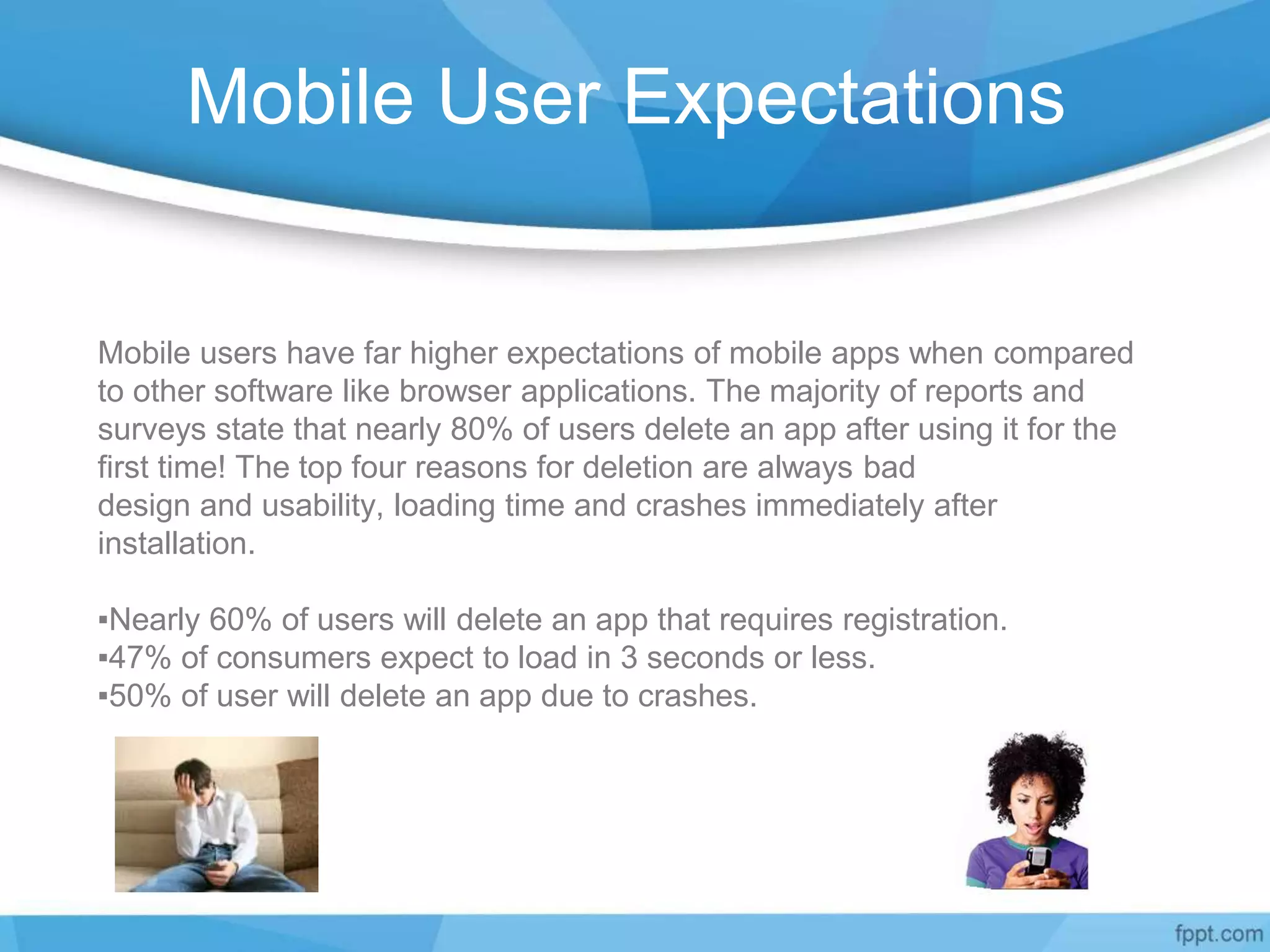
Mobile users have far higher expectations of mobile apps when compared
to other software like browser applications. The majority of reports and
surveys state that nearly 80% of users delete an app after using it for the
first time! The top four reasons for deletion are always bad
design and usability, loading time and crashes immediately after
installation.
▪Nearly 60% of users will delete an app that requires registration.
▪47% of consumers expect to load in 3 seconds or less.
▪50% of user will delete an app due to crashes.
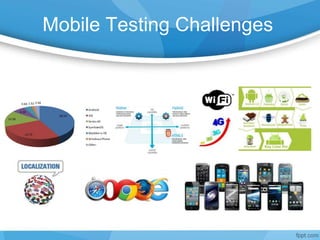
Mobile Testing Challenges
Mobile Testing Solutions
4 Device Repository - Devices, Assets
4 Test Coverage
4 Mobile App Testing CoE in an Agile Environment.
4 To execute a successful QA manual, automation or combination strategy on
time and on budget.
4 MTCoE is platform independent, making true end-to-end testing with a single test script possible.
4 Continually monitor usage and feed data into the analysis to refine test configuration selection.
4 Understand the application technology, business objectives and user profile
4 Subject Matter Experts leveraging various available tools and solutions
4 Translation of interface and language specific to local requirements.
4 Specialize in providing quick and the best possible return on investment
through our low cost of localization testing services.
4 Increasing test automation to reduce manual effort
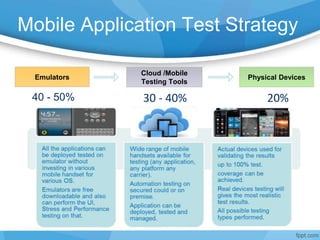
Mobile Application Test Strategy
Emulators Physical Devices
Cloud /Mobile
Testing Tools
40 - 50% 20%30 - 40%
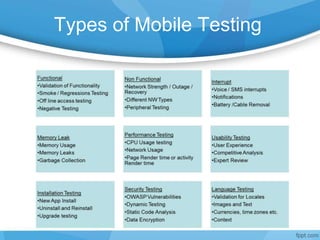
Types of Mobile Testing
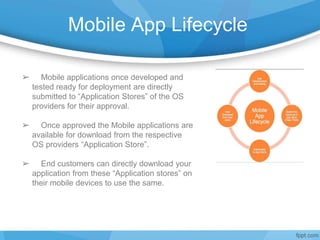
Mobile App Lifecycle
➢ Mobile applications once developed and
tested ready for deployment are directly
submitted to “Application Stores” of the OS
providers for their approval.
➢ Once approved the Mobile applications are
available for download from the respective
OS providers “Application Store”.
➢ End customers can directly download your
application from these “Application stores” on
their mobile devices to use the same.
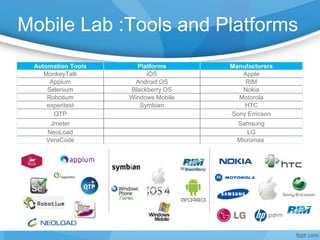
Mobile Lab :Tools and Platforms
Automation Tools Platforms Manufacturers
MonkeyTalk iOS Apple
Appium Android OS RIM
Selenium Blackberry OS Nokia
Robotium Windows Mobile Motorola
experitest Symbian HTC
QTP Sony Erricson
Jmeter Samsung
NeoLoad LG
VeraCode Micromax
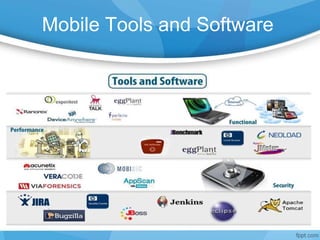
Mobile Tools and Software
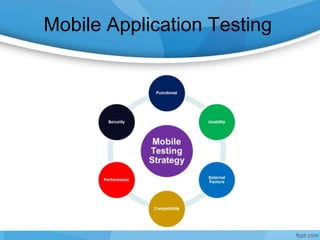
Mobile Application Testing
CI Through Mobile Testing
Frame Work
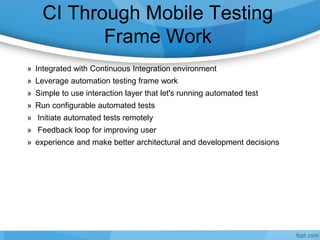
» Integrated with Continuous Integration environment
» Leverage automation testing frame work
» Simple to use interaction layer that let's running automated test
» Run configurable automated tests
» Initiate automated tests remotely
» Feedback loop for improving user
» experience and make better architectural and development decisions
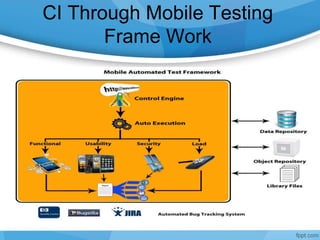
CI Through Mobile Testing
Frame Work
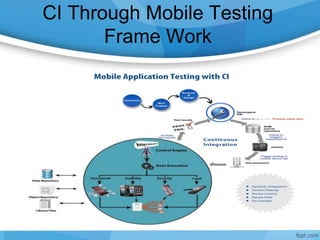
CI Through Mobile Testing
Frame Work
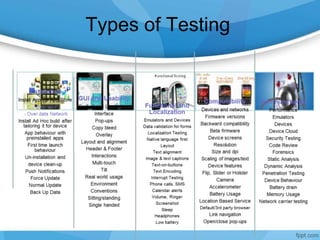
Types of Testing
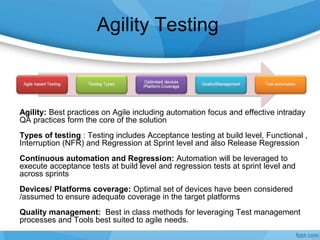
Agility Testing
Agility: Best practices on Agile including automation focus and effective intraday
QA practices form the core of the solution
Types of testing : Testing includes Acceptance testing at build level, Functional ,
Interruption (NFR) and Regression at Sprint level and also Release Regression
Continuous automation and Regression: Automation will be leveraged to
execute acceptance tests at build level and regression tests at sprint level and
across sprints
Devices/ Platforms coverage: Optimal set of devices have been considered
/assumed to ensure adequate coverage in the target platforms
Quality management: Best in class methods for leveraging Test management
processes and Tools best suited to agile needs.
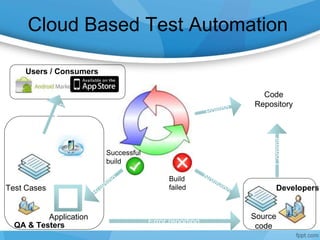
Cloud Based Test Automation
Developers
Source
code
Code
Repository
Build
failed
Successful
build
QA & Testers Error reporting
Test Cases
Application
Users / Consumers
Commit
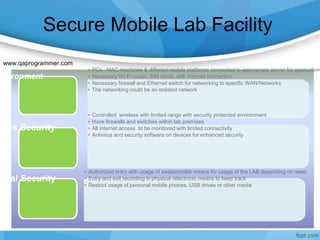
Secure Mobile Lab Facility
• PCs , MAC machines & different mobile platforms connected to appropriate server for applications
• Necessary Wi-Fi router, SIM cards, with internet connection
• Necessary firewall and Ethernet switch for networking to specific WAN/Networks
• The networking could be an isolated network
nvironment
• Controlled wireless with limited range with security protected environment
• Have firewalls and switches within lab premises
• All internet access to be monitored with limited connectivity
• Antivirus and security software on devices for enhanced security
work Security
• Authorized entry with usage of swipe/similar means for usage of the LAB depending on need.
• Entry and exit recording in physical /electronic means to keep track
• Restrict usage of personal mobile phones, USB drives or other media
sical Security
www.qaprogrammer.com

i_Mobile Testing Service Desk_Own

  • 1.
    Mobile User Expectations Mobileusers have far higher expectations of mobile apps when compared to other software like browser applications. The majority of reports and surveys state that nearly 80% of users delete an app after using it for the first time! The top four reasons for deletion are always bad design and usability, loading time and crashes immediately after installation. ▪Nearly 60% of users will delete an app that requires registration. ▪47% of consumers expect to load in 3 seconds or less. ▪50% of user will delete an app due to crashes.
  • 2.
  • 3.
    Mobile Testing Solutions 4Device Repository - Devices, Assets 4 Test Coverage 4 Mobile App Testing CoE in an Agile Environment. 4 To execute a successful QA manual, automation or combination strategy on time and on budget. 4 MTCoE is platform independent, making true end-to-end testing with a single test script possible. 4 Continually monitor usage and feed data into the analysis to refine test configuration selection. 4 Understand the application technology, business objectives and user profile 4 Subject Matter Experts leveraging various available tools and solutions 4 Translation of interface and language specific to local requirements. 4 Specialize in providing quick and the best possible return on investment through our low cost of localization testing services. 4 Increasing test automation to reduce manual effort
  • 4.
    Mobile Application TestStrategy Emulators Physical Devices Cloud /Mobile Testing Tools 40 - 50% 20%30 - 40%
  • 5.
  • 6.
    Mobile App Lifecycle ➢Mobile applications once developed and tested ready for deployment are directly submitted to “Application Stores” of the OS providers for their approval. ➢ Once approved the Mobile applications are available for download from the respective OS providers “Application Store”. ➢ End customers can directly download your application from these “Application stores” on their mobile devices to use the same.
  • 7.
    Mobile Lab :Toolsand Platforms Automation Tools Platforms Manufacturers MonkeyTalk iOS Apple Appium Android OS RIM Selenium Blackberry OS Nokia Robotium Windows Mobile Motorola experitest Symbian HTC QTP Sony Erricson Jmeter Samsung NeoLoad LG VeraCode Micromax
  • 8.
  • 9.
  • 10.
    CI Through MobileTesting Frame Work » Integrated with Continuous Integration environment » Leverage automation testing frame work » Simple to use interaction layer that let's running automated test » Run configurable automated tests » Initiate automated tests remotely » Feedback loop for improving user » experience and make better architectural and development decisions
  • 11.
    CI Through MobileTesting Frame Work
  • 12.
    CI Through MobileTesting Frame Work
  • 13.
  • 14.
    Agility Testing Agility: Bestpractices on Agile including automation focus and effective intraday QA practices form the core of the solution Types of testing : Testing includes Acceptance testing at build level, Functional , Interruption (NFR) and Regression at Sprint level and also Release Regression Continuous automation and Regression: Automation will be leveraged to execute acceptance tests at build level and regression tests at sprint level and across sprints Devices/ Platforms coverage: Optimal set of devices have been considered /assumed to ensure adequate coverage in the target platforms Quality management: Best in class methods for leveraging Test management processes and Tools best suited to agile needs.
  • 15.
    Cloud Based TestAutomation Developers Source code Code Repository Build failed Successful build QA & Testers Error reporting Test Cases Application Users / Consumers Commit
  • 16.
    Secure Mobile LabFacility • PCs , MAC machines & different mobile platforms connected to appropriate server for applications • Necessary Wi-Fi router, SIM cards, with internet connection • Necessary firewall and Ethernet switch for networking to specific WAN/Networks • The networking could be an isolated network nvironment • Controlled wireless with limited range with security protected environment • Have firewalls and switches within lab premises • All internet access to be monitored with limited connectivity • Antivirus and security software on devices for enhanced security work Security • Authorized entry with usage of swipe/similar means for usage of the LAB depending on need. • Entry and exit recording in physical /electronic means to keep track • Restrict usage of personal mobile phones, USB drives or other media sical Security www.qaprogrammer.com

Editor's Notes

  • #2 www.qaprogrammer.com
  • #3 www.qaprogrammer.com
  • #4 Device Repository – Emulators Repository at single place and Regularly updated with releases of iOS & Android phones & Tablets. Test Coverage - Using the right mix of emulators and devices with Continuous Integration Environment Mobile App Testing in an Agile Environment. Dedicated Mobility Testing CoE – Trianz testing-as-a-service platform ensures End to End validation of Mobile Application on any Mobile Platform in a well-equipped test lab by subject matter experts leveraging various available tools and solutions. Realistic environment to simulating script from the real devices and network conditions (3G,4G,EDGE, GPRS and others) on mobile environment.
  • #5 www.qaprogrammer.com
  • #6 www.qaprogrammer.com
  • #7 www.qaprogrammer.com
  • #8 www.qaprogrammer.com
  • #9 www.qaprogrammer.com
  • #10 www.qaprogrammer.com
  • #11 www.qaprogrammer.com
  • #12 www.qaprogrammer.com
  • #13 www.qaprogrammer.com
  • #14 www.qaprogrammer.com
  • #16 www.qaprogrammer.com
  • #17 www.qaprogrammer.com