




Capgemini& ExperitestCo-webinar: 
A secure Mobile Testing Cloud Resource-Accessible Anytime Anywhere 
Dec 2014
Agenda 
Part I-Designing a Secure Device Lab (20 min) 
Part II-Remote Device Lab In The Real World (15 min) 
Demo (10 min) 
Case study (5 min) 
Q&A (10 min) 
1 
2 
3 
4 
5
Part I 
Designing a Secure Device Lab 
Speaker: Costa Avradopoulos, Capgemini, Mobile Testing Practice Leader, NA
Agenda 
Mobile Testing Challenges 
Defining Lab Requirements 
Building a World Class Lab 
1 
2 
3
Mobile Testing Challenges
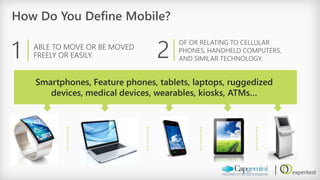
How Do You Define Mobile? 
1 
ABLE TO MOVE OR BE MOVED FREELY OR EASILY. 
2 
OF OR RELATING TO CELLULAR PHONES, HANDHELD COMPUTERS, AND SIMILAR TECHNOLOGY. 
Smartphones, Feature phones, tablets, laptops, ruggedized devices, medical devices, wearables, kiosks, ATMs…
Our World Quality Report 2014 Snapshot 
KEY FINDINGS: 
The QA function is adapting to business demands by streamlining and centralizing its structure, to achieve efficiency and cost optimization 
Significant investment in Test Environments may also be undermined by a lack of specialist expertise 
Testing’s late engagement in the application delivery lifecycle and its reliance on basic IT metrics is possibly applying a negative brake on this increasing maturity 
Mobile testing has increased in importance as a key discipline within the function, but lacks specialized methods, expertise and environment
Our World Quality Report 2014 Snapshot 
KEY FINDINGS (Cont.): 
Cloud adoption and cloud-based testing has slowed as organizations continue to manage concerns regarding data security and performance 
A higher proportion of overall IT budget is being invested in testing and focused on transformation projects 
Agile development is now widely adopted but still gives rise to problems for testing, particularly in relation to specific methodologies and expertise 
NOTE: Mobile Testing is a dedicated section in this report 
Download here: WorldQualityReport.com
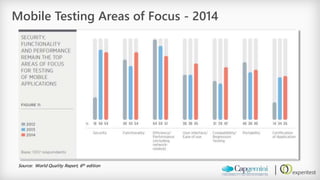
Mobile Testing Areas of Focus -2014 
Source: World Quality Report, 6thedition
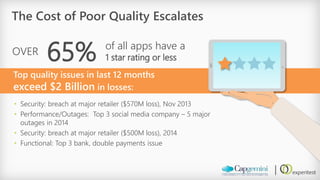
The Cost of Poor Quality Escalates 
65% 
OVER 
of all apps have a 1 star rating or less 
Top quality issues in last 12 months exceed $2 Billionin losses: 
•Security: breach at major retailer ($570M loss), Nov 2013 
•Performance/Outages: Top 3 social media company –5 major outages in 2014 
•Security: breach at major retailer ($500M loss), 2014 
•Functional: Top 3 bank, double payments issue
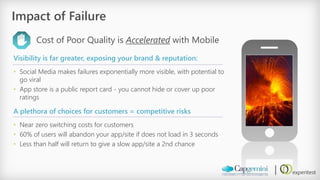
Impact of Failure 
Cost of Poor Quality is Acceleratedwith Mobile 
Visibility is far greater, exposing your brand & reputation: 
•Social Media makes failures exponentially more visible, with potential to go viral 
•App store is a public report card -you cannot hide or cover up poor ratings 
A plethora of choices for customers = competitive risks 
•Near zero switching costs for customers 
•60% of users will abandon your app/site if does not load in 3 seconds 
•Less than half will return to give a slow app/site a 2nd chance
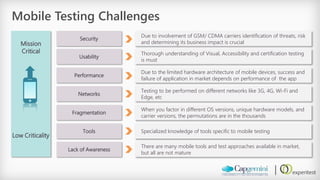
Mission Critical 
Low Criticality 
Mobile Testing Challenges 
Security 
Usability 
Performance 
Networks 
Fragmentation 
Due to involvement of GSM/ CDMA carriers identification of threats, risk and determining its business impact is crucial 
Thorough understanding of Visual, Accessibility and certification testing is must 
Due to the limited hardware architecture of mobile devices, success and failure of application in market depends on performance of the app 
Testing to be performed on different networks like 3G, 4G, Wi-Fi and Edge, etc 
When you factor in different OS versions, unique hardware models, and carrier versions, the permutations are in the thousands 
Tools 
Specialized knowledge of tools specific to mobile testing 
Lack of Awareness 
There are many mobile tools and test approaches available in market, but all are not mature
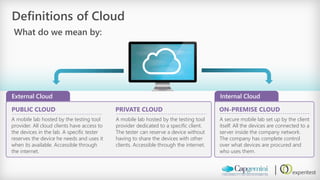
Internal Cloud 
Definitions of Cloud 
What do we mean by: 
PUBLIC CLOUD 
A mobile lab hosted by the testing tool provider. All cloud clients have access to the devices in the lab. A specific tester reserves the device he needs and uses it when its available. Accessible through the internet. 
PRIVATE CLOUD 
A mobile lab hosted by the testing tool provider dedicated to a specific client. The tester can reserve a device without having to share the devices with other clients. Accessible through the internet. 
ON-PREMISE CLOUD 
A secure mobile lab set up by the client itself. All the devices are connected to a server inside the company network. The company has complete control over what devices are procured and who uses them. 
External Cloud
Using an External Cloud 
Pros: 
•Easy access to hundreds of fringe devices on demand 
•No need to maintain devices (provider does it) 
•Newer devices added to the pool at no extra cost 
Cons: 
•Performance tends to be slower, especially with higher bandwidth apps like video 
•No control over security –Testing done outside the firewall, while data is transferred back and forth through the internet 
•Different companies use the same devices with your app and private data
Defining Lab Requirements
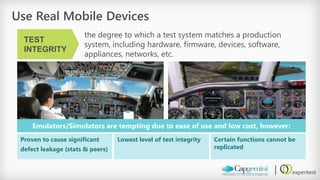
Use Real Mobile Devices 
the degree to which a test system matches a production system, including hardware, firmware, devices, software, appliances, networks, etc. 
TEST INTEGRITY 
Emulators/Simulators are tempting due to ease of use and low cost, however: 
Proven to cause significant 
defect leakage (stats & peers) 
Lowest level of test integrity 
Certain functions cannot be replicated
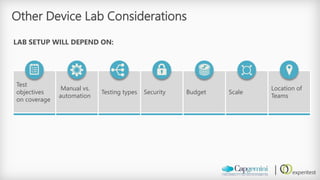
Other Device Lab Considerations 
LAB SETUP WILL DEPEND ON: 
Test objectives on coverage 
Manual vs. automation 
Testing types 
Security 
Budget 
Scale 
Location of Teams
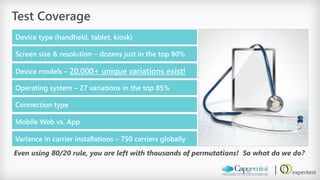
Test Coverage 
Device type (handheld, tablet, kiosk) 
Screen size & resolution –dozens just in the top 80% 
Device models –20,000+ unique variations exist! 
Operating system –27 variations in the top 85% 
Connection type 
Mobile Web vs. App 
Variance in carrier installations –750 carriers globally 
Even using 80/20 rule, you are left with thousands of permutations! So what do we do?
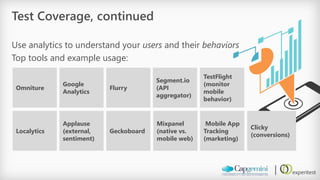
Test Coverage, continued 
Use analytics to understand your usersand their behaviors 
Top tools and example usage: 
Omniture 
Google Analytics 
Flurry 
Segment.io (API aggregator) 
TestFlight(monitor mobile behavior) 
Mixpanel(native vs. mobile web) 
Localytics 
Applause (external, sentiment) 
Geckoboard 
Clicky(conversions) 
Mobile App Tracking (marketing)
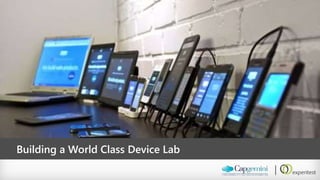
Building a World Class Device Lab
Client Overview-Healthcare Example 
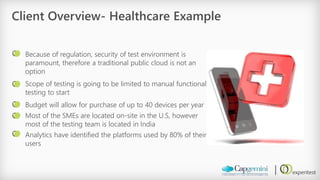
Because of regulation, security of test environment is paramount, therefore a traditional public cloud is not an option 
Scope of testing is going to be limited to manual functional testing to start 
Budget will allow for purchase of up to 40 devices per year 
Most of the SMEs are located on-site in the U.S, however most of the testing team is located in India 
Analytics have identified the platforms used by 80% of their users
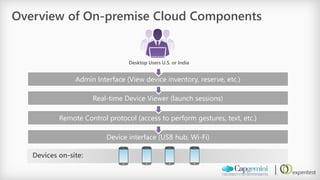
Overview of On-premise Cloud Components 
Desktop Users U.S. or India 
Admin Interface (View device inventory, reserve, etc.) 
Real-time Device Viewer (launch sessions) 
Remote Control protocol (access to perform gestures, text, etc.) 
Device interface (USB hub, Desktop/Server, Appliance) 
Devices on-site:
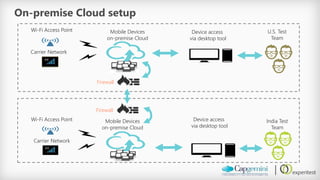
U.S. Test 
Team 
Firewall 
On-premise Cloud setup 
India Test Team 
MobileDevices 
on-premise Cloud 
Device access 
via desktop tool 
Wi-Fi Access Point 
Carrier Network 
Device access 
via desktop tool 
MobileDevices 
on-premise Cloud 
Wi-Fi Access Point 
Carrier Network 
Firewall
Part II 
Remote Device Lab In The Real World 
Speaker: Guy Arieli, ExperitestCTO
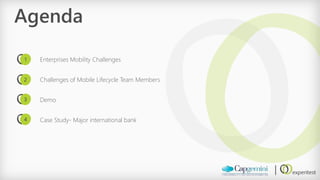
Agenda 
Enterprises Mobility Challenges 
Challenges of Mobile Lifecycle Team Members 
Demo 
Case Study-Major international bank 
1 
2 
3 
4
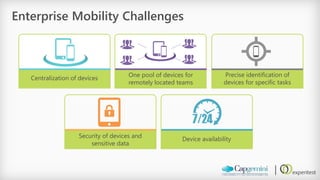
Enterprise Mobility Challenges 
Centralization of devices 
One pool of devices for remotely located teams 
Precise identification of devices for specific tasks 
Security of devices and sensitive data 
Device availability
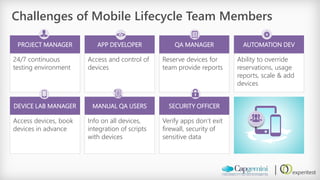
Challenges of Mobile Lifecycle Team Members 
PROJECT MANAGER 
APP DEVELOPER 
QA MANAGER 
AUTOMATION DEV 
24/7 continuous testing environment 
Access and control of devices 
Reserve devices for team provide reports 
Ability to override reservations, usage reports, scale & add devices 
DEVICE LAB MANAGER 
MANUAL QA USERS 
SECURITY OFFICER 
Access devices, book devices in advance 
Info on all devices, integration of scripts with devices 
Verify apps don’t exit firewall, security of sensitive data 
</>
Demo 
Simulate Real Live Condition
Case Study
Headquartered in APAC 
Spans over 50 countries across Europe, America, Africa &Asia 
~200,000 employees 
Mobile applications in tens of languages 
Ranked in top 10 largest banks worldwide 
Revenue more than $30 Bn. 
Total mobility group size -about 500 people 
Customer Profile: Multinational banking and financial services company 
Major global financial services provider engaged in personal banking, credit cards, corporate and investment banking and wealth and investment management.
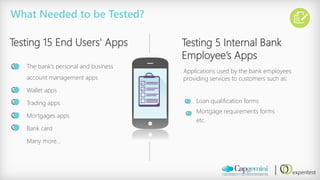
The bank’s personal and business account management apps 
Wallet apps 
Trading apps 
Mortgages apps 
Bank card 
Many more… 
What Needed to be Tested? 
Testing 15 End Users' Apps 
Testing 5 Internal Bank Employee’s Apps 
Loan qualification forms 
Mortgage requirements forms 
etc. 
Applications used by the bank employees providing services to customers such as:
The Requirements 
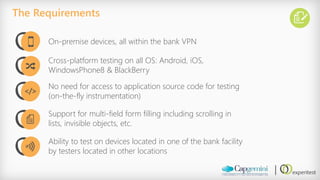
On-premise devices, all within the bank VPN 
Cross-platform testing on all OS: Android, iOS, WindowsPhone8 & BlackBerry 
No need for access to application source code for testing (on-the-fly instrumentation) 
Support for multi-field form filling including scrolling in lists, invisible objects, etc. 
Ability to test on devices located in one of the bank facility by testers located in other locations 
</>
The Old Solution 
Two years ago the development resources consisted of ‘Boxes’. 
For every application there was a ‘Box’ with around 70 devices, making up the subset of the device universe for the application. 
When a developer or tester needed a device, he found the ‘Box’s’ manager, took out the device, and when he was done he returned the device to the box.
Challenges Created by the Old Solution: 
For 20 applications, each with a ‘box’ of 70 devices, the company needed to buy 1,400 devices. 
Hard to quickly identify a specific device with a specific OS and Version. 
Devices didn’t get charged so additional time was wasted charging them. 
Low security since different people had access to information they were not entitled to because: 
devices had a habit of disappearing. 
people forgot to wipe the application and its data. 
developers working on different applications had open access to everything. 
It was hard to track which bug occurred on which device. 
Constant physical handling meant lots of wear and tear on the devices themselves.
•3 dedicated locations were selected: one in Europe, one in India and one in the US. 
•One set of 200 devices were selected. The device matrix was built based on current market demands. 
•No need to change existing organization infrastructure that worked well 
•In each of the three locations, only one person had physical access to the devices 
•As the business expanded to did the device matrix –to over 300 devices in the cloud, available for everyone 
The New Solution-Mobile Lab 
The Solution Structure:
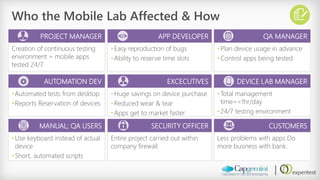
Who the Mobile Lab Affected & How 
PROJECT MANAGER 
APP DEVELOPER 
QA MANAGER 
Creation of continuous testing environment = mobile apps tested 24/7 
•Easy reproduction of bugs 
•Ability to reserve time slots 
•Plan device usage in advance 
•Control apps being tested 
AUTOMATION DEV 
EXCECUTIVES 
DEVICE LAB MANAGER 
•Automated tests from desktop 
•Reports Reservation of devices 
•Huge savings on device purchase 
•Reduced wear & tear 
•Apps get to market faster 
•Total management time=<1hr/day 
•24/7 testing environment 
MANUAL; QA USERS 
SECURITY OFFICER 
CUSTOMERS 
•Use keyboard instead of actual device 
•Short, automated scripts 
Entire project carried out within company firewall 
Less problems with apps Do more business with bank. 
</>
Thank you 


Experitest & Capgemini Co-webinar -

  • 1.
    Capgemini& ExperitestCo-webinar: Asecure Mobile Testing Cloud Resource-Accessible Anytime Anywhere Dec 2014
  • 2.
    Agenda Part I-Designinga Secure Device Lab (20 min) Part II-Remote Device Lab In The Real World (15 min) Demo (10 min) Case study (5 min) Q&A (10 min) 1 2 3 4 5
  • 3.
    Part I Designinga Secure Device Lab Speaker: Costa Avradopoulos, Capgemini, Mobile Testing Practice Leader, NA
  • 4.
    Agenda Mobile TestingChallenges Defining Lab Requirements Building a World Class Lab 1 2 3
  • 5.
  • 6.
    How Do YouDefine Mobile? 1 ABLE TO MOVE OR BE MOVED FREELY OR EASILY. 2 OF OR RELATING TO CELLULAR PHONES, HANDHELD COMPUTERS, AND SIMILAR TECHNOLOGY. Smartphones, Feature phones, tablets, laptops, ruggedized devices, medical devices, wearables, kiosks, ATMs…
  • 7.
    Our World QualityReport 2014 Snapshot KEY FINDINGS: The QA function is adapting to business demands by streamlining and centralizing its structure, to achieve efficiency and cost optimization Significant investment in Test Environments may also be undermined by a lack of specialist expertise Testing’s late engagement in the application delivery lifecycle and its reliance on basic IT metrics is possibly applying a negative brake on this increasing maturity Mobile testing has increased in importance as a key discipline within the function, but lacks specialized methods, expertise and environment
  • 8.
    Our World QualityReport 2014 Snapshot KEY FINDINGS (Cont.): Cloud adoption and cloud-based testing has slowed as organizations continue to manage concerns regarding data security and performance A higher proportion of overall IT budget is being invested in testing and focused on transformation projects Agile development is now widely adopted but still gives rise to problems for testing, particularly in relation to specific methodologies and expertise NOTE: Mobile Testing is a dedicated section in this report Download here: WorldQualityReport.com
  • 9.
    Mobile Testing Areasof Focus -2014 Source: World Quality Report, 6thedition
  • 10.
    The Cost ofPoor Quality Escalates 65% OVER of all apps have a 1 star rating or less Top quality issues in last 12 months exceed $2 Billionin losses: •Security: breach at major retailer ($570M loss), Nov 2013 •Performance/Outages: Top 3 social media company –5 major outages in 2014 •Security: breach at major retailer ($500M loss), 2014 •Functional: Top 3 bank, double payments issue
  • 11.
    Impact of Failure Cost of Poor Quality is Acceleratedwith Mobile Visibility is far greater, exposing your brand & reputation: •Social Media makes failures exponentially more visible, with potential to go viral •App store is a public report card -you cannot hide or cover up poor ratings A plethora of choices for customers = competitive risks •Near zero switching costs for customers •60% of users will abandon your app/site if does not load in 3 seconds •Less than half will return to give a slow app/site a 2nd chance
  • 12.
    Mission Critical LowCriticality Mobile Testing Challenges Security Usability Performance Networks Fragmentation Due to involvement of GSM/ CDMA carriers identification of threats, risk and determining its business impact is crucial Thorough understanding of Visual, Accessibility and certification testing is must Due to the limited hardware architecture of mobile devices, success and failure of application in market depends on performance of the app Testing to be performed on different networks like 3G, 4G, Wi-Fi and Edge, etc When you factor in different OS versions, unique hardware models, and carrier versions, the permutations are in the thousands Tools Specialized knowledge of tools specific to mobile testing Lack of Awareness There are many mobile tools and test approaches available in market, but all are not mature
  • 13.
    Internal Cloud Definitionsof Cloud What do we mean by: PUBLIC CLOUD A mobile lab hosted by the testing tool provider. All cloud clients have access to the devices in the lab. A specific tester reserves the device he needs and uses it when its available. Accessible through the internet. PRIVATE CLOUD A mobile lab hosted by the testing tool provider dedicated to a specific client. The tester can reserve a device without having to share the devices with other clients. Accessible through the internet. ON-PREMISE CLOUD A secure mobile lab set up by the client itself. All the devices are connected to a server inside the company network. The company has complete control over what devices are procured and who uses them. External Cloud
  • 14.
    Using an ExternalCloud Pros: •Easy access to hundreds of fringe devices on demand •No need to maintain devices (provider does it) •Newer devices added to the pool at no extra cost Cons: •Performance tends to be slower, especially with higher bandwidth apps like video •No control over security –Testing done outside the firewall, while data is transferred back and forth through the internet •Different companies use the same devices with your app and private data
  • 15.
  • 16.
    Use Real MobileDevices the degree to which a test system matches a production system, including hardware, firmware, devices, software, appliances, networks, etc. TEST INTEGRITY Emulators/Simulators are tempting due to ease of use and low cost, however: Proven to cause significant defect leakage (stats & peers) Lowest level of test integrity Certain functions cannot be replicated
  • 17.
    Other Device LabConsiderations LAB SETUP WILL DEPEND ON: Test objectives on coverage Manual vs. automation Testing types Security Budget Scale Location of Teams
  • 18.
    Test Coverage Devicetype (handheld, tablet, kiosk) Screen size & resolution –dozens just in the top 80% Device models –20,000+ unique variations exist! Operating system –27 variations in the top 85% Connection type Mobile Web vs. App Variance in carrier installations –750 carriers globally Even using 80/20 rule, you are left with thousands of permutations! So what do we do?
  • 19.
    Test Coverage, continued Use analytics to understand your usersand their behaviors Top tools and example usage: Omniture Google Analytics Flurry Segment.io (API aggregator) TestFlight(monitor mobile behavior) Mixpanel(native vs. mobile web) Localytics Applause (external, sentiment) Geckoboard Clicky(conversions) Mobile App Tracking (marketing)
  • 20.
    Building a WorldClass Device Lab
  • 21.
    Client Overview-Healthcare Example Because of regulation, security of test environment is paramount, therefore a traditional public cloud is not an option Scope of testing is going to be limited to manual functional testing to start Budget will allow for purchase of up to 40 devices per year Most of the SMEs are located on-site in the U.S, however most of the testing team is located in India Analytics have identified the platforms used by 80% of their users
  • 22.
    Overview of On-premiseCloud Components Desktop Users U.S. or India Admin Interface (View device inventory, reserve, etc.) Real-time Device Viewer (launch sessions) Remote Control protocol (access to perform gestures, text, etc.) Device interface (USB hub, Desktop/Server, Appliance) Devices on-site:
  • 23.
    U.S. Test Team Firewall On-premise Cloud setup India Test Team MobileDevices on-premise Cloud Device access via desktop tool Wi-Fi Access Point Carrier Network Device access via desktop tool MobileDevices on-premise Cloud Wi-Fi Access Point Carrier Network Firewall
  • 24.
    Part II RemoteDevice Lab In The Real World Speaker: Guy Arieli, ExperitestCTO
  • 25.
    Agenda Enterprises MobilityChallenges Challenges of Mobile Lifecycle Team Members Demo Case Study-Major international bank 1 2 3 4
  • 26.
    Enterprise Mobility Challenges Centralization of devices One pool of devices for remotely located teams Precise identification of devices for specific tasks Security of devices and sensitive data Device availability
  • 27.
    Challenges of MobileLifecycle Team Members PROJECT MANAGER APP DEVELOPER QA MANAGER AUTOMATION DEV 24/7 continuous testing environment Access and control of devices Reserve devices for team provide reports Ability to override reservations, usage reports, scale & add devices DEVICE LAB MANAGER MANUAL QA USERS SECURITY OFFICER Access devices, book devices in advance Info on all devices, integration of scripts with devices Verify apps don’t exit firewall, security of sensitive data </>
  • 28.
    Demo Simulate RealLive Condition
  • 29.
  • 30.
    Headquartered in APAC Spans over 50 countries across Europe, America, Africa &Asia ~200,000 employees Mobile applications in tens of languages Ranked in top 10 largest banks worldwide Revenue more than $30 Bn. Total mobility group size -about 500 people Customer Profile: Multinational banking and financial services company Major global financial services provider engaged in personal banking, credit cards, corporate and investment banking and wealth and investment management.
  • 31.
    The bank’s personaland business account management apps Wallet apps Trading apps Mortgages apps Bank card Many more… What Needed to be Tested? Testing 15 End Users' Apps Testing 5 Internal Bank Employee’s Apps Loan qualification forms Mortgage requirements forms etc. Applications used by the bank employees providing services to customers such as:
  • 32.
    The Requirements On-premisedevices, all within the bank VPN Cross-platform testing on all OS: Android, iOS, WindowsPhone8 & BlackBerry No need for access to application source code for testing (on-the-fly instrumentation) Support for multi-field form filling including scrolling in lists, invisible objects, etc. Ability to test on devices located in one of the bank facility by testers located in other locations </>
  • 33.
    The Old Solution Two years ago the development resources consisted of ‘Boxes’. For every application there was a ‘Box’ with around 70 devices, making up the subset of the device universe for the application. When a developer or tester needed a device, he found the ‘Box’s’ manager, took out the device, and when he was done he returned the device to the box.
  • 34.
    Challenges Created bythe Old Solution: For 20 applications, each with a ‘box’ of 70 devices, the company needed to buy 1,400 devices. Hard to quickly identify a specific device with a specific OS and Version. Devices didn’t get charged so additional time was wasted charging them. Low security since different people had access to information they were not entitled to because: devices had a habit of disappearing. people forgot to wipe the application and its data. developers working on different applications had open access to everything. It was hard to track which bug occurred on which device. Constant physical handling meant lots of wear and tear on the devices themselves.
  • 35.
    •3 dedicated locationswere selected: one in Europe, one in India and one in the US. •One set of 200 devices were selected. The device matrix was built based on current market demands. •No need to change existing organization infrastructure that worked well •In each of the three locations, only one person had physical access to the devices •As the business expanded to did the device matrix –to over 300 devices in the cloud, available for everyone The New Solution-Mobile Lab The Solution Structure:
  • 36.
    Who the MobileLab Affected & How PROJECT MANAGER APP DEVELOPER QA MANAGER Creation of continuous testing environment = mobile apps tested 24/7 •Easy reproduction of bugs •Ability to reserve time slots •Plan device usage in advance •Control apps being tested AUTOMATION DEV EXCECUTIVES DEVICE LAB MANAGER •Automated tests from desktop •Reports Reservation of devices •Huge savings on device purchase •Reduced wear & tear •Apps get to market faster •Total management time=<1hr/day •24/7 testing environment MANUAL; QA USERS SECURITY OFFICER CUSTOMERS •Use keyboard instead of actual device •Short, automated scripts Entire project carried out within company firewall Less problems with apps Do more business with bank. </>
  • 37.

Editor's Notes

  • #12 We already know the statistics for failures of Web apps found in production, and what it can cost to fix. In addition to what we already know, Mobile adds nuances that add more complex risks and can accelerate the time they are realized or magnitude
  • #17 The higher level of integrity, the more valid the test becomes Proven – time and time again many clients have reported Sev. 1 bugs in production when relying on these methods… let’s learn from their mistakes Integrity – differences are too great in core architecture to be virtualized properly on a desktop Missing functions – An emulator cannot make a phone call or send a text message
  • #18 Coverage – (from previous slide) if coverage is very light, on-premise is more appealing Manual more conducive to Cloud-based, Automation can go either way Types – for example, functional-only testing will be a smaller lab than performance Security – VPN out to Cloud-based might not be allowed by your org Budget – costs will vary wildly depending on coverage, but you must weigh all costs Bottomline: If coverage is light, automation is heavy, type is limited to functional, and security is a concern, go with on-premise, otherwise go Cloud
  • #20 Using Analytics we can begin to define a realistic level of coverage using tiers
  • #23 Some solutions don’t have a view of device inventory or reservation system (ex. VNC free)