Immutability & Javascript
Nadia Miętkiewicz / Visuality
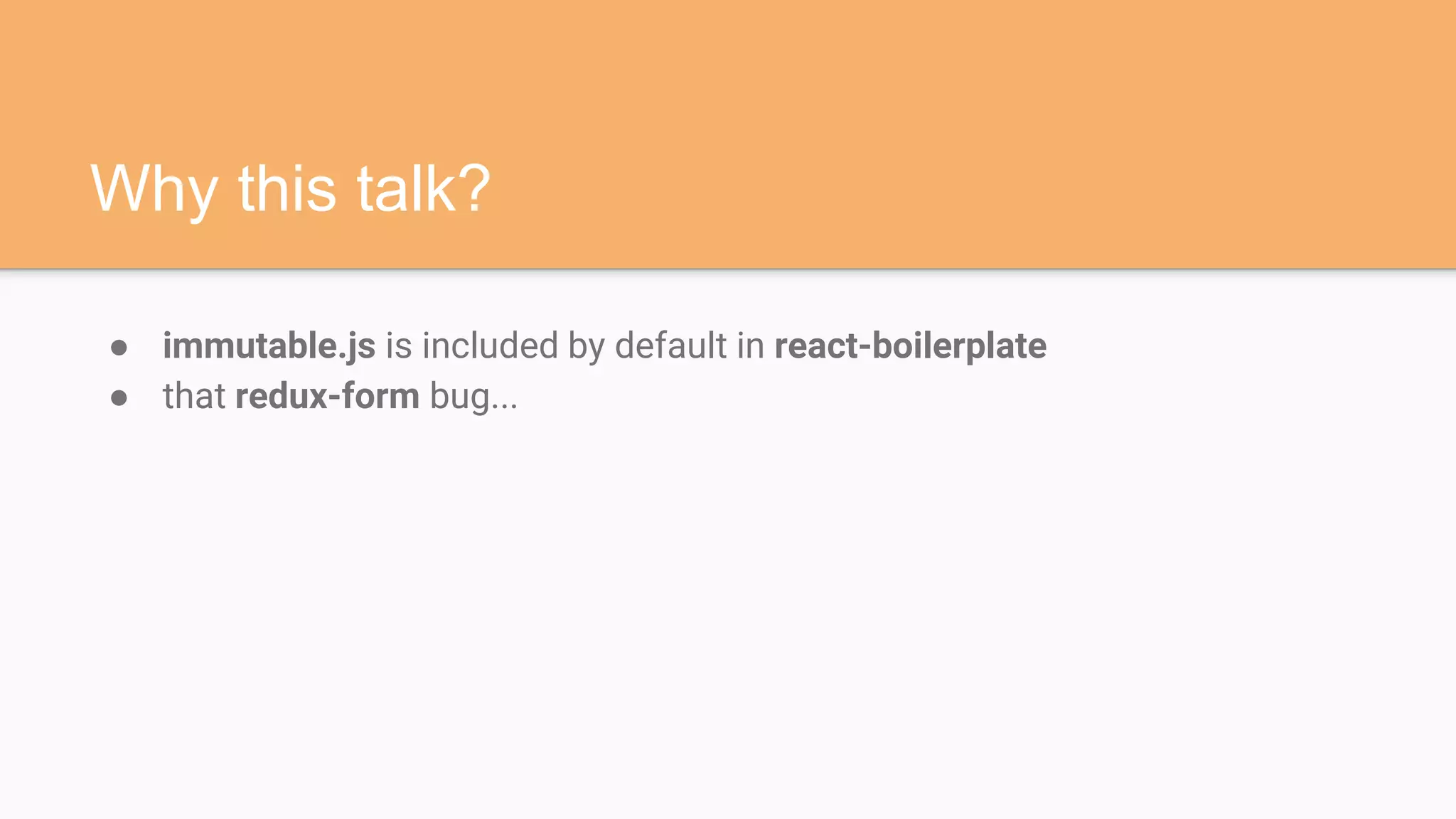
Why this talk?
● immutable.js is included by default in react-boilerplate
● that redux-form bug...
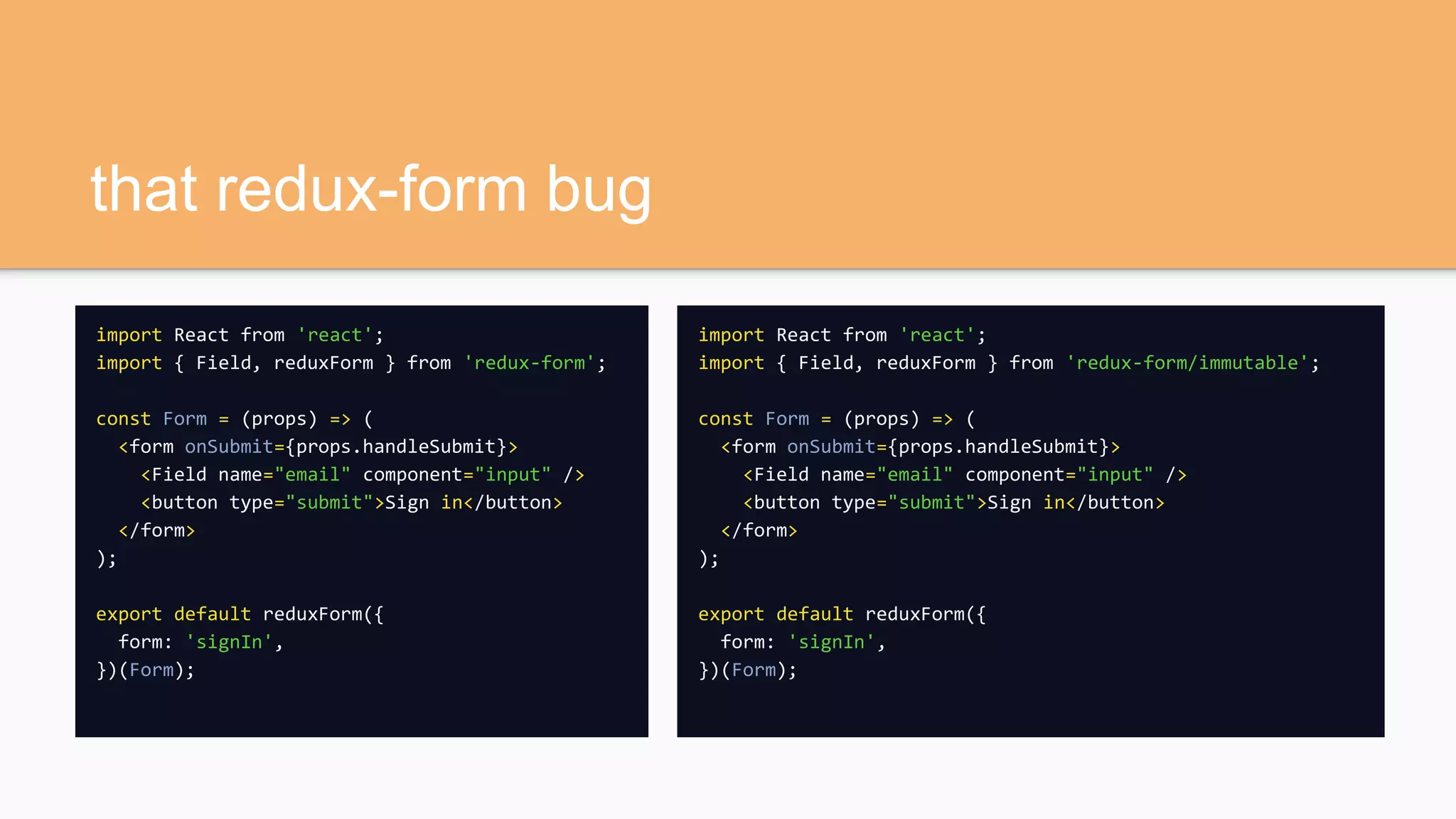
that redux-form bug
import React from 'react';
import { Field, reduxForm } from 'redux-form';
const Form = (props) => (
<form onSubmit={props.handleSubmit}>
<Field name="email" component="input" />
<button type="submit">Sign in</button>
</form>
);
export default reduxForm({
form: 'signIn',
})(Form);
import React from 'react';
import { Field, reduxForm } from 'redux-form/immutable';
const Form = (props) => (
<form onSubmit={props.handleSubmit}>
<Field name="email" component="input" />
<button type="submit">Sign in</button>
</form>
);
export default reduxForm({
form: 'signIn',
})(Form);
The case for immutability
Much of what makes application development difficult is
tracking mutation and maintaining state.
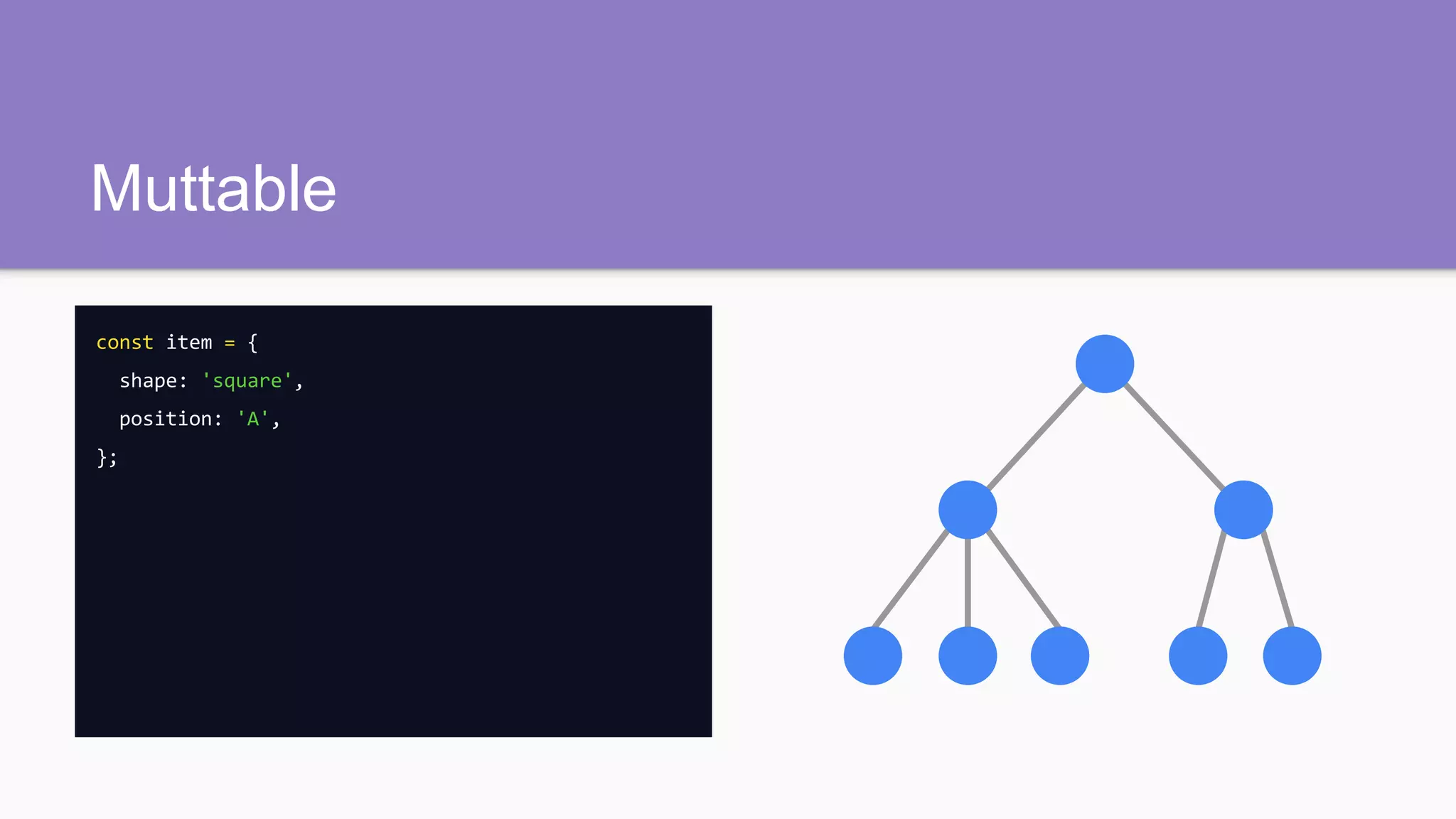
Muttable
const item = {
shape: 'square',
position: 'A',
};
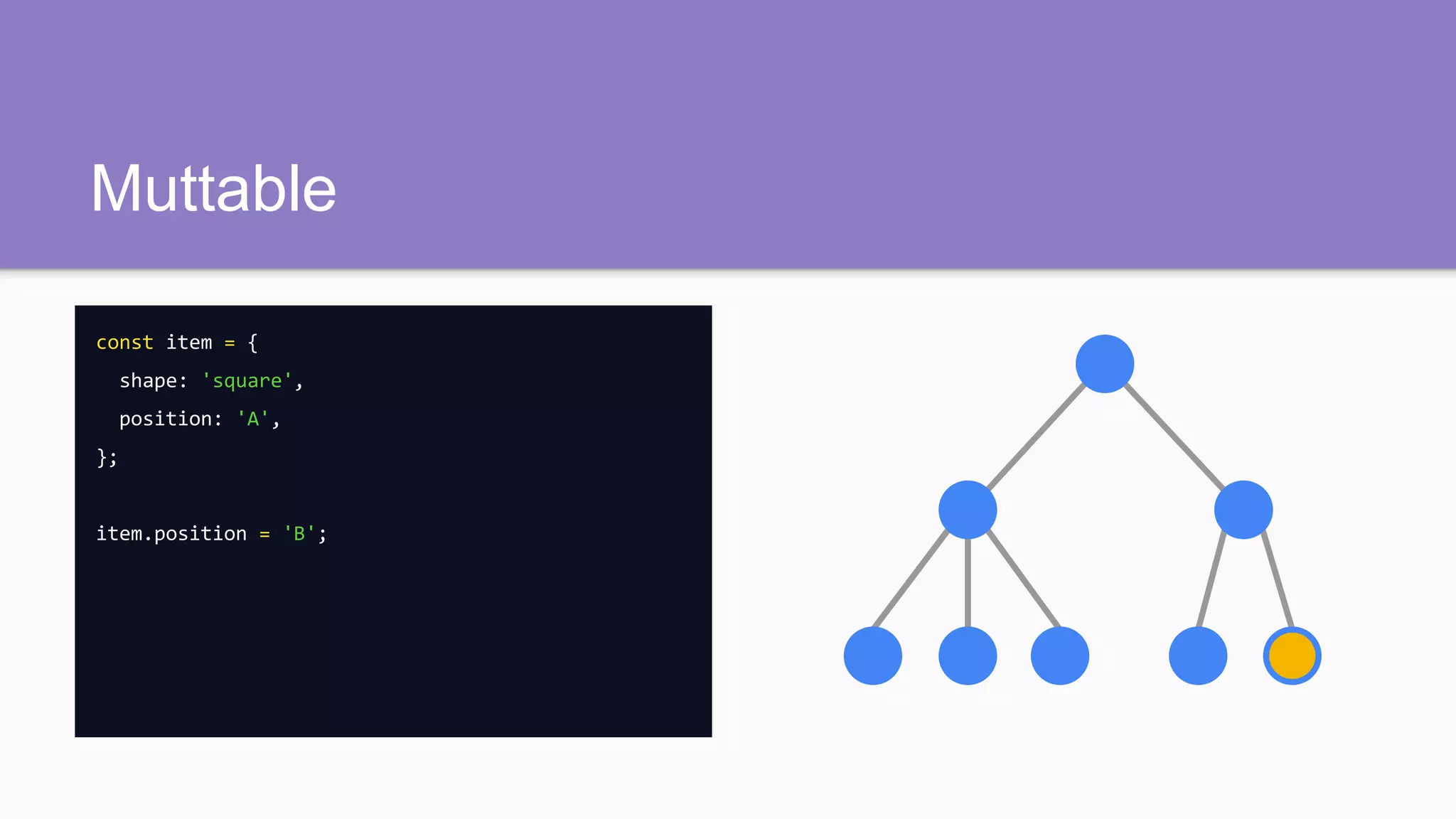
Muttable
const item = {
shape: 'square',
position: 'A',
};
item.position = 'B';
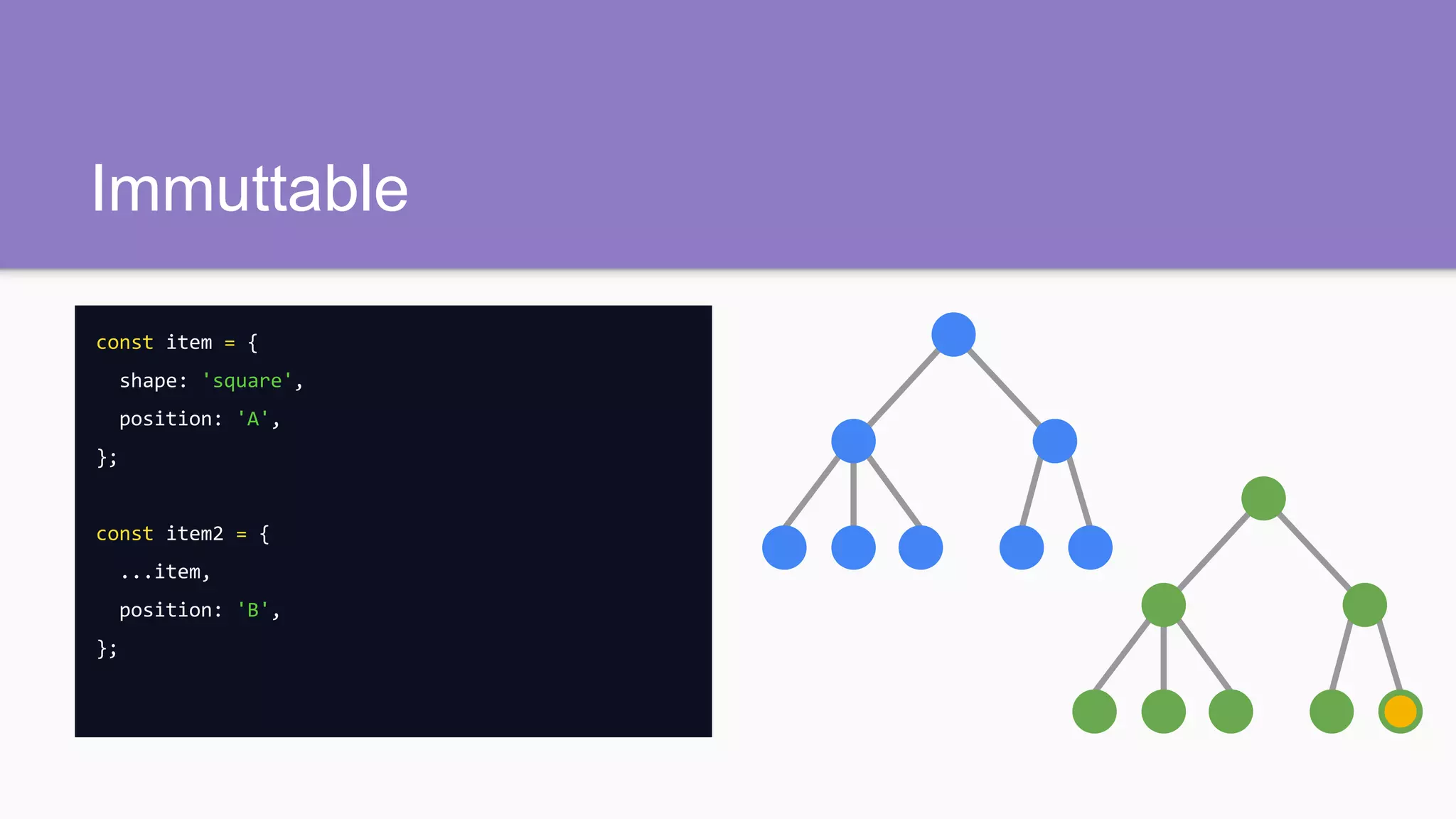
Immuttable
const item = {
shape: 'square',
position: 'A',
};
const item2 = {
...item,
position: 'B',
};
Prestige (2006)
hughJackman.position = 'balcony';
Prestige (2006)
const hughJackmanClone = {
...hughJackman,
position: 'balcony',
};
Why not directly?
const item = {
shape: 'human',
position: 'A',
};
item.position = 'B';
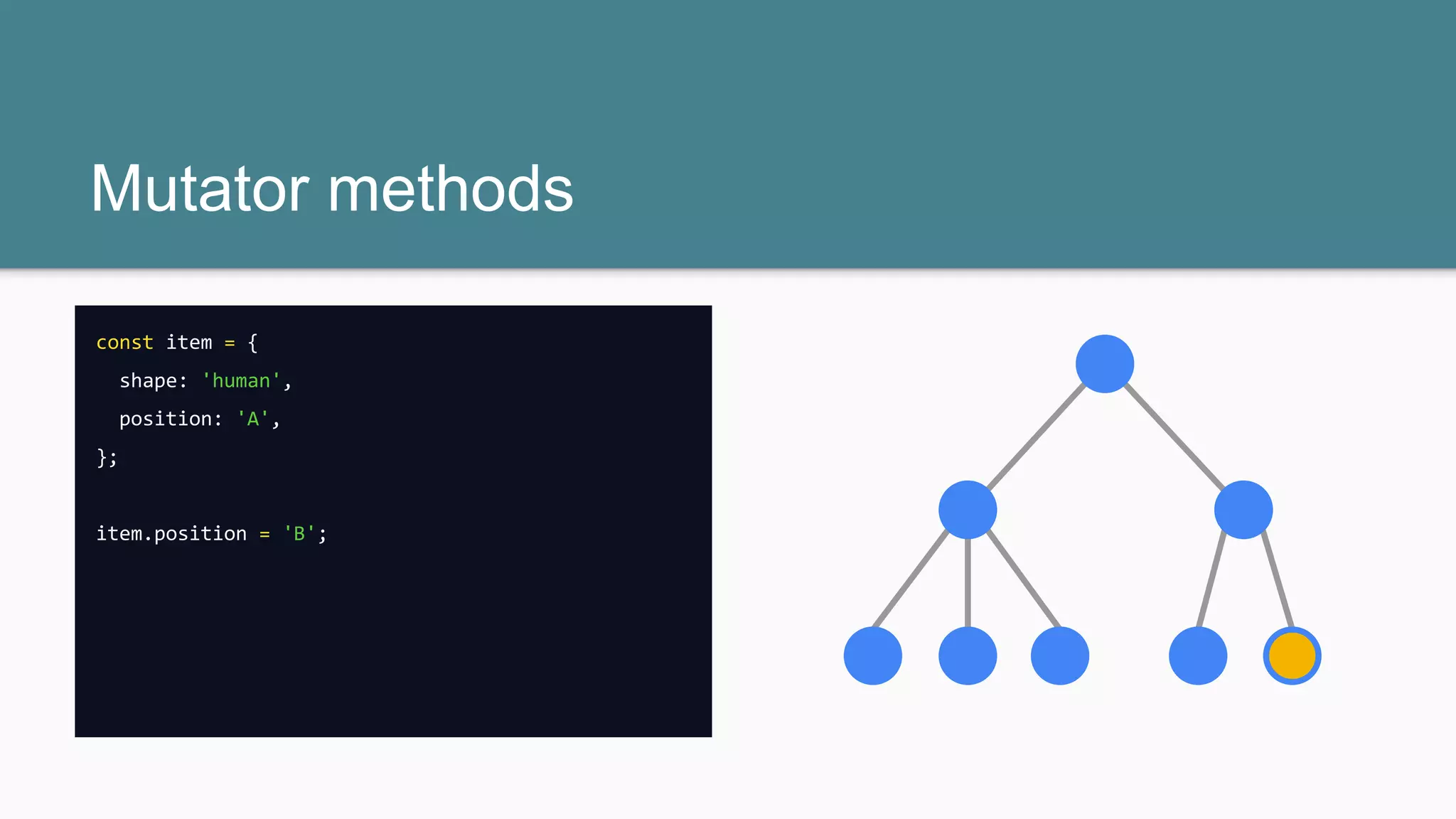
Mutator methods
const item = {
shape: 'human',
position: 'A',
};
item.position = 'B';
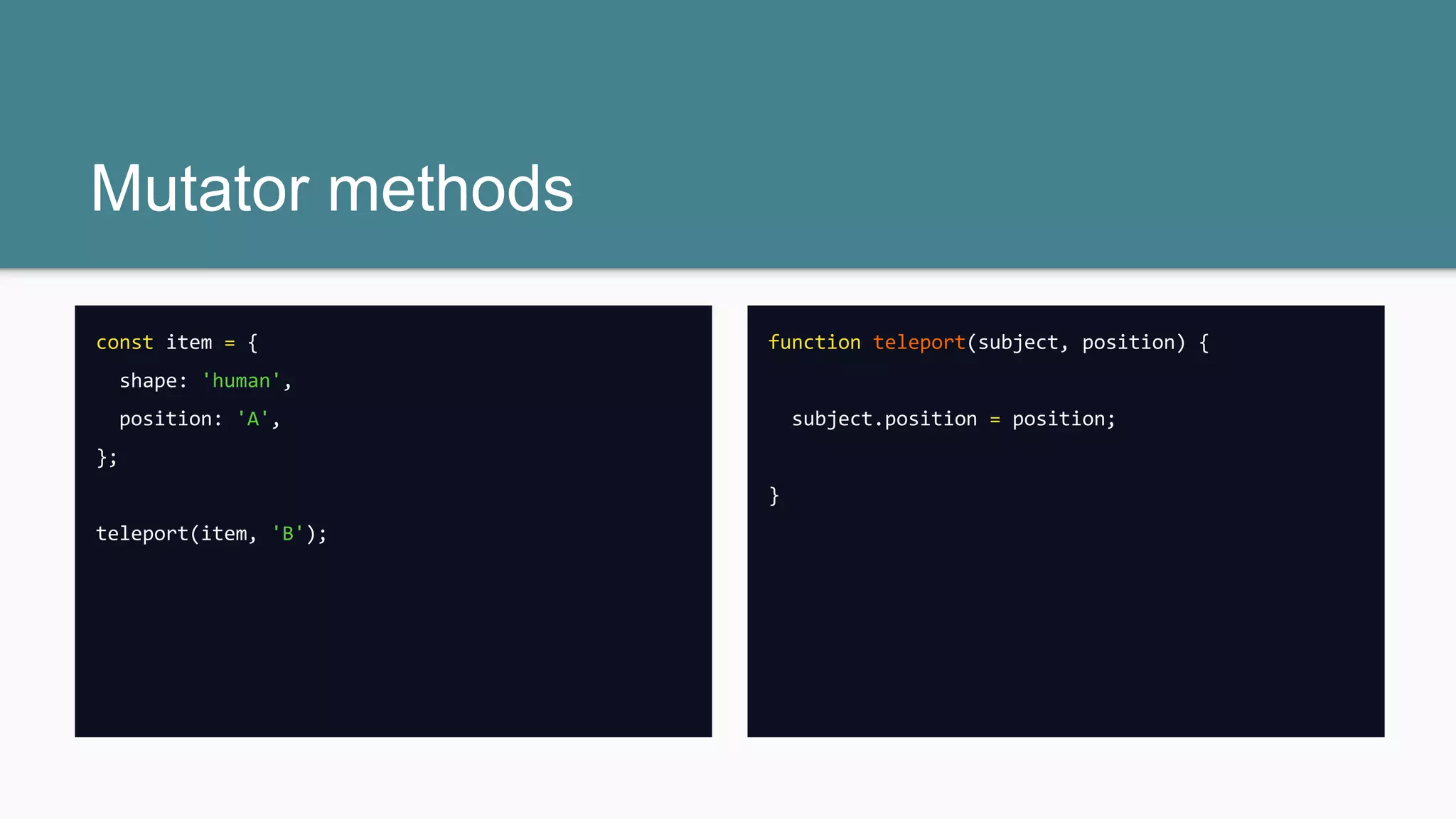
Mutator methods
const item = {
shape: 'human',
position: 'A',
};
teleport(item, 'B');
function teleport(subject, position) {
subject.position = position;
}
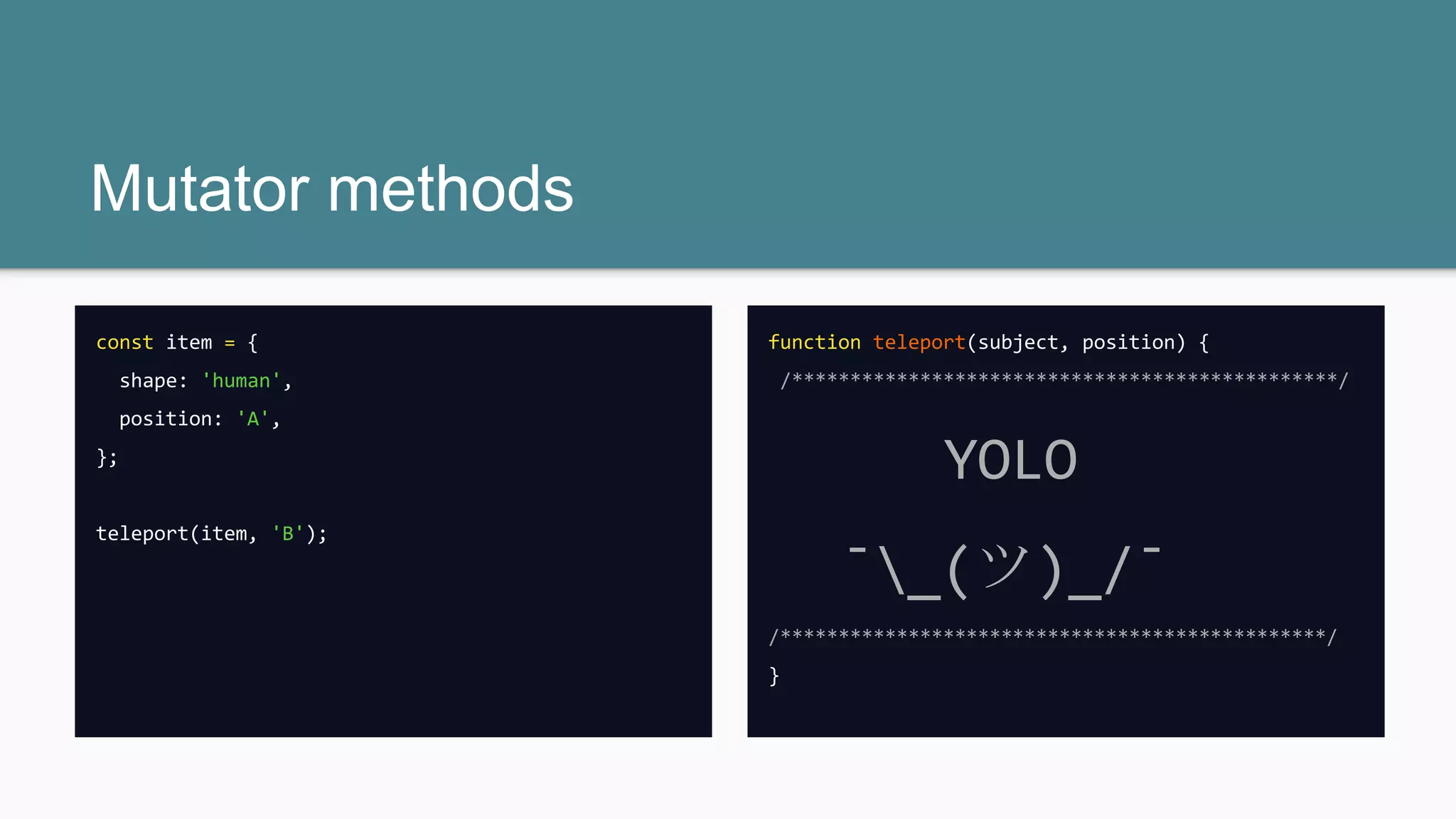
Mutator methods
const item = {
shape: 'human',
position: 'A',
};
teleport(item, 'B');
function teleport(subject, position) {
/***********************************************/
YOLO
¯_(ツ)_/¯
/***********************************************/
}
The Fly (1986)
function teleport(subject, position) {
subject.position = position;
items = getCapsuleContents(); // should be [ ‘human’ ]
subject.shape = items.join();
}
The Fly (1986)
function teleport(subject, position) {
subject.position = position;
items = getCapsuleContents(); // is [ ‘human’, ‘fly’ ]
subject.shape = items.join();
}
What about memory
consumption?
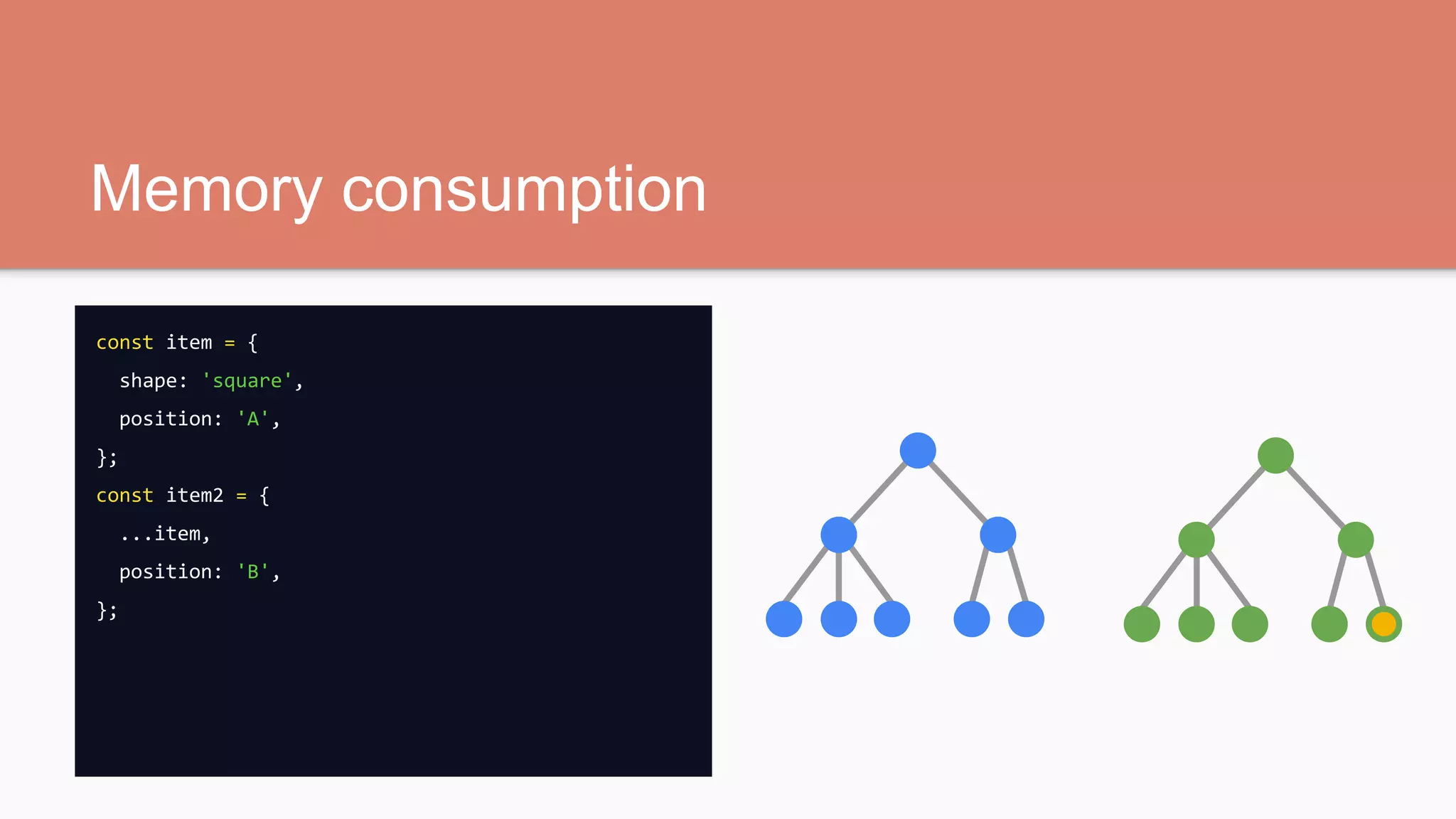
Memory consumption
const item = {
shape: 'square',
position: 'A',
};
const item2 = {
...item,
position: 'B',
};
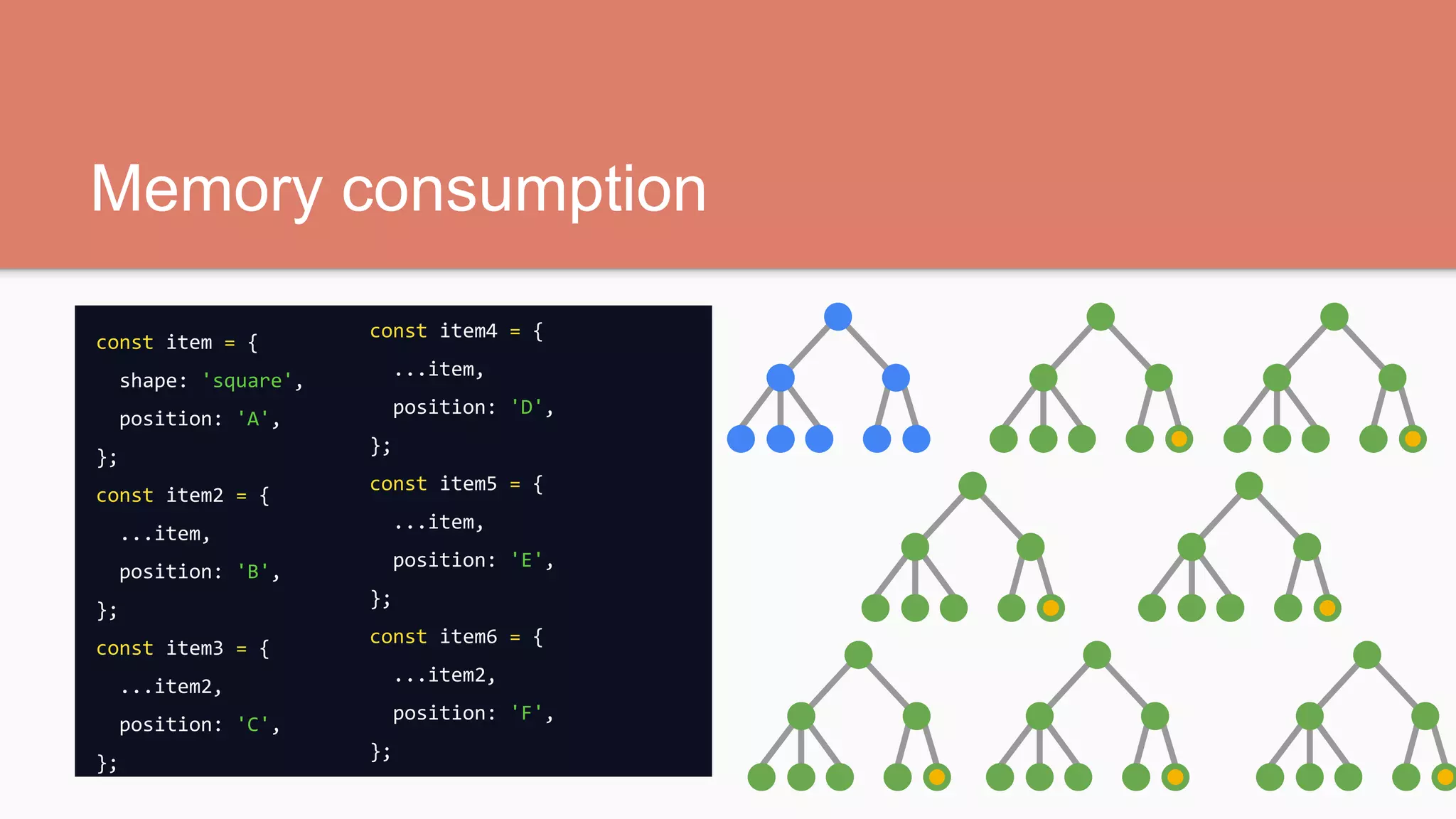
Memory consumption
const item = {
shape: 'square',
position: 'A',
};
const item2 = {
...item,
position: 'B',
};
const item3 = {
...item2,
position: 'C',
};
const item4 = {
...item,
position: 'D',
};
const item5 = {
...item,
position: 'E',
};
const item6 = {
...item2,
position: 'F',
};
Prestige (2016)
const hughJackmanClone = {
...hughJackmanOriginal,
position: 'balcony',
};
drown(hughJackmanOriginal);
Star Trek (1966 - 2005)
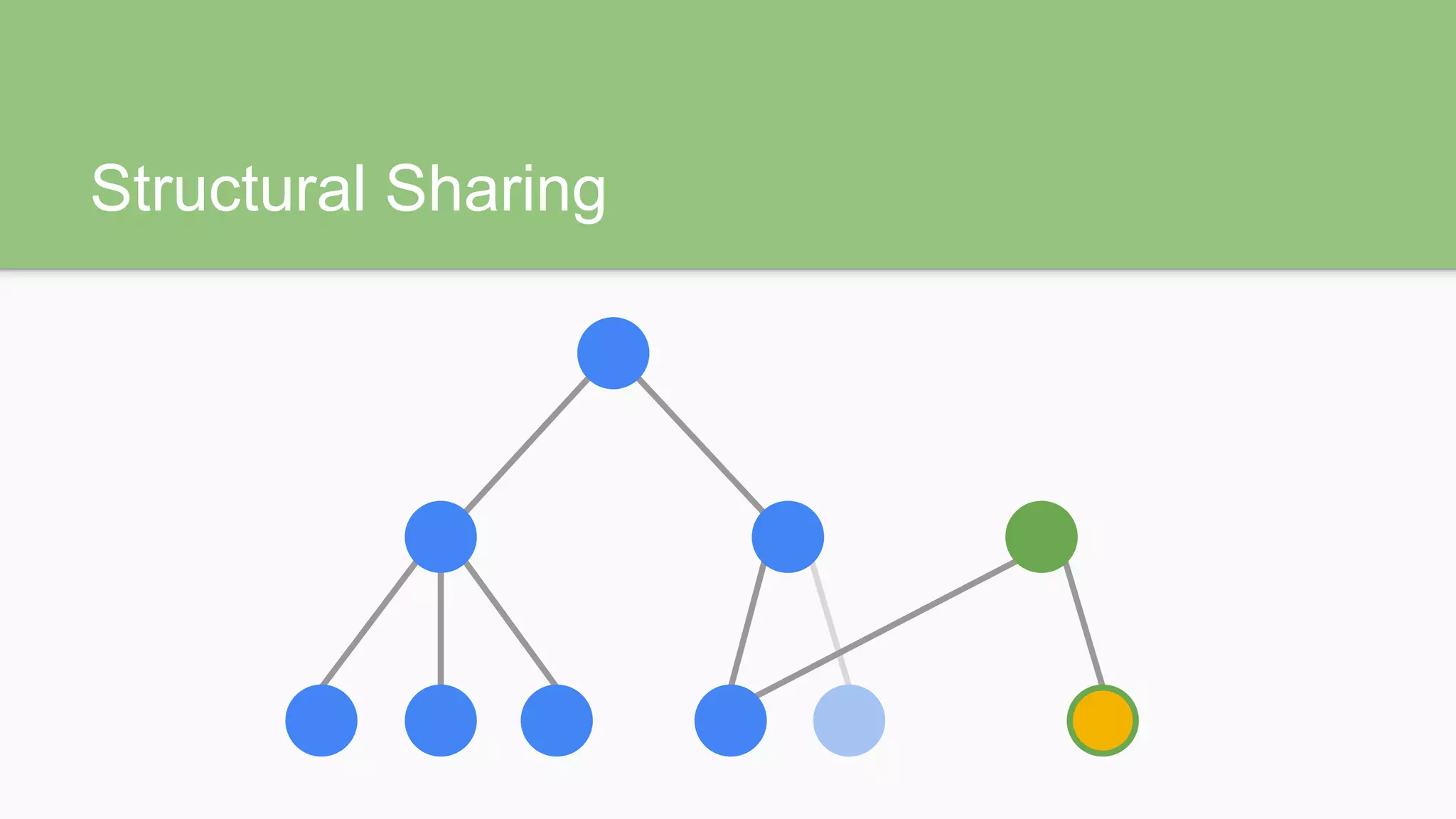
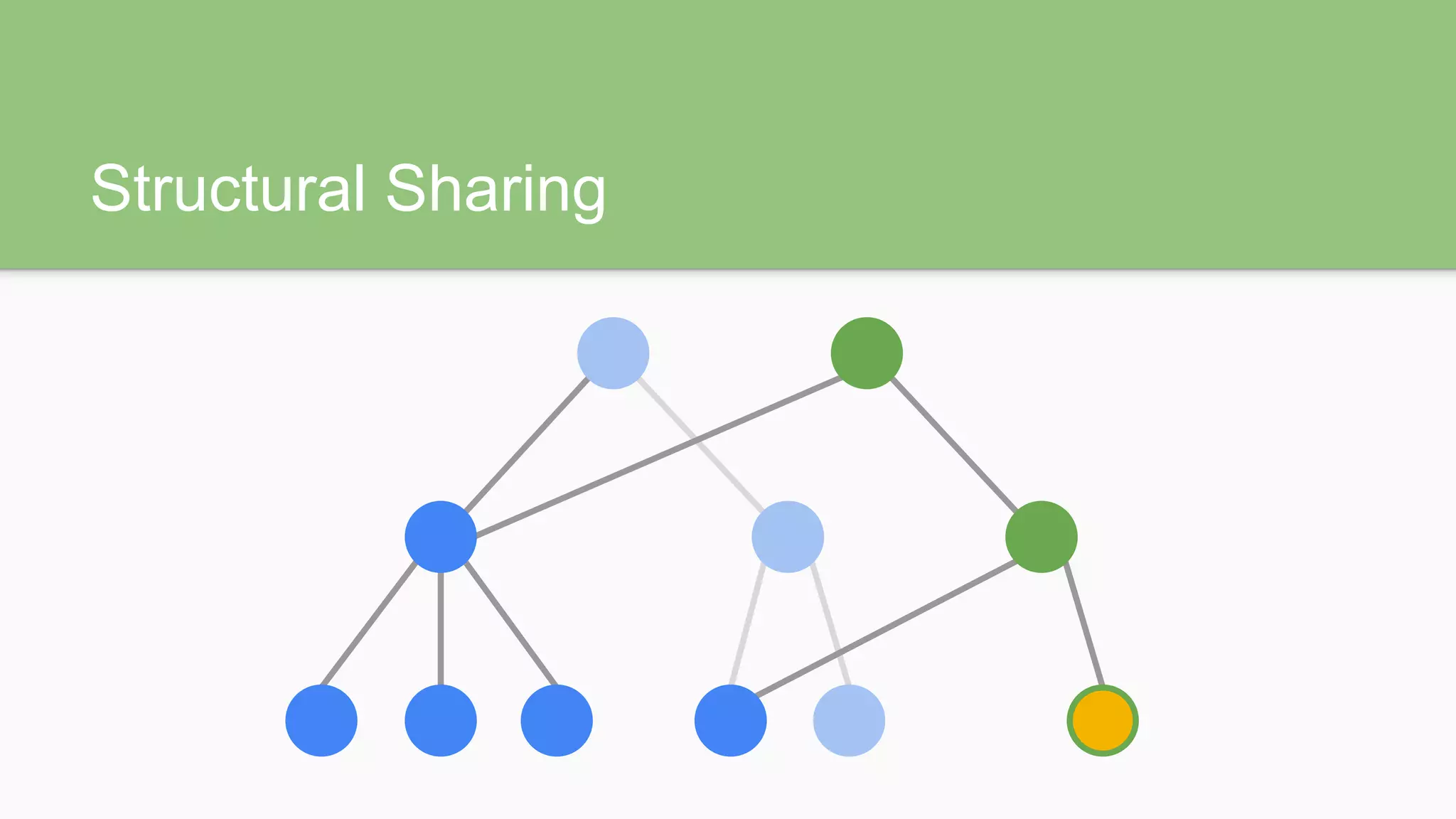
Persistent Data Structures
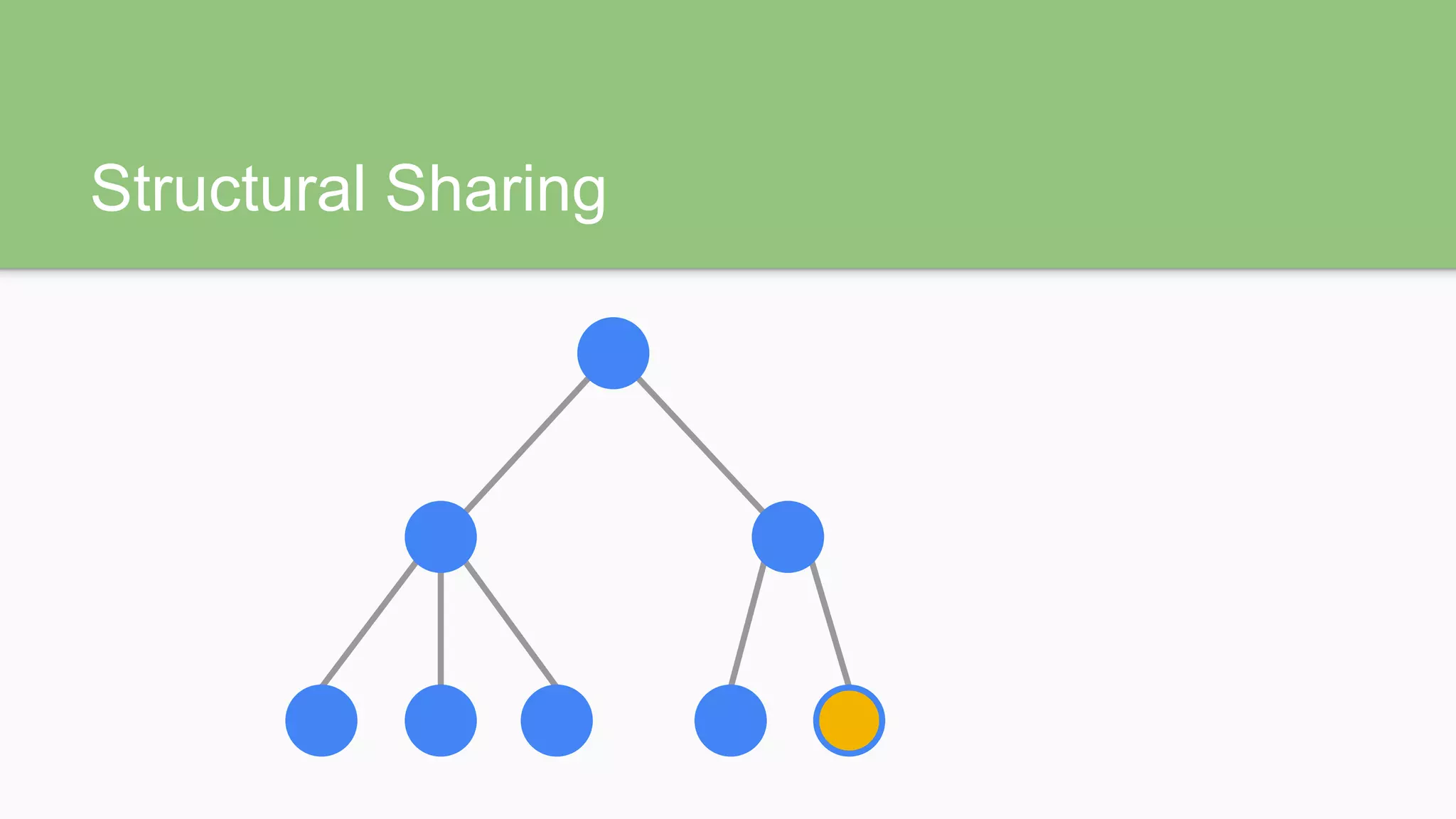
Structural Sharing
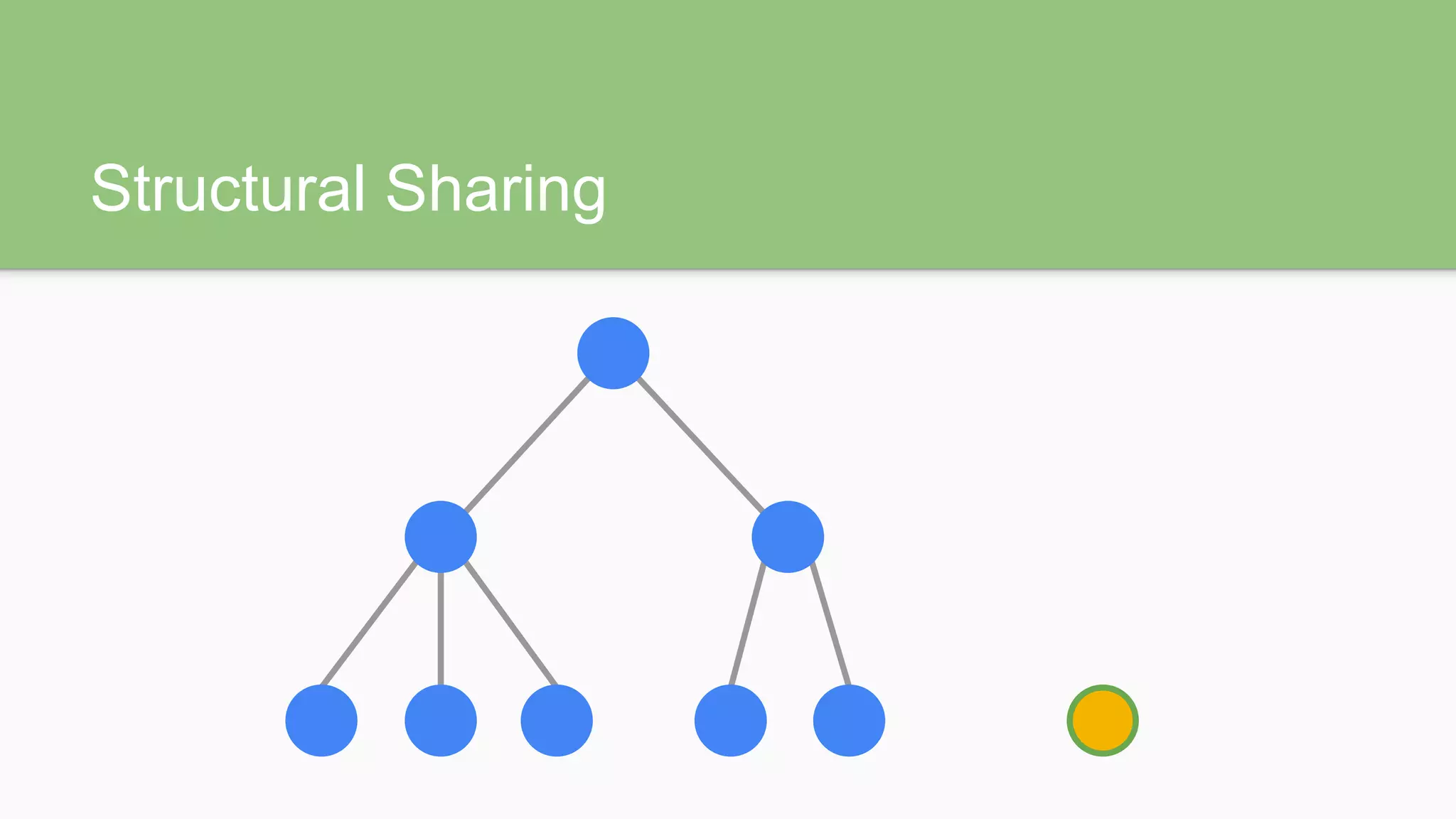
Structural Sharing
Structural Sharing
Structural Sharing
Immutable JS
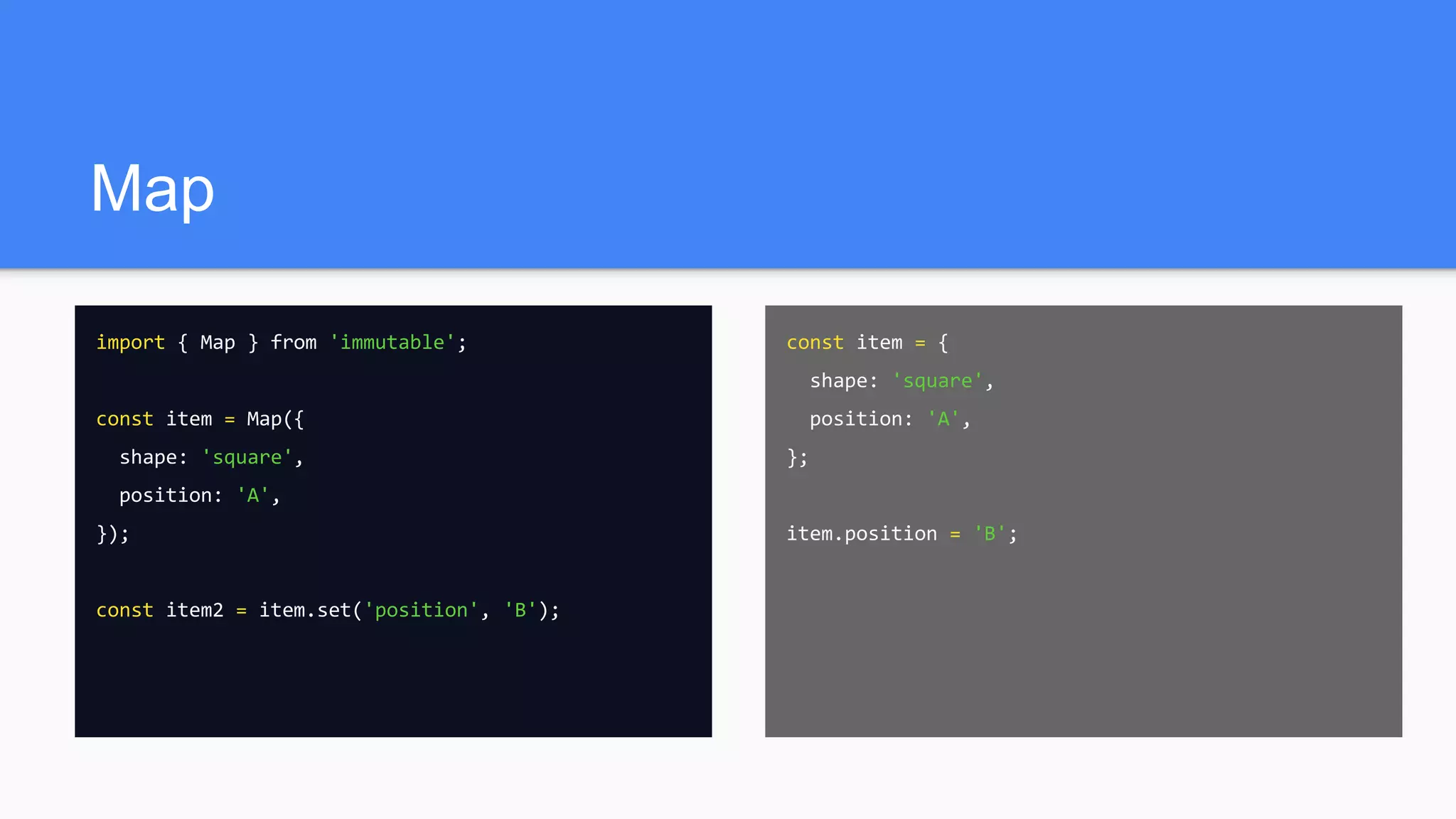
Map
import { Map } from 'immutable';
const item = Map({
shape: 'square',
position: 'A',
});
const item2 = item.set('position', 'B');
const item = {
shape: 'square',
position: 'A',
};
item.position = 'B';
List
import { List } from 'immutable';
const items = List([
'apple',
'banana',
]);
const items2 = item.push('orange');
const items = [
'apple',
'banana',
];
items.push('orange');
make immutable
import { fromJS } from 'immutable';
const nested = fromJS({ a: { b: { c: [ 3, 4, 5 ] } } });
// Map { a: Map { b: Map { c: List [ 3, 4, 5 ] } } }
make mutable
import { Map, List } from 'immutable';
const deep = Map({ a: 1, b: 2, c: List([ 3, 4, 5 ]) });
console.log(deep.toObject()); // { a: 1, b: 2, c: List [ 3, 4, 5 ] }
console.log(deep.toArray()); // [ 1, 2, List [ 3, 4, 5 ] ]
console.log(deep.toJS()); // { a: 1, b: 2, c: [ 3, 4, 5 ] }
toJS() controversy
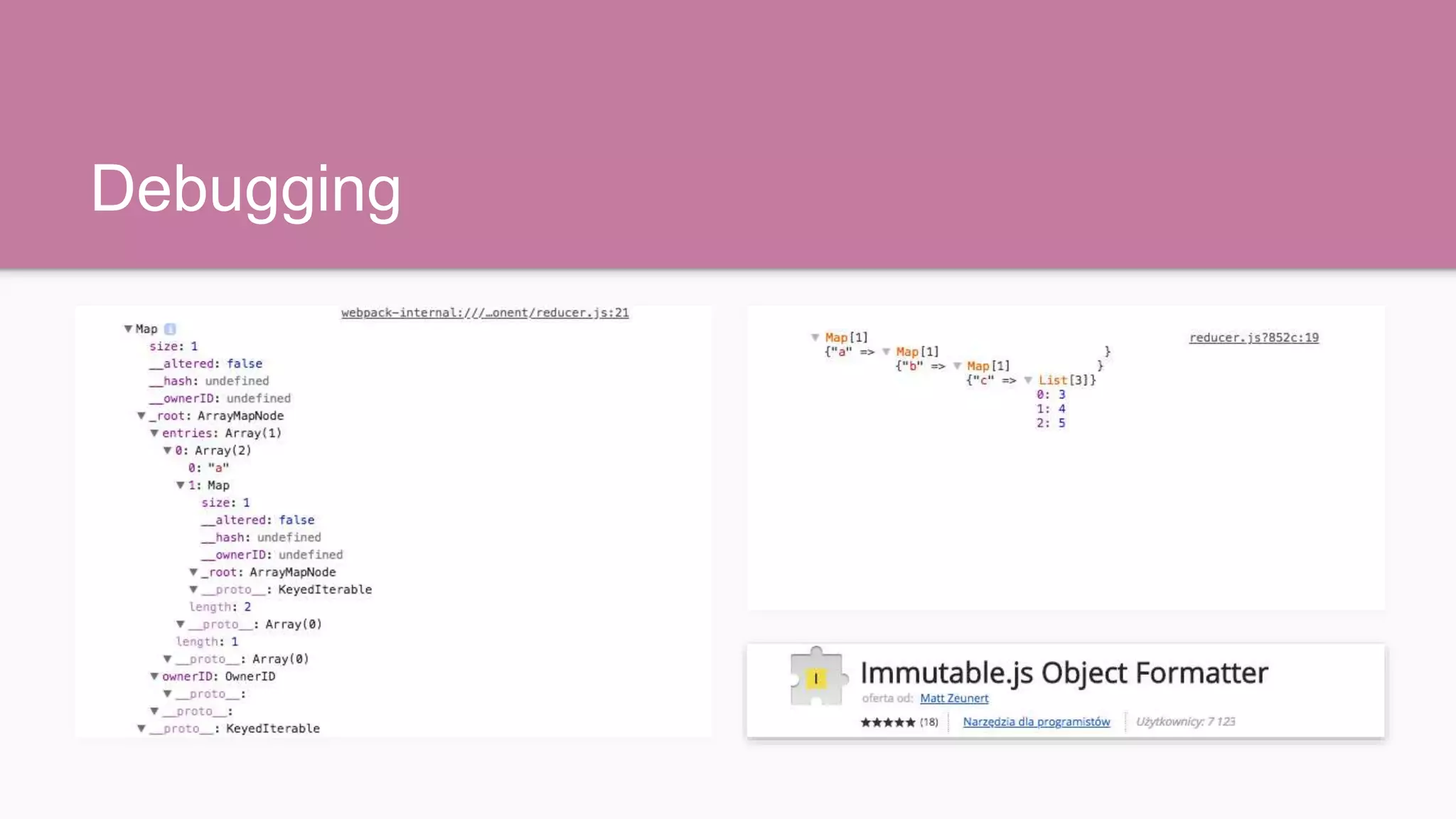
Debugging
Where to use?
● For the entire Redux state tree
● Your selectors should return Immutable.JS objects
● Never use toJS() in mapStateToProps
● Always in Smart Components (containers)
● Never in Dumb Components
● Wrap Dumb Components in a HOC to convert the props
Thank You!

Immutability and Javascript - Nadia Miętkiewicz

  • 1.
    Immutability & Javascript NadiaMiętkiewicz / Visuality
  • 2.
    Why this talk? ●immutable.js is included by default in react-boilerplate ● that redux-form bug...
  • 3.
    that redux-form bug importReact from 'react'; import { Field, reduxForm } from 'redux-form'; const Form = (props) => ( <form onSubmit={props.handleSubmit}> <Field name="email" component="input" /> <button type="submit">Sign in</button> </form> ); export default reduxForm({ form: 'signIn', })(Form); import React from 'react'; import { Field, reduxForm } from 'redux-form/immutable'; const Form = (props) => ( <form onSubmit={props.handleSubmit}> <Field name="email" component="input" /> <button type="submit">Sign in</button> </form> ); export default reduxForm({ form: 'signIn', })(Form);
  • 4.
    The case forimmutability Much of what makes application development difficult is tracking mutation and maintaining state.
  • 5.
    Muttable const item ={ shape: 'square', position: 'A', };
  • 6.
    Muttable const item ={ shape: 'square', position: 'A', }; item.position = 'B';
  • 7.
    Immuttable const item ={ shape: 'square', position: 'A', }; const item2 = { ...item, position: 'B', };
  • 8.
  • 9.
    Prestige (2006) const hughJackmanClone= { ...hughJackman, position: 'balcony', };
  • 10.
  • 11.
    const item ={ shape: 'human', position: 'A', }; item.position = 'B'; Mutator methods
  • 12.
    const item ={ shape: 'human', position: 'A', }; item.position = 'B'; Mutator methods const item = { shape: 'human', position: 'A', }; teleport(item, 'B'); function teleport(subject, position) { subject.position = position; }
  • 13.
    Mutator methods const item= { shape: 'human', position: 'A', }; teleport(item, 'B'); function teleport(subject, position) { /***********************************************/ YOLO ¯_(ツ)_/¯ /***********************************************/ }
  • 14.
    The Fly (1986) functionteleport(subject, position) { subject.position = position; items = getCapsuleContents(); // should be [ ‘human’ ] subject.shape = items.join(); }
  • 15.
    The Fly (1986) functionteleport(subject, position) { subject.position = position; items = getCapsuleContents(); // is [ ‘human’, ‘fly’ ] subject.shape = items.join(); }
  • 16.
  • 17.
    Memory consumption const item= { shape: 'square', position: 'A', }; const item2 = { ...item, position: 'B', };
  • 18.
    Memory consumption const item= { shape: 'square', position: 'A', }; const item2 = { ...item, position: 'B', }; const item3 = { ...item2, position: 'C', }; const item4 = { ...item, position: 'D', }; const item5 = { ...item, position: 'E', }; const item6 = { ...item2, position: 'F', };
  • 19.
    Prestige (2016) const hughJackmanClone= { ...hughJackmanOriginal, position: 'balcony', }; drown(hughJackmanOriginal);
  • 20.
  • 21.
  • 22.
  • 23.
  • 24.
  • 25.
  • 26.
  • 27.
    Map import { Map} from 'immutable'; const item = Map({ shape: 'square', position: 'A', }); const item2 = item.set('position', 'B'); const item = { shape: 'square', position: 'A', }; item.position = 'B';
  • 28.
    List import { List} from 'immutable'; const items = List([ 'apple', 'banana', ]); const items2 = item.push('orange'); const items = [ 'apple', 'banana', ]; items.push('orange');
  • 29.
    make immutable import {fromJS } from 'immutable'; const nested = fromJS({ a: { b: { c: [ 3, 4, 5 ] } } }); // Map { a: Map { b: Map { c: List [ 3, 4, 5 ] } } }
  • 30.
    make mutable import {Map, List } from 'immutable'; const deep = Map({ a: 1, b: 2, c: List([ 3, 4, 5 ]) }); console.log(deep.toObject()); // { a: 1, b: 2, c: List [ 3, 4, 5 ] } console.log(deep.toArray()); // [ 1, 2, List [ 3, 4, 5 ] ] console.log(deep.toJS()); // { a: 1, b: 2, c: [ 3, 4, 5 ] }
  • 31.
  • 32.
  • 33.
    Where to use? ●For the entire Redux state tree ● Your selectors should return Immutable.JS objects ● Never use toJS() in mapStateToProps ● Always in Smart Components (containers) ● Never in Dumb Components ● Wrap Dumb Components in a HOC to convert the props
  • 34.