Java Data types and Variables
Lecture 7
Naveen Kumar
Strings
 A string is a sequence of characters
 Strings are objects of the String class
 String constants:
"Hello, World!"
 String variables:
String message = "Hello, World!";
 String length:
int n = message.length();
 Empty string: ""
2
Concatenation
 Use the + operator:
String name = "Dave";
String message = "Hello, " + name;
// message is "Hello, Dave"
 If one of the arguments of the + operator is a
string, the other is converted to a string
String a = "Agent";
int n = 7;
String bond = a + n; // bond is Agent7
3
Converting between Strings and
Numbers
 Convert to number:
int n = Integer.parseInt(str);
double x = Double.parseDouble(x);
int num = Integer.parseInt("1234");
 Convert to string:
String str = "" + n;
str = Integer.toString(n);
String str = String.valueOf(num);4
Substrings
 String greeting = "Hello, World!";
String sub = greeting.substring(0, 5);
// sub is "Hello"
 Supply start and end positions, end is not
included
 First position is at 0
5
Self Check
 Assuming the String variable s holds the value "Agent", what is
the effect of the assignment s = s + s.length() ?
 Assuming the String variable river holds the value "Mississippi",
what is the value of
river.substring(1, 2)? and
river.substring(2, river.length() - 3)?
Answers
 s is set to the string Agent5
 The strings "i" and
 "ssissi"
6
Frame Windows
 The JFrame class JFrame frame = new JFrame();
 frame.setSize(300, 400);
frame.setTitle("An Empty Frame");
frame.setDefaultCloseOperation(JFrame.EXIT_ON_CLOSE);
frame.setVisible(true);
 import javax.swing.*;
7
Frame program
import javax.swing.*;
public class frame
{
public static void main(String[] args)
{
JFrame frame = new JFrame();
final int FRAME_WIDTH = 300;
final int FRAME_HEIGHT = 400;
frame.setSize(FRAME_WIDTH, FRAME_HEIGHT);
frame.setTitle("An Empty Frame");
frame.setDefaultCloseOperation(JFrame.EXIT_ON_CLOSE);
frame.setVisible(true);
}
}
8
Self Check
 How do you display a square frame with a title bar that
reads "Hello, World!"?
 How can a program display two frames at once?
Answers
 Modify the EmptyFrameViewer program as follows:
frame.setSize(300, 300);
frame.setTitle("Hello, World!");
 Construct two JFrame objects, set each of their sizes,
and call setVisible(true) on each of them
9
Drawing Shapes
 paintComponent: called whenever the component
needs to be repainted:
public class frame1 extends JComponent
{
public void paintComponent(Graphics g)
{
// Recover Graphics2D
Graphics2D g2 = (Graphics2D) g;
. . .
}
}
10
Drawing Shapes
 Graphics class lets you manipulate the graphics state
(such as current color)
 Graphics2D class has methods to draw shape objects
 Use a cast to recover the Graphics2D object from the
Graphics parameter
Rectangle box = new Rectangle(5, 10, 20, 30);
g2.draw(box);
 java.awt package11
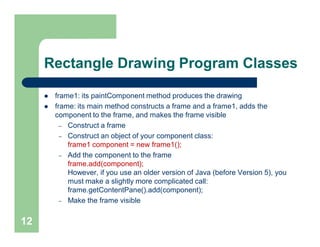
Rectangle Drawing Program Classes
 frame1: its paintComponent method produces the drawing
 frame: its main method constructs a frame and a frame1, adds the
component to the frame, and makes the frame visible
– Construct a frame
– Construct an object of your component class:
frame1 component = new frame1();
– Add the component to the frame
frame.add(component);
However, if you use an older version of Java (before Version 5), you
must make a slightly more complicated call:
frame.getContentPane().add(component);
– Make the frame visible
12
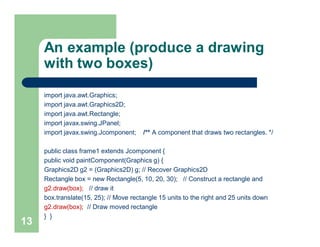
An example (produce a drawing
with two boxes)
import java.awt.Graphics;
import java.awt.Graphics2D;
import java.awt.Rectangle;
import javax.swing.JPanel;
import javax.swing.Jcomponent; /** A component that draws two rectangles. */
public class frame1 extends Jcomponent {
public void paintComponent(Graphics g) {
Graphics2D g2 = (Graphics2D) g; // Recover Graphics2D
Rectangle box = new Rectangle(5, 10, 20, 30); // Construct a rectangle and
g2.draw(box); // draw it
box.translate(15, 25); // Move rectangle 15 units to the right and 25 units down
g2.draw(box); // Draw moved rectangle
} }
13
Create frame and add drawing
import javax.swing.JFrame;
public class frame {
public static void main(String[] args) {
JFrame frame = new JFrame();
final int FRAME_WIDTH = 300;
final int FRAME_HEIGHT = 400;
frame.setSize(FRAME_WIDTH,FRAME_HEIGHT);
frame.setTitle("Two rectangles");
frame.setDefaultCloseOperation(JFrame.EXIT_ON_CLOSE);
frame1 component = new frame1();
frame.add(component);
frame.setVisible(true);
} }14
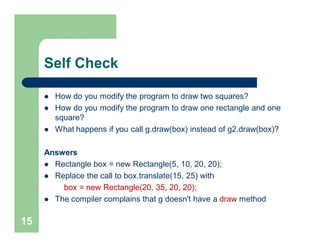
Self Check
 How do you modify the program to draw two squares?
 How do you modify the program to draw one rectangle and one
square?
 What happens if you call g.draw(box) instead of g2.draw(box)?
Answers
 Rectangle box = new Rectangle(5, 10, 20, 20);
 Replace the call to box.translate(15, 25) with
box = new Rectangle(20, 35, 20, 20);
 The compiler complains that g doesn't have a draw method
15
Applets
 This is almost the same outline as for a component, with two minor
differences:
– You extend JApplet, not JComponent
– You place the drawing code inside the paint method, not inside
paintComponent
 To run an applet, you need an HTML file with the applet tag
 You view applets with the appletviewer
16
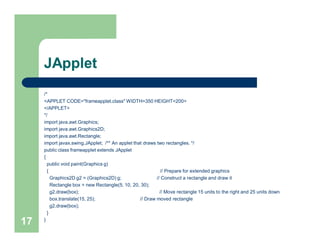
JApplet
/*
<APPLET CODE="frameapplet.class" WIDTH=350 HEIGHT=200>
</APPLET>
*/
import java.awt.Graphics;
import java.awt.Graphics2D;
import java.awt.Rectangle;
import javax.swing.JApplet; /** An applet that draws two rectangles. */
public class frameapplet extends JApplet
{
public void paint(Graphics g)
{ // Prepare for extended graphics
Graphics2D g2 = (Graphics2D) g; // Construct a rectangle and draw it
Rectangle box = new Rectangle(5, 10, 20, 30);
g2.draw(box); // Move rectangle 15 units to the right and 25 units down
box.translate(15, 25); // Draw moved rectangle
g2.draw(box);
}
}
17
Graphical Shapes
 Rectangle, Ellipse2D.Double, and Line2D.Double describe graphical
shapes
 We won't use the .Float classes
 These classes are inner classes–doesn't matter to us except for the
import statement:
import java.awt.geom.Ellipse2D; // no .Double
 Must construct and draw the shape
Ellipse2D.Double ellipse = new Ellipse2D.Double(x, y, width, height);
g2.draw(ellipse);
18
Drawing Lines
To draw a line:
 Line2D.Double segment = new Line2D.Double(x1, y1, x2, y2);
or
 Point2D.Double from = new Point2D.Double(x1, y1);
Point2D.Double to = new Point2D.Double(x2, y2);
Line2D.Double segment = new Line2D.Double(from, to);
19
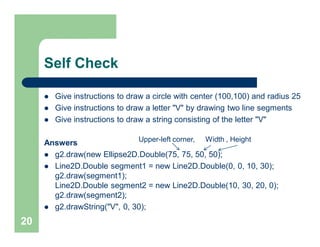
Self Check
 Give instructions to draw a circle with center (100,100) and radius 25
 Give instructions to draw a letter "V" by drawing two line segments
 Give instructions to draw a string consisting of the letter "V"
Answers
 g2.draw(new Ellipse2D.Double(75, 75, 50, 50);
 Line2D.Double segment1 = new Line2D.Double(0, 0, 10, 30);
g2.draw(segment1);
Line2D.Double segment2 = new Line2D.Double(10, 30, 20, 0);
g2.draw(segment2);
 g2.drawString("V", 0, 30);
20
Upper-left corner, Width , Height
Colors
 Standard colors Color.BLUE, Color.RED, Color.PINK etc.
 Specify red, green, blue between 0.0F and 1.0F
 Color magenta = new Color(1.0F, 0.0F, 1.0F); // F = float
Set color in graphics context
 g2.setColor(magenta);
Color is used when drawing and filling shapes
 g2.fill(rectangle); // filled with current color
21
Self Check
 What are the RGB color values of Color.BLUE?
 How do you draw a yellow square on a red background?
Answers
 0.0F, 0.0F, and 0.1F
 First fill a big red square, then fill a small yellow square inside:
g2.setColor(Color.RED);
g2.fill(new Rectangle(0, 0, 200, 200));
g2.setColor(Color.YELLOW);
g2.fill(new Rectangle(50, 50, 100, 100));
Note: Use import java.awt.Color;
22
Drawing Graphical Shapes
 Rectangle leftRectangle
= new Rectangle(100, 100, 30, 60);
Rectangle rightRectangle
= new Rectangle(160, 100, 30, 60);
Line2D.Double topLine
= new Line2D.Double(130, 100, 160, 100);
Line2D.Double bottomLine
= new Line2D.Double(130, 160, 160, 160);
23
Reading Text Input
 A graphical application can obtain input by displaying a
JOptionPane
 The showInputDialog method displays a prompt and
waits for user input
 The showInputDialog method returns the string that the
user typed
String input = JOptionPane.showInputDialog("Enter x");
double x = Double.parseDouble(input);
24
An Example
import java.awt.Color; import javax.swing.Jframe;
import javax.swing.JOptionPane; import javax.swing.JComponent;
public class ColorViewer {
public static void main(String[] args) {
JFrame frame = new JFrame(); final int FRAME_WIDTH = 300; final int FRAME_HEIGHT = 400;
frame.setSize(FRAME_WIDTH, FRAME_HEIGHT);
frame.setDefaultCloseOperation(JFrame.EXIT_ON_CLOSE);
String input; // Ask the user for red, green, blue values
input = JOptionPane.showInputDialog("red:");
double red = Double.parseDouble(input);
input = JOptionPane.showInputDialog("green:");
double green = Double.parseDouble(input);
input = JOptionPane.showInputDialog("blue:");
double blue = Double.parseDouble(input);
Color fillColor = new Color( (float) red, (float) green, (float) blue);
ColoredSquarecomponent = new ColoredSquare (fillColor);
frame.add(component); frame.setVisible(true); } }25
Example cont.
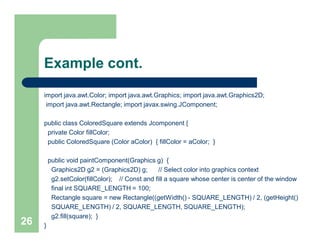
import java.awt.Color; import java.awt.Graphics; import java.awt.Graphics2D;
import java.awt.Rectangle; import javax.swing.JComponent;
public class ColoredSquare extends Jcomponent {
private Color fillColor;
public ColoredSquare (Color aColor) { fillColor = aColor; }
public void paintComponent(Graphics g) {
Graphics2D g2 = (Graphics2D) g; // Select color into graphics context
g2.setColor(fillColor); // Const and fill a square whose center is center of the window
final int SQUARE_LENGTH = 100;
Rectangle square = new Rectangle((getWidth() - SQUARE_LENGTH) / 2, (getHeight()
SQUARE_LENGTH) / 2, SQUARE_LENGTH, SQUARE_LENGTH);
g2.fill(square); }
}26

Lec 7 28_aug [compatibility mode]

  • 1.
    Java Data typesand Variables Lecture 7 Naveen Kumar
  • 2.
    Strings  A stringis a sequence of characters  Strings are objects of the String class  String constants: "Hello, World!"  String variables: String message = "Hello, World!";  String length: int n = message.length();  Empty string: "" 2
  • 3.
    Concatenation  Use the+ operator: String name = "Dave"; String message = "Hello, " + name; // message is "Hello, Dave"  If one of the arguments of the + operator is a string, the other is converted to a string String a = "Agent"; int n = 7; String bond = a + n; // bond is Agent7 3
  • 4.
    Converting between Stringsand Numbers  Convert to number: int n = Integer.parseInt(str); double x = Double.parseDouble(x); int num = Integer.parseInt("1234");  Convert to string: String str = "" + n; str = Integer.toString(n); String str = String.valueOf(num);4
  • 5.
    Substrings  String greeting= "Hello, World!"; String sub = greeting.substring(0, 5); // sub is "Hello"  Supply start and end positions, end is not included  First position is at 0 5
  • 6.
    Self Check  Assumingthe String variable s holds the value "Agent", what is the effect of the assignment s = s + s.length() ?  Assuming the String variable river holds the value "Mississippi", what is the value of river.substring(1, 2)? and river.substring(2, river.length() - 3)? Answers  s is set to the string Agent5  The strings "i" and  "ssissi" 6
  • 7.
    Frame Windows  TheJFrame class JFrame frame = new JFrame();  frame.setSize(300, 400); frame.setTitle("An Empty Frame"); frame.setDefaultCloseOperation(JFrame.EXIT_ON_CLOSE); frame.setVisible(true);  import javax.swing.*; 7
  • 8.
    Frame program import javax.swing.*; publicclass frame { public static void main(String[] args) { JFrame frame = new JFrame(); final int FRAME_WIDTH = 300; final int FRAME_HEIGHT = 400; frame.setSize(FRAME_WIDTH, FRAME_HEIGHT); frame.setTitle("An Empty Frame"); frame.setDefaultCloseOperation(JFrame.EXIT_ON_CLOSE); frame.setVisible(true); } } 8
  • 9.
    Self Check  Howdo you display a square frame with a title bar that reads "Hello, World!"?  How can a program display two frames at once? Answers  Modify the EmptyFrameViewer program as follows: frame.setSize(300, 300); frame.setTitle("Hello, World!");  Construct two JFrame objects, set each of their sizes, and call setVisible(true) on each of them 9
  • 10.
    Drawing Shapes  paintComponent:called whenever the component needs to be repainted: public class frame1 extends JComponent { public void paintComponent(Graphics g) { // Recover Graphics2D Graphics2D g2 = (Graphics2D) g; . . . } } 10
  • 11.
    Drawing Shapes  Graphicsclass lets you manipulate the graphics state (such as current color)  Graphics2D class has methods to draw shape objects  Use a cast to recover the Graphics2D object from the Graphics parameter Rectangle box = new Rectangle(5, 10, 20, 30); g2.draw(box);  java.awt package11
  • 12.
    Rectangle Drawing ProgramClasses  frame1: its paintComponent method produces the drawing  frame: its main method constructs a frame and a frame1, adds the component to the frame, and makes the frame visible – Construct a frame – Construct an object of your component class: frame1 component = new frame1(); – Add the component to the frame frame.add(component); However, if you use an older version of Java (before Version 5), you must make a slightly more complicated call: frame.getContentPane().add(component); – Make the frame visible 12
  • 13.
    An example (producea drawing with two boxes) import java.awt.Graphics; import java.awt.Graphics2D; import java.awt.Rectangle; import javax.swing.JPanel; import javax.swing.Jcomponent; /** A component that draws two rectangles. */ public class frame1 extends Jcomponent { public void paintComponent(Graphics g) { Graphics2D g2 = (Graphics2D) g; // Recover Graphics2D Rectangle box = new Rectangle(5, 10, 20, 30); // Construct a rectangle and g2.draw(box); // draw it box.translate(15, 25); // Move rectangle 15 units to the right and 25 units down g2.draw(box); // Draw moved rectangle } } 13
  • 14.
    Create frame andadd drawing import javax.swing.JFrame; public class frame { public static void main(String[] args) { JFrame frame = new JFrame(); final int FRAME_WIDTH = 300; final int FRAME_HEIGHT = 400; frame.setSize(FRAME_WIDTH,FRAME_HEIGHT); frame.setTitle("Two rectangles"); frame.setDefaultCloseOperation(JFrame.EXIT_ON_CLOSE); frame1 component = new frame1(); frame.add(component); frame.setVisible(true); } }14
  • 15.
    Self Check  Howdo you modify the program to draw two squares?  How do you modify the program to draw one rectangle and one square?  What happens if you call g.draw(box) instead of g2.draw(box)? Answers  Rectangle box = new Rectangle(5, 10, 20, 20);  Replace the call to box.translate(15, 25) with box = new Rectangle(20, 35, 20, 20);  The compiler complains that g doesn't have a draw method 15
  • 16.
    Applets  This isalmost the same outline as for a component, with two minor differences: – You extend JApplet, not JComponent – You place the drawing code inside the paint method, not inside paintComponent  To run an applet, you need an HTML file with the applet tag  You view applets with the appletviewer 16
  • 17.
    JApplet /* <APPLET CODE="frameapplet.class" WIDTH=350HEIGHT=200> </APPLET> */ import java.awt.Graphics; import java.awt.Graphics2D; import java.awt.Rectangle; import javax.swing.JApplet; /** An applet that draws two rectangles. */ public class frameapplet extends JApplet { public void paint(Graphics g) { // Prepare for extended graphics Graphics2D g2 = (Graphics2D) g; // Construct a rectangle and draw it Rectangle box = new Rectangle(5, 10, 20, 30); g2.draw(box); // Move rectangle 15 units to the right and 25 units down box.translate(15, 25); // Draw moved rectangle g2.draw(box); } } 17
  • 18.
    Graphical Shapes  Rectangle,Ellipse2D.Double, and Line2D.Double describe graphical shapes  We won't use the .Float classes  These classes are inner classes–doesn't matter to us except for the import statement: import java.awt.geom.Ellipse2D; // no .Double  Must construct and draw the shape Ellipse2D.Double ellipse = new Ellipse2D.Double(x, y, width, height); g2.draw(ellipse); 18
  • 19.
    Drawing Lines To drawa line:  Line2D.Double segment = new Line2D.Double(x1, y1, x2, y2); or  Point2D.Double from = new Point2D.Double(x1, y1); Point2D.Double to = new Point2D.Double(x2, y2); Line2D.Double segment = new Line2D.Double(from, to); 19
  • 20.
    Self Check  Giveinstructions to draw a circle with center (100,100) and radius 25  Give instructions to draw a letter "V" by drawing two line segments  Give instructions to draw a string consisting of the letter "V" Answers  g2.draw(new Ellipse2D.Double(75, 75, 50, 50);  Line2D.Double segment1 = new Line2D.Double(0, 0, 10, 30); g2.draw(segment1); Line2D.Double segment2 = new Line2D.Double(10, 30, 20, 0); g2.draw(segment2);  g2.drawString("V", 0, 30); 20 Upper-left corner, Width , Height
  • 21.
    Colors  Standard colorsColor.BLUE, Color.RED, Color.PINK etc.  Specify red, green, blue between 0.0F and 1.0F  Color magenta = new Color(1.0F, 0.0F, 1.0F); // F = float Set color in graphics context  g2.setColor(magenta); Color is used when drawing and filling shapes  g2.fill(rectangle); // filled with current color 21
  • 22.
    Self Check  Whatare the RGB color values of Color.BLUE?  How do you draw a yellow square on a red background? Answers  0.0F, 0.0F, and 0.1F  First fill a big red square, then fill a small yellow square inside: g2.setColor(Color.RED); g2.fill(new Rectangle(0, 0, 200, 200)); g2.setColor(Color.YELLOW); g2.fill(new Rectangle(50, 50, 100, 100)); Note: Use import java.awt.Color; 22
  • 23.
    Drawing Graphical Shapes Rectangle leftRectangle = new Rectangle(100, 100, 30, 60); Rectangle rightRectangle = new Rectangle(160, 100, 30, 60); Line2D.Double topLine = new Line2D.Double(130, 100, 160, 100); Line2D.Double bottomLine = new Line2D.Double(130, 160, 160, 160); 23
  • 24.
    Reading Text Input A graphical application can obtain input by displaying a JOptionPane  The showInputDialog method displays a prompt and waits for user input  The showInputDialog method returns the string that the user typed String input = JOptionPane.showInputDialog("Enter x"); double x = Double.parseDouble(input); 24
  • 25.
    An Example import java.awt.Color;import javax.swing.Jframe; import javax.swing.JOptionPane; import javax.swing.JComponent; public class ColorViewer { public static void main(String[] args) { JFrame frame = new JFrame(); final int FRAME_WIDTH = 300; final int FRAME_HEIGHT = 400; frame.setSize(FRAME_WIDTH, FRAME_HEIGHT); frame.setDefaultCloseOperation(JFrame.EXIT_ON_CLOSE); String input; // Ask the user for red, green, blue values input = JOptionPane.showInputDialog("red:"); double red = Double.parseDouble(input); input = JOptionPane.showInputDialog("green:"); double green = Double.parseDouble(input); input = JOptionPane.showInputDialog("blue:"); double blue = Double.parseDouble(input); Color fillColor = new Color( (float) red, (float) green, (float) blue); ColoredSquarecomponent = new ColoredSquare (fillColor); frame.add(component); frame.setVisible(true); } }25
  • 26.
    Example cont. import java.awt.Color;import java.awt.Graphics; import java.awt.Graphics2D; import java.awt.Rectangle; import javax.swing.JComponent; public class ColoredSquare extends Jcomponent { private Color fillColor; public ColoredSquare (Color aColor) { fillColor = aColor; } public void paintComponent(Graphics g) { Graphics2D g2 = (Graphics2D) g; // Select color into graphics context g2.setColor(fillColor); // Const and fill a square whose center is center of the window final int SQUARE_LENGTH = 100; Rectangle square = new Rectangle((getWidth() - SQUARE_LENGTH) / 2, (getHeight() SQUARE_LENGTH) / 2, SQUARE_LENGTH, SQUARE_LENGTH); g2.fill(square); } }26