Idioms in Swift
Kaz Yoshikawa
May 2016
About me
Kaz Yoshikawa
• Electricwoods LLC 代表 / Digital Lynx Systems Inc. 副代表
• e-mail: kaz@digitallynx.com
• LinkedIn: https://www.linkedin.com/in/kazyoshikawa
• Working History
• Adobe Systems (Tokyo)
• Lionbridge (Tokyo)
• Quark (Tokyo / Denver)
• Hummingbird Communications (Mt. View, USA)
• Fact International (Vancouver, Canada)
• Perle Systems (Toronto, Canada), etc.
Engineering
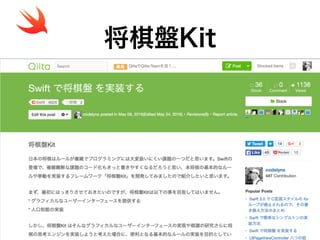
将棋盤Kit
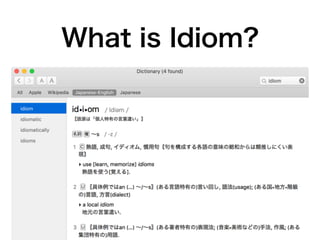
What is Idiom?
Optional
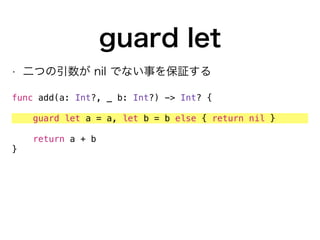
guard let
• 二つの引数が nil でない事を保証する
func add(a: Int?, _ b: Int?) -> Int? {
guard let a = a, let b = b else { return nil }
return a + b
}
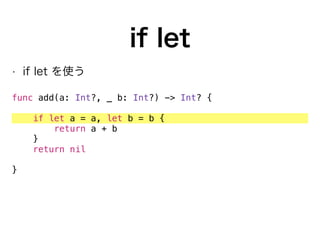
if let
• if let を使う
func add(a: Int?, _ b: Int?) -> Int? {
if let a = a, let b = b {
return a + b
}
return nil
}
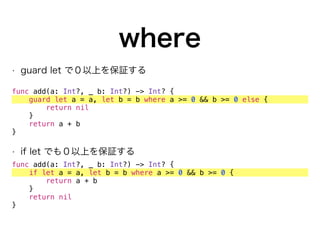
where
• guard let で0以上を保証する
func add(a: Int?, _ b: Int?) -> Int? {
guard let a = a, let b = b where a >= 0 && b >= 0 else {
return nil
}
return a + b
}
• if let でも0以上を保証する
func add(a: Int?, _ b: Int?) -> Int? {
if let a = a, let b = b where a >= 0 && b >= 0 {
return a + b
}
return nil
}
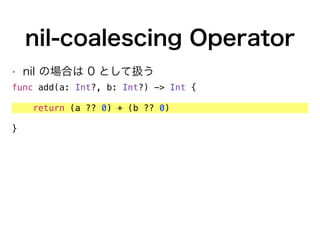
nil-coalescing Operator
• nil の場合は 0 として扱う
func add(a: Int?, b: Int?) -> Int {
return (a ?? 0) + (b ?? 0)
}
Switch
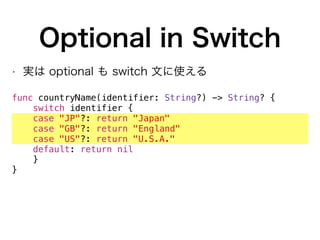
Optional in Switch
• 実は optional も switch 文に使える
func countryName(identifier: String?) -> String? {
switch identifier {
case "JP"?: return "Japan"
case "GB"?: return "England"
case "US"?: return "U.S.A."
default: return nil
}
}
Late Initializing

Immutable Variables
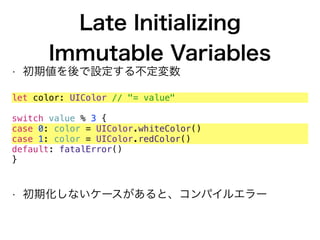
• 初期値を後で設定する不定変数
let color: UIColor // "= value"
switch value % 3 {
case 0: color = UIColor.whiteColor()
case 1: color = UIColor.redColor()
default: fatalError()
}
• 初期化しないケースがあると、コンパイルエラー
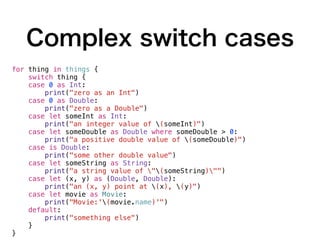
Complex switch cases
for thing in things {
switch thing {
case 0 as Int:
print("zero as an Int")
case 0 as Double:
print("zero as a Double")
case let someInt as Int:
print("an integer value of (someInt)")
case let someDouble as Double where someDouble > 0:
print("a positive double value of (someDouble)")
case is Double:
print("some other double value")
case let someString as String:
print("a string value of "(someString)"")
case let (x, y) as (Double, Double):
print("an (x, y) point at (x), (y)")
case let movie as Movie:
print("Movie:'(movie.name)'")
default:
print("something else")
}
}
Implicitly
Unwrapped Optional
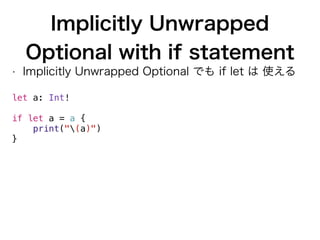
Implicitly Unwrapped
Optional with if statement
• Implicitly Unwrapped Optional でも if let は 使える
let a: Int!


if let a = a {
print("(a)")
}
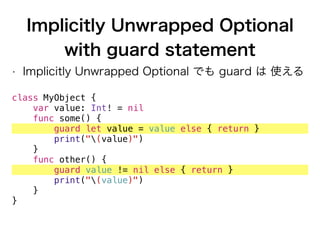
Implicitly Unwrapped Optional
with guard statement
• Implicitly Unwrapped Optional でも guard は 使える
class MyObject {
var value: Int! = nil
func some() {
guard let value = value else { return }
print("(value)")
}
func other() {
guard value != nil else { return }
print("(value)")
}
}
Associated Values
Defining Associated
Value
enum Element {
case String(Swift.String)
case Boolean(Bool)
case Integer(Int)
case Float(Swift.Float)
case Dictionary([Swift.String: Element])
case Array([Element])
case Null
}
let integer = Element.Integer(42)
let city = Element.String("Tokyo")
let cities = Element.Array([city])
let dictionary = Element.Dictionary(["items": array])
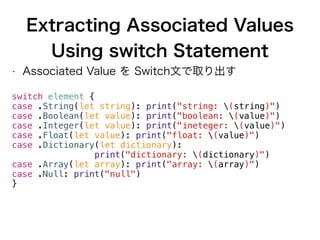
Extracting Associated Values
Using switch Statement
• Associated Value を Switch文で取り出す
switch element {
case .String(let string): print("string: (string)")
case .Boolean(let value): print("boolean: (value)")
case .Integer(let value): print("ineteger: (value)")
case .Float(let value): print("float: (value)")
case .Dictionary(let dictionary):
print("dictionary: (dictionary)")
case .Array(let array): print("array: (array)")
case .Null: print("null")
}
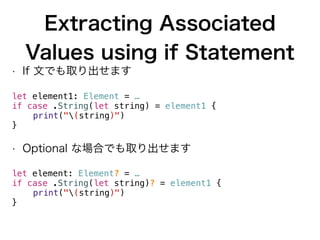
Extracting Associated
Values using if Statement
• If 文でも取り出せます
let element1: Element = …
if case .String(let string) = element1 {
print("(string)")
}
• Optional な場合でも取り出せます
let element: Element? = …
if case .String(let string)? = element1 {
print("(string)")
}
Extracting Associated
Values
• division -> members -> person -> name
let name = Element.String("John")
let john = Element.Dictionary(["name": name])
let members = Element.Array([john])
let group = Element.Dictionary(["members": members])
• 一発で取り出せる
if case .Dictionary(let group) = group,
case .Array(let members)? = division["members"],
case .Dictionary(let member)? = members.first,
case .String(let name)? = member["name"] {
print("(name)") // John
}
Closure
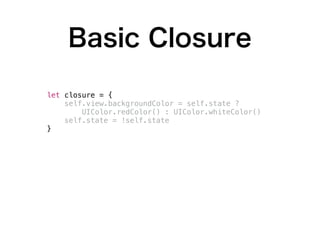
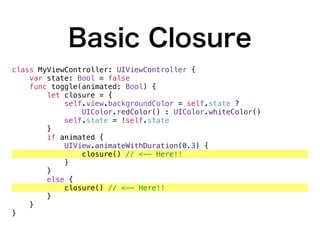
Basic Closure
class MyViewController: UIViewController {
var state: Bool = false
func toggle(animated: Bool) {
let closure = {
self.view.backgroundColor = self.state ?
UIColor.redColor() : UIColor.whiteColor()
self.state = !self.state
}
if animated {
UIView.animateWithDuration(0.3) {
closure() // <-- Here!!
}
}
else {
closure() // <-- Here!!
}
}
}
Basic Closure
class MyViewController: UIViewController {
var state: Bool = false
func toggle(animated: Bool) {
let closure = {
self.view.backgroundColor = self.state ?
UIColor.redColor() : UIColor.whiteColor()
self.state = !self.state
}
if animated {
UIView.animateWithDuration(0.3) {
closure() // <-- Here!!
}
}
else {
closure() // <-- Here!!
}
}
}
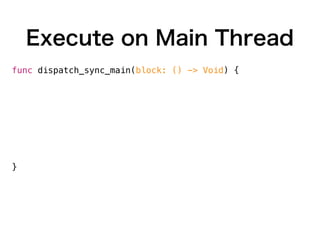
Execute on Main Thread
func dispatch_sync_main(block: () -> Void) {
if NSThread.isMainThread() {
block()
}
else {
dispatch_sync(dispatch_get_main_queue()) { () ->
Void in
block()
}
}
}
dispatch_sync_main {
self.tableView.reloadData()
}
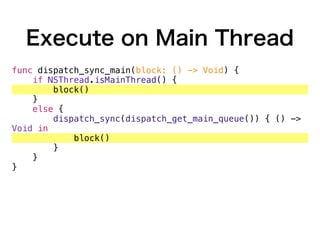
Execute on Main Thread
func dispatch_sync_main(block: () -> Void) {
if NSThread.isMainThread() {
block()
}
else {
dispatch_sync(dispatch_get_main_queue()) { () ->
Void in
block()
}
}
}
dispatch_sync_main {
self.tableView.reloadData()
}
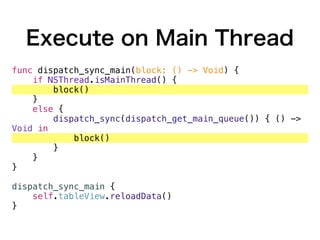
Execute on Main Thread
func dispatch_sync_main(block: () -> Void) {
if NSThread.isMainThread() {
block()
}
else {
dispatch_sync(dispatch_get_main_queue()) { () ->
Void in
block()
}
}
}
dispatch_sync_main {
self.tableView.reloadData()
}
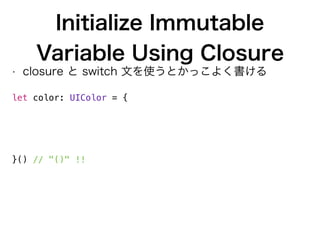
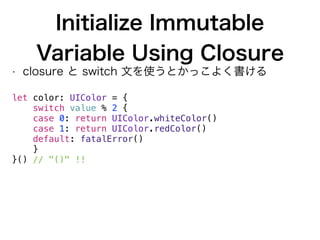
Initialize Immutable
Variable Using Closure
• closure と switch 文を使うとかっこよく書ける


let color: UIColor = {
switch value % 2 {
case 0: return UIColor.whiteColor()
case 1: return UIColor.redColor()
default: fatalError()
}
}() // "()" !!
Initialize Immutable
Variable Using Closure
• closure と switch 文を使うとかっこよく書ける


let color: UIColor = {
switch value % 2 {
case 0: return UIColor.whiteColor()
case 1: return UIColor.redColor()
default: fatalError()
}
}() // "()" !!
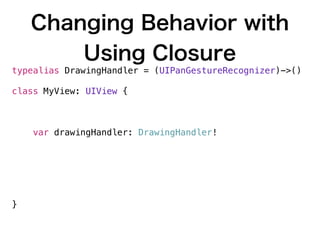
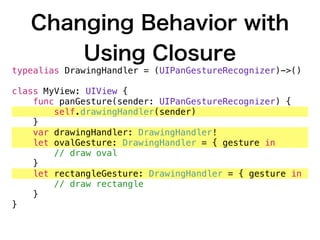
Changing Behavior with
Using Closure
typealias DrawingHandler = (UIPanGestureRecognizer)->()
class MyView: UIView {
func panGesture(sender: UIPanGestureRecognizer) {
self.drawingHandler(sender)
}
var drawingHandler: DrawingHandler!
let ovalGesture: DrawingHandler = { gesture in
// draw oval
}
let rectangleGesture: DrawingHandler = { gesture in
// draw rectangle
}
}
Changing Behavior with
Using Closure
typealias DrawingHandler = (UIPanGestureRecognizer)->()
class MyView: UIView {
func panGesture(sender: UIPanGestureRecognizer) {
self.drawingHandler(sender)
}
var drawingHandler: DrawingHandler!
let ovalGesture: DrawingHandler = { gesture in
// draw oval
}
let rectangleGesture: DrawingHandler = { gesture in
// draw rectangle
}
}
lazy
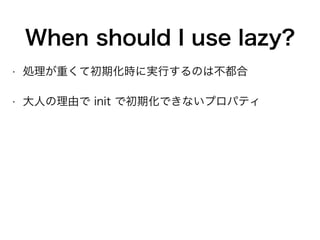
When should I use lazy?
• 処理が重くて初期化時に実行するのは不都合
• 大人の理由で init で初期化できないプロパティ
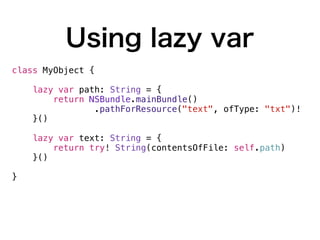
Using lazy var
class MyObject {
lazy var path: String = {
return NSBundle.mainBundle()
.pathForResource("text", ofType: "txt")!
}()
lazy var text: String = {
return try! String(contentsOfFile: self.path)
}()
}
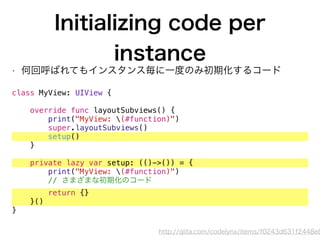
Initializing code per
instance
• 何回呼ばれてもインスタンス毎に一度のみ初期化するコード
class MyView: UIView {
override func layoutSubviews() {
print("MyView: (#function)")
super.layoutSubviews()
setup()
}
private lazy var setup: (()->()) = {
print("MyView: (#function)")
// さまざまな初期化のコード
return {}
}()
}
http://qiita.com/codelynx/items/f0243d631f2448e8
Singleton
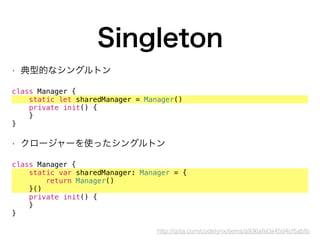
Singleton
• 典型的なシングルトン


class Manager {
static let sharedManager = Manager()
private init() {
}
}
• クロージャーを使ったシングルトン
class Manager {
static var sharedManager: Manager = {
return Manager()
}()
private init() {
}
}
http://qiita.com/codelynx/items/a936afe0a45d4cf5abfb
Updating C style 

`for` statement
http://qiita.com/codelynx/items/899c26dd2cbdba7d2b00
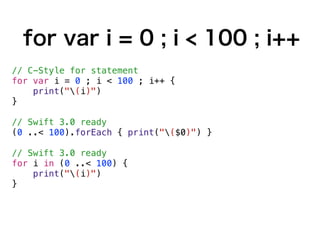
for var i = 0 ; i < 100 ; i++
// C-Style for statement
for var i = 0 ; i < 100 ; i++ {
print("(i)")
}
// Swift 3.0 ready
(0 ..< 100).forEach { print("($0)") }
// Swift 3.0 ready
for i in (0 ..< 100) {
print("(i)")
}
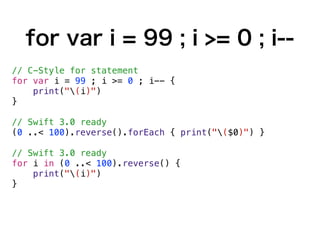
for var i = 99 ; i >= 0 ; i--
// C-Style for statement
for var i = 99 ; i >= 0 ; i-- {
print("(i)")
}
// Swift 3.0 ready
(0 ..< 100).reverse().forEach { print("($0)") }
// Swift 3.0 ready
for i in (0 ..< 100).reverse() {
print("(i)")
}
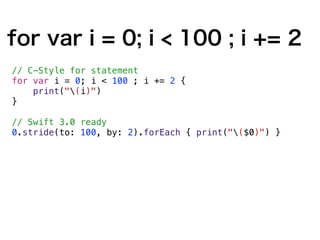
for var i = 0; i < 100 ; i += 2
// C-Style for statement
for var i = 0; i < 100 ; i += 2 {
print("(i)")
}
// Swift 3.0 ready
0.stride(to: 100, by: 2).forEach { print("($0)") }
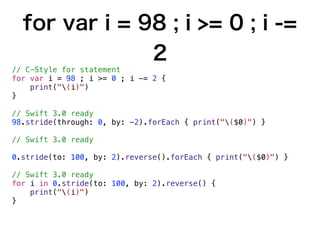
for var i = 98 ; i >= 0 ; i -=
2
// C-Style for statement
for var i = 98 ; i >= 0 ; i -= 2 {
print("(i)")
}
// Swift 3.0 ready
98.stride(through: 0, by: -2).forEach { print("($0)") }
// Swift 3.0 ready
0.stride(to: 100, by: 2).reverse().forEach { print("($0)") }
// Swift 3.0 ready
for i in 0.stride(to: 100, by: 2).reverse() {
print("(i)")
}
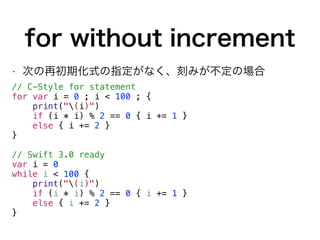
for without increment
• 次の再初期化式の指定がなく、刻みが不定の場合
// C-Style for statement
for var i = 0 ; i < 100 ; {
print("(i)")
if (i * i) % 2 == 0 { i += 1 }
else { i += 2 }
}
// Swift 3.0 ready
var i = 0
while i < 100 {
print("(i)")
if (i * i) % 2 == 0 { i += 1 }
else { i += 2 }
}
Computed Properties
and Property Observer
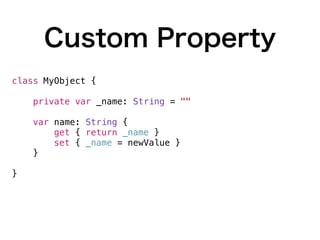
Custom Property
class MyObject {
private var _name: String = ""
var name: String {
get { return _name }
set { _name = newValue }
}
}
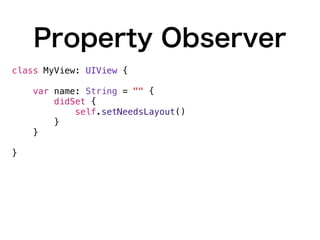
Property Observer
class MyView: UIView {
var name: String = "" {
didSet {
self.setNeedsLayout()
}
}
}
Wrap Up
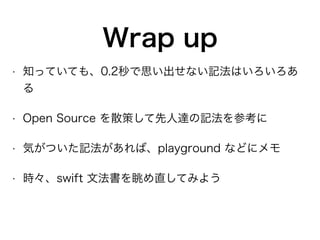
Wrap up
• 知っていても、0.2秒で思い出せない記法はいろいろあ
る
• Open Source を散策して先人達の記法を参考に
• 気がついた記法があれば、playground などにメモ
• 時々、swift 文法書を眺め直してみよう
Thank You
Kaz Yoshikawa
kaz@digitallynx.com

Idioms in swift 2016 05c

  • 1.
    Idioms in Swift KazYoshikawa May 2016
  • 2.
  • 3.
    Kaz Yoshikawa • ElectricwoodsLLC 代表 / Digital Lynx Systems Inc. 副代表 • e-mail: kaz@digitallynx.com • LinkedIn: https://www.linkedin.com/in/kazyoshikawa • Working History • Adobe Systems (Tokyo) • Lionbridge (Tokyo) • Quark (Tokyo / Denver) • Hummingbird Communications (Mt. View, USA) • Fact International (Vancouver, Canada) • Perle Systems (Toronto, Canada), etc.
  • 4.
  • 5.
  • 6.
  • 7.
  • 8.
    guard let • 二つの引数がnil でない事を保証する func add(a: Int?, _ b: Int?) -> Int? { guard let a = a, let b = b else { return nil } return a + b }
  • 9.
    if let • iflet を使う func add(a: Int?, _ b: Int?) -> Int? { if let a = a, let b = b { return a + b } return nil }
  • 10.
    where • guard letで0以上を保証する func add(a: Int?, _ b: Int?) -> Int? { guard let a = a, let b = b where a >= 0 && b >= 0 else { return nil } return a + b } • if let でも0以上を保証する func add(a: Int?, _ b: Int?) -> Int? { if let a = a, let b = b where a >= 0 && b >= 0 { return a + b } return nil }
  • 11.
    nil-coalescing Operator • nilの場合は 0 として扱う func add(a: Int?, b: Int?) -> Int { return (a ?? 0) + (b ?? 0) }
  • 12.
  • 13.
    Optional in Switch •実は optional も switch 文に使える func countryName(identifier: String?) -> String? { switch identifier { case "JP"?: return "Japan" case "GB"?: return "England" case "US"?: return "U.S.A." default: return nil } }
  • 14.
    Late Initializing
 Immutable Variables •初期値を後で設定する不定変数 let color: UIColor // "= value" switch value % 3 { case 0: color = UIColor.whiteColor() case 1: color = UIColor.redColor() default: fatalError() } • 初期化しないケースがあると、コンパイルエラー
  • 15.
    Complex switch cases forthing in things { switch thing { case 0 as Int: print("zero as an Int") case 0 as Double: print("zero as a Double") case let someInt as Int: print("an integer value of (someInt)") case let someDouble as Double where someDouble > 0: print("a positive double value of (someDouble)") case is Double: print("some other double value") case let someString as String: print("a string value of "(someString)"") case let (x, y) as (Double, Double): print("an (x, y) point at (x), (y)") case let movie as Movie: print("Movie:'(movie.name)'") default: print("something else") } }
  • 16.
  • 17.
    Implicitly Unwrapped Optional withif statement • Implicitly Unwrapped Optional でも if let は 使える let a: Int!
 
 if let a = a { print("(a)") }
  • 18.
    Implicitly Unwrapped Optional withguard statement • Implicitly Unwrapped Optional でも guard は 使える class MyObject { var value: Int! = nil func some() { guard let value = value else { return } print("(value)") } func other() { guard value != nil else { return } print("(value)") } }
  • 19.
  • 20.
    Defining Associated Value enum Element{ case String(Swift.String) case Boolean(Bool) case Integer(Int) case Float(Swift.Float) case Dictionary([Swift.String: Element]) case Array([Element]) case Null } let integer = Element.Integer(42) let city = Element.String("Tokyo") let cities = Element.Array([city]) let dictionary = Element.Dictionary(["items": array])
  • 21.
    Extracting Associated Values Usingswitch Statement • Associated Value を Switch文で取り出す switch element { case .String(let string): print("string: (string)") case .Boolean(let value): print("boolean: (value)") case .Integer(let value): print("ineteger: (value)") case .Float(let value): print("float: (value)") case .Dictionary(let dictionary): print("dictionary: (dictionary)") case .Array(let array): print("array: (array)") case .Null: print("null") }
  • 22.
    Extracting Associated Values usingif Statement • If 文でも取り出せます let element1: Element = … if case .String(let string) = element1 { print("(string)") } • Optional な場合でも取り出せます let element: Element? = … if case .String(let string)? = element1 { print("(string)") }
  • 23.
    Extracting Associated Values • division-> members -> person -> name let name = Element.String("John") let john = Element.Dictionary(["name": name]) let members = Element.Array([john]) let group = Element.Dictionary(["members": members]) • 一発で取り出せる if case .Dictionary(let group) = group, case .Array(let members)? = division["members"], case .Dictionary(let member)? = members.first, case .String(let name)? = member["name"] { print("(name)") // John }
  • 24.
  • 25.
    Basic Closure class MyViewController:UIViewController { var state: Bool = false func toggle(animated: Bool) { let closure = { self.view.backgroundColor = self.state ? UIColor.redColor() : UIColor.whiteColor() self.state = !self.state } if animated { UIView.animateWithDuration(0.3) { closure() // <-- Here!! } } else { closure() // <-- Here!! } } }
  • 26.
    Basic Closure class MyViewController:UIViewController { var state: Bool = false func toggle(animated: Bool) { let closure = { self.view.backgroundColor = self.state ? UIColor.redColor() : UIColor.whiteColor() self.state = !self.state } if animated { UIView.animateWithDuration(0.3) { closure() // <-- Here!! } } else { closure() // <-- Here!! } } }
  • 27.
    Execute on MainThread func dispatch_sync_main(block: () -> Void) { if NSThread.isMainThread() { block() } else { dispatch_sync(dispatch_get_main_queue()) { () -> Void in block() } } } dispatch_sync_main { self.tableView.reloadData() }
  • 28.
    Execute on MainThread func dispatch_sync_main(block: () -> Void) { if NSThread.isMainThread() { block() } else { dispatch_sync(dispatch_get_main_queue()) { () -> Void in block() } } } dispatch_sync_main { self.tableView.reloadData() }
  • 29.
    Execute on MainThread func dispatch_sync_main(block: () -> Void) { if NSThread.isMainThread() { block() } else { dispatch_sync(dispatch_get_main_queue()) { () -> Void in block() } } } dispatch_sync_main { self.tableView.reloadData() }
  • 30.
    Initialize Immutable Variable UsingClosure • closure と switch 文を使うとかっこよく書ける 
 let color: UIColor = { switch value % 2 { case 0: return UIColor.whiteColor() case 1: return UIColor.redColor() default: fatalError() } }() // "()" !!
  • 31.
    Initialize Immutable Variable UsingClosure • closure と switch 文を使うとかっこよく書ける 
 let color: UIColor = { switch value % 2 { case 0: return UIColor.whiteColor() case 1: return UIColor.redColor() default: fatalError() } }() // "()" !!
  • 32.
    Changing Behavior with UsingClosure typealias DrawingHandler = (UIPanGestureRecognizer)->() class MyView: UIView { func panGesture(sender: UIPanGestureRecognizer) { self.drawingHandler(sender) } var drawingHandler: DrawingHandler! let ovalGesture: DrawingHandler = { gesture in // draw oval } let rectangleGesture: DrawingHandler = { gesture in // draw rectangle } }
  • 33.
    Changing Behavior with UsingClosure typealias DrawingHandler = (UIPanGestureRecognizer)->() class MyView: UIView { func panGesture(sender: UIPanGestureRecognizer) { self.drawingHandler(sender) } var drawingHandler: DrawingHandler! let ovalGesture: DrawingHandler = { gesture in // draw oval } let rectangleGesture: DrawingHandler = { gesture in // draw rectangle } }
  • 34.
  • 35.
    When should Iuse lazy? • 処理が重くて初期化時に実行するのは不都合 • 大人の理由で init で初期化できないプロパティ
  • 36.
    Using lazy var classMyObject { lazy var path: String = { return NSBundle.mainBundle() .pathForResource("text", ofType: "txt")! }() lazy var text: String = { return try! String(contentsOfFile: self.path) }() }
  • 37.
    Initializing code per instance •何回呼ばれてもインスタンス毎に一度のみ初期化するコード class MyView: UIView { override func layoutSubviews() { print("MyView: (#function)") super.layoutSubviews() setup() } private lazy var setup: (()->()) = { print("MyView: (#function)") // さまざまな初期化のコード return {} }() } http://qiita.com/codelynx/items/f0243d631f2448e8
  • 38.
  • 39.
    Singleton • 典型的なシングルトン 
 class Manager{ static let sharedManager = Manager() private init() { } } • クロージャーを使ったシングルトン class Manager { static var sharedManager: Manager = { return Manager() }() private init() { } } http://qiita.com/codelynx/items/a936afe0a45d4cf5abfb
  • 40.
    Updating C style
 `for` statement http://qiita.com/codelynx/items/899c26dd2cbdba7d2b00
  • 41.
    for var i= 0 ; i < 100 ; i++ // C-Style for statement for var i = 0 ; i < 100 ; i++ { print("(i)") } // Swift 3.0 ready (0 ..< 100).forEach { print("($0)") } // Swift 3.0 ready for i in (0 ..< 100) { print("(i)") }
  • 42.
    for var i= 99 ; i >= 0 ; i-- // C-Style for statement for var i = 99 ; i >= 0 ; i-- { print("(i)") } // Swift 3.0 ready (0 ..< 100).reverse().forEach { print("($0)") } // Swift 3.0 ready for i in (0 ..< 100).reverse() { print("(i)") }
  • 43.
    for var i= 0; i < 100 ; i += 2 // C-Style for statement for var i = 0; i < 100 ; i += 2 { print("(i)") } // Swift 3.0 ready 0.stride(to: 100, by: 2).forEach { print("($0)") }
  • 44.
    for var i= 98 ; i >= 0 ; i -= 2 // C-Style for statement for var i = 98 ; i >= 0 ; i -= 2 { print("(i)") } // Swift 3.0 ready 98.stride(through: 0, by: -2).forEach { print("($0)") } // Swift 3.0 ready 0.stride(to: 100, by: 2).reverse().forEach { print("($0)") } // Swift 3.0 ready for i in 0.stride(to: 100, by: 2).reverse() { print("(i)") }
  • 45.
    for without increment •次の再初期化式の指定がなく、刻みが不定の場合 // C-Style for statement for var i = 0 ; i < 100 ; { print("(i)") if (i * i) % 2 == 0 { i += 1 } else { i += 2 } } // Swift 3.0 ready var i = 0 while i < 100 { print("(i)") if (i * i) % 2 == 0 { i += 1 } else { i += 2 } }
  • 46.
  • 47.
    Custom Property class MyObject{ private var _name: String = "" var name: String { get { return _name } set { _name = newValue } } }
  • 48.
    Property Observer class MyView:UIView { var name: String = "" { didSet { self.setNeedsLayout() } } }
  • 49.
  • 50.
    Wrap up • 知っていても、0.2秒で思い出せない記法はいろいろあ る •Open Source を散策して先人達の記法を参考に • 気がついた記法があれば、playground などにメモ • 時々、swift 文法書を眺め直してみよう
  • 51.