Downloaded 29 times
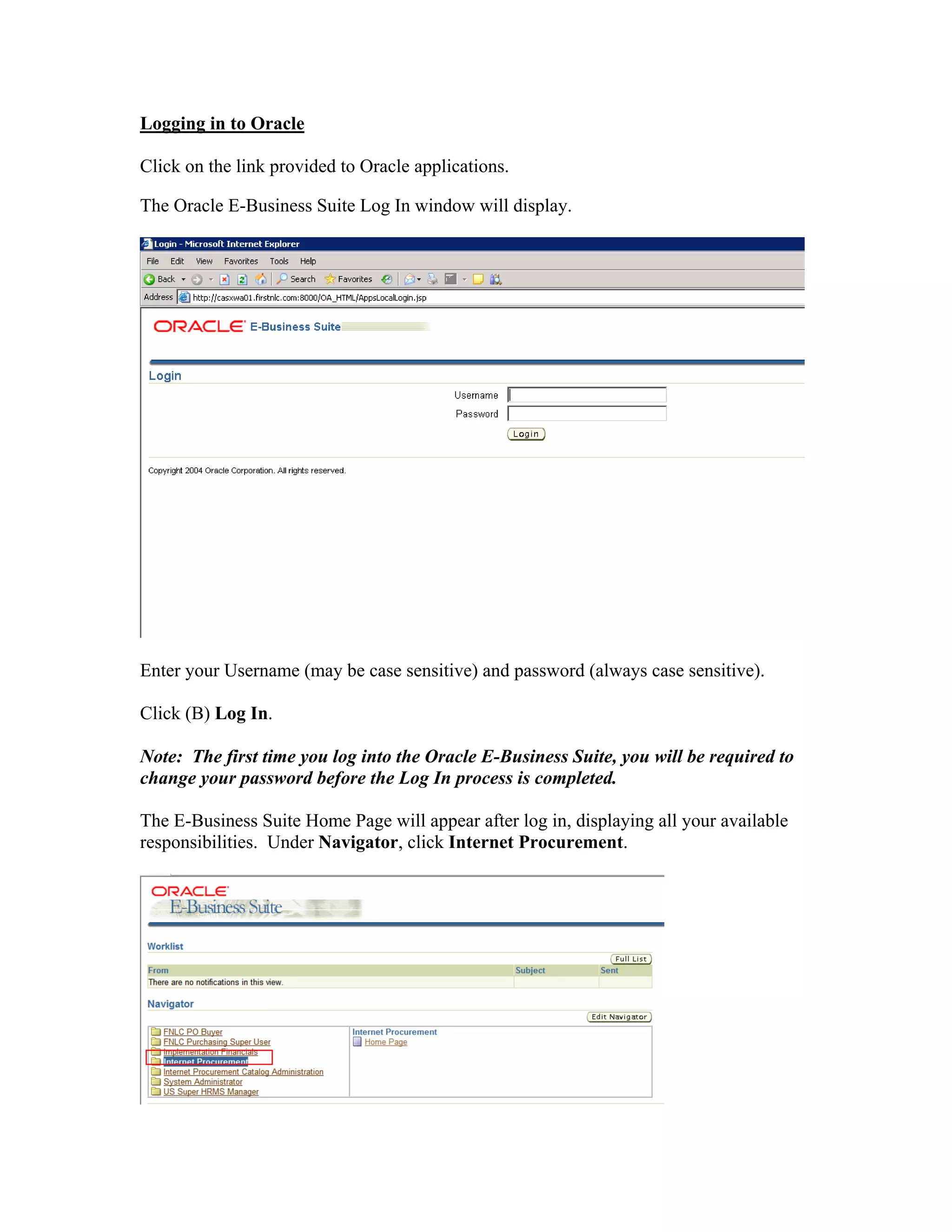
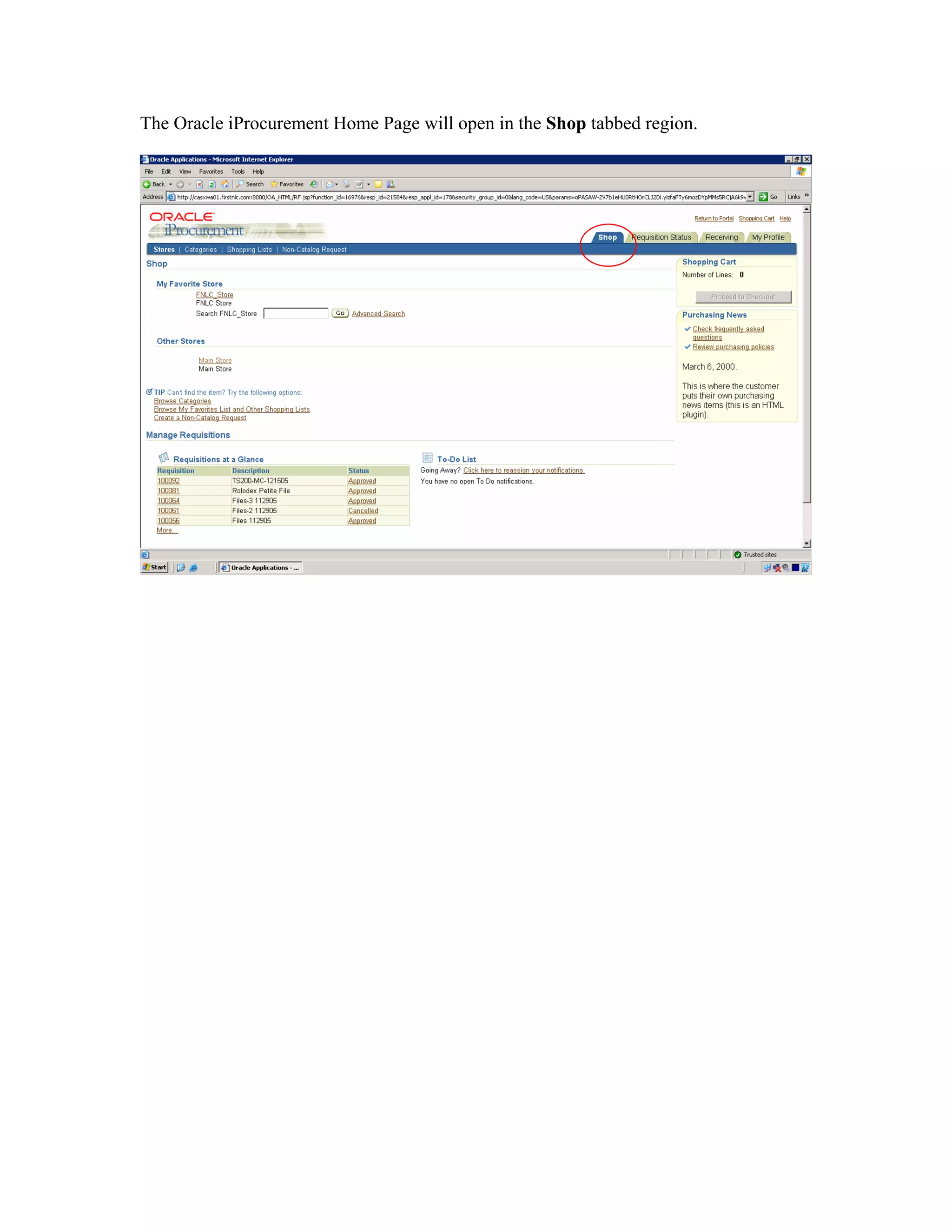
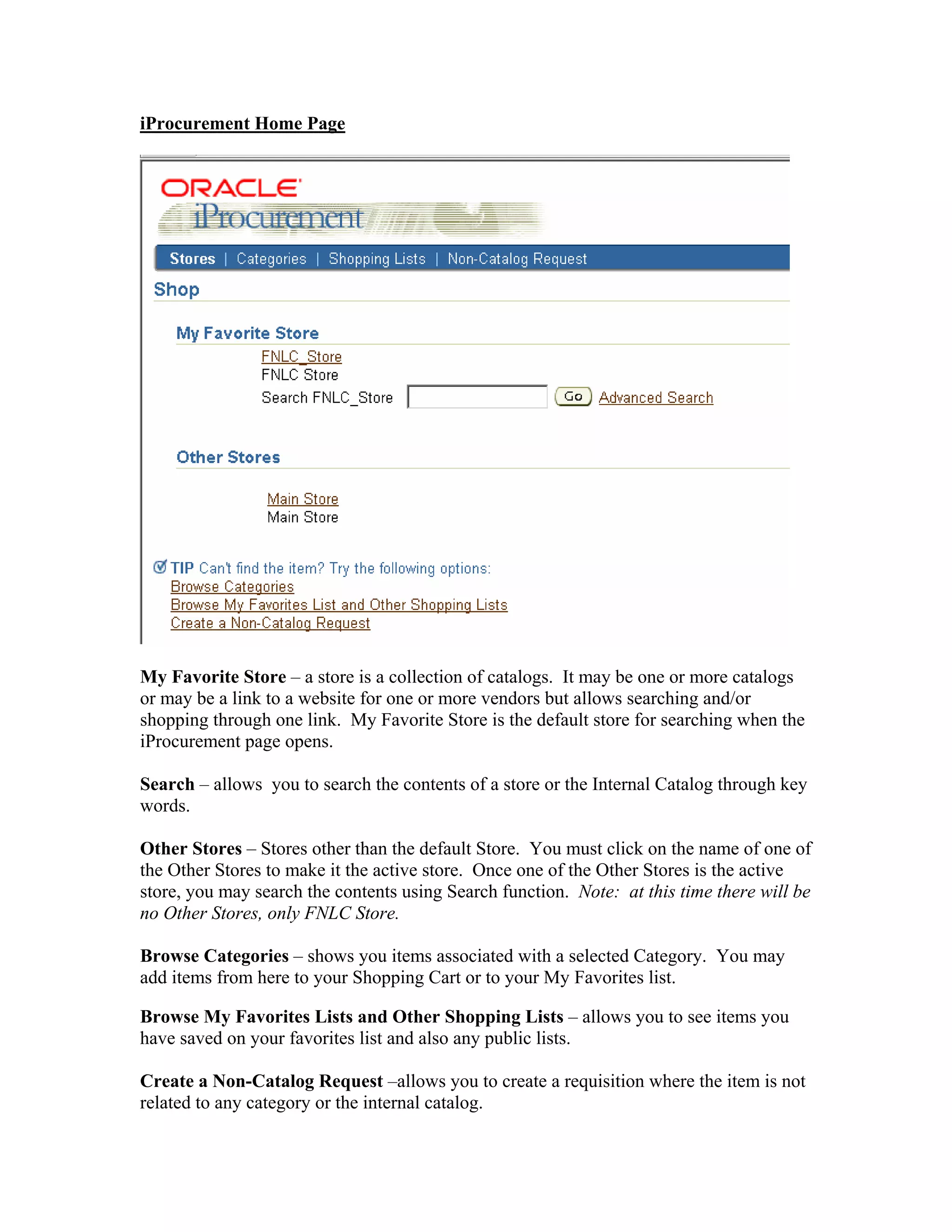
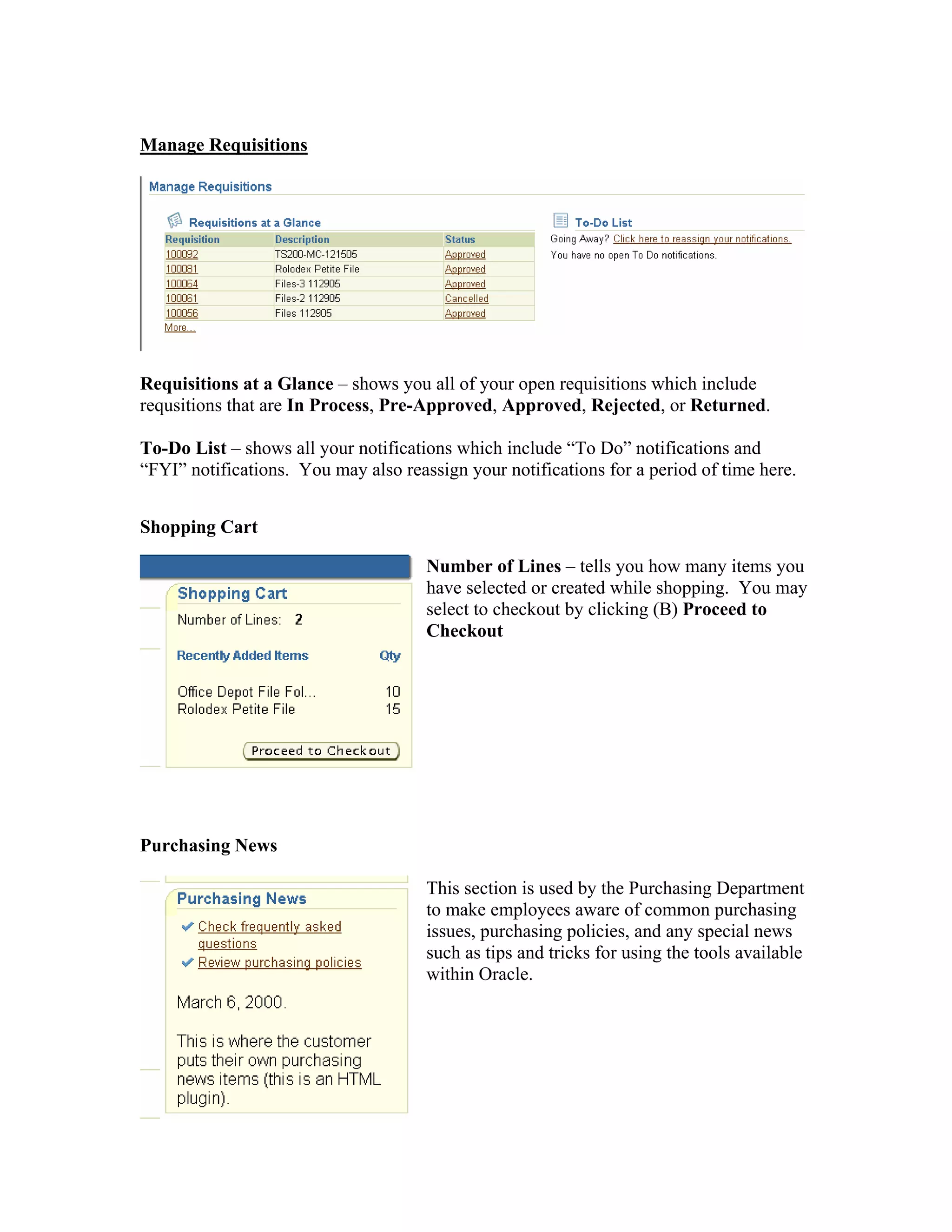

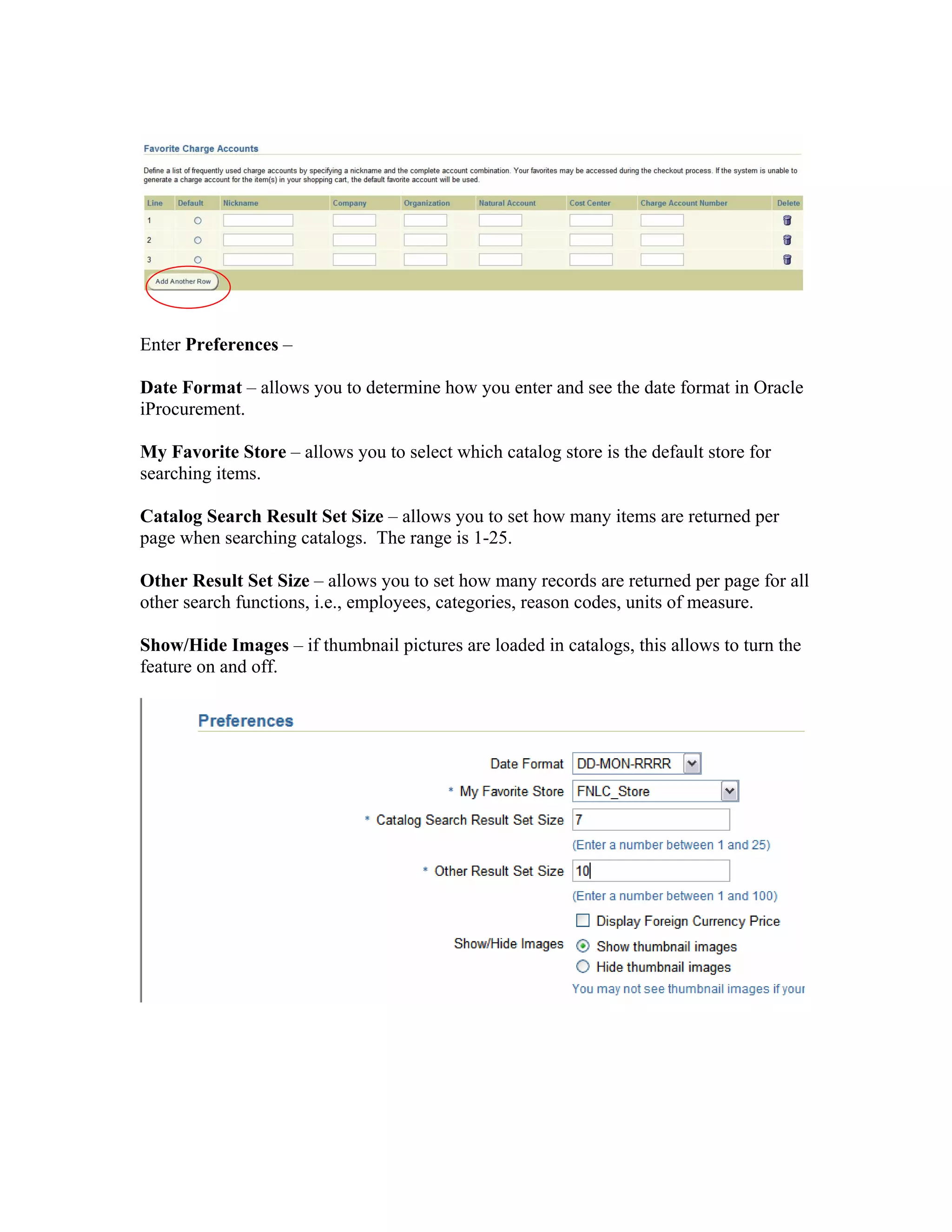
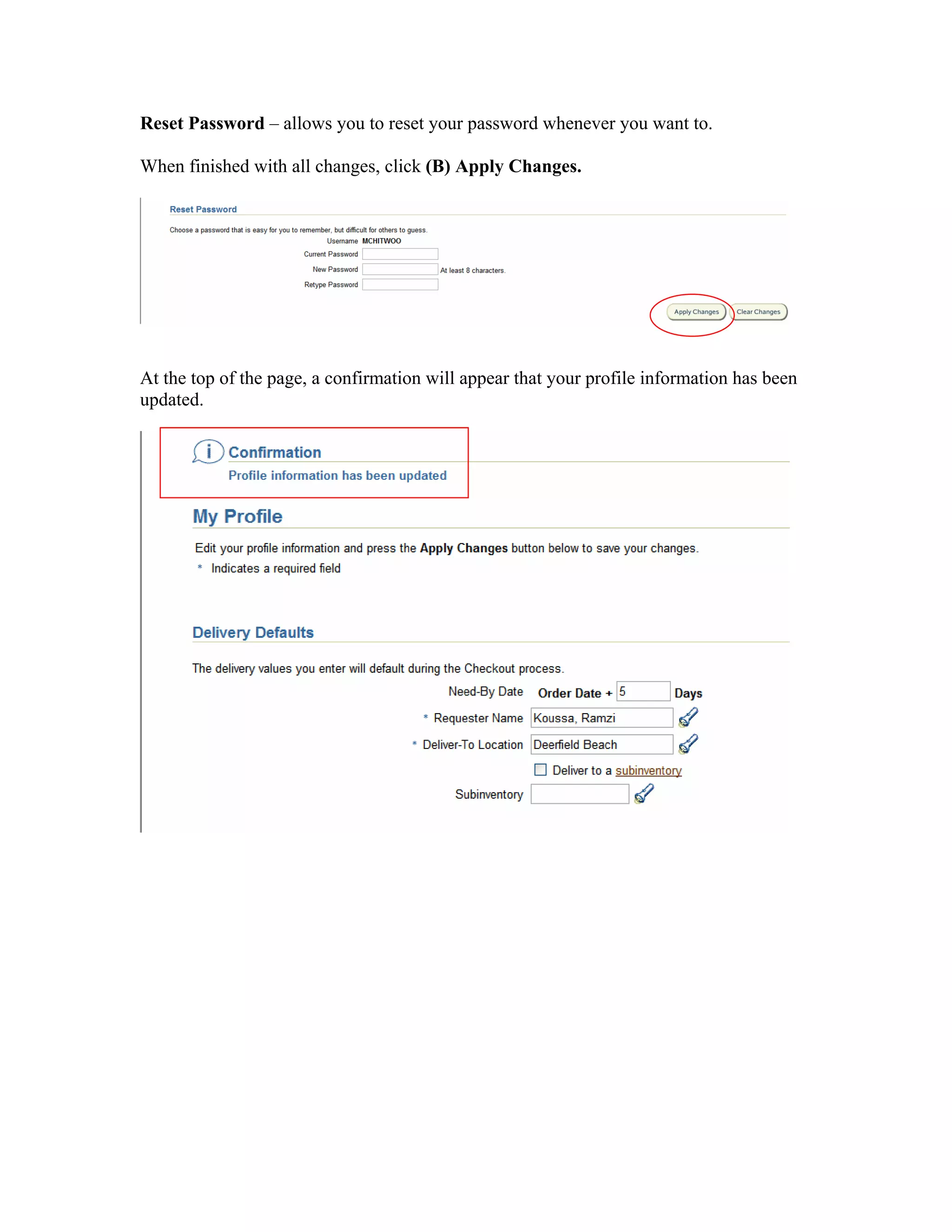
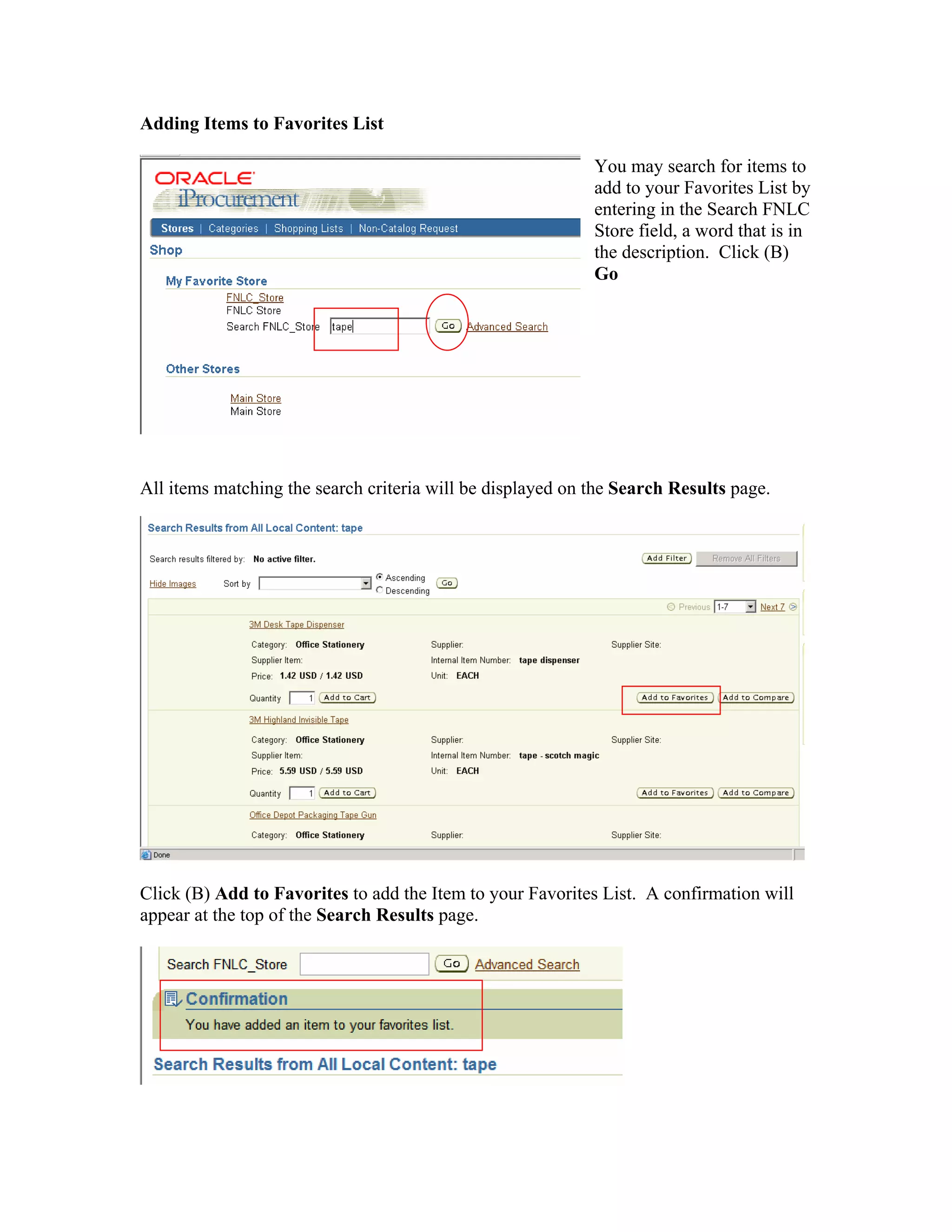
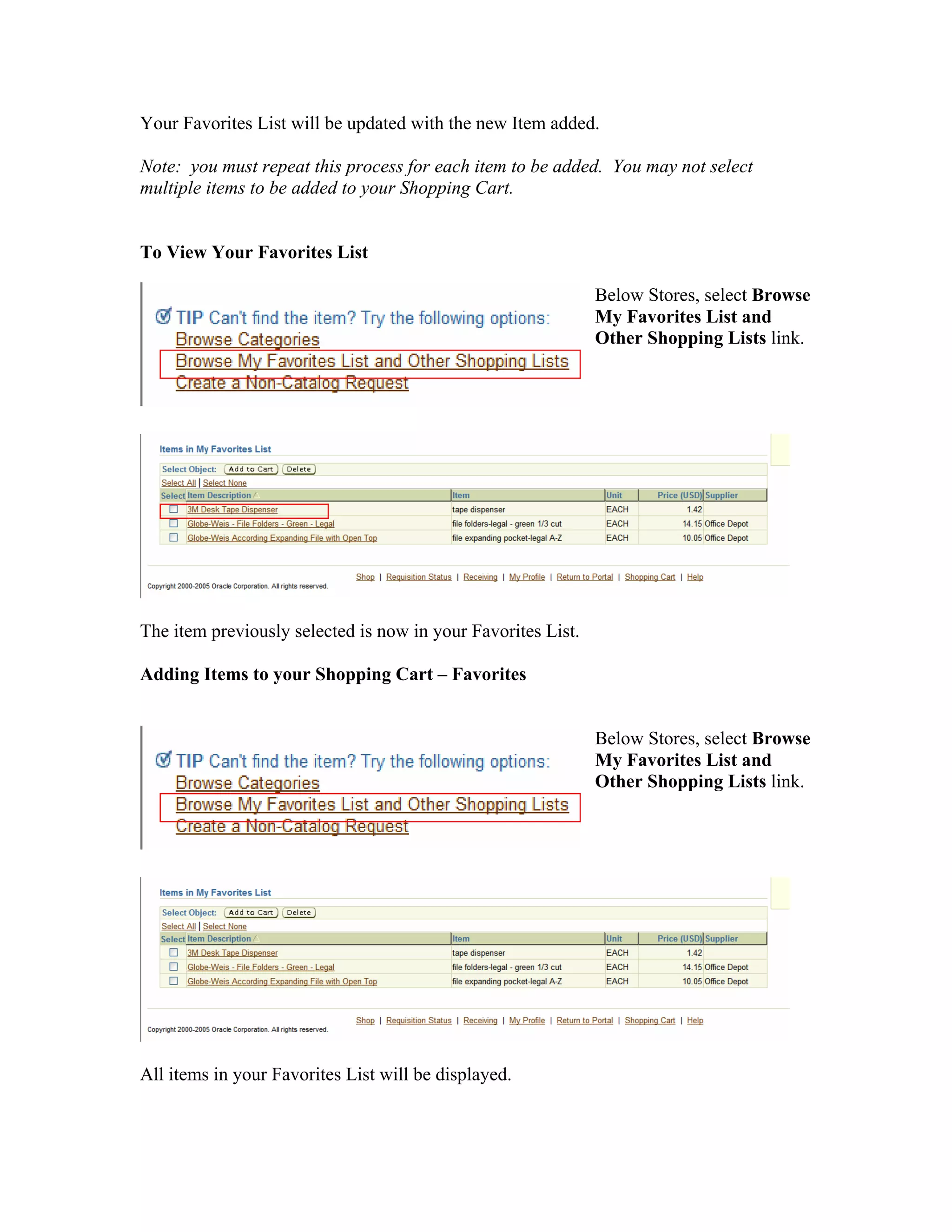
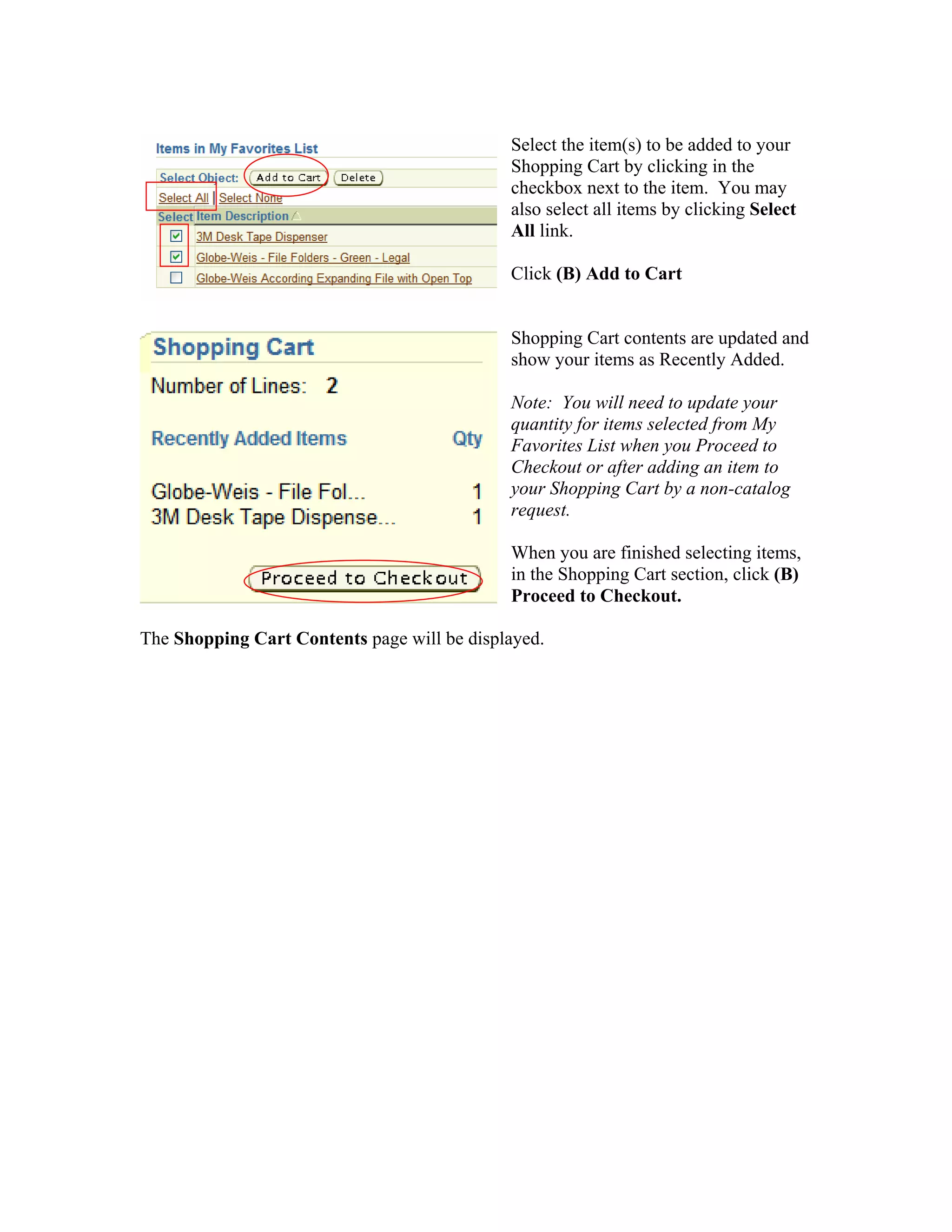
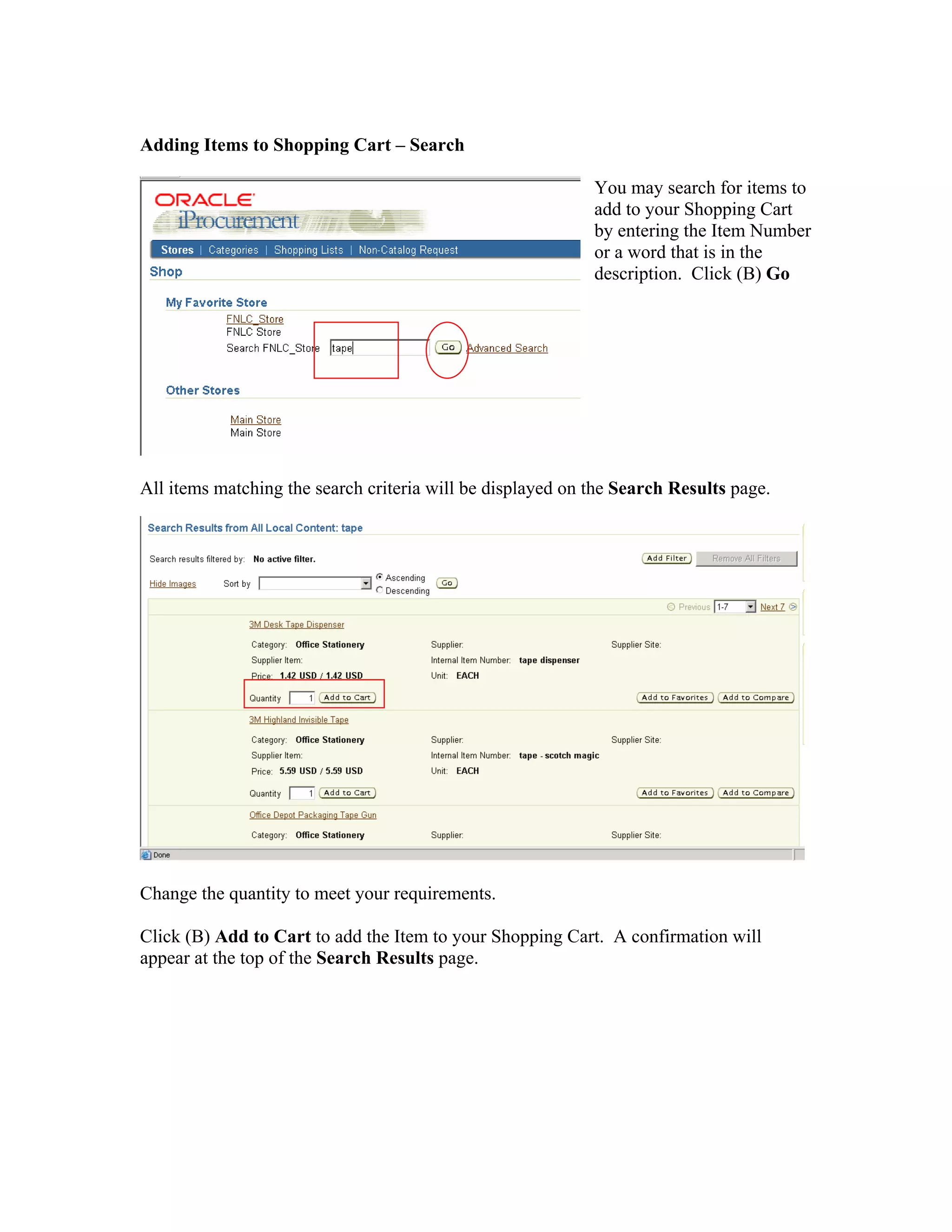
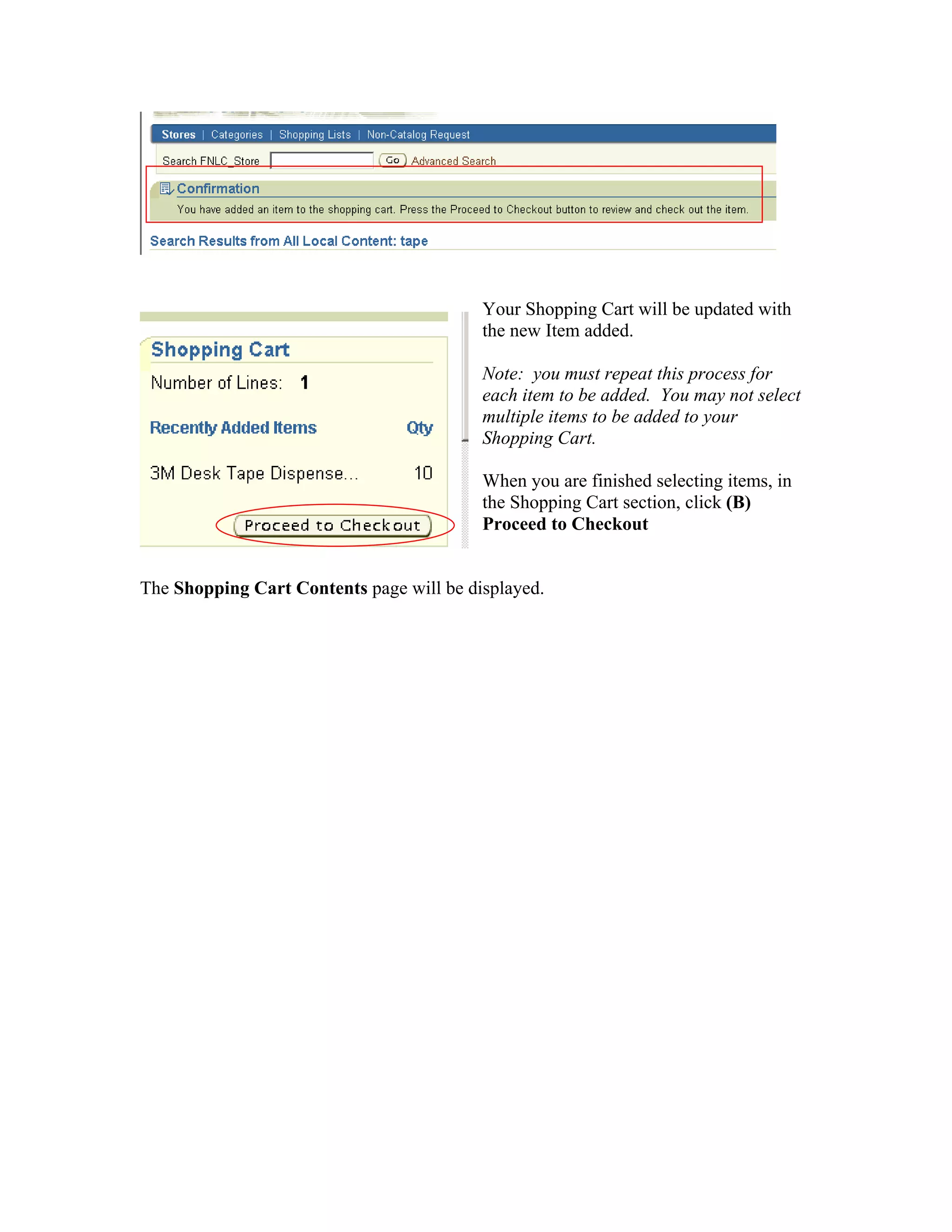

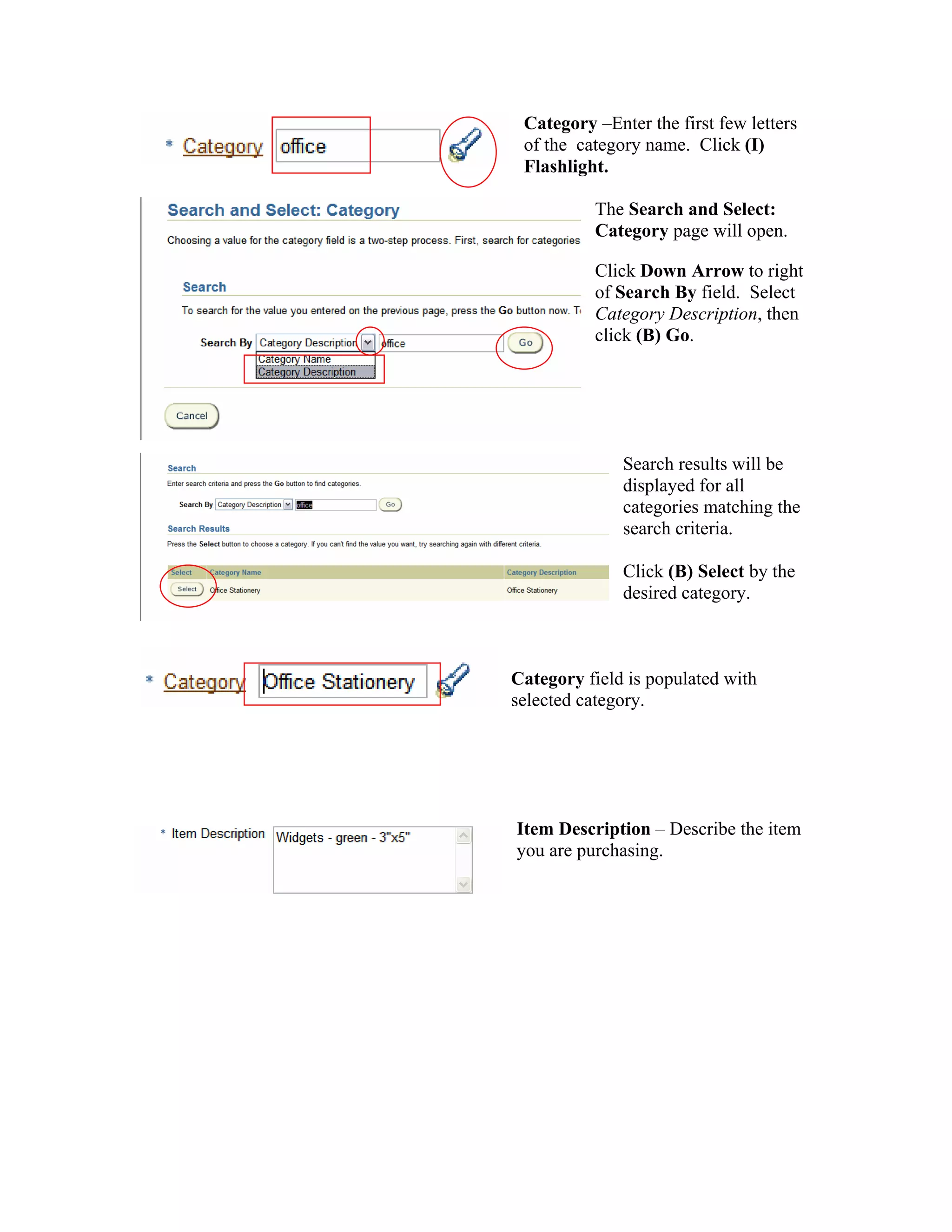

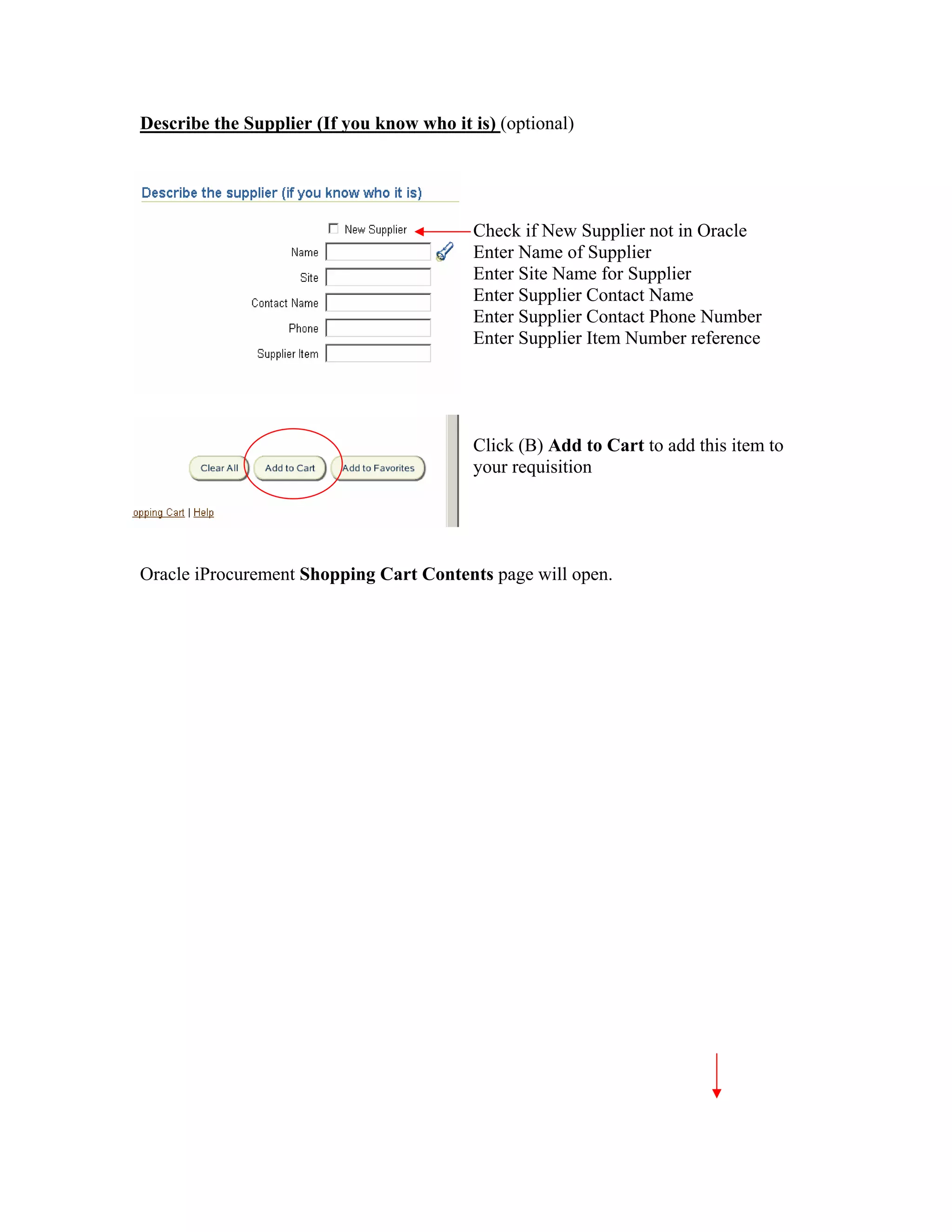
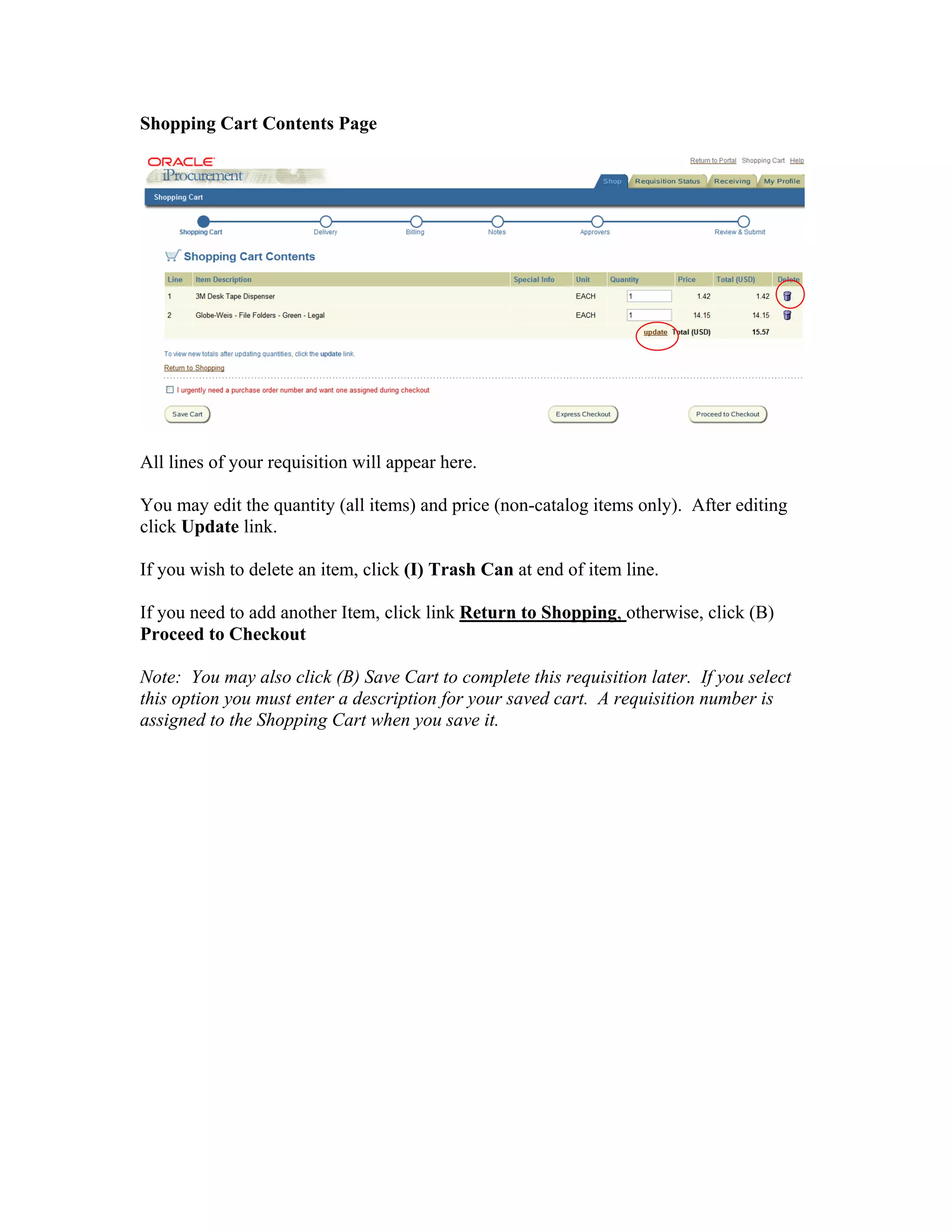


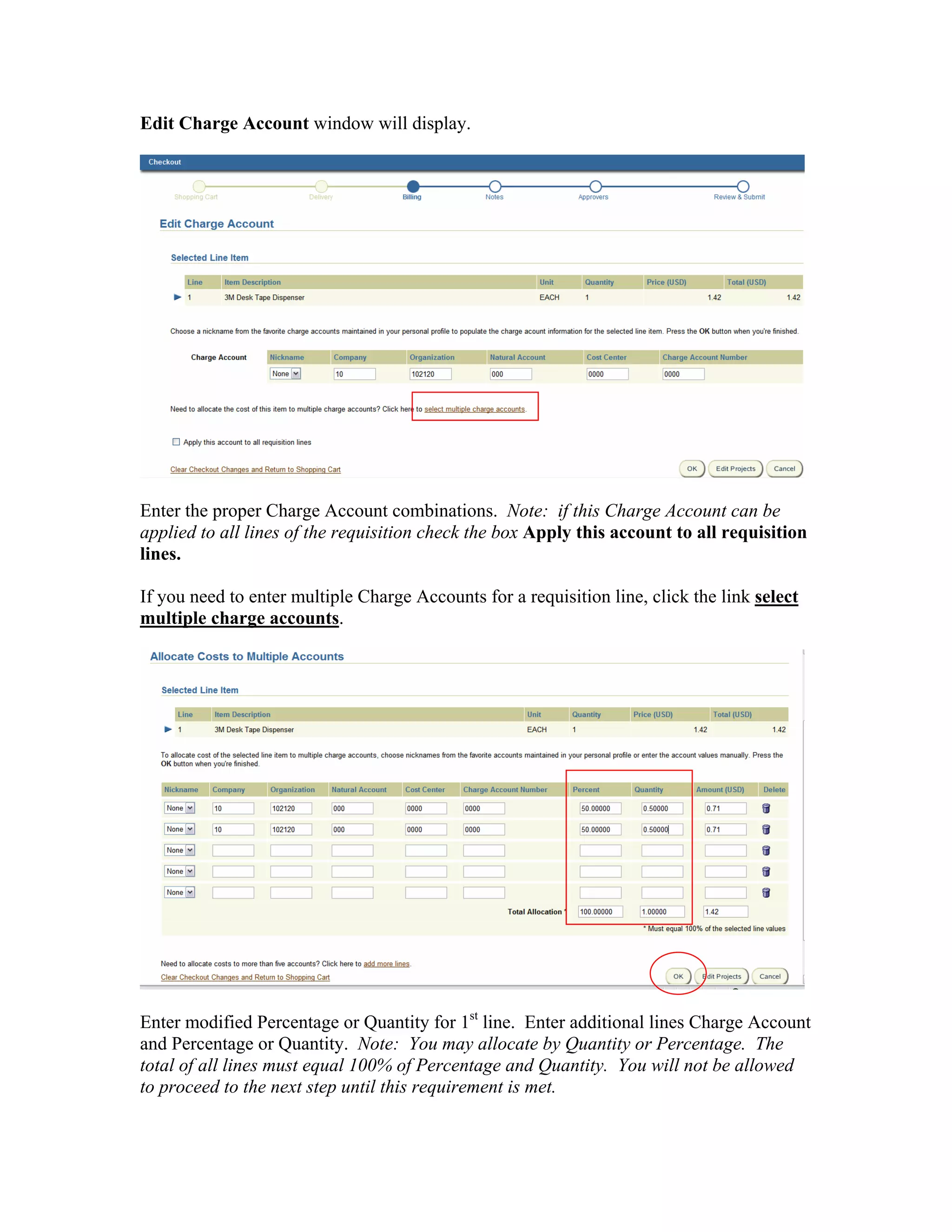
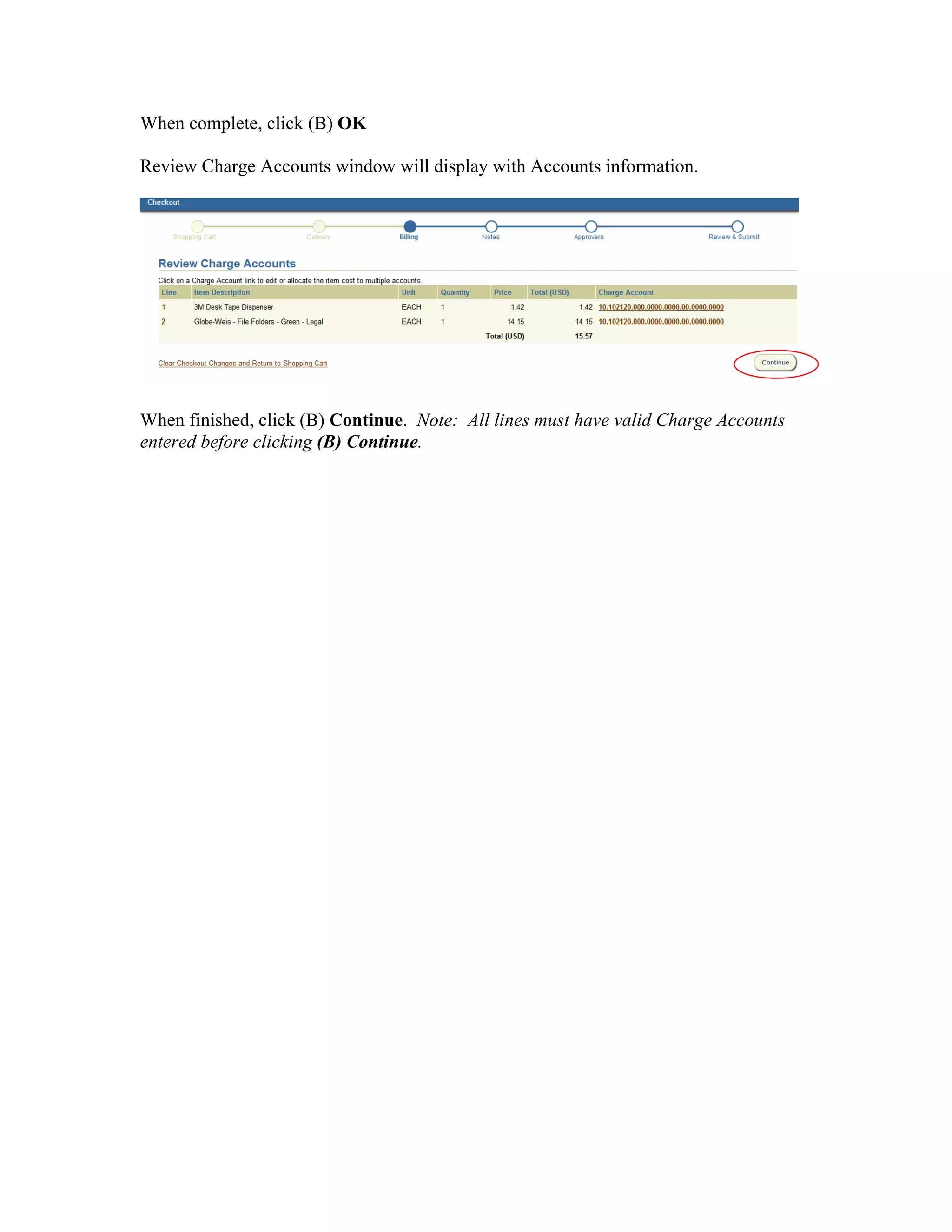
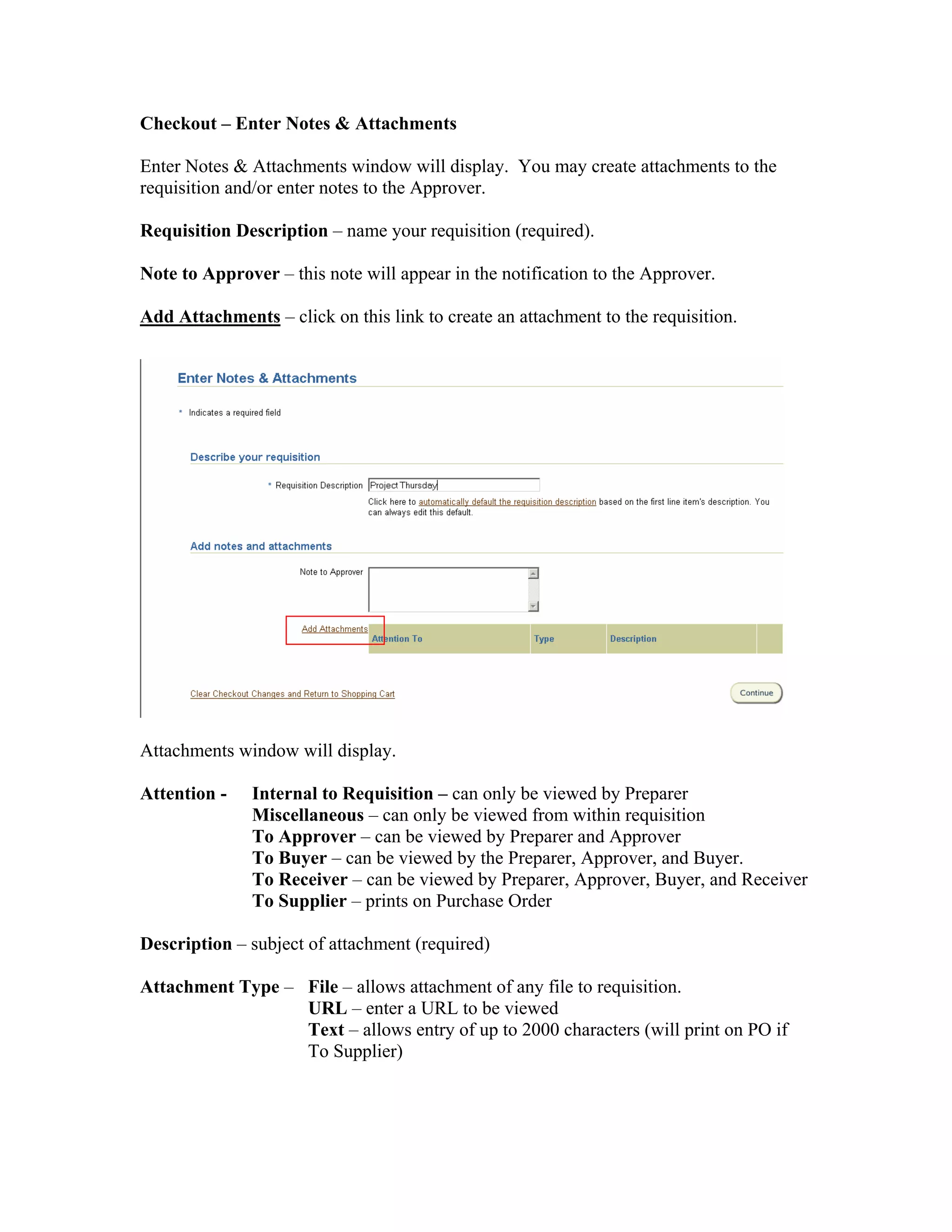


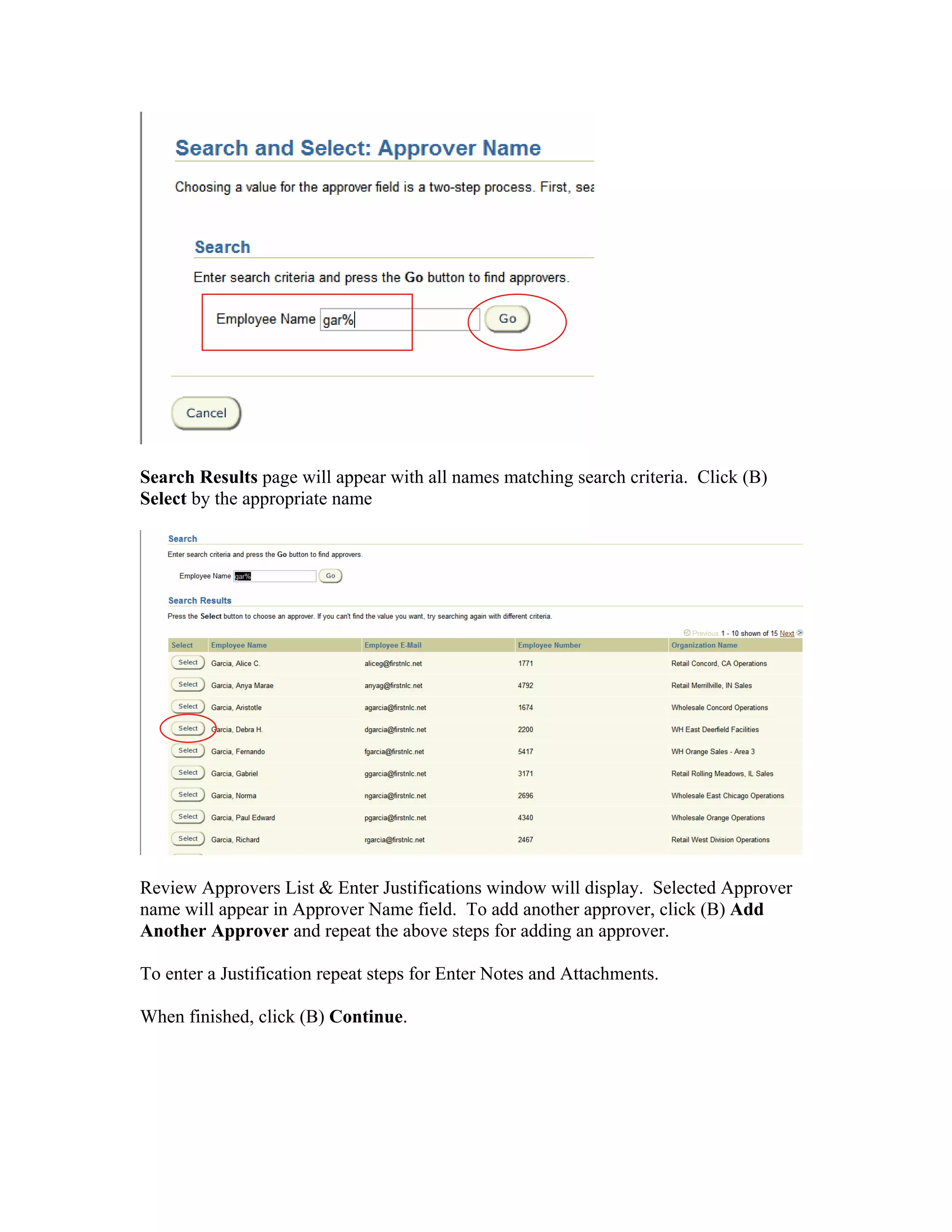
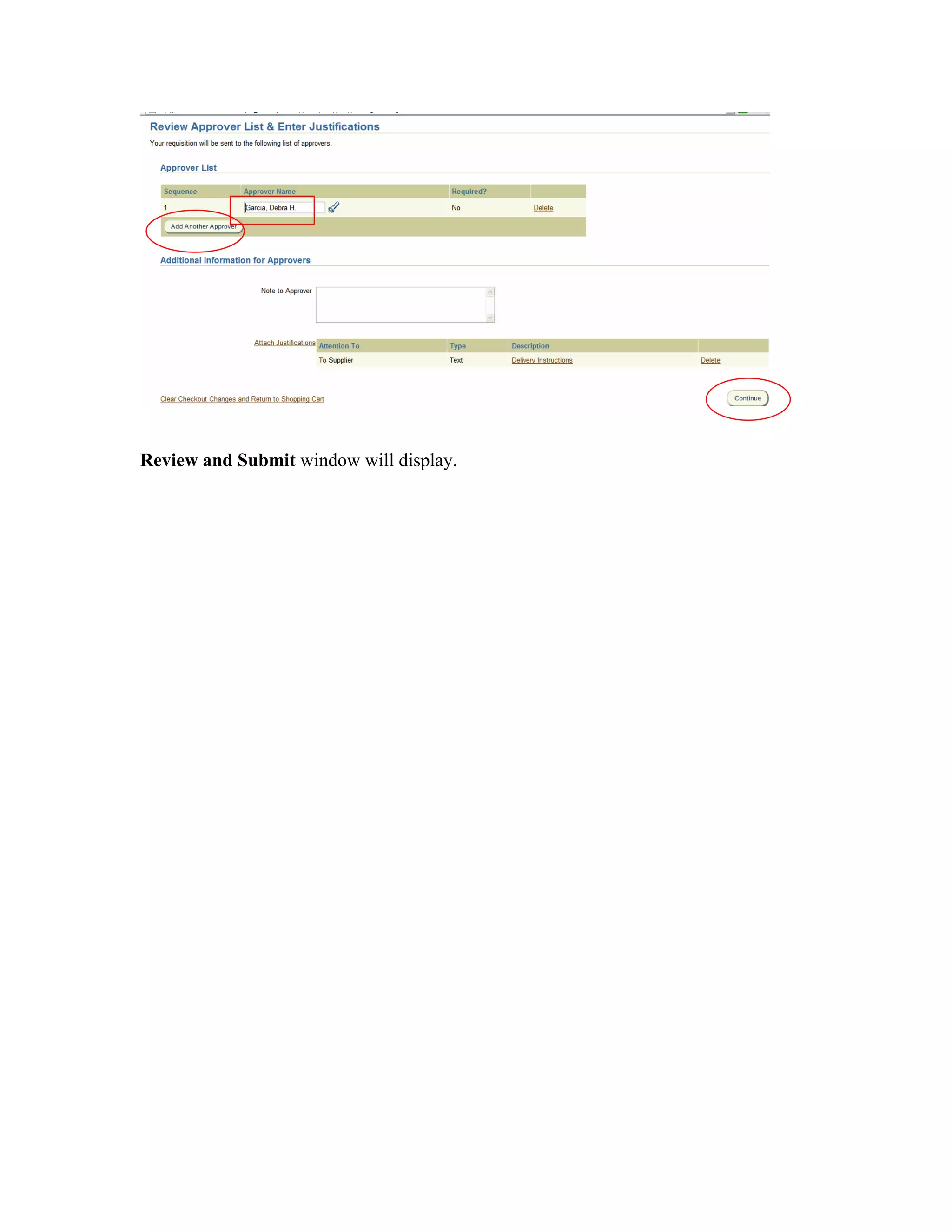


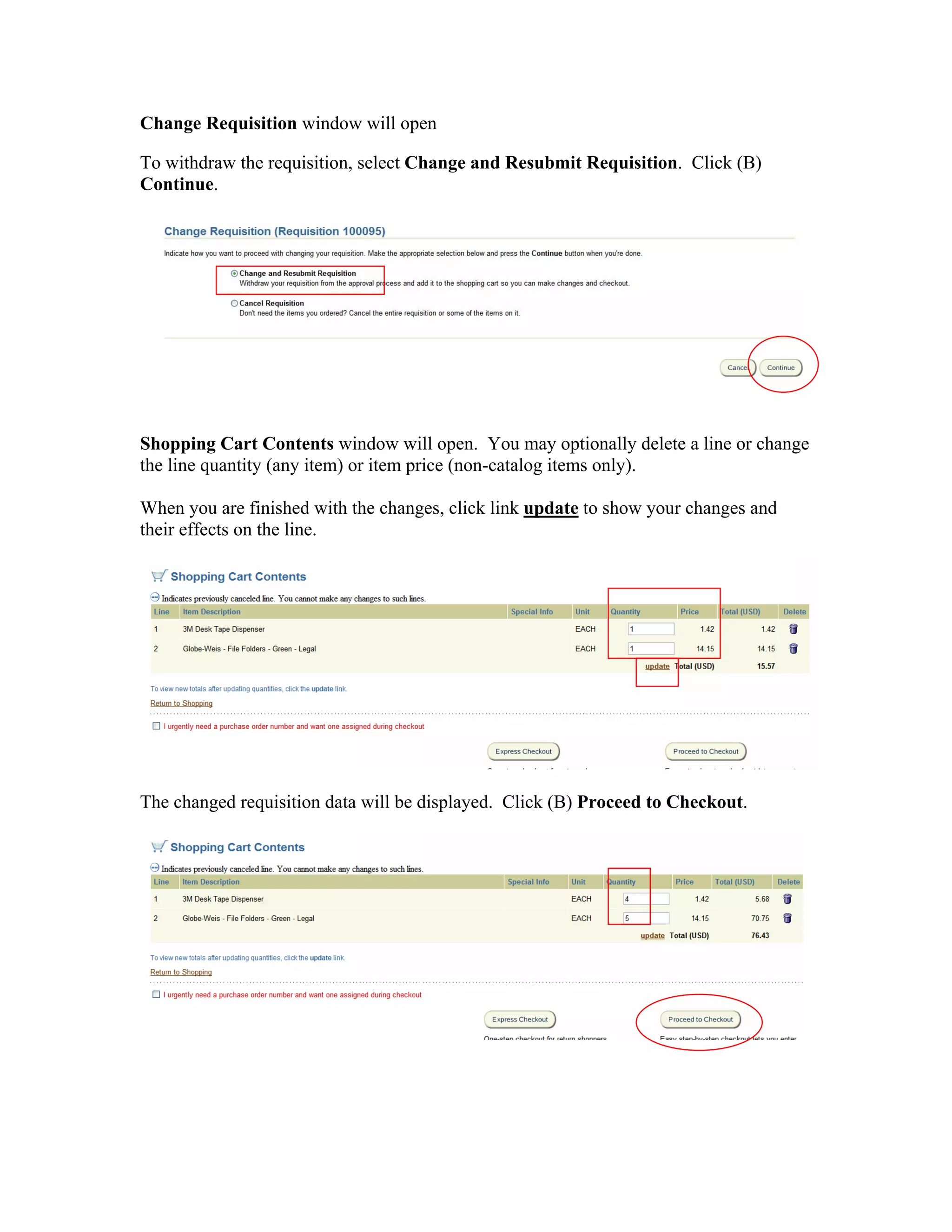

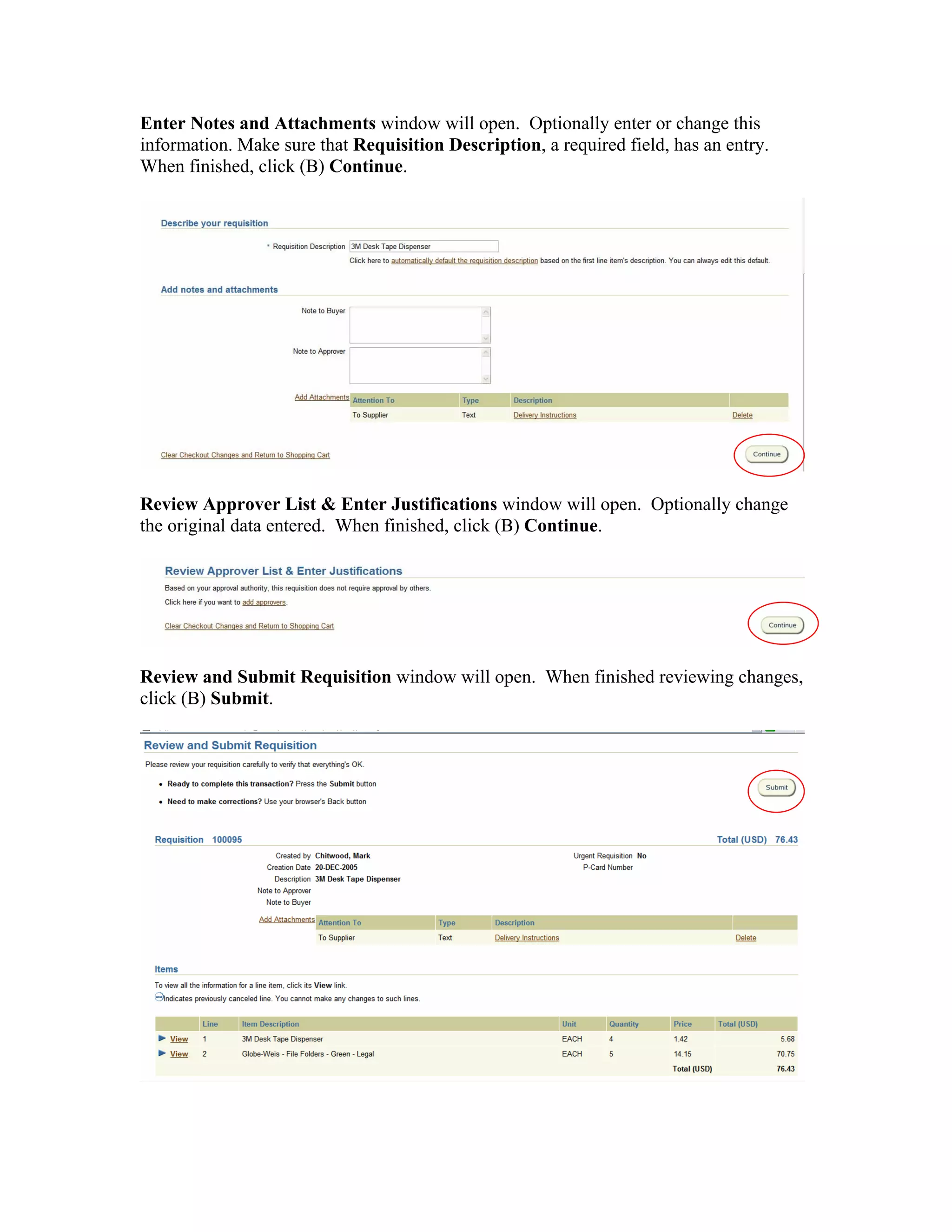

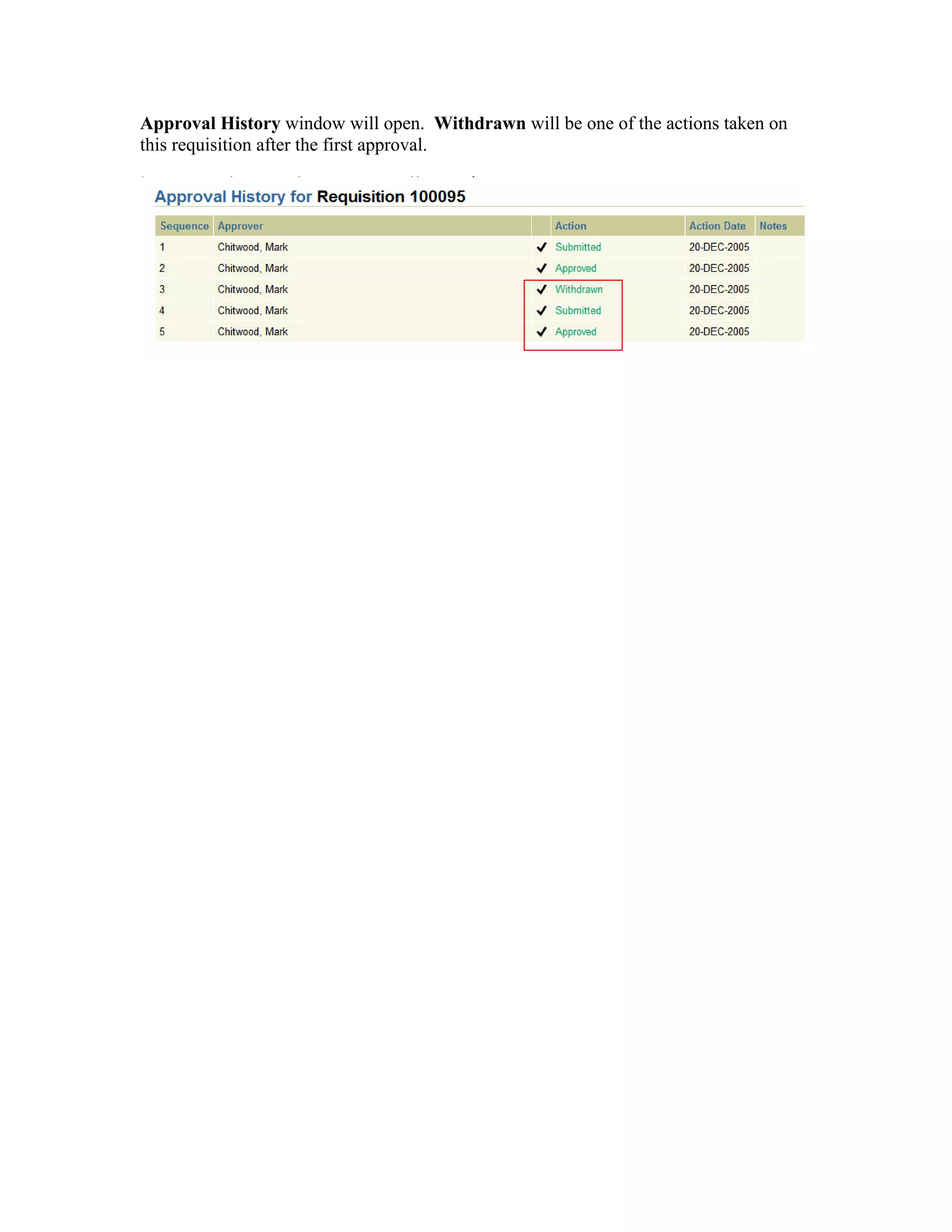

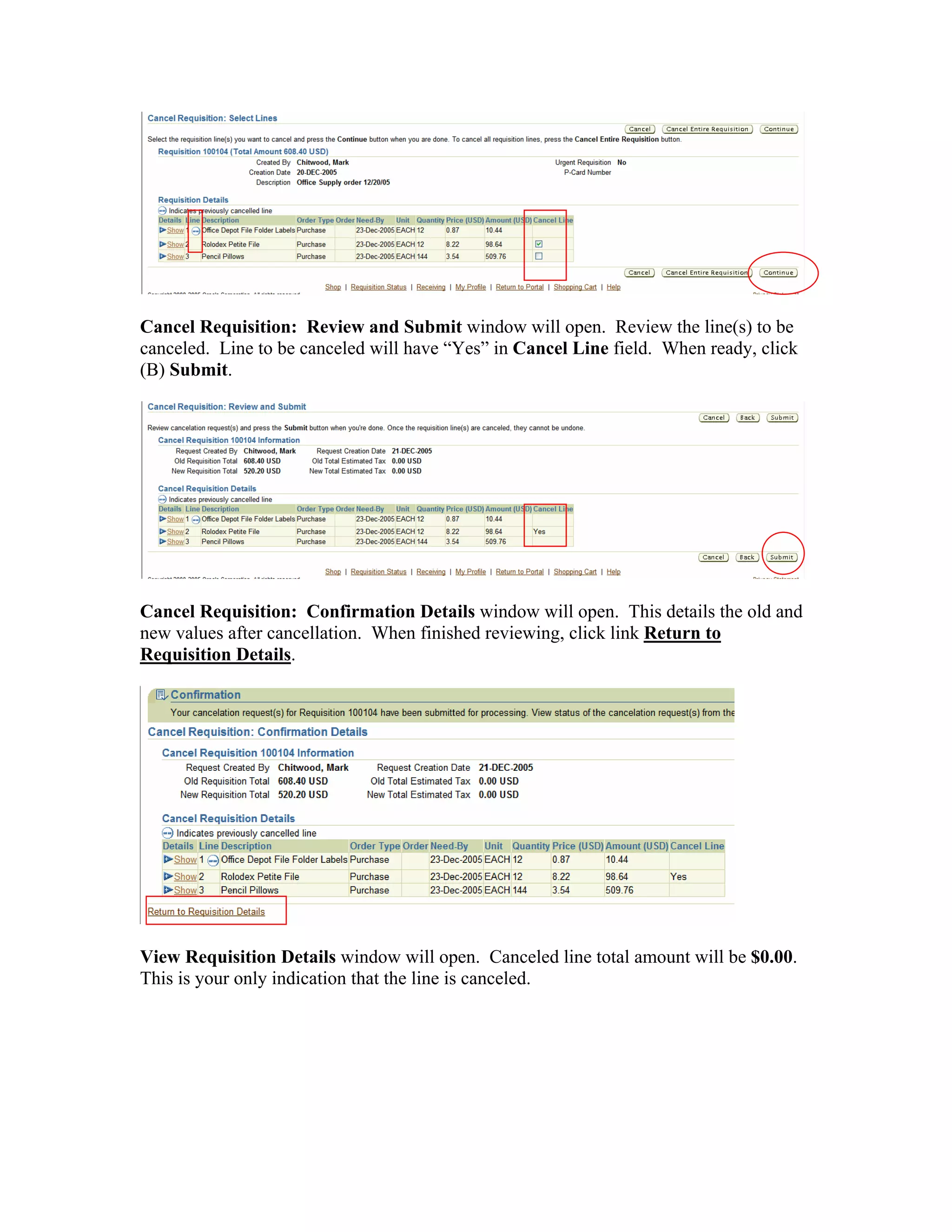

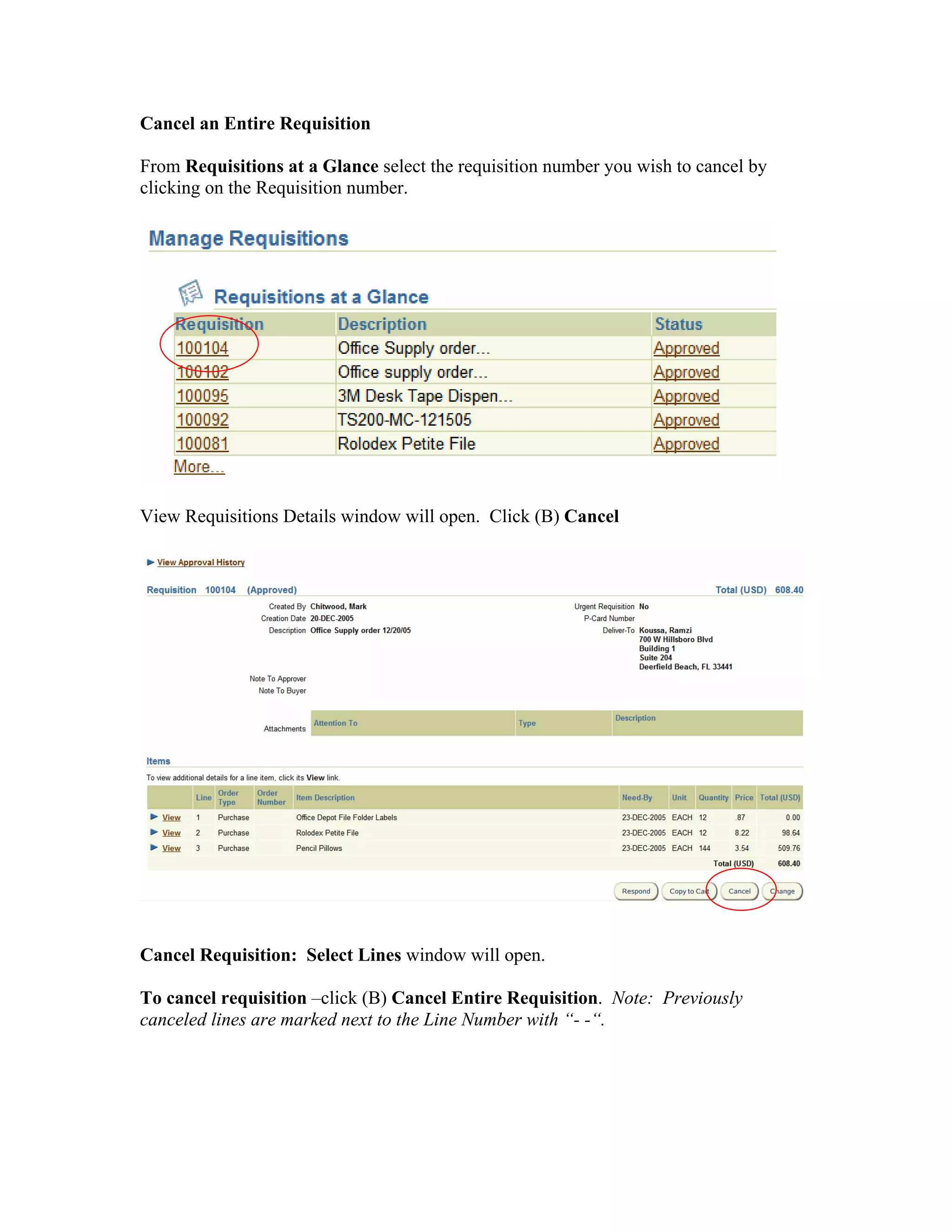
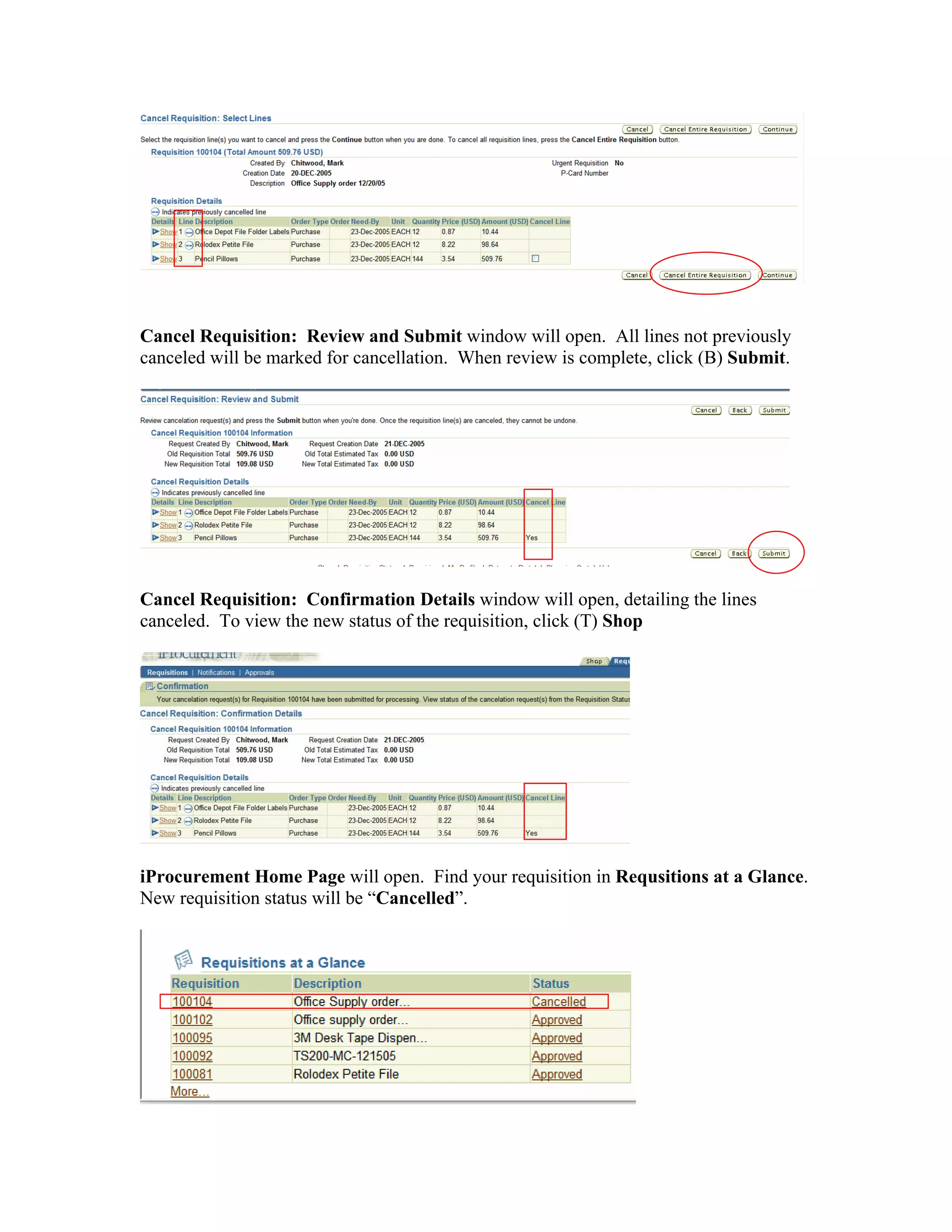
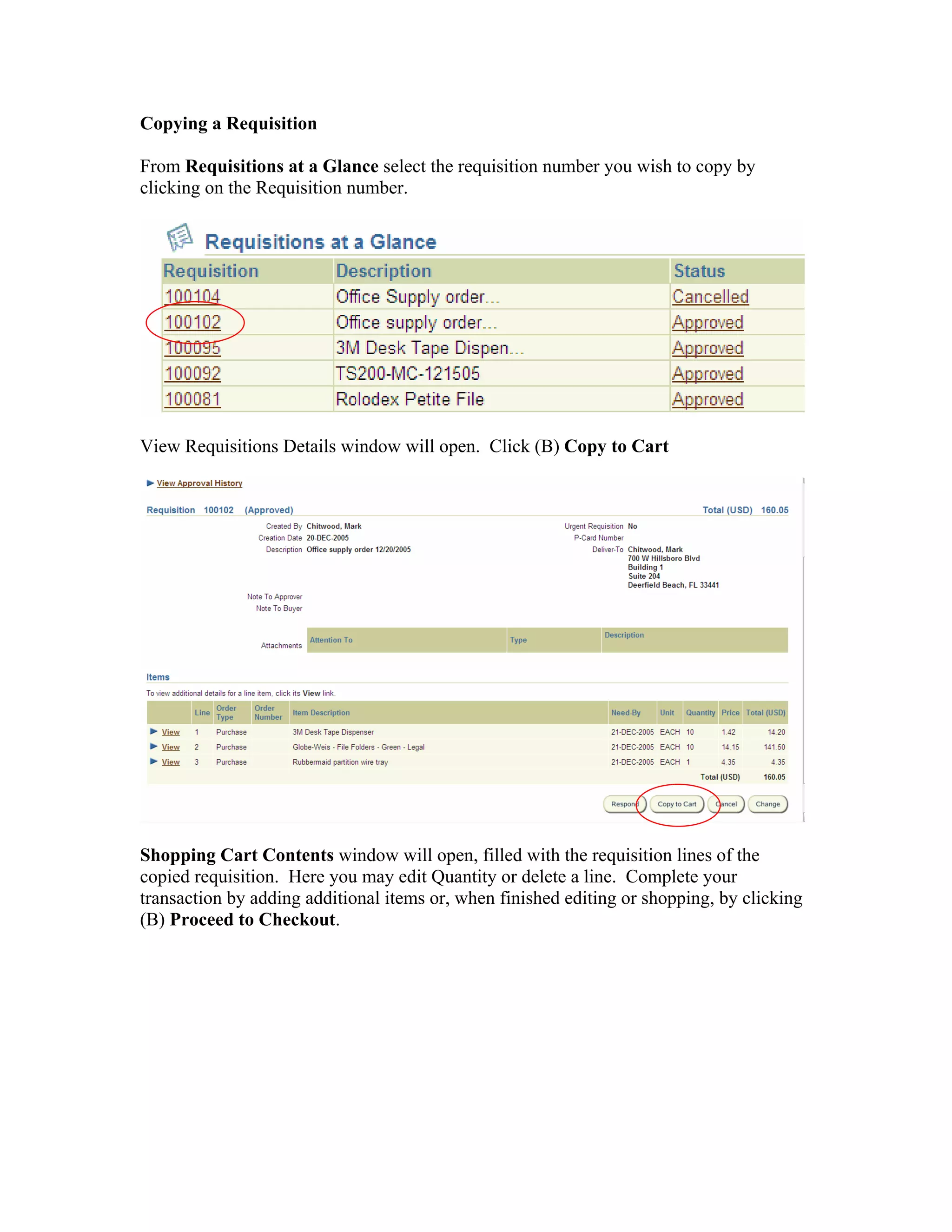
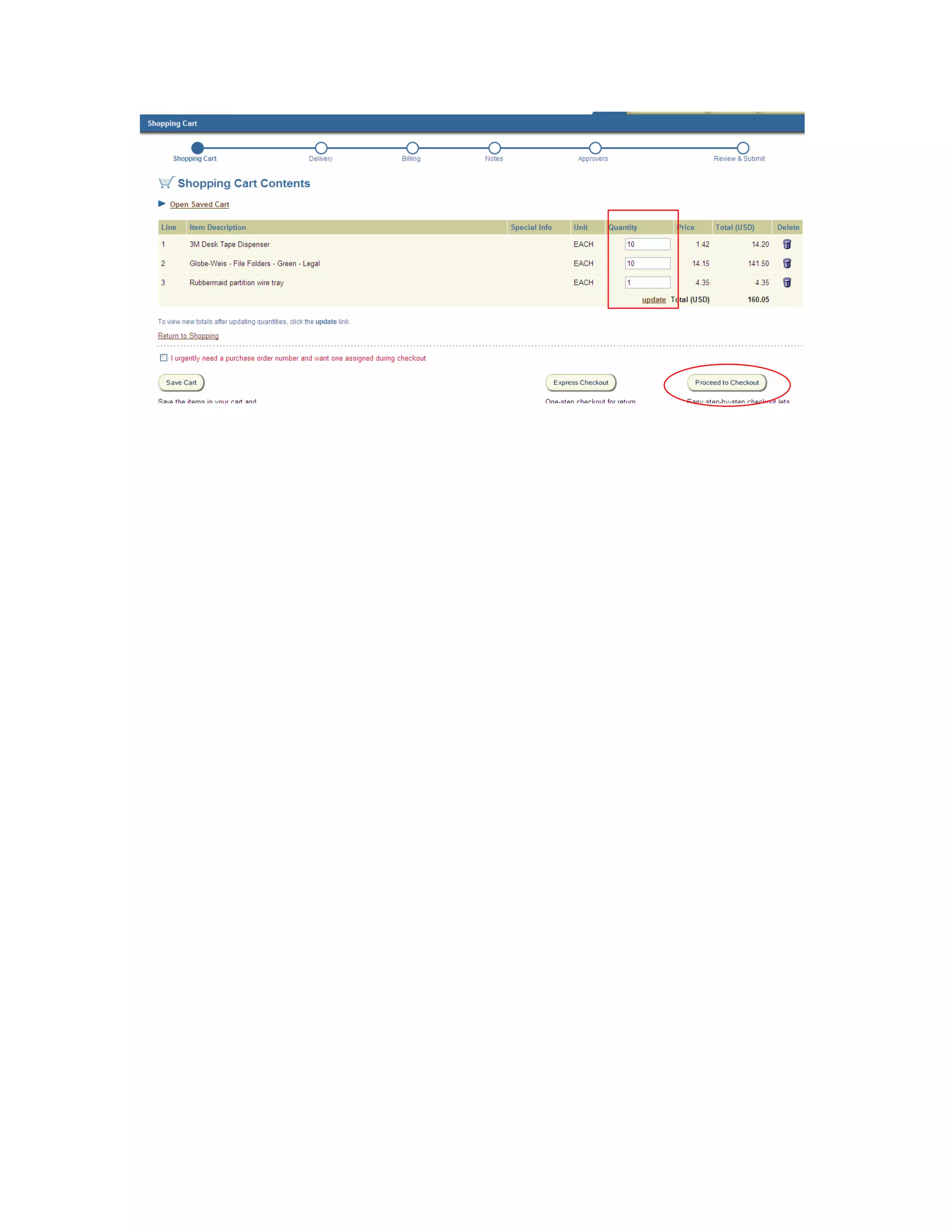


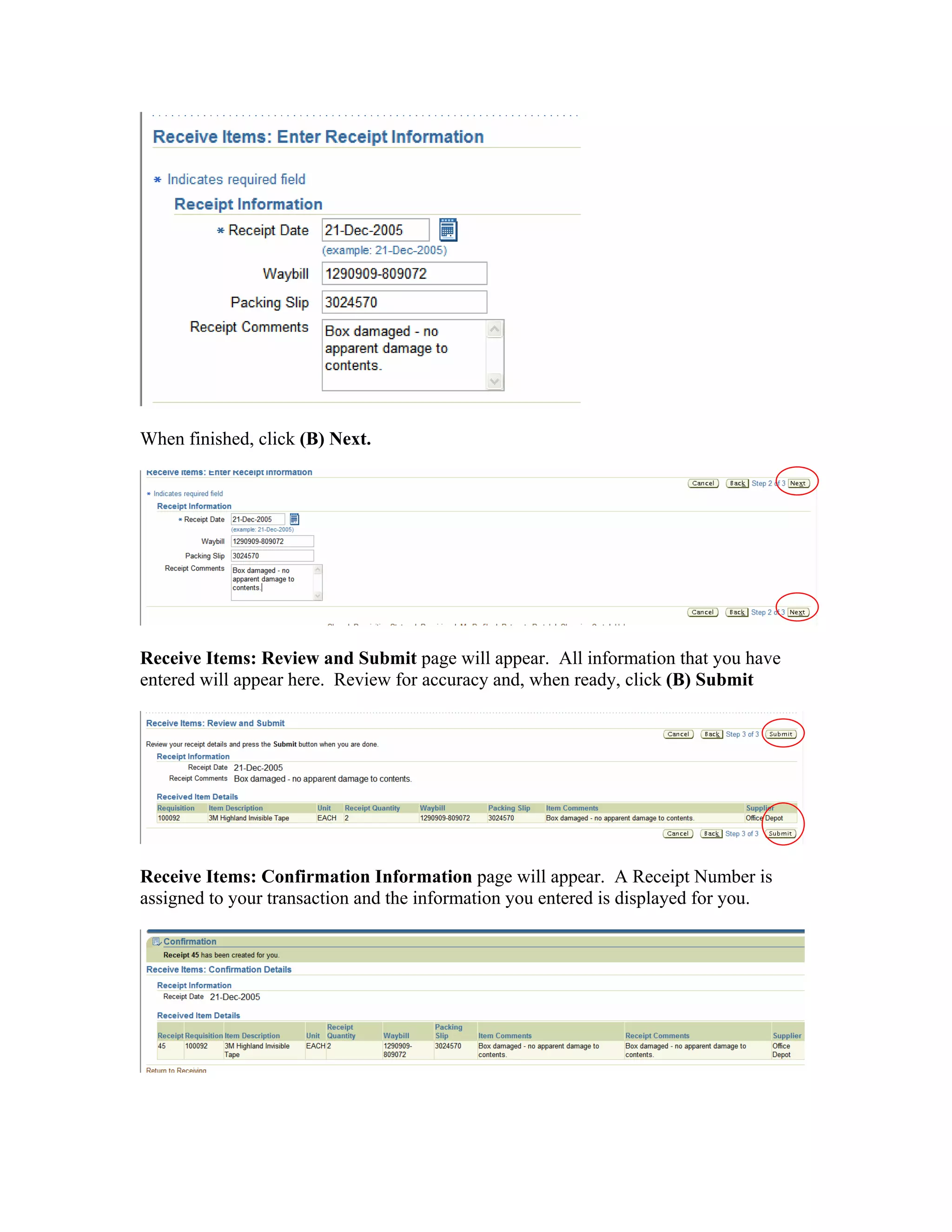


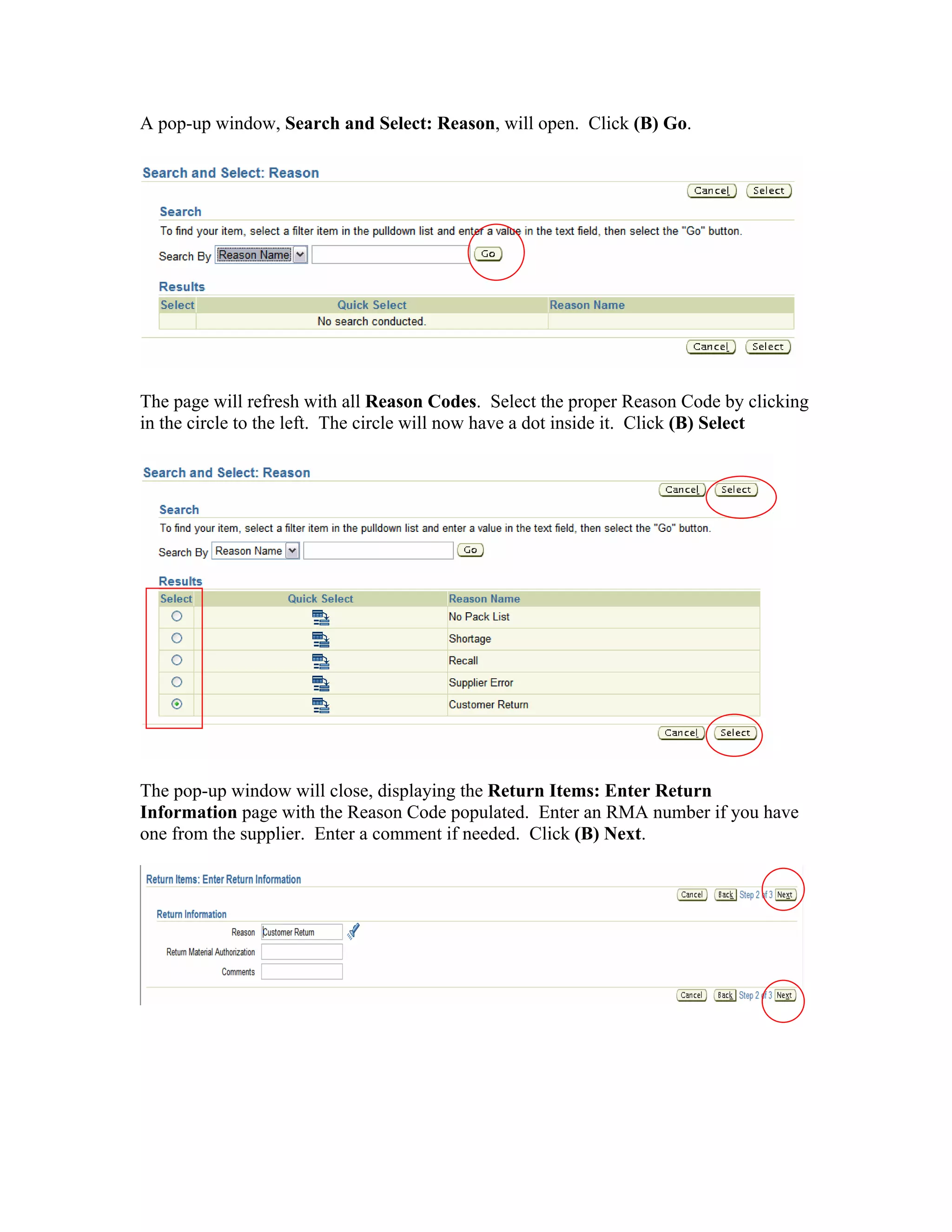


The document provides instructions for logging into Oracle iProcurement and navigating the application. It describes how to search for items, add items to favorites lists and shopping carts, create non-catalog requests, check out of shopping carts, and set profile preferences. Key functions covered include logging in, searching catalogs and stores, managing requisitions and shopping carts, and completing checkout.


