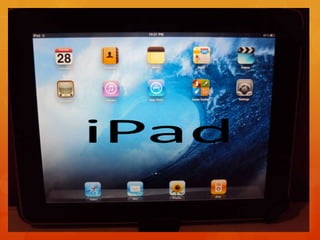
iPadBrigit McAroyDiffusion & Integration of TechnologyEDUC 7101Walden University
History of the iPad“The iPad is a line of tablet computers designed, developed and marketed by Apple Inc. primary as a platform for audio–visual media including books, periodicals, movies, music, games, and web content.  The iPad was announced January 27, 2010 by Steve Jobs”.http://www.youtube.com/watch?v=Lr3owvzWBUM&feature=player_embedded
THE NEED FOR THE IPAD IN ELEMENTARY SCHOOLSEasy access to educational applicationsPortabilityPower (Long Battery Life)Faster GraphicseBookMulti-touch screens High resolution backlit Interactive lessonsCapability to design educational presentation   Linguistics programs
RESEARCH ON THE IPADDeveloper-  Steve JobsFindings- The iPad only runs applications approved by Apple and     distributed by Apple App Store.Controlled by a multitouch screen and virtual key board.Uses a wireless local area network to access internet.Built-in rechargeable Lithium-ion BatteryLead Thinkers:Steve Jobs
DEVELOPMENT OF THE IPADProblems EncounteredJailbreakingLack of Adobe FlashIntended AudienceAdministratorsTeachersStudents
COMMERCIALIZATION OF THE IPADProduction/Manufacturing Apple does not disclose the makers of iPad components Designed by Apple Inc.Assembled by FoxconnMarketing/DistributionPre orders-March 12. 2010Went on sale in the United States-April 3, 2010Lunched in other countries-May 28, 2010, July 23, 2010, and September 17, 2010.
TIMELINE AND COMMUNICATION CHANNELS FOR THE INNOVATION-DECISION PROCESSPrior ConditionsPrevious Practices:iPod     iPhoneLaptopsThinkPads/Computer TabletsDesktopsNeeds/Problems:Weight and PortabilityLonger battery lifeScreen sizeEducational applicationsProcessor SpeedInnovativeness: iPad2Adobe FlashExtensive memory More ApplicationsThinner and lighterDual-core speedFront/Rear CameraNorms of the Social System
STAGE 1-KNOWLEDGE Socioeconomic Characteristics:Educated societiesHigh income people-Middle/Upper Class Personality Variables:Anyone  Communication Behavior:Podcasts Emails Social networks
STAGE 2-PERSUASION Relative Advantage:User-friendly keyboard, lightweight, affordable, battery life, most portableCompatibility:Elementary studentsComplexity:Smaller keyboard, Trialability:Technology learning groups received iPads for ideas on how to implement in the classroom.Observability:Weekly meetings to share ideas about what we have learned
STAGE 3-DECISION AdoptionRejection
STAGE 4-IMPLEMENTATION The technology learning groups will decide on whether or not the iPad can be used as an effective educational tool.
STAGE 5-CONFIRMATION The technology learning groups will decide on whether to purchase iPads for the computer lab or sets for the classroom.
S-CURVE
S-CURVE Timeline1/27/2010-iPad announced by Steve Jobs3/12/2010-iPad pre-order (U.S. customers)4/3/2010-WiFi version of iPad4/30/2010-Wifi+3G version of iPad5/28 & 7/23 2010-iPad launched in other countries9/17/2010-iPad launched in China10/18/2010-iPad sold over 15 million 3/2/2011-Unveiled the iPad 23/25/2011-iPad 2 released internationally
S-CURVE EXPLANATIONThe iPad is still in the marketing process with the launch of the iPad 2.  iPad 2 is continuing the updated versions of previous data.
INNOVATORS & EARLY ADOPTERSElementary TeachersTechnology TechniciansMedia SpecialistsCurriculum Designers Educational Support Personnel
STRATEGIES FOR ADOPTION OF THE IPADCollaborationAdvance Learning Individual’s PerceptionEducational ApplicationsIntroduction to adapt to new technology
LAGGARDSVeteran Teachers
Low income people without affordability STRATEGIES FOR LAGGARDSSufficient workshops and trainings.
Give them time to study the iPad.
Slowly introduce them to the many facets on how to implement the iPad into their daily curriculum.  ATTRIBUTES FOR REACHING CRITICAL MASSRelative Advantage CompatibilityComplexityTrialability
DECENTRALIZED APPROACHA decentralized approach would work best for the adoption of the iPad for several reasons:Client-controlledBrings educators together.Most appropriate for certain conditions in elementary education. (Educational Applications)Can be combined with elements of centralized systems to form a hybrid diffusion system.Geared closely to the local needs of teachers and students.Serves as an informal evaluation tool for teachers.
KEY CHANGE AGENTSTeachers StudentsAdministratorsTechnology TechnichianMedia SpecialistBoard MambersParents
HOW THE SEVEN ROLES OF CHANGE AGENT CAN BE USED1.  To develop a need for change.The change agent helps teachers to access and create needs such as effective classroom communication and collaboration with others educators. 2.  To establish an information-exchange relationship.The change agents develop a rapport with other educators and stakeholders to successfully implement the iPad into the classroom.    To diagnose problems.The change agents analyze students problems by teaching students how to try and solve their small technical problems through peer relations first. (charging the battery, looking for specific applications, using the iPad)  HOW THE SEVEN ROLES OF CHANGE AGENT CAN BE USED4.  To create an intent to change in the client.The change agents uses motivation to explore various avenues for students to achieve their goals when using the educational applications at school and at home. 5.  To translate intentions into action.The change agent influences students behaviors through positive reinforcements when using the iPad. 6.  To stabilize adoption and prevent discontinuance.The change agents stabilize new behavior through reinforcing messages through newsletters, e-mails, and on line collaboration. HOW THE SEVEN ROLES OF CHANGE AGENT CAN BE USEDTo achieve a terminal relationship with clients.The change agents develop self-renewing behaviors by teaching the students, parents, and other educators how to add educational applications that challenges students success and keeps track of developmental growth.  HAS THE IPAD MET CRITICAL MASS IN EDUCATION?The iPad has not meet critical mass in education.  “The critical mass occurs at the point at which enough individuals in a system have adopted an innovation so that the innovation’s further rate of adoption becomes self-sustaining” (Rogers, 2003, pg. 343)
STRATEGY I SUGGEST TO THE BOARD TO ACHIEVE CRITICAL MASSThe strategy that my school is using to reach critical mass is the incentives strategy.  The principal gave out iPads to a selected group of people to explore and encourage others on how to effectively implement the iPad into elementary education.  I suggest that the Board donates five iPads to six first grade classes at my school. My colleagues and I will create a learning environment that will meet the needs of all our students by setting up a iPad workstation for math, reading, language arts, science and social studies.
ipadmcaroyb
ipadmcaroyb

ipadmcaroyb

  • 2.
    iPadBrigit McAroyDiffusion &Integration of TechnologyEDUC 7101Walden University
  • 3.
    History of theiPad“The iPad is a line of tablet computers designed, developed and marketed by Apple Inc. primary as a platform for audio–visual media including books, periodicals, movies, music, games, and web content. The iPad was announced January 27, 2010 by Steve Jobs”.http://www.youtube.com/watch?v=Lr3owvzWBUM&feature=player_embedded
  • 4.
    THE NEED FORTHE IPAD IN ELEMENTARY SCHOOLSEasy access to educational applicationsPortabilityPower (Long Battery Life)Faster GraphicseBookMulti-touch screens High resolution backlit Interactive lessonsCapability to design educational presentation Linguistics programs
  • 5.
    RESEARCH ON THEIPADDeveloper- Steve JobsFindings- The iPad only runs applications approved by Apple and distributed by Apple App Store.Controlled by a multitouch screen and virtual key board.Uses a wireless local area network to access internet.Built-in rechargeable Lithium-ion BatteryLead Thinkers:Steve Jobs
  • 6.
    DEVELOPMENT OF THEIPADProblems EncounteredJailbreakingLack of Adobe FlashIntended AudienceAdministratorsTeachersStudents
  • 7.
    COMMERCIALIZATION OF THEIPADProduction/Manufacturing Apple does not disclose the makers of iPad components Designed by Apple Inc.Assembled by FoxconnMarketing/DistributionPre orders-March 12. 2010Went on sale in the United States-April 3, 2010Lunched in other countries-May 28, 2010, July 23, 2010, and September 17, 2010.
  • 8.
    TIMELINE AND COMMUNICATIONCHANNELS FOR THE INNOVATION-DECISION PROCESSPrior ConditionsPrevious Practices:iPod iPhoneLaptopsThinkPads/Computer TabletsDesktopsNeeds/Problems:Weight and PortabilityLonger battery lifeScreen sizeEducational applicationsProcessor SpeedInnovativeness: iPad2Adobe FlashExtensive memory More ApplicationsThinner and lighterDual-core speedFront/Rear CameraNorms of the Social System
  • 9.
    STAGE 1-KNOWLEDGE SocioeconomicCharacteristics:Educated societiesHigh income people-Middle/Upper Class Personality Variables:Anyone Communication Behavior:Podcasts Emails Social networks
  • 10.
    STAGE 2-PERSUASION RelativeAdvantage:User-friendly keyboard, lightweight, affordable, battery life, most portableCompatibility:Elementary studentsComplexity:Smaller keyboard, Trialability:Technology learning groups received iPads for ideas on how to implement in the classroom.Observability:Weekly meetings to share ideas about what we have learned
  • 11.
  • 12.
    STAGE 4-IMPLEMENTATION Thetechnology learning groups will decide on whether or not the iPad can be used as an effective educational tool.
  • 13.
    STAGE 5-CONFIRMATION Thetechnology learning groups will decide on whether to purchase iPads for the computer lab or sets for the classroom.
  • 14.
  • 15.
    S-CURVE Timeline1/27/2010-iPad announcedby Steve Jobs3/12/2010-iPad pre-order (U.S. customers)4/3/2010-WiFi version of iPad4/30/2010-Wifi+3G version of iPad5/28 & 7/23 2010-iPad launched in other countries9/17/2010-iPad launched in China10/18/2010-iPad sold over 15 million 3/2/2011-Unveiled the iPad 23/25/2011-iPad 2 released internationally
  • 16.
    S-CURVE EXPLANATIONThe iPadis still in the marketing process with the launch of the iPad 2. iPad 2 is continuing the updated versions of previous data.
  • 17.
    INNOVATORS & EARLYADOPTERSElementary TeachersTechnology TechniciansMedia SpecialistsCurriculum Designers Educational Support Personnel
  • 18.
    STRATEGIES FOR ADOPTIONOF THE IPADCollaborationAdvance Learning Individual’s PerceptionEducational ApplicationsIntroduction to adapt to new technology
  • 19.
  • 20.
    Low income peoplewithout affordability STRATEGIES FOR LAGGARDSSufficient workshops and trainings.
  • 21.
    Give them timeto study the iPad.
  • 22.
    Slowly introduce themto the many facets on how to implement the iPad into their daily curriculum. ATTRIBUTES FOR REACHING CRITICAL MASSRelative Advantage CompatibilityComplexityTrialability
  • 23.
    DECENTRALIZED APPROACHA decentralizedapproach would work best for the adoption of the iPad for several reasons:Client-controlledBrings educators together.Most appropriate for certain conditions in elementary education. (Educational Applications)Can be combined with elements of centralized systems to form a hybrid diffusion system.Geared closely to the local needs of teachers and students.Serves as an informal evaluation tool for teachers.
  • 24.
    KEY CHANGE AGENTSTeachersStudentsAdministratorsTechnology TechnichianMedia SpecialistBoard MambersParents
  • 25.
    HOW THE SEVENROLES OF CHANGE AGENT CAN BE USED1. To develop a need for change.The change agent helps teachers to access and create needs such as effective classroom communication and collaboration with others educators. 2. To establish an information-exchange relationship.The change agents develop a rapport with other educators and stakeholders to successfully implement the iPad into the classroom. To diagnose problems.The change agents analyze students problems by teaching students how to try and solve their small technical problems through peer relations first. (charging the battery, looking for specific applications, using the iPad) HOW THE SEVEN ROLES OF CHANGE AGENT CAN BE USED4. To create an intent to change in the client.The change agents uses motivation to explore various avenues for students to achieve their goals when using the educational applications at school and at home. 5. To translate intentions into action.The change agent influences students behaviors through positive reinforcements when using the iPad. 6. To stabilize adoption and prevent discontinuance.The change agents stabilize new behavior through reinforcing messages through newsletters, e-mails, and on line collaboration. HOW THE SEVEN ROLES OF CHANGE AGENT CAN BE USEDTo achieve a terminal relationship with clients.The change agents develop self-renewing behaviors by teaching the students, parents, and other educators how to add educational applications that challenges students success and keeps track of developmental growth. HAS THE IPAD MET CRITICAL MASS IN EDUCATION?The iPad has not meet critical mass in education. “The critical mass occurs at the point at which enough individuals in a system have adopted an innovation so that the innovation’s further rate of adoption becomes self-sustaining” (Rogers, 2003, pg. 343)
  • 26.
    STRATEGY I SUGGESTTO THE BOARD TO ACHIEVE CRITICAL MASSThe strategy that my school is using to reach critical mass is the incentives strategy. The principal gave out iPads to a selected group of people to explore and encourage others on how to effectively implement the iPad into elementary education. I suggest that the Board donates five iPads to six first grade classes at my school. My colleagues and I will create a learning environment that will meet the needs of all our students by setting up a iPad workstation for math, reading, language arts, science and social studies.

Editor's Notes

  • #2 Image by: Brigit McAroy
  • #3 Image by: Brigit McAroy
  • #4 http://en.wikipedia.org/wiki/IPad#HistoryImages from: http://www.examiner.com/cultural-trends-in-national/steve-jobs-calls-new-apple-ipad-magical-revolutionary-video
  • #20 Images from:http://www.dailyspeculations.com/wordpress/?p=3777
  • #21 Images from:
  • #23 Rogers, E. (2003). Diffusion of innovations (5th ed.). New York: Free Press.
  • #24 Images from: http://www.google.com/imgres?q=images+of+parents,+teachers,+technology&hl=en&rls=com.microsoft:en-us:IE-SearchBox&rlz=1I7RNRN_en&biw=993&bih=419&tbm=isch&tbnid=EJKJful9vwnOmM:&imgrefurl=http://krisarunews.com/2009/11/06/students-and-educators-in-the-world-of-digital-citizenship/&docid=d5XbAsCZUd080M&w=750&h=600&ei=LC8yTuegOcPz0gHei8GYDA&zoom=1&iact=rc&dur=203&page=7&tbnh=118&tbnw=156&start=63&ndsp=10&ved=1t:429,r:7,s:63&tx=80&ty=65
  • #25 Rogers, E. (2003). Diffusion of innovations (5th ed.). New York: Free Press.
  • #26 Rogers, E. (2003). Diffusion of innovations (5th ed.). New York: Free Press.