
By


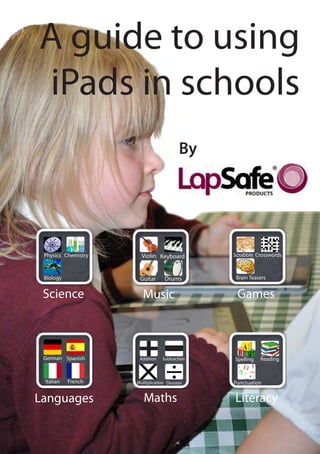
 Science    Music        Games


Languages   Maths        Literacy
What is this guide for?

ICT has changed a lot during the last decade. From laptops to PDAs,
netbooks to games consoles and mobile phones, educational technology is
constantly evolving. Although each development has brought considerable
advantages to schools, surely none has been as heavily debated as the iPad.

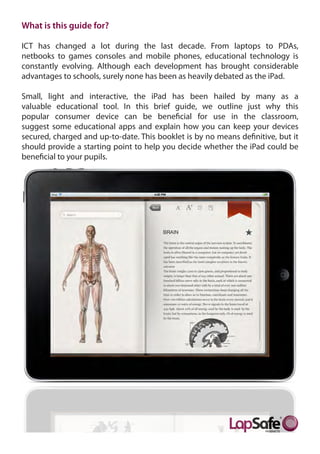
Small, light and interactive, the iPad has been hailed by many as a
valuable educational tool. In this brief guide, we outline just why this
popular consumer device can be beneficial for use in the classroom,
suggest some educational apps and explain how you can keep your devices
secured, charged and up-to-date. This booklet is by no means definitive, but it
should provide a starting point to help you decide whether the iPad could be
beneficial to your pupils.
How to use iPads in the classroom:

Here are just five ways to use iPads with your pupils:

1) Increase pupil engagement
As Apple Distinguished Educator Ian Wilson points out, the iPad’s touch screen
literally connects pupils to their learning material and is fun, different and
interesting. Pupils can manipulate on-screen material with their hands and directly
interact with texts, websites and images in a way that isn’t possible with a computer
mouse. As a result, pupils should feel more engaged, motivated and willing to learn.


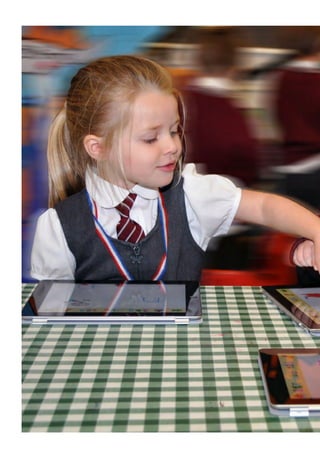
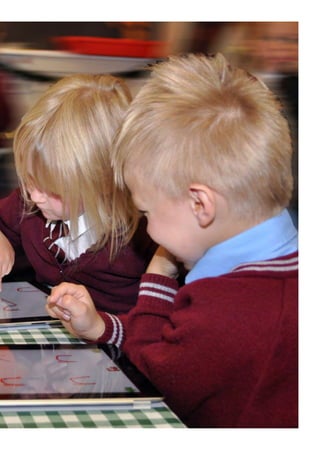
                                        3) Make working in groups easier
                                        iPads are perfect for group work.
                                        According      to    Apple     Distinguished
                                        Educator Ian Wilson, the beauty of the iPad
                                        is that, unlike a laptop, it does not have a
                                        large flip-up screen that can get in the
                                        way of pupils crowding round the de-
                                        vice. In fact, the tablet’s smaller size
                                        makes it easy for pupils to sit around
                                        and share the screen. iPads are also light
                                        enough for pupils to hold up them up and
                                        present their work to the class, or even re-
                                        veal their group’s answer to a question.

                                        4) Make reading fun
                                        Electronic textbooks and eBooks put a
                                        new spin on reading and make books
                                        more interactive for pupils. Although
eBooks are designed to provide a similar experience to tradi-
tional books, the use of technology can make reading more
interesting for children that may not usually enjoy it. Ebooks that can be
downloaded from the iBookstore are often accompanied by other interactive
resources to make texts more fun. Ebooks are also great for helping young chil-
dren to read and decipher words, with many books coming complete with voice-
overs or read-alongs.

Interactive textbooks are also available from iTunes and can be sourced with
booking marking and notation tools to help pupils take notes.

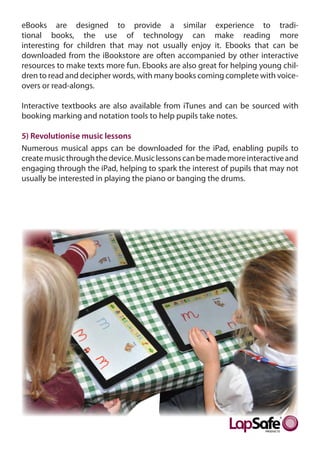
5) Revolutionise music lessons
Numerous musical apps can be downloaded for the iPad, enabling pupils to
create music through the device. Music lessons can be made more interactive and
engaging through the iPad, helping to spark the interest of pupils that may not
usually be interested in playing the piano or banging the drums.
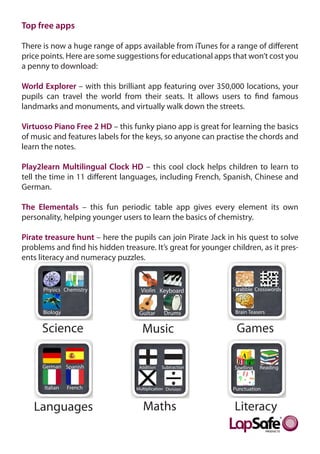
Top free apps

There is now a huge range of apps available from iTunes for a range of different
price points. Here are some suggestions for educational apps that won’t cost you
a penny to download:

World Explorer – with this brilliant app featuring over 350,000 locations, your
pupils can travel the world from their seats. It allows users to find famous
landmarks and monuments, and virtually walk down the streets.

Virtuoso Piano Free 2 HD – this funky piano app is great for learning the basics
of music and features labels for the keys, so anyone can practise the chords and
learn the notes.

Play2learn Multilingual Clock HD – this cool clock helps children to learn to
tell the time in 11 different languages, including French, Spanish, Chinese and
German.

The Elementals – this fun periodic table app gives every element its own
personality, helping younger users to learn the basics of chemistry.

Pirate treasure hunt – here the pupils can join Pirate Jack in his quest to solve
problems and find his hidden treasure. It’s great for younger children, as it pres-
ents literacy and numeracy puzzles.


      Science                       Music                       Games


   Languages                        Maths                      Literacy
Case Study : St Hugh of Lincoln R.C. Primary School

Located around five miles from the centre of Manchester, in the Metropolitan
Borough of Trafford, St Hugh of Lincoln R.C. Primary School provides a warm
and caring environment in which each child is encouraged to reach their full
potential.

As part of the school’s ongoing commitment to deliver quality learning
experiences and improved resources, St Hugh of Lincoln R.C. Primary School
decided to invest in 64 iPads. The school sought a quality charging trolley that
could easily synchronise the devices inside the cabinet to enable teachers to
download educational apps. Having purchased laptop charging trolleys from
LapSafe® Products in the past, St Hugh of Lincoln R.C. Primary School knew that
they could rely on the UnoCart™ for iPads to charge, sync and secure their new
tablets.

Mark Mountcastle, a teacher at St Hugh of Lincoln R.C. Primary School, purchased
two 32 bay UnoCart™ for iPad charging trolleys in July 2011. He said:“The UnoCart™
offered us all of the functionality that we required at a lower price than other
trolleys on the market with a similar specification. We felt that the trolley was
good value for money, and, because it bears the LapSafe® brand name, we knew
that we’d be getting a reliable and robust solution.

“We had already used LapSafe® charging trolleys to manage our laptops before
investing in iPads and had been happy with both the products and the service.
Like our other LapSafe® trolleys, our new UnoCart™ is very good quality and does
everything that we need it to do.”
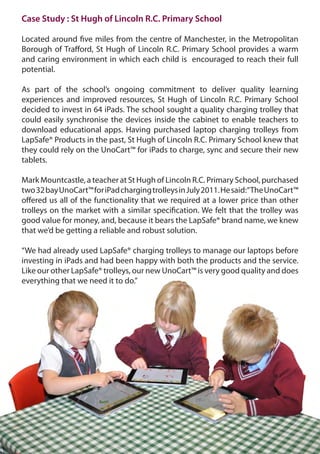
The school currently use their iPads for a range of different activities to
supplement both learning and teaching. Mark said: “The iPad represents the
next generation of learning; everything we can do on a PC we can now do on
the tablet, but with instant access. We no longer have to wait for a computer
to boot-up, so our pupils can quickly grab an iPad and go to a search engine to
check any information they are unsure of.”


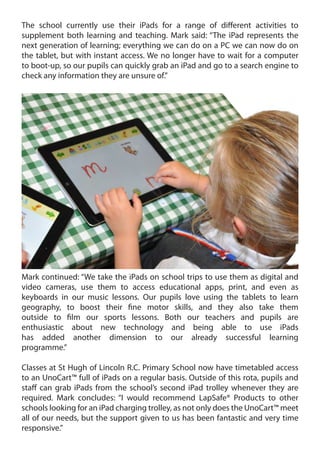
Mark continued: “We take the iPads on school trips to use them as digital and
video cameras, use them to access educational apps, print, and even as
keyboards in our music lessons. Our pupils love using the tablets to learn
geography, to boost their fine motor skills, and they also take them
outside to film our sports lessons. Both our teachers and pupils are
enthusiastic about new technology and being able to use iPads
has added another dimension to our already successful learning
programme.”

Classes at St Hugh of Lincoln R.C. Primary School now have timetabled access
to an UnoCart™ full of iPads on a regular basis. Outside of this rota, pupils and
staff can grab iPads from the school’s second iPad trolley whenever they are
required. Mark concludes: “I would recommend LapSafe® Products to other
schools looking for an iPad charging trolley, as not only does the UnoCart™ meet
all of our needs, but the support given to us has been fantastic and very time
responsive.”
How to manage iPads in the classroom?

Using iPads in the classroom can be both fun and educational, but these extra
resources need to be effectively managed to ensure that the devices are ready to
be used when they are needed. In addition to creating rotas and booking forms to
ensure that each class is given time to use the iPads, you also need to decide
how you will securely store, charge and sync apps to your tablets. To help make
managing iPads easier in schools, we’ve developed the UnoCart™ for iPads
charging trolley.

The UnoCart™ for iPads incorporates safe sync and charging for one MacBook
or laptop in 16 and 32 bay iPad versions, enabling fully-charged tablets to be
shared between classrooms and buildings. The trolley provides safe and secure
overnight storage for a MacBook and allows iPads to sync to the machine using
iTunes. It includes effective USB cable management, a top mounted socket with
USB connectivity for the MacBook and features an in-built security cable to
secure the MacBook whilst on top of the cabinet during the synchronisation
process.
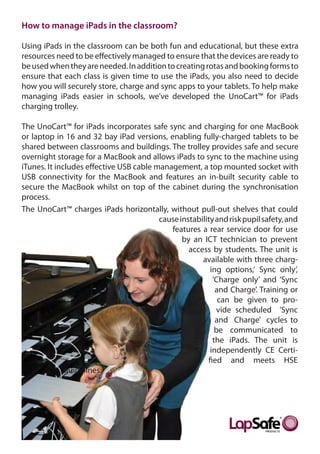
The UnoCart™ charges iPads horizontally, without pull-out shelves that could
                                         cause instability and risk pupil safety, and
                                            features a rear service door for use
                                                by an ICT technician to prevent
                                                  access by students. The unit is
                                                      available with three charg-
                                                         ing options,‘ Sync only’,
                                                          ‘Charge only’ and ‘Sync
                                                           and Charge’. Training or
                                                            can be given to pro-
                                                           vide scheduled ‘Sync
                                                           and Charge’ cycles to
                                                           be communicated to
                                                          the iPads. The unit is
                                                         independently CE Certi-
                                                        fied and meets HSE
              guidelines.
Sources

                Ian Wilson (Apple Distinguished Educator)
                       www.ipadineducation.co.uk


                          Helpful information

Felsted School, near Great Dunmow in Essex, is an Apple Regional Training
 Centre and regularly hosts events for educators on using the latest Apple
                          solutions in education.


                          www.felsted.org
3 Wakes Hall Business Centre
           Wakes Colne
           COLCHESTER
               Essex
             CO6 2DY
         United Kingdom

  Call us free on 0800 130 3456

T: 0845 230 1010     F: 0845 230 1020

 www.lapsafe.com sales@lapsafe.com

          Twitter: @lapsafe

A guide to using iPads in the classroom

  • 1.
    By Science Music Games Languages Maths Literacy
  • 3.
    What is thisguide for? ICT has changed a lot during the last decade. From laptops to PDAs, netbooks to games consoles and mobile phones, educational technology is constantly evolving. Although each development has brought considerable advantages to schools, surely none has been as heavily debated as the iPad. Small, light and interactive, the iPad has been hailed by many as a valuable educational tool. In this brief guide, we outline just why this popular consumer device can be beneficial for use in the classroom, suggest some educational apps and explain how you can keep your devices secured, charged and up-to-date. This booklet is by no means definitive, but it should provide a starting point to help you decide whether the iPad could be beneficial to your pupils.
  • 4.
    How to useiPads in the classroom: Here are just five ways to use iPads with your pupils: 1) Increase pupil engagement As Apple Distinguished Educator Ian Wilson points out, the iPad’s touch screen literally connects pupils to their learning material and is fun, different and interesting. Pupils can manipulate on-screen material with their hands and directly interact with texts, websites and images in a way that isn’t possible with a computer mouse. As a result, pupils should feel more engaged, motivated and willing to learn. 3) Make working in groups easier iPads are perfect for group work. According to Apple Distinguished Educator Ian Wilson, the beauty of the iPad is that, unlike a laptop, it does not have a large flip-up screen that can get in the way of pupils crowding round the de- vice. In fact, the tablet’s smaller size makes it easy for pupils to sit around and share the screen. iPads are also light enough for pupils to hold up them up and present their work to the class, or even re- veal their group’s answer to a question. 4) Make reading fun Electronic textbooks and eBooks put a new spin on reading and make books more interactive for pupils. Although
  • 5.
    eBooks are designedto provide a similar experience to tradi- tional books, the use of technology can make reading more interesting for children that may not usually enjoy it. Ebooks that can be downloaded from the iBookstore are often accompanied by other interactive resources to make texts more fun. Ebooks are also great for helping young chil- dren to read and decipher words, with many books coming complete with voice- overs or read-alongs. Interactive textbooks are also available from iTunes and can be sourced with booking marking and notation tools to help pupils take notes. 5) Revolutionise music lessons Numerous musical apps can be downloaded for the iPad, enabling pupils to create music through the device. Music lessons can be made more interactive and engaging through the iPad, helping to spark the interest of pupils that may not usually be interested in playing the piano or banging the drums.
  • 6.
    Top free apps Thereis now a huge range of apps available from iTunes for a range of different price points. Here are some suggestions for educational apps that won’t cost you a penny to download: World Explorer – with this brilliant app featuring over 350,000 locations, your pupils can travel the world from their seats. It allows users to find famous landmarks and monuments, and virtually walk down the streets. Virtuoso Piano Free 2 HD – this funky piano app is great for learning the basics of music and features labels for the keys, so anyone can practise the chords and learn the notes. Play2learn Multilingual Clock HD – this cool clock helps children to learn to tell the time in 11 different languages, including French, Spanish, Chinese and German. The Elementals – this fun periodic table app gives every element its own personality, helping younger users to learn the basics of chemistry. Pirate treasure hunt – here the pupils can join Pirate Jack in his quest to solve problems and find his hidden treasure. It’s great for younger children, as it pres- ents literacy and numeracy puzzles. Science Music Games Languages Maths Literacy
  • 7.
    Case Study :St Hugh of Lincoln R.C. Primary School Located around five miles from the centre of Manchester, in the Metropolitan Borough of Trafford, St Hugh of Lincoln R.C. Primary School provides a warm and caring environment in which each child is encouraged to reach their full potential. As part of the school’s ongoing commitment to deliver quality learning experiences and improved resources, St Hugh of Lincoln R.C. Primary School decided to invest in 64 iPads. The school sought a quality charging trolley that could easily synchronise the devices inside the cabinet to enable teachers to download educational apps. Having purchased laptop charging trolleys from LapSafe® Products in the past, St Hugh of Lincoln R.C. Primary School knew that they could rely on the UnoCart™ for iPads to charge, sync and secure their new tablets. Mark Mountcastle, a teacher at St Hugh of Lincoln R.C. Primary School, purchased two 32 bay UnoCart™ for iPad charging trolleys in July 2011. He said:“The UnoCart™ offered us all of the functionality that we required at a lower price than other trolleys on the market with a similar specification. We felt that the trolley was good value for money, and, because it bears the LapSafe® brand name, we knew that we’d be getting a reliable and robust solution. “We had already used LapSafe® charging trolleys to manage our laptops before investing in iPads and had been happy with both the products and the service. Like our other LapSafe® trolleys, our new UnoCart™ is very good quality and does everything that we need it to do.”
  • 8.
    The school currentlyuse their iPads for a range of different activities to supplement both learning and teaching. Mark said: “The iPad represents the next generation of learning; everything we can do on a PC we can now do on the tablet, but with instant access. We no longer have to wait for a computer to boot-up, so our pupils can quickly grab an iPad and go to a search engine to check any information they are unsure of.” Mark continued: “We take the iPads on school trips to use them as digital and video cameras, use them to access educational apps, print, and even as keyboards in our music lessons. Our pupils love using the tablets to learn geography, to boost their fine motor skills, and they also take them outside to film our sports lessons. Both our teachers and pupils are enthusiastic about new technology and being able to use iPads has added another dimension to our already successful learning programme.” Classes at St Hugh of Lincoln R.C. Primary School now have timetabled access to an UnoCart™ full of iPads on a regular basis. Outside of this rota, pupils and staff can grab iPads from the school’s second iPad trolley whenever they are required. Mark concludes: “I would recommend LapSafe® Products to other schools looking for an iPad charging trolley, as not only does the UnoCart™ meet all of our needs, but the support given to us has been fantastic and very time responsive.”
  • 9.
    How to manageiPads in the classroom? Using iPads in the classroom can be both fun and educational, but these extra resources need to be effectively managed to ensure that the devices are ready to be used when they are needed. In addition to creating rotas and booking forms to ensure that each class is given time to use the iPads, you also need to decide how you will securely store, charge and sync apps to your tablets. To help make managing iPads easier in schools, we’ve developed the UnoCart™ for iPads charging trolley. The UnoCart™ for iPads incorporates safe sync and charging for one MacBook or laptop in 16 and 32 bay iPad versions, enabling fully-charged tablets to be shared between classrooms and buildings. The trolley provides safe and secure overnight storage for a MacBook and allows iPads to sync to the machine using iTunes. It includes effective USB cable management, a top mounted socket with USB connectivity for the MacBook and features an in-built security cable to secure the MacBook whilst on top of the cabinet during the synchronisation process. The UnoCart™ charges iPads horizontally, without pull-out shelves that could cause instability and risk pupil safety, and features a rear service door for use by an ICT technician to prevent access by students. The unit is available with three charg- ing options,‘ Sync only’, ‘Charge only’ and ‘Sync and Charge’. Training or can be given to pro- vide scheduled ‘Sync and Charge’ cycles to be communicated to the iPads. The unit is independently CE Certi- fied and meets HSE guidelines.
  • 10.
    Sources Ian Wilson (Apple Distinguished Educator) www.ipadineducation.co.uk Helpful information Felsted School, near Great Dunmow in Essex, is an Apple Regional Training Centre and regularly hosts events for educators on using the latest Apple solutions in education. www.felsted.org
  • 12.
    3 Wakes HallBusiness Centre Wakes Colne COLCHESTER Essex CO6 2DY United Kingdom Call us free on 0800 130 3456 T: 0845 230 1010 F: 0845 230 1020 www.lapsafe.com sales@lapsafe.com Twitter: @lapsafe