Hyperlinks and Evaluation
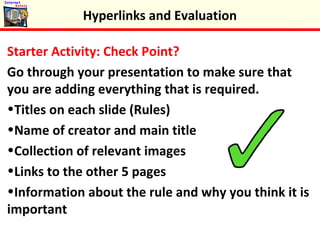
Starter Activity: Check Point?
Go through your presentation to make sure that
you are adding everything that is required.
•Titles on each slide (Rules)
•Name of creator and main title
•Collection of relevant images
•Links to the other 5 pages
•Information about the rule and why you think it is
important
Hyperlinks and Evaluation
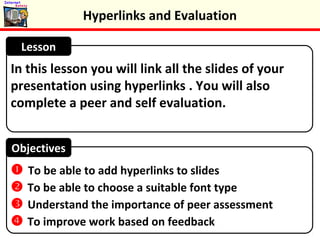
In this lesson you will link all the slides of your
presentation using hyperlinks . You will also
complete a peer and self evaluation.
Lesson
Objectives
 To be able to add hyperlinks to slides
 To be able to choose a suitable font type
 Understand the importance of peer assessment
 To improve work based on feedback
Hyperlinks and Evaluation
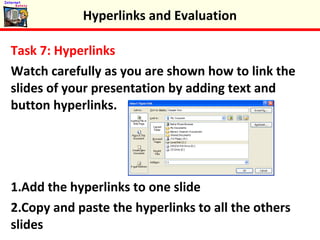
Task 7: Hyperlinks
Watch carefully as you are shown how to link the
slides of your presentation by adding text and
button hyperlinks.
1.Add the hyperlinks to one slide
2.Copy and paste the hyperlinks to all the others
slides
Hyperlinks and Evaluation
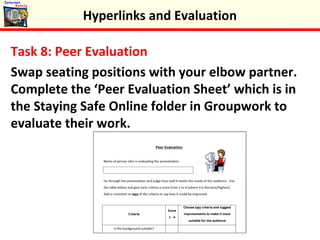
Task 8: Peer Evaluation
Swap seating positions with your elbow partner.
Complete the ‘Peer Evaluation Sheet’ which is in
the Staying Safe Online folder in Groupwork to
evaluate their work.
Hyperlinks and Evaluation
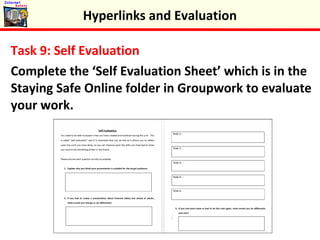
Task 9: Self Evaluation
Complete the ‘Self Evaluation Sheet’ which is in the
Staying Safe Online folder in Groupwork to evaluate
your work.
Hyperlinks and Evaluation
Submission of Work
This is the end of the unit. Your teacher will tell
you what files you need to submit for marking.
Hyperlinks and Evaluation
Plenary: Peer Assessment
Read the peer assessment your elbow partner
completed. Add up your score. How many did
they award you out of 40?
Hyperlinks and Evaluation
Keywords
 To be able to add hyperlinks to slides
 To be able to choose a suitable font type
 Understand the importance of peer assessment
 To improve work based on feedback
Objectives
 Link
 Hyperlink
 Evaluation
 Peer Assessment




Hyperlinks and Evaluation
 Feedback
Keywords
 To be able to add hyperlinks to slides
 To be able to choose a suitable font type
 Understand the importance of peer assessment
 To improve work based on feedback
Objectives
 Link
 Hyperlink
 Evaluation
 Peer Assessment




Hyperlinks and Evaluation
 Feedback

Hyperlinks and Evaluation

  • 1.
  • 2.
    Starter Activity: CheckPoint? Go through your presentation to make sure that you are adding everything that is required. •Titles on each slide (Rules) •Name of creator and main title •Collection of relevant images •Links to the other 5 pages •Information about the rule and why you think it is important Hyperlinks and Evaluation
  • 3.
    In this lessonyou will link all the slides of your presentation using hyperlinks . You will also complete a peer and self evaluation. Lesson Objectives  To be able to add hyperlinks to slides  To be able to choose a suitable font type  Understand the importance of peer assessment  To improve work based on feedback Hyperlinks and Evaluation
  • 4.
    Task 7: Hyperlinks Watchcarefully as you are shown how to link the slides of your presentation by adding text and button hyperlinks. 1.Add the hyperlinks to one slide 2.Copy and paste the hyperlinks to all the others slides Hyperlinks and Evaluation
  • 5.
    Task 8: PeerEvaluation Swap seating positions with your elbow partner. Complete the ‘Peer Evaluation Sheet’ which is in the Staying Safe Online folder in Groupwork to evaluate their work. Hyperlinks and Evaluation
  • 6.
    Task 9: SelfEvaluation Complete the ‘Self Evaluation Sheet’ which is in the Staying Safe Online folder in Groupwork to evaluate your work. Hyperlinks and Evaluation
  • 7.
    Submission of Work Thisis the end of the unit. Your teacher will tell you what files you need to submit for marking. Hyperlinks and Evaluation
  • 8.
    Plenary: Peer Assessment Readthe peer assessment your elbow partner completed. Add up your score. How many did they award you out of 40? Hyperlinks and Evaluation
  • 9.
    Keywords  To beable to add hyperlinks to slides  To be able to choose a suitable font type  Understand the importance of peer assessment  To improve work based on feedback Objectives  Link  Hyperlink  Evaluation  Peer Assessment     Hyperlinks and Evaluation  Feedback
  • 10.
    Keywords  To beable to add hyperlinks to slides  To be able to choose a suitable font type  Understand the importance of peer assessment  To improve work based on feedback Objectives  Link  Hyperlink  Evaluation  Peer Assessment     Hyperlinks and Evaluation  Feedback