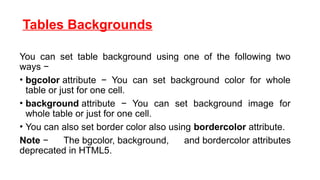
Tables Backgrounds
You canset table background using one of the following two
ways −
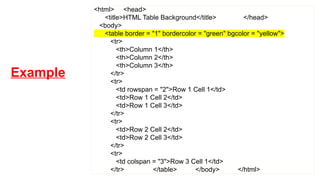
• bgcolor attribute − You can set background color for whole
table or just for one cell.
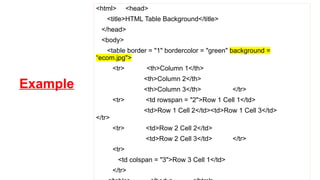
• background attribute − You can set background image for
whole table or just for one cell.
• You can also set border color also using bordercolor attribute.
Note − The bgcolor, background, and bordercolor attributes
deprecated in HTML5.
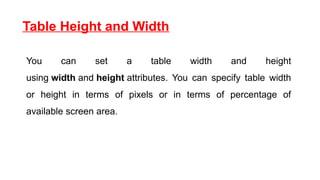
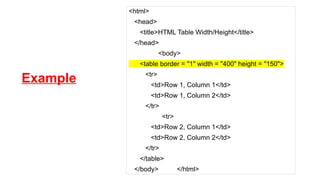
Table Height andWidth
You can set a table width and height
using width and height attributes. You can specify table width
or height in terms of pixels or in terms of percentage of
available screen area.
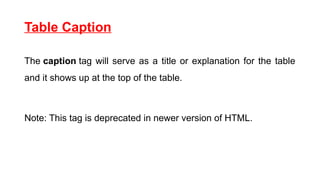
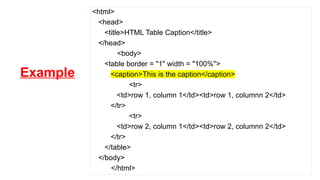
Table Caption
The captiontag will serve as a title or explanation for the table
and it shows up at the top of the table.
Note: This tag is deprecated in newer version of HTML.
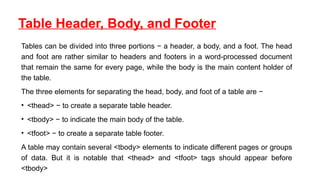
Table Header, Body,and Footer
Tables can be divided into three portions − a header, a body, and a foot. The head
and foot are rather similar to headers and footers in a word-processed document
that remain the same for every page, while the body is the main content holder of
the table.
The three elements for separating the head, body, and foot of a table are −
• <thead> − to create a separate table header.
• <tbody> − to indicate the main body of the table.
• <tfoot> − to create a separate table footer.
A table may contain several <tbody> elements to indicate different pages or groups
of data. But it is notable that <thead> and <tfoot> tags should appear before
<tbody>
10.
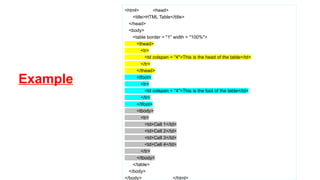
Example
<html> <head>
<title>HTML Table</title>
</head>
<body>
<tableborder = "1" width = "100%">
<thead>
<tr>
<td colspan = "4">This is the head of the table</td>
</tr>
</thead>
<tfoot>
<tr>
<td colspan = "4">This is the foot of the table</td>
</tr>
</tfoot>
<tbody>
<tr>
<td>Cell 1</td>
<td>Cell 2</td>
<td>Cell 3</td>
<td>Cell 4</td>
</tr>
</tbody>
</table>
</body>
</body> </html>
11.
Align and Valign
•Horizontal alignment is controlled by the ALIGN attribute. It can
be set to left, center or right.
• Vertical alignment is controlled by VALIGN. It accepts the
values top, middle or bottom.