HTML5 
<media elements> 
</@alexandercg @javierhumaran>
HTML5 features 
multimedia 
Audio and video became first 
citizens on the Web with HTML5 
the same way that other media 
types like images did in the past. 
With the coming additions to the APIs you will be able to read and write raw 
data to audio files (Audio Data API) or manipulate captions in vídeos (Timed 
Track API). 
For instance, you can build a DJ mixer table 
app where you show several controls to 
fade and mix audio tracks. 
html5 media elements
html5 media elements 
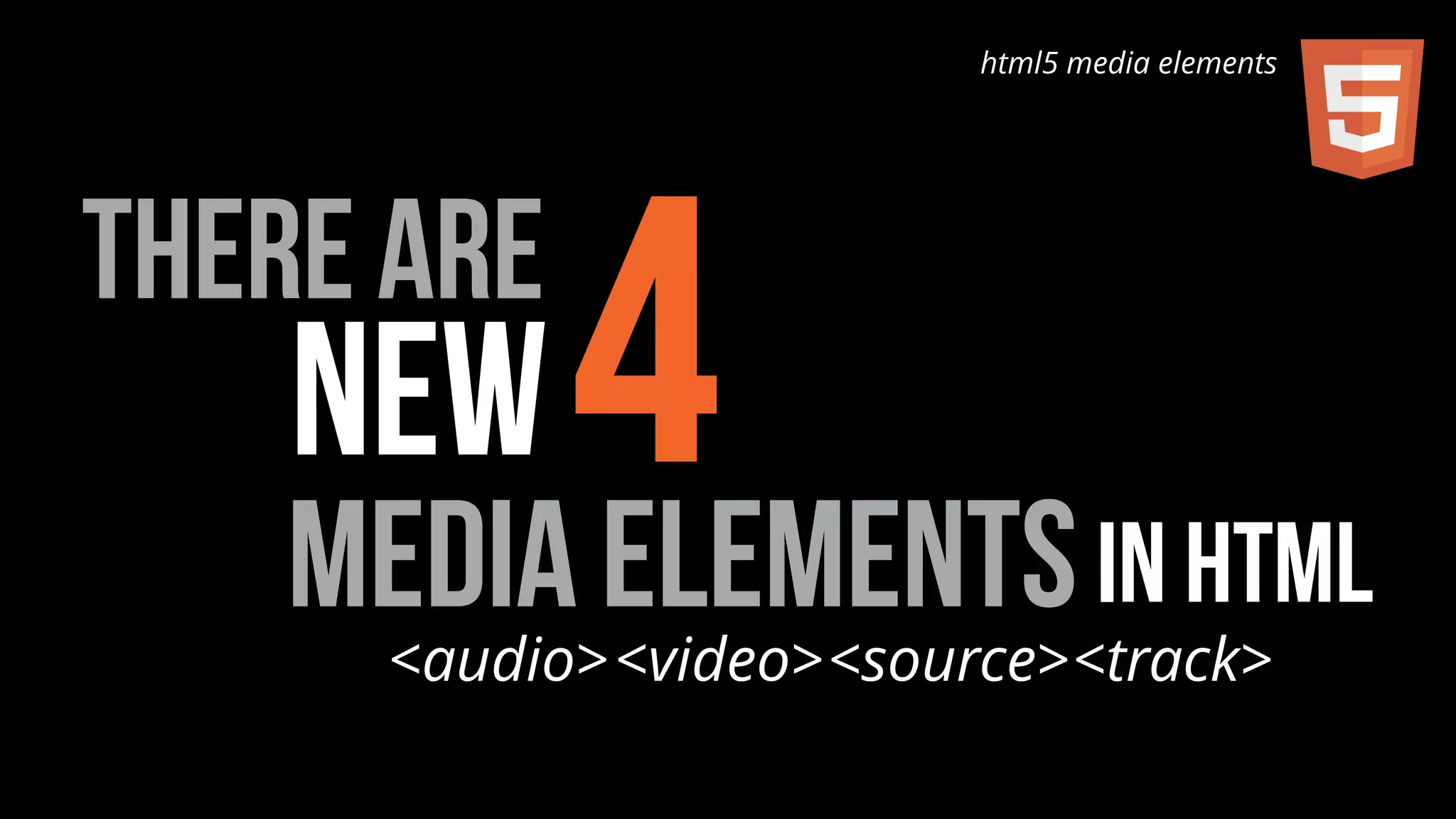
new4 
media elements in html 
there are 
<audio><video><source><track>
<audio> 
ELEMENT 
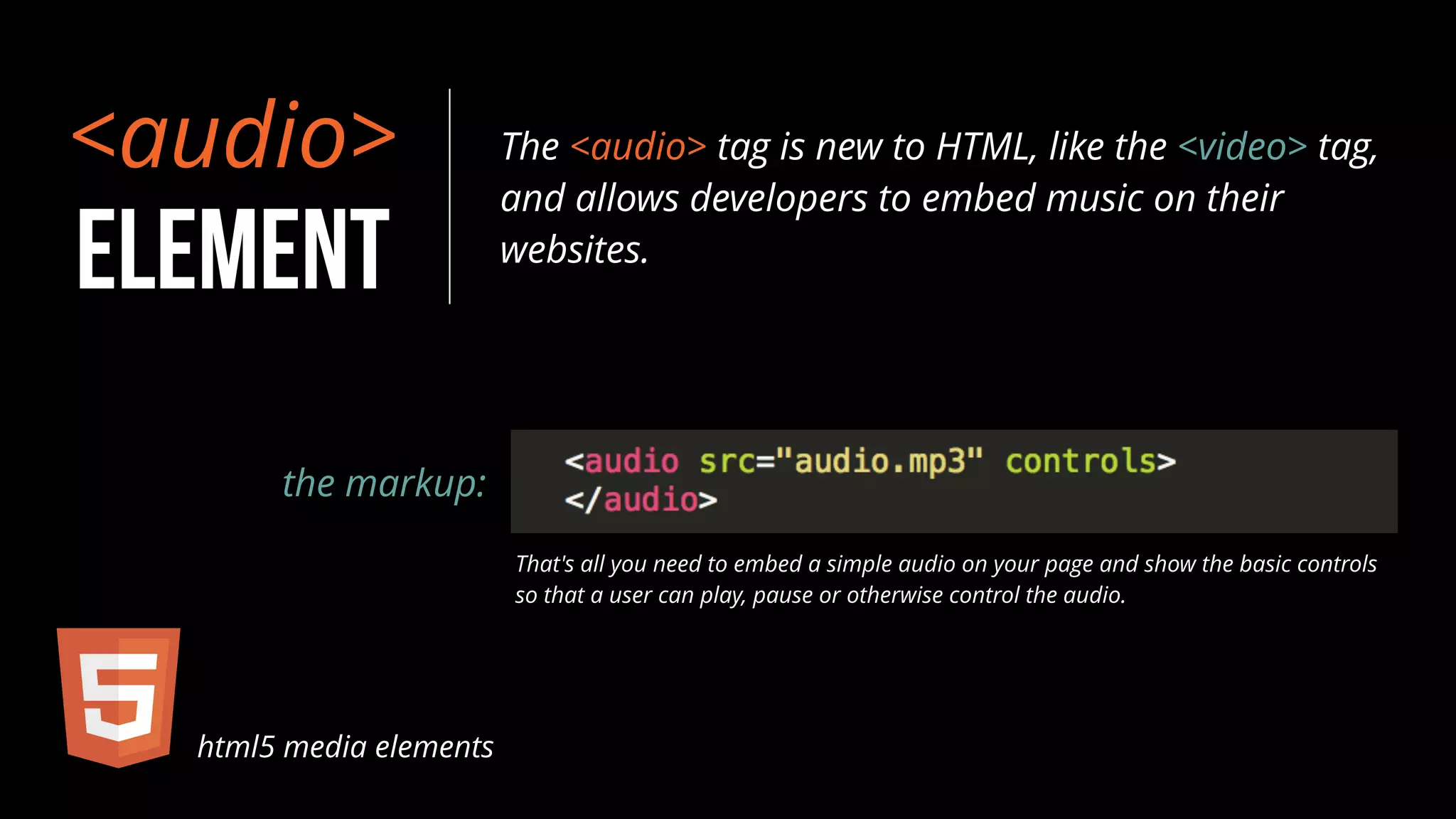
The <audio> tag is new to HTML, like the <video> tag, 
and allows developers to embed music on their 
websites. 
the markup: 
That's all you need to embed a simple audio on your page and show the basic controls 
so that a user can play, pause or otherwise control the audio. 
html5 media elements
html5 media elements 
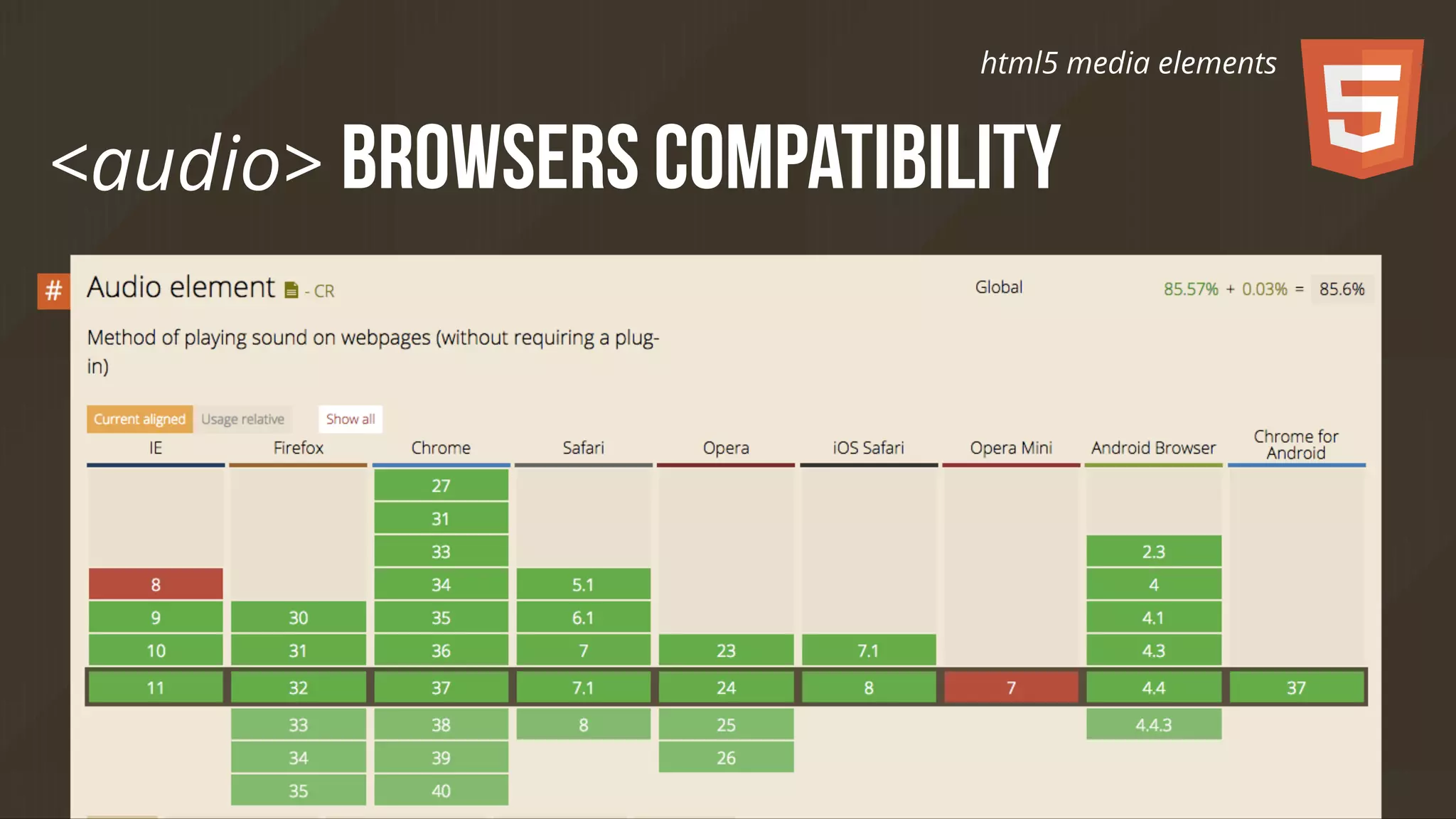
<audio> browsers compatibility
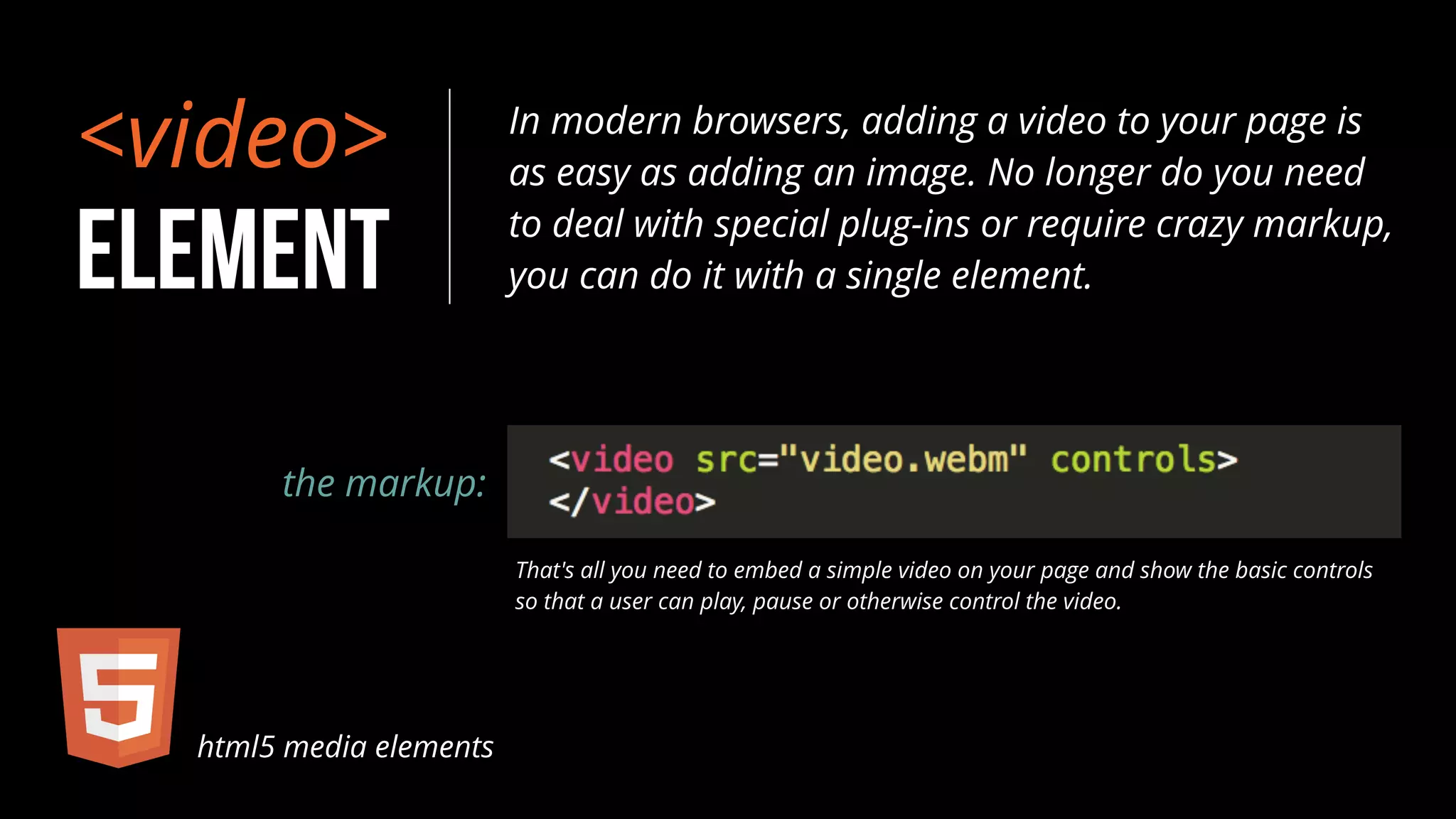
<video> 
ELEMENT 
In modern browsers, adding a video to your page is 
as easy as adding an image. No longer do you need 
to deal with special plug-ins or require crazy markup, 
you can do it with a single element. 
the markup: 
That's all you need to embed a simple video on your page and show the basic controls 
so that a user can play, pause or otherwise control the video. 
html5 media elements
html5 media elements 
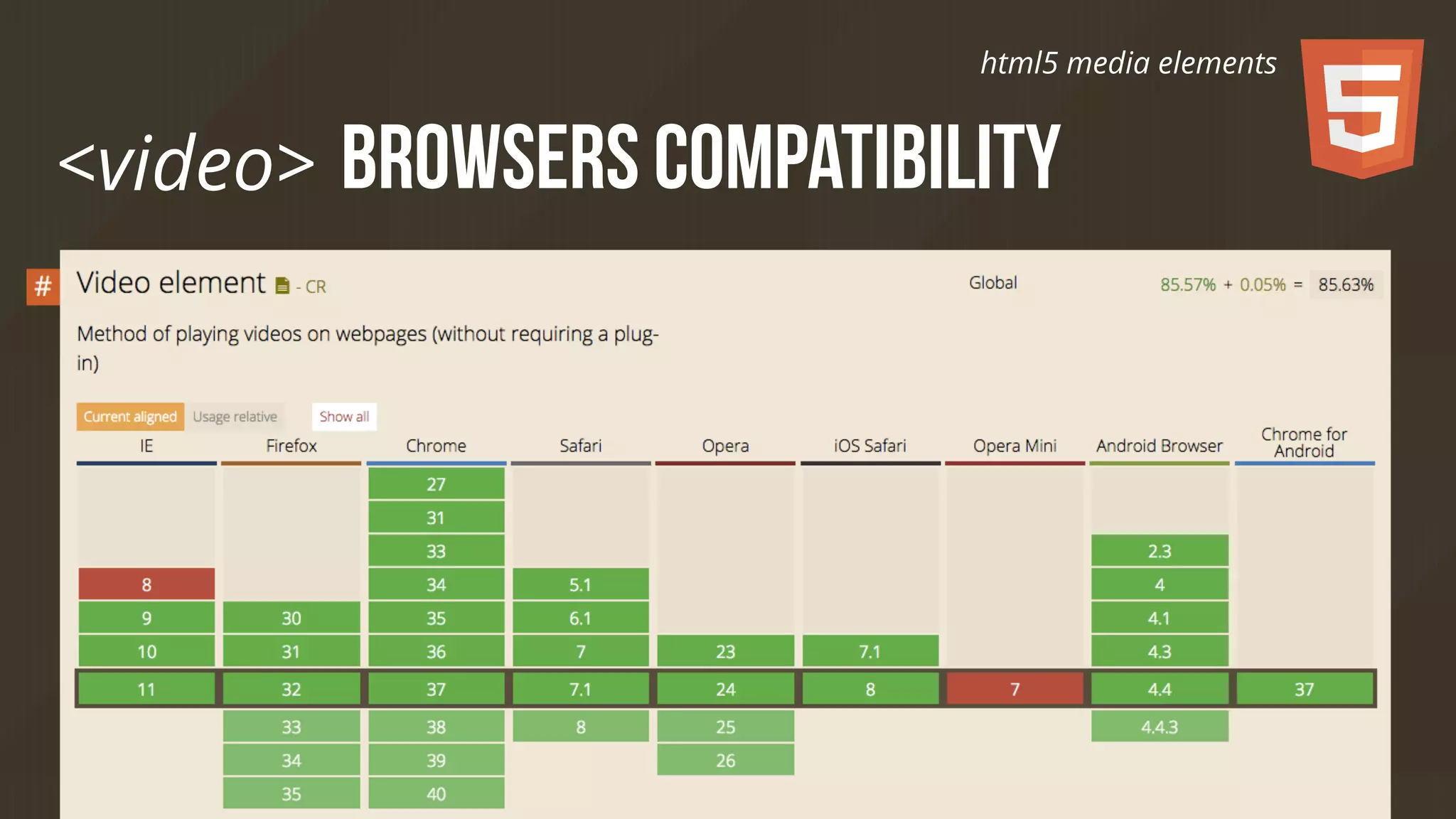
<video> browsers compatibility
<source> 
ELEMENT 
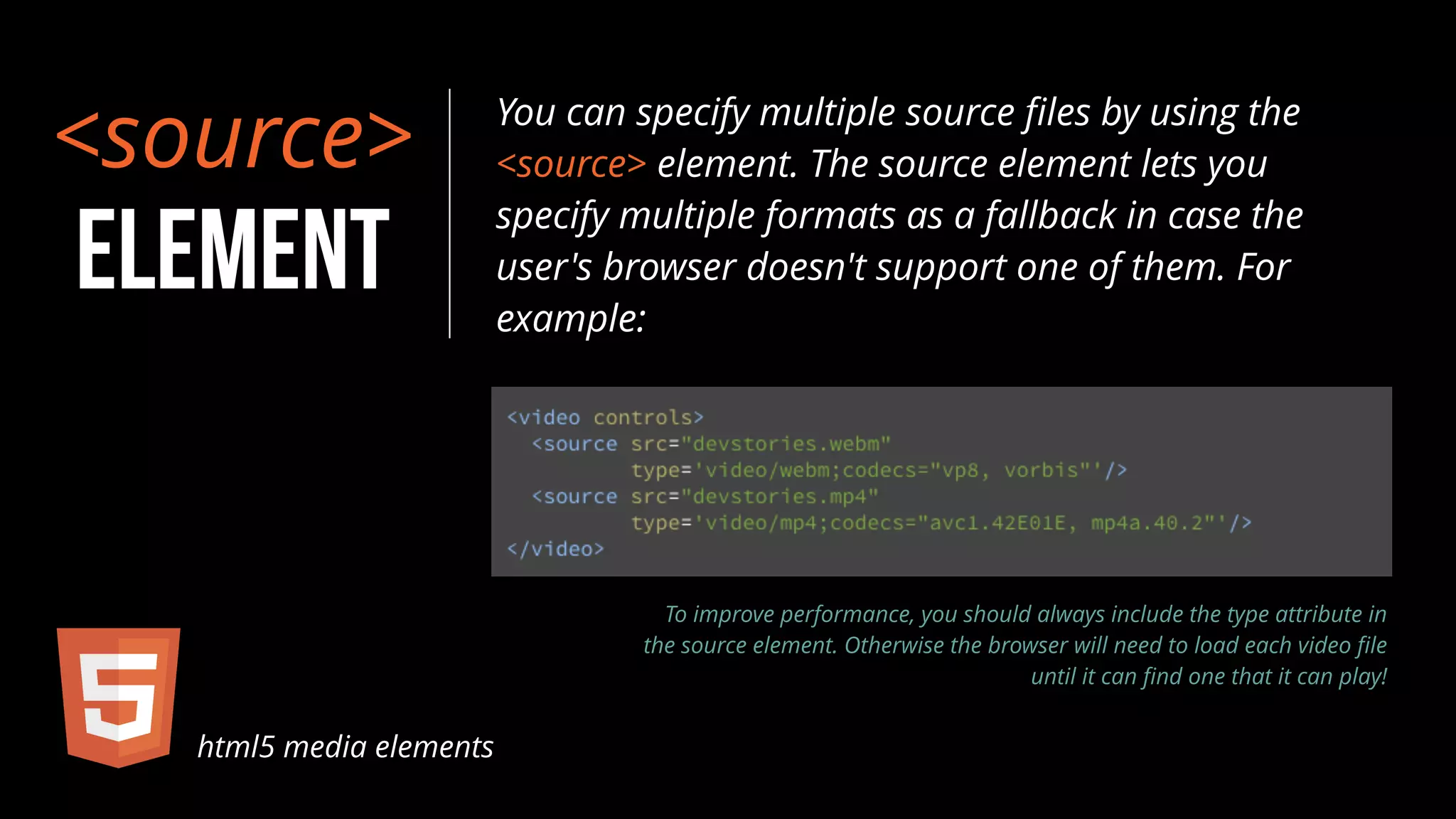
You can specify multiple source files by using the 
<source> element. The source element lets you 
specify multiple formats as a fallback in case the 
user's browser doesn't support one of them. For 
example: 
html5 media elements 
To improve performance, you should always include the type attribute in 
the source element. Otherwise the browser will need to load each video file 
until it can find one that it can play!
<track> 
ELEMENT 
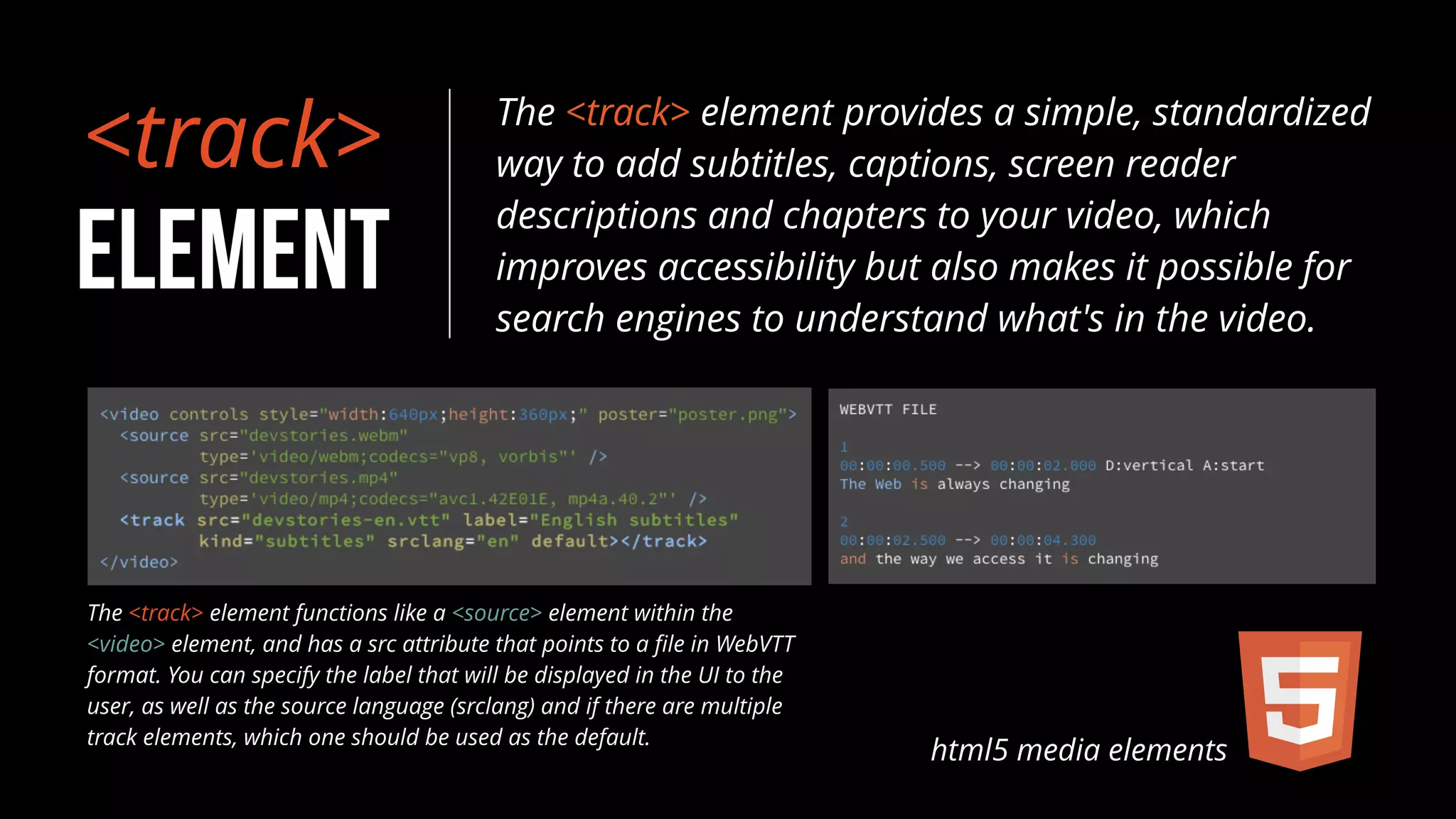
The <track> element provides a simple, standardized 
way to add subtitles, captions, screen reader 
descriptions and chapters to your video, which 
improves accessibility but also makes it possible for 
search engines to understand what's in the video. 
html5 media elements 
The <track> element functions like a <source> element within the 
<video> element, and has a src attribute that points to a file in WebVTT 
format. You can specify the label that will be displayed in the UI to the 
user, as well as the source language (srclang) and if there are multiple 
track elements, which one should be used as the default.
</@alexandercg @javierhumaran> html5 media elements

HTML5 Media Elements

  • 1.
    HTML5 <media elements> </@alexandercg @javierhumaran>
  • 2.
    HTML5 features multimedia Audio and video became first citizens on the Web with HTML5 the same way that other media types like images did in the past. With the coming additions to the APIs you will be able to read and write raw data to audio files (Audio Data API) or manipulate captions in vídeos (Timed Track API). For instance, you can build a DJ mixer table app where you show several controls to fade and mix audio tracks. html5 media elements
  • 3.
    html5 media elements new4 media elements in html there are <audio><video><source><track>
  • 4.
    <audio> ELEMENT The<audio> tag is new to HTML, like the <video> tag, and allows developers to embed music on their websites. the markup: That's all you need to embed a simple audio on your page and show the basic controls so that a user can play, pause or otherwise control the audio. html5 media elements
  • 5.
    html5 media elements <audio> browsers compatibility
  • 6.
    <video> ELEMENT Inmodern browsers, adding a video to your page is as easy as adding an image. No longer do you need to deal with special plug-ins or require crazy markup, you can do it with a single element. the markup: That's all you need to embed a simple video on your page and show the basic controls so that a user can play, pause or otherwise control the video. html5 media elements
  • 7.
    html5 media elements <video> browsers compatibility
  • 8.
    <source> ELEMENT Youcan specify multiple source files by using the <source> element. The source element lets you specify multiple formats as a fallback in case the user's browser doesn't support one of them. For example: html5 media elements To improve performance, you should always include the type attribute in the source element. Otherwise the browser will need to load each video file until it can find one that it can play!
  • 9.
    <track> ELEMENT The<track> element provides a simple, standardized way to add subtitles, captions, screen reader descriptions and chapters to your video, which improves accessibility but also makes it possible for search engines to understand what's in the video. html5 media elements The <track> element functions like a <source> element within the <video> element, and has a src attribute that points to a file in WebVTT format. You can specify the label that will be displayed in the UI to the user, as well as the source language (srclang) and if there are multiple track elements, which one should be used as the default.
  • 10.