By Mohd. Shoaib
Agenda
•   Introduction
•   History
•   Features
•   New API’s in HTML5
•   Limitations
Introduction
   To give authors more flexibility and
    interoperability, and enable more
    interactive and exciting websites
    HTML5, introduces wide range of
    features.

   These feature includes form controls,
    API’s, multimedia, structure and
    semantics.

   HTML5 was introduced by
    W3C.Including browser vendors such
    as Apple, Mozilla, Opera, and
History
   HTML 3.0 was developed in 1995.
   HTML 3.2 was developed in 1997.
   HTML 4 was developed in 1998.
   After developing HTML4, W3C stopped working
    on HTML, and started working
    on XML.
   HTML5 was first started by Mozilla, Apple, and
    Opera, later in 2006 W3C showed interest on
    html5 and created group for working on HTML5
    project
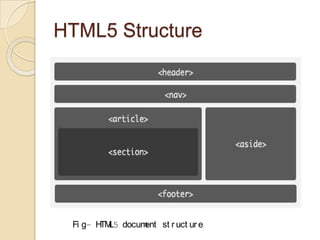
HTML5 Structure


 Fi g- H L5 docum
        TM       ent st r uct ur e.
Continue…
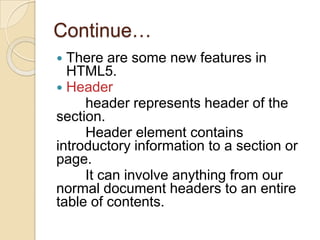
 There are some new features in
  HTML5.
 Header
     header represents header of the
section.
     Header element contains
introductory information to a section or
page.
     It can involve anything from our
normal document headers to an entire
table of contents.
Continue…
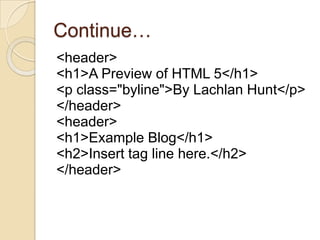
<header>
<h1>A Preview of HTML 5</h1>
<p class="byline">By Lachlan Hunt</p>
</header>
<header>
<h1>Example Blog</h1>
<h2>Insert tag line here.</h2>
</header>
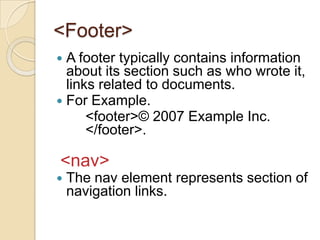
<Footer>
 A footer typically contains information
  about its section such as who wrote it,
  links related to documents.
 For Example.
      <footer>© 2007 Example Inc.
      </footer>.

<nav>
   The nav element represents section of
    navigation links.
Continue…
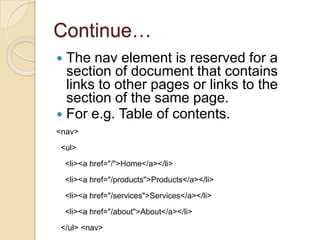
 The nav element is reserved for a
  section of document that contains
  links to other pages or links to the
  section of the same page.
 For e.g. Table of contents.
<nav>

<ul>

    <li><a href="/">Home</a></li>

    <li><a href="/products">Products</a></li>

    <li><a href="/services">Services</a></li>
    <li><a href="/about">About</a></li>

</ul> <nav>
<Aside>
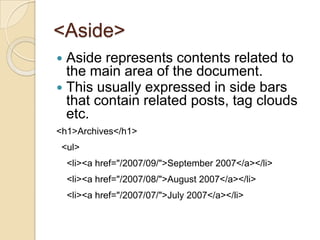
 Aside represents contents related to
  the main area of the document.
 This usually expressed in side bars
  that contain related posts, tag clouds
  etc.
<h1>Archives</h1>
 <ul>
    <li><a href="/2007/09/">September 2007</a></li>
    <li><a href="/2007/08/">August 2007</a></li>
    <li><a href="/2007/07/">July 2007</a></li>
<Section>
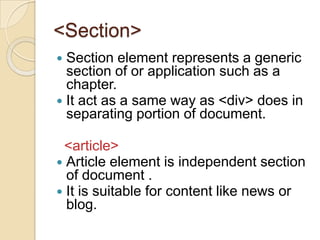
 Section element represents a generic
  section of or application such as a
  chapter.
 It act as a same way as <div> does in
  separating portion of document.

 <article>
 Article element is independent section
  of document .
 It is suitable for content like news or
  blog.
Some other Features…
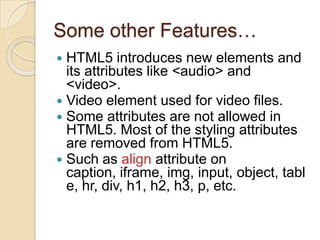
 HTML5 introduces new elements and
  its attributes like <audio> and
  <video>.
 Video element used for video files.
 Some attributes are not allowed in
  HTML5. Most of the styling attributes
  are removed from HTML5.
 Such as align attribute on
  caption, iframe, img, input, object, tabl
  e, hr, div, h1, h2, h3, p, etc.
New API’s in HTML5
API’s   for multimedia using video and
  audio tag
   user can embed different video and
audio formats in the web page.
 API’s that allow offline web
  applications
   HTML5 allows several features in
which web applications can work
locally, that is without internet
connection.
Drag and drop API’s
   html5 allows drag and drop feature
with the help of draggtable attribute
Continue…
 HTML Microdata.
  User can embed machine readable
data into HTML document.
HTML canvas 2D context.
  This API used for rendering 2D
graphics, bitmaps and shapes. This
technology introduced by Apple.
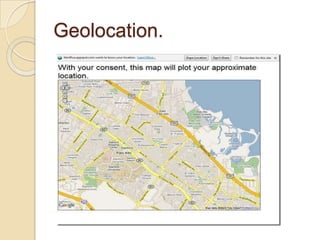
Geolocation.
Geolocation
 This API include location information
  such as GPS (global positioning
  system)with device hosting API.
 This feature supports for devises such
  as mobile phones, GPS receivers etc.
Limitations of HTML5
 Browsers do not provide full support for
  HTML5
  Non of the web browsers for mobile or have
full implementations at present.
       Internet Explorer browser does not
support for HTML5. Even Apple ipad safari
browser doesn’t have full support for HTML5.
 Cross platform browser compatibility
       The application developed for ipad is not
guaranteed to work well in other browsers like
IE.
Continue…
 Audio/video support
     HTML5 has added new video and
audio tags in a browser without plugin
but doesn’t officially support any video
or audio format.
 Development tools
    There are no tools available that can create
    animations for html5 like flash professionals.
    For creating animations developers have to code
    animations in JavaScripts and CSS.
Supported Browsers
   Firefox 4(WebM, Beta)
   Google Chrome
   Opera 10.6 and above.
   Apple Safari (h.264, version 4+)
   Microsoft internet Explorer 9
Html5

Html5

  • 1.
  • 2.
    Agenda • Introduction • History • Features • New API’s in HTML5 • Limitations
  • 3.
    Introduction  To give authors more flexibility and interoperability, and enable more interactive and exciting websites HTML5, introduces wide range of features.  These feature includes form controls, API’s, multimedia, structure and semantics.  HTML5 was introduced by W3C.Including browser vendors such as Apple, Mozilla, Opera, and
  • 4.
    History  HTML 3.0 was developed in 1995.  HTML 3.2 was developed in 1997.  HTML 4 was developed in 1998.  After developing HTML4, W3C stopped working on HTML, and started working on XML.  HTML5 was first started by Mozilla, Apple, and Opera, later in 2006 W3C showed interest on html5 and created group for working on HTML5 project
  • 6.
    HTML5 Structure Fig- H L5 docum TM ent st r uct ur e.
  • 7.
    Continue…  There aresome new features in HTML5.  Header header represents header of the section. Header element contains introductory information to a section or page. It can involve anything from our normal document headers to an entire table of contents.
  • 8.
    Continue… <header> <h1>A Preview ofHTML 5</h1> <p class="byline">By Lachlan Hunt</p> </header> <header> <h1>Example Blog</h1> <h2>Insert tag line here.</h2> </header>
  • 9.
    <Footer>  A footertypically contains information about its section such as who wrote it, links related to documents.  For Example. <footer>© 2007 Example Inc. </footer>. <nav>  The nav element represents section of navigation links.
  • 10.
    Continue…  The navelement is reserved for a section of document that contains links to other pages or links to the section of the same page.  For e.g. Table of contents. <nav> <ul> <li><a href="/">Home</a></li> <li><a href="/products">Products</a></li> <li><a href="/services">Services</a></li> <li><a href="/about">About</a></li> </ul> <nav>
  • 11.
    <Aside>  Aside representscontents related to the main area of the document.  This usually expressed in side bars that contain related posts, tag clouds etc. <h1>Archives</h1> <ul> <li><a href="/2007/09/">September 2007</a></li> <li><a href="/2007/08/">August 2007</a></li> <li><a href="/2007/07/">July 2007</a></li>
  • 12.
    <Section>  Section elementrepresents a generic section of or application such as a chapter.  It act as a same way as <div> does in separating portion of document. <article>  Article element is independent section of document .  It is suitable for content like news or blog.
  • 13.
    Some other Features… HTML5 introduces new elements and its attributes like <audio> and <video>.  Video element used for video files.  Some attributes are not allowed in HTML5. Most of the styling attributes are removed from HTML5.  Such as align attribute on caption, iframe, img, input, object, tabl e, hr, div, h1, h2, h3, p, etc.
  • 14.
    New API’s inHTML5 API’s for multimedia using video and audio tag user can embed different video and audio formats in the web page.  API’s that allow offline web applications HTML5 allows several features in which web applications can work locally, that is without internet connection. Drag and drop API’s html5 allows drag and drop feature with the help of draggtable attribute
  • 15.
    Continue…  HTML Microdata. User can embed machine readable data into HTML document. HTML canvas 2D context. This API used for rendering 2D graphics, bitmaps and shapes. This technology introduced by Apple.
  • 16.
  • 17.
    Geolocation  This APIinclude location information such as GPS (global positioning system)with device hosting API.  This feature supports for devises such as mobile phones, GPS receivers etc.
  • 18.
    Limitations of HTML5 Browsers do not provide full support for HTML5 Non of the web browsers for mobile or have full implementations at present. Internet Explorer browser does not support for HTML5. Even Apple ipad safari browser doesn’t have full support for HTML5.  Cross platform browser compatibility The application developed for ipad is not guaranteed to work well in other browsers like IE.
  • 19.
    Continue…  Audio/video support HTML5 has added new video and audio tags in a browser without plugin but doesn’t officially support any video or audio format.  Development tools There are no tools available that can create animations for html5 like flash professionals. For creating animations developers have to code animations in JavaScripts and CSS.
  • 20.
    Supported Browsers  Firefox 4(WebM, Beta)  Google Chrome  Opera 10.6 and above.  Apple Safari (h.264, version 4+)  Microsoft internet Explorer 9