
HTML 5
Few Features & Elements
<Prepared by Cygnis Media>
HTML
 Hyper Text Markup Language (HTML)
 Birth in late 1990s
 Markup language for creating web pages
 Notepad, Angle brackets and tags

 HTML Elements
 Defined components
 For e.g. <p> is an element define a paragraph

 HTM Attributes
 Modifier of an HTML element
 For e.g. title is an attribute related to paragraph element <p>
HTML5
 Official Birth in May 2011
 Addition of several new elements
 Removal of few elements
 New Semantic
 New Media Elements
New Elements in HTML5
 New Doctype
 Canvas <canvas>
 The Figure Element
 <small> Redefined
 Audio Support
 Video Support
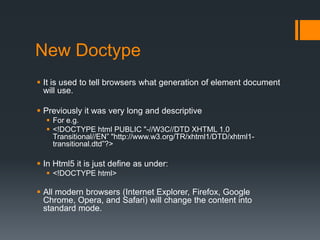
New Doctype
 It is used to tell browsers what generation of element document
will use.
 Previously it was very long and descriptive
 For e.g.
 <!DOCTYPE html PUBLIC "-//W3C//DTD XHTML 1.0
Transitional//EN” "http://www.w3.org/TR/xhtml1/DTD/xhtml1transitional.dtd”?>

 In Html5 it is just define as under:
 <!DOCTYPE html>

 All modern browsers (Internet Explorer, Firefox, Google
Chrome, Opera, and Safari) will change the content into
standard mode.
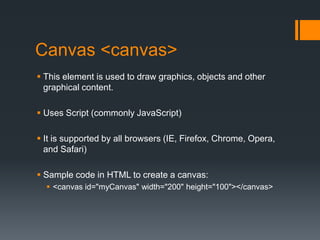
Canvas <canvas>
 This element is used to draw graphics, objects and other
graphical content.
 Uses Script (commonly JavaScript)

 It is supported by all browsers (IE, Firefox, Chrome, Opera,
and Safari)
 Sample code in HTML to create a canvas:
 <canvas id="myCanvas" width="200" height="100"></canvas>
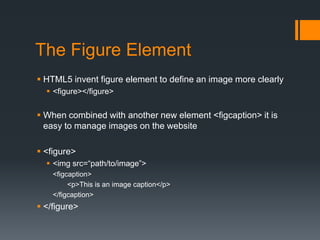
The Figure Element
 HTML5 invent figure element to define an image more clearly
 <figure></figure>

 When combined with another new element <figcaption> it is
easy to manage images on the website
 <figure>
 <img src=“path/to/image”>
<figcaption>
<p>This is an image caption</p>
</figcaption>

 </figure>
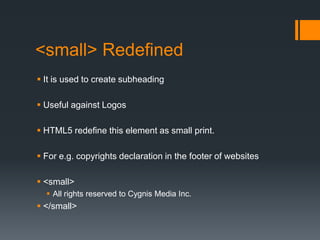
<small> Redefined
 It is used to create subheading
 Useful against Logos
 HTML5 redefine this element as small print.
 For e.g. copyrights declaration in the footer of websites
 <small>
 All rights reserved to Cygnis Media Inc.

 </small>
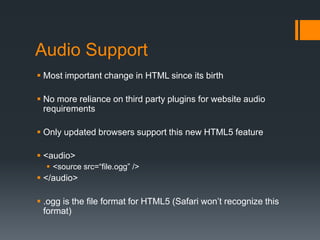
Audio Support
 Most important change in HTML since its birth
 No more reliance on third party plugins for website audio
requirements
 Only updated browsers support this new HTML5 feature
 <audio>
 <source src=“file.ogg” />

 </audio>
 .ogg is the file format for HTML5 (Safari won’t recognize this
format)
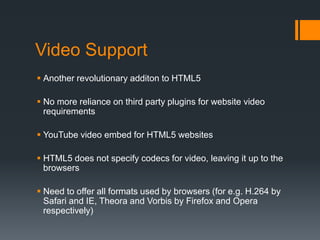
Video Support
 Another revolutionary additon to HTML5
 No more reliance on third party plugins for website video
requirements

 YouTube video embed for HTML5 websites
 HTML5 does not specify codecs for video, leaving it up to the
browsers

 Need to offer all formats used by browsers (for e.g. H.264 by
Safari and IE, Theora and Vorbis by Firefox and Opera
respectively)
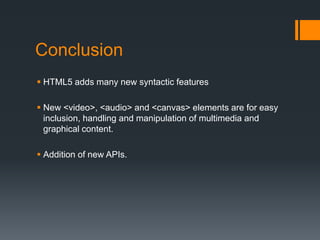
Conclusion
 HTML5 adds many new syntactic features
 New <video>, <audio> and <canvas> elements are for easy
inclusion, handling and manipulation of multimedia and
graphical content.
 Addition of new APIs.
Created By <Cygnis Media>

Thank You

Html 5 few Features and Elements

  • 1.
    HTML 5 Few Features& Elements <Prepared by Cygnis Media>
  • 2.
    HTML  Hyper TextMarkup Language (HTML)  Birth in late 1990s  Markup language for creating web pages  Notepad, Angle brackets and tags  HTML Elements  Defined components  For e.g. <p> is an element define a paragraph  HTM Attributes  Modifier of an HTML element  For e.g. title is an attribute related to paragraph element <p>
  • 3.
    HTML5  Official Birthin May 2011  Addition of several new elements  Removal of few elements  New Semantic  New Media Elements
  • 4.
    New Elements inHTML5  New Doctype  Canvas <canvas>  The Figure Element  <small> Redefined  Audio Support  Video Support
  • 5.
    New Doctype  Itis used to tell browsers what generation of element document will use.  Previously it was very long and descriptive  For e.g.  <!DOCTYPE html PUBLIC "-//W3C//DTD XHTML 1.0 Transitional//EN” "http://www.w3.org/TR/xhtml1/DTD/xhtml1transitional.dtd”?>  In Html5 it is just define as under:  <!DOCTYPE html>  All modern browsers (Internet Explorer, Firefox, Google Chrome, Opera, and Safari) will change the content into standard mode.
  • 6.
    Canvas <canvas>  Thiselement is used to draw graphics, objects and other graphical content.  Uses Script (commonly JavaScript)  It is supported by all browsers (IE, Firefox, Chrome, Opera, and Safari)  Sample code in HTML to create a canvas:  <canvas id="myCanvas" width="200" height="100"></canvas>
  • 7.
    The Figure Element HTML5 invent figure element to define an image more clearly  <figure></figure>  When combined with another new element <figcaption> it is easy to manage images on the website  <figure>  <img src=“path/to/image”> <figcaption> <p>This is an image caption</p> </figcaption>  </figure>
  • 8.
    <small> Redefined  Itis used to create subheading  Useful against Logos  HTML5 redefine this element as small print.  For e.g. copyrights declaration in the footer of websites  <small>  All rights reserved to Cygnis Media Inc.  </small>
  • 9.
    Audio Support  Mostimportant change in HTML since its birth  No more reliance on third party plugins for website audio requirements  Only updated browsers support this new HTML5 feature  <audio>  <source src=“file.ogg” />  </audio>  .ogg is the file format for HTML5 (Safari won’t recognize this format)
  • 10.
    Video Support  Anotherrevolutionary additon to HTML5  No more reliance on third party plugins for website video requirements  YouTube video embed for HTML5 websites  HTML5 does not specify codecs for video, leaving it up to the browsers  Need to offer all formats used by browsers (for e.g. H.264 by Safari and IE, Theora and Vorbis by Firefox and Opera respectively)
  • 11.
    Conclusion  HTML5 addsmany new syntactic features  New <video>, <audio> and <canvas> elements are for easy inclusion, handling and manipulation of multimedia and graphical content.  Addition of new APIs.
  • 12.
    Created By <CygnisMedia> Thank You