How to Set up your
Buffer Schedule
What is Buffer?
Buffer
is a better way to
share on
social media
(c) Delightful VP |
http://madelreyes.com/tutorials/
What is Buffer?
Buffer
allows you to write
many posts
at a time
(c) Delightful VP |
http://madelreyes.com/tutorials/
What is Buffer?
Then schedule
your posts
for later
(c) Delightful VP |
http://madelreyes.com/tutorials/
Let’s get started!
(c) Delightful VP |
http://madelreyes.com/tutorials/
Open a web browser
(c) Delightful VP |
http://madelreyes.com/tutorials/
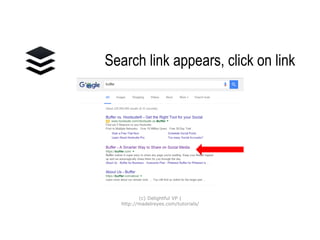
Search for Buffer
(c) Delightful VP |
http://madelreyes.com/tutorials/
Click on link
(c) Delightful VP |
http://madelreyes.com/tutorials/
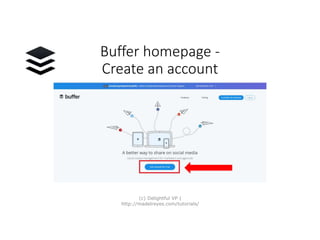
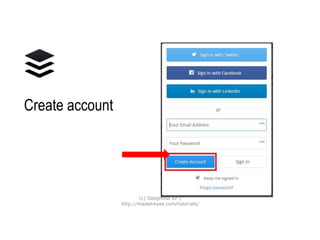
Buffer homepage -
Create an account
(c) Delightful VP |
http://madelreyes.com/tutorials/
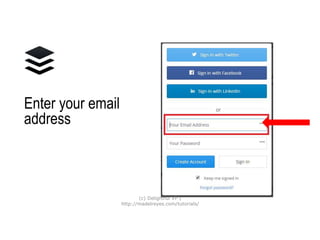
Enter your
email
address
(c) Delightful VP |
http://madelreyes.com/tutorials/
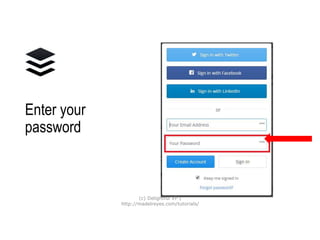
Enter your
password
(c) Delightful VP |
http://madelreyes.com/tutorials/
Create
account
(c) Delightful VP |
http://madelreyes.com/tutorials/
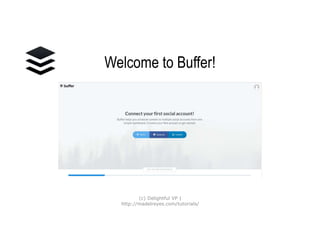
Welcome to Buffer!
(c) Delightful VP |
http://madelreyes.com/tutorials/
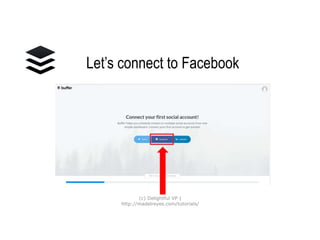
Let’s connect to
Facebook
(c) Delightful VP |
http://madelreyes.com/tutorials/
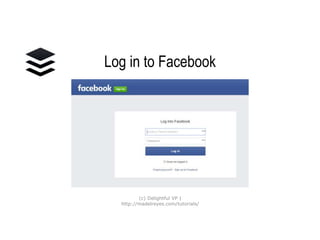
Log in to Facebook
(c) Delightful VP |
http://madelreyes.com/tutorials/
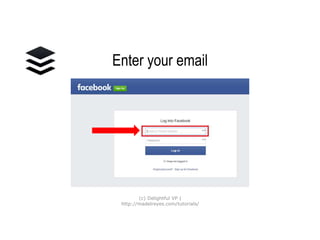
Enter your email
(c) Delightful VP |
http://madelreyes.com/tutorials/
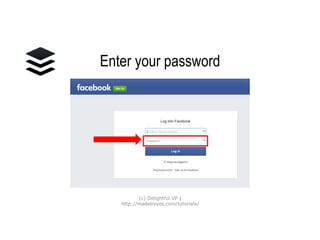
Enter your password
(c) Delightful VP |
http://madelreyes.com/tutorials/
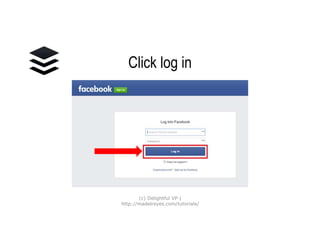
Click log in
(c) Delightful VP |
http://madelreyes.com/tutorials/
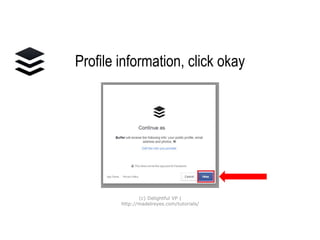
Profile information,
click okay
(c) Delightful VP |
http://madelreyes.com/tutorials/
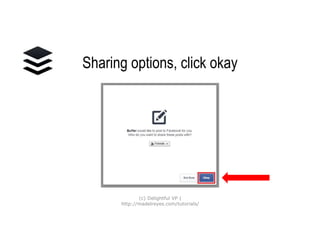
Sharing options,
click okay
(c) Delightful VP |
http://madelreyes.com/tutorials/
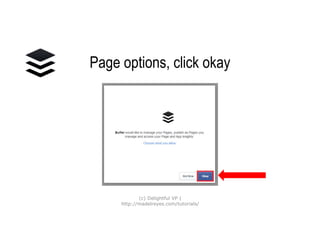
Page options,
click okay
(c) Delightful VP |
http://madelreyes.com/tutorials/
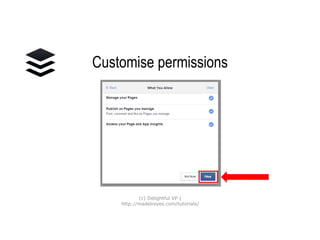
Customise
permissions
(c) Delightful VP |
http://madelreyes.com/tutorials/
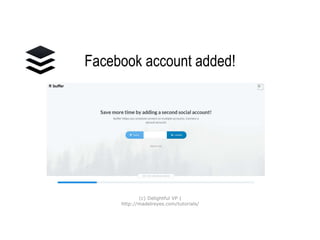
Facebook account
added!
(c) Delightful VP |
http://madelreyes.com/tutorials/
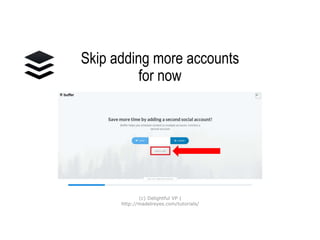
Skip adding more
accounts for now
(c) Delightful VP |
http://madelreyes.com/tutorials/
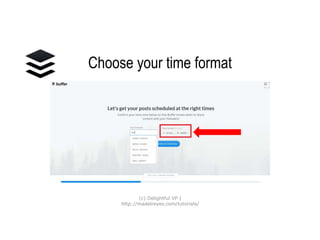
Choose your
time format
(c) Delightful VP |
http://madelreyes.com/tutorials/
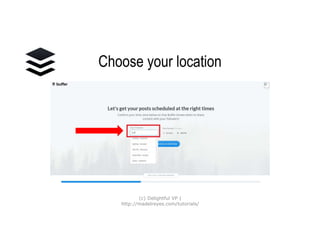
Choose your location
(c) Delightful VP |
http://madelreyes.com/tutorials/
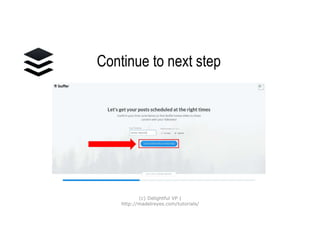
Continue to next step
(c) Delightful VP |
http://madelreyes.com/tutorials/
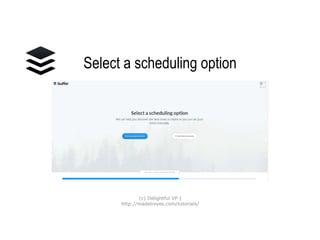
Select a scheduling
option
(c) Delightful VP |
http://madelreyes.com/tutorials/
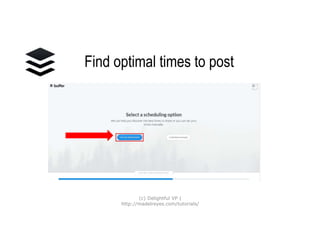
Find optimal times
to post
(c) Delightful VP |
http://madelreyes.com/tutorials/
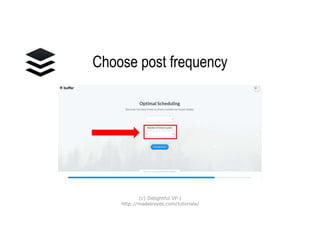
Choose post frequency
(c) Delightful VP |
http://madelreyes.com/tutorials/
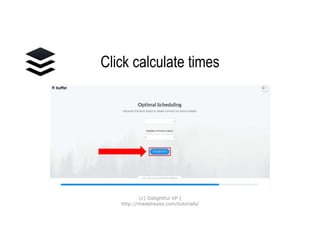
Click calculate times
(c) Delightful VP |
http://madelreyes.com/tutorials/
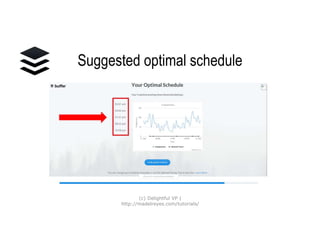
Suggested
optimal schedule
(c) Delightful VP |
http://madelreyes.com/tutorials/
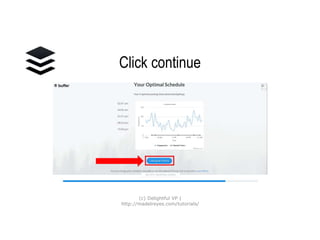
Click continue
(c) Delightful VP |
http://madelreyes.com/tutorials/
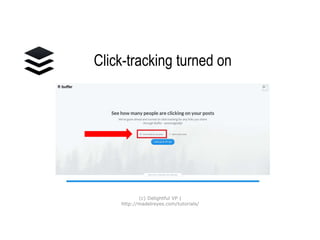
Click-tracking turned on
(c) Delightful VP |
http://madelreyes.com/tutorials/
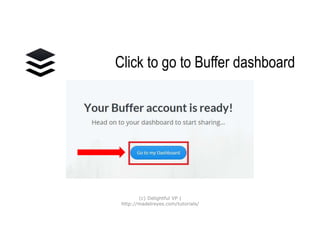
Click to go to
Buffer dashboard
(c) Delightful VP |
http://madelreyes.com/tutorials/
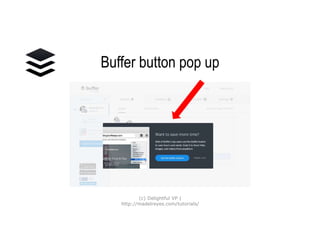
Buffer button pop up
(c) Delightful VP |
http://madelreyes.com/tutorials/
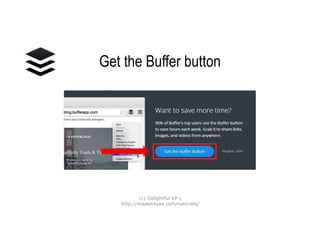
Get the Buffer button
(c) Delightful VP |
http://madelreyes.com/tutorials/
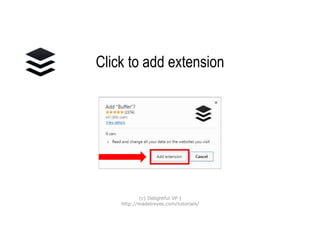
Click to add extension
(c) Delightful VP |
http://madelreyes.com/tutorials/
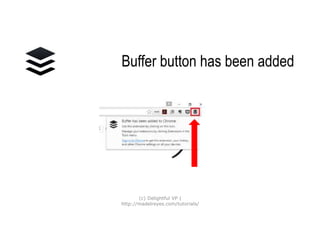
Buffer button
has been added
(c) Delightful VP |
http://madelreyes.com/tutorials/
Buffer button
Buffer
any webpage
to any of your
connected profiles
(c) Delightful VP |
http://madelreyes.com/tutorials/
Buffer button
In seconds,
any page and any image
can be added to your queue
to share on schedule
(c) Delightful VP |
http://madelreyes.com/tutorials/
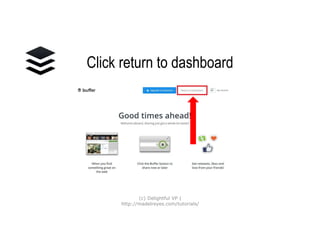
Click return
to dashboard
(c) Delightful VP |
http://madelreyes.com/tutorials/
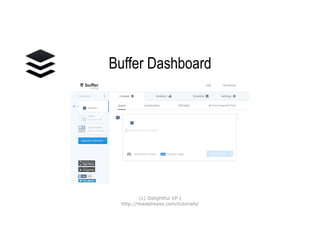
Buffer Dashboard
(c) Delightful VP |
http://madelreyes.com/tutorials/
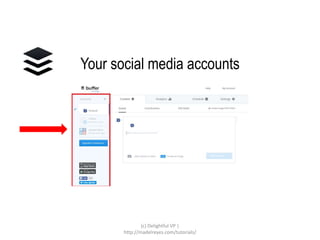
Your social media
accounts
(c) Delightful VP |
http://madelreyes.com/tutorials/
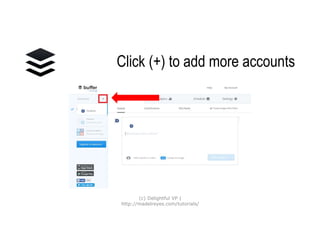
Click (+) to add
more accounts
(c) Delightful VP |
http://madelreyes.com/tutorials/
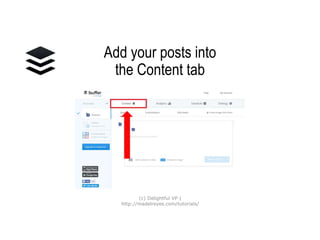
Add your posts into
the Content tab
(c) Delightful VP |
http://madelreyes.com/tutorials/
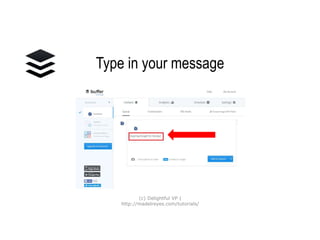
Type in your message
(c) Delightful VP |
http://madelreyes.com/tutorials/
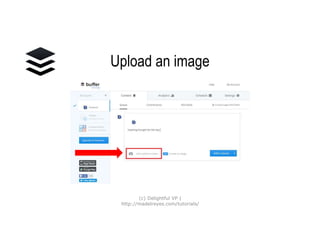
Upload an image
(c) Delightful VP |
http://madelreyes.com/tutorials/
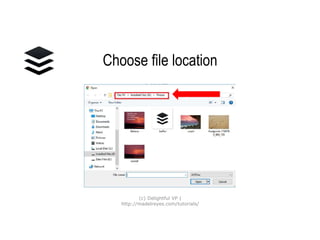
Choose file location
(c) Delightful VP |
http://madelreyes.com/tutorials/
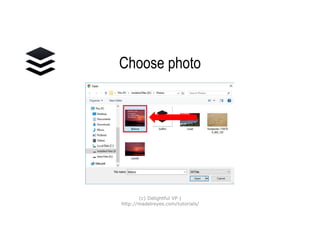
Choose photo
(c) Delightful VP |
http://madelreyes.com/tutorials/
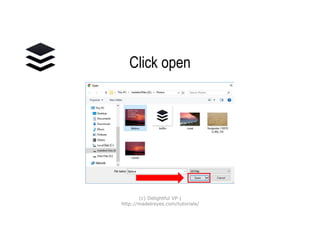
Click open
(c) Delightful VP |
http://madelreyes.com/tutorials/
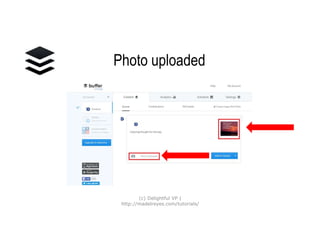
Photo uploaded
(c) Delightful VP |
http://madelreyes.com/tutorials/
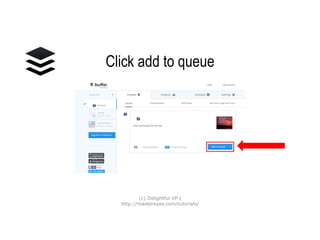
Click add to queue
(c) Delightful VP |
http://madelreyes.com/tutorials/
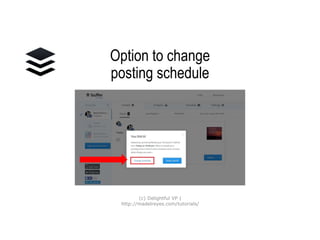
Option to change
posting schedule
(c) Delightful VP |
http://madelreyes.com/tutorials/
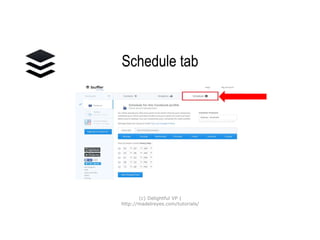
Schedule tab
(c) Delightful VP |
http://madelreyes.com/tutorials/
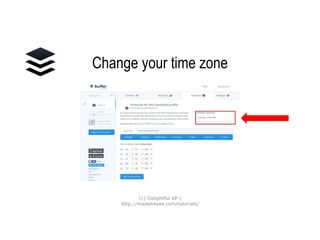
Change your time zone
(c) Delightful VP |
http://madelreyes.com/tutorials/
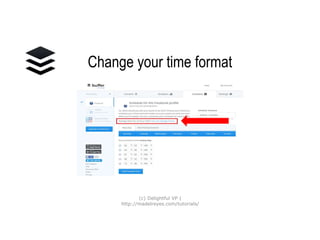
Change your
time format
(c) Delightful VP |
http://madelreyes.com/tutorials/
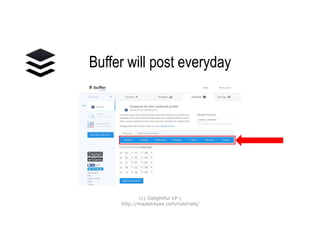
Buffer will post everyday
(c) Delightful VP |
http://madelreyes.com/tutorials/
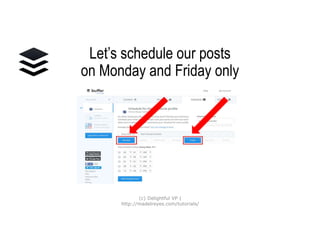
Let’s schedule our posts on
Monday and Friday only
(c) Delightful VP |
http://madelreyes.com/tutorials/
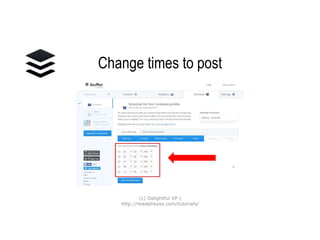
Change times to post
(c) Delightful VP |
http://madelreyes.com/tutorials/
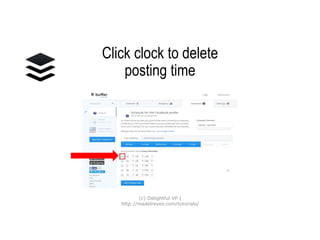
Click clock to delete
posting time
(c) Delightful VP |
http://madelreyes.com/tutorials/
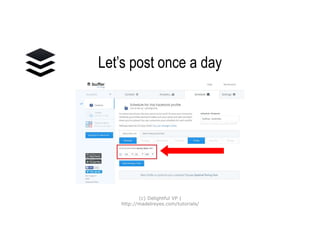
Let’s post once a day
(c) Delightful VP |
http://madelreyes.com/tutorials/
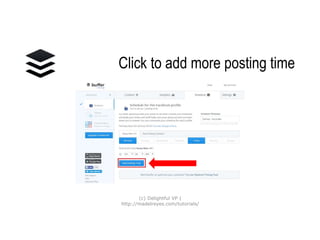
Click to add more
posting time
(c) Delightful VP |
http://madelreyes.com/tutorials/
There you go!
Your inspiring thought
for the day
will be posted every
Monday and Wednesday
at 4.06 AM
(c) Delightful VP |
http://madelreyes.com/tutorials/
Now start adding more
of your social media accounts to
Buffer
(c) Delightful VP |
http://madelreyes.com/tutorials/
Get started on
creating your
OWN CONTENT
(c) Delightful VP |
http://madelreyes.com/tutorials/
And start managing
your OWN
Buffer schedule!
(c) Delightful VP |
http://madelreyes.com/tutorials/
If you like what
you’ve learned,
please click here to
share 
(c) Delightful VP |
http://madelreyes.com/tutorials/

How_ To_Set_Up_Your_Buffer_Schedule