BY: CHELDY SYGACO ELUMBA-PABLEO,MPA,LLB
RÉSUMÉ
■ A résumé is a document that summarizes
your education, skills, talents, employment
history, and experiences in a clear and
concise format for potential employers. The
résumé serves three distinct purposes that
define its format, design, and presentation.BY: CHELDY SYGACO ELUMBA-PABLEO,MPA,LLB
PURPOSE OF A RÉSUMÉ
■ To represent your professional information in writing.
■ To demonstrate the relationship between your
professional information and the problem or challenge
the potential employer hopes to solve or address, often
represented in the form of a job description or duties.
■ To get you an interview by clearly demonstrating you
meet the minimum qualifications and have the
professional background help the organization meet its
goals.
ONLINE PROFILE
■ An online profile page is similar to a résumé in that it represents
you, your background and qualifications, and adds participation to
the publication.
■ People network, link, and connect in new ways via online profiles
or professional sites like LinkedIn.
■ In many ways, your online profile is an online version of your
résumé with connections and friends on public display.
■ Your MySpace and Facebook pages are also often accessible to
the public, so never post anything you wouldn’t want your
employer (current or future) to read, see, or hear.
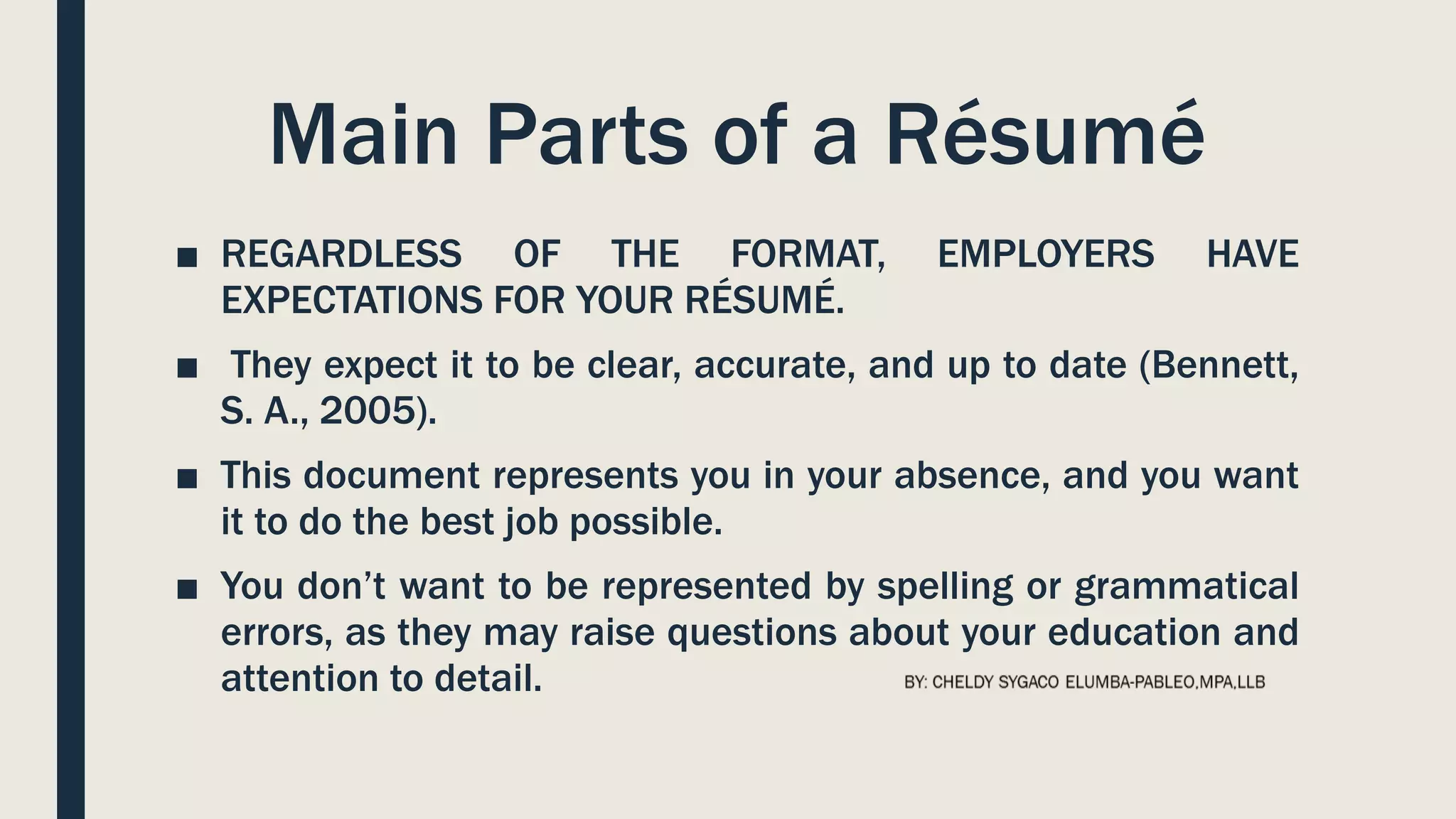
Main Parts of a Résumé
■ REGARDLESS OF THE FORMAT, EMPLOYERS HAVE
EXPECTATIONS FOR YOUR RÉSUMÉ.
■ They expect it to be clear, accurate, and up to date (Bennett,
S. A., 2005).
■ This document represents you in your absence, and you want
it to do the best job possible.
■ You don’t want to be represented by spelling or grammatical
errors, as they may raise questions about your education and
attention to detail.
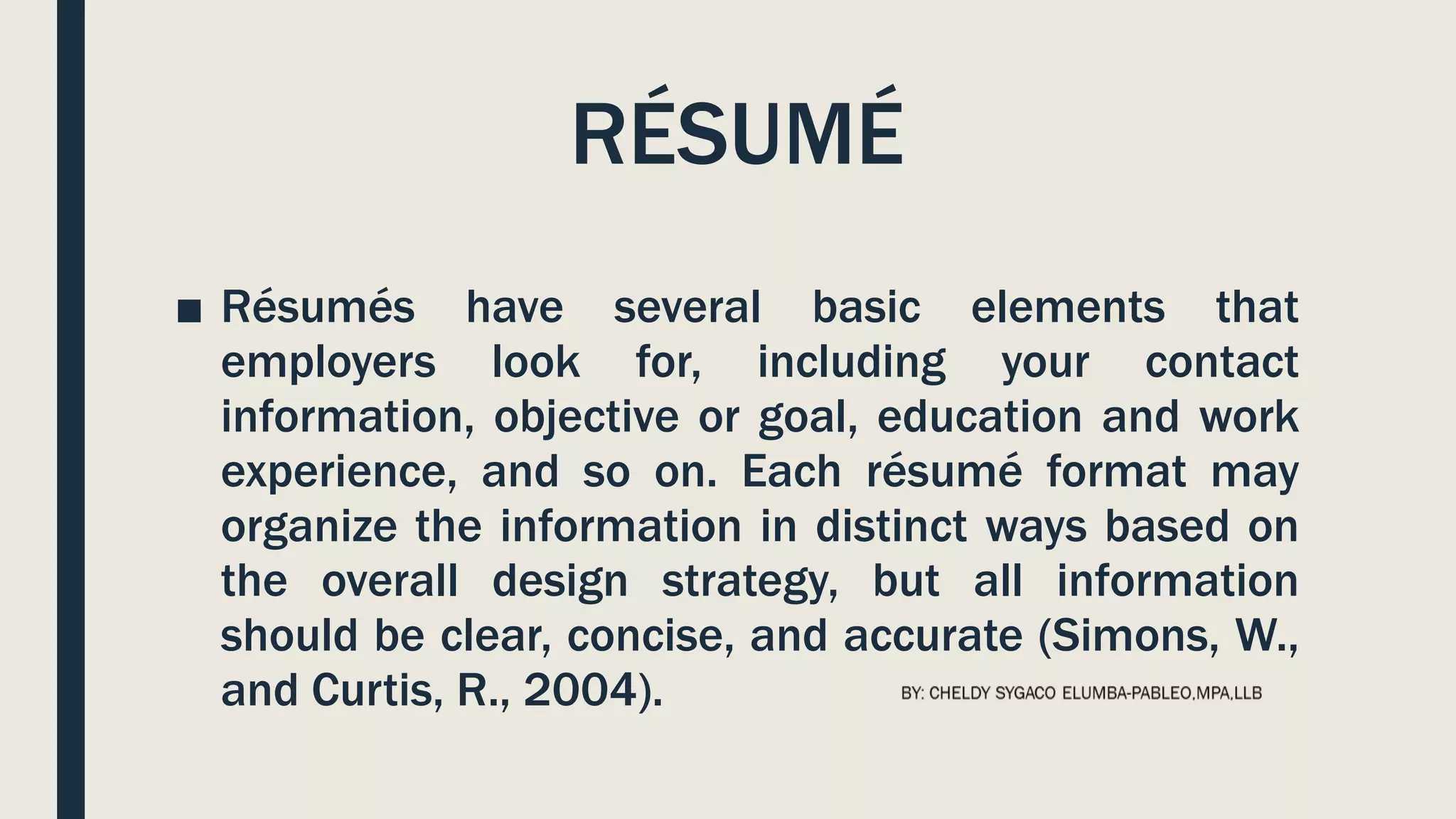
RÉSUMÉ
■ Résumés have several basic elements that
employers look for, including your contact
information, objective or goal, education and work
experience, and so on. Each résumé format may
organize the information in distinct ways based on
the overall design strategy, but all information
should be clear, concise, and accurate (Simons, W.,
and Curtis, R., 2004).
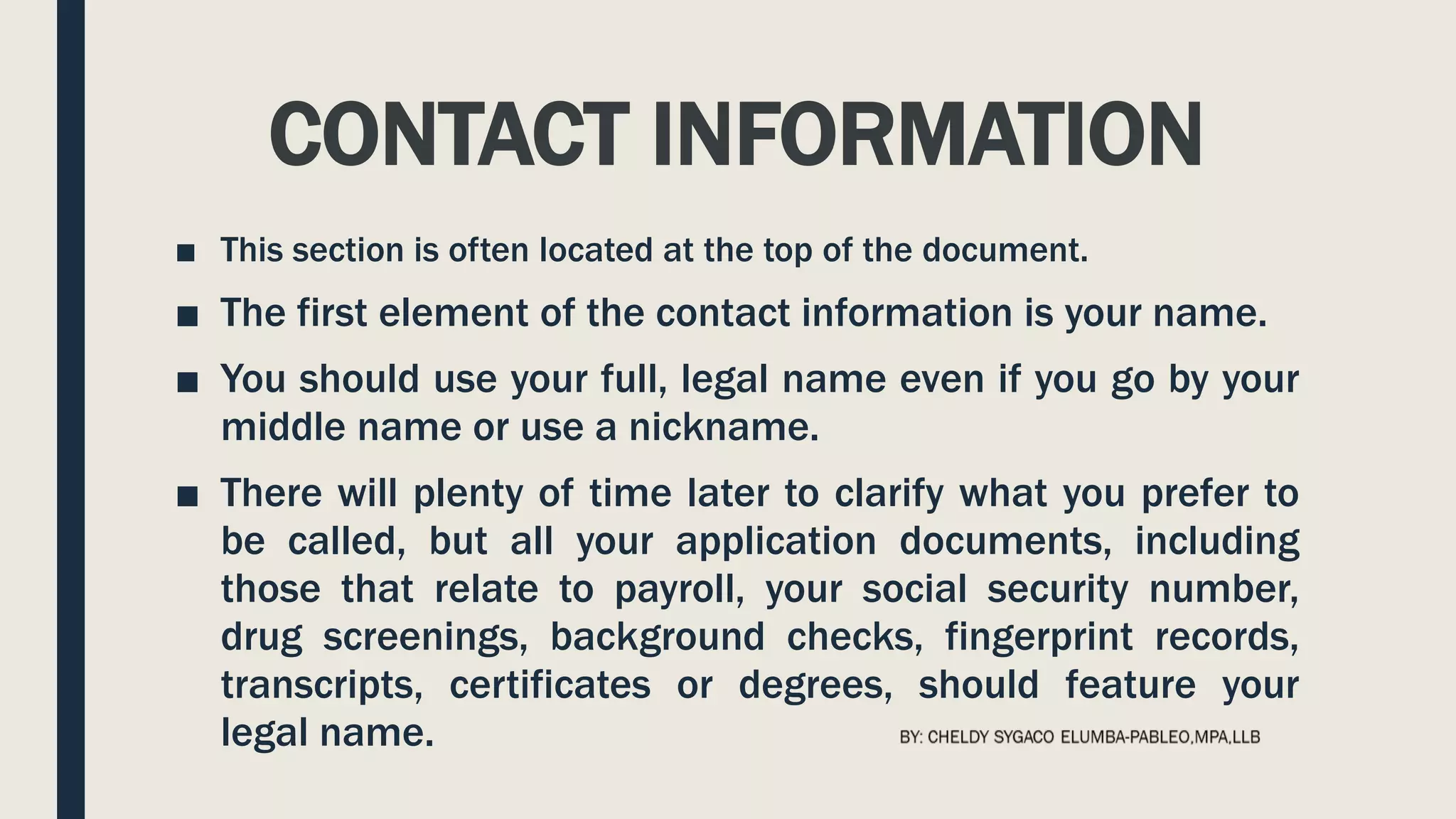
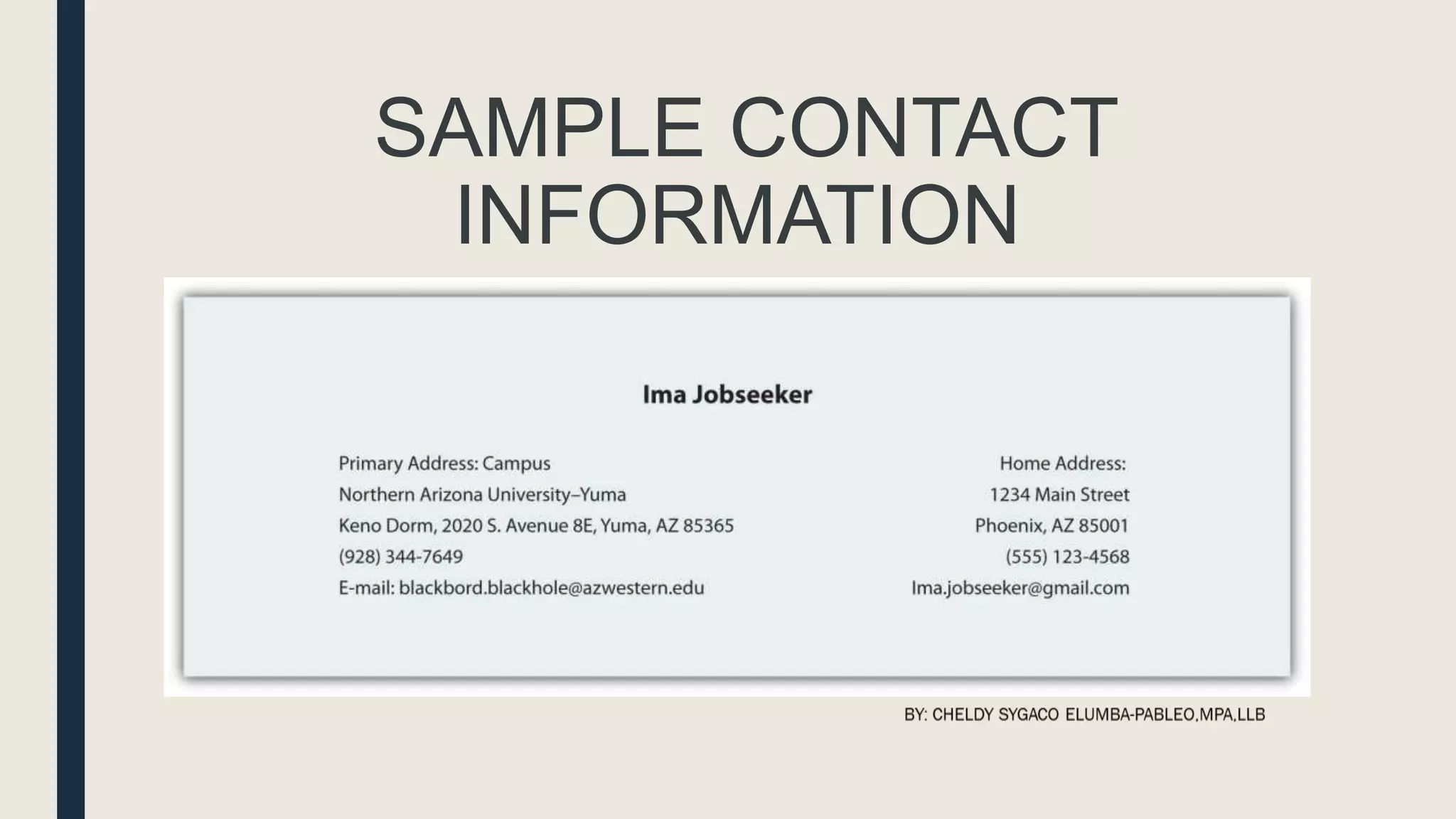
CONTACT INFORMATION
■ This section is often located at the top of the document.
■ The first element of the contact information is your name.
■ You should use your full, legal name even if you go by your
middle name or use a nickname.
■ There will plenty of time later to clarify what you prefer to
be called, but all your application documents, including
those that relate to payroll, your social security number,
drug screenings, background checks, fingerprint records,
transcripts, certificates or degrees, should feature your
legal name.
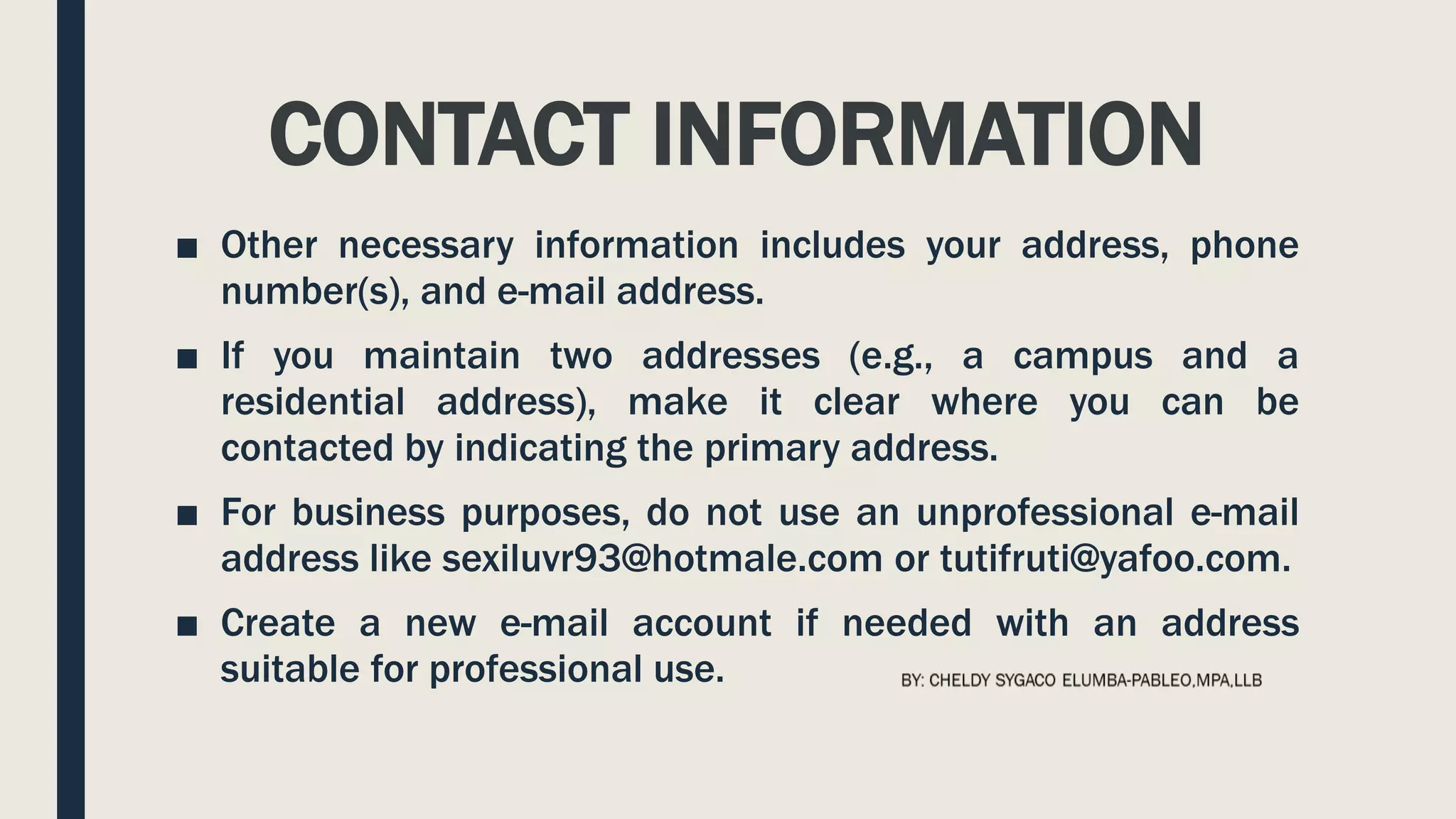
CONTACT INFORMATION
■ Other necessary information includes your address, phone
number(s), and e-mail address.
■ If you maintain two addresses (e.g., a campus and a
residential address), make it clear where you can be
contacted by indicating the primary address.
■ For business purposes, do not use an unprofessional e-mail
address like sexiluvr93@hotmale.com or tutifruti@yafoo.com.
■ Create a new e-mail account if needed with an address
suitable for professional use.
SAMPLE CONTACT
INFORMATION
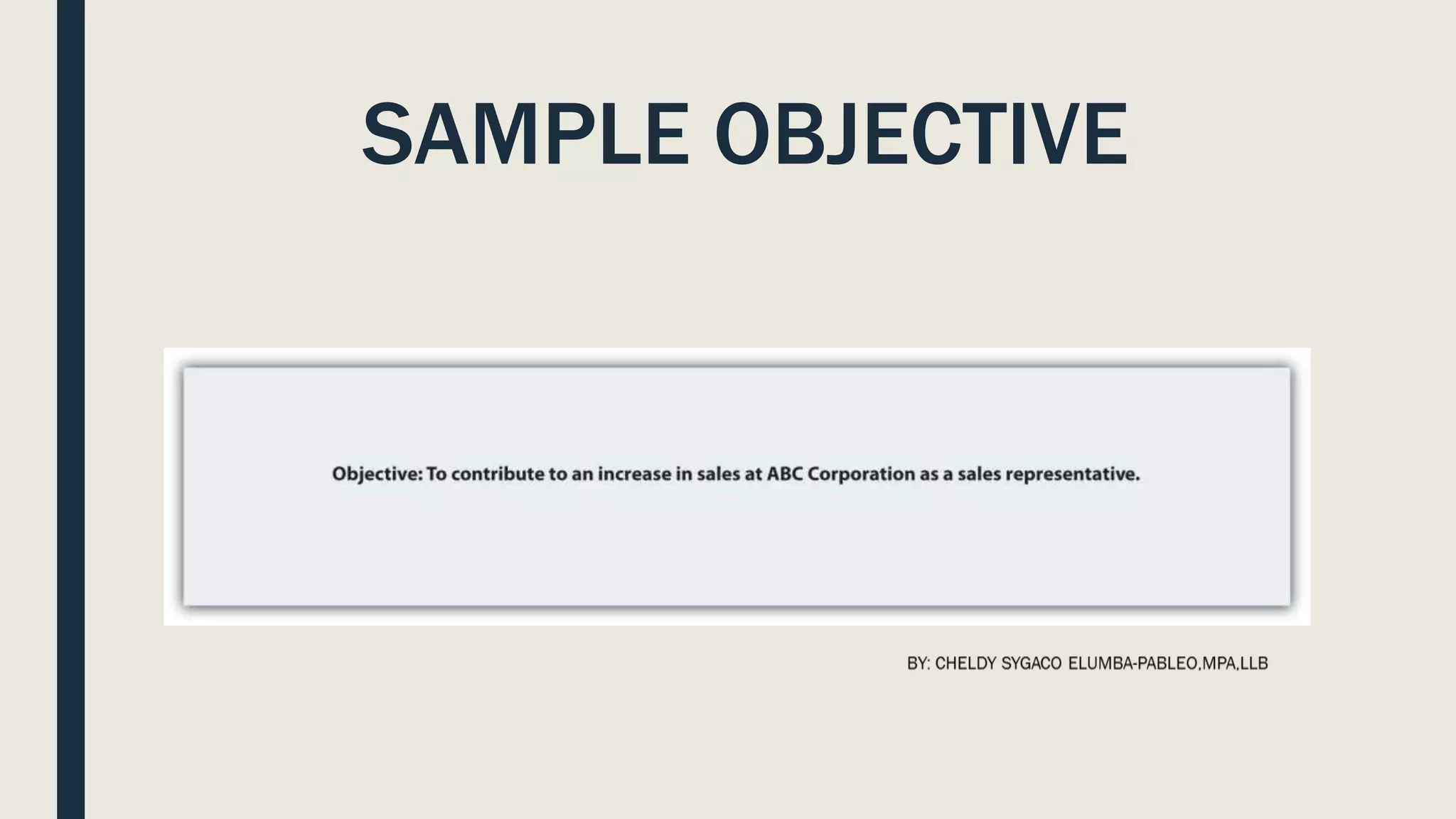
OBJECTIVE
■ This is one part of your résumé that is
relatively simple to customize for an
individual application.
■ Your objective should reflect the audience’s
need to quickly understand how you will help
the organization achieve its goals.
SAMPLE OBJECTIVE
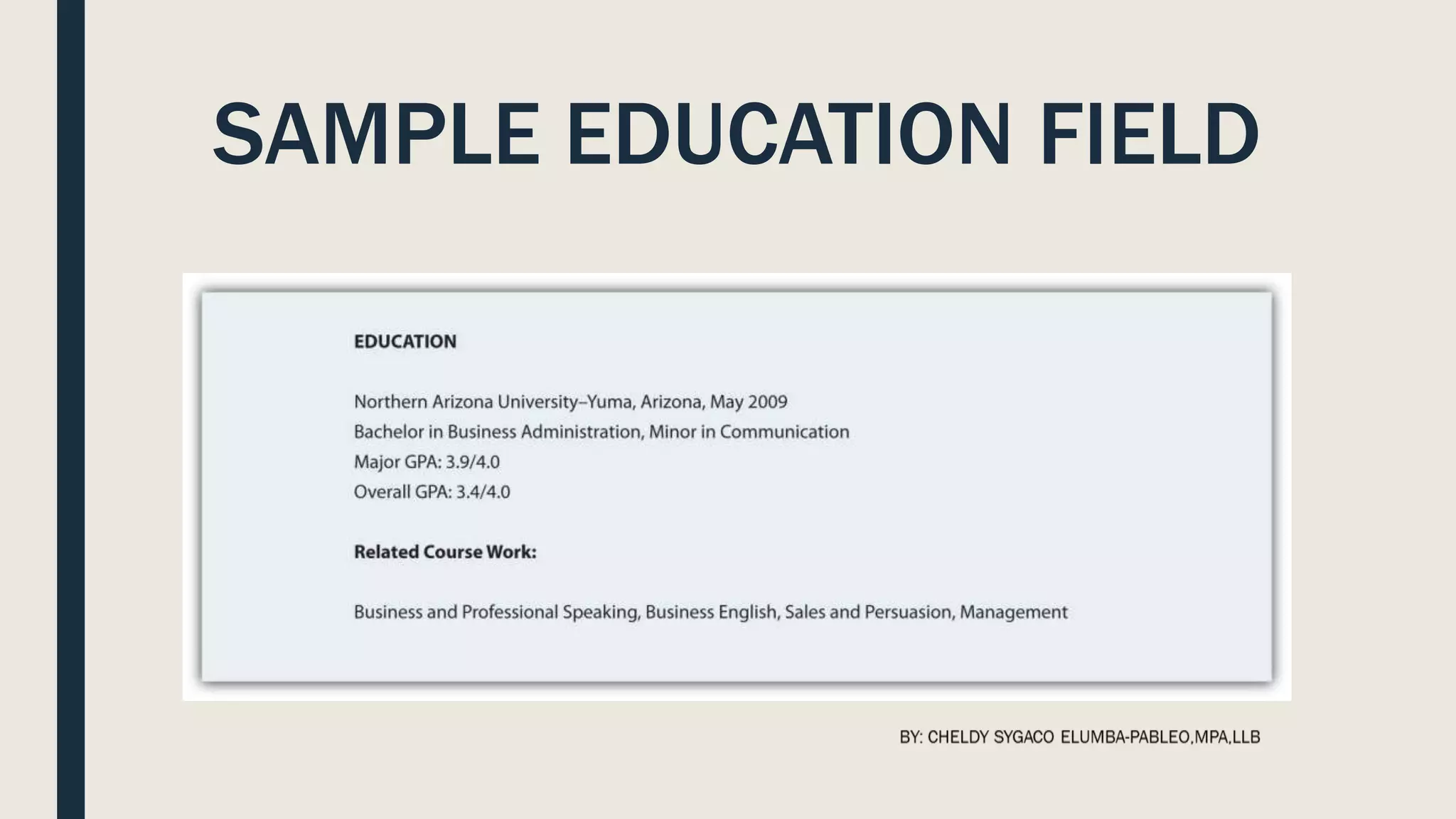
EDUCATION
■ You need to list your education in reverse chronological
order, with your most recent degree first.
■ List the school, degree, and grade point average (GPA).
■ If there is a difference between the GPA in your major
courses and your overall GPA, you may want to list them
separately to demonstrate your success in your chosen
field.
■ You may also want to highlight relevant coursework that
directly relate to the position.
SAMPLE EDUCATION FIELD
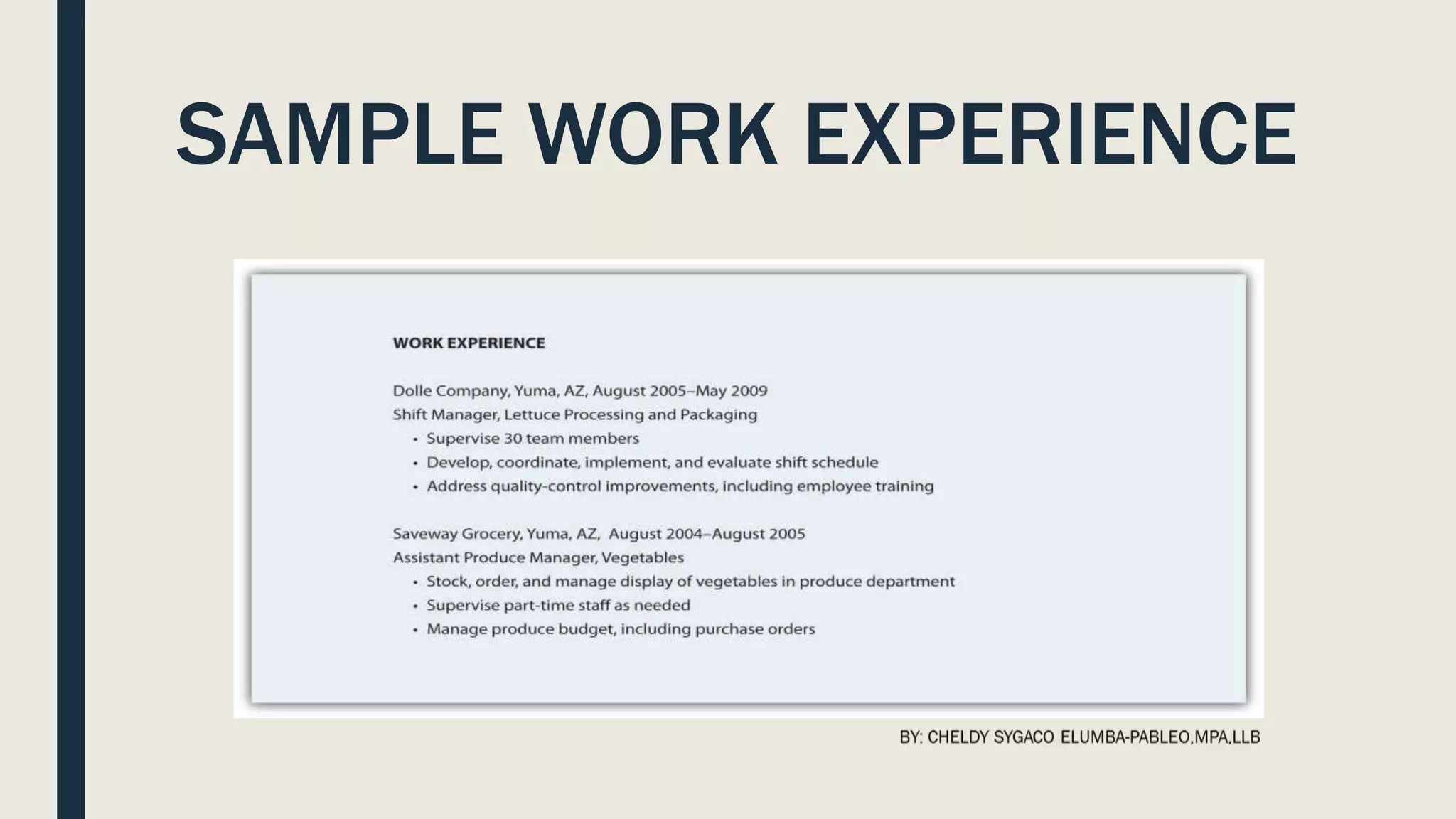
WORK EXPERIENCE
■ List in reverse chronological order your employment history, including
the positions, companies, locations, dates, duties and skills
demonstrated or acquired.
■ You may choose to use active, descriptive sentences or bullet lists,
but be consistent.
■ Emphasize responsibilities that involved budgets, teamwork,
supervision, and customer service when applying for positions in
business and industry, but don’t let emphasis become exaggeration.
■ This document represents you in your absence, and if information is
false, at a minimum you could lose your job.
SAMPLE WORK EXPERIENCE
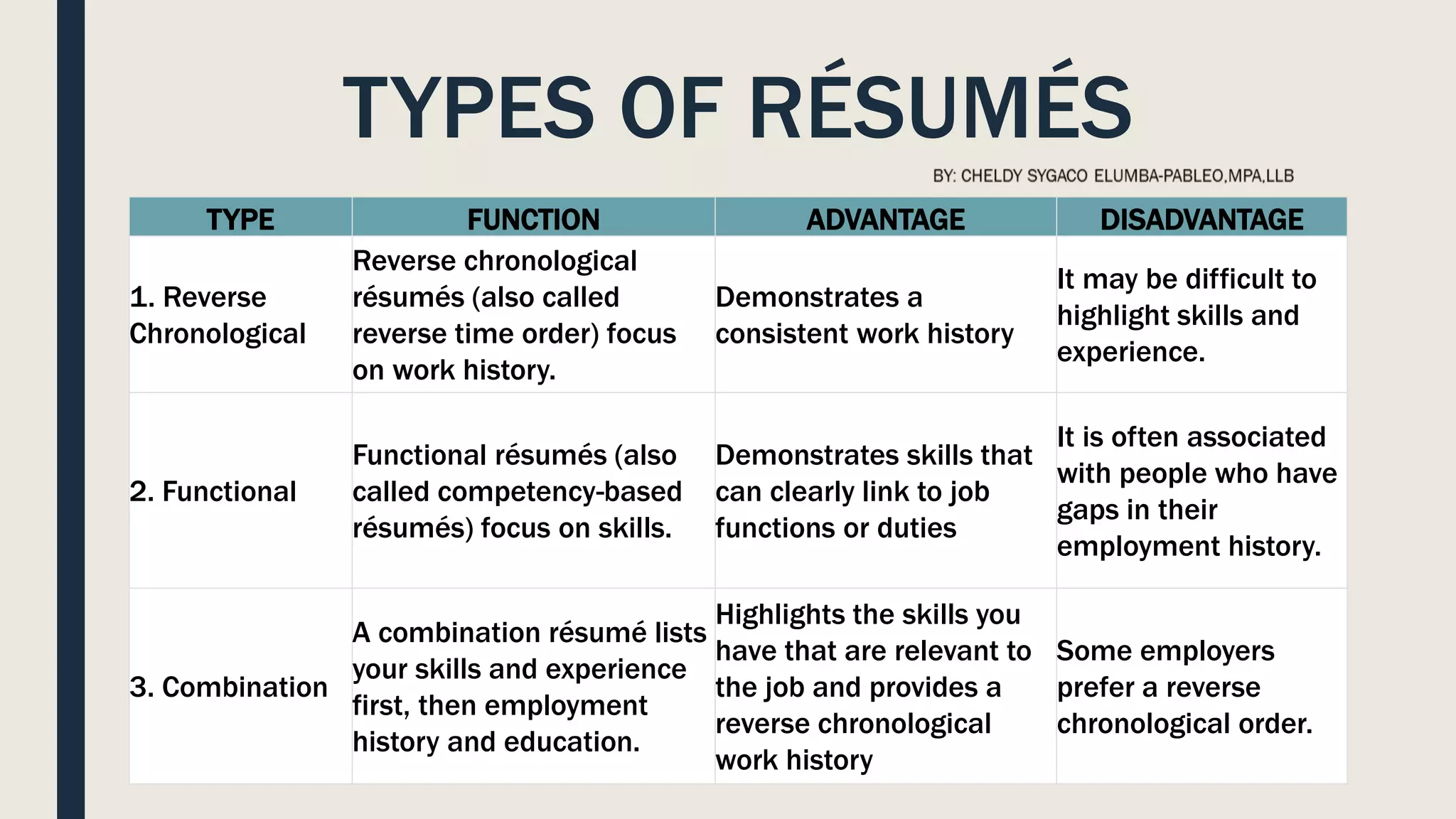
TYPES OF RÉSUMÉS
TYPE FUNCTION ADVANTAGE DISADVANTAGE
1. Reverse
Chronological
Reverse chronological
résumés (also called
reverse time order) focus
on work history.
Demonstrates a
consistent work history
It may be difficult to
highlight skills and
experience.
2. Functional
Functional résumés (also
called competency-based
résumés) focus on skills.
Demonstrates skills that
can clearly link to job
functions or duties
It is often associated
with people who have
gaps in their
employment history.
3. Combination
A combination résumé lists
your skills and experience
first, then employment
history and education.
Highlights the skills you
have that are relevant to
the job and provides a
reverse chronological
work history
Some employers
prefer a reverse
chronological order.
TYPES OF RÉSUMÉS
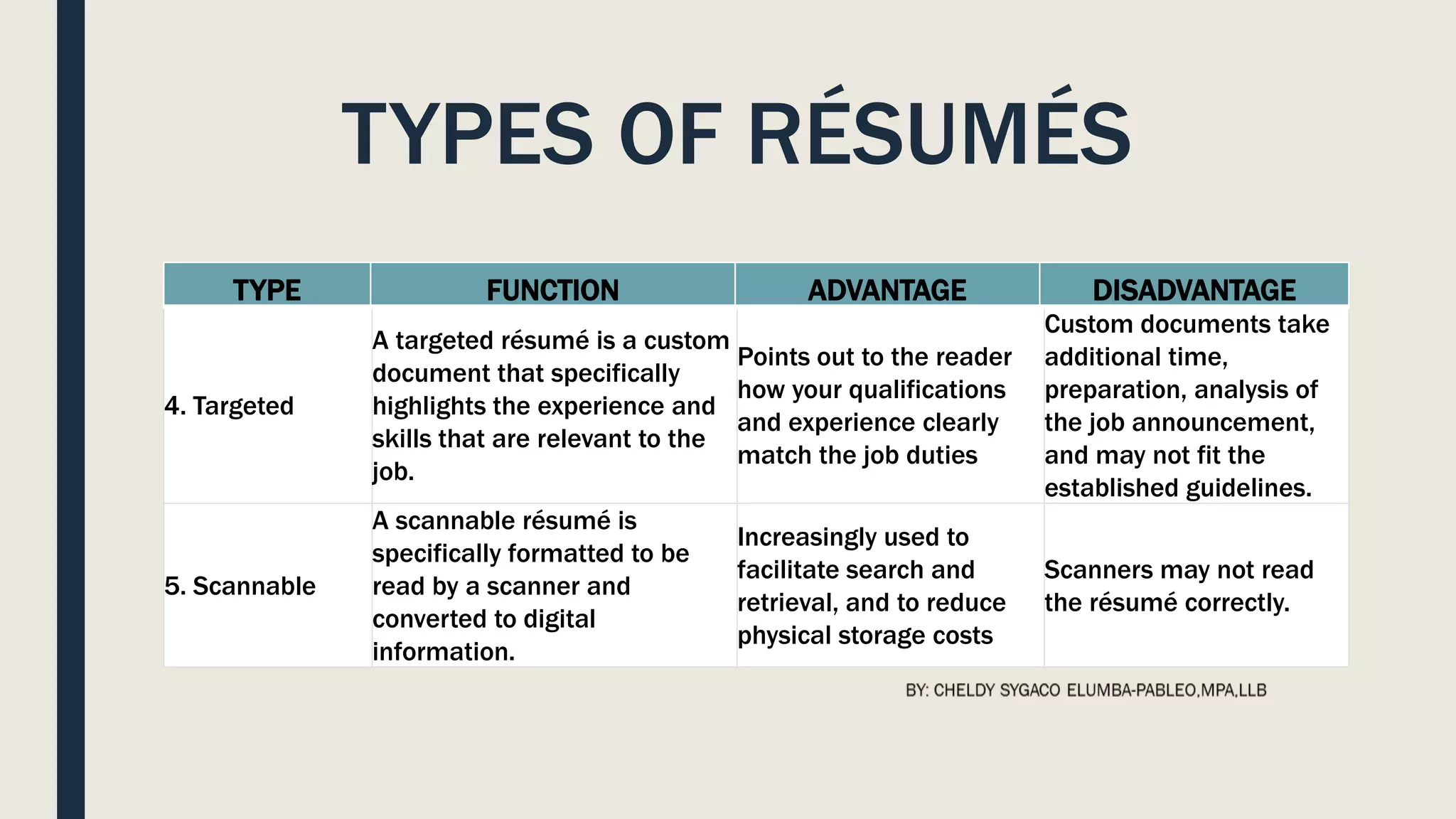
4. Targeted
A targeted résumé is a custom
document that specifically
highlights the experience and
skills that are relevant to the
job.
Points out to the reader
how your qualifications
and experience clearly
match the job duties
Custom documents take
additional time,
preparation, analysis of
the job announcement,
and may not fit the
established guidelines.
5. Scannable
A scannable résumé is
specifically formatted to be
read by a scanner and
converted to digital
information.
Increasingly used to
facilitate search and
retrieval, and to reduce
physical storage costs
Scanners may not read
the résumé correctly.
TYPE FUNCTION ADVANTAGE DISADVANTAGE
TYPES OF RÉSUMÉS
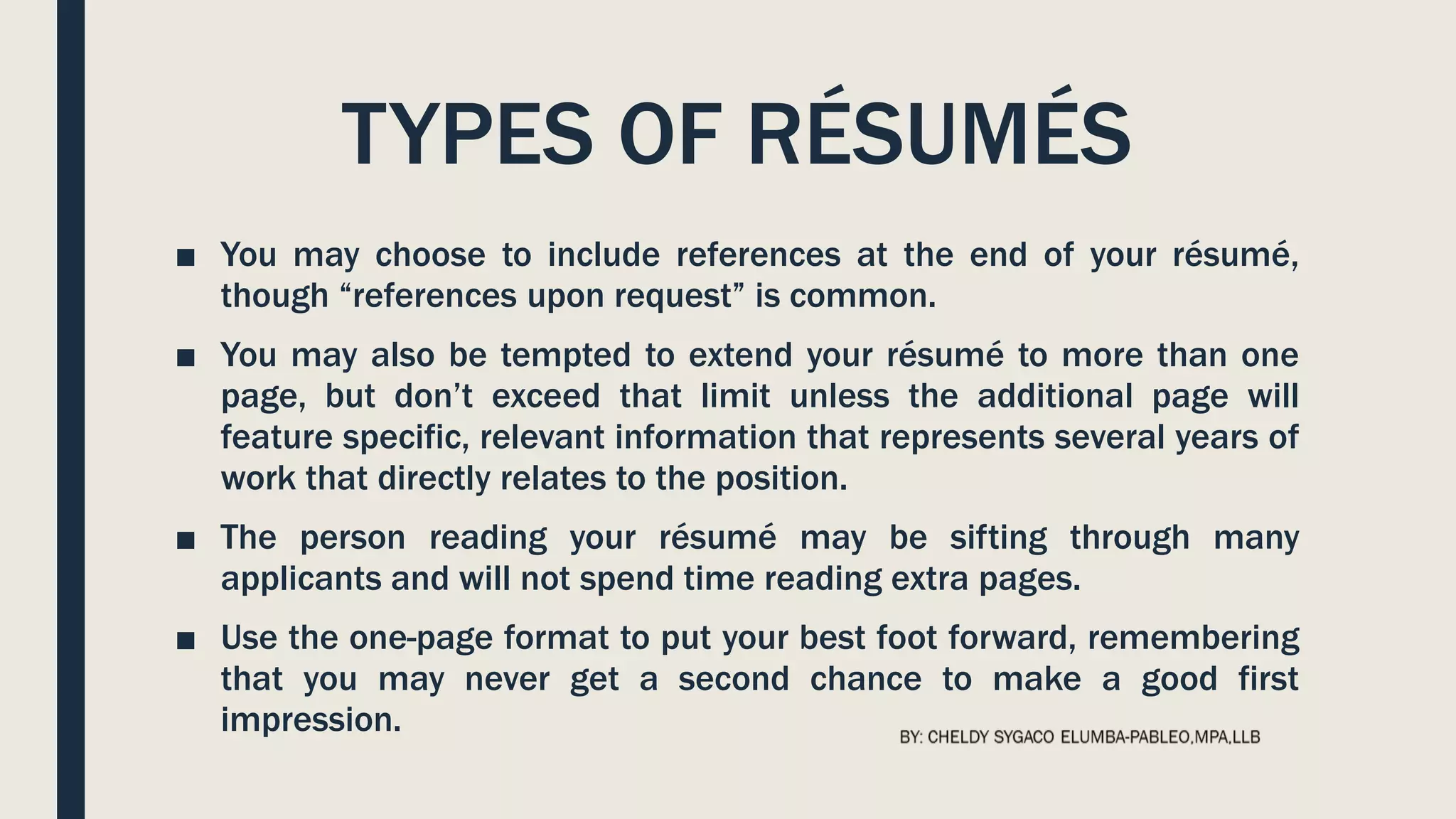
■ You may choose to include references at the end of your résumé,
though “references upon request” is common.
■ You may also be tempted to extend your résumé to more than one
page, but don’t exceed that limit unless the additional page will
feature specific, relevant information that represents several years of
work that directly relates to the position.
■ The person reading your résumé may be sifting through many
applicants and will not spend time reading extra pages.
■ Use the one-page format to put your best foot forward, remembering
that you may never get a second chance to make a good first
impression.
USE KEY WORDS
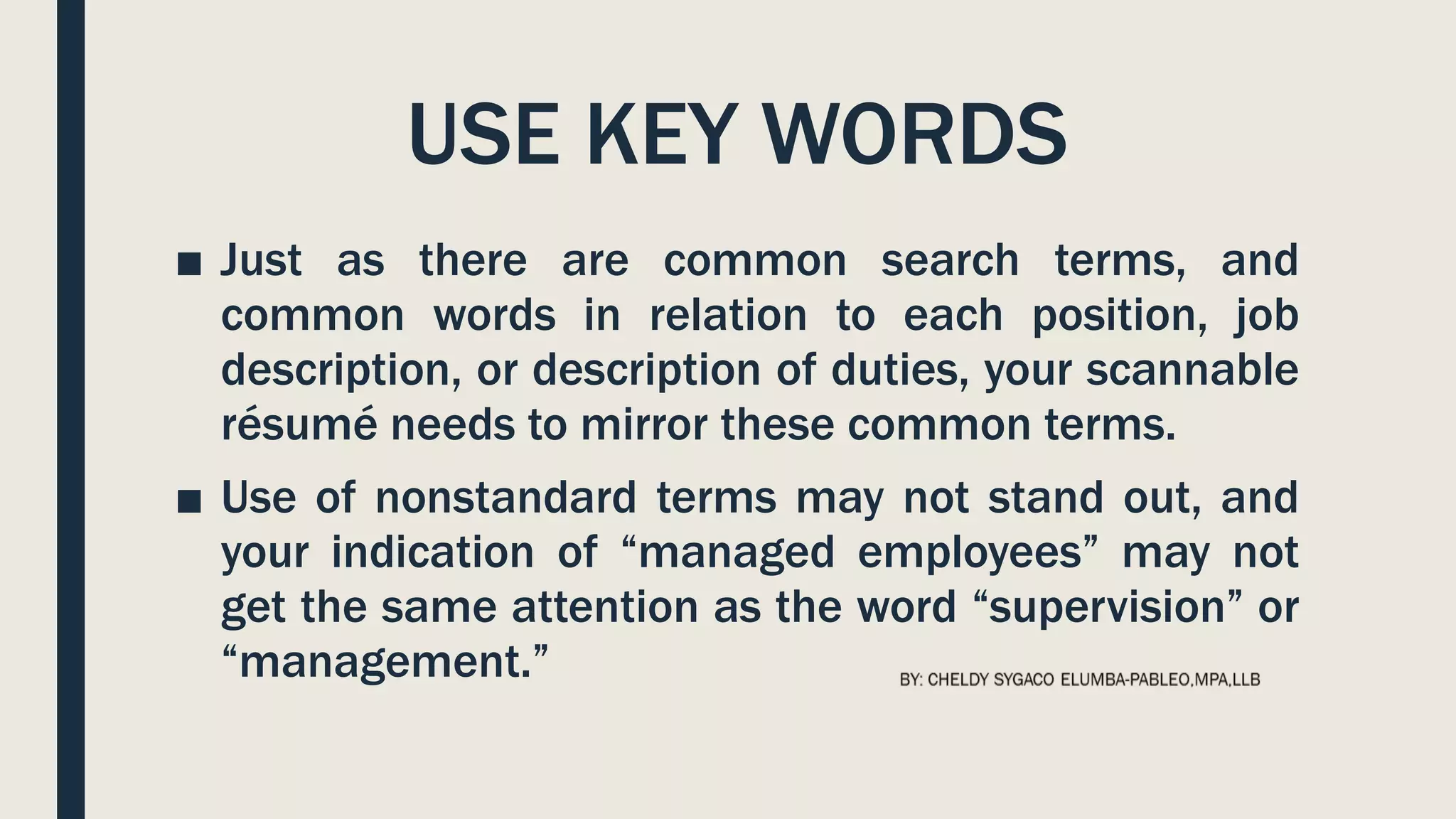
■ Just as there are common search terms, and
common words in relation to each position, job
description, or description of duties, your scannable
résumé needs to mirror these common terms.
■ Use of nonstandard terms may not stand out, and
your indication of “managed employees” may not
get the same attention as the word “supervision” or
“management.”
FOLLOW DIRECTIONS
■ If a job description uses specific terms, refers to computer
programs, skills, or previous experience, make sure you
incorporate that language in your scannable résumé.
■ You know that when given a class assignment, you are expected to
follow directions; similarly, the employer is looking for specific
skills and experience.
■ By mirroring the employer’s language and submitting your
application documents in accord with their instructions, you
convey a spirit of cooperation and an understanding of how to
follow instructions.
INSERT A KEY WORD SECTION
■ Consider a brief section that lists common
words associated with the position as a skills
summary: customer service, business
communication, sales, or terms and
acronyms common to the business or
industry.
MAKE IT EASY TO READ
■ You need to make sure your résumé is easy to read by a
computer, including a character recognition program.
■ That means no italics, underlining, shading, boxes, or lines.
■ Choose a sans serif (without serif, or decorative end) font
like Arial or Tahoma that won’t be misread.
■ Simple, clear fonts that demonstrate no points at which
letters may appear to overlap will increase the probability
of the computer getting it right the first time.
MAKE IT EASY TO READ
■ In order for the computer to do this, you have to
consider your audience—a computer program that will
not be able to interpret your unusual font or odd word
choice.
■ A font size of eleven or twelve is easier to read for
most people, and while the computer doesn’t care
about font size, the smaller your font, the more likely
the computer is to make the error of combining
adjacent letters.
PRINTING, PACKAGING AND
DELIVERY
■ Use a laser printer to get crisp letter formation.
■ Inkjet printers can have some “bleed” between characters that may make
them overlap, and therefore be misunderstood.
■ Folds can make it hard to scan your document.
■ E-mail your résumé as an attachment if possible, but if a paper version is
required, don’t fold it.
■ Use a clean, white piece of paper with black ink; colors will only confuse the
computer.
■ Deliver the document in a nine-by-twelve-inch envelope, stiffened with a sheet
of cardstock (heavy paper or cardboard) to help prevent damage to the
document.
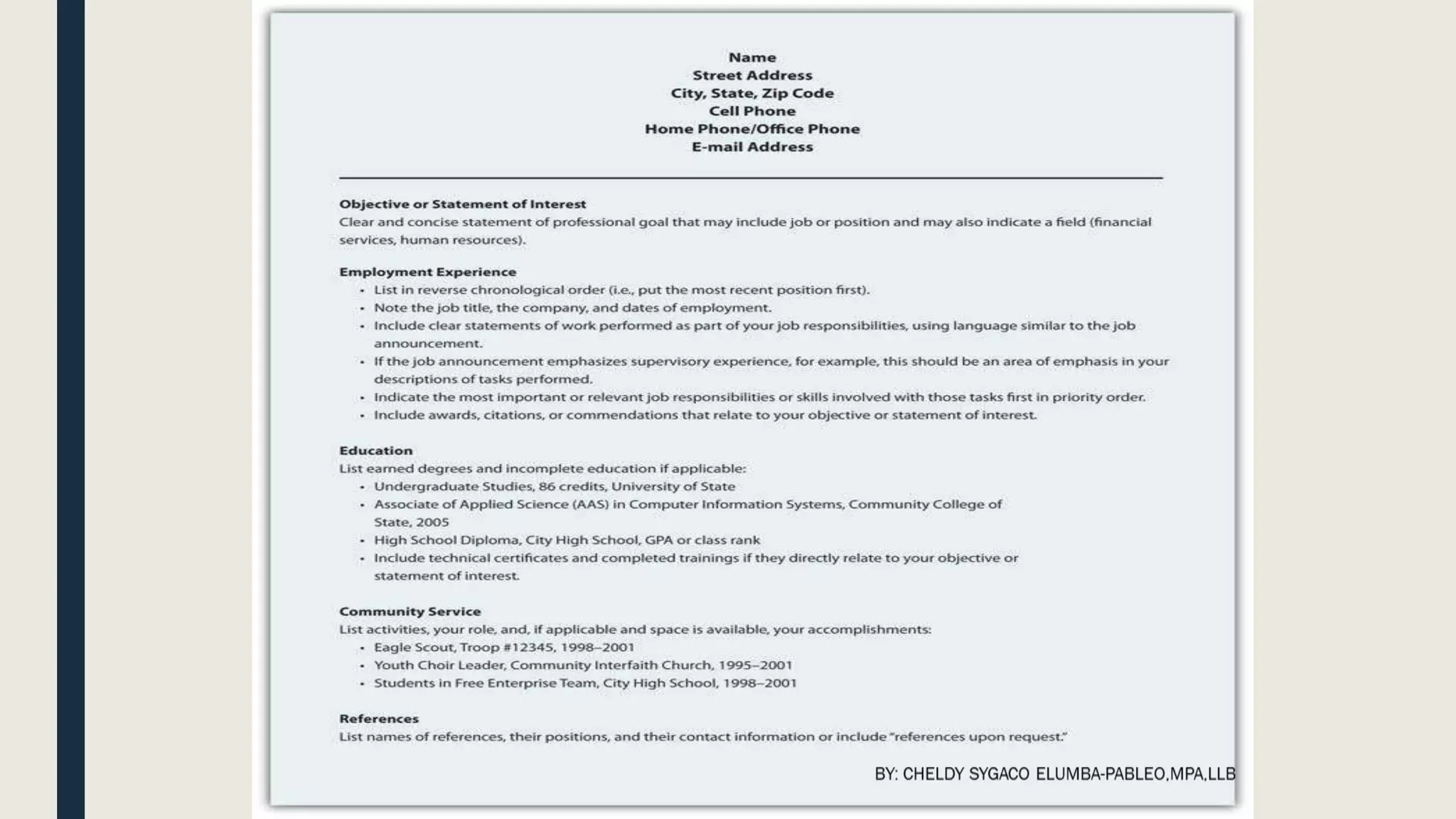
SAMPLE FORMAT FOR
CHRONOLOGICAL RÉSUMÉ
SAMPLE FORMAT FOR
FUNCTIONAL RÉSUMÉ
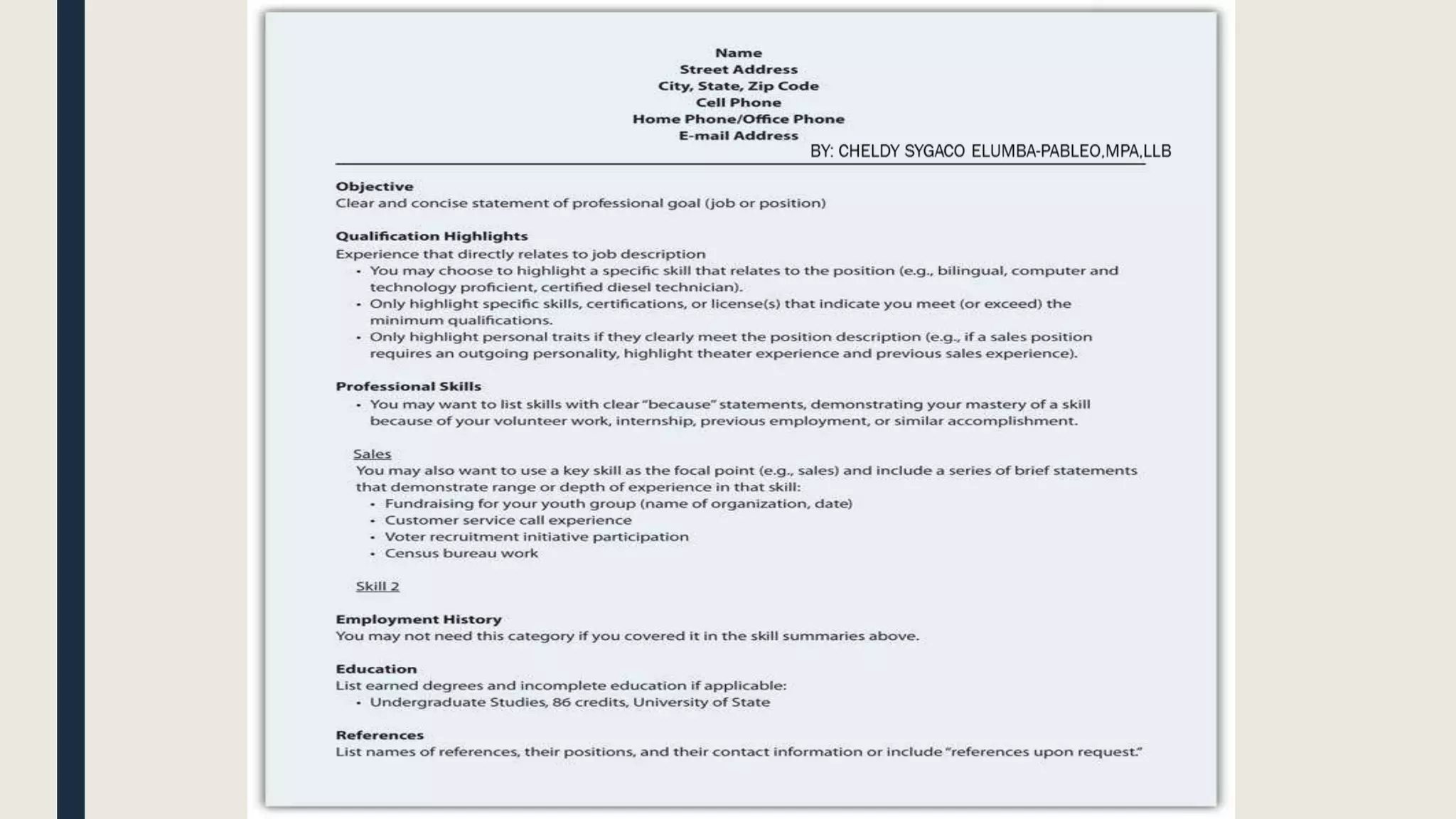
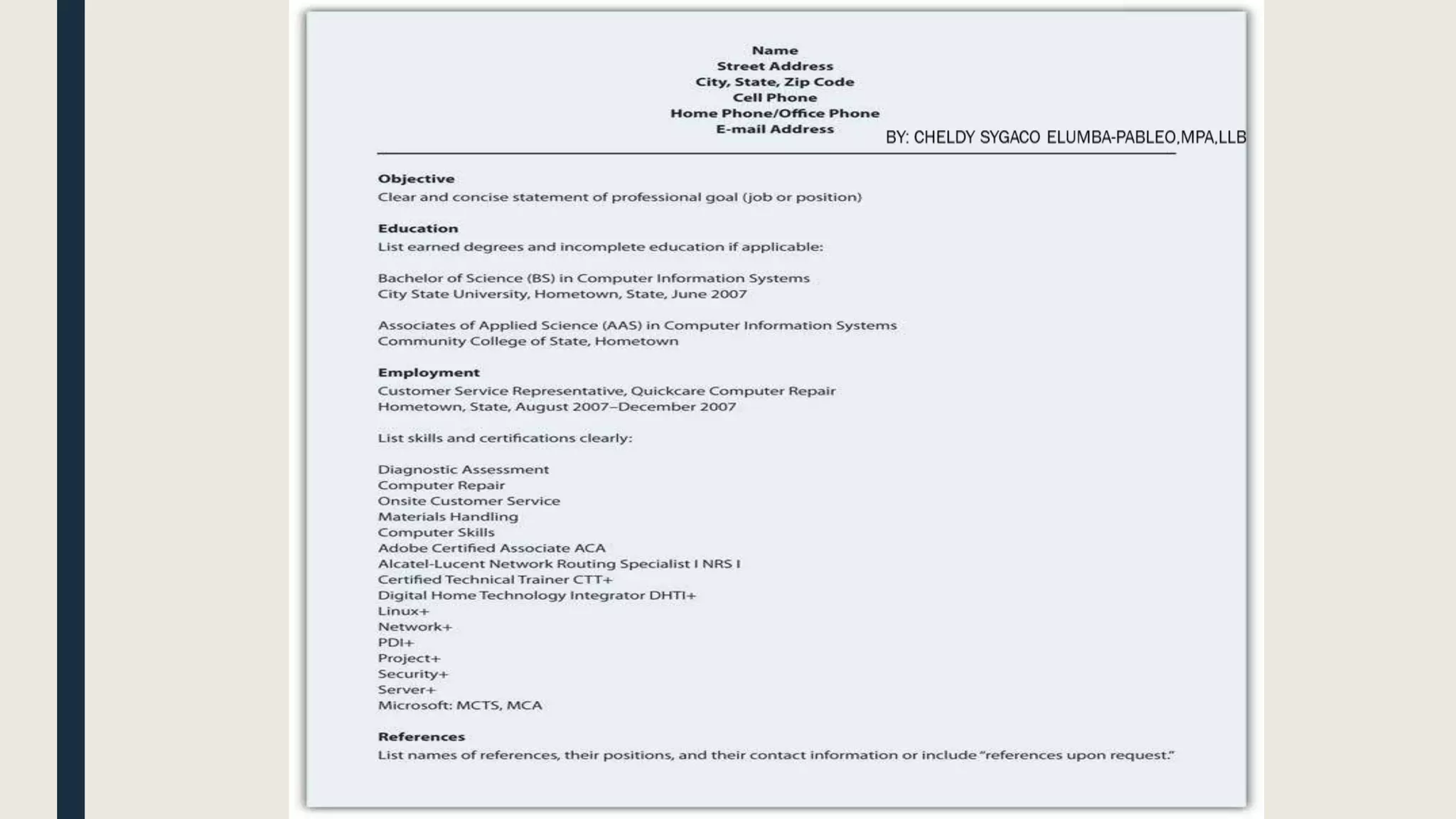
SAMPLE FORMAT FOR
SCANNABLE RÉSUMÉ
KEY TAKEAWAY
■A résumé will represent your skills,
education, and experience in your
absence. Businesses increasingly
scan résumés into searchable
databases.
EXERCISES
■ Find a job announcement with specific duties that represents a job that you will be
prepared for upon graduation. Choose a type of résumé and prepare your résumé to
submit to the employer as a class assignment. Also make a scannable version of your
résumé.
■ Conduct an online search for a functional or chronological résumé. Post it and share in
your site.
■ Conduct an online search for job advertisements that detail positions you would be
interested in, and note the key job duties and position requirements. Post it and share
in your site one example.
■ When is a second page of your résumé justified? Explain.
■ Conduct an online search for resources to help you prepare your own résumé. Please
post one link and a brief review of the Web site, noting what features you found useful
and at least one recommendation for improvement.
THANK YOU FOR READING!
CHELDHAYE

How to write a resume’

  • 1.
    BY: CHELDY SYGACOELUMBA-PABLEO,MPA,LLB
  • 2.
    RÉSUMÉ ■ A résuméis a document that summarizes your education, skills, talents, employment history, and experiences in a clear and concise format for potential employers. The résumé serves three distinct purposes that define its format, design, and presentation.BY: CHELDY SYGACO ELUMBA-PABLEO,MPA,LLB
  • 3.
    PURPOSE OF ARÉSUMÉ ■ To represent your professional information in writing. ■ To demonstrate the relationship between your professional information and the problem or challenge the potential employer hopes to solve or address, often represented in the form of a job description or duties. ■ To get you an interview by clearly demonstrating you meet the minimum qualifications and have the professional background help the organization meet its goals.
  • 4.
    ONLINE PROFILE ■ Anonline profile page is similar to a résumé in that it represents you, your background and qualifications, and adds participation to the publication. ■ People network, link, and connect in new ways via online profiles or professional sites like LinkedIn. ■ In many ways, your online profile is an online version of your résumé with connections and friends on public display. ■ Your MySpace and Facebook pages are also often accessible to the public, so never post anything you wouldn’t want your employer (current or future) to read, see, or hear.
  • 5.
    Main Parts ofa Résumé ■ REGARDLESS OF THE FORMAT, EMPLOYERS HAVE EXPECTATIONS FOR YOUR RÉSUMÉ. ■ They expect it to be clear, accurate, and up to date (Bennett, S. A., 2005). ■ This document represents you in your absence, and you want it to do the best job possible. ■ You don’t want to be represented by spelling or grammatical errors, as they may raise questions about your education and attention to detail.
  • 6.
    RÉSUMÉ ■ Résumés haveseveral basic elements that employers look for, including your contact information, objective or goal, education and work experience, and so on. Each résumé format may organize the information in distinct ways based on the overall design strategy, but all information should be clear, concise, and accurate (Simons, W., and Curtis, R., 2004).
  • 7.
    CONTACT INFORMATION ■ Thissection is often located at the top of the document. ■ The first element of the contact information is your name. ■ You should use your full, legal name even if you go by your middle name or use a nickname. ■ There will plenty of time later to clarify what you prefer to be called, but all your application documents, including those that relate to payroll, your social security number, drug screenings, background checks, fingerprint records, transcripts, certificates or degrees, should feature your legal name.
  • 8.
    CONTACT INFORMATION ■ Othernecessary information includes your address, phone number(s), and e-mail address. ■ If you maintain two addresses (e.g., a campus and a residential address), make it clear where you can be contacted by indicating the primary address. ■ For business purposes, do not use an unprofessional e-mail address like sexiluvr93@hotmale.com or tutifruti@yafoo.com. ■ Create a new e-mail account if needed with an address suitable for professional use.
  • 9.
  • 10.
    OBJECTIVE ■ This isone part of your résumé that is relatively simple to customize for an individual application. ■ Your objective should reflect the audience’s need to quickly understand how you will help the organization achieve its goals.
  • 11.
  • 12.
    EDUCATION ■ You needto list your education in reverse chronological order, with your most recent degree first. ■ List the school, degree, and grade point average (GPA). ■ If there is a difference between the GPA in your major courses and your overall GPA, you may want to list them separately to demonstrate your success in your chosen field. ■ You may also want to highlight relevant coursework that directly relate to the position.
  • 13.
  • 14.
    WORK EXPERIENCE ■ Listin reverse chronological order your employment history, including the positions, companies, locations, dates, duties and skills demonstrated or acquired. ■ You may choose to use active, descriptive sentences or bullet lists, but be consistent. ■ Emphasize responsibilities that involved budgets, teamwork, supervision, and customer service when applying for positions in business and industry, but don’t let emphasis become exaggeration. ■ This document represents you in your absence, and if information is false, at a minimum you could lose your job.
  • 15.
  • 16.
    TYPES OF RÉSUMÉS TYPEFUNCTION ADVANTAGE DISADVANTAGE 1. Reverse Chronological Reverse chronological résumés (also called reverse time order) focus on work history. Demonstrates a consistent work history It may be difficult to highlight skills and experience. 2. Functional Functional résumés (also called competency-based résumés) focus on skills. Demonstrates skills that can clearly link to job functions or duties It is often associated with people who have gaps in their employment history. 3. Combination A combination résumé lists your skills and experience first, then employment history and education. Highlights the skills you have that are relevant to the job and provides a reverse chronological work history Some employers prefer a reverse chronological order.
  • 17.
    TYPES OF RÉSUMÉS 4.Targeted A targeted résumé is a custom document that specifically highlights the experience and skills that are relevant to the job. Points out to the reader how your qualifications and experience clearly match the job duties Custom documents take additional time, preparation, analysis of the job announcement, and may not fit the established guidelines. 5. Scannable A scannable résumé is specifically formatted to be read by a scanner and converted to digital information. Increasingly used to facilitate search and retrieval, and to reduce physical storage costs Scanners may not read the résumé correctly. TYPE FUNCTION ADVANTAGE DISADVANTAGE
  • 18.
    TYPES OF RÉSUMÉS ■You may choose to include references at the end of your résumé, though “references upon request” is common. ■ You may also be tempted to extend your résumé to more than one page, but don’t exceed that limit unless the additional page will feature specific, relevant information that represents several years of work that directly relates to the position. ■ The person reading your résumé may be sifting through many applicants and will not spend time reading extra pages. ■ Use the one-page format to put your best foot forward, remembering that you may never get a second chance to make a good first impression.
  • 20.
    USE KEY WORDS ■Just as there are common search terms, and common words in relation to each position, job description, or description of duties, your scannable résumé needs to mirror these common terms. ■ Use of nonstandard terms may not stand out, and your indication of “managed employees” may not get the same attention as the word “supervision” or “management.”
  • 21.
    FOLLOW DIRECTIONS ■ Ifa job description uses specific terms, refers to computer programs, skills, or previous experience, make sure you incorporate that language in your scannable résumé. ■ You know that when given a class assignment, you are expected to follow directions; similarly, the employer is looking for specific skills and experience. ■ By mirroring the employer’s language and submitting your application documents in accord with their instructions, you convey a spirit of cooperation and an understanding of how to follow instructions.
  • 22.
    INSERT A KEYWORD SECTION ■ Consider a brief section that lists common words associated with the position as a skills summary: customer service, business communication, sales, or terms and acronyms common to the business or industry.
  • 23.
    MAKE IT EASYTO READ ■ You need to make sure your résumé is easy to read by a computer, including a character recognition program. ■ That means no italics, underlining, shading, boxes, or lines. ■ Choose a sans serif (without serif, or decorative end) font like Arial or Tahoma that won’t be misread. ■ Simple, clear fonts that demonstrate no points at which letters may appear to overlap will increase the probability of the computer getting it right the first time.
  • 24.
    MAKE IT EASYTO READ ■ In order for the computer to do this, you have to consider your audience—a computer program that will not be able to interpret your unusual font or odd word choice. ■ A font size of eleven or twelve is easier to read for most people, and while the computer doesn’t care about font size, the smaller your font, the more likely the computer is to make the error of combining adjacent letters.
  • 25.
    PRINTING, PACKAGING AND DELIVERY ■Use a laser printer to get crisp letter formation. ■ Inkjet printers can have some “bleed” between characters that may make them overlap, and therefore be misunderstood. ■ Folds can make it hard to scan your document. ■ E-mail your résumé as an attachment if possible, but if a paper version is required, don’t fold it. ■ Use a clean, white piece of paper with black ink; colors will only confuse the computer. ■ Deliver the document in a nine-by-twelve-inch envelope, stiffened with a sheet of cardstock (heavy paper or cardboard) to help prevent damage to the document.
  • 26.
  • 28.
  • 30.
  • 32.
    KEY TAKEAWAY ■A résuméwill represent your skills, education, and experience in your absence. Businesses increasingly scan résumés into searchable databases.
  • 33.
    EXERCISES ■ Find ajob announcement with specific duties that represents a job that you will be prepared for upon graduation. Choose a type of résumé and prepare your résumé to submit to the employer as a class assignment. Also make a scannable version of your résumé. ■ Conduct an online search for a functional or chronological résumé. Post it and share in your site. ■ Conduct an online search for job advertisements that detail positions you would be interested in, and note the key job duties and position requirements. Post it and share in your site one example. ■ When is a second page of your résumé justified? Explain. ■ Conduct an online search for resources to help you prepare your own résumé. Please post one link and a brief review of the Web site, noting what features you found useful and at least one recommendation for improvement.
  • 34.
    THANK YOU FORREADING! CHELDHAYE