How to use and create
your own Linked in
Group
Linked in is a professional social media site geared toward
engaging with business connections. Linked In Groups are a
way to network and share information with others in your
industry.
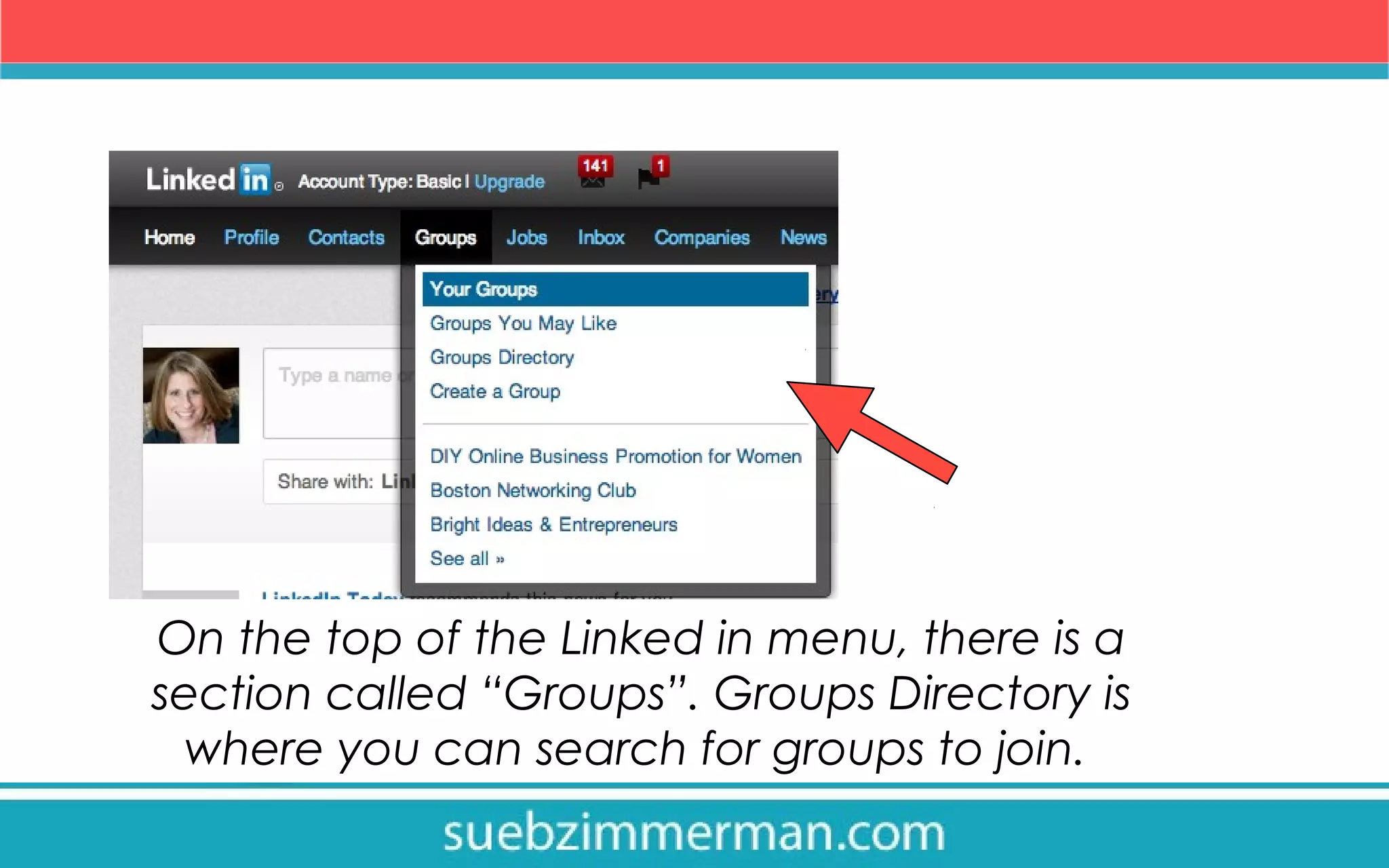
On the top of the Linked in menu, there is a
section called “Groups”. Groups Directory is
where you can search for groups to join.
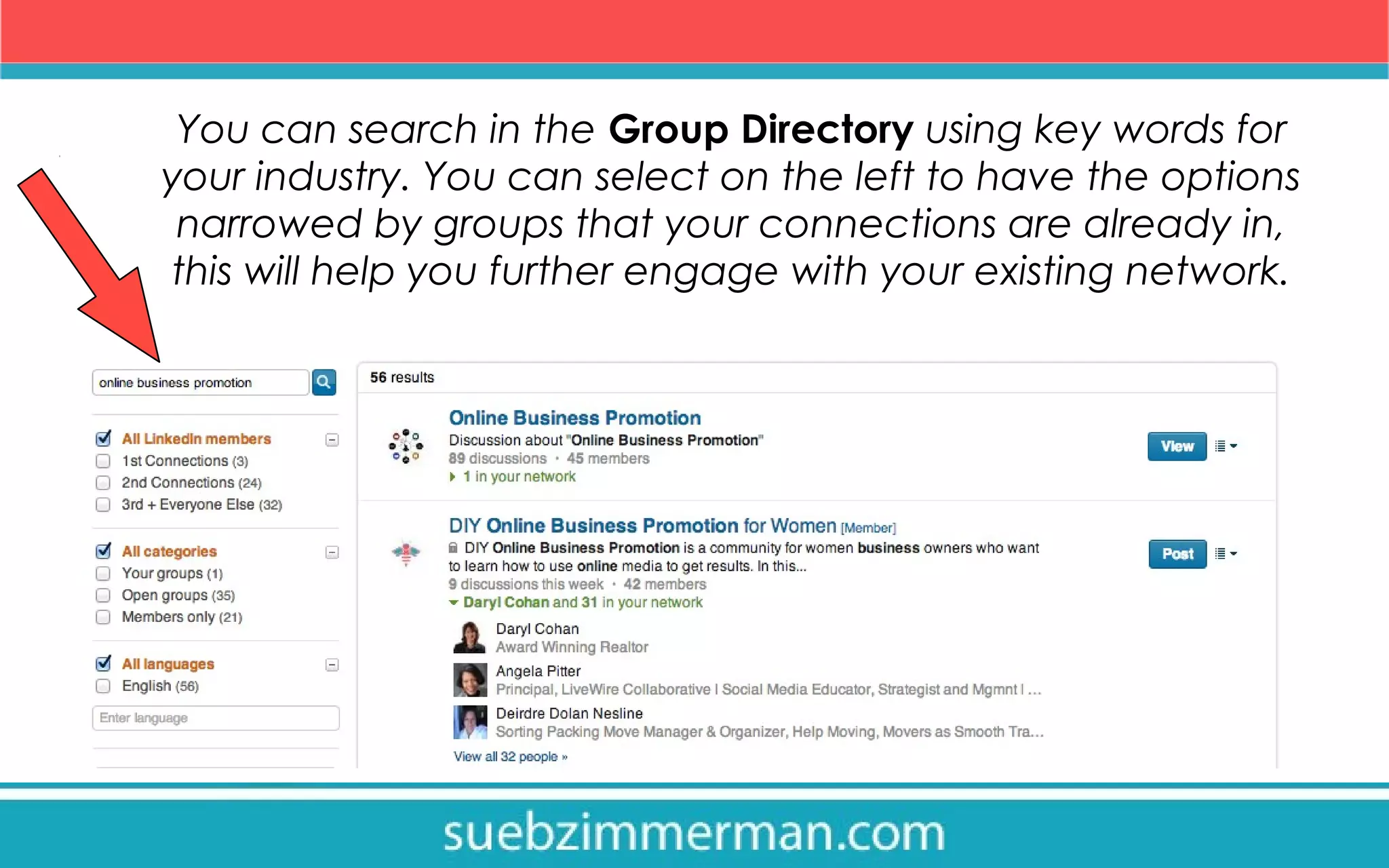
You can search in the Group Directory using key words for
your industry. You can select on the left to have the options
narrowed by groups that your connections are already in,
this will help you further engage with your existing network.
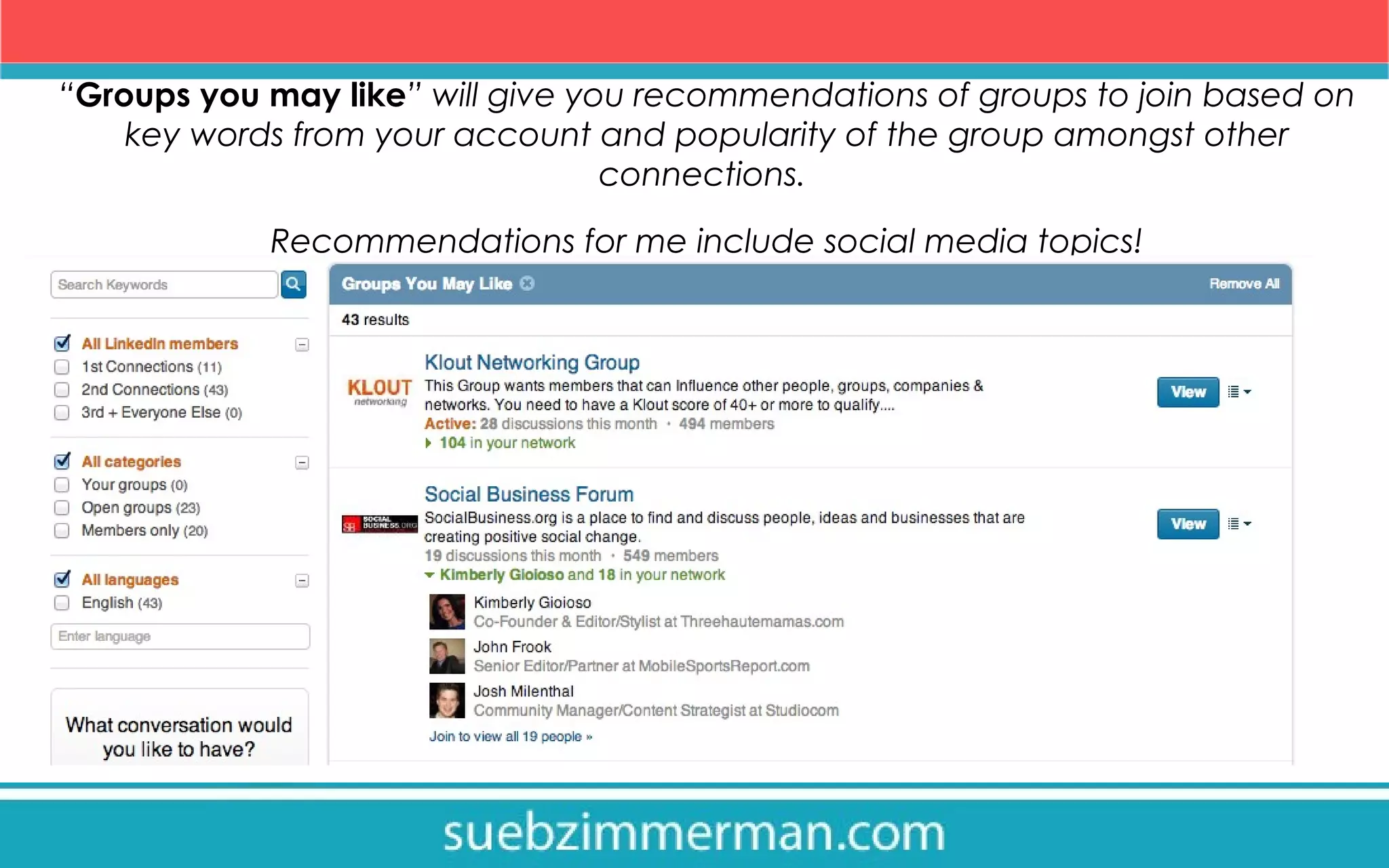
“Groups you may like” will give you recommendations of groups to join based on
key words from your account and popularity of the group amongst other
connections.
Recommendations for me include social media topics!
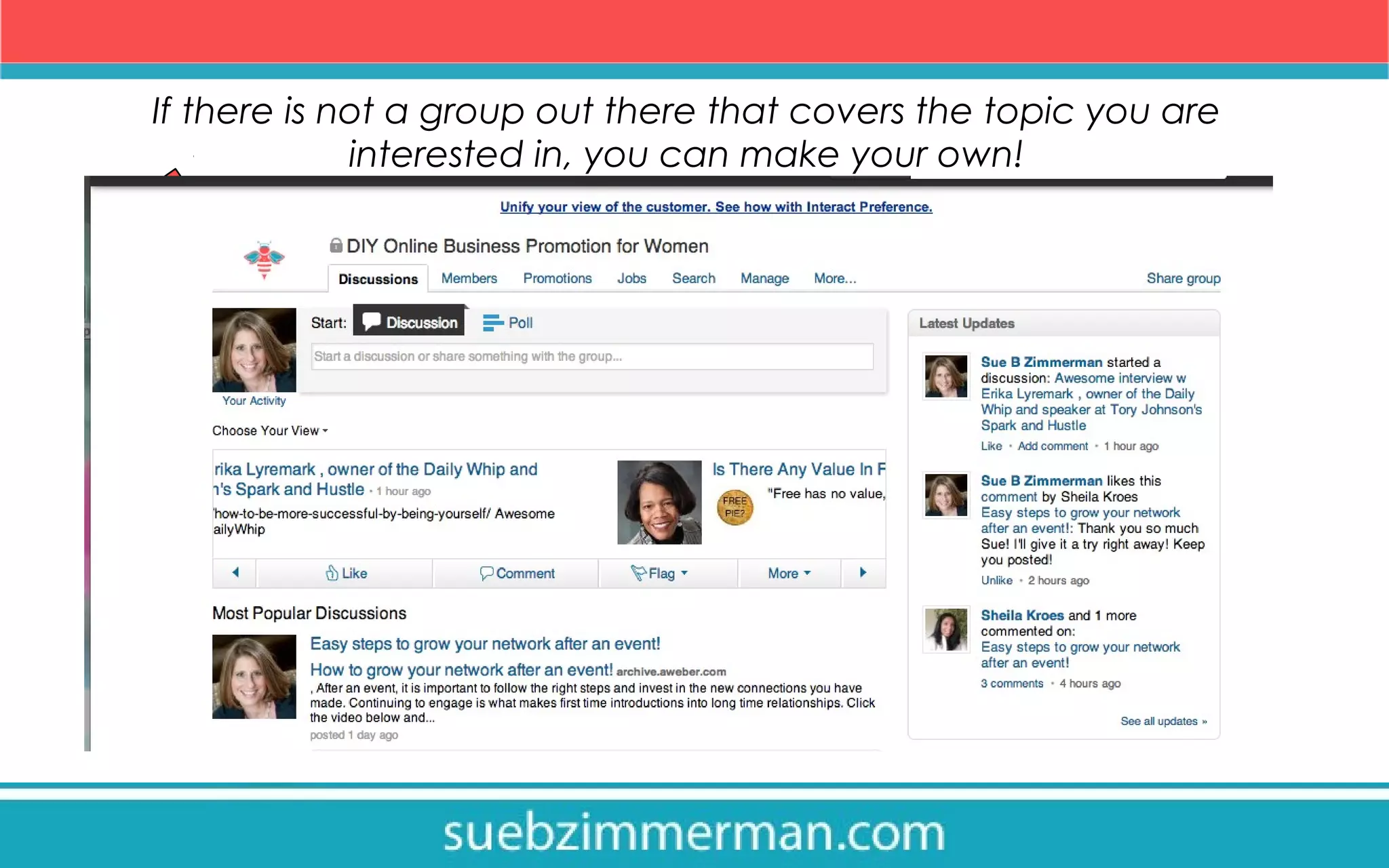
If there is not a group out there that covers the topic you are
interested in, you can make your own!
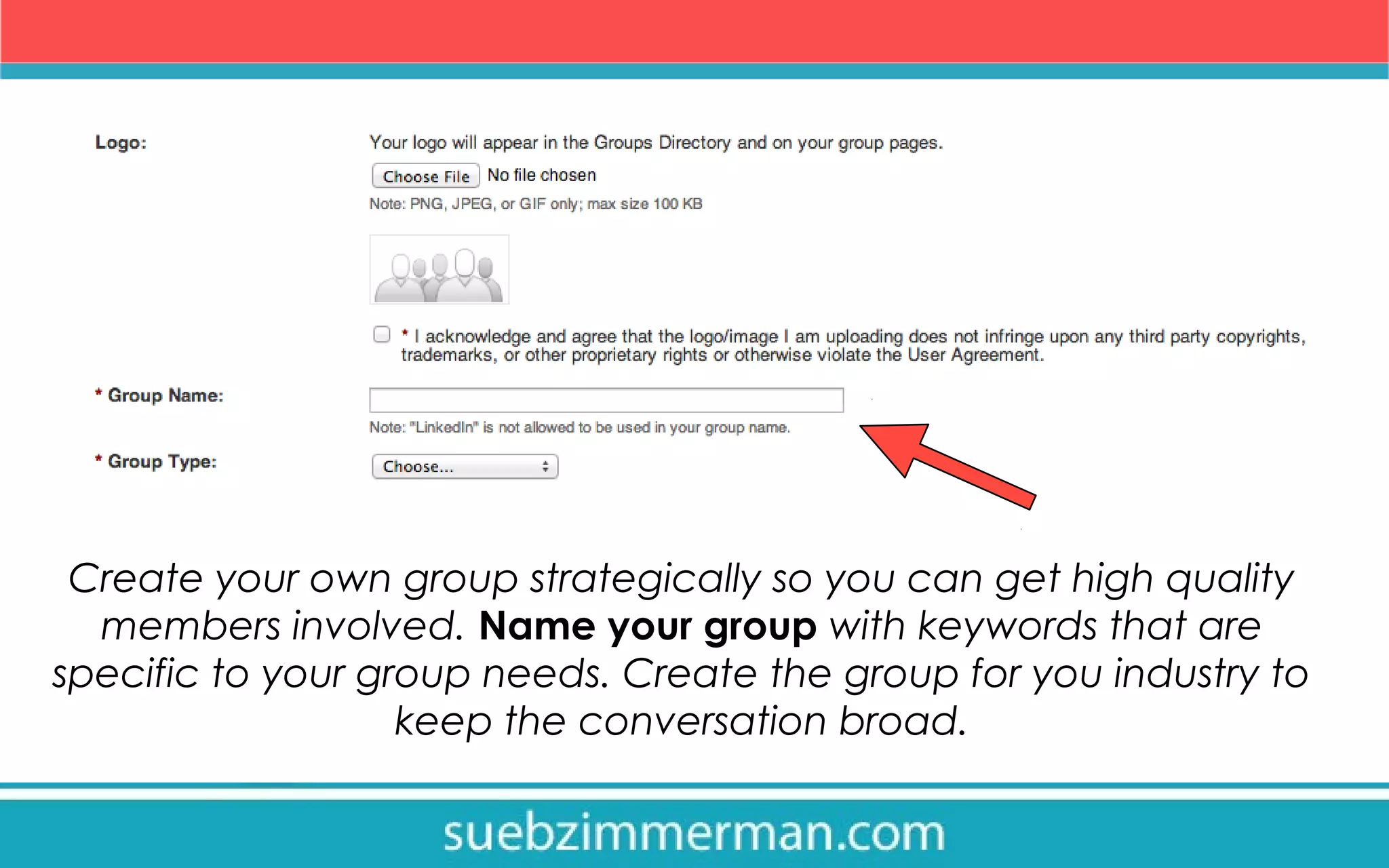
Create your own group strategically so you can get high quality
members involved. Name your group with keywords that are
specific to your group needs. Create the group for you industry to
keep the conversation broad.
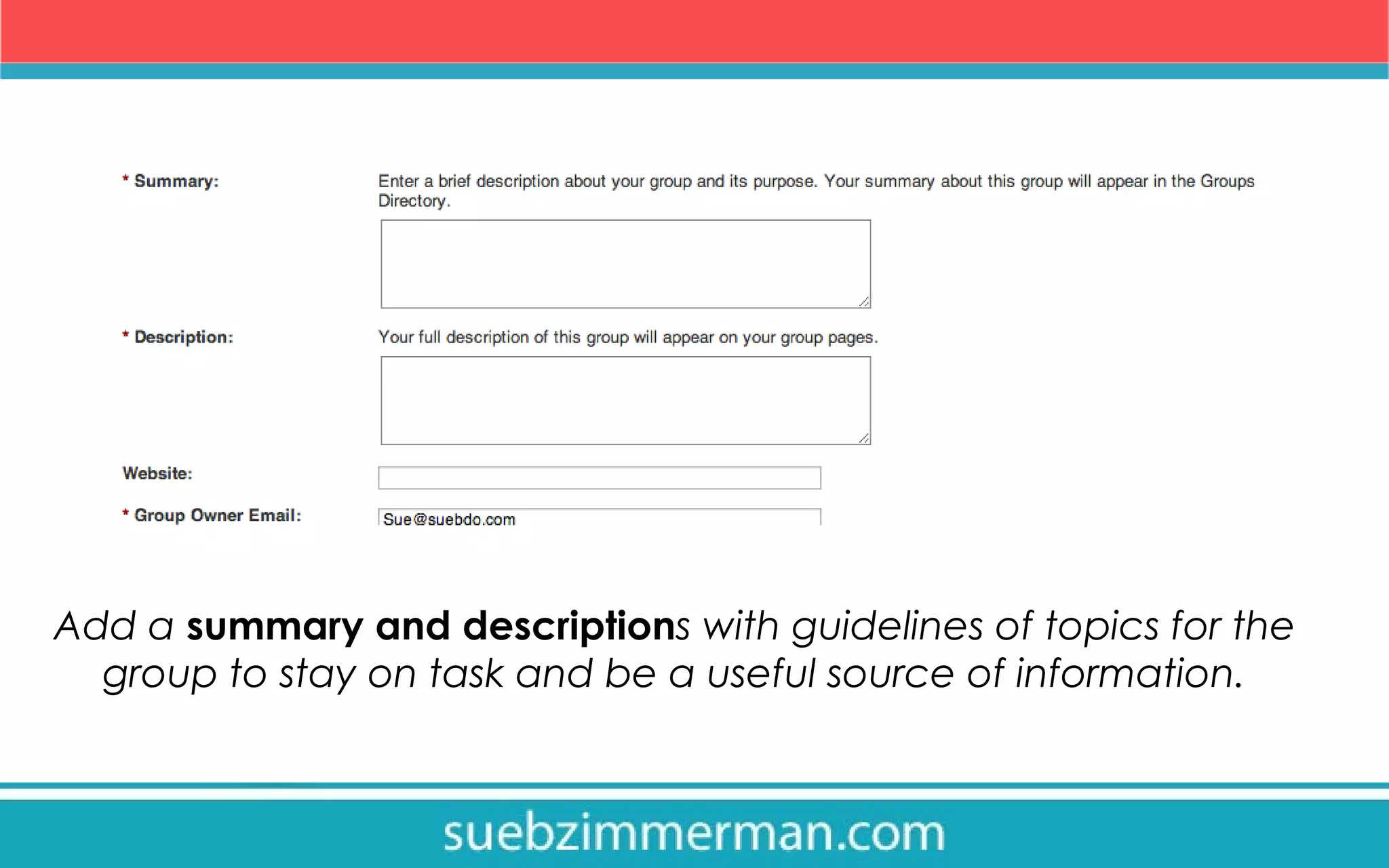
Add a summary and descriptions with guidelines of topics for the
group to stay on task and be a useful source of information.
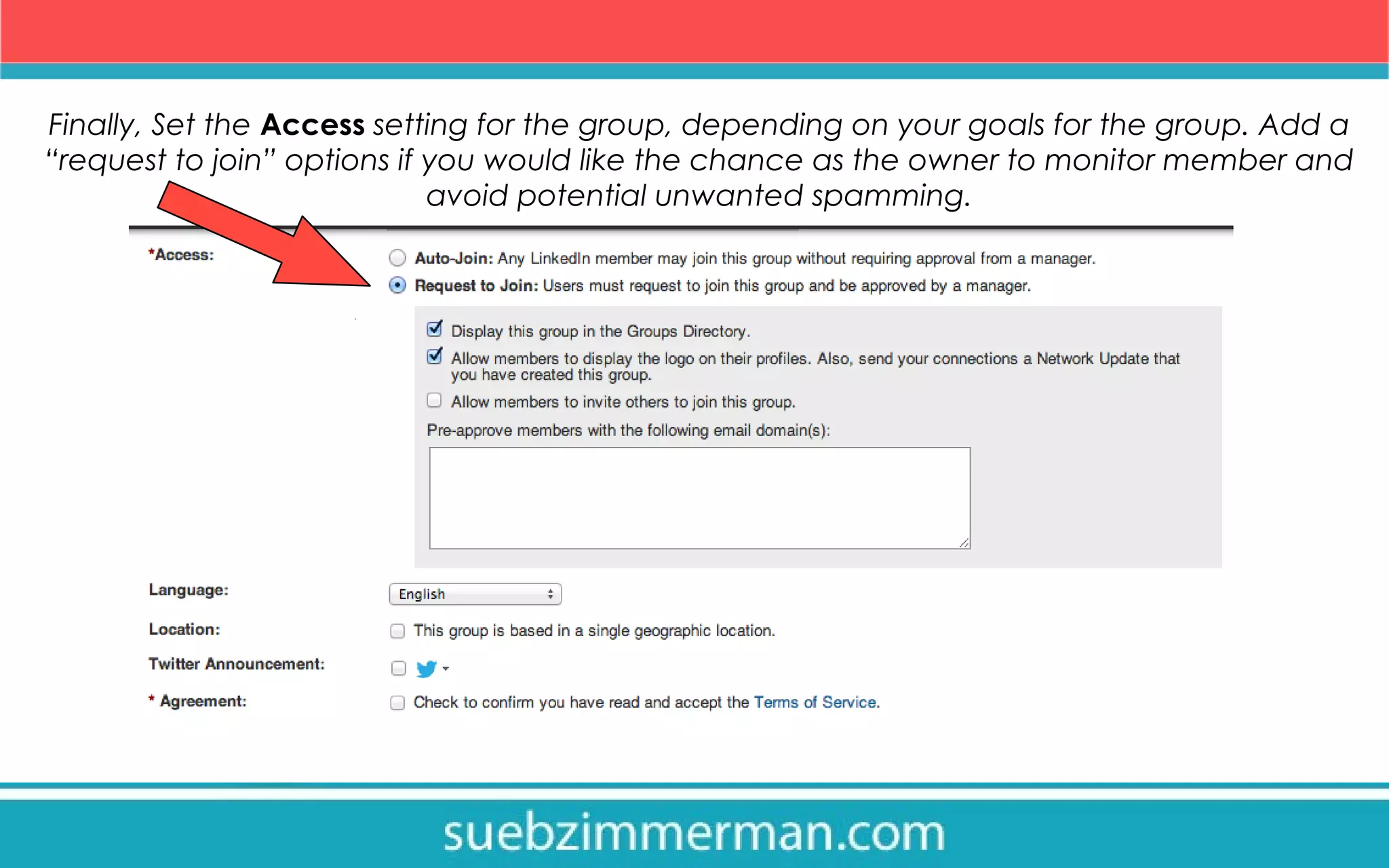
Finally, Set the Access setting for the group, depending on your goals for the group. Add a
“request to join” options if you would like the chance as the owner to monitor member and
avoid potential unwanted spamming.
Find members for your group in the right place!

1.Invite co-workers, trusted peers, customers, or industry leaders
currently in your network to your new group to help start the
discussion.

2.Share about your group to other social media platform
networks.

3.Involve the group into your signature or current marketing
plan, by advertising the same way you do your website or
Facebook fan page.
Linked in Groups Takeaways:

1.Search in the Group Directory with Industry Keywords for
groups to join

2.Use the “groups you may like” option for personalized
linked in recommended groups.

3.If you don’t find a group you want, make your own and
invite your current network to start the conversation.
Use #linkedin Groups to stay connected to your network
within your industry. #suebdoesit

Visit slideshare.com/suebzimmerman for more information
about how to use Linked In.

How to use Groups on LinkedIn

  • 1.
    How to useand create your own Linked in Group
  • 2.
    Linked in isa professional social media site geared toward engaging with business connections. Linked In Groups are a way to network and share information with others in your industry.
  • 3.
    On the topof the Linked in menu, there is a section called “Groups”. Groups Directory is where you can search for groups to join.
  • 4.
    You can searchin the Group Directory using key words for your industry. You can select on the left to have the options narrowed by groups that your connections are already in, this will help you further engage with your existing network.
  • 5.
    “Groups you maylike” will give you recommendations of groups to join based on key words from your account and popularity of the group amongst other connections. Recommendations for me include social media topics!
  • 6.
    If there isnot a group out there that covers the topic you are interested in, you can make your own!
  • 7.
    Create your owngroup strategically so you can get high quality members involved. Name your group with keywords that are specific to your group needs. Create the group for you industry to keep the conversation broad.
  • 8.
    Add a summaryand descriptions with guidelines of topics for the group to stay on task and be a useful source of information.
  • 9.
    Finally, Set theAccess setting for the group, depending on your goals for the group. Add a “request to join” options if you would like the chance as the owner to monitor member and avoid potential unwanted spamming.
  • 10.
    Find members foryour group in the right place! 1.Invite co-workers, trusted peers, customers, or industry leaders currently in your network to your new group to help start the discussion. 2.Share about your group to other social media platform networks. 3.Involve the group into your signature or current marketing plan, by advertising the same way you do your website or Facebook fan page.
  • 11.
    Linked in GroupsTakeaways: 1.Search in the Group Directory with Industry Keywords for groups to join 2.Use the “groups you may like” option for personalized linked in recommended groups. 3.If you don’t find a group you want, make your own and invite your current network to start the conversation.
  • 12.
    Use #linkedin Groupsto stay connected to your network within your industry. #suebdoesit Visit slideshare.com/suebzimmerman for more information about how to use Linked In.