

THUNDERBIRD

“Enhancing Presentations
      with Visuals”


Amy L. Pate
Instructional Designer
Thunderbird
Agenda

• Why Use Visuals
• PowerPoint Problems
• Visual Sentences
Introduction


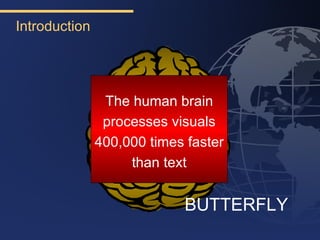
                The human brain
                processes visuals
               400,000 times faster
                    than text


                            BUTTERFLY
Most Importantly….

• Wharton School of Business found
  that when visuals were used,
  people were more likely to say
              “Yes”
  and act on a recommendation.
Before Designing Visuals…

• Think about the Audience
• Think about the Environment
• Think about the Tone
What Type of Visuals Are Appropriate?

•   Handouts
•   Whiteboards
•   Flip charts
•   Overheads
•   Props
•   PowerPoint
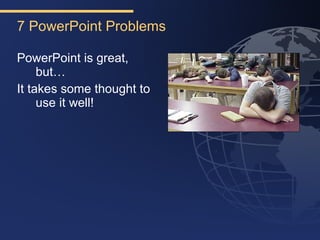
7 PowerPoint Problems

PowerPoint is great,
     but…
It takes some thought to
     use it well!
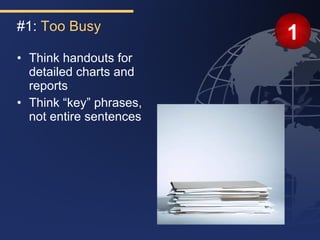
#1: Too Busy
                         1
• Think handouts for
  detailed charts and
  reports
• Think “key” phrases,
  not entire sentences
How Much Text?

• No more than 6 words per bullet
• No more than 6 bullets per slide
• No more than 6 slides in a row with bullets
                6
  » Break up slides with a chart or graphic

• Keep all text about 24 point
  » Especially for video/web conferencing!
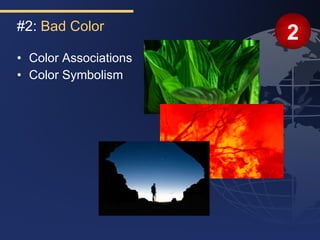
#2: Bad Color
                       2
• Color Associations
• Color Symbolism
#3: Bad Contrast
                                    3
• Safe color choice:
  » Dark blue or black background
  » White or yellow text
Black Text/White Backgrounds

• Okay for transparencies
• Eye stress in darker rooms
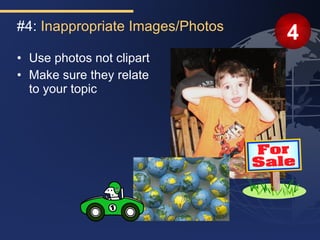
#4: Inappropriate Images/Photos
                                  4
• Use photos not clipart
• Make sure they relate
  to your topic
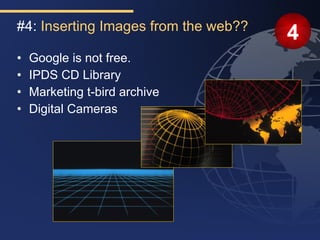
#4: Inserting Images from the web??
                                      4
•   Google is not free.
•   IPDS CD Library
•   Marketing t-bird archive
•   Digital Cameras
#4: Inserting Video
                                    4
• Very tricky!
  » Must first create a folder
  » Then put all videos and
    ppt file in folder
  » Then link video to ppt
  » Never move just one file-
    you must keep video and
    ppt file in the folder or the
    link will break
#5: Distracting Animation and Sound
                                                    5
• Keep animation consistent on each slide
  » Example: all bullets “fly in” from right
  » Example: all slides use “fade” for transition
• General Rule: Stick to “Fly In” and “Wipes”
• Generally all transitions should be the same.
#6: Distracting Font Choices
                               6
•Not all com    puters
 have the sam f onts
                   e
• Ch oeo fo th u o t
     o s ne nt ro gh u
  »A ddinte s w bldanditalic
           ret ith o
   s s
    tyle
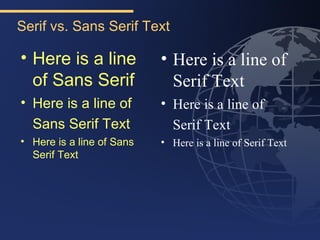
Serif vs. Sans Serif Text

• Here is a line           • Here is a line of
  of Sans Serif              Serif Text
• Here is a line of        • Here is a line of
  Sans Serif Text            Serif Text
• Here is a line of Sans   • Here is a line of Serif Text
  Serif Text
#7: Inconsistent Style                          7
• Use a Master slide to keep fonts and colors
  consistent on each slide
• Use gridlines and guidelines to keep text
  consistent for each slide.
THUNDERBIRD


       Visual Sentences
Evolution of a Visual Sentence
The key components of the Thunderbird
 Artemis Project are Classroom
 Instruction, Mentoring and Coaching,
 and a Marketplace of Resources


                                 THUNDERBIRD
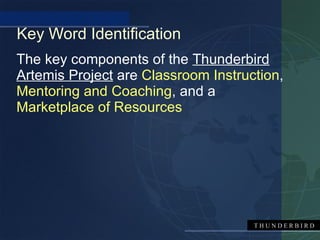
Key Word Identification
The key components of the Thunderbird
Artemis Project are Classroom Instruction,
Mentoring and Coaching, and a
Marketplace of Resources


                                     THUNDERBIRD
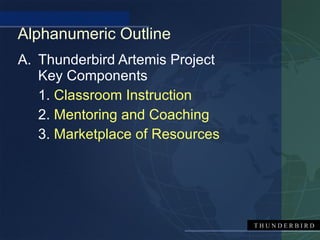
Alphanumeric Outline
A. Thunderbird Artemis Project
   Key Components
   1. Classroom Instruction
   2. Mentoring and Coaching
   3. Marketplace of Resources


                                 THUNDERBIRD
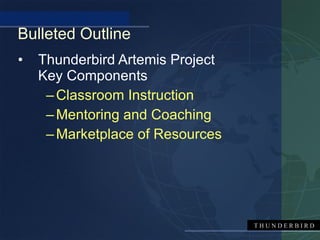
Bulleted Outline
•   Thunderbird Artemis Project
    Key Components
     – Classroom Instruction
     – Mentoring and Coaching
     – Marketplace of Resources


                                  THUNDERBIRD
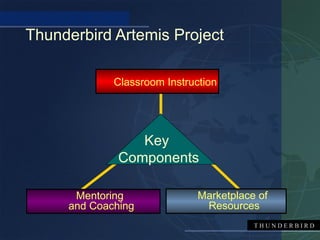
Thunderbird Artemis Project

             Classroom Instruction


                 Key
              Components

      Mentoring               Marketplace of
     and Coaching              Resources
                                         THUNDERBIRD
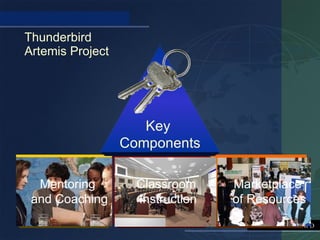
Thunderbird
Artemis Project


                     Key
                  Components

  Mentoring         Classroom     Marketplace
 and Coaching       Instruction   of Resources
                                     THUNDERBIRD
When To Do A Visual Sentence

•   Cycles
•   Process
•   Steps
•   Parts or Sections
•   Timelines
•   Flowcharts
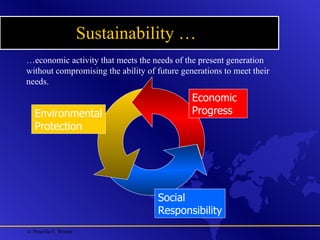
Sustainability …
…economic activity that meets the needs of the present generation
without compromising the ability of future generations to meet their
needs.
                                              Economic
   Environmental                              Progress
   Protection


                                    Social
                                    Responsibility
© Priscilla S. Wisner
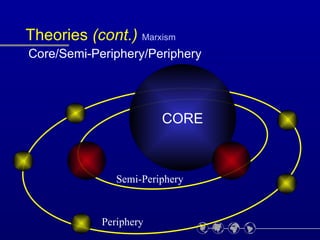
Theories (cont.) Marxism
Core/Semi-Periphery/Periphery


                        CORE


               Semi-Periphery


            Periphery
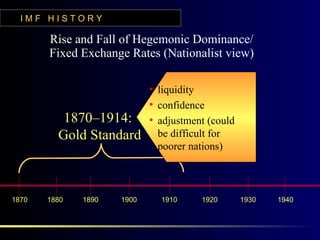
IMF HISTORY

       Rise and Fall of Hegemonic Dominance/
       Fixed Exchange Rates (Nationalist view)

                            • liquidity
                            • confidence
          1870–1914:        • adjustment (could
         Gold Standard        be difficult for
                              poorer nations)


1870   1880   1890   1900     1910     1920       1930   1940
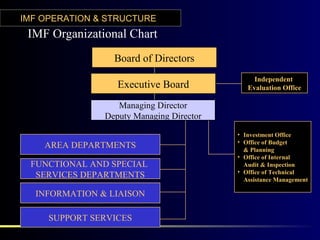
IMF OPERATION & STRUCTURE
 IMF Organizational Chart
                 Board of Directors
                                               Independent
                  Executive Board            Evaluation Office

                  Managing Director
               Deputy Managing Director
                                          • Investment Office
                                          • Office of Budget
    AREA DEPARTMENTS                        & Planning
                                          • Office of Internal
 FUNCTIONAL AND SPECIAL                     Audit & Inspection
                                          • Office of Technical
  SERVICES DEPARTMENTS                      Assistance Management

  INFORMATION & LIAISON

     SUPPORT SERVICES
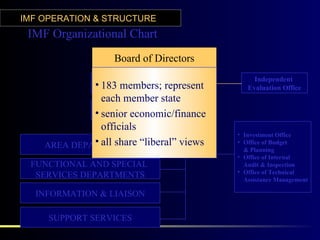
IMF OPERATION & STRUCTURE
 IMF Organizational Chart
                   Board of Directors
                                                Independent
             • 183 Executive Board
                    members; represent        Evaluation Office
               each member state
                    Managing Director
             • senior economic/finance
                Deputy Managing Director
               officials
                                           • Investment Office
             • all share
    AREA DEPARTMENTS “liberal” views       • Office of Budget
                                             & Planning
                                           • Office of Internal
 FUNCTIONAL AND SPECIAL                      Audit & Inspection
                                           • Office of Technical
  SERVICES DEPARTMENTS                       Assistance Management

  INFORMATION & LIAISON

     SUPPORT SERVICES

How to make dynamic PowerPoints

  • 1.
    THUNDERBIRD “Enhancing Presentations with Visuals” Amy L. Pate Instructional Designer Thunderbird
  • 2.
    Agenda • Why UseVisuals • PowerPoint Problems • Visual Sentences
  • 3.
    Introduction The human brain processes visuals 400,000 times faster than text BUTTERFLY
  • 4.
    Most Importantly…. • WhartonSchool of Business found that when visuals were used, people were more likely to say “Yes” and act on a recommendation.
  • 5.
    Before Designing Visuals… •Think about the Audience • Think about the Environment • Think about the Tone
  • 6.
    What Type ofVisuals Are Appropriate? • Handouts • Whiteboards • Flip charts • Overheads • Props • PowerPoint
  • 7.
    7 PowerPoint Problems PowerPointis great, but… It takes some thought to use it well!
  • 8.
    #1: Too Busy 1 • Think handouts for detailed charts and reports • Think “key” phrases, not entire sentences
  • 9.
    How Much Text? •No more than 6 words per bullet • No more than 6 bullets per slide • No more than 6 slides in a row with bullets 6 » Break up slides with a chart or graphic • Keep all text about 24 point » Especially for video/web conferencing!
  • 10.
    #2: Bad Color 2 • Color Associations • Color Symbolism
  • 11.
    #3: Bad Contrast 3 • Safe color choice: » Dark blue or black background » White or yellow text
  • 12.
    Black Text/White Backgrounds •Okay for transparencies • Eye stress in darker rooms
  • 13.
    #4: Inappropriate Images/Photos 4 • Use photos not clipart • Make sure they relate to your topic
  • 14.
    #4: Inserting Imagesfrom the web?? 4 • Google is not free. • IPDS CD Library • Marketing t-bird archive • Digital Cameras
  • 15.
    #4: Inserting Video 4 • Very tricky! » Must first create a folder » Then put all videos and ppt file in folder » Then link video to ppt » Never move just one file- you must keep video and ppt file in the folder or the link will break
  • 16.
    #5: Distracting Animationand Sound 5 • Keep animation consistent on each slide » Example: all bullets “fly in” from right » Example: all slides use “fade” for transition • General Rule: Stick to “Fly In” and “Wipes” • Generally all transitions should be the same.
  • 17.
    #6: Distracting FontChoices 6 •Not all com puters have the sam f onts e • Ch oeo fo th u o t o s ne nt ro gh u »A ddinte s w bldanditalic ret ith o s s tyle
  • 18.
    Serif vs. SansSerif Text • Here is a line • Here is a line of of Sans Serif Serif Text • Here is a line of • Here is a line of Sans Serif Text Serif Text • Here is a line of Sans • Here is a line of Serif Text Serif Text
  • 19.
    #7: Inconsistent Style 7 • Use a Master slide to keep fonts and colors consistent on each slide • Use gridlines and guidelines to keep text consistent for each slide.
  • 20.
    THUNDERBIRD Visual Sentences
  • 21.
    Evolution of aVisual Sentence The key components of the Thunderbird Artemis Project are Classroom Instruction, Mentoring and Coaching, and a Marketplace of Resources THUNDERBIRD
  • 22.
    Key Word Identification Thekey components of the Thunderbird Artemis Project are Classroom Instruction, Mentoring and Coaching, and a Marketplace of Resources THUNDERBIRD
  • 23.
    Alphanumeric Outline A. ThunderbirdArtemis Project Key Components 1. Classroom Instruction 2. Mentoring and Coaching 3. Marketplace of Resources THUNDERBIRD
  • 24.
    Bulleted Outline • Thunderbird Artemis Project Key Components – Classroom Instruction – Mentoring and Coaching – Marketplace of Resources THUNDERBIRD
  • 25.
    Thunderbird Artemis Project Classroom Instruction Key Components Mentoring Marketplace of and Coaching Resources THUNDERBIRD
  • 26.
    Thunderbird Artemis Project Key Components Mentoring Classroom Marketplace and Coaching Instruction of Resources THUNDERBIRD
  • 27.
    When To DoA Visual Sentence • Cycles • Process • Steps • Parts or Sections • Timelines • Flowcharts
  • 28.
    Sustainability … …economic activitythat meets the needs of the present generation without compromising the ability of future generations to meet their needs. Economic Environmental Progress Protection Social Responsibility © Priscilla S. Wisner
  • 29.
  • 30.
    IMF HISTORY Rise and Fall of Hegemonic Dominance/ Fixed Exchange Rates (Nationalist view) • liquidity • confidence 1870–1914: • adjustment (could Gold Standard be difficult for poorer nations) 1870 1880 1890 1900 1910 1920 1930 1940
  • 31.
    IMF OPERATION &STRUCTURE IMF Organizational Chart Board of Directors Independent Executive Board Evaluation Office Managing Director Deputy Managing Director • Investment Office • Office of Budget AREA DEPARTMENTS & Planning • Office of Internal FUNCTIONAL AND SPECIAL Audit & Inspection • Office of Technical SERVICES DEPARTMENTS Assistance Management INFORMATION & LIAISON SUPPORT SERVICES
  • 32.
    IMF OPERATION &STRUCTURE IMF Organizational Chart Board of Directors Independent • 183 Executive Board members; represent Evaluation Office each member state Managing Director • senior economic/finance Deputy Managing Director officials • Investment Office • all share AREA DEPARTMENTS “liberal” views • Office of Budget & Planning • Office of Internal FUNCTIONAL AND SPECIAL Audit & Inspection • Office of Technical SERVICES DEPARTMENTS Assistance Management INFORMATION & LIAISON SUPPORT SERVICES