How to make a flowchart
Pointers in
making a
flowchart
• Establish the flow direction. The format of your
flowchart must be from left to right or top to
bottom. This sort of formatting will help the user of
your flowchart understand the process more easily.
• Run your return lines under your flowchart. Make
sure that the return lines of your flowchart do not
overlap because this can create complications for
the users of your flowchart.
• Keep consistent spacing between symbols. A neat
and clean flowchart will help you achieve your goals
faster. So, make your flowchart clearer and easier to
understand by adding consistent spacing between
the symbols.
• Use the correct symbol for each step. Every symbol
has a specific role in your flowchart, so make sure
you use the right one to visualize each step to avoid
any potential confusion or miscommunication.
• Use all caps. Using all caps in your flowchart text
makes it look more professional and easier to read.
It also highlights each step and gives it equal
importance.
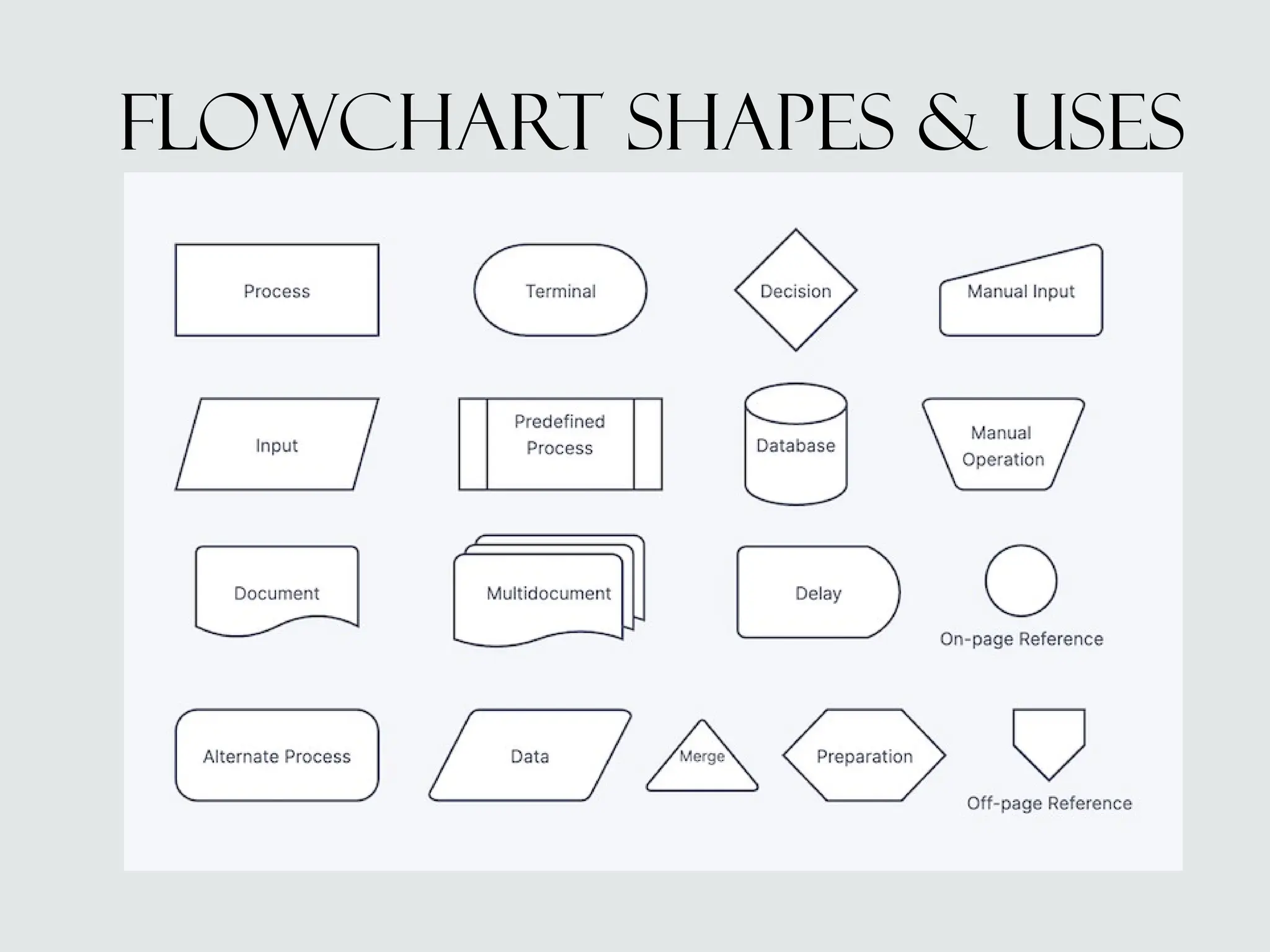
Flowchart shapes & uses
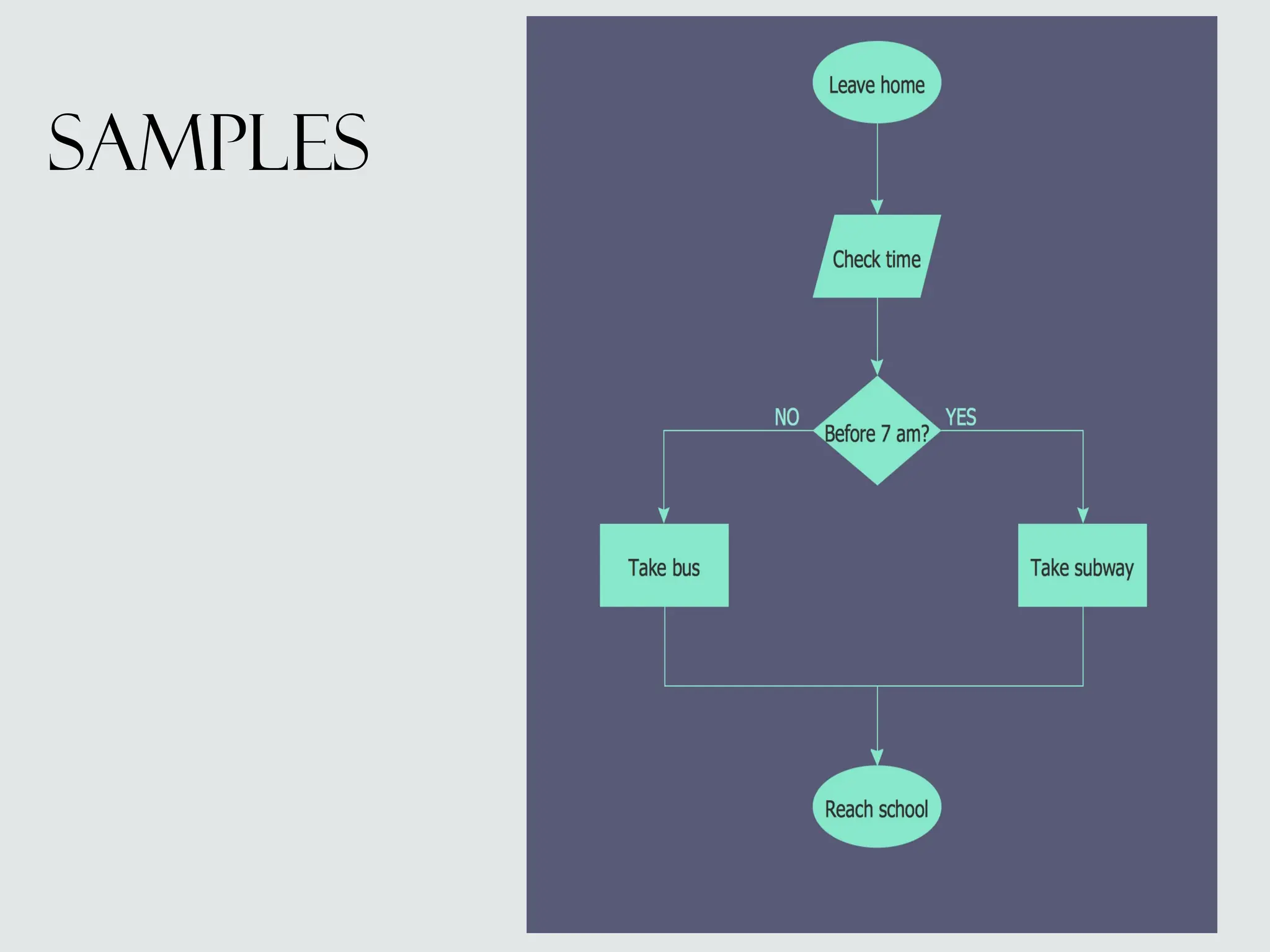
samples
samples

how to make a flowchart for business.pptx

  • 1.
    How to makea flowchart
  • 2.
    Pointers in making a flowchart •Establish the flow direction. The format of your flowchart must be from left to right or top to bottom. This sort of formatting will help the user of your flowchart understand the process more easily. • Run your return lines under your flowchart. Make sure that the return lines of your flowchart do not overlap because this can create complications for the users of your flowchart. • Keep consistent spacing between symbols. A neat and clean flowchart will help you achieve your goals faster. So, make your flowchart clearer and easier to understand by adding consistent spacing between the symbols. • Use the correct symbol for each step. Every symbol has a specific role in your flowchart, so make sure you use the right one to visualize each step to avoid any potential confusion or miscommunication. • Use all caps. Using all caps in your flowchart text makes it look more professional and easier to read. It also highlights each step and gives it equal importance.
  • 3.
  • 4.
  • 5.
  • 6.