Steps to Create a
Process Flowchart
7
7 Steps to Create a Process Flowchart
1. Understand end goal
2. Determine scope
3. Brainstorm tasks
4. Identify owners
5. Arrange into sequence
6. Document into flowchart
7. Review with others
Step 1: Understand the End Goal
• Documentation
• Visualization
• Identify gaps and inefficiencies
Step 2: Determine Scope
• Identify process to focus on
• Define the boundaries
• Ensure scope will meet end goal
Step 3: Brainstorm Tasks
• Meet with users of process, not management
• Management = how it should be done
• Users = how it is done
• Use sticky notes for tasks
• Place on wall / whiteboard
• Move and adjust to sequence
• Take pictures of end result for documentation
Step 4: Identify Owners
• Walk through each task
• Cross-check with users to validate ownership
• Take note of owners not included in meetings
Step 5: Arrange into Sequence
• Put each step into sequence
• Don’t be afraid of making mistakes
• Be mindful of scope
• Input and outputs from other processes
just need to be identified, not detailed
Step 6: Document into Flowchart
• Utilize notes and pictures
• Tool used is not important
• Draw.io
• Microsoft Visio
• Microsoft Excel
• …
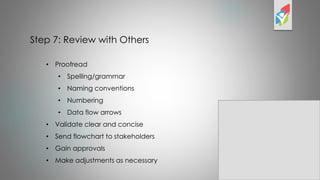
Step 7: Review with Others
• Proofread
• Spelling/grammar
• Naming conventions
• Numbering
• Data flow arrows
• Validate clear and concise
• Send flowchart to stakeholders
• Gain approvals
• Make adjustments as necessary

Seven steps flowchart process flow chart

  • 1.
    Steps to Createa Process Flowchart 7
  • 2.
    7 Steps toCreate a Process Flowchart 1. Understand end goal 2. Determine scope 3. Brainstorm tasks 4. Identify owners 5. Arrange into sequence 6. Document into flowchart 7. Review with others
  • 3.
    Step 1: Understandthe End Goal • Documentation • Visualization • Identify gaps and inefficiencies
  • 4.
    Step 2: DetermineScope • Identify process to focus on • Define the boundaries • Ensure scope will meet end goal
  • 5.
    Step 3: BrainstormTasks • Meet with users of process, not management • Management = how it should be done • Users = how it is done • Use sticky notes for tasks • Place on wall / whiteboard • Move and adjust to sequence • Take pictures of end result for documentation
  • 6.
    Step 4: IdentifyOwners • Walk through each task • Cross-check with users to validate ownership • Take note of owners not included in meetings
  • 7.
    Step 5: Arrangeinto Sequence • Put each step into sequence • Don’t be afraid of making mistakes • Be mindful of scope • Input and outputs from other processes just need to be identified, not detailed
  • 8.
    Step 6: Documentinto Flowchart • Utilize notes and pictures • Tool used is not important • Draw.io • Microsoft Visio • Microsoft Excel • …
  • 9.
    Step 7: Reviewwith Others • Proofread • Spelling/grammar • Naming conventions • Numbering • Data flow arrows • Validate clear and concise • Send flowchart to stakeholders • Gain approvals • Make adjustments as necessary