
How the Web Works
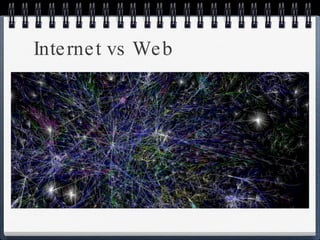
Internet vs Web
Internet vs Web There is no “center” or main-server of the Internet; it is a highly decentralized network designed for sharing information.  Email, VoIP, and the World Wide Web are parts of the Internet.
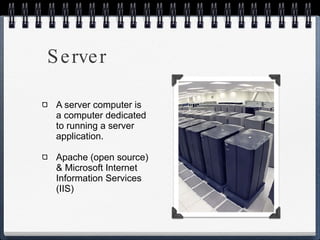
Server A server computer is a computer dedicated to running a server application. Apache (open source) & Microsoft Internet Information Services (IIS)
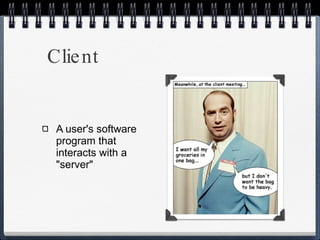
Client A user's software program that interacts with a "server"
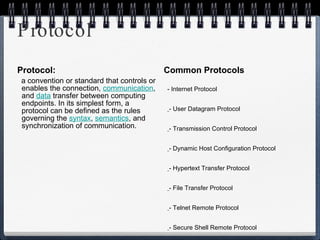
Protocol Protocol: a convention or standard that controls or enables the connection,  communication , and  data  transfer between computing endpoints. In its simplest form, a protocol can be defined as the rules governing the  syntax ,  semantics , and synchronization of communication. Common Protocols IP  - Internet Protocol UDP   - User Datagram Protocol TCP   - Transmission Control Protocol DHCP   - Dynamic Host Configuration Protocol HTTP   - Hypertext Transfer Protocol FTP   - File Transfer Protocol Telnet   - Telnet Remote Protocol SSH   - Secure Shell Remote Protocol POP3   - Post Office Protocol 3 SMTP   - Simple Mail Transfer Protocol IMAP   - Internet Message Access Protocol
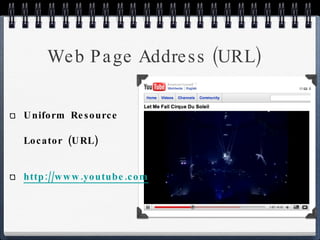
Web Page Address (URL) Uniform Resource Locator (URL) http://www.youtube.com/watch?v=aOhb7uc8IGU
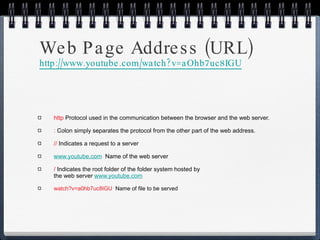
http  Protocol used in the communication between the browser and the web server.  :  Colon simply separates the protocol from the other part of the web address. //  Indicates a request to a server  www.youtube.com   Name of the web server /  Indicates the root folder of the folder system hosted by  the web server  www.youtube.com watch?v=a0hb7uc8IGU   Name of file to be served Web Page Address (URL) http://www.youtube.com/watch?v=aOhb7uc8IGU
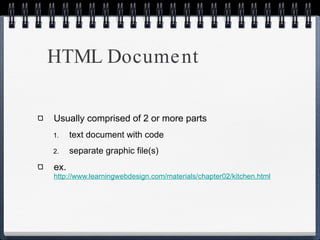
HTML Document Usually comprised of 2 or more parts text document with code separate graphic file(s) ex.  http://www.learningwebdesign.com/materials/chapter02/kitchen.html
Diversity & Accessibility Use clean HTML - marked with appropriate and meaningful HTML, content in logical order Provide alternatives - alternative text, transcripts for audio, captions for video Allow text to resize - font size in em or % No text in graphics Use accessibility features in tables & forms Be careful with colors and backgrounds - plenty of contrast
Coping with the Differences User Preferences Different Platforms Connection Speed Browser Window Size  and Monitor Resolution Monitor Color
User Preferences in addition to font and color changes Ignore style sheets or apply own images off Java and Javascript off turn off pop-up windows
User Preferences Tools -> Internet Options (IE) Tools -> Options -> Content (Firefox) Change fonts and / or color Need to design for flexibility
Different Platforms Operating systems have different fonts Form elements - lists, pull down menus Plug-in media players - Windows Media Player not supported, Flash and Quicktime are supported
Connection Speed Not everyone is on broadband We have a long way to go to catch the number one country, South Korea. The Koreans have 85% high speed penetration while the US is stuck at less than 50%. Of those 50% very few have a connection faster than cable or DSL. http://www.internetworldstats.com/stats.htm http://news.cnet.com/8301-1035_3-10454133-94.html
Browser Window Size and Monitor Resolution Common resolutions / Page Dimension http://en.wikipedia.org/wiki/Display_resolution
Coping with Window Size Liquid Layout  http://www.w3.org Fixed Layout  http://www.csszengarden.com/?cssfile=/211/211.css&page=0
Monitor Color Gamma - overall brightness of a monitor. Macintosh has a lighter gamma than Windows or Unix Number of colors - over 80% have 24-bit or 17 million colors. Rest have 16-bit monitors that display 65,000 colors. http://www.techbomb.com/websafe / http://en.wikipedia.org/wiki/Computer_monitor
Creating a Simple Page
Step by Step Start with Content Give document structure by adding XHTML elements Identify the text elements Add image Change the look with a style sheet
Content Black Goose Bistro The Restaurant The Black Goose Bistro offers casual lunch and dinner fare in a hip atmosphere. The menu changes regularly to highlight the freshest ingredients. Catering Services You have fun... we'll do the cooking. Black Goose Catering can handle events from snacks for bridge club to elegant corporate fundraisers. Location and Hours  Bakers Corner in Seekonk, Massachusetts Monday through Thursday 11am to 9pm, Friday and Saturday, 11am to midnight
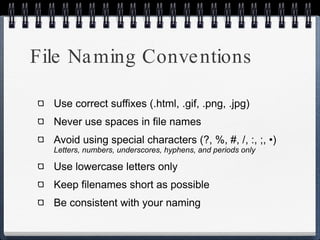
File Naming Conventions Use correct suffixes (.html, .gif, .png, .jpg) Never use spaces in file names Avoid using special characters (?, %, #, /, :, ;, •)  Letters, numbers, underscores, hyphens, and periods only Use lowercase letters only Keep filenames short as possible Be consistent with your naming
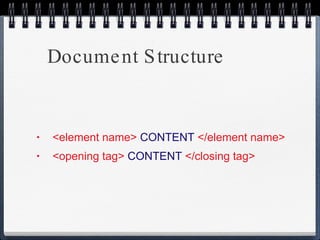
Document Structure <element name>   CONTENT   </element name> <opening tag>  CONTENT  </closing tag>
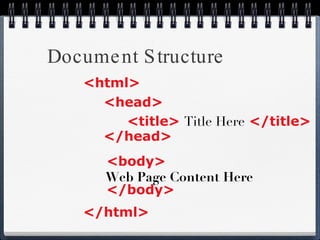
Document Structure <html> </html> <head> </head> <title>   Title Here   </title> <body> </body> Web Page Content Here
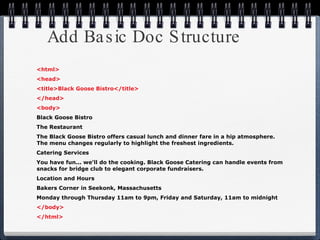
Add Basic Doc Structure <html> <head> <title>Black Goose Bistro</title> </head> <body> Black Goose Bistro The Restaurant The Black Goose Bistro offers casual lunch and dinner fare in a hip atmosphere. The menu changes regularly to highlight the freshest ingredients. Catering Services You have fun... we'll do the cooking. Black Goose Catering can handle events from snacks for bridge club to elegant corporate fundraisers. Location and Hours  Bakers Corner in Seekonk, Massachusetts Monday through Thursday 11am to 9pm, Friday and Saturday, 11am to midnight </body> </html>
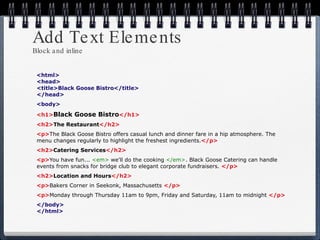
Add Text Elements Block and inline <html> <head> <title>Black Goose Bistro</title> </head> <body> <h1> Black Goose Bistro </h1> <h2> The Restaurant </h2> <p> The Black Goose Bistro offers casual lunch and dinner fare in a hip atmosphere. The menu changes regularly to highlight the freshest ingredients. </p> <h2> Catering Services </h2> <p> You have fun...  <em>  we'll do the cooking   </em> . Black Goose Catering can handle events from snacks for bridge club to elegant corporate fundraisers.   </p> <h2> Location and Hours </h2>   <p> Bakers Corner in Seekonk, Massachusetts   </p> <p> Monday through Thursday 11am to 9pm, Friday and Saturday, 11am to midnight   </p> </body> </html>
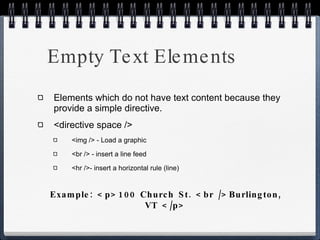
Empty Text Elements Elements which do not have text content because they provide a simple directive. <directive space /> <img /> - Load a graphic <br /> - insert a line feed <hr />- insert a horizontal rule (line) Example: <p>100 Church St. <br />Burlington, VT </p>
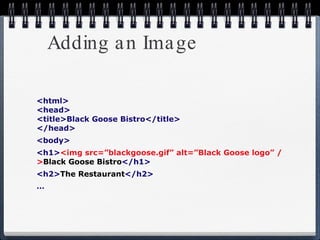
Adding an Image <html> <head> <title>Black Goose Bistro</title> </head> <body> <h1> <img src=”blackgoose.gif” alt=”Black Goose logo” /> Black Goose Bistro </h1> <h2> The Restaurant </h2> …
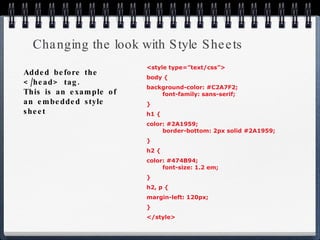
Changing the look with Style Sheets <style type=”text/css”> body { background-color: #C2A7F2;   font-family: sans-serif; } h1 { color: #2A1959; border-bottom: 2px solid #2A1959; } h2 { color: #474B94; font-size: 1.2 em; } h2, p { margin-left: 120px; } </style> Added before the </head> tag. This is an example of an embedded style sheet
Questions?
Assignment work through chapter 4 in book 1-paper on how to register a domain name

How the web works june 2010

  • 1.
  • 2.
  • 3.
    Internet vs WebThere is no “center” or main-server of the Internet; it is a highly decentralized network designed for sharing information. Email, VoIP, and the World Wide Web are parts of the Internet.
  • 4.
    Server A servercomputer is a computer dedicated to running a server application. Apache (open source) & Microsoft Internet Information Services (IIS)
  • 5.
    Client A user'ssoftware program that interacts with a &quot;server&quot;
  • 6.
    Protocol Protocol: aconvention or standard that controls or enables the connection, communication , and data transfer between computing endpoints. In its simplest form, a protocol can be defined as the rules governing the syntax , semantics , and synchronization of communication. Common Protocols IP - Internet Protocol UDP - User Datagram Protocol TCP - Transmission Control Protocol DHCP - Dynamic Host Configuration Protocol HTTP - Hypertext Transfer Protocol FTP - File Transfer Protocol Telnet - Telnet Remote Protocol SSH - Secure Shell Remote Protocol POP3 - Post Office Protocol 3 SMTP - Simple Mail Transfer Protocol IMAP - Internet Message Access Protocol
  • 7.
    Web Page Address(URL) Uniform Resource Locator (URL) http://www.youtube.com/watch?v=aOhb7uc8IGU
  • 8.
    http  Protocol usedin the communication between the browser and the web server. :  Colon simply separates the protocol from the other part of the web address. //  Indicates a request to a server www.youtube.com Name of the web server /  Indicates the root folder of the folder system hosted by the web server www.youtube.com watch?v=a0hb7uc8IGU Name of file to be served Web Page Address (URL) http://www.youtube.com/watch?v=aOhb7uc8IGU
  • 9.
    HTML Document Usuallycomprised of 2 or more parts text document with code separate graphic file(s) ex. http://www.learningwebdesign.com/materials/chapter02/kitchen.html
  • 10.
    Diversity & AccessibilityUse clean HTML - marked with appropriate and meaningful HTML, content in logical order Provide alternatives - alternative text, transcripts for audio, captions for video Allow text to resize - font size in em or % No text in graphics Use accessibility features in tables & forms Be careful with colors and backgrounds - plenty of contrast
  • 11.
    Coping with theDifferences User Preferences Different Platforms Connection Speed Browser Window Size and Monitor Resolution Monitor Color
  • 12.
    User Preferences inaddition to font and color changes Ignore style sheets or apply own images off Java and Javascript off turn off pop-up windows
  • 13.
    User Preferences Tools-> Internet Options (IE) Tools -> Options -> Content (Firefox) Change fonts and / or color Need to design for flexibility
  • 14.
    Different Platforms Operatingsystems have different fonts Form elements - lists, pull down menus Plug-in media players - Windows Media Player not supported, Flash and Quicktime are supported
  • 15.
    Connection Speed Noteveryone is on broadband We have a long way to go to catch the number one country, South Korea. The Koreans have 85% high speed penetration while the US is stuck at less than 50%. Of those 50% very few have a connection faster than cable or DSL. http://www.internetworldstats.com/stats.htm http://news.cnet.com/8301-1035_3-10454133-94.html
  • 16.
    Browser Window Sizeand Monitor Resolution Common resolutions / Page Dimension http://en.wikipedia.org/wiki/Display_resolution
  • 17.
    Coping with WindowSize Liquid Layout http://www.w3.org Fixed Layout http://www.csszengarden.com/?cssfile=/211/211.css&page=0
  • 18.
    Monitor Color Gamma- overall brightness of a monitor. Macintosh has a lighter gamma than Windows or Unix Number of colors - over 80% have 24-bit or 17 million colors. Rest have 16-bit monitors that display 65,000 colors. http://www.techbomb.com/websafe / http://en.wikipedia.org/wiki/Computer_monitor
  • 19.
  • 20.
    Step by StepStart with Content Give document structure by adding XHTML elements Identify the text elements Add image Change the look with a style sheet
  • 21.
    Content Black GooseBistro The Restaurant The Black Goose Bistro offers casual lunch and dinner fare in a hip atmosphere. The menu changes regularly to highlight the freshest ingredients. Catering Services You have fun... we'll do the cooking. Black Goose Catering can handle events from snacks for bridge club to elegant corporate fundraisers. Location and Hours Bakers Corner in Seekonk, Massachusetts Monday through Thursday 11am to 9pm, Friday and Saturday, 11am to midnight
  • 22.
    File Naming ConventionsUse correct suffixes (.html, .gif, .png, .jpg) Never use spaces in file names Avoid using special characters (?, %, #, /, :, ;, •) Letters, numbers, underscores, hyphens, and periods only Use lowercase letters only Keep filenames short as possible Be consistent with your naming
  • 23.
    Document Structure <elementname> CONTENT </element name> <opening tag> CONTENT </closing tag>
  • 24.
    Document Structure <html></html> <head> </head> <title> Title Here </title> <body> </body> Web Page Content Here
  • 25.
    Add Basic DocStructure <html> <head> <title>Black Goose Bistro</title> </head> <body> Black Goose Bistro The Restaurant The Black Goose Bistro offers casual lunch and dinner fare in a hip atmosphere. The menu changes regularly to highlight the freshest ingredients. Catering Services You have fun... we'll do the cooking. Black Goose Catering can handle events from snacks for bridge club to elegant corporate fundraisers. Location and Hours Bakers Corner in Seekonk, Massachusetts Monday through Thursday 11am to 9pm, Friday and Saturday, 11am to midnight </body> </html>
  • 26.
    Add Text ElementsBlock and inline <html> <head> <title>Black Goose Bistro</title> </head> <body> <h1> Black Goose Bistro </h1> <h2> The Restaurant </h2> <p> The Black Goose Bistro offers casual lunch and dinner fare in a hip atmosphere. The menu changes regularly to highlight the freshest ingredients. </p> <h2> Catering Services </h2> <p> You have fun... <em> we'll do the cooking </em> . Black Goose Catering can handle events from snacks for bridge club to elegant corporate fundraisers. </p> <h2> Location and Hours </h2> <p> Bakers Corner in Seekonk, Massachusetts </p> <p> Monday through Thursday 11am to 9pm, Friday and Saturday, 11am to midnight </p> </body> </html>
  • 27.
    Empty Text ElementsElements which do not have text content because they provide a simple directive. <directive space /> <img /> - Load a graphic <br /> - insert a line feed <hr />- insert a horizontal rule (line) Example: <p>100 Church St. <br />Burlington, VT </p>
  • 28.
    Adding an Image<html> <head> <title>Black Goose Bistro</title> </head> <body> <h1> <img src=”blackgoose.gif” alt=”Black Goose logo” /> Black Goose Bistro </h1> <h2> The Restaurant </h2> …
  • 29.
    Changing the lookwith Style Sheets <style type=”text/css”> body { background-color: #C2A7F2; font-family: sans-serif; } h1 { color: #2A1959; border-bottom: 2px solid #2A1959; } h2 { color: #474B94; font-size: 1.2 em; } h2, p { margin-left: 120px; } </style> Added before the </head> tag. This is an example of an embedded style sheet
  • 30.
  • 31.
    Assignment work throughchapter 4 in book 1-paper on how to register a domain name