Communications Lab :: Web Lecture 3: Sinatra
Announcements Late assignments policy :  A total of  three (3) free late days are allowed  over the course of the semester ; you may distribute these free late days however you like among the assignments.  Once these 3 days are exhausted, 10 points will be taken off each late day. New group where you can  post questions about assignments : web@itp.nyu.  Office hours  will now be moved to  Thursdays 7pm-9pm. Assignment #2 is  due today . Make sure you've sent the links to your files by email.  
Today Sinatra, server-side programming Web Services  Your Sinatra FTP folder Routes Parameters Strings, Integers, If statements
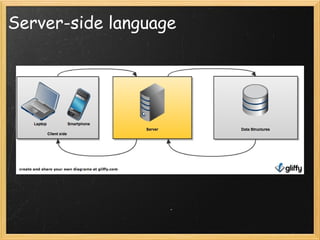
Server-side language
What is Sinatra? Sinatra  is a DSL (Domain Specific Language)  that is used to  create web applications Named after Frank Sinatra, apparently for having "so much class he deserves a web-framework named after him". Simple  - create a fully functional web app in  just one file . No complicated set up procedures or configuration. Flexible  - can be used to build anything from the smallest of microsites to a full-scale web application. Lightweight
What's a web service? Small units of code  designed to handle a  limited set of tasks .   It's an easy way to  distribute information to a large number of users Listens to requests , and based on different parameters it  provides a response  Makes remote information available
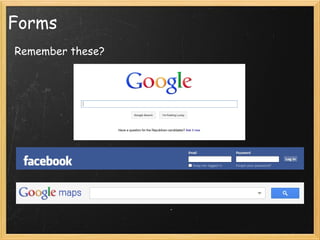
Forms Remember these?
How does a web service work? The web service provider  defines a format for requests  for its service and the response the service will generate --  we do this in app.rb A  computer makes a request for the web services  across the network The web service  performs some action, and sends the response back
Examples translating text from one language to another finding the best price for a product online   retrieving a stock quote  saving a new item on a to do list    putting up a new post on Twitter
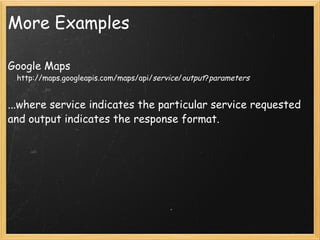
More Examples Google Maps      http://maps.googleapis.com/maps/api/ service / output ? parameters   ...where service indicates the particular service requested and output indicates the response format.    
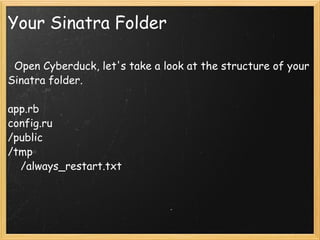
Your Sinatra Folder    Open Cyberduck, let's take a look at the structure of your Sinatra folder.   app.rb config.ru /public /tmp      /always_restart.txt
Config.ru Configurations to run your service You don't need to ever change this require File.dirname(__FILE__) + '/app.rb' before do  s = request.path_info  s[/^\/~(\w)+(\d)+\/sinatra\/[^\/|?]+/i] = ""  request.path_info = s end run Sinatra::Application
tmp/always_restart.txt Makes sure your service is always re-started after making a change You don't need to change this
/public Keep any public facing assets, such as images, stylesheets and javascript files   Static files
App.rb Main application This is the file we'll be working in and changing   require 'rubygems' require 'sinatra'
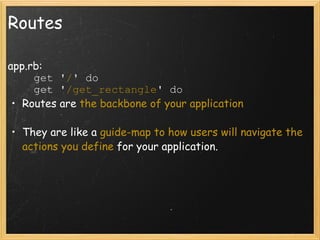
Routes app.rb:          get ' / ' do      get ' /get_rectangle ' do  Routes are  the backbone of your application   They are like a  guide-map to how users will navigate the actions you define  for your application. 
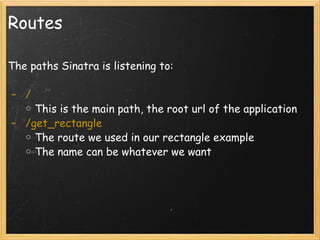
Routes The paths Sinatra is listening to:     /  This is the main path, the root url of the application   /get_rectangle The route we used in our rectangle example The name can be whatever we want   
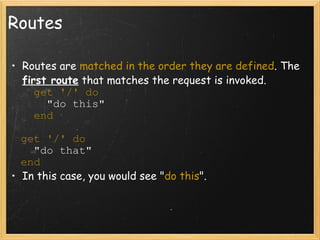
Routes Routes are  matched in the order they are defined . The  first route  that matches the request is invoked.          get '/' do        "do this"         end     get '/' do     "do that"   end  In this case, you would see " do this ".
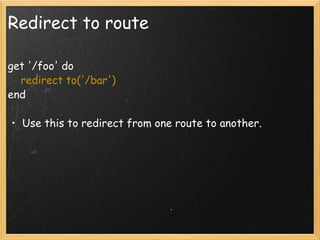
Redirect to route get '/foo' do      redirect to('/bar') end Use this to redirect from one route to another.
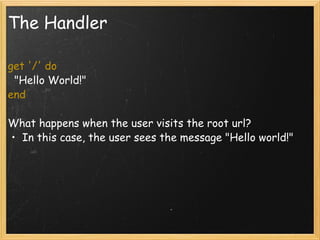
The Handler get '/' do   "Hello World!" end  What happens when the user visits the root url?  In this case, the user sees the message "Hello world!"
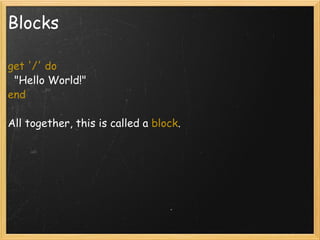
Blocks get '/' do   "Hello World!" end  All together, this is called a  block .
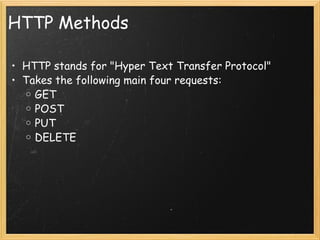
HTTP Methods HTTP stands for "Hyper Text Transfer Protocol" Takes the following main four requests: GET POST PUT DELETE
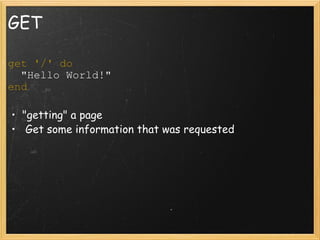
GET get '/' do   "Hello World!" end    "getting" a page   Get some information that was requested
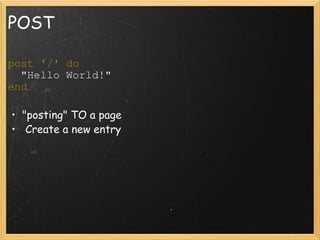
POST post '/' do   "Hello World!" end  "posting" TO a page   Create a new entry
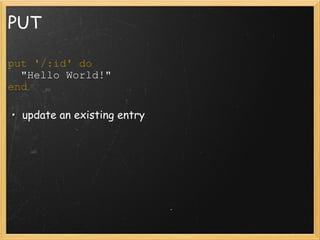
PUT put '/:id' do   "Hello World!" end  update an existing entry
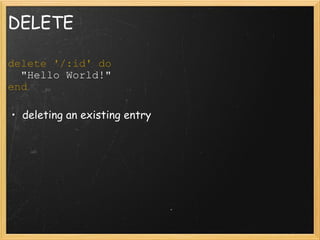
DELETE delete '/:id' do   "Hello World!" end  deleting an existing entry
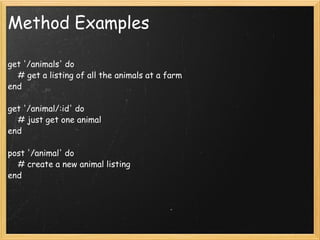
Method Examples get '/animals' do       # get a listing of all the animals at a farm  end  get '/animal/:id' do       # just get one animal  end  post '/animal' do       # create a new animal listing  end 
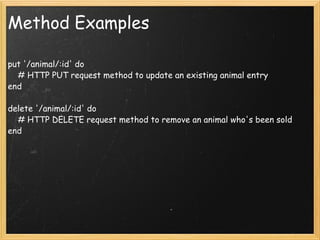
Method Examples put '/animal/:id' do       # HTTP PUT request method to update an existing animal entry  end  delete '/animal/:id' do       # HTTP DELETE request method to remove an animal who's been sold  end
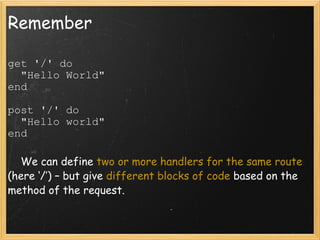
Remember get '/' do    "Hello World" end  post '/' do    "Hello world" end        We can define  two or more handlers for the same route  (here ‘/’) – but give  different blocks of code  based on the method of the request.
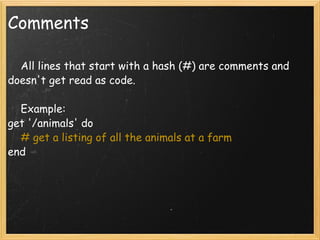
Comments      All lines that start with a hash (#) are comments and doesn't get read as code.      Example: get '/animals' do       # get a listing of all the animals at a farm  end 
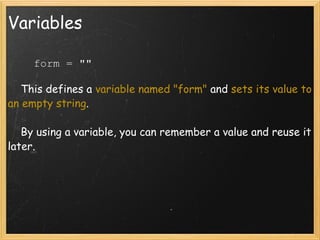
Variables      form = ""        This defines a  variable named "form"  and  sets its value to an empty string .      By using a variable, you can remember a value and reuse it later.
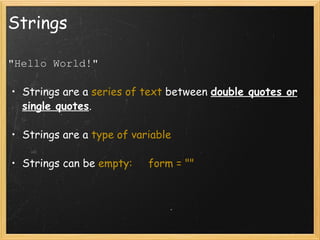
Strings "Hello World!"   Strings are a  series of text  between  double quotes or single quotes .    Strings are a  type of variable   Strings can be  empty:     form = ""
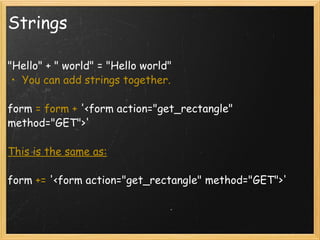
Strings &quot;Hello&quot; + &quot; world&quot; = &quot;Hello world&quot; You can add strings together.    form  = form +  '<form action=&quot;get_rectangle&quot; method=&quot;GET&quot;>'  This is the same as:   form  +=  '<form action=&quot;get_rectangle&quot; method=&quot;GET&quot;>' 
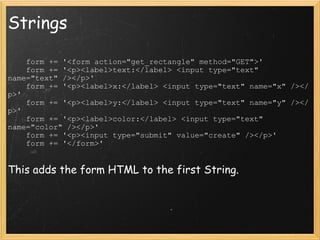
Strings      form += '<form action=&quot;get_rectangle&quot; method=&quot;GET&quot;>'      form += '<p><label>text:</label> <input type=&quot;text&quot; name=&quot;text&quot; /></p>'     form += '<p><label>x:</label> <input type=&quot;text&quot; name=&quot;x&quot; /></p>'     form += '<p><label>y:</label> <input type=&quot;text&quot; name=&quot;y&quot; /></p>'     form += '<p><label>color:</label> <input type=&quot;text&quot; name=&quot;color&quot; /></p>'      form += '<p><input type=&quot;submit&quot; value=&quot;create&quot; /></p>'     form += '</form>'  This adds the form HTML to the first String.
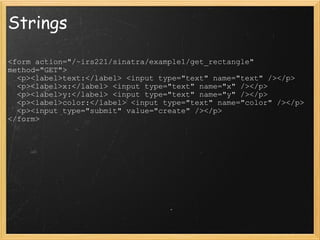
Strings <form action=&quot;/~irs221/sinatra/example1/get_rectangle&quot; method=&quot;GET&quot;>    <p><label>text:</label> <input type=&quot;text&quot; name=&quot;text&quot; /></p>    <p><label>x:</label> <input type=&quot;text&quot; name=&quot;x&quot; /></p>    <p><label>y:</label> <input type=&quot;text&quot; name=&quot;y&quot; /></p>    <p><label>color:</label> <input type=&quot;text&quot; name=&quot;color&quot; /></p>    <p><input type=&quot;submit&quot; value=&quot;create&quot; /></p> </form>
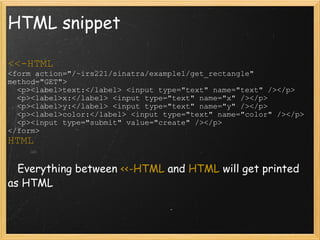
HTML snippet <<-HTML <form action=&quot;/~irs221/sinatra/example1/get_rectangle&quot; method=&quot;GET&quot;>    <p><label>text:</label> <input type=&quot;text&quot; name=&quot;text&quot; /></p>    <p><label>x:</label> <input type=&quot;text&quot; name=&quot;x&quot; /></p>    <p><label>y:</label> <input type=&quot;text&quot; name=&quot;y&quot; /></p>    <p><label>color:</label> <input type=&quot;text&quot; name=&quot;color&quot; /></p>    <p><input type=&quot;submit&quot; value=&quot;create&quot; /></p> </form> HTML     Everything between  <<-HTML  and  HTML  will get printed as HTML
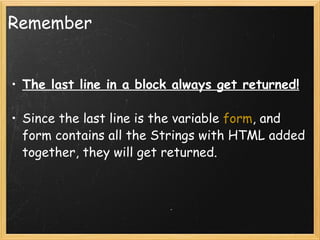
Remember The last line in a block always get returned! Since the last line is the variable  form , and form contains all the Strings with HTML added together, they will get returned.
Parameters and variables get '/:task' do   task_variable = params[:task] end ‘ :task’ – this is a  named parameter , identifiable by the leading colon(‘:’). Named parameters are values taken  from the url  that are accessible through the ‘params’ hash set a   variable  called ‘task_variable’  equal to the value of params[:task],
Parameters      Params  contains all of the information that has been sent as parameters  - either through a form or via the url      Route patterns may include  named parameters , accessible via the params hash:       get '/cars/:name' do           # matches &quot;GET /cars/ford&quot; and &quot;GET /cars/volvo&quot;           # params[:name] is 'ford' or 'volvo'           &quot;I want a #{params[:name]}!&quot;       end    
Parameters Including a parameter in a string and returning it to the page: get '/cars/:name' do           &quot;I want a  #{ params[:name] } !&quot;  end  
Parameters get '/get_rectangle' do     rectangle = &quot;&quot;     # This will create a rectangle using in-line CSS     # Each of the values submitted in the form can be accessed by params[:name]     rectangle += '<p style=&quot;width: ' + params[:x] + '; '     rectangle += 'height: ' + params[:y] + '; '     rectangle += 'background-color: ' + params[:color] + '&quot;>'     rectangle += params[:text] + '</p>';     # The last line always gets returned     rectangle end
Parameters      rectangle += '<p style=&quot;width: ' + params[:x] + '; '     rectangle += 'height: ' + params[:y] + '; '     rectangle += 'background-color: ' + params[:color] + '&quot;>'     rectangle += params[:text] + '</p>';     Will look like...           <p style=&quot;width: 123; height: 123; background-color: red&quot;>red</p>
params.inspect get '/' do      params.inspect end    params.inspect shows the key/value pairs of all the parameters  params[:key]=value
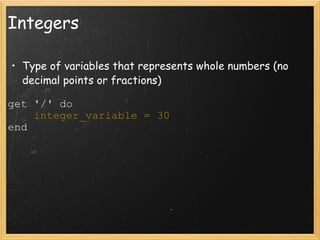
Integers Type of variables that represents whole numbers (no decimal points or fractions) get '/' do      integer_variable = 30 end 
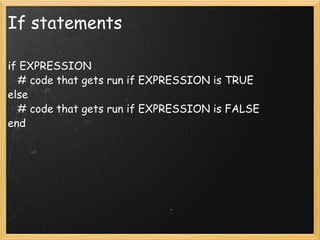
If statements if EXPRESSION     # code that gets run if EXPRESSION is TRUE else     # code that gets run if EXPRESSION is FALSE end
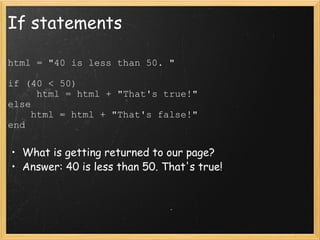
If statements html = &quot;40 is less than 50. &quot;   if (40 < 50)       html = html + &quot;That's true!&quot; else      html = html + &quot;That's false!&quot; end What is getting returned to our page? Answer: 40 is less than 50. That's true!
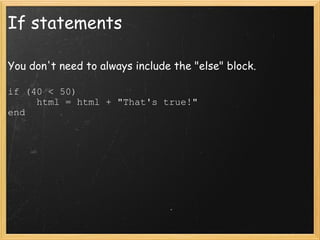
If statements You don't need to always include the &quot;else&quot; block. if (40 < 50)       html = html + &quot;That's true!&quot; end
Comparing Strings if (params[:text] == 'red')       &quot;You wrote red in the text input box.&quot; end
Arrays      main_courses = [ 'pancakes', 'waffles' ]      sides = [ 'potatoes', 'eggs', 'fruit salad' ]      beverages = [ 'orange juice', 'grapefruit juice', 'coffee'] To access these:      sides[0]       # this will return &quot;potatoes&quot;      beverages[1]       #this will return &quot;grapefruit juice&quot;
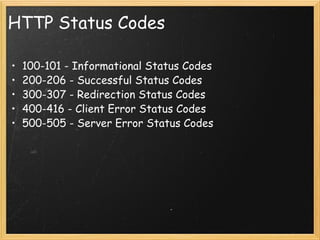
HTTP Status Codes  100-101 - Informational Status Codes 200-206 - Successful Status Codes 300-307 - Redirection Status Codes 400-416 - Client Error Status Codes 500-505 - Server Error Status Codes  
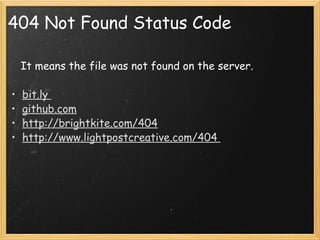
404 Not Found Status Code      It means the file was not found on the server.   bit.ly  github.com http://brightkite.com/404 http://www.lightpostcreative.com/404
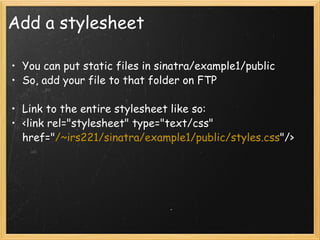
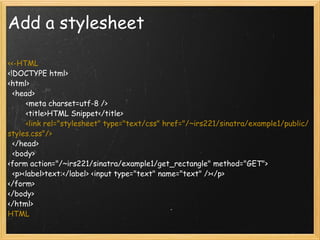
Add a stylesheet You can put static files in sinatra/example1/public So, add your file to that folder on FTP   Link to the entire stylesheet like so: <link rel=&quot;stylesheet&quot; type=&quot;text/css&quot; href=&quot; /~irs221/sinatra/example1/public/styles.css &quot;/>
Add a stylesheet <<-HTML <!DOCTYPE html> <html>   <head>         <meta charset=utf-8 />         <title>HTML Snippet</title>          <link rel=&quot;stylesheet&quot; type=&quot;text/css&quot; href=&quot;/~irs221/sinatra/example1/public/styles.css&quot;/>   </head>   <body> <form action=&quot;/~irs221/sinatra/example1/get_rectangle&quot; method=&quot;GET&quot;>   <p><label>text:</label> <input type=&quot;text&quot; name=&quot;text&quot; /></p> </form> </body> </html> HTML
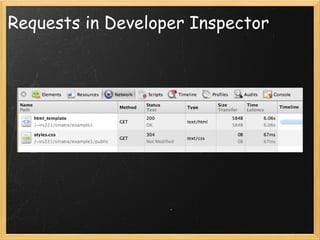
Requests in Developer Inspector
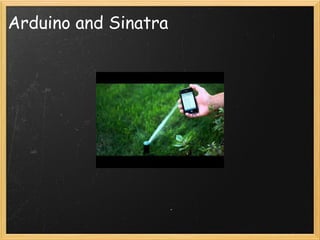
Arduino and Sinatra
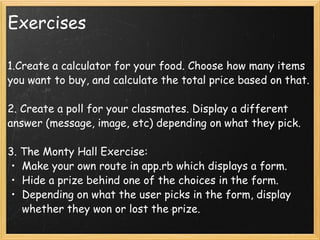
Exercises 1.Create a calculator for your food. Choose how many items you want to buy, and calculate the total price based on that. 2. Create a poll for your classmates. Display a different answer (message, image, etc) depending on what they pick. 3. The Monty Hall Exercise: Make your own route in app.rb which displays a form.  Hide a prize behind one of the choices in the form. Depending on what the user picks in the form, display whether they won or lost the prize.
Next week How to create more applications in Sinatra Datamapper  and Sinatra - we'll take a look at how to store and retrieve data Assignment #3 is due  at the beginning of next class. Get the assignment on ruxystaicut.com/itp

Lecture 3 - Comm Lab: Web @ ITP

  • 1.
    Communications Lab ::Web Lecture 3: Sinatra
  • 2.
    Announcements Late assignmentspolicy : A total of three (3) free late days are allowed over the course of the semester ; you may distribute these free late days however you like among the assignments. Once these 3 days are exhausted, 10 points will be taken off each late day. New group where you can post questions about assignments : web@itp.nyu. Office hours will now be moved to Thursdays 7pm-9pm. Assignment #2 is due today . Make sure you've sent the links to your files by email.  
  • 3.
    Today Sinatra, server-sideprogramming Web Services Your Sinatra FTP folder Routes Parameters Strings, Integers, If statements
  • 4.
  • 5.
    What is Sinatra?Sinatra is a DSL (Domain Specific Language) that is used to create web applications Named after Frank Sinatra, apparently for having &quot;so much class he deserves a web-framework named after him&quot;. Simple - create a fully functional web app in just one file . No complicated set up procedures or configuration. Flexible - can be used to build anything from the smallest of microsites to a full-scale web application. Lightweight
  • 6.
    What's a webservice? Small units of code designed to handle a limited set of tasks .   It's an easy way to distribute information to a large number of users Listens to requests , and based on different parameters it provides a response  Makes remote information available
  • 7.
  • 8.
    How does aweb service work? The web service provider defines a format for requests for its service and the response the service will generate -- we do this in app.rb A computer makes a request for the web services across the network The web service performs some action, and sends the response back
  • 9.
    Examples translating textfrom one language to another finding the best price for a product online   retrieving a stock quote saving a new item on a to do list    putting up a new post on Twitter
  • 10.
    More Examples GoogleMaps      http://maps.googleapis.com/maps/api/ service / output ? parameters ...where service indicates the particular service requested and output indicates the response format.    
  • 11.
    Your Sinatra Folder  Open Cyberduck, let's take a look at the structure of your Sinatra folder.   app.rb config.ru /public /tmp     /always_restart.txt
  • 12.
    Config.ru Configurations torun your service You don't need to ever change this require File.dirname(__FILE__) + '/app.rb' before do  s = request.path_info  s[/^\/~(\w)+(\d)+\/sinatra\/[^\/|?]+/i] = &quot;&quot;  request.path_info = s end run Sinatra::Application
  • 13.
    tmp/always_restart.txt Makes sureyour service is always re-started after making a change You don't need to change this
  • 14.
    /public Keep anypublic facing assets, such as images, stylesheets and javascript files   Static files
  • 15.
    App.rb Main applicationThis is the file we'll be working in and changing   require 'rubygems' require 'sinatra'
  • 16.
    Routes app.rb:         get ' / ' do      get ' /get_rectangle ' do Routes are the backbone of your application   They are like a guide-map to how users will navigate the actions you define for your application. 
  • 17.
    Routes The pathsSinatra is listening to:     /  This is the main path, the root url of the application   /get_rectangle The route we used in our rectangle example The name can be whatever we want  
  • 18.
    Routes Routes are matched in the order they are defined . The first route that matches the request is invoked.         get '/' do        &quot;do this&quot;         end    get '/' do     &quot;do that&quot;   end In this case, you would see &quot; do this &quot;.
  • 19.
    Redirect to routeget '/foo' do      redirect to('/bar') end Use this to redirect from one route to another.
  • 20.
    The Handler get'/' do   &quot;Hello World!&quot; end  What happens when the user visits the root url? In this case, the user sees the message &quot;Hello world!&quot;
  • 21.
    Blocks get '/'do   &quot;Hello World!&quot; end  All together, this is called a block .
  • 22.
    HTTP Methods HTTPstands for &quot;Hyper Text Transfer Protocol&quot; Takes the following main four requests: GET POST PUT DELETE
  • 23.
    GET get '/'do   &quot;Hello World!&quot; end   &quot;getting&quot; a page   Get some information that was requested
  • 24.
    POST post '/'do   &quot;Hello World!&quot; end &quot;posting&quot; TO a page   Create a new entry
  • 25.
    PUT put '/:id'do   &quot;Hello World!&quot; end update an existing entry
  • 26.
    DELETE delete '/:id'do   &quot;Hello World!&quot; end deleting an existing entry
  • 27.
    Method Examples get'/animals' do       # get a listing of all the animals at a farm  end  get '/animal/:id' do       # just get one animal  end  post '/animal' do       # create a new animal listing  end 
  • 28.
    Method Examples put'/animal/:id' do       # HTTP PUT request method to update an existing animal entry  end  delete '/animal/:id' do       # HTTP DELETE request method to remove an animal who's been sold  end
  • 29.
    Remember get '/'do   &quot;Hello World&quot; end post '/' do    &quot;Hello world&quot; end       We can define two or more handlers for the same route (here ‘/’) – but give different blocks of code based on the method of the request.
  • 30.
    Comments     All lines that start with a hash (#) are comments and doesn't get read as code.      Example: get '/animals' do       # get a listing of all the animals at a farm  end 
  • 31.
    Variables     form = &quot;&quot;       This defines a variable named &quot;form&quot; and sets its value to an empty string .      By using a variable, you can remember a value and reuse it later.
  • 32.
    Strings &quot;Hello World!&quot;  Strings are a series of text between double quotes or single quotes .   Strings are a type of variable   Strings can be empty:     form = &quot;&quot;
  • 33.
    Strings &quot;Hello&quot; +&quot; world&quot; = &quot;Hello world&quot; You can add strings together.   form  = form +  '<form action=&quot;get_rectangle&quot; method=&quot;GET&quot;>'  This is the same as:   form  +=  '<form action=&quot;get_rectangle&quot; method=&quot;GET&quot;>' 
  • 34.
    Strings     form += '<form action=&quot;get_rectangle&quot; method=&quot;GET&quot;>'      form += '<p><label>text:</label> <input type=&quot;text&quot; name=&quot;text&quot; /></p>'     form += '<p><label>x:</label> <input type=&quot;text&quot; name=&quot;x&quot; /></p>'     form += '<p><label>y:</label> <input type=&quot;text&quot; name=&quot;y&quot; /></p>'     form += '<p><label>color:</label> <input type=&quot;text&quot; name=&quot;color&quot; /></p>'      form += '<p><input type=&quot;submit&quot; value=&quot;create&quot; /></p>'     form += '</form>' This adds the form HTML to the first String.
  • 35.
    Strings <form action=&quot;/~irs221/sinatra/example1/get_rectangle&quot;method=&quot;GET&quot;>   <p><label>text:</label> <input type=&quot;text&quot; name=&quot;text&quot; /></p>   <p><label>x:</label> <input type=&quot;text&quot; name=&quot;x&quot; /></p>   <p><label>y:</label> <input type=&quot;text&quot; name=&quot;y&quot; /></p>   <p><label>color:</label> <input type=&quot;text&quot; name=&quot;color&quot; /></p>   <p><input type=&quot;submit&quot; value=&quot;create&quot; /></p> </form>
  • 36.
    HTML snippet <<-HTML<form action=&quot;/~irs221/sinatra/example1/get_rectangle&quot; method=&quot;GET&quot;>   <p><label>text:</label> <input type=&quot;text&quot; name=&quot;text&quot; /></p>   <p><label>x:</label> <input type=&quot;text&quot; name=&quot;x&quot; /></p>   <p><label>y:</label> <input type=&quot;text&quot; name=&quot;y&quot; /></p>   <p><label>color:</label> <input type=&quot;text&quot; name=&quot;color&quot; /></p>   <p><input type=&quot;submit&quot; value=&quot;create&quot; /></p> </form> HTML    Everything between <<-HTML and HTML will get printed as HTML
  • 37.
    Remember The lastline in a block always get returned! Since the last line is the variable form , and form contains all the Strings with HTML added together, they will get returned.
  • 38.
    Parameters and variablesget '/:task' do   task_variable = params[:task] end ‘ :task’ – this is a named parameter , identifiable by the leading colon(‘:’). Named parameters are values taken from the url that are accessible through the ‘params’ hash set a   variable called ‘task_variable’ equal to the value of params[:task],
  • 39.
    Parameters     Params  contains all of the information that has been sent as parameters - either through a form or via the url      Route patterns may include named parameters , accessible via the params hash:      get '/cars/:name' do           # matches &quot;GET /cars/ford&quot; and &quot;GET /cars/volvo&quot;          # params[:name] is 'ford' or 'volvo'          &quot;I want a #{params[:name]}!&quot;       end    
  • 40.
    Parameters Including aparameter in a string and returning it to the page: get '/cars/:name' do          &quot;I want a #{ params[:name] } !&quot;  end  
  • 41.
    Parameters get '/get_rectangle'do     rectangle = &quot;&quot;     # This will create a rectangle using in-line CSS     # Each of the values submitted in the form can be accessed by params[:name]     rectangle += '<p style=&quot;width: ' + params[:x] + '; '     rectangle += 'height: ' + params[:y] + '; '     rectangle += 'background-color: ' + params[:color] + '&quot;>'     rectangle += params[:text] + '</p>';     # The last line always gets returned     rectangle end
  • 42.
    Parameters     rectangle += '<p style=&quot;width: ' + params[:x] + '; '     rectangle += 'height: ' + params[:y] + '; '     rectangle += 'background-color: ' + params[:color] + '&quot;>'     rectangle += params[:text] + '</p>';     Will look like...          <p style=&quot;width: 123; height: 123; background-color: red&quot;>red</p>
  • 43.
    params.inspect get '/'do     params.inspect end    params.inspect shows the key/value pairs of all the parameters  params[:key]=value
  • 44.
    Integers Type ofvariables that represents whole numbers (no decimal points or fractions) get '/' do      integer_variable = 30 end 
  • 45.
    If statements ifEXPRESSION    # code that gets run if EXPRESSION is TRUE else     # code that gets run if EXPRESSION is FALSE end
  • 46.
    If statements html= &quot;40 is less than 50. &quot;   if (40 < 50)      html = html + &quot;That's true!&quot; else      html = html + &quot;That's false!&quot; end What is getting returned to our page? Answer: 40 is less than 50. That's true!
  • 47.
    If statements Youdon't need to always include the &quot;else&quot; block. if (40 < 50)      html = html + &quot;That's true!&quot; end
  • 48.
    Comparing Strings if(params[:text] == 'red')      &quot;You wrote red in the text input box.&quot; end
  • 49.
    Arrays     main_courses = [ 'pancakes', 'waffles' ]      sides = [ 'potatoes', 'eggs', 'fruit salad' ]      beverages = [ 'orange juice', 'grapefruit juice', 'coffee'] To access these:      sides[0]       # this will return &quot;potatoes&quot;      beverages[1]       #this will return &quot;grapefruit juice&quot;
  • 50.
    HTTP Status Codes 100-101 - Informational Status Codes 200-206 - Successful Status Codes 300-307 - Redirection Status Codes 400-416 - Client Error Status Codes 500-505 - Server Error Status Codes  
  • 51.
    404 Not FoundStatus Code     It means the file was not found on the server.   bit.ly  github.com http://brightkite.com/404 http://www.lightpostcreative.com/404
  • 52.
    Add a stylesheetYou can put static files in sinatra/example1/public So, add your file to that folder on FTP   Link to the entire stylesheet like so: <link rel=&quot;stylesheet&quot; type=&quot;text/css&quot; href=&quot; /~irs221/sinatra/example1/public/styles.css &quot;/>
  • 53.
    Add a stylesheet<<-HTML <!DOCTYPE html> <html>   <head>         <meta charset=utf-8 />         <title>HTML Snippet</title>         <link rel=&quot;stylesheet&quot; type=&quot;text/css&quot; href=&quot;/~irs221/sinatra/example1/public/styles.css&quot;/>   </head>   <body> <form action=&quot;/~irs221/sinatra/example1/get_rectangle&quot; method=&quot;GET&quot;>   <p><label>text:</label> <input type=&quot;text&quot; name=&quot;text&quot; /></p> </form> </body> </html> HTML
  • 54.
  • 55.
  • 56.
    Exercises 1.Create acalculator for your food. Choose how many items you want to buy, and calculate the total price based on that. 2. Create a poll for your classmates. Display a different answer (message, image, etc) depending on what they pick. 3. The Monty Hall Exercise: Make your own route in app.rb which displays a form.  Hide a prize behind one of the choices in the form. Depending on what the user picks in the form, display whether they won or lost the prize.
  • 57.
    Next week Howto create more applications in Sinatra Datamapper and Sinatra - we'll take a look at how to store and retrieve data Assignment #3 is due at the beginning of next class. Get the assignment on ruxystaicut.com/itp