1
TWEET! 
2 
Follow us on Twitter! 
@WhatCounts 
@MattlrWC 
Tweet about this webinar using 
#HowDoYouLifecycle
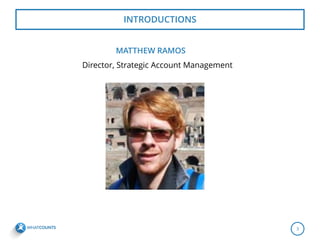
MATTHEW RAMOS 
Director, Strategic Account Management 
INTRODUCTIONS 
3
AGENDA FOR TODAY’S WEBINAR 
Simple Agenda for today’s call: 
• is new to Lifecycle marketing? 
• are some advanced campaigns we can do via Lifecycle? 
4
THINGS THAT HAVE BEEN ENHANCED 
•Archive Campaigns 
5
… ENHANCED 
•When creating a NEW lifecycle campaign, you must also include a Default Notify Email Address. 
•What does this do? 
6 
c
… ENHANCED 
•Building a Lifecycle Campaign – 
–Incomplete steps are now highlighted in red. 
•Deploy Email – requires you to fill out an email tracking name. 
7 
c
… ENHANCED 
•Deploy Campaign – Notify when step complete is new. 
8 
c
… ENHANCED 
•Data Check – 
– Allows you to create a mini segmentation rule within the Lifecycle to target specific segments based off data you have available in the DB. 
9
… ENHANCED 
•Update Data – 
–Allows you to update a data field in the DB to a specific value to help trigger future campaigns or create suppression or segmentation rules. 
10
… ENHANCED 
•Editing existing Lifecycle campaign subscriptions 
–You must deactivate a Lifecycle campaign to make changes. 
–If you edit an active lifecycle it will only allow you to save changes to a Lifecycle Definition (which will NOT take place in the Lifecycle itself). 
–A deactivated campaign will show just SAVE. An active Lifecycle will only show “Save As Definition”. 
11
…. ENHANCED 
•New insert vs. new subscription change: 
–How it worked before: Only new inserts to the realm and database would be eligible for a Lifecycle campaign. 
–How it works now: We updated the logic to where anyone who is added to a new list will be eligible to receive any Lifecycle campaign that’s tied to that list. 
12
NOW LET’S DIG IN 
13
TUTORIALS 
•Let’s create a re-engagement campaign together. 
–Create a 3 touch series. 
–Create the segmentation rule. 
–Schedule it to deploy on the calendar. 
•Let’s create a campaign using a data check together. 
–Use data check to create a welcome by source. 
–Have a “generic” welcome sent to all and then break it out by data check / source type. 
•Let’s create a campaign that includes an Update Data piece. 
•Test via API 
14
USING LIFECYCLE VIA API 
•API call – 
–Let’s add a record via an API call which will trigger a Lifecycle Campaign. 
•http://api.whatcounts.com/bin/api_web?r=realmname&p=realmpassword0&c=sub& list_id=listid#&data=email,first^mramos%2B3@whatcounts.com,Mateo 
•http://api.whatcounts.com/bin/api_web?r=whatcounts_matthew&p=password&c=sub&list_id=23280&data=email,first^mramos%2B3@whatcounts.com,Mateo 
–Let’s take that same record and add them to another LIST via another API call. 
•http://api.whatcounts.com/bin/api_web?r=whatcounts_matthew&p=password&c=sub&list_id=19546&data=email,first^mramos%2B3@whatcounts.com,Mateo 
•Success message looks like this: 
–SUCCESS: Total Records Processed 1, Total Subscriptions 1, Records Added 0, Records Updated 1, Records Ignored (Optout Error) 0, Records Failed Other Error 0 
15
API – ADDTOLIFECYCLE CAMPAIGN 
•API Call – 
–Addtolifecycle API call 
•https://api.whatcounts.com/bin/api_web?r=whatcounts_matthew&p=stababoy3270&c=addtolifecyclecampaign&lc_campaign_name=WelcomeSeriesTest1117&data=email^lfcycletest3@yahoo.com 
•SUCCESS message looks like this: 
–SUCCESS: 1 record(s) processed. 1 users added to Lifecycle Campaign WelcomeSeriesTest1117 
16
REACH OUT TO US 
17 
WhatCounts 
3630 Peachtree Road, NE Suite 900 Atlanta, GA 30326 1-866-804-0076 
www.whatcounts.com 
Twitter: @whatcounts 
mramos@whatcounts.com
THANK YOU FOR ATTENDING! 
18

How Do You Lifecycle? Advanced Training Session (slides)

  • 1.
  • 2.
    TWEET! 2 Followus on Twitter! @WhatCounts @MattlrWC Tweet about this webinar using #HowDoYouLifecycle
  • 3.
    MATTHEW RAMOS Director,Strategic Account Management INTRODUCTIONS 3
  • 4.
    AGENDA FOR TODAY’SWEBINAR Simple Agenda for today’s call: • is new to Lifecycle marketing? • are some advanced campaigns we can do via Lifecycle? 4
  • 5.
    THINGS THAT HAVEBEEN ENHANCED •Archive Campaigns 5
  • 6.
    … ENHANCED •Whencreating a NEW lifecycle campaign, you must also include a Default Notify Email Address. •What does this do? 6 c
  • 7.
    … ENHANCED •Buildinga Lifecycle Campaign – –Incomplete steps are now highlighted in red. •Deploy Email – requires you to fill out an email tracking name. 7 c
  • 8.
    … ENHANCED •DeployCampaign – Notify when step complete is new. 8 c
  • 9.
    … ENHANCED •DataCheck – – Allows you to create a mini segmentation rule within the Lifecycle to target specific segments based off data you have available in the DB. 9
  • 10.
    … ENHANCED •UpdateData – –Allows you to update a data field in the DB to a specific value to help trigger future campaigns or create suppression or segmentation rules. 10
  • 11.
    … ENHANCED •Editingexisting Lifecycle campaign subscriptions –You must deactivate a Lifecycle campaign to make changes. –If you edit an active lifecycle it will only allow you to save changes to a Lifecycle Definition (which will NOT take place in the Lifecycle itself). –A deactivated campaign will show just SAVE. An active Lifecycle will only show “Save As Definition”. 11
  • 12.
    …. ENHANCED •Newinsert vs. new subscription change: –How it worked before: Only new inserts to the realm and database would be eligible for a Lifecycle campaign. –How it works now: We updated the logic to where anyone who is added to a new list will be eligible to receive any Lifecycle campaign that’s tied to that list. 12
  • 13.
  • 14.
    TUTORIALS •Let’s createa re-engagement campaign together. –Create a 3 touch series. –Create the segmentation rule. –Schedule it to deploy on the calendar. •Let’s create a campaign using a data check together. –Use data check to create a welcome by source. –Have a “generic” welcome sent to all and then break it out by data check / source type. •Let’s create a campaign that includes an Update Data piece. •Test via API 14
  • 15.
    USING LIFECYCLE VIAAPI •API call – –Let’s add a record via an API call which will trigger a Lifecycle Campaign. •http://api.whatcounts.com/bin/api_web?r=realmname&p=realmpassword0&c=sub& list_id=listid#&data=email,first^mramos%2B3@whatcounts.com,Mateo •http://api.whatcounts.com/bin/api_web?r=whatcounts_matthew&p=password&c=sub&list_id=23280&data=email,first^mramos%2B3@whatcounts.com,Mateo –Let’s take that same record and add them to another LIST via another API call. •http://api.whatcounts.com/bin/api_web?r=whatcounts_matthew&p=password&c=sub&list_id=19546&data=email,first^mramos%2B3@whatcounts.com,Mateo •Success message looks like this: –SUCCESS: Total Records Processed 1, Total Subscriptions 1, Records Added 0, Records Updated 1, Records Ignored (Optout Error) 0, Records Failed Other Error 0 15
  • 16.
    API – ADDTOLIFECYCLECAMPAIGN •API Call – –Addtolifecycle API call •https://api.whatcounts.com/bin/api_web?r=whatcounts_matthew&p=stababoy3270&c=addtolifecyclecampaign&lc_campaign_name=WelcomeSeriesTest1117&data=email^lfcycletest3@yahoo.com •SUCCESS message looks like this: –SUCCESS: 1 record(s) processed. 1 users added to Lifecycle Campaign WelcomeSeriesTest1117 16
  • 17.
    REACH OUT TOUS 17 WhatCounts 3630 Peachtree Road, NE Suite 900 Atlanta, GA 30326 1-866-804-0076 www.whatcounts.com Twitter: @whatcounts mramos@whatcounts.com
  • 18.
    THANK YOU FORATTENDING! 18