Here Are Some Formats You May Or May Not Know
But Will Be Discussed In This Help-sheet.
• Stands for Joint Photographic Experts Group.
• It is mainly used for photographs and also a wide range
  of colours. It can achieve high compression ratios even
  whilst maintaining high image quality. GIF compression
  is unkind to such images. JPG works by analyzing
  images and discarding kinds of information that the
  eye is least likely to notice. It stores information as 24
  bit color. Important: the degree of compression of JPG
  is adjustable.
• A disadvantage is that JPEG doesn’t work very well with
  simpler images those with not much detail or colour
• BMP is an uncompressed format invented by
  Microsoft. There is really no reason to ever
  use this format but here some information on
  it.
• BMP File Formator simply a Bitmap.
• Does not support compression
• DON’T USE ON MACS!
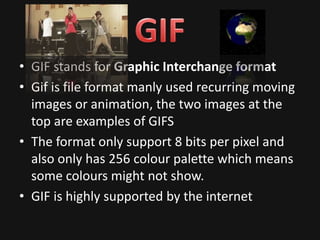
• GIF stands for Graphic Interchange format
• Gif is file format manly used recurring moving
  images or animation, the two images at the
  top are examples of GIFS
• The format only support 8 bits per pixel and
  also only has 256 colour palette which means
  some colours might not show.
• GIF is highly supported by the internet
• Tif stands for Tagged image file
• It is a raster file so it saves its images in pixels
  this has its ups and downs because with this
  the image is much smoother and sharp but it
  also makes the file huge.
• Web browsers also do not support this file but
  scanners work best with them
• PNG stands for portable network graphics.
• Similar to TIFF because it is a raster file so the
  same problem occurs with the file being very big.
• It also is a platform independent format which
  means you don’t need a certain program to use it
  which is a big advantage
• This file is supported by more recent web
  browsers but may cause troubles with old web
  browsers
Helpsheet 2

Helpsheet 2

  • 1.
    Here Are SomeFormats You May Or May Not Know But Will Be Discussed In This Help-sheet.
  • 2.
    • Stands forJoint Photographic Experts Group. • It is mainly used for photographs and also a wide range of colours. It can achieve high compression ratios even whilst maintaining high image quality. GIF compression is unkind to such images. JPG works by analyzing images and discarding kinds of information that the eye is least likely to notice. It stores information as 24 bit color. Important: the degree of compression of JPG is adjustable. • A disadvantage is that JPEG doesn’t work very well with simpler images those with not much detail or colour
  • 3.
    • BMP isan uncompressed format invented by Microsoft. There is really no reason to ever use this format but here some information on it. • BMP File Formator simply a Bitmap. • Does not support compression • DON’T USE ON MACS!
  • 4.
    • GIF standsfor Graphic Interchange format • Gif is file format manly used recurring moving images or animation, the two images at the top are examples of GIFS • The format only support 8 bits per pixel and also only has 256 colour palette which means some colours might not show. • GIF is highly supported by the internet
  • 5.
    • Tif standsfor Tagged image file • It is a raster file so it saves its images in pixels this has its ups and downs because with this the image is much smoother and sharp but it also makes the file huge. • Web browsers also do not support this file but scanners work best with them
  • 6.
    • PNG standsfor portable network graphics. • Similar to TIFF because it is a raster file so the same problem occurs with the file being very big. • It also is a platform independent format which means you don’t need a certain program to use it which is a big advantage • This file is supported by more recent web browsers but may cause troubles with old web browsers