Andrii Siusko
11/19/2013
GRUNT JS
Grunt JavaScript Automation for the Lazy Developer
Agenda
 What is grunt?
 Why Grunt?
 Who have been using it?
 How Do I Start?
 How Do I Use?
 Plugins
 Demo
 Questions
What is grunt?
Grunt is a task-based
command line build tool
for JavaScript projects.
• $ grunt less
• $ grunt csslint
• $ grunt jshint jslint
• $ grunt clean
• $ grunt watch
• $ grunt server
• $ grunt jasmine
• $ grunt dev production
Why Grunt?
• Open Source
• Large Community
• Hundreds of plugins
• Build your own (plugin)
• This is easy!
Who have been using it?
How Do I Start?
• node.js
npm {Node Packaged Modules} manages dependencies for
an application through the command line.
• npm install -g grunt-cli
this will put the grunt command in your system path, allowing it to be run from any
directory.
note: that installing grunt-cli does not install the grunt task runner!
• npm install grunt --save-dev
This will install the latest version of GRUNT in your project folder, adding it to your
devDependencies in package.json
note: way you can install the grunt plugins: npm install {module} --save-dev
http://nodejs.org/download/ http://gruntjs.com/getting-started
How Do I Use?
• package.json
• GruntFile.js
How Do I Use?
package.json
{
"name": "my-project-name",
"version": "0.1.0",
"devDependencies": {
"grunt": "~0.4.1",
"grunt-contrib-jshint": "~0.1.1",
"grunt-contrib-nodeunit": "~0.1.2"
}
}
How Do I Use?
• GruntFile.js
module.exports = function (grunt) {
grunt.initConfig({
pkg: grunt.file.readJSON('package.json'),
concat: {
js: {
src: ['js/**/*.js', 'src/js/**/*.js'],
dest: ‘dev/js/app.js'
}
},
cssmin : { ... },
clean: { ... },
watch: { ... },
});
// loaded a task from a npm module
grunt.loadNpmTasks('grunt-contrib-cssmin');
//setup our workflow
grunt.registerTask("dev", ["concat:js", "cssmin"]);
}
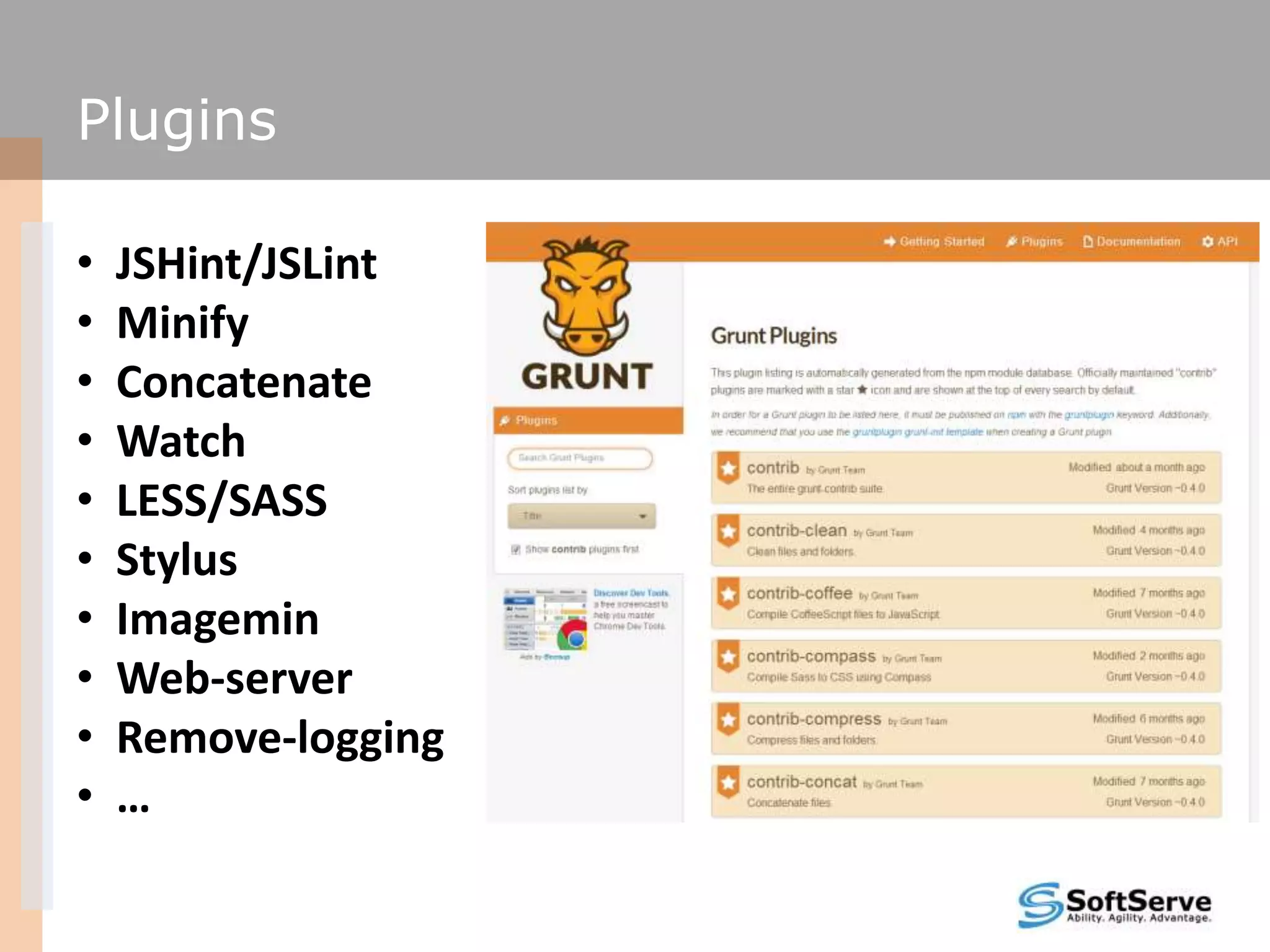
Plugins
• JSHint/JSLint
• Minify
• Concatenate
• Watch
• LESS/SASS
• Stylus
• Imagemin
• Web-server
• Remove-logging
• …
Demo
Questions

Grunt

  • 1.
    Andrii Siusko 11/19/2013 GRUNT JS GruntJavaScript Automation for the Lazy Developer
  • 2.
    Agenda  What isgrunt?  Why Grunt?  Who have been using it?  How Do I Start?  How Do I Use?  Plugins  Demo  Questions
  • 3.
    What is grunt? Gruntis a task-based command line build tool for JavaScript projects. • $ grunt less • $ grunt csslint • $ grunt jshint jslint • $ grunt clean • $ grunt watch • $ grunt server • $ grunt jasmine • $ grunt dev production
  • 4.
    Why Grunt? • OpenSource • Large Community • Hundreds of plugins • Build your own (plugin) • This is easy!
  • 5.
    Who have beenusing it?
  • 6.
    How Do IStart? • node.js npm {Node Packaged Modules} manages dependencies for an application through the command line. • npm install -g grunt-cli this will put the grunt command in your system path, allowing it to be run from any directory. note: that installing grunt-cli does not install the grunt task runner! • npm install grunt --save-dev This will install the latest version of GRUNT in your project folder, adding it to your devDependencies in package.json note: way you can install the grunt plugins: npm install {module} --save-dev http://nodejs.org/download/ http://gruntjs.com/getting-started
  • 7.
    How Do IUse? • package.json • GruntFile.js
  • 8.
    How Do IUse? package.json { "name": "my-project-name", "version": "0.1.0", "devDependencies": { "grunt": "~0.4.1", "grunt-contrib-jshint": "~0.1.1", "grunt-contrib-nodeunit": "~0.1.2" } }
  • 9.
    How Do IUse? • GruntFile.js module.exports = function (grunt) { grunt.initConfig({ pkg: grunt.file.readJSON('package.json'), concat: { js: { src: ['js/**/*.js', 'src/js/**/*.js'], dest: ‘dev/js/app.js' } }, cssmin : { ... }, clean: { ... }, watch: { ... }, }); // loaded a task from a npm module grunt.loadNpmTasks('grunt-contrib-cssmin'); //setup our workflow grunt.registerTask("dev", ["concat:js", "cssmin"]); }
  • 10.
    Plugins • JSHint/JSLint • Minify •Concatenate • Watch • LESS/SASS • Stylus • Imagemin • Web-server • Remove-logging • …
  • 11.
  • 12.