Download to read offline
![CREATING THE GRUNTFILE.JS FILE
module.exports = function(grunt){
grunt.initConfig({
pkg: grunt.file.readJSON('package.json')
});
grunt.registerTask('default', []);
};
01.
02.
03.
04.
05.
06.
7](https://image.slidesharecdn.com/usinggrunt-140619115509-phpapp01/85/Using-GruntJS-7-320.jpg)
![ADD RULES TO GRUNTFILE.JS
uglify: {
build: {
files: {
'build/js/base.min.js': ['assets/js/base.js']
}
}
}
01.
02.
03.
04.
05.
06.
07.
10](https://image.slidesharecdn.com/usinggrunt-140619115509-phpapp01/85/Using-GruntJS-10-320.jpg)

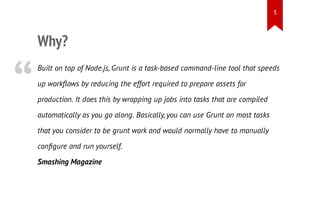
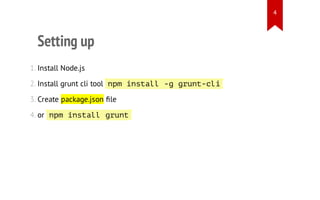
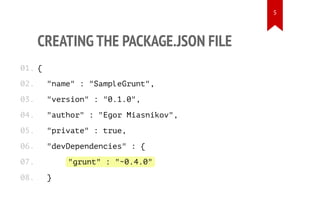
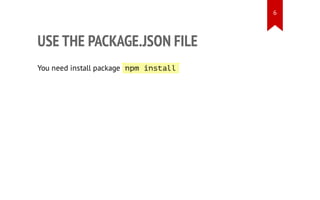
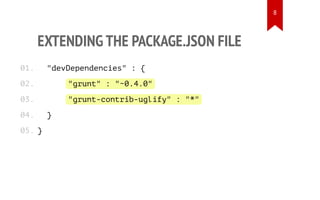
This document provides an overview of Grunt, an open source task runner for JavaScript projects. It discusses why Grunt is useful for automating repetitive tasks like minifying files, describes how to set up a basic Grunt project by installing Node.js, creating a package.json file, and configuring a Gruntfile.js, and provides examples of configuring tasks in Gruntfile.js like uglifying JavaScript files.


![[Js hcm] Deploying node.js with Forever.js and nginx](https://cdn.slidesharecdn.com/ss_thumbnails/js-hcmdeployingnode-131016220832-phpapp01-thumbnail.jpg?width=640&height=640&fit=bounds)


![谷歌留痕技术教程[ 𝙩𝙤𝙥 𝟮𝟯𝟯. 𝙘 𝙤𝙢 ]](https://cdn.slidesharecdn.com/ss_thumbnails/top233-260130173900-2eb784f9-thumbnail.jpg?width=640&height=640&fit=bounds)


![20260201 [FOSDEM] gomodjail - library sandboxing for Go modules.pdf](https://cdn.slidesharecdn.com/ss_thumbnails/20260201fosdemgomodjail-librarysandboxingforgomodules-260201225659-76609ec4-thumbnail.jpg?width=640&height=640&fit=bounds)


