Security in Odoo 15
Groups and Access
Rights in Odoo 15
www.cybrosys.com
INTRODUCTION
 In Odoo, the user is the one who has access to the database. We can add as many users
as we want, and we can decide which type of information the user can access by giving
access rights to them.
 Aside from manually managing access using custom code, Odoo provides two main data-
driven mechanisms to manage or restrict access to data.
 Both mechanisms are linked to specific users through groups: a user belongs to any
number of groups, and security mechanisms are associated to groups, thus applying
security mechanisms to users.
 This is done by using security groups. The administrator has a security group as well as a
salesman.
 We can define record rules based on the security groups.
 Also in Odoo, we can specify the groups to menu or fields for which the menu or field will be
displayed for that particular security group.
Groups
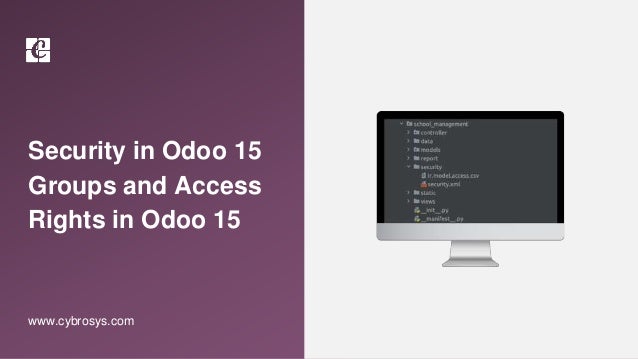
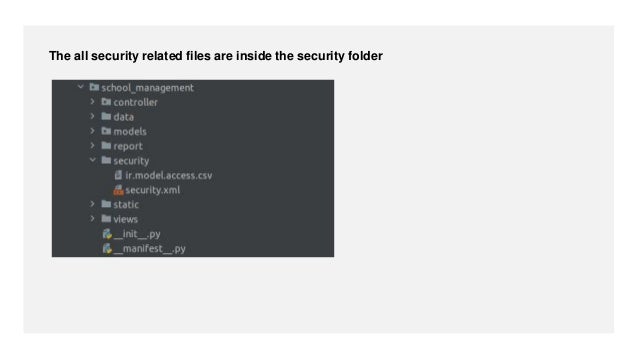
The all security related files are inside the security folder
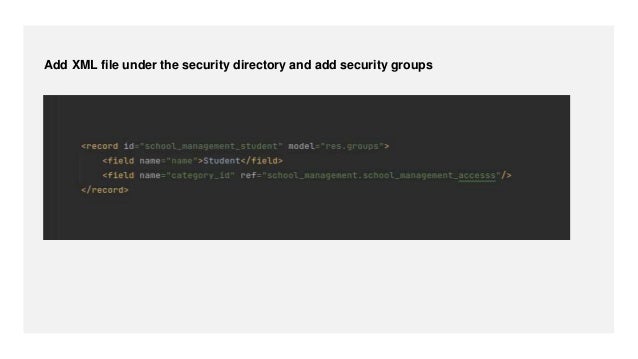
Add XML file under the security directory and add security groups
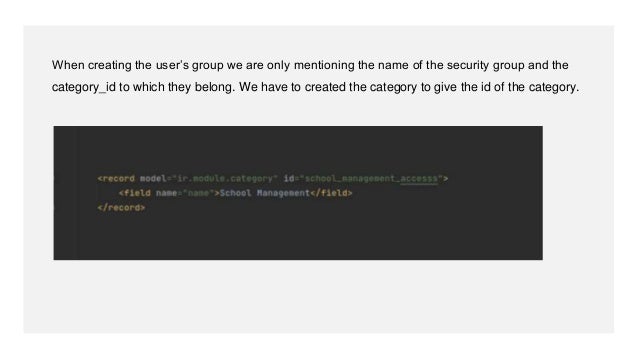
When creating the user’s group we are only mentioning the name of the security group and the
category_id to which they belong. We have to created the category to give the id of the category.
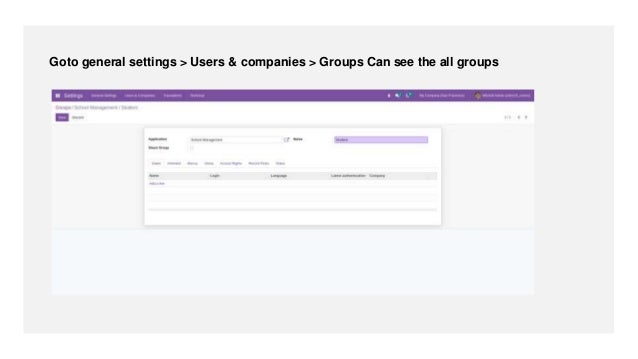
Goto general settings > Users & companies > Groups Can see the all groups
 An Odoo user is someone who has access to the database and can perform their daily tasks
with Odoo. defined rules manage the information available for these users.
 In Odoo, we can add as many users as we deem necessary for the business processes. We
can add, remove and modify the users and their access rights as and when necessary.
Access Rights
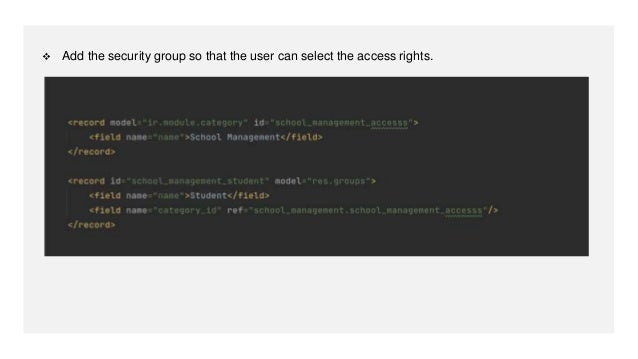
 Add the security group so that the user can select the access rights.
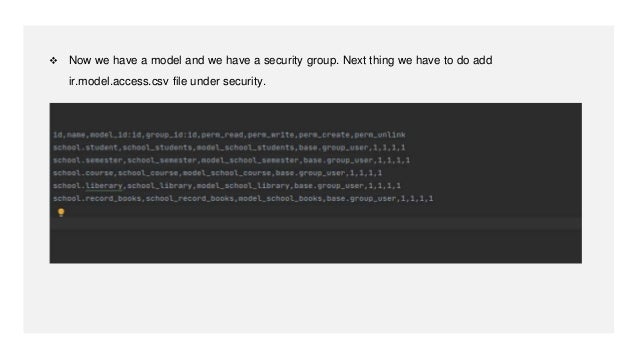
 Now we have a model and we have a security group. Next thing we have to do add
ir.model.access.csv file under security.
For More
Details
Check our company website for related blogs and Odoo
book.
Odoo Book V15
Check our YouTube channel for functional and technical
videos in Odoo.
Security in Odoo 15 - Groups and Access Rights in
Odoo 15
Thank You

Groups and Access Rights in Odoo 15

  • 1.
    Security in Odoo15 Groups and Access Rights in Odoo 15 www.cybrosys.com
  • 2.
    INTRODUCTION  In Odoo,the user is the one who has access to the database. We can add as many users as we want, and we can decide which type of information the user can access by giving access rights to them.  Aside from manually managing access using custom code, Odoo provides two main data- driven mechanisms to manage or restrict access to data.  Both mechanisms are linked to specific users through groups: a user belongs to any number of groups, and security mechanisms are associated to groups, thus applying security mechanisms to users.
  • 3.
     This isdone by using security groups. The administrator has a security group as well as a salesman.  We can define record rules based on the security groups.  Also in Odoo, we can specify the groups to menu or fields for which the menu or field will be displayed for that particular security group. Groups
  • 4.
    The all securityrelated files are inside the security folder
  • 5.
    Add XML fileunder the security directory and add security groups
  • 6.
    When creating theuser’s group we are only mentioning the name of the security group and the category_id to which they belong. We have to created the category to give the id of the category.
  • 7.
    Goto general settings> Users & companies > Groups Can see the all groups
  • 8.
     An Odoouser is someone who has access to the database and can perform their daily tasks with Odoo. defined rules manage the information available for these users.  In Odoo, we can add as many users as we deem necessary for the business processes. We can add, remove and modify the users and their access rights as and when necessary. Access Rights
  • 9.
     Add thesecurity group so that the user can select the access rights.
  • 10.
     Now wehave a model and we have a security group. Next thing we have to do add ir.model.access.csv file under security.
  • 11.
    For More Details Check ourcompany website for related blogs and Odoo book. Odoo Book V15 Check our YouTube channel for functional and technical videos in Odoo. Security in Odoo 15 - Groups and Access Rights in Odoo 15
  • 13.