Student Names: Sean Ahearne
Isam Brahim
Stephen Higgins
Brian Hennessy
Module: Group Project - SOFT7003
Assignment: Documentation
Class: Software Development & Computer Networking-DNET3
Submission Date: 08/05/2016
Supervisor: Meabh O Connor
Page 2 of 37
Contents
Introduction
Abstract. .................................................................................................................................3
Application Architecture Diagram..........................................................................................3
Brief Reviewof Technologies Used..........................................................................................4
Changes Since Research Phase................................................................................................4
Design
Selected Design Pattern...........................................................................................................5
Class Diagrams .......................................................................................................................6
ER Diagrams...........................................................................................................................6
Sequencing Diagrams..............................................................................................................7
Implementation
App. .......................................................................................................................................8
Website ....................................................................................... Error! Bookmark not defined.4
Pi................................................................................................. Error! Bookmark not defined.5
Testing
Website Testing....................................................................................................................20
App Testing...........................................................................................................................26
Conclusion
Changes Since Research Phase.............................................................................................32
Changes Since Implementation Phase...................................................................................32
Skills Acquired......................................................................................................................32
Requirements Not Implemented............................................................................................32
Were Our goals Achieved?....................................................................................................33
Future Changes.....................................................................................................................33
Appendix
Project Diary........................................................................................................................34
Page 3 of 37
Introduction
Abstract
 With the rise of the availability of the Internet and low-cost computing, a trend has emerged
towards connecting everything and anything to the Internet.
 This trend has been given the name the Internet of Things (IoT), and is a growing segment of
the computing Industry.
 As such, a decision was made to develop a system capable of managing devices within the
home from the internet with a low cost computing solution.
 This low cost solution took the form of a Raspberry Pi, which can monitor and control
devices when given commands, even from the Internet.
 This system was developed into a home management system, with the Pi being able to
perform multiple functions such as power control, an alarm system, and heating control.
 The system was designed to be controlled from a mobile application, and from the website as
a backup and for administration.
 Auser can control a Pi (that is registered to them) from this app no matter where they are as
long as they have an Internet connection.
 This is achieved through use of IBM BlueMix, a cloud service that facilitates managing IoT
devices.
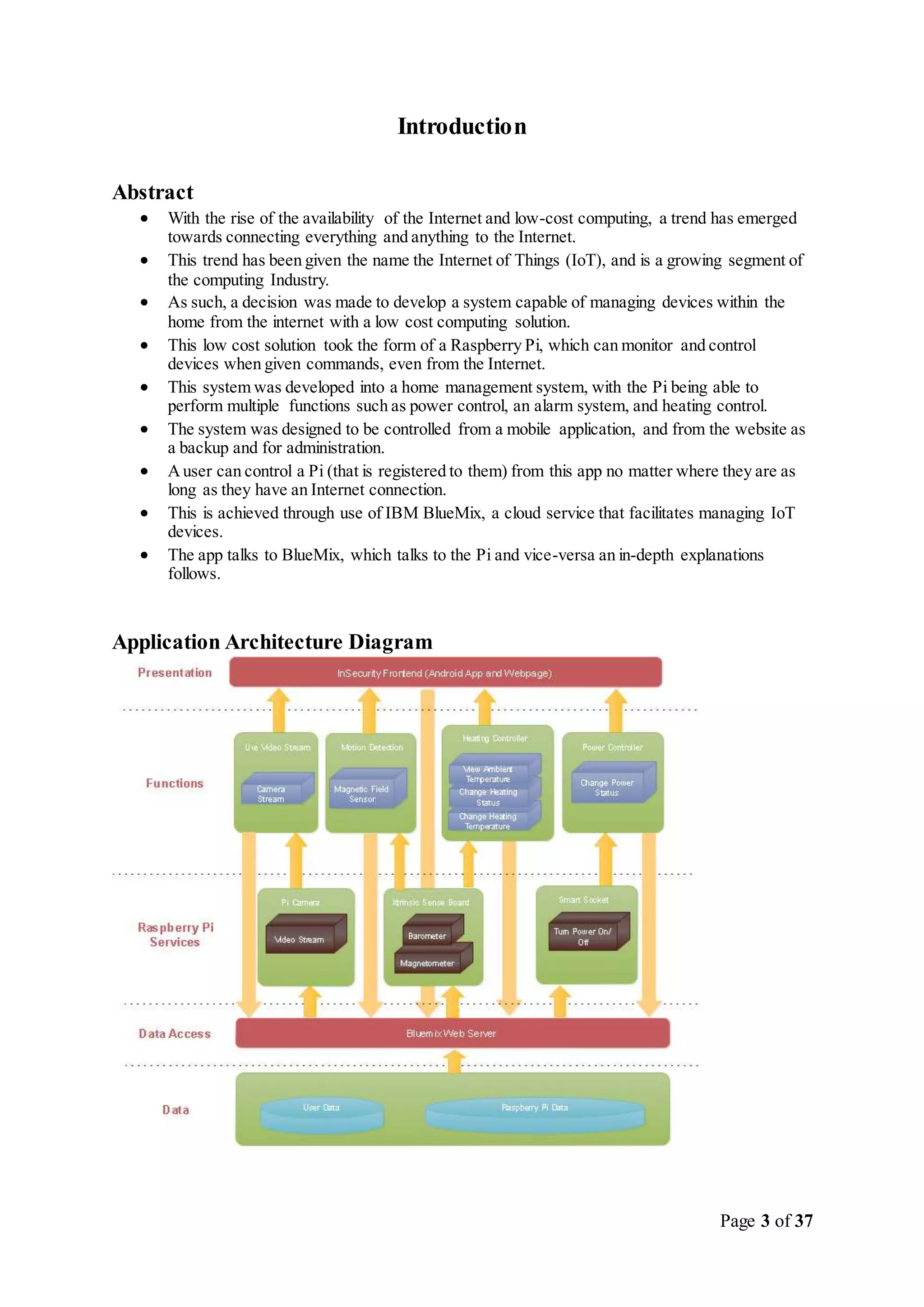
 The app talks to BlueMix, which talks to the Pi and vice-versa an in-depth explanations
follows.
Application Architecture Diagram
Page 4 of 37
Brief Review of TechnologiesUsed
 IBM BlueMix
o Acloud service capable of creating and managing many different services in one
cloud based environment.
o Services used in this project provided by BlueMix include: A phpMyAdmin MySQL
Server,A web server,and Node-Red, a service used to communicate with the
Raspberry Pi using JSON, built on Node.js.
 IBM Watson
o Aservice provided by BlueMix specifically tailored for IoT style devices.
o Can be easily installed as a Linux service, and once configured, it communicates with
BlueMix using REST.
 Node-Red
o Afork of node.js specifically designed for IoT devices, and in particular Watson and
BlueMix.
o Also installed a Linux service, can be configured using its web-based GUI.
o Works on the principle of flows, an event is triggered which performs some action
(execute a script, connect to database etc.) and then flows onwards to another event
until the end of the chain.
o Uses JSON notation (REST) to communicate with BlueMix services using Watson.
o Functions can be performed on JSON objects during flows with JavaScript.
 phpMyAdmin MySQL
o Acloud-based implementation of a MySQL server.
 IBM Web Server
o The website was built using BlueMix’s web server service.
o Development for it took place using DevOps, an extension of GitHub.
Changes since ResearchPhase
During the research and requirements analysis phase we chose 5 features we wanted to implement,
those were:
 Power Control
 Heating Control
 Alarm System
 Live Streaming
 IR Controller
We managed to implement four out of five of those features,the feature we chose to not implement as
the IR controller this was for the following reasons:
 Not enough GPIO pins on the Raspberry Pi
 Time consuming to develop
 Too difficult for a user to configure
Other changes made were the layout of our database tables,this was due to storing some variables we
didn’t need, and not storing other variables we found we did need.
Page 5 of 37
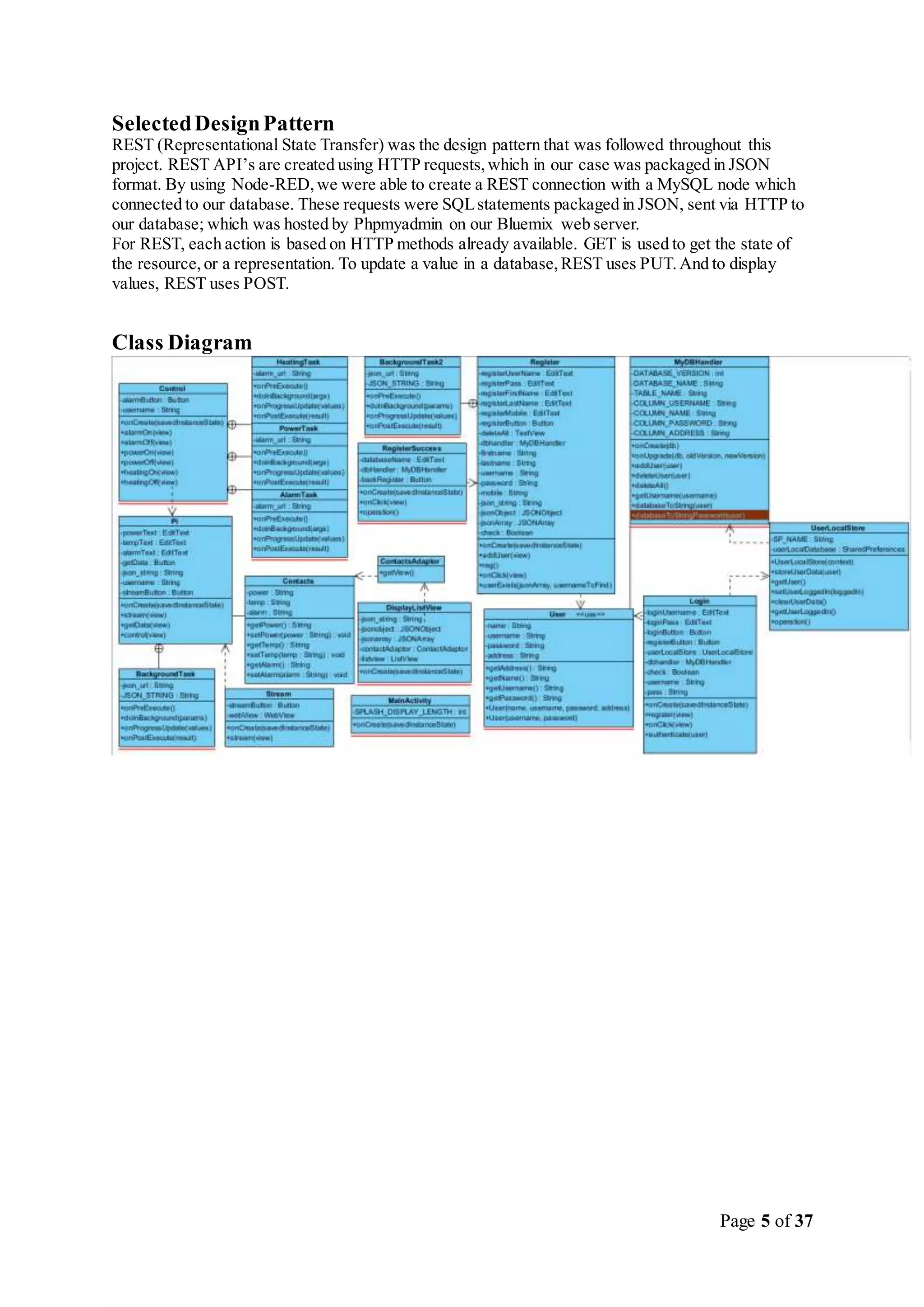
SelectedDesignPattern
REST (Representational State Transfer) was the design pattern that was followed throughout this
project. REST API’s are created using HTTP requests,which in our case was packaged in JSON
format. By using Node-RED,we were able to create a REST connection with a MySQL node which
connected to our database. These requests were SQLstatements packaged in JSON, sent via HTTP to
our database; which was hosted by Phpmyadmin on our Bluemix web server.
For REST, each action is based on HTTP methods already available. GET is used to get the state of
the resource,or a representation. To update a value in a database,REST uses PUT.And to display
values, REST uses POST.
Class Diagram
Page 6 of 37
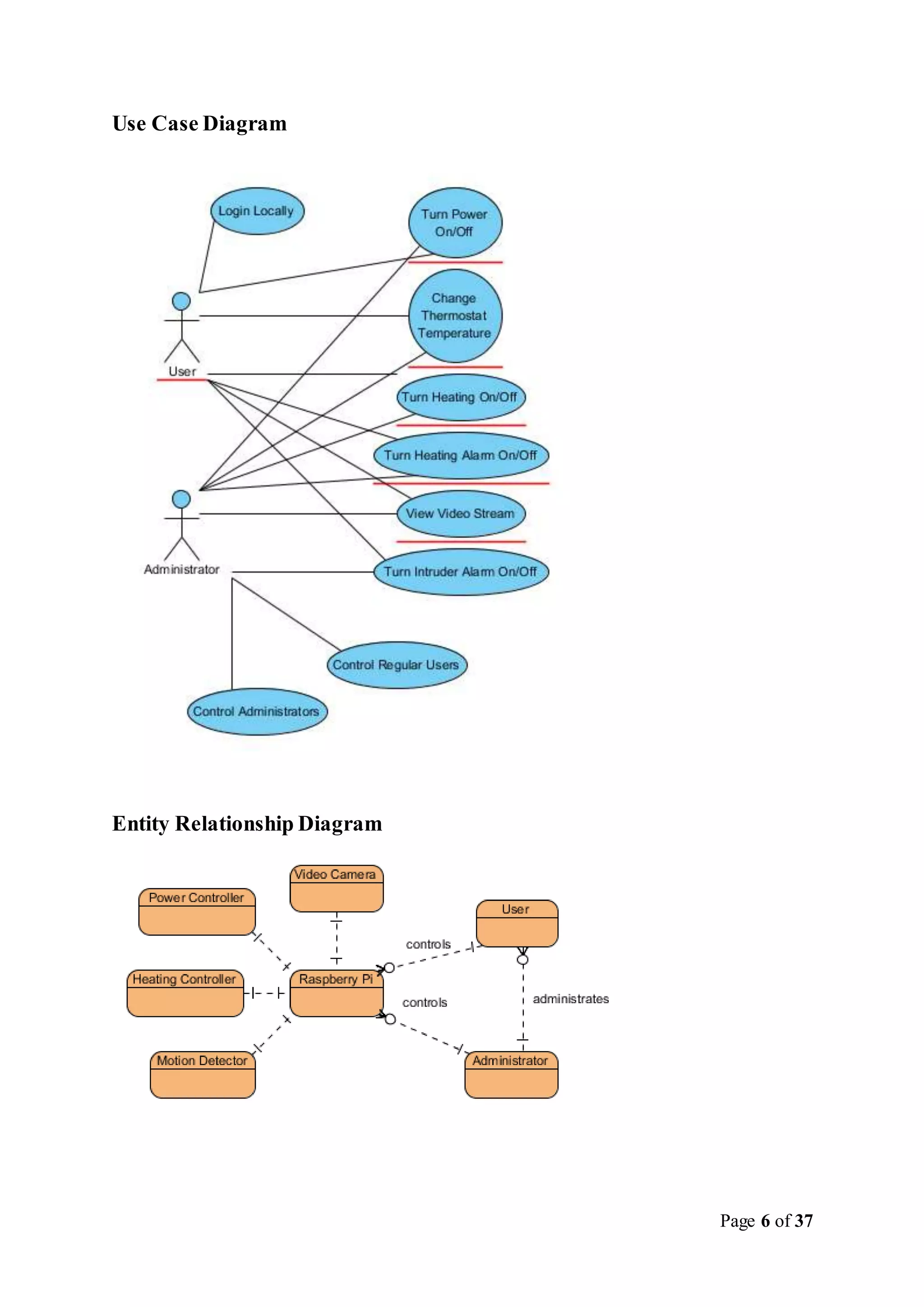
Use Case Diagram
Entity Relationship Diagram
Page 7 of 37
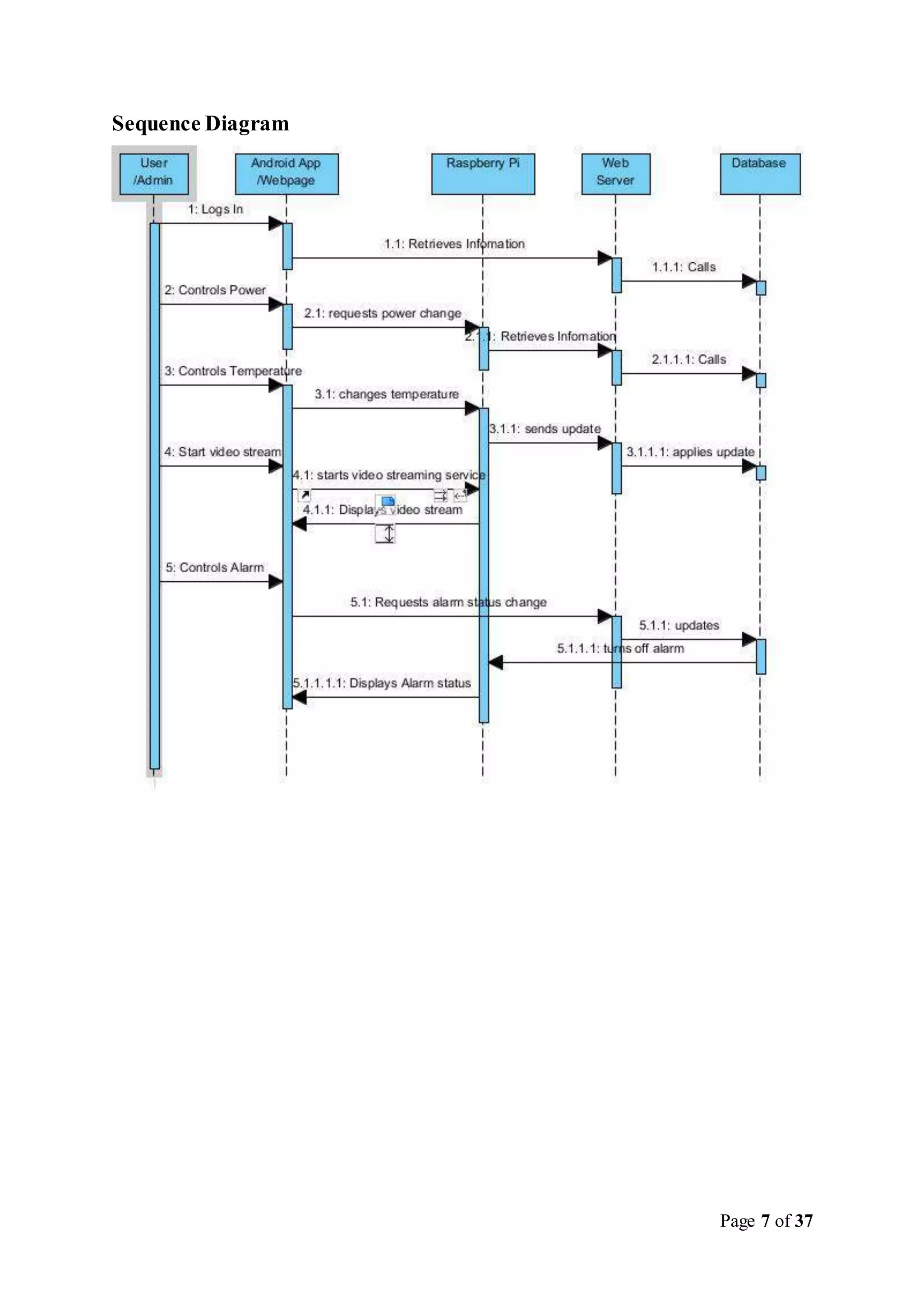
Sequence Diagram
Page 8 of 37
Implementation – Mobile Application
GitHub was used in order to back up the code for the android app. The repository name is
“InSecurity”, and can be found at https://github.com/Higgins113/InSecurity. The android code was
also stored in a zip file on Dropbox.
The PHP files for the project were stored on BlueMix.
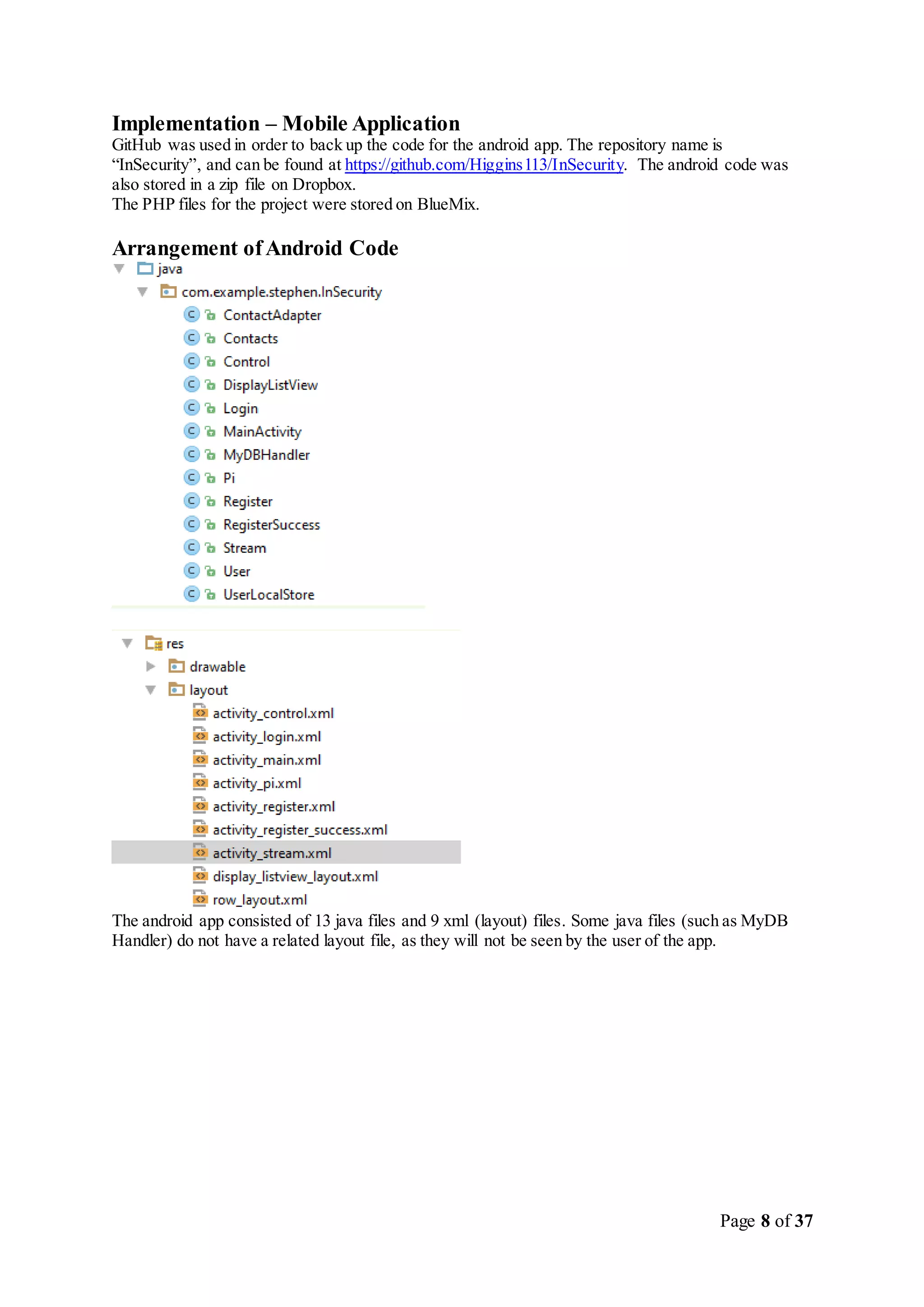
Arrangement ofAndroid Code
The android app consisted of 13 java files and 9 xml (layout) files. Some java files (such as MyDB
Handler) do not have a related layout file, as they will not be seen by the user of the app.
Page 9 of 37
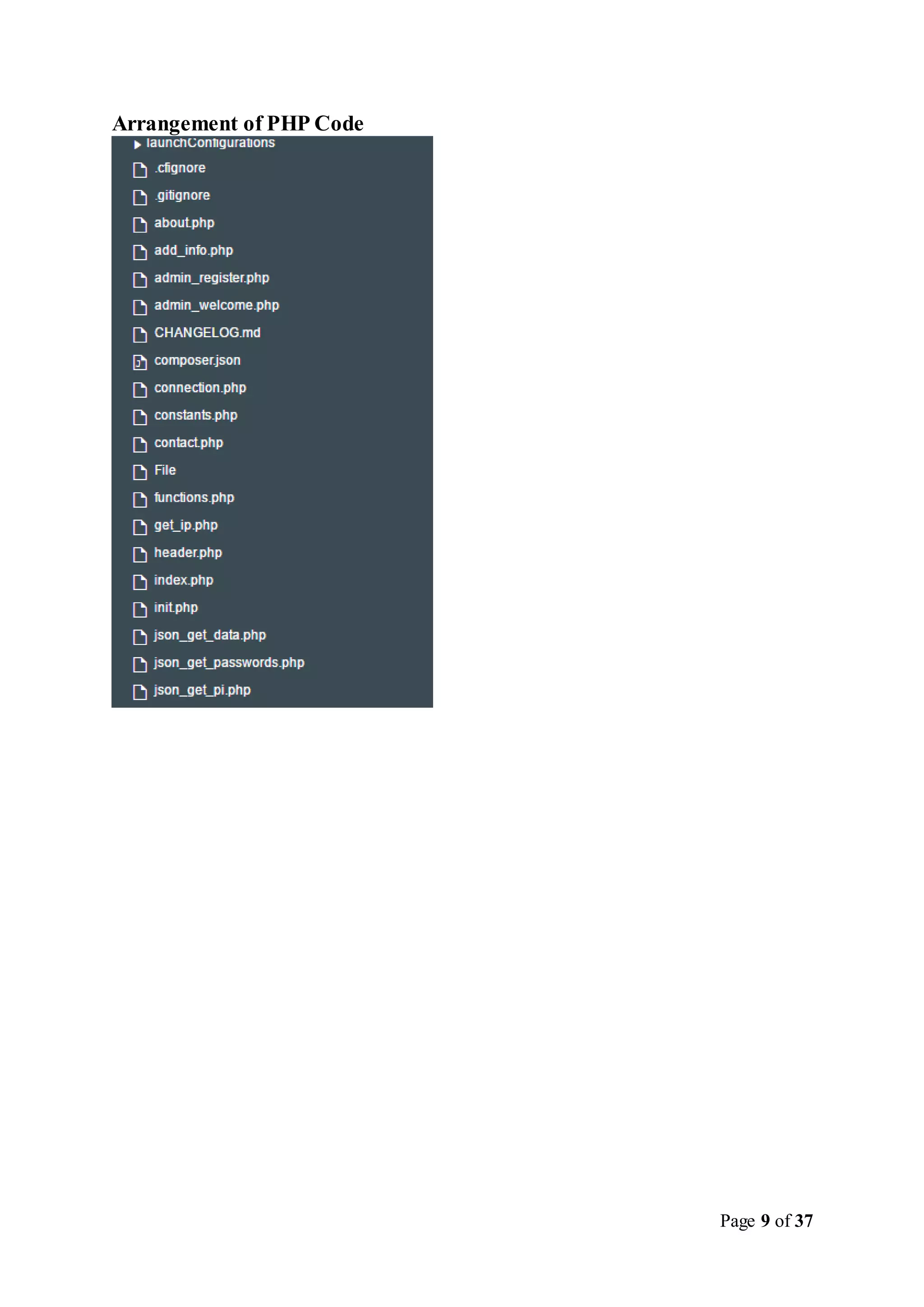
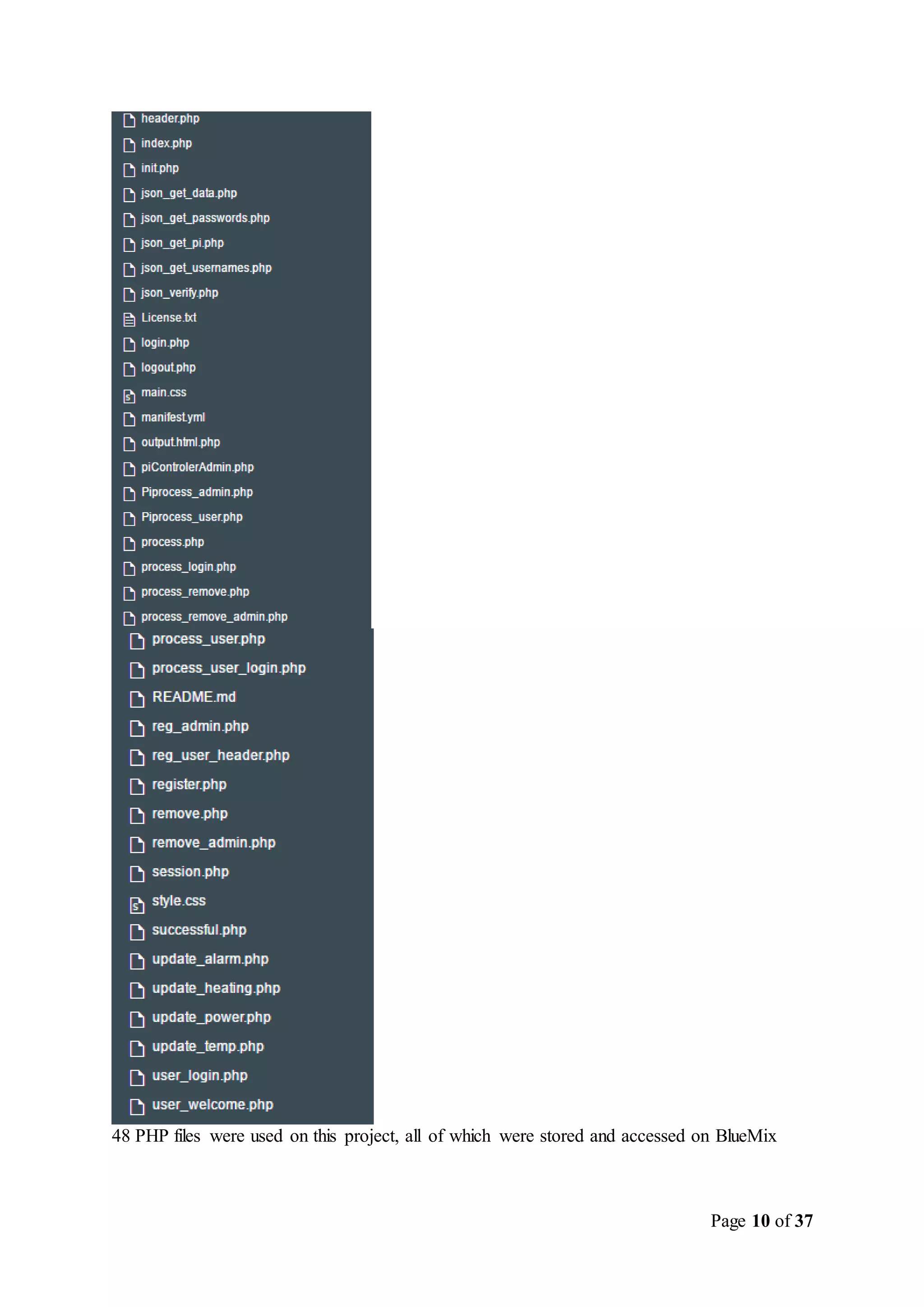
Arrangement of PHP Code
Page 10 of 37
48 PHP files were used on this project, all of which were stored and accessed on BlueMix
Page 11 of 37
Difficult Coding
There was difficulty in connecting the android app to our online database,as well as connecting our
online website to the database. The connection from the android application to the online database
was more difficult than anticipated, as there seemed to be no easy way to do this through BlueMix.
Asolution was found by which the android app connects to our database using PHP files which were
stored on Bluemix.
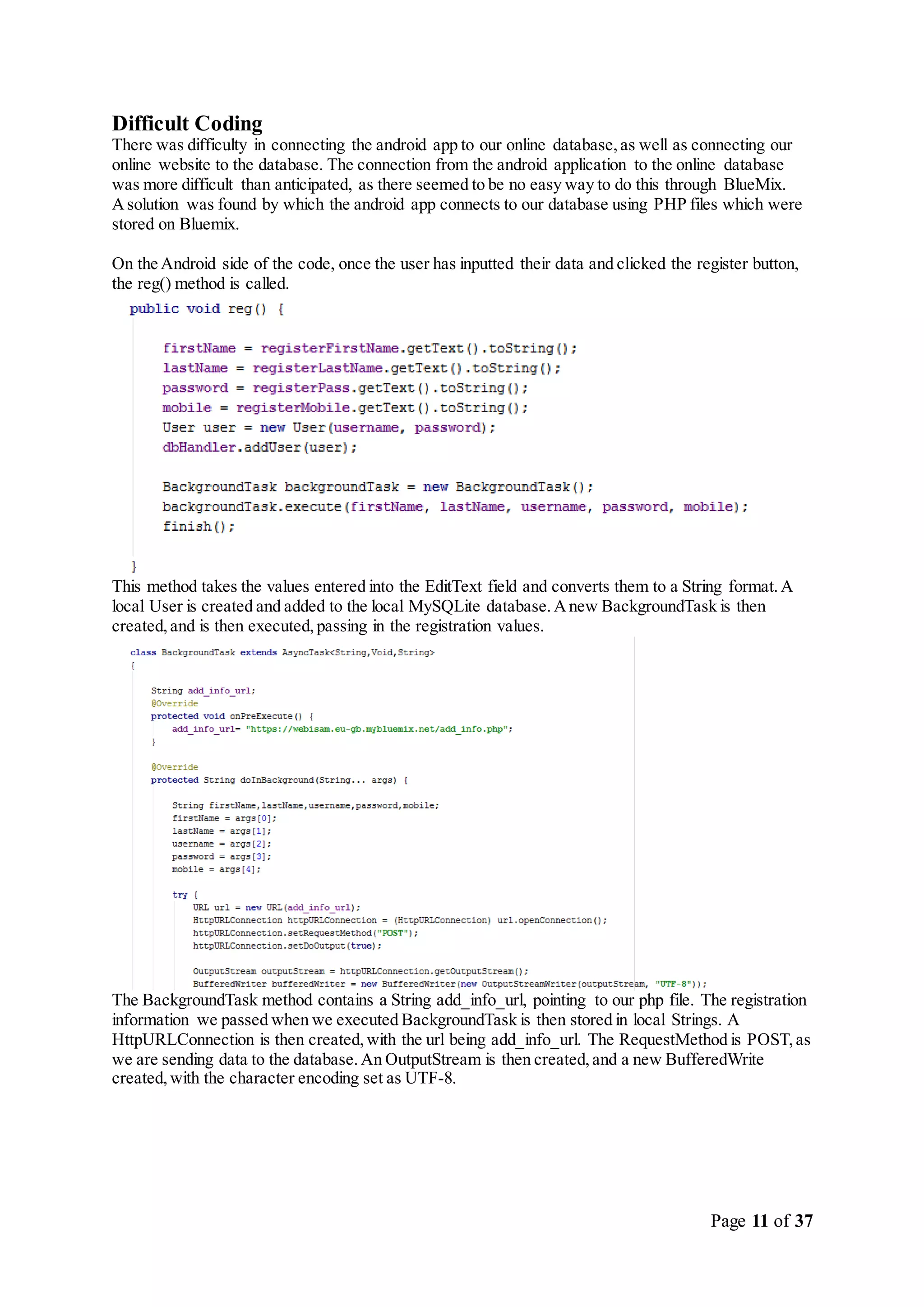
On the Android side of the code, once the user has inputted their data and clicked the register button,
the reg() method is called.
This method takes the values entered into the EditText field and converts them to a String format.A
local User is created and added to the local MySQLite database.Anew BackgroundTask is then
created,and is then executed,passing in the registration values.
The BackgroundTask method contains a String add_info_url, pointing to our php file. The registration
information we passed when we executed BackgroundTask is then stored in local Strings. A
HttpURLConnection is then created,with the url being add_info_url. The RequestMethod is POST,as
we are sending data to the database.An OutputStream is then created,and a new BufferedWrite
created,with the character encoding set as UTF-8.
Page 12 of 37
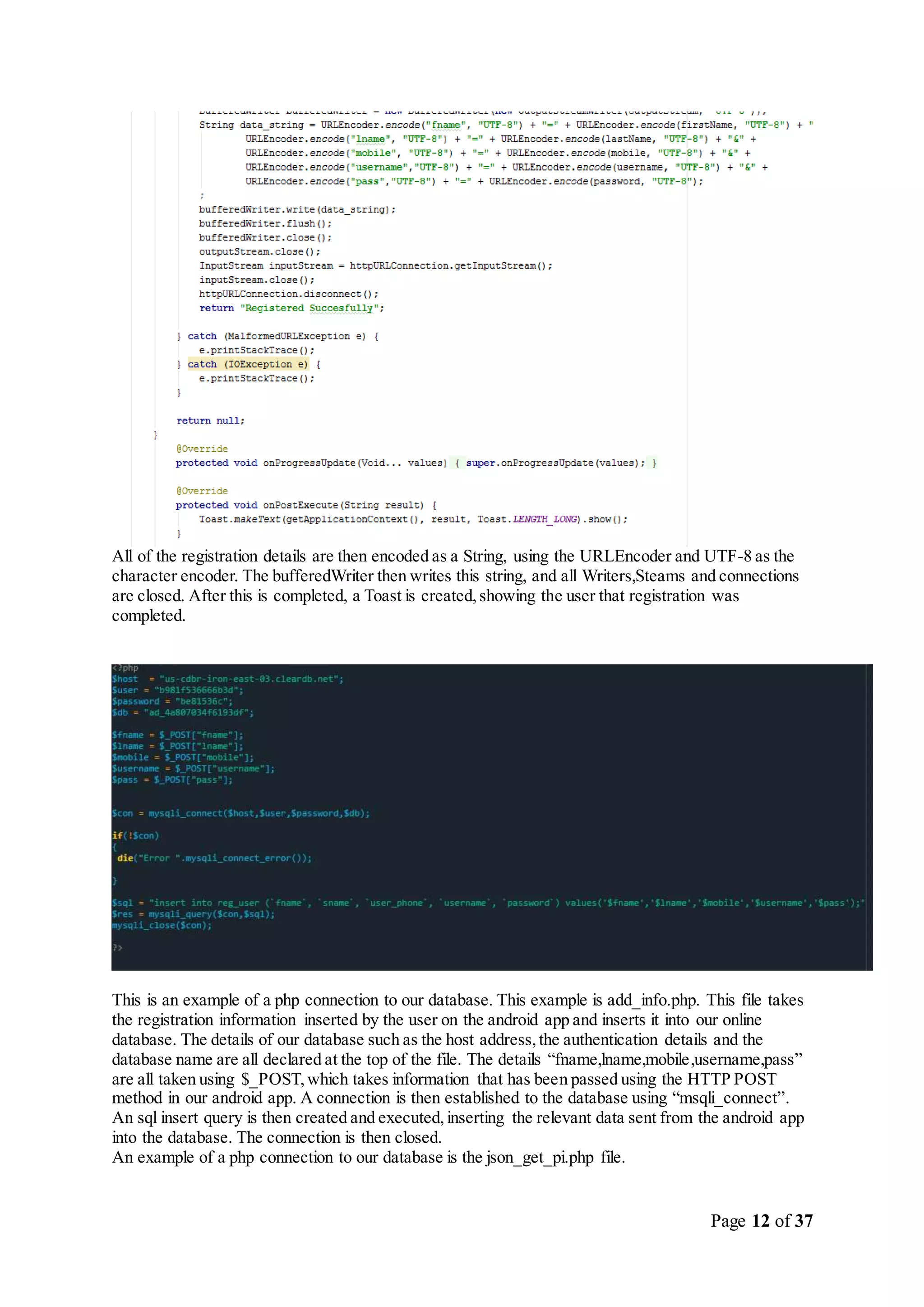
All of the registration details are then encoded as a String, using the URLEncoder and UTF-8 as the
character encoder. The bufferedWriter then writes this string, and all Writers,Steams and connections
are closed. After this is completed, a Toast is created,showing the user that registration was
completed.
This is an example of a php connection to our database. This example is add_info.php. This file takes
the registration information inserted by the user on the android app and inserts it into our online
database. The details of our database such as the host address,the authentication details and the
database name are all declared at the top of the file. The details “fname,lname,mobile,username,pass”
are all taken using $_POST,which takes information that has been passed using the HTTP POST
method in our android app. A connection is then established to the database using “msqli_connect”.
An sql insert query is then created and executed,inserting the relevant data sent from the android app
into the database. The connection is then closed.
An example of a php connection to our database is the json_get_pi.php file.
Page 13 of 37
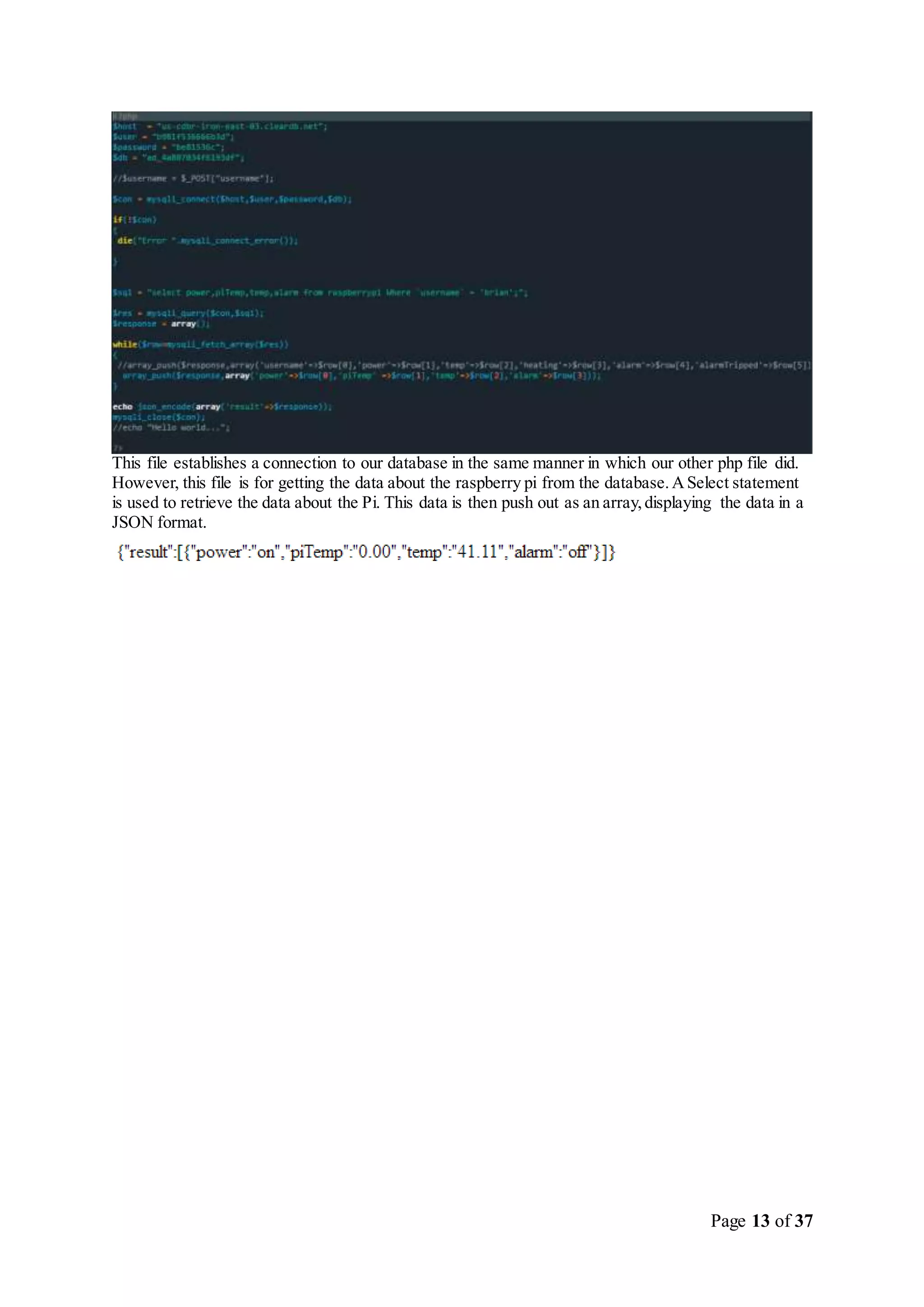
This file establishes a connection to our database in the same manner in which our other php file did.
However, this file is for getting the data about the raspberry pi from the database.ASelect statement
is used to retrieve the data about the Pi. This data is then push out as an array,displaying the data in a
JSON format.
Page 14 of 37
Website
The website details such as the php files were stored using the Bluemix DevOps service. The function
of the website was to act as a location where an administrator could control user details as well as
control the functions of their Pi’s. From the website, the administrator can control aspects of the Pi
such as alarm status,power status,heating and Temperature.
The main difficulty faced when establishing the website was the same as the android app – the
connection to our database. However,once the php script for connecting to the database was
established, the process was similar for both the app and the website.
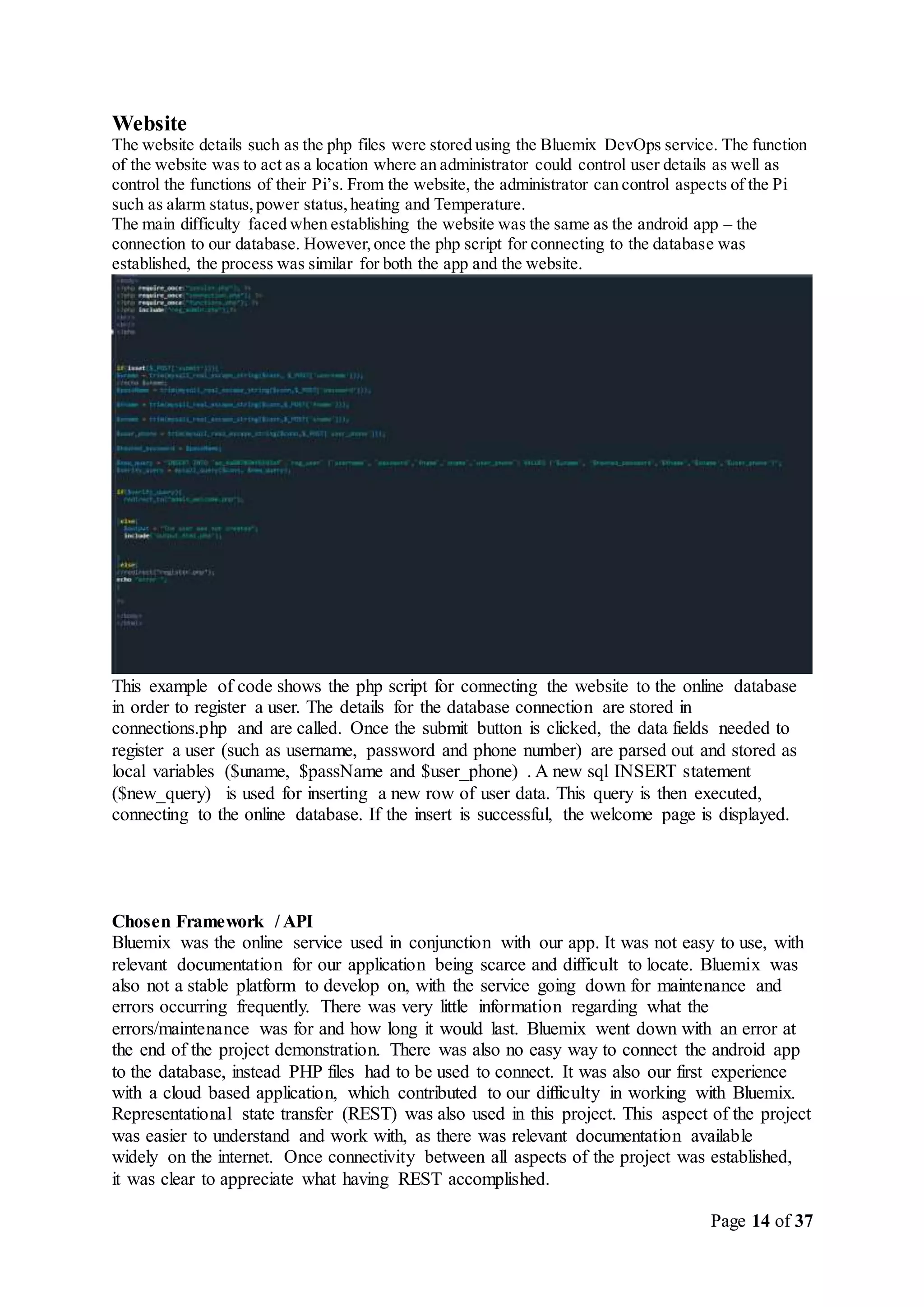
This example of code shows the php script for connecting the website to the online database
in order to register a user. The details for the database connection are stored in
connections.php and are called. Once the submit button is clicked, the data fields needed to
register a user (such as username, password and phone number) are parsed out and stored as
local variables ($uname, $passName and $user_phone) . A new sql INSERT statement
($new_query) is used for inserting a new row of user data. This query is then executed,
connecting to the online database. If the insert is successful, the welcome page is displayed.
Chosen Framework / API
Bluemix was the online service used in conjunction with our app. It was not easy to use, with
relevant documentation for our application being scarce and difficult to locate. Bluemix was
also not a stable platform to develop on, with the service going down for maintenance and
errors occurring frequently. There was very little information regarding what the
errors/maintenance was for and how long it would last. Bluemix went down with an error at
the end of the project demonstration. There was also no easy way to connect the android app
to the database, instead PHP files had to be used to connect. It was also our first experience
with a cloud based application, which contributed to our difficulty in working with Bluemix.
Representational state transfer (REST) was also used in this project. This aspect of the project
was easier to understand and work with, as there was relevant documentation available
widely on the internet. Once connectivity between all aspects of the project was established,
it was clear to appreciate what having REST accomplished.
Page 15 of 37
Raspberry Pi
On the Raspberry Pi, 2 packages were installed in order to send and receive data from Bluemix. These
were IBM Watson’s IoT framework package and Node-Red. IBM Watson is installed in a similar
fashion to a traditional Linux service, it is installed as a packages and configured from its
configuration file, in this case,all that was need was the Organization ID of our BlueMix application
and the Pi’s MACAddress.
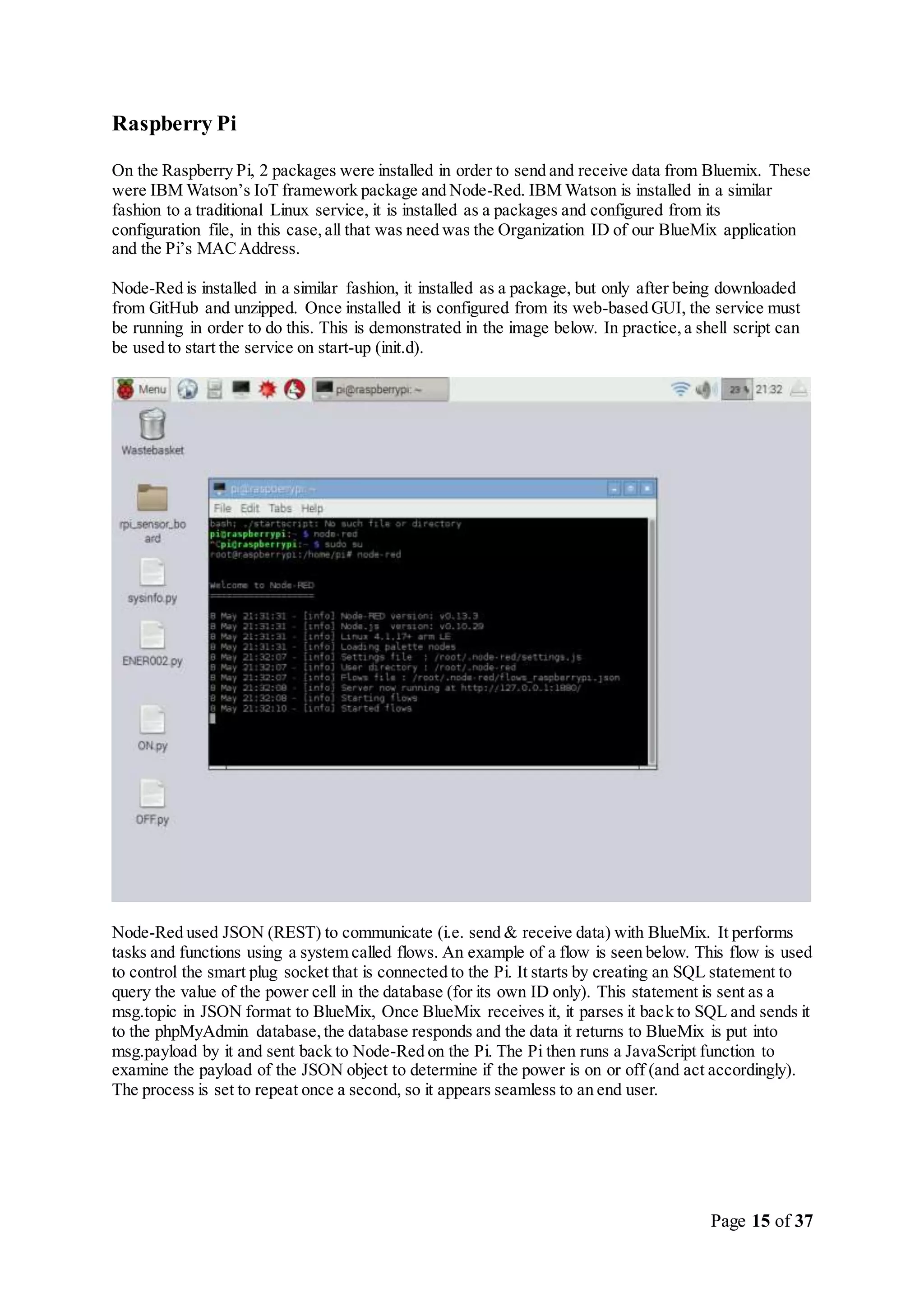
Node-Red is installed in a similar fashion, it installed as a package, but only after being downloaded
from GitHub and unzipped. Once installed it is configured from its web-based GUI, the service must
be running in order to do this. This is demonstrated in the image below. In practice,a shell script can
be used to start the service on start-up (init.d).
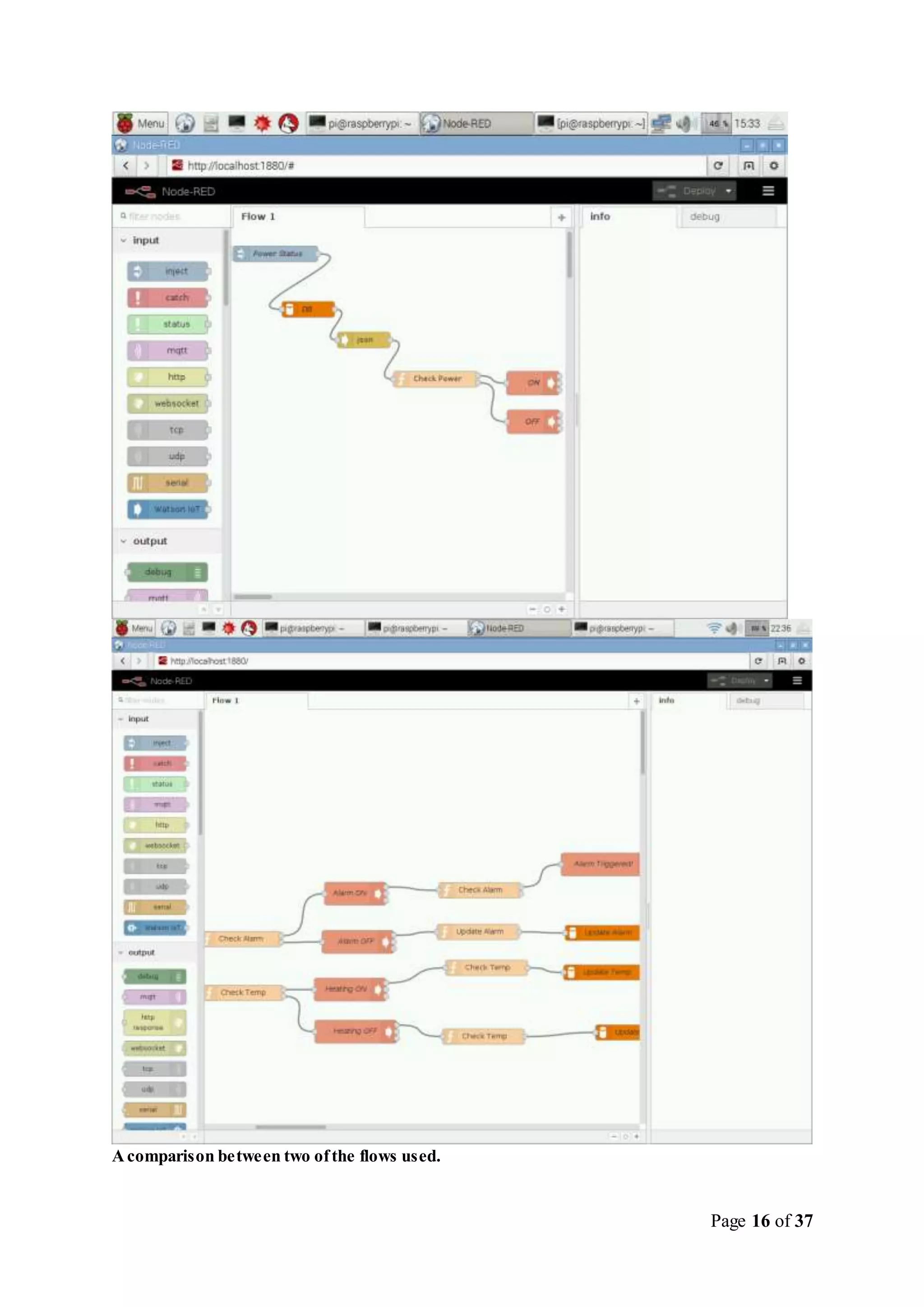
Node-Red used JSON (REST) to communicate (i.e. send & receive data) with BlueMix. It performs
tasks and functions using a system called flows. An example of a flow is seen below. This flow is used
to control the smart plug socket that is connected to the Pi. It starts by creating an SQL statement to
query the value of the power cell in the database (for its own ID only). This statement is sent as a
msg.topic in JSON format to BlueMix, Once BlueMix receives it, it parses it back to SQL and sends it
to the phpMyAdmin database,the database responds and the data it returns to BlueMix is put into
msg.payload by it and sent back to Node-Red on the Pi. The Pi then runs a JavaScript function to
examine the payload of the JSON object to determine if the power is on or off (and act accordingly).
The process is set to repeat once a second, so it appears seamless to an end user.
Page 16 of 37
Acomparison between two ofthe flows used.
Page 17 of 37
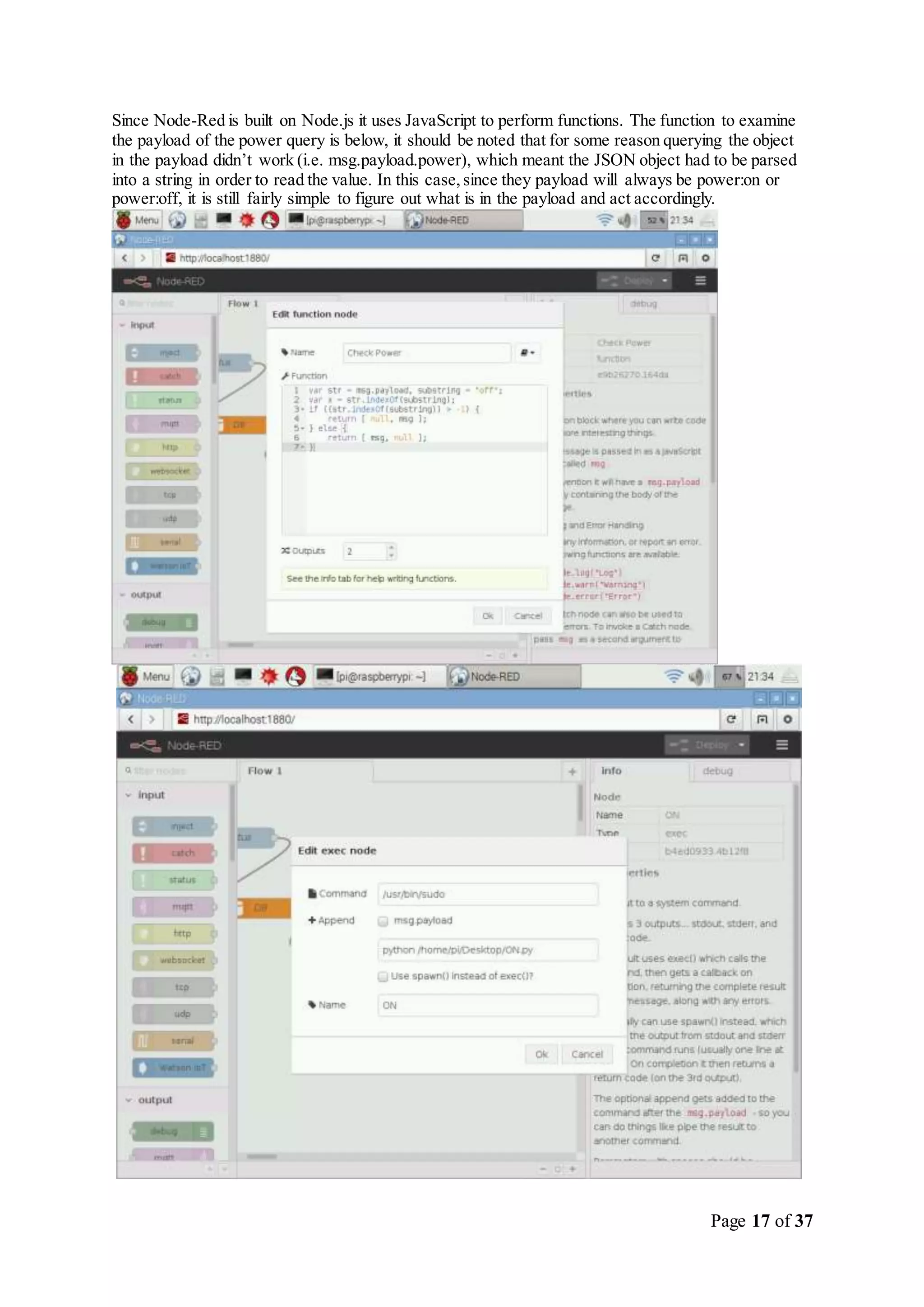
Since Node-Red is built on Node.js it uses JavaScript to perform functions. The function to examine
the payload of the power query is below, it should be noted that for some reason querying the object
in the payload didn’t work (i.e. msg.payload.power), which meant the JSON object had to be parsed
into a string in order to read the value. In this case,since they payload will always be power:on or
power:off, it is still fairly simple to figure out what is in the payload and act accordingly.
Page 18 of 37
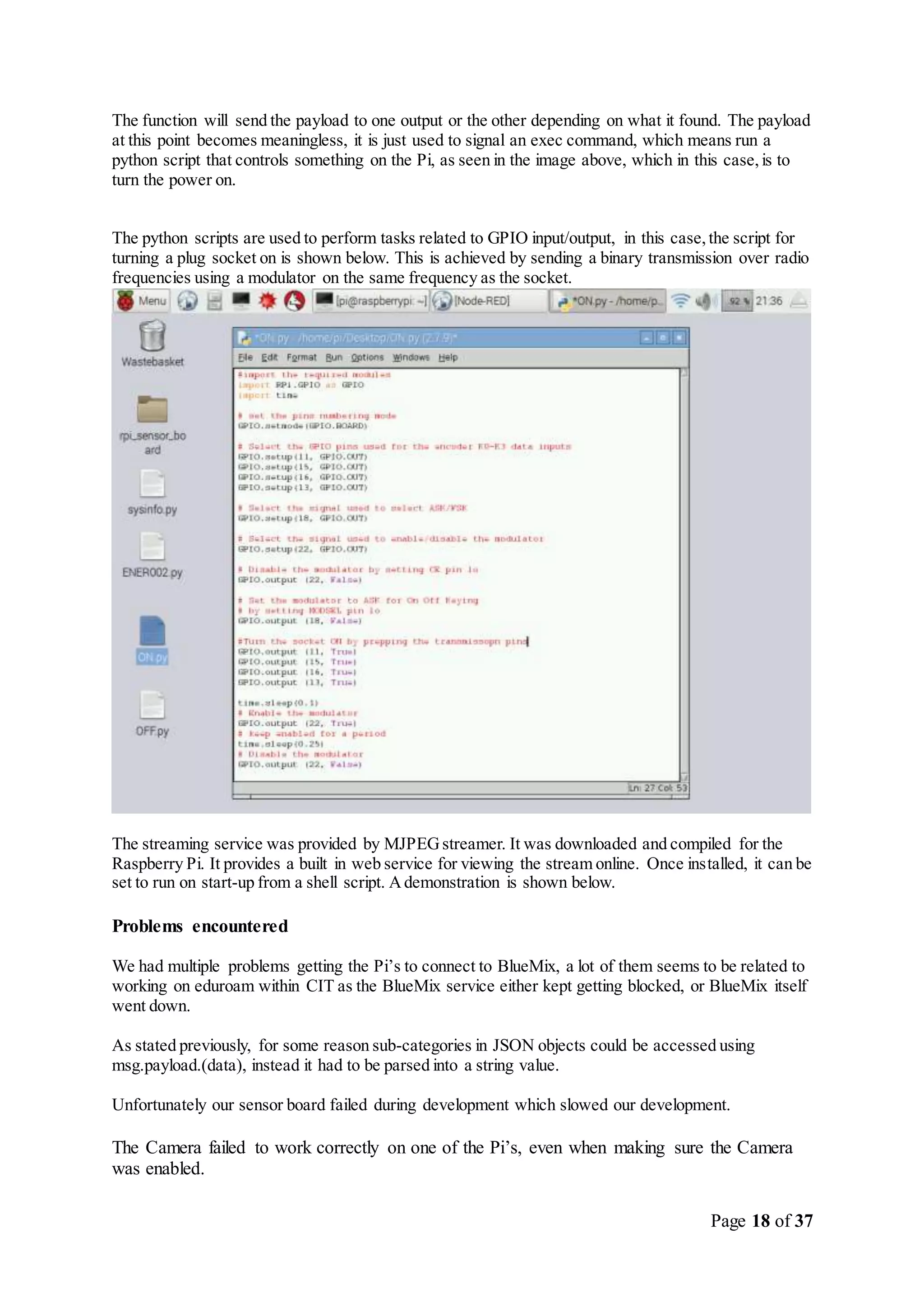
The function will send the payload to one output or the other depending on what it found. The payload
at this point becomes meaningless, it is just used to signal an exec command, which means run a
python script that controls something on the Pi, as seen in the image above, which in this case,is to
turn the power on.
The python scripts are used to perform tasks related to GPIO input/output, in this case,the script for
turning a plug socket on is shown below. This is achieved by sending a binary transmission over radio
frequencies using a modulator on the same frequency as the socket.
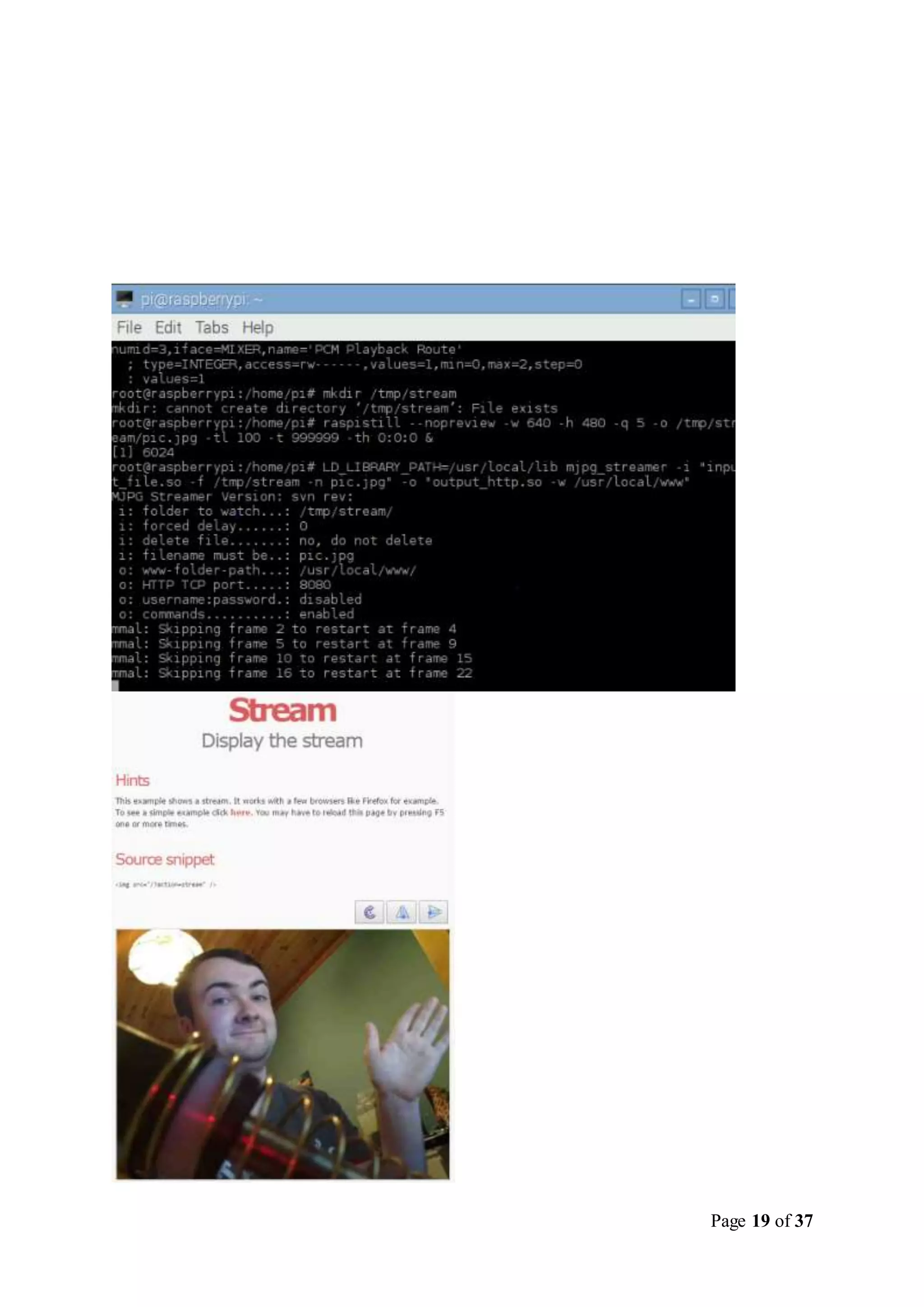
The streaming service was provided by MJPEGstreamer. It was downloaded and compiled for the
Raspberry Pi. It provides a built in web service for viewing the stream online. Once installed, it can be
set to run on start-up from a shell script. Ademonstration is shown below.
Problems encountered
We had multiple problems getting the Pi’s to connect to BlueMix, a lot of them seems to be related to
working on eduroam within CIT as the BlueMix service either kept getting blocked, or BlueMix itself
went down.
As stated previously, for some reason sub-categories in JSON objects could be accessed using
msg.payload.(data), instead it had to be parsed into a string value.
Unfortunately our sensor board failed during development which slowed our development.
The Camera failed to work correctly on one of the Pi’s, even when making sure the Camera
was enabled.
Page 19 of 37
Page 20 of 37
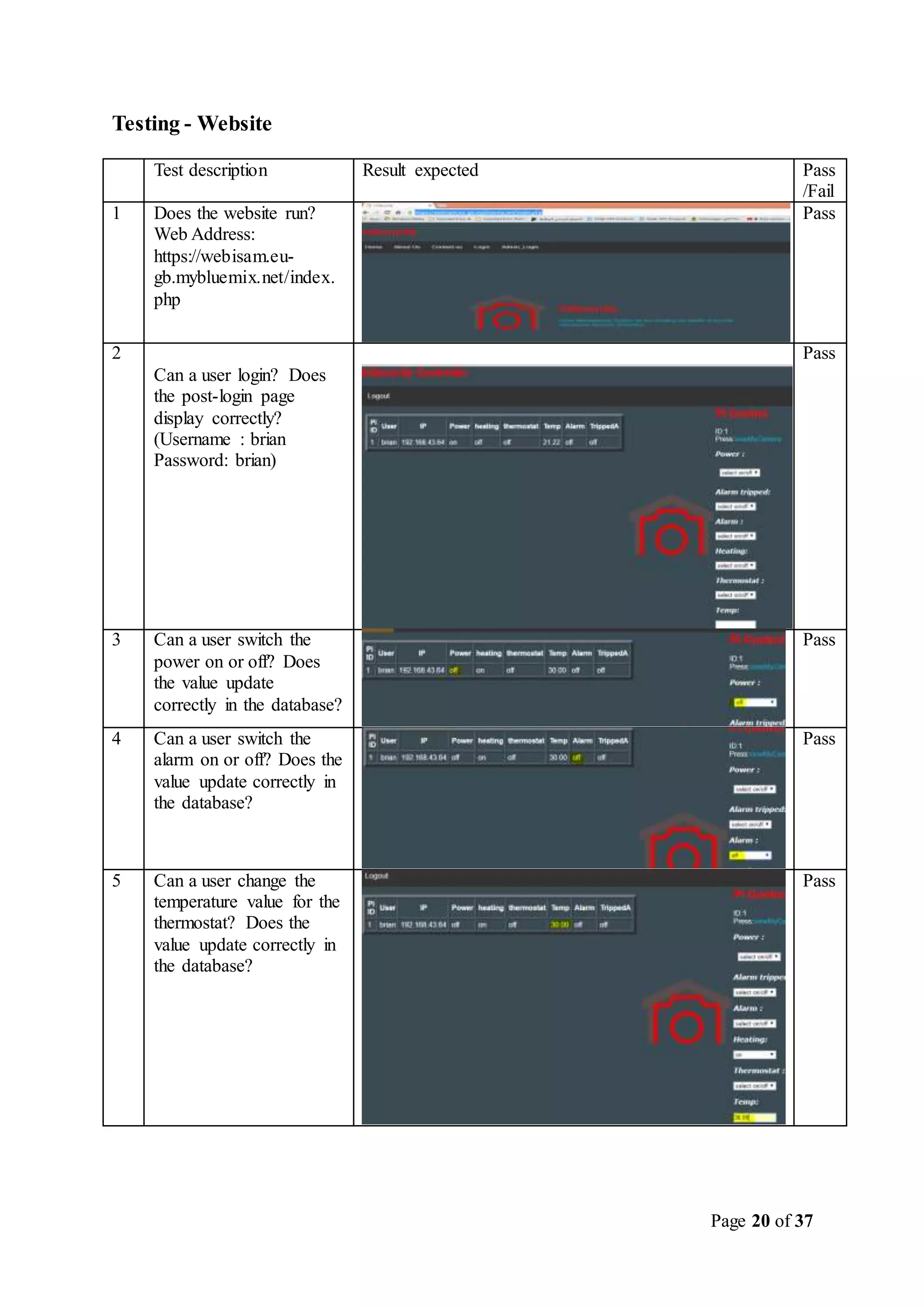
Testing - Website
Test description Result expected Pass
/Fail
1 Does the website run?
Web Address:
https://webisam.eu-
gb.mybluemix.net/index.
php
Pass
2
Can a user login? Does
the post-login page
display correctly?
(Username : brian
Password: brian)
Pass
3 Can a user switch the
power on or off? Does
the value update
correctly in the database?
Pass
4 Can a user switch the
alarm on or off? Does the
value update correctly in
the database?
Pass
5 Can a user change the
temperature value for the
thermostat? Does the
value update correctly in
the database?
Pass
Page 21 of 37
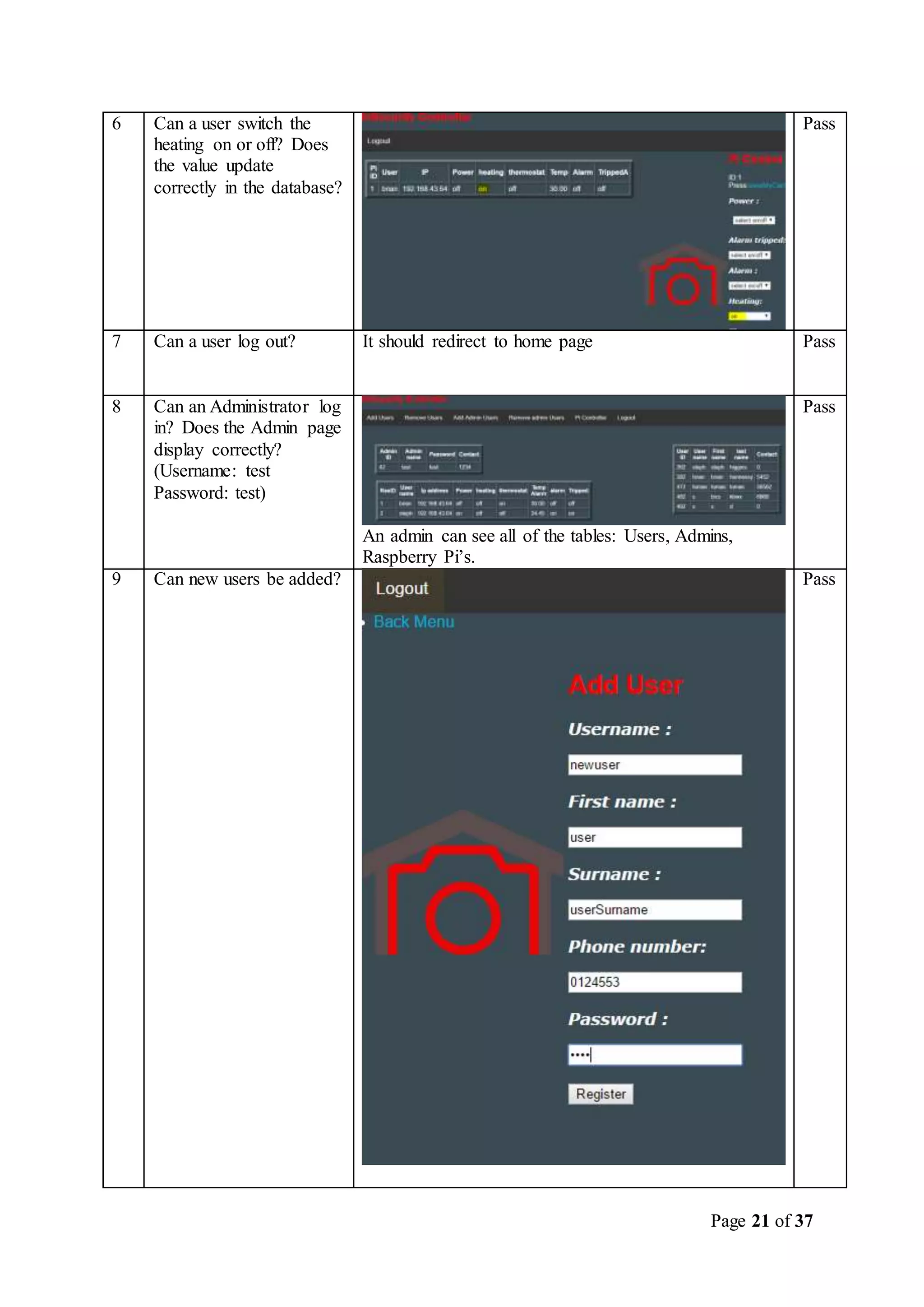
6 Can a user switch the
heating on or off? Does
the value update
correctly in the database?
Pass
7 Can a user log out? It should redirect to home page Pass
8 Can an Administrator log
in? Does the Admin page
display correctly?
(Username: test
Password: test)
An admin can see all of the tables: Users, Admins,
Raspberry Pi’s.
Pass
9 Can new users be added? Pass
Page 22 of 37
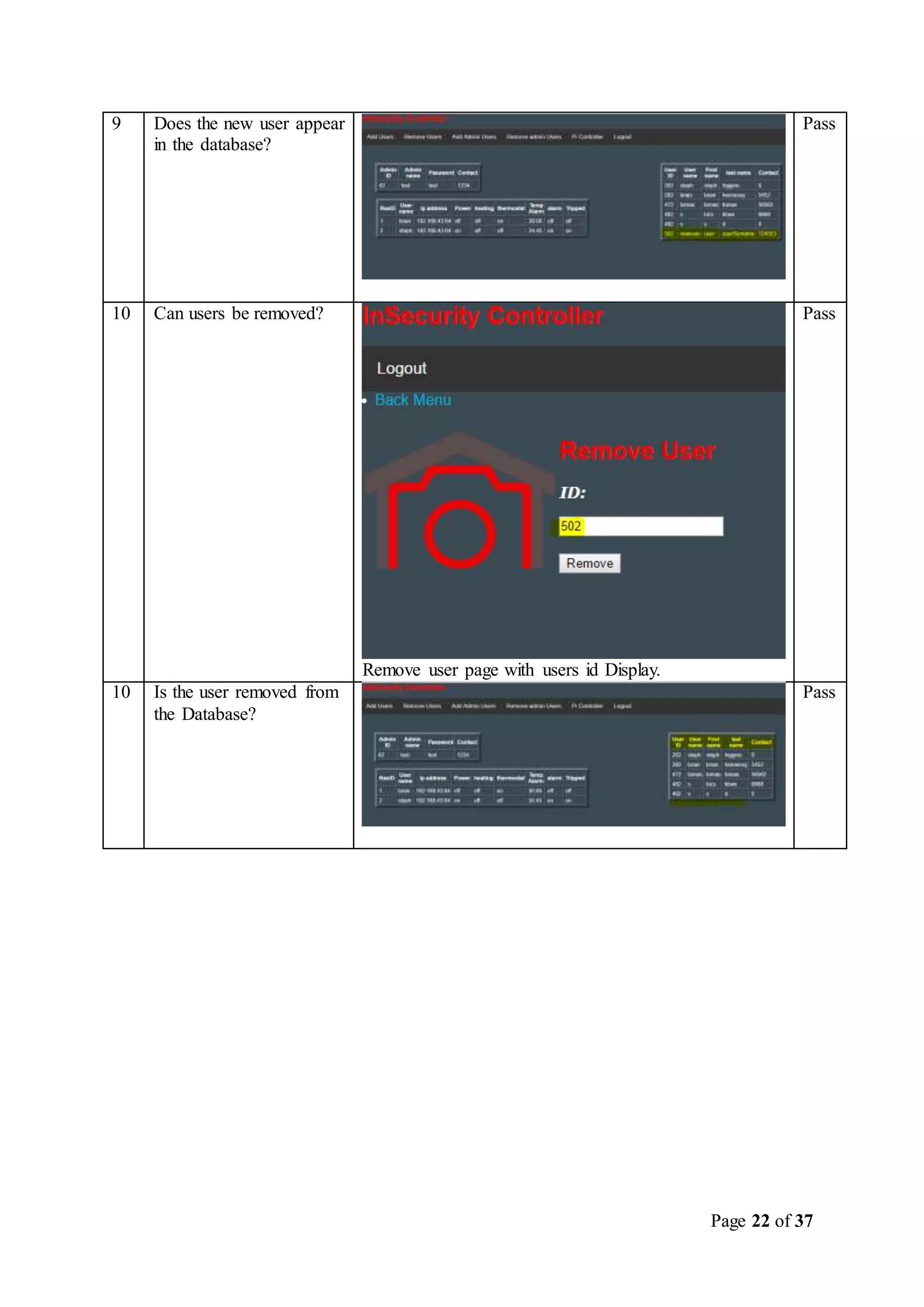
9 Does the new user appear
in the database?
Pass
10 Can users be removed?
Remove user page with users id Display.
Pass
10 Is the user removed from
the Database?
Pass
Page 23 of 37
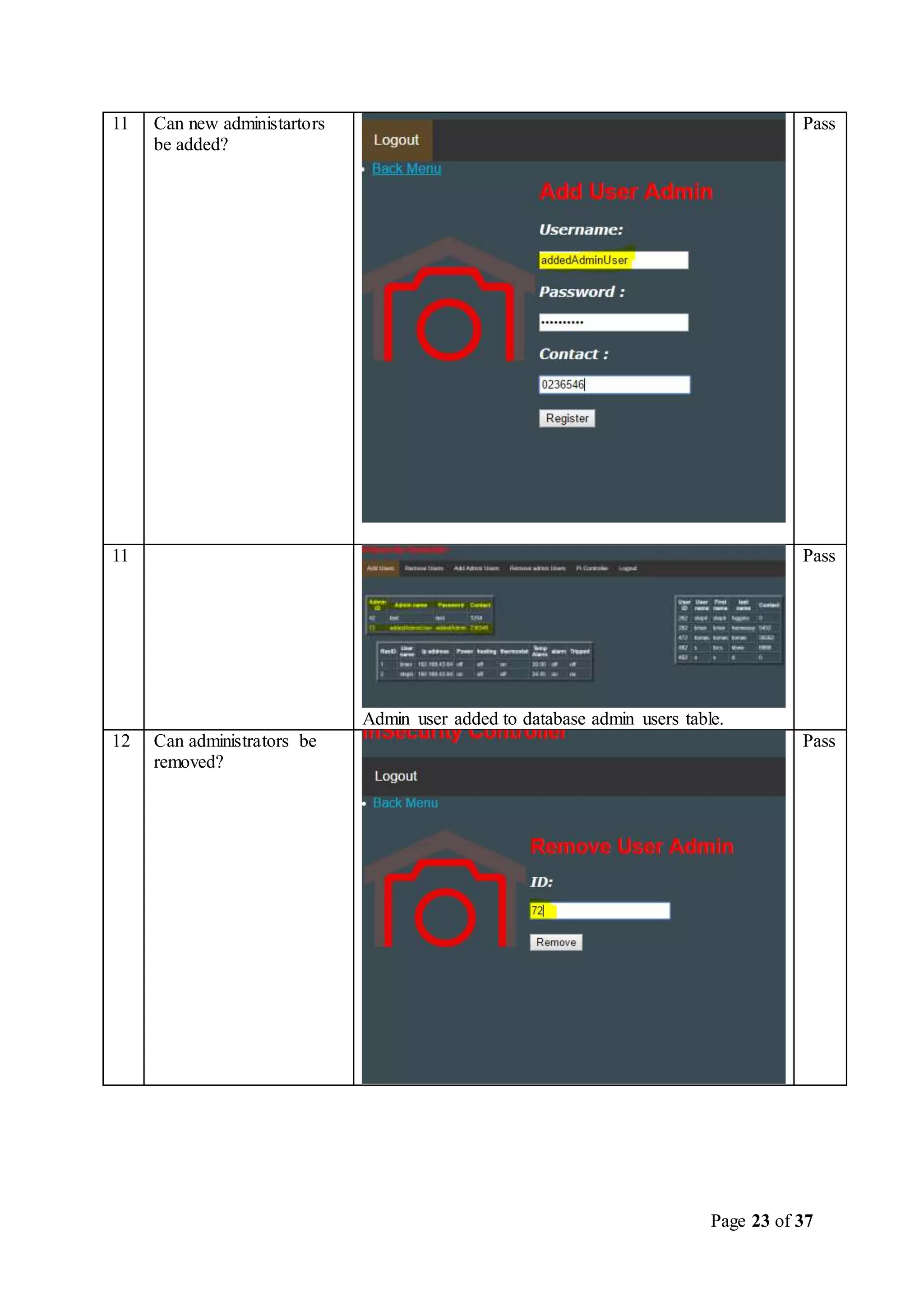
11 Can new administartors
be added?
Pass
11
Admin user added to database admin users table.
Pass
12 Can administrators be
removed?
Pass
Page 24 of 37
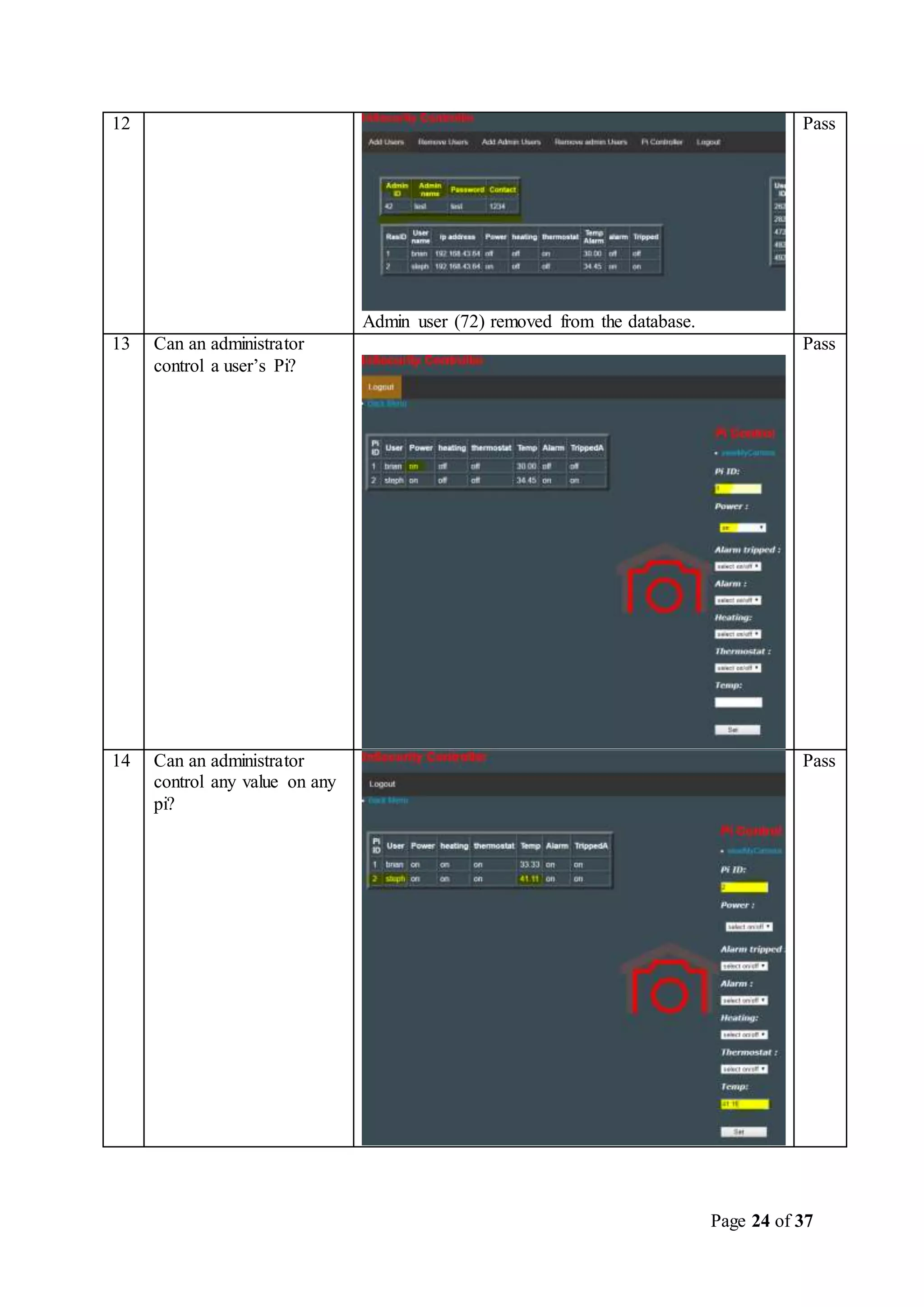
12
Admin user (72) removed from the database.
Pass
13 Can an administrator
control a user’s Pi?
Pass
14 Can an administrator
control any value on any
pi?
Pass
Page 25 of 37
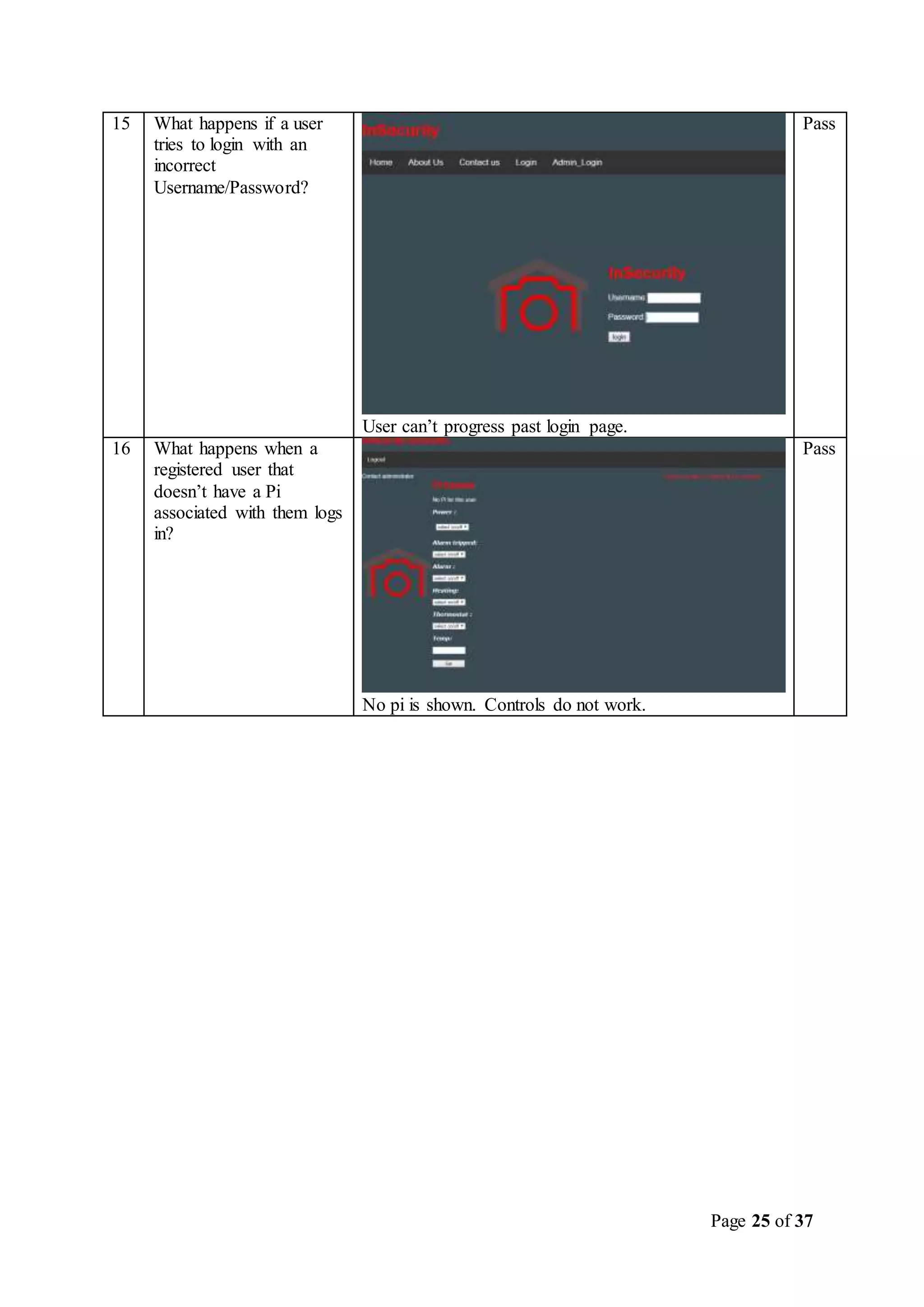
15 What happens if a user
tries to login with an
incorrect
Username/Password?
User can’t progress past login page.
Pass
16 What happens when a
registered user that
doesn’t have a Pi
associated with them logs
in?
No pi is shown. Controls do not work.
Pass
Page 26 of 37
Test No Test
Descriptio
n
Result
Expected
Result
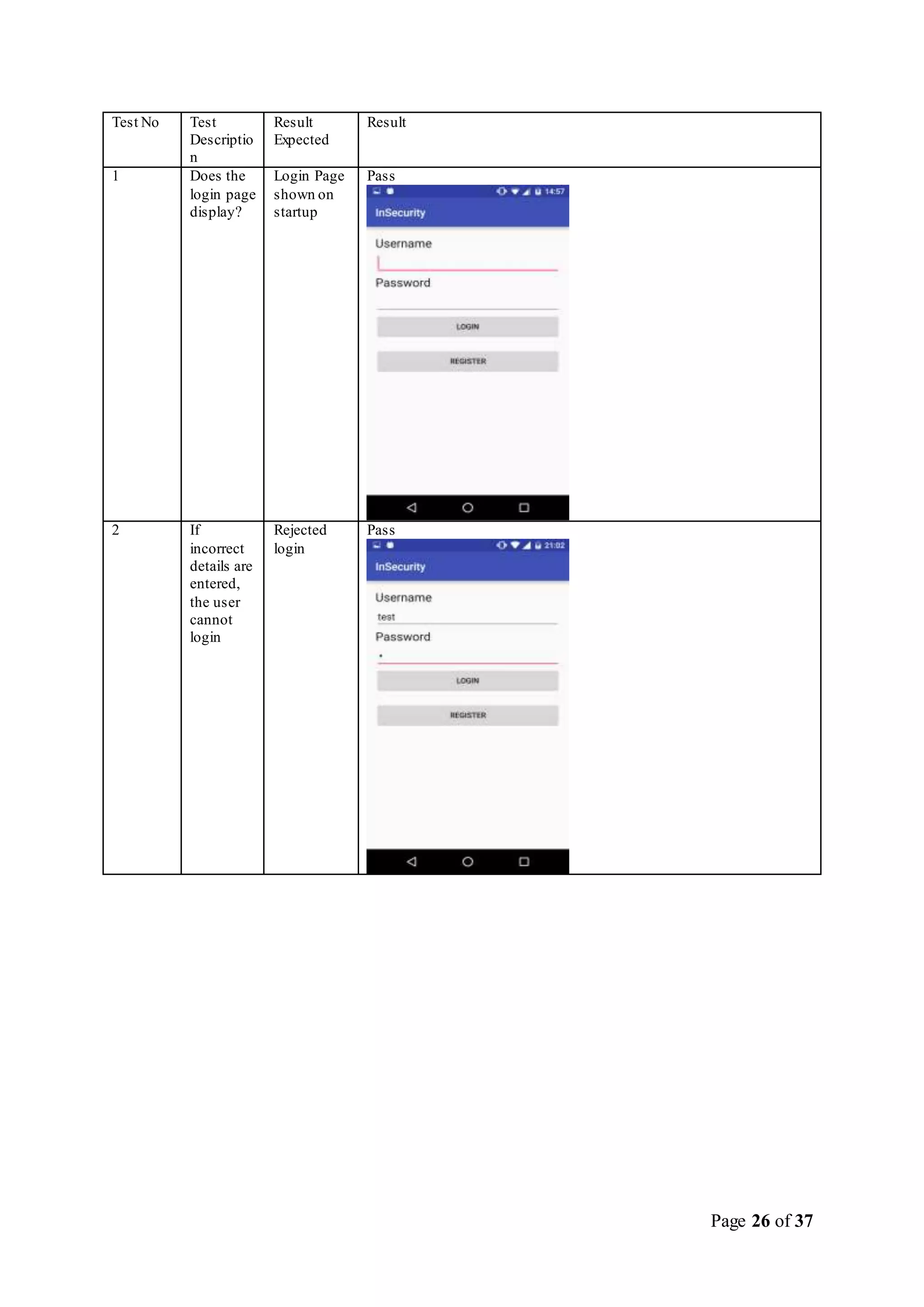
1 Does the
login page
display?
Login Page
shown on
startup
Pass
2 If
incorrect
details are
entered,
the user
cannot
login
Rejected
login
Pass
Page 27 of 37
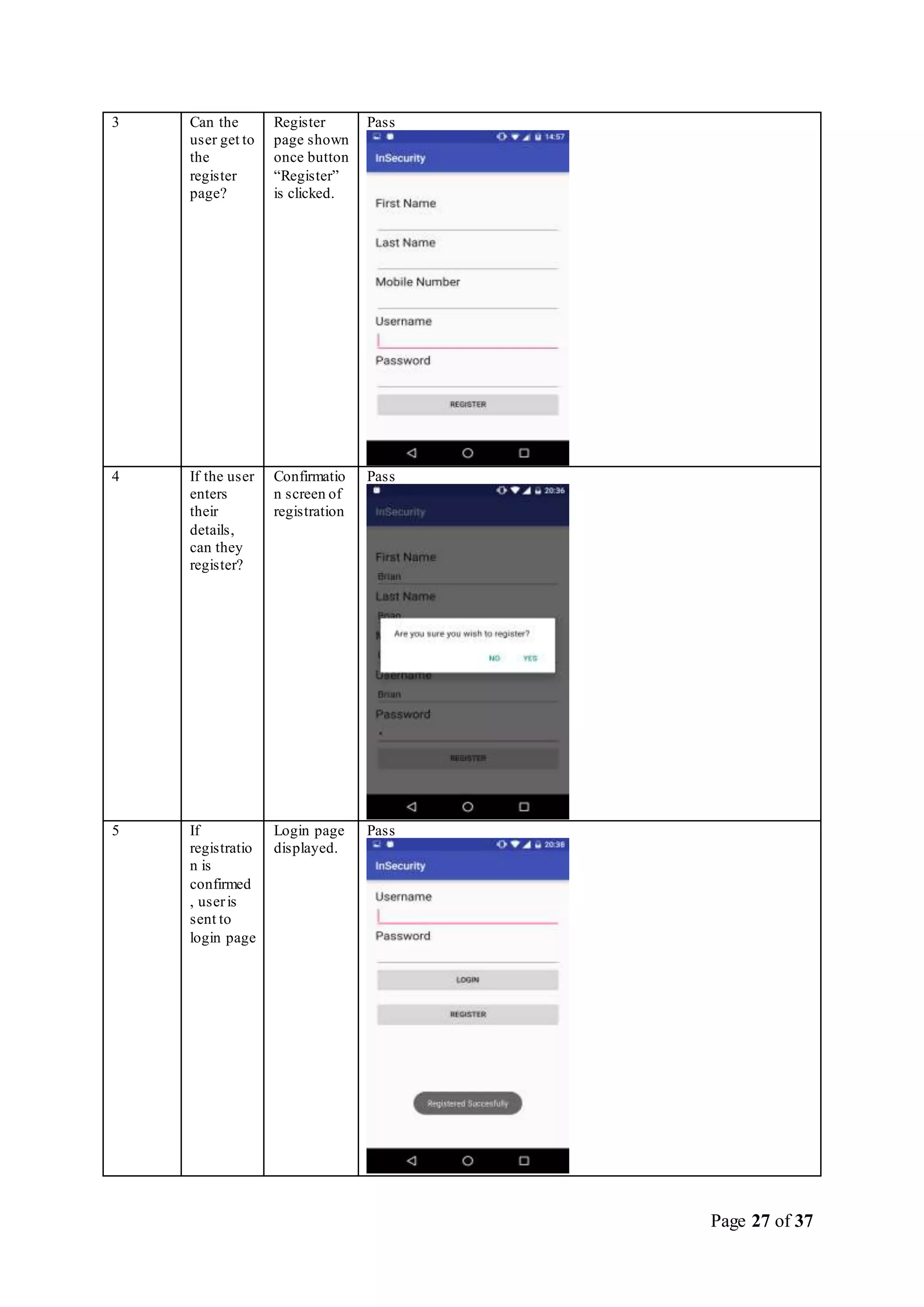
3 Can the
user get to
the
register
page?
Register
page shown
once button
“Register”
is clicked.
Pass
4 If the user
enters
their
details,
can they
register?
Confirmatio
n screen of
registration
Pass
5 If
registratio
n is
confirmed
, useris
sent to
login page
Login page
displayed.
Pass
Page 28 of 37
6 Are user
details
stored on
online
database?
User details
stored in
database.
Pass
7 Can the
user now
login with
registered
details?
User logs in
successfully
.
Pass
8 Can the
user
control
details
such as
Power,
heating
and alarm
User can
control
power,
heating and
alarm after
pressing the
control
button
Pass
Page 29 of 37
9 Can the
user turn
the alarm
on/off?
User can
turn alarm
on/off
through the
alarm on/off
buttons,
changing
database
value from
1(on) to
off(0).
Pass
Page 30 of 37
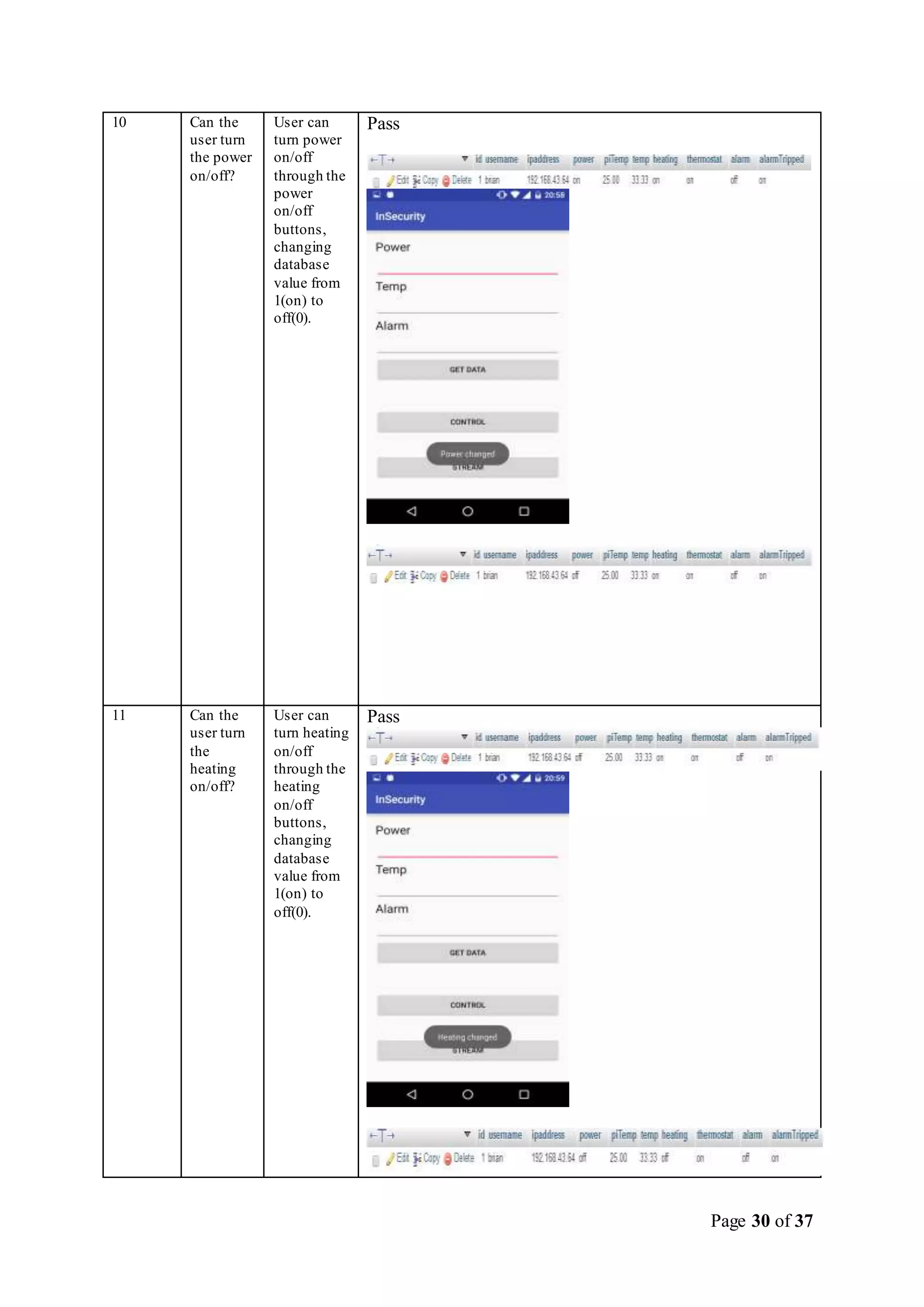
10 Can the
user turn
the power
on/off?
User can
turn power
on/off
through the
power
on/off
buttons,
changing
database
value from
1(on) to
off(0).
Pass
11 Can the
user turn
the
heating
on/off?
User can
turn heating
on/off
through the
heating
on/off
buttons,
changing
database
value from
1(on) to
off(0).
Pass
Page 31 of 37
12 Can the
user
stream the
camera to
the app?
User can
stream the
camera to
the app
using the
stream
button.
Pass
Page 32 of 37
Conclusions
Significant changes since research phase:
 As previously stated,support for an IR controller was not implemented, for various reasons
including time and difficulty
 Database tables were altered significantly, one table was dropped and the others were changed
with columns added and removed based the information we needed changing over time.
Significant changes since implementation phase:
 As previously stated the database tables changed significantly throughout development.
 We were originally going to use a single Pi to perform all of the functions, it became apparent
this wouldn’t be possible as there was not enough GPIO pins on a single Pi for all of the
sensors and equipment used.
 This means we used two pi’s to perform all the functions required. This made significant
changes to the database,as we went from previously having one Piper user, to multiple Pi’s
per user.
Skills Acquired:
Development of this project required learning many new skills:
 Python scripts (Pi)
 Shell scripts (Pi)
 JavaScript functions (Node-Red)
 Using REST/JSON
 Android/Java development (app)
 PHP development(app)
 Using GitHub with eclipse and Android (app)
 HTML development(website)
 PHP development(website)
 Using DevOps & BlueMix’s web server service (website)
 Learning how to use a cloud services framework (BlueMix)
 Maintaining a database (BlueMix)
Requirements Not Implemented:
Our requirement of the IR controller was not implemented. The reasons for this have already been
stated, hardware issues,time, and difficulty. In order to have implemented this feature we would have
had to put in more time and even money than we had for the project.
If we had the extra time to program an IR controller and purchased a GPIO extender in order to power
and communicate with it, it may have been possible to implement.
There would still have been an issue with configuring it for a user however.As the job of an IR
controller is to communicate with a set-top box, or DVD player, or something that uses an IR remote
control, it’s up to the user to configure the IR controller for the device that they want to use, which
may have been too confusing and difficult to expect a regular user to do.
Were Our Goals Achieved?
Considering four out of five of the originally required features were implemented, we would consider
Page 33 of 37
the goals of our project achieved.
The original specification of this project was to design and implement a home management system.
Since the features that we did implement all contribute to managing a user’s home our project stays
true to the original requirements also.
Future Enhancements
With such a limited development timeframe there were only so many features we could implement.
There were some features we thought of implementing in future revisions, if we had the time to
develop them:
 The ability to save and replay streams from the camera.
 The ability to play music from the cloud from speakers connected to the Pi.
 The ability to print documents from the cloud from a printer connected to the Pi.
 The ability to send out a tweet/ post a Facebook message in the event of temperature
exceeding a value.
 The ability to take a snapshot of the livestream from the phone stream.
Page 34 of 37
Appendix
Project Diary
12/02/2016
What work has been completed?
 Group meet up to discuss the project
 Meeting with Meabh to discuss the project
What work is being done now?
 Discussing the Application Architecture Diagram
What work will be done in the future?
 Start work on implementing cloud framework.
Explanation
We met up with Meabh this week to discuss the implementation of the project. She gave us
an Application architecture diagram to describe how to implement the project. We have to
implement a cloud services framework of some sort to communicate from the pi to the app
and vice versa using REST, she recommended IBM BlueMix, which we’ll probably use.
There are alternatives such as AWS and Microsoft Azure though.
26/02/2016
What work has been completed?
 Group meet up to work the project
 Completed requirements document
What work is being done now?
 Setting up IBM BlueMix
What work will be done in the future?
 Start work on connecting the Pi to BlueMix
Explanation
We met up with Meabh this week and gave her our requirements specification document. We
also started work on our implementation, Brian is setting up the BlueMix services, Sean is
setting up the Pi, Stephen is setting up the app and Isam is setting up the website.
11/03/2016
What work has been completed?
Page 35 of 37
 Group meet up to work the project
 Meeting with Meabh to discuss the project
 All sections of the project have some basic implementation done
What work is being done now?
 Connecting the Pi to BlueMix
What work will be done in the future?
 Sending useful data to and from BlueMix
Explanation
We met up with Meabh this week to assist us in implementing BlueMix. We are having
trouble getting the pi to connect to BlueMix, we know we have to use REST but we’re still
unsure how to use it.
22/03/2016
What work has been completed?
 Group meet up to work the project
What work is being done now?
 Connecting the Pi to BlueMix
 Establishing the website on Bluemix
 Login/ Register functions on the android app
What work will be done in the future?
 Sending useful data to and from BlueMix
Explanation
We worked together during the week, creating our website on bluemix and working on
implementing functionality on the website. The android app now has a login/register page,
with data being stored on a MySQLite database.
30/03/2016
What work has been completed?
 Group meet up to work the project
What work is being done now?
 Connecting the Pi to BlueMix
 Connecting the android app to BlueMix
 Connecting the website to the BlueMix
What work will be done in the future?
Page 36 of 37
 Sending useful data to and from BlueMix
 Sending data from the android app to database
 Sending data from the website to database
Explanation
We met up and worked on establishing a connection from all our devices to Bluemix. This is
proving more difficult than we anticipated, mainly due to our unfamiliarity with Bluemix.
4/04/2016
What work has been completed?
 Group meet up to work the project
 Meeting with Meabh to discuss the project on the 5th
What work is being done now?
 Connecting the android app to database
 Connecting the website to the database
What work will be done in the future?
 Changing database values using the app and website
Explanation
We met up to work on establishing a connection between the android app to our online
database as well as establishing a connection between our website to our database. We were
unable to find any easy way to do this through bluemix and are considering using php files.
15/04/2016
What work has been completed?
 Group meet up to work the project
 Data sent from the Pi to database
 Data sent from android app to database
 Data sent from website to database
What work is being done now?
 Retrieving data from the database to website
 Retrieving data from the database to android app
What work will be done in the future?
 Streaming camera to website and application.
Explanation
We met up during the week and sent live data from the raspberry Pi to the online database. A
connection was established from the android app to the database and from the website to the
database using php files stored on Bluemix. User registration data is now stored on the online
Page 37 of 37
database. Database values such as power can now be changed from the website and app. We
must now work on sending database data to the app and website.
22/4/2016
What work has been completed?
 Group meet up to work the project
 Data retrieved from database to website
 Data retrieved from database to app
What work is being done now?
 Streaming camera to website and application.
What work will be done in the future?
 Demonstration preparation
Explanation
We met up during the week and retrieved data from the website and application. We are also
working on streaming the camera footage to the website and application.
27/4/2016
What work has been completed?
 Group meet up to work the project
 Streaming camera to website and application.
What work is being done now?
 Demonstration preparation
What work will be done in the future?
 Project Documentation
Explanation
We met up during the week to practice for our project demonstration. We went through a
mock demonstration in the week, going through the presentation slides in a lab, and practiced
demoing our project.

Group project home management system

  • 1.
    Student Names: SeanAhearne Isam Brahim Stephen Higgins Brian Hennessy Module: Group Project - SOFT7003 Assignment: Documentation Class: Software Development & Computer Networking-DNET3 Submission Date: 08/05/2016 Supervisor: Meabh O Connor
  • 2.
    Page 2 of37 Contents Introduction Abstract. .................................................................................................................................3 Application Architecture Diagram..........................................................................................3 Brief Reviewof Technologies Used..........................................................................................4 Changes Since Research Phase................................................................................................4 Design Selected Design Pattern...........................................................................................................5 Class Diagrams .......................................................................................................................6 ER Diagrams...........................................................................................................................6 Sequencing Diagrams..............................................................................................................7 Implementation App. .......................................................................................................................................8 Website ....................................................................................... Error! Bookmark not defined.4 Pi................................................................................................. Error! Bookmark not defined.5 Testing Website Testing....................................................................................................................20 App Testing...........................................................................................................................26 Conclusion Changes Since Research Phase.............................................................................................32 Changes Since Implementation Phase...................................................................................32 Skills Acquired......................................................................................................................32 Requirements Not Implemented............................................................................................32 Were Our goals Achieved?....................................................................................................33 Future Changes.....................................................................................................................33 Appendix Project Diary........................................................................................................................34
  • 3.
    Page 3 of37 Introduction Abstract  With the rise of the availability of the Internet and low-cost computing, a trend has emerged towards connecting everything and anything to the Internet.  This trend has been given the name the Internet of Things (IoT), and is a growing segment of the computing Industry.  As such, a decision was made to develop a system capable of managing devices within the home from the internet with a low cost computing solution.  This low cost solution took the form of a Raspberry Pi, which can monitor and control devices when given commands, even from the Internet.  This system was developed into a home management system, with the Pi being able to perform multiple functions such as power control, an alarm system, and heating control.  The system was designed to be controlled from a mobile application, and from the website as a backup and for administration.  Auser can control a Pi (that is registered to them) from this app no matter where they are as long as they have an Internet connection.  This is achieved through use of IBM BlueMix, a cloud service that facilitates managing IoT devices.  The app talks to BlueMix, which talks to the Pi and vice-versa an in-depth explanations follows. Application Architecture Diagram
  • 4.
    Page 4 of37 Brief Review of TechnologiesUsed  IBM BlueMix o Acloud service capable of creating and managing many different services in one cloud based environment. o Services used in this project provided by BlueMix include: A phpMyAdmin MySQL Server,A web server,and Node-Red, a service used to communicate with the Raspberry Pi using JSON, built on Node.js.  IBM Watson o Aservice provided by BlueMix specifically tailored for IoT style devices. o Can be easily installed as a Linux service, and once configured, it communicates with BlueMix using REST.  Node-Red o Afork of node.js specifically designed for IoT devices, and in particular Watson and BlueMix. o Also installed a Linux service, can be configured using its web-based GUI. o Works on the principle of flows, an event is triggered which performs some action (execute a script, connect to database etc.) and then flows onwards to another event until the end of the chain. o Uses JSON notation (REST) to communicate with BlueMix services using Watson. o Functions can be performed on JSON objects during flows with JavaScript.  phpMyAdmin MySQL o Acloud-based implementation of a MySQL server.  IBM Web Server o The website was built using BlueMix’s web server service. o Development for it took place using DevOps, an extension of GitHub. Changes since ResearchPhase During the research and requirements analysis phase we chose 5 features we wanted to implement, those were:  Power Control  Heating Control  Alarm System  Live Streaming  IR Controller We managed to implement four out of five of those features,the feature we chose to not implement as the IR controller this was for the following reasons:  Not enough GPIO pins on the Raspberry Pi  Time consuming to develop  Too difficult for a user to configure Other changes made were the layout of our database tables,this was due to storing some variables we didn’t need, and not storing other variables we found we did need.
  • 5.
    Page 5 of37 SelectedDesignPattern REST (Representational State Transfer) was the design pattern that was followed throughout this project. REST API’s are created using HTTP requests,which in our case was packaged in JSON format. By using Node-RED,we were able to create a REST connection with a MySQL node which connected to our database. These requests were SQLstatements packaged in JSON, sent via HTTP to our database; which was hosted by Phpmyadmin on our Bluemix web server. For REST, each action is based on HTTP methods already available. GET is used to get the state of the resource,or a representation. To update a value in a database,REST uses PUT.And to display values, REST uses POST. Class Diagram
  • 6.
    Page 6 of37 Use Case Diagram Entity Relationship Diagram
  • 7.
    Page 7 of37 Sequence Diagram
  • 8.
    Page 8 of37 Implementation – Mobile Application GitHub was used in order to back up the code for the android app. The repository name is “InSecurity”, and can be found at https://github.com/Higgins113/InSecurity. The android code was also stored in a zip file on Dropbox. The PHP files for the project were stored on BlueMix. Arrangement ofAndroid Code The android app consisted of 13 java files and 9 xml (layout) files. Some java files (such as MyDB Handler) do not have a related layout file, as they will not be seen by the user of the app.
  • 9.
    Page 9 of37 Arrangement of PHP Code
  • 10.
    Page 10 of37 48 PHP files were used on this project, all of which were stored and accessed on BlueMix
  • 11.
    Page 11 of37 Difficult Coding There was difficulty in connecting the android app to our online database,as well as connecting our online website to the database. The connection from the android application to the online database was more difficult than anticipated, as there seemed to be no easy way to do this through BlueMix. Asolution was found by which the android app connects to our database using PHP files which were stored on Bluemix. On the Android side of the code, once the user has inputted their data and clicked the register button, the reg() method is called. This method takes the values entered into the EditText field and converts them to a String format.A local User is created and added to the local MySQLite database.Anew BackgroundTask is then created,and is then executed,passing in the registration values. The BackgroundTask method contains a String add_info_url, pointing to our php file. The registration information we passed when we executed BackgroundTask is then stored in local Strings. A HttpURLConnection is then created,with the url being add_info_url. The RequestMethod is POST,as we are sending data to the database.An OutputStream is then created,and a new BufferedWrite created,with the character encoding set as UTF-8.
  • 12.
    Page 12 of37 All of the registration details are then encoded as a String, using the URLEncoder and UTF-8 as the character encoder. The bufferedWriter then writes this string, and all Writers,Steams and connections are closed. After this is completed, a Toast is created,showing the user that registration was completed. This is an example of a php connection to our database. This example is add_info.php. This file takes the registration information inserted by the user on the android app and inserts it into our online database. The details of our database such as the host address,the authentication details and the database name are all declared at the top of the file. The details “fname,lname,mobile,username,pass” are all taken using $_POST,which takes information that has been passed using the HTTP POST method in our android app. A connection is then established to the database using “msqli_connect”. An sql insert query is then created and executed,inserting the relevant data sent from the android app into the database. The connection is then closed. An example of a php connection to our database is the json_get_pi.php file.
  • 13.
    Page 13 of37 This file establishes a connection to our database in the same manner in which our other php file did. However, this file is for getting the data about the raspberry pi from the database.ASelect statement is used to retrieve the data about the Pi. This data is then push out as an array,displaying the data in a JSON format.
  • 14.
    Page 14 of37 Website The website details such as the php files were stored using the Bluemix DevOps service. The function of the website was to act as a location where an administrator could control user details as well as control the functions of their Pi’s. From the website, the administrator can control aspects of the Pi such as alarm status,power status,heating and Temperature. The main difficulty faced when establishing the website was the same as the android app – the connection to our database. However,once the php script for connecting to the database was established, the process was similar for both the app and the website. This example of code shows the php script for connecting the website to the online database in order to register a user. The details for the database connection are stored in connections.php and are called. Once the submit button is clicked, the data fields needed to register a user (such as username, password and phone number) are parsed out and stored as local variables ($uname, $passName and $user_phone) . A new sql INSERT statement ($new_query) is used for inserting a new row of user data. This query is then executed, connecting to the online database. If the insert is successful, the welcome page is displayed. Chosen Framework / API Bluemix was the online service used in conjunction with our app. It was not easy to use, with relevant documentation for our application being scarce and difficult to locate. Bluemix was also not a stable platform to develop on, with the service going down for maintenance and errors occurring frequently. There was very little information regarding what the errors/maintenance was for and how long it would last. Bluemix went down with an error at the end of the project demonstration. There was also no easy way to connect the android app to the database, instead PHP files had to be used to connect. It was also our first experience with a cloud based application, which contributed to our difficulty in working with Bluemix. Representational state transfer (REST) was also used in this project. This aspect of the project was easier to understand and work with, as there was relevant documentation available widely on the internet. Once connectivity between all aspects of the project was established, it was clear to appreciate what having REST accomplished.
  • 15.
    Page 15 of37 Raspberry Pi On the Raspberry Pi, 2 packages were installed in order to send and receive data from Bluemix. These were IBM Watson’s IoT framework package and Node-Red. IBM Watson is installed in a similar fashion to a traditional Linux service, it is installed as a packages and configured from its configuration file, in this case,all that was need was the Organization ID of our BlueMix application and the Pi’s MACAddress. Node-Red is installed in a similar fashion, it installed as a package, but only after being downloaded from GitHub and unzipped. Once installed it is configured from its web-based GUI, the service must be running in order to do this. This is demonstrated in the image below. In practice,a shell script can be used to start the service on start-up (init.d). Node-Red used JSON (REST) to communicate (i.e. send & receive data) with BlueMix. It performs tasks and functions using a system called flows. An example of a flow is seen below. This flow is used to control the smart plug socket that is connected to the Pi. It starts by creating an SQL statement to query the value of the power cell in the database (for its own ID only). This statement is sent as a msg.topic in JSON format to BlueMix, Once BlueMix receives it, it parses it back to SQL and sends it to the phpMyAdmin database,the database responds and the data it returns to BlueMix is put into msg.payload by it and sent back to Node-Red on the Pi. The Pi then runs a JavaScript function to examine the payload of the JSON object to determine if the power is on or off (and act accordingly). The process is set to repeat once a second, so it appears seamless to an end user.
  • 16.
    Page 16 of37 Acomparison between two ofthe flows used.
  • 17.
    Page 17 of37 Since Node-Red is built on Node.js it uses JavaScript to perform functions. The function to examine the payload of the power query is below, it should be noted that for some reason querying the object in the payload didn’t work (i.e. msg.payload.power), which meant the JSON object had to be parsed into a string in order to read the value. In this case,since they payload will always be power:on or power:off, it is still fairly simple to figure out what is in the payload and act accordingly.
  • 18.
    Page 18 of37 The function will send the payload to one output or the other depending on what it found. The payload at this point becomes meaningless, it is just used to signal an exec command, which means run a python script that controls something on the Pi, as seen in the image above, which in this case,is to turn the power on. The python scripts are used to perform tasks related to GPIO input/output, in this case,the script for turning a plug socket on is shown below. This is achieved by sending a binary transmission over radio frequencies using a modulator on the same frequency as the socket. The streaming service was provided by MJPEGstreamer. It was downloaded and compiled for the Raspberry Pi. It provides a built in web service for viewing the stream online. Once installed, it can be set to run on start-up from a shell script. Ademonstration is shown below. Problems encountered We had multiple problems getting the Pi’s to connect to BlueMix, a lot of them seems to be related to working on eduroam within CIT as the BlueMix service either kept getting blocked, or BlueMix itself went down. As stated previously, for some reason sub-categories in JSON objects could be accessed using msg.payload.(data), instead it had to be parsed into a string value. Unfortunately our sensor board failed during development which slowed our development. The Camera failed to work correctly on one of the Pi’s, even when making sure the Camera was enabled.
  • 19.
  • 20.
    Page 20 of37 Testing - Website Test description Result expected Pass /Fail 1 Does the website run? Web Address: https://webisam.eu- gb.mybluemix.net/index. php Pass 2 Can a user login? Does the post-login page display correctly? (Username : brian Password: brian) Pass 3 Can a user switch the power on or off? Does the value update correctly in the database? Pass 4 Can a user switch the alarm on or off? Does the value update correctly in the database? Pass 5 Can a user change the temperature value for the thermostat? Does the value update correctly in the database? Pass
  • 21.
    Page 21 of37 6 Can a user switch the heating on or off? Does the value update correctly in the database? Pass 7 Can a user log out? It should redirect to home page Pass 8 Can an Administrator log in? Does the Admin page display correctly? (Username: test Password: test) An admin can see all of the tables: Users, Admins, Raspberry Pi’s. Pass 9 Can new users be added? Pass
  • 22.
    Page 22 of37 9 Does the new user appear in the database? Pass 10 Can users be removed? Remove user page with users id Display. Pass 10 Is the user removed from the Database? Pass
  • 23.
    Page 23 of37 11 Can new administartors be added? Pass 11 Admin user added to database admin users table. Pass 12 Can administrators be removed? Pass
  • 24.
    Page 24 of37 12 Admin user (72) removed from the database. Pass 13 Can an administrator control a user’s Pi? Pass 14 Can an administrator control any value on any pi? Pass
  • 25.
    Page 25 of37 15 What happens if a user tries to login with an incorrect Username/Password? User can’t progress past login page. Pass 16 What happens when a registered user that doesn’t have a Pi associated with them logs in? No pi is shown. Controls do not work. Pass
  • 26.
    Page 26 of37 Test No Test Descriptio n Result Expected Result 1 Does the login page display? Login Page shown on startup Pass 2 If incorrect details are entered, the user cannot login Rejected login Pass
  • 27.
    Page 27 of37 3 Can the user get to the register page? Register page shown once button “Register” is clicked. Pass 4 If the user enters their details, can they register? Confirmatio n screen of registration Pass 5 If registratio n is confirmed , useris sent to login page Login page displayed. Pass
  • 28.
    Page 28 of37 6 Are user details stored on online database? User details stored in database. Pass 7 Can the user now login with registered details? User logs in successfully . Pass 8 Can the user control details such as Power, heating and alarm User can control power, heating and alarm after pressing the control button Pass
  • 29.
    Page 29 of37 9 Can the user turn the alarm on/off? User can turn alarm on/off through the alarm on/off buttons, changing database value from 1(on) to off(0). Pass
  • 30.
    Page 30 of37 10 Can the user turn the power on/off? User can turn power on/off through the power on/off buttons, changing database value from 1(on) to off(0). Pass 11 Can the user turn the heating on/off? User can turn heating on/off through the heating on/off buttons, changing database value from 1(on) to off(0). Pass
  • 31.
    Page 31 of37 12 Can the user stream the camera to the app? User can stream the camera to the app using the stream button. Pass
  • 32.
    Page 32 of37 Conclusions Significant changes since research phase:  As previously stated,support for an IR controller was not implemented, for various reasons including time and difficulty  Database tables were altered significantly, one table was dropped and the others were changed with columns added and removed based the information we needed changing over time. Significant changes since implementation phase:  As previously stated the database tables changed significantly throughout development.  We were originally going to use a single Pi to perform all of the functions, it became apparent this wouldn’t be possible as there was not enough GPIO pins on a single Pi for all of the sensors and equipment used.  This means we used two pi’s to perform all the functions required. This made significant changes to the database,as we went from previously having one Piper user, to multiple Pi’s per user. Skills Acquired: Development of this project required learning many new skills:  Python scripts (Pi)  Shell scripts (Pi)  JavaScript functions (Node-Red)  Using REST/JSON  Android/Java development (app)  PHP development(app)  Using GitHub with eclipse and Android (app)  HTML development(website)  PHP development(website)  Using DevOps & BlueMix’s web server service (website)  Learning how to use a cloud services framework (BlueMix)  Maintaining a database (BlueMix) Requirements Not Implemented: Our requirement of the IR controller was not implemented. The reasons for this have already been stated, hardware issues,time, and difficulty. In order to have implemented this feature we would have had to put in more time and even money than we had for the project. If we had the extra time to program an IR controller and purchased a GPIO extender in order to power and communicate with it, it may have been possible to implement. There would still have been an issue with configuring it for a user however.As the job of an IR controller is to communicate with a set-top box, or DVD player, or something that uses an IR remote control, it’s up to the user to configure the IR controller for the device that they want to use, which may have been too confusing and difficult to expect a regular user to do. Were Our Goals Achieved? Considering four out of five of the originally required features were implemented, we would consider
  • 33.
    Page 33 of37 the goals of our project achieved. The original specification of this project was to design and implement a home management system. Since the features that we did implement all contribute to managing a user’s home our project stays true to the original requirements also. Future Enhancements With such a limited development timeframe there were only so many features we could implement. There were some features we thought of implementing in future revisions, if we had the time to develop them:  The ability to save and replay streams from the camera.  The ability to play music from the cloud from speakers connected to the Pi.  The ability to print documents from the cloud from a printer connected to the Pi.  The ability to send out a tweet/ post a Facebook message in the event of temperature exceeding a value.  The ability to take a snapshot of the livestream from the phone stream.
  • 34.
    Page 34 of37 Appendix Project Diary 12/02/2016 What work has been completed?  Group meet up to discuss the project  Meeting with Meabh to discuss the project What work is being done now?  Discussing the Application Architecture Diagram What work will be done in the future?  Start work on implementing cloud framework. Explanation We met up with Meabh this week to discuss the implementation of the project. She gave us an Application architecture diagram to describe how to implement the project. We have to implement a cloud services framework of some sort to communicate from the pi to the app and vice versa using REST, she recommended IBM BlueMix, which we’ll probably use. There are alternatives such as AWS and Microsoft Azure though. 26/02/2016 What work has been completed?  Group meet up to work the project  Completed requirements document What work is being done now?  Setting up IBM BlueMix What work will be done in the future?  Start work on connecting the Pi to BlueMix Explanation We met up with Meabh this week and gave her our requirements specification document. We also started work on our implementation, Brian is setting up the BlueMix services, Sean is setting up the Pi, Stephen is setting up the app and Isam is setting up the website. 11/03/2016 What work has been completed?
  • 35.
    Page 35 of37  Group meet up to work the project  Meeting with Meabh to discuss the project  All sections of the project have some basic implementation done What work is being done now?  Connecting the Pi to BlueMix What work will be done in the future?  Sending useful data to and from BlueMix Explanation We met up with Meabh this week to assist us in implementing BlueMix. We are having trouble getting the pi to connect to BlueMix, we know we have to use REST but we’re still unsure how to use it. 22/03/2016 What work has been completed?  Group meet up to work the project What work is being done now?  Connecting the Pi to BlueMix  Establishing the website on Bluemix  Login/ Register functions on the android app What work will be done in the future?  Sending useful data to and from BlueMix Explanation We worked together during the week, creating our website on bluemix and working on implementing functionality on the website. The android app now has a login/register page, with data being stored on a MySQLite database. 30/03/2016 What work has been completed?  Group meet up to work the project What work is being done now?  Connecting the Pi to BlueMix  Connecting the android app to BlueMix  Connecting the website to the BlueMix What work will be done in the future?
  • 36.
    Page 36 of37  Sending useful data to and from BlueMix  Sending data from the android app to database  Sending data from the website to database Explanation We met up and worked on establishing a connection from all our devices to Bluemix. This is proving more difficult than we anticipated, mainly due to our unfamiliarity with Bluemix. 4/04/2016 What work has been completed?  Group meet up to work the project  Meeting with Meabh to discuss the project on the 5th What work is being done now?  Connecting the android app to database  Connecting the website to the database What work will be done in the future?  Changing database values using the app and website Explanation We met up to work on establishing a connection between the android app to our online database as well as establishing a connection between our website to our database. We were unable to find any easy way to do this through bluemix and are considering using php files. 15/04/2016 What work has been completed?  Group meet up to work the project  Data sent from the Pi to database  Data sent from android app to database  Data sent from website to database What work is being done now?  Retrieving data from the database to website  Retrieving data from the database to android app What work will be done in the future?  Streaming camera to website and application. Explanation We met up during the week and sent live data from the raspberry Pi to the online database. A connection was established from the android app to the database and from the website to the database using php files stored on Bluemix. User registration data is now stored on the online

  • 37.
    Page 37 of37 database. Database values such as power can now be changed from the website and app. We must now work on sending database data to the app and website. 22/4/2016 What work has been completed?  Group meet up to work the project  Data retrieved from database to website  Data retrieved from database to app What work is being done now?  Streaming camera to website and application. What work will be done in the future?  Demonstration preparation Explanation We met up during the week and retrieved data from the website and application. We are also working on streaming the camera footage to the website and application. 27/4/2016 What work has been completed?  Group meet up to work the project  Streaming camera to website and application. What work is being done now?  Demonstration preparation What work will be done in the future?  Project Documentation Explanation We met up during the week to practice for our project demonstration. We went through a mock demonstration in the week, going through the presentation slides in a lab, and practiced demoing our project.