Bus Buddy
//Simplifying Commutes for All Bus Travelers
Our Team
< Web Technology > && < Computer Networks >
Pratiksha Balasaheb Chandar
Pragati Babasaheb Navale
Krutika Rajesh Parjane
Akshada Balasaheb Phopse
Guided By
Prof. J. N. Kale
Assistant Professor,
Computer Engineering,
SRES COE,
Kopargaon
Web Technology
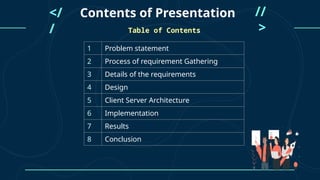
Contents of Presentation
Table of Contents
//
>
</
/
1 Problem statement
2 Process of requirement Gathering
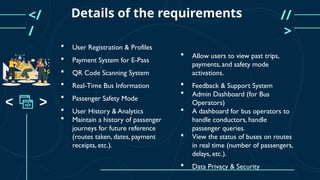
3 Details of the requirements
4 Design
5 Client Server Architecture
6 Implementation
7 Results
8 Conclusion
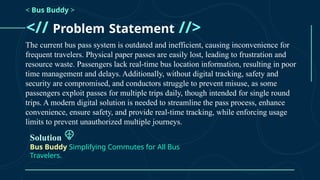
The current bus pass system is outdated and inefficient, causing inconvenience for
frequent travelers. Physical paper passes are easily lost, leading to frustration and
resource waste. Passengers lack real-time bus location information, resulting in poor
time management and delays. Additionally, without digital tracking, safety and
security are compromised, and conductors struggle to prevent misuse, as some
passengers exploit passes for multiple trips daily, though intended for single round
trips. A modern digital solution is needed to streamline the pass process, enhance
convenience, ensure safety, and provide real-time tracking, while enforcing usage
limits to prevent unauthorized multiple journeys.
<// Problem Statement //>
< Bus Buddy >
Solution
Bus Buddy Simplifying Commutes for All Bus
Travelers.
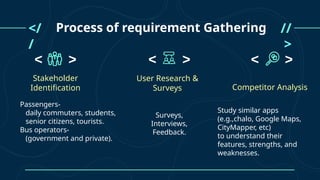
Process of requirement Gathering
Stakeholder
Identification
Passengers-
daily commuters, students,
senior citizens, tourists.
Bus operators-
(government and private).
Surveys,
Interviews,
Feedback.
Study similar apps
(e.g.,chalo, Google Maps,
CityMapper, etc)
to understand their
features, strengths, and
weaknesses.
//
>
</
/
Competitor Analysis
User Research &
Surveys
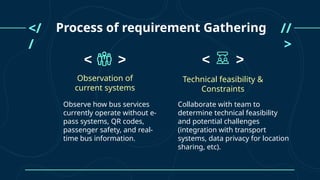
Process of requirement Gathering
Observation of
current systems
Observe how bus services
currently operate without e-
pass systems, QR codes,
passenger safety, and real-
time bus information.
Collaborate with team to
determine technical feasibility
and potential challenges
(integration with transport
systems, data privacy for location
sharing, etc).
//
>
</
/
Technical feasibility &
Constraints
Details of the requirements
 User Registration & Profiles
 Payment System for E-Pass
 QR Code Scanning System
 Real-Time Bus Information
 Passenger Safety Mode
 User History & Analytics
 Maintain a history of passenger
journeys for future reference
(routes taken, dates, payment
receipts, etc.).
 Allow users to view past trips,
payments, and safety mode
activations.
 Feedback & Support System
 Admin Dashboard (for Bus
Operators)
 A dashboard for bus operators to
handle conductors, handle
passenger queries.
 View the status of buses on routes
in real time (number of passengers,
delays, etc.).
 Data Privacy & Security
//
>
</
/
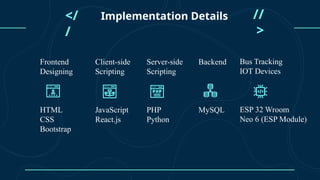
Implementation Details
</
/
//
>
Frontend
Designing
HTML
CSS
Bootstrap
Server-side
Scripting
PHP
Python
Backend
MySQL
Client-side
Scripting
JavaScript
React.js
Bus Tracking
IOT Devices
ESP 32 Wroom
Neo 6 (ESP Module)
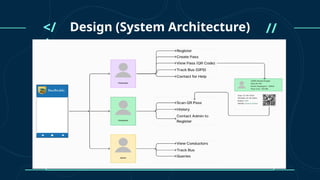
Design (System Architecture) //
>
</
/
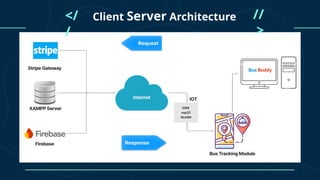
Client Server Architecture
</
/
//
>
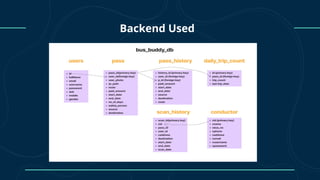
Backend Used
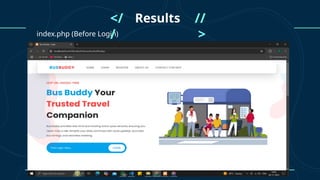
index.php (Before Login)
Results //
>
</
/
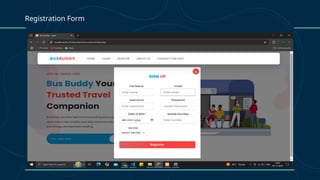
Registration Form
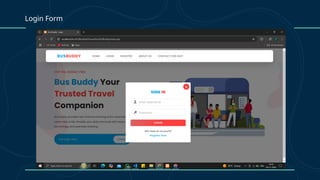
Login Form
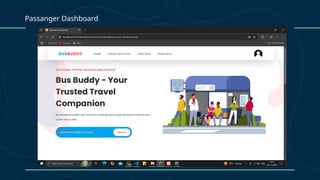
Passanger Dashboard
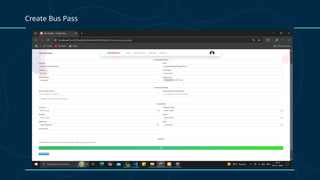
Create Bus Pass
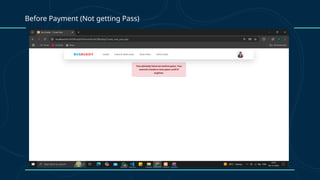
Before Payment (Not getting Pass)
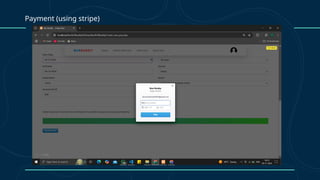
Payment (using stripe)
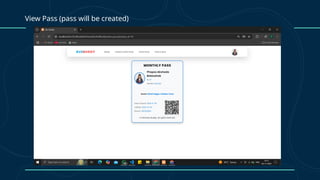
View Pass (pass will be created)
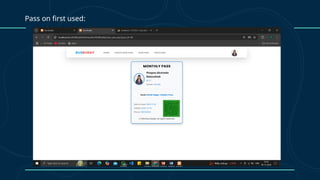
Pass on first used:
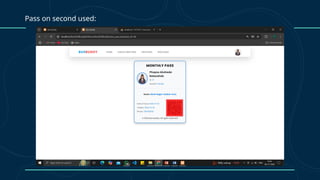
Pass on second used:
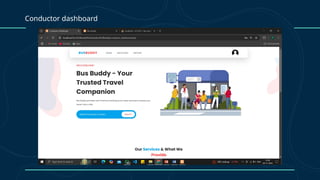
Conductor dashboard
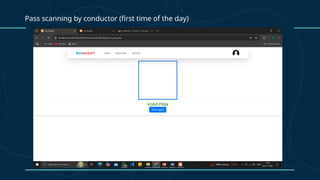
Pass scanning by conductor (first time of the day)
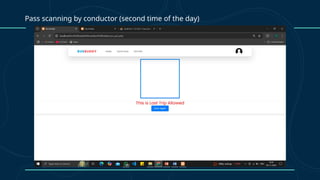
Pass scanning by conductor (second time of the day)
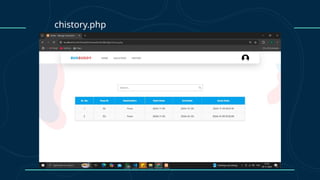
chistory.php
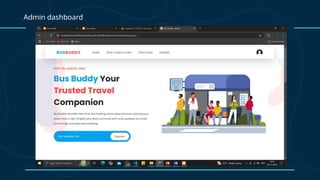
Admin dashboard
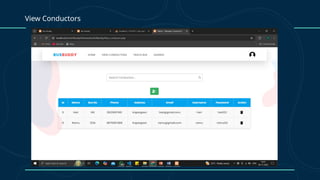
View Conductors
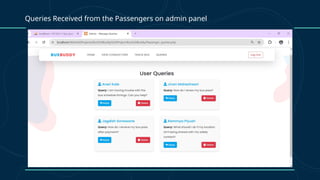
Queries Received from the Passengers on admin panel
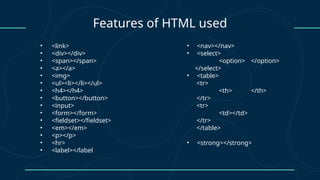
Features of HTML used
• <link>
• <div></div>
• <span></span>
• <a></a>
• <img>
• <ul><li></li></ul>
• <h4></h4>
• <button></button>
• <input>
• <form></form>
• <fieldset></fieldset>
• <em></em>
• <p></p>
• <hr>
• <label></label
• <nav></nav>
• <select>
<option> </option>
</select>
• <table>
<tr>
<th> </th>
</tr>
<tr>
<td></td>
</tr>
</table>
• <strong></strong>
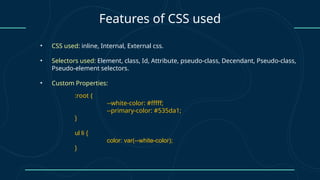
Features of CSS used
• CSS used: inline, Internal, External css.
• Selectors used: Element, class, Id, Attribute, pseudo-class, Decendant, Pseudo-class,
Pseudo-element selectors.
• Custom Properties:
:root {
--white-color: #fffff;
--primary-color: #535da1;
}
ul li {
color: var(--white-color);
}
Features of CSS used
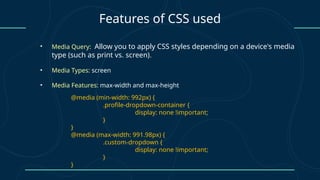
• Media Query: Allow you to apply CSS styles depending on a device's media
type (such as print vs. screen).
• Media Types: screen
• Media Features: max-width and max-height
@media (min-width: 992px) {
.profile-dropdown-container {
display: none !important;
}
}
@media (max-width: 991.98px) {
.custom-dropdown {
display: none !important;
}
}
Features of CSS used
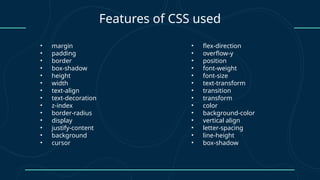
• margin
• padding
• border
• box-shadow
• height
• width
• text-align
• text-decoration
• z-index
• border-radius
• display
• justify-content
• background
• cursor
• flex-direction
• overflow-y
• position
• font-weight
• font-size
• text-transform
• transition
• transform
• color
• background-color
• vertical align
• letter-spacing
• line-height
• box-shadow
Features of Bootstrap used
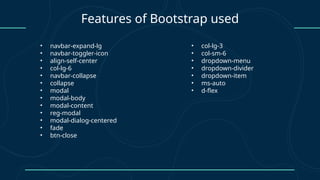
• navbar-expand-lg
• navbar-toggler-icon
• align-self-center
• col-lg-6
• navbar-collapse
• collapse
• modal
• modal-body
• modal-content
• reg-modal
• modal-dialog-centered
• fade
• btn-close
• col-lg-3
• col-sm-6
• dropdown-menu
• dropdown-divider
• dropdown-item
• ms-auto
• d-flex
Features of Javascript used
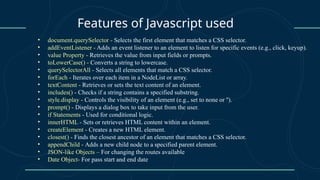
• document.querySelector - Selects the first element that matches a CSS selector.
• addEventListener - Adds an event listener to an element to listen for specific events (e.g., click, keyup).
• value Property - Retrieves the value from input fields or prompts.
• toLowerCase() - Converts a string to lowercase.
• querySelectorAll - Selects all elements that match a CSS selector.
• forEach - Iterates over each item in a NodeList or array.
• textContent - Retrieves or sets the text content of an element.
• includes() - Checks if a string contains a specified substring.
• style.display - Controls the visibility of an element (e.g., set to none or '').
• prompt() - Displays a dialog box to take input from the user.
• if Statements - Used for conditional logic.
• innerHTML - Sets or retrieves HTML content within an element.
• createElement - Creates a new HTML element.
• closest() - Finds the closest ancestor of an element that matches a CSS selector.
• appendChild - Adds a new child node to a specified parent element.
• JSON-like Objects – For changing the routes available
• Date Object- For pass start and end date
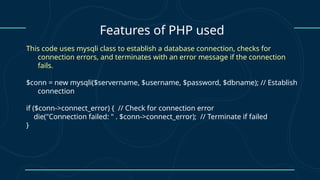
This code uses mysqli class to establish a database connection, checks for
connection errors, and terminates with an error message if the connection
fails.
$conn = new mysqli($servername, $username, $password, $dbname); // Establish
connection
if ($conn->connect_error) { // Check for connection error
die("Connection failed: " . $conn->connect_error); // Terminate if failed
}
Features of PHP used
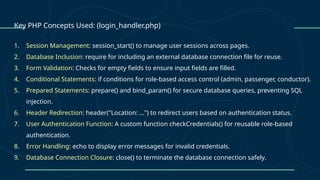
Key PHP Concepts Used: (login_handler.php)
1. Session Management: session_start() to manage user sessions across pages.
2. Database Inclusion: require for including an external database connection file for reuse.
3. Form Validation: Checks for empty fields to ensure input fields are filled.
4. Conditional Statements: if conditions for role-based access control (admin, passenger, conductor).
5. Prepared Statements: prepare() and bind_param() for secure database queries, preventing SQL
injection.
6. Header Redirection: header("Location: ...") to redirect users based on authentication status.
7. User Authentication Function: A custom function checkCredentials() for reusable role-based
authentication.
8. Error Handling: echo to display error messages for invalid credentials.
9. Database Connection Closure: close() to terminate the database connection safely.
Features of IOT used
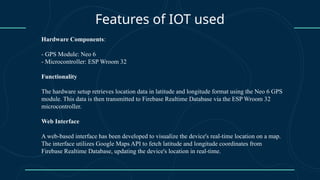
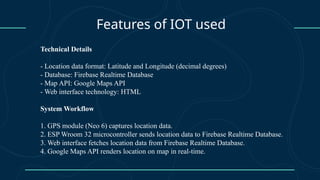
Hardware Components:
- GPS Module: Neo 6
- Microcontroller: ESP Wroom 32
Functionality
The hardware setup retrieves location data in latitude and longitude format using the Neo 6 GPS
module. This data is then transmitted to Firebase Realtime Database via the ESP Wroom 32
microcontroller.
Web Interface
A web-based interface has been developed to visualize the device's real-time location on a map.
The interface utilizes Google Maps API to fetch latitude and longitude coordinates from
Firebase Realtime Database, updating the device's location in real-time.
Technical Details
- Location data format: Latitude and Longitude (decimal degrees)
- Database: Firebase Realtime Database
- Map API: Google Maps API
- Web interface technology: HTML
System Workflow
1. GPS module (Neo 6) captures location data.
2. ESP Wroom 32 microcontroller sends location data to Firebase Realtime Database.
3. Web interface fetches location data from Firebase Realtime Database.
4. Google Maps API renders location on map in real-time.
Features of IOT used
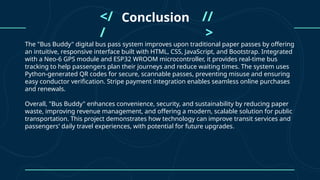
The "Bus Buddy" digital bus pass system improves upon traditional paper passes by offering
an intuitive, responsive interface built with HTML, CSS, JavaScript, and Bootstrap. Integrated
with a Neo-6 GPS module and ESP32 WROOM microcontroller, it provides real-time bus
tracking to help passengers plan their journeys and reduce waiting times. The system uses
Python-generated QR codes for secure, scannable passes, preventing misuse and ensuring
easy conductor verification. Stripe payment integration enables seamless online purchases
and renewals.
Overall, "Bus Buddy" enhances convenience, security, and sustainability by reducing paper
waste, improving revenue management, and offering a modern, scalable solution for public
transportation. This project demonstrates how technology can improve transit services and
passengers' daily travel experiences, with potential for future upgrades.
Conclusion //
>
</
/
Thank You