2
3
4
5
6
7
8
9
10
11
Rafał Hryniewski
@r_hryniewski fb.me/hryniewskinet
.NET Dev
Blogger
Speaker
Trainer
https://hryniewski.net
rafal@hryniewski.net
Community leader
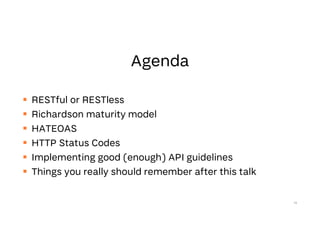
 RESTful or RESTless
 Richardson maturity model
 HATEOAS
 HTTP Status Codes
 Implementing good (enough) API guidelines
 Things you really should remember after this talk
14
15
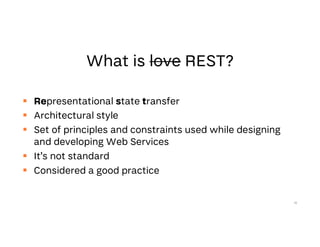
 Representational state transfer
 Architectural style
 Set of principles and constraints used while designing
and developing Web Services
 It’s not standard
 Considered a good practice
16
 Basically when any JSON is served over HTTP
17
18
 JSON over HTTP != RESTful
 Creating ASP.NET (Core) WebApi project doesn’t mean
you’ll get RESTful API
19
 Client and server are separated
 API is stateless, every request should contain all data
required to process it.
 Responses should be cacheable unless explicitly labeled
as not cacheable
 Resources should be identifiable by single URL and
individual operations should be accessible by using HTTP
verbs
 System should have layered architecture and endpoint
should be just one of the layers
20
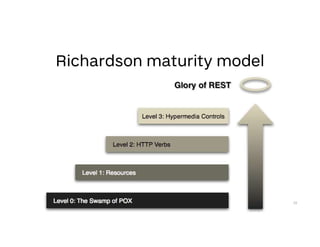
 Model designed to grade how well API is compliant to
REST constraint
 Can be used as guide how to upgrade your system
21
22
 Uses HTTP as transport
 POX – Plain Old XML (or basically any piece of serialized
shit)
 Mostly requests to single URI or URI per Service similar
to RPC solutions or our favorite SOAP
 Mostly has some kind of “action” input in request
23
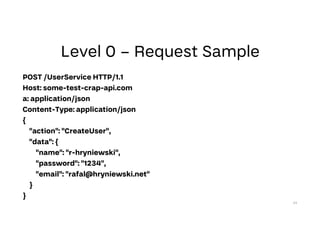
POST /UserService HTTP/1.1
Host: some-test-crap-api.com
a: application/json
Content-Type: application/json
{
"action": "CreateUser",
"data": {
"name": "r-hryniewski",
"password": "1234",
"email": "rafal@hryniewski.net"
}
}
24
25
26
27
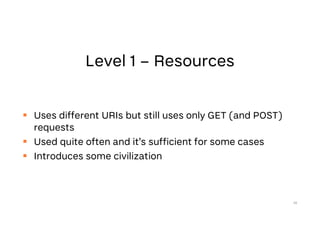
 Uses different URIs but still uses only GET (and POST)
requests
 Used quite often and it’s sufficient for some cases
 Introduces some civilization
28
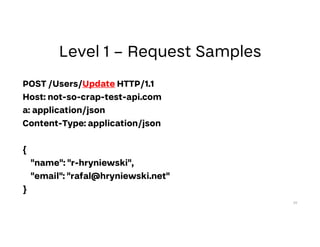
POST /Users/Update HTTP/1.1
Host: not-so-crap-test-api.com
a: application/json
Content-Type: application/json
{
"name": "r-hryniewski",
"email": "rafal@hryniewski.net"
}
29
30
31
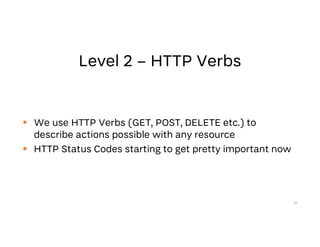
 We use HTTP Verbs (GET, POST, DELETE etc.) to
describe actions possible with any resource
 HTTP Status Codes starting to get pretty important now
32
GET /Users HTTP/1.1
Host: pretty-nice-test-api.com
---
Response:
[{
"id": 1,
"name": "r-hryniewski",
"email": "rafal@hryniewski.net"
}, {
"id": 2,
"name": "a-dupa",
"email": “dupa@debugging.test"
}]
33
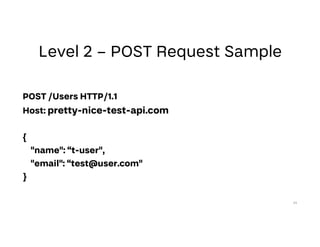
POST /Users HTTP/1.1
Host: pretty-nice-test-api.com
{
"name": “t-user",
"email": “test@user.com"
}
34
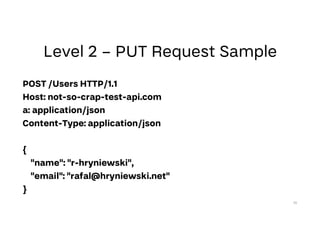
POST /Users HTTP/1.1
Host: not-so-crap-test-api.com
a: application/json
Content-Type: application/json
{
"name": "r-hryniewski",
"email": "rafal@hryniewski.net"
}
35
36
37
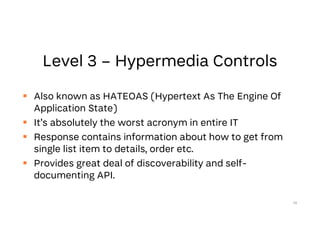
 Also known as HATEOAS (Hypertext As The Engine Of
Application State)
 It’s absolutely the worst acronym in entire IT
 Response contains information about how to get from
single list item to details, order etc.
 Provides great deal of discoverability and self-
documenting API.
38
39
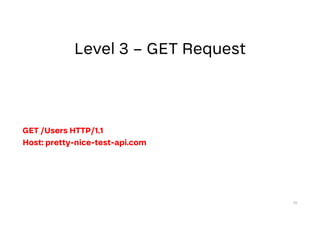
GET /Users HTTP/1.1
Host: pretty-nice-test-api.com
40
41
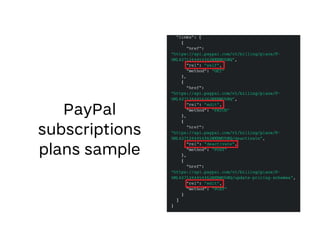
GET /Users
Response:
[{
"id": 1,
"name": "r-hryniewski",
"email":
"rafal@hryniewski.net",
"links": [{
"href": "Users/1",
"rel": "delete",
"type": "DELETE"
}, 42
{
"href": "Users/1",
"rel": " self",
"type": "GET"
},
{
"href": "UserStuff/1",
"rel": "something",
"type": "GET"
}]
},
…]
43
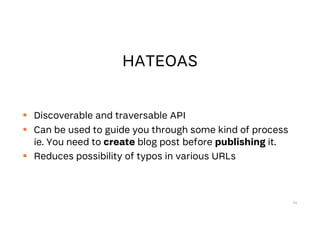
 Discoverable and traversable API
 Can be used to guide you through some kind of process
ie. You need to create blog post before publishing it.
 Reduces possibility of typos in various URLs
44
45
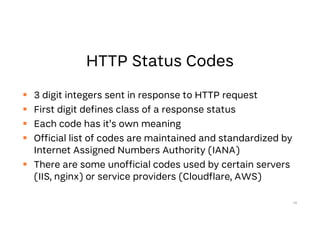
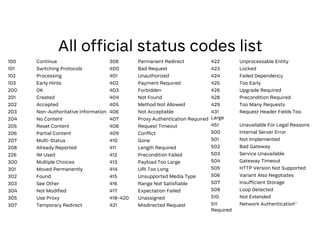
 3 digit integers sent in response to HTTP request
 First digit defines class of a response status
 Each code has it’s own meaning
 Official list of codes are maintained and standardized by
Internet Assigned Numbers Authority (IANA)
 There are some unofficial codes used by certain servers
(IIS, nginx) or service providers (Cloudflare, AWS)
46
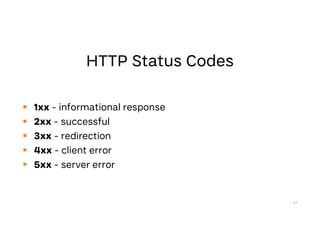
 1xx - informational response
 2xx - successful
 3xx - redirection
 4xx - client error
 5xx - server error
47
48
49
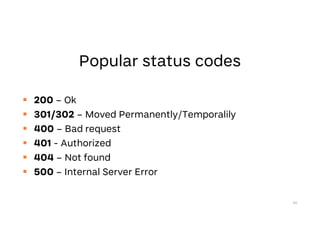
 200 – Ok
 301/302 – Moved Permanently/Temporalily
 400 – Bad request
 401 - Authorized
 404 – Not found
 500 – Internal Server Error
50
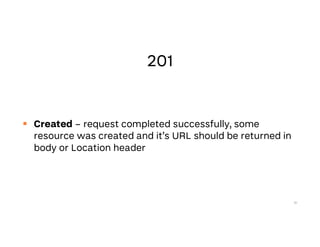
 Created – request completed successfully, some
resource was created and it’s URL should be returned in
body or Location header
51
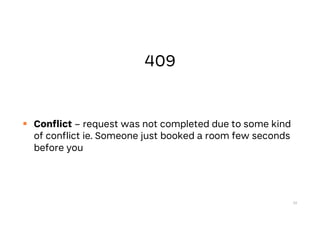
 Conflict – request was not completed due to some kind
of conflict ie. Someone just booked a room few seconds
before you
52
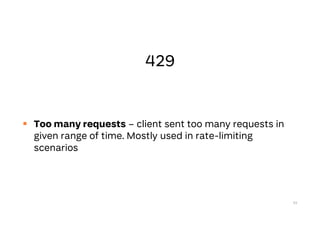
 Too many requests – client sent too many requests in
given range of time. Mostly used in rate-limiting
scenarios
53
 Locked – self explanatory
54
 Accepted – request was accepted for processing. It may
or may not succeed in future. Including some kind of URL
to track it’s status is recommended.
55
 Unavailable For Legal Reasons – used when response
cannot be served because legal reason ie. when it’s being
censored. Number is direct reference to book “Fahrenheit
451”
56
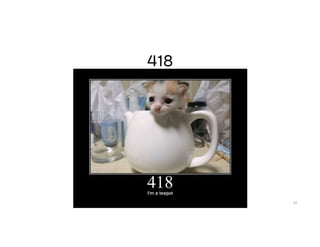
 No Content – request successful but no content
returned in response.
57
58
59
100 Continue
101 Switching Protocols
102 Processing
103 Early Hints
200 OK
201 Created
202 Accepted
203 Non-Authoritative Information
204 No Content
205 Reset Content
206 Partial Content
207 Multi-Status
208 Already Reported
226 IM Used
300 Multiple Choices
301 Moved Permanently
302 Found
303 See Other
304 Not Modified
305 Use Proxy
307 Temporary Redirect
308 Permanent Redirect
400 Bad Request
401 Unauthorized
402 Payment Required
403 Forbidden
404 Not Found
405 Method Not Allowed
406 Not Acceptable
407 Proxy Authentication Required
408 Request Timeout
409 Conflict
410 Gone
411 Length Required
412 Precondition Failed
413 Payload Too Large
414 URI Too Long
415 Unsupported Media Type
416 Range Not Satisfiable
417 Expectation Failed
418-420 Unassigned
421 Misdirected Request
422 Unprocessable Entity
423 Locked
424 Failed Dependency
425 Too Early
426 Upgrade Required
428 Precondition Required
429 Too Many Requests
431 Request Header Fields Too
Large
451 Unavailable For Legal Reasons
500 Internal Server Error
501 Not Implemented
502 Bad Gateway
503 Service Unavailable
504 Gateway Timeout
505 HTTP Version Not Supported
506 Variant Also Negotiates
507 Insufficient Storage
508 Loop Detected
510 Not Extended
511 Network Authentication
Required
60
61
 Things to consider
 Team knowledge
 Deadlines
 Extensibility
 Don’t overcomplicate things
 Don’t follow the hype
 Backwards compatibility
62
63
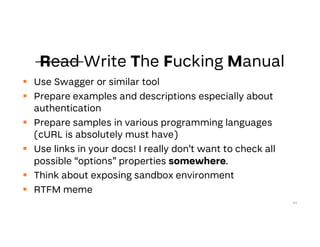
 Use Swagger or similar tool
 Prepare examples and descriptions especially about
authentication
 Prepare samples in various programming languages
(cURL is absolutely must have)
 Use links in your docs! I really don’t want to check all
possible “options” properties somewhere.
 Think about exposing sandbox environment
 RTFM meme
64
 Use plural nouns in controllers (routing) /Users are

pretty much always better than /User
 Prefer HTTP Verbs over description in routing GET /Users
is better than /Users/GetAll
65
 Yes, you can fetch data with POST request
 Yes, you can change state with GET request.
 Yes, you really can return 200 OK for failed request and
include error details in response.
 In most cases you really shouldn’t.
66
 Don’t force changes in your API clients because you need
to change “just one endpoint”
 Version your APIs
 If you’ll deprecate something announce it ahead of time
67
 You can and should provide various versions of “same”
endpoint
 If clients can’t keep up with your upgrades they’ll be
allowed to explicitly call older versions of your API
 VERY important when exposing something for mobile
apps
68
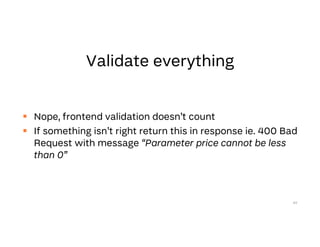
 Nope, frontend validation doesn’t count
 If something isn’t right return this in response ie. 400 Bad
Request with message “Parameter price cannot be less
than 0”
69
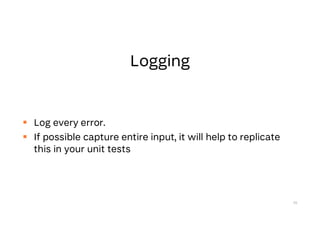
 Log every error.
 If possible capture entire input, it will help to replicate
this in your unit tests
70
71
72
73
74
75
76
77
78
79
@r_hryniewskifb.me/hryniewskinet

Great webapis

  • 2.
  • 3.
  • 4.
  • 5.
  • 6.
  • 7.
  • 8.
  • 9.
  • 10.
  • 11.
  • 12.
    Rafał Hryniewski @r_hryniewski fb.me/hryniewskinet .NETDev Blogger Speaker Trainer https://hryniewski.net rafal@hryniewski.net Community leader
  • 14.
     RESTful orRESTless  Richardson maturity model  HATEOAS  HTTP Status Codes  Implementing good (enough) API guidelines  Things you really should remember after this talk 14
  • 15.
  • 16.
     Representational statetransfer  Architectural style  Set of principles and constraints used while designing and developing Web Services  It’s not standard  Considered a good practice 16
  • 17.
     Basically whenany JSON is served over HTTP 17
  • 18.
  • 19.
     JSON overHTTP != RESTful  Creating ASP.NET (Core) WebApi project doesn’t mean you’ll get RESTful API 19
  • 20.
     Client andserver are separated  API is stateless, every request should contain all data required to process it.  Responses should be cacheable unless explicitly labeled as not cacheable  Resources should be identifiable by single URL and individual operations should be accessible by using HTTP verbs  System should have layered architecture and endpoint should be just one of the layers 20
  • 21.
     Model designedto grade how well API is compliant to REST constraint  Can be used as guide how to upgrade your system 21
  • 22.
  • 23.
     Uses HTTPas transport  POX – Plain Old XML (or basically any piece of serialized shit)  Mostly requests to single URI or URI per Service similar to RPC solutions or our favorite SOAP  Mostly has some kind of “action” input in request 23
  • 24.
    POST /UserService HTTP/1.1 Host:some-test-crap-api.com a: application/json Content-Type: application/json { "action": "CreateUser", "data": { "name": "r-hryniewski", "password": "1234", "email": "rafal@hryniewski.net" } } 24
  • 25.
  • 26.
  • 27.
  • 28.
     Uses differentURIs but still uses only GET (and POST) requests  Used quite often and it’s sufficient for some cases  Introduces some civilization 28
  • 29.
    POST /Users/Update HTTP/1.1 Host:not-so-crap-test-api.com a: application/json Content-Type: application/json { "name": "r-hryniewski", "email": "rafal@hryniewski.net" } 29
  • 30.
  • 31.
  • 32.
     We useHTTP Verbs (GET, POST, DELETE etc.) to describe actions possible with any resource  HTTP Status Codes starting to get pretty important now 32
  • 33.
    GET /Users HTTP/1.1 Host:pretty-nice-test-api.com --- Response: [{ "id": 1, "name": "r-hryniewski", "email": "rafal@hryniewski.net" }, { "id": 2, "name": "a-dupa", "email": “dupa@debugging.test" }] 33
  • 34.
    POST /Users HTTP/1.1 Host:pretty-nice-test-api.com { "name": “t-user", "email": “test@user.com" } 34
  • 35.
    POST /Users HTTP/1.1 Host:not-so-crap-test-api.com a: application/json Content-Type: application/json { "name": "r-hryniewski", "email": "rafal@hryniewski.net" } 35
  • 36.
  • 37.
  • 38.
     Also knownas HATEOAS (Hypertext As The Engine Of Application State)  It’s absolutely the worst acronym in entire IT  Response contains information about how to get from single list item to details, order etc.  Provides great deal of discoverability and self- documenting API. 38
  • 39.
    39 GET /Users HTTP/1.1 Host:pretty-nice-test-api.com
  • 40.
  • 41.
  • 42.
    GET /Users Response: [{ "id": 1, "name":"r-hryniewski", "email": "rafal@hryniewski.net", "links": [{ "href": "Users/1", "rel": "delete", "type": "DELETE" }, 42 { "href": "Users/1", "rel": " self", "type": "GET" }, { "href": "UserStuff/1", "rel": "something", "type": "GET" }] }, …]
  • 43.
  • 44.
     Discoverable andtraversable API  Can be used to guide you through some kind of process ie. You need to create blog post before publishing it.  Reduces possibility of typos in various URLs 44
  • 45.
  • 46.
     3 digitintegers sent in response to HTTP request  First digit defines class of a response status  Each code has it’s own meaning  Official list of codes are maintained and standardized by Internet Assigned Numbers Authority (IANA)  There are some unofficial codes used by certain servers (IIS, nginx) or service providers (Cloudflare, AWS) 46
  • 47.
     1xx -informational response  2xx - successful  3xx - redirection  4xx - client error  5xx - server error 47
  • 48.
  • 49.
  • 50.
     200 –Ok  301/302 – Moved Permanently/Temporalily  400 – Bad request  401 - Authorized  404 – Not found  500 – Internal Server Error 50
  • 51.
     Created –request completed successfully, some resource was created and it’s URL should be returned in body or Location header 51
  • 52.
     Conflict –request was not completed due to some kind of conflict ie. Someone just booked a room few seconds before you 52
  • 53.
     Too manyrequests – client sent too many requests in given range of time. Mostly used in rate-limiting scenarios 53
  • 54.
     Locked –self explanatory 54
  • 55.
     Accepted –request was accepted for processing. It may or may not succeed in future. Including some kind of URL to track it’s status is recommended. 55
  • 56.
     Unavailable ForLegal Reasons – used when response cannot be served because legal reason ie. when it’s being censored. Number is direct reference to book “Fahrenheit 451” 56
  • 57.
     No Content– request successful but no content returned in response. 57
  • 58.
  • 59.
  • 60.
    100 Continue 101 SwitchingProtocols 102 Processing 103 Early Hints 200 OK 201 Created 202 Accepted 203 Non-Authoritative Information 204 No Content 205 Reset Content 206 Partial Content 207 Multi-Status 208 Already Reported 226 IM Used 300 Multiple Choices 301 Moved Permanently 302 Found 303 See Other 304 Not Modified 305 Use Proxy 307 Temporary Redirect 308 Permanent Redirect 400 Bad Request 401 Unauthorized 402 Payment Required 403 Forbidden 404 Not Found 405 Method Not Allowed 406 Not Acceptable 407 Proxy Authentication Required 408 Request Timeout 409 Conflict 410 Gone 411 Length Required 412 Precondition Failed 413 Payload Too Large 414 URI Too Long 415 Unsupported Media Type 416 Range Not Satisfiable 417 Expectation Failed 418-420 Unassigned 421 Misdirected Request 422 Unprocessable Entity 423 Locked 424 Failed Dependency 425 Too Early 426 Upgrade Required 428 Precondition Required 429 Too Many Requests 431 Request Header Fields Too Large 451 Unavailable For Legal Reasons 500 Internal Server Error 501 Not Implemented 502 Bad Gateway 503 Service Unavailable 504 Gateway Timeout 505 HTTP Version Not Supported 506 Variant Also Negotiates 507 Insufficient Storage 508 Loop Detected 510 Not Extended 511 Network Authentication Required 60
  • 61.
  • 62.
     Things toconsider  Team knowledge  Deadlines  Extensibility  Don’t overcomplicate things  Don’t follow the hype  Backwards compatibility 62
  • 63.
  • 64.
     Use Swaggeror similar tool  Prepare examples and descriptions especially about authentication  Prepare samples in various programming languages (cURL is absolutely must have)  Use links in your docs! I really don’t want to check all possible “options” properties somewhere.  Think about exposing sandbox environment  RTFM meme 64
  • 65.
     Use pluralnouns in controllers (routing) /Users are pretty much always better than /User  Prefer HTTP Verbs over description in routing GET /Users is better than /Users/GetAll 65
  • 66.
     Yes, youcan fetch data with POST request  Yes, you can change state with GET request.  Yes, you really can return 200 OK for failed request and include error details in response.  In most cases you really shouldn’t. 66
  • 67.
     Don’t forcechanges in your API clients because you need to change “just one endpoint”  Version your APIs  If you’ll deprecate something announce it ahead of time 67
  • 68.
     You canand should provide various versions of “same” endpoint  If clients can’t keep up with your upgrades they’ll be allowed to explicitly call older versions of your API  VERY important when exposing something for mobile apps 68
  • 69.
     Nope, frontendvalidation doesn’t count  If something isn’t right return this in response ie. 400 Bad Request with message “Parameter price cannot be less than 0” 69
  • 70.
     Log everyerror.  If possible capture entire input, it will help to replicate this in your unit tests 70
  • 71.
  • 72.
  • 73.
  • 74.
  • 75.
  • 76.
  • 77.
  • 78.
  • 79.
  • 80.