Introduction to Google Analytics
• Started Internet Career in 1994
• The Journal News
• Online Marketing Director, 1996 – 2000
Search Smart Marketing
www.isearchsmart.com
400 Columbus Avenue
Valhalla, NY 10595
914.432.3083
243 Tresser Blvd.
Stamford, CT 06901
914.883.1506
• Online Marketing Director, 1996 – 2000
• Launched first web sites
• Wahlstrom Group, 2000 - 2006
• IPG Company
▫ VP, Managing Director Interactive Media
• Search Smart Marketing
• Launched 2006
• Adjunct Professor, Fordham University
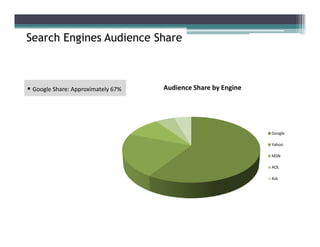
Audience Share by EngineGoogle Share: Approximately 67%
Search Engines Audience Share
Google
Yahoo
MSN
AOL
Ask
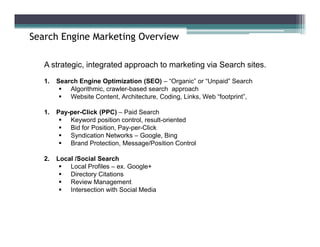
A strategic, integrated approach to marketing via Search sites.
1. Search Engine Optimization (SEO) – “Organic” or “Unpaid” Search
Algorithmic, crawler-based search approach
Website Content, Architecture, Coding, Links, Web “footprint”,
1. Pay-per-Click (PPC) – Paid Search
Keyword position control, result-oriented
Search Engine Marketing Overview
Bid for Position, Pay-per-Click
Syndication Networks – Google, Bing
Brand Protection, Message/Position Control
2. Local /Social Search
Local Profiles – ex. Google+
Directory Citations
Review Management
Intersection with Social Media
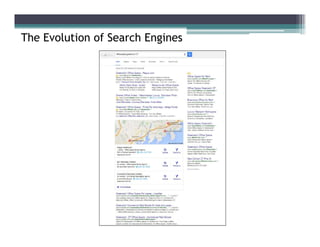
The Evolution of Search Engines
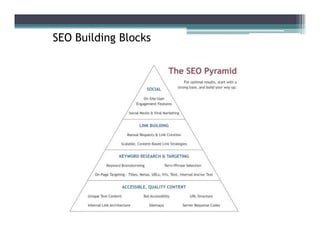
SEO Building Blocks
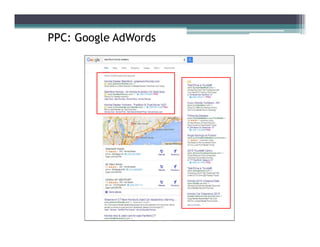
PPC: Google AdWords
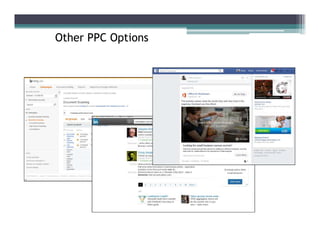
Other PPC Options
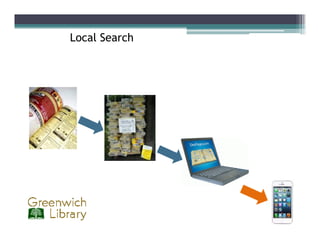
Local Search
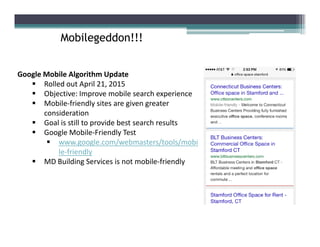
Mobilegeddon!!!
Google Mobile Algorithm Update
Rolled out April 21, 2015
Objective: Improve mobile search experience
Mobile-friendly sites are given greater
consideration
Goal is still to provide best search resultsGoal is still to provide best search results
Google Mobile-Friendly Test
www.google.com/webmasters/tools/mobi
le-friendly
MD Building Services is not mobile-friendly
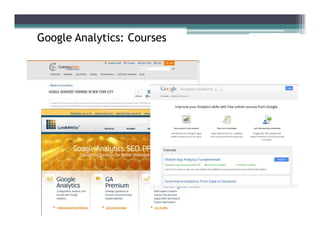
Google Analytics: Courses
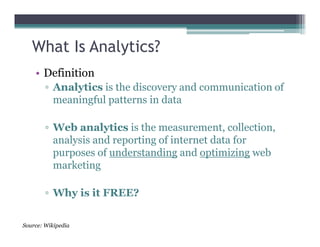
What Is Analytics?
• Definition
▫ Analytics is the discovery and communication of
meaningful patterns in data
▫ Web analytics is the measurement, collection,▫ Web analytics is the measurement, collection,
analysis and reporting of internet data for
purposes of understanding and optimizing web
marketing
▫ Why is it FREE?
Source: Wikipedia
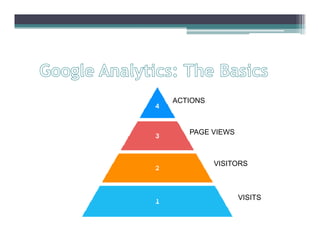
ACTIONS
VISITORS
VISITS
PAGE VIEWS
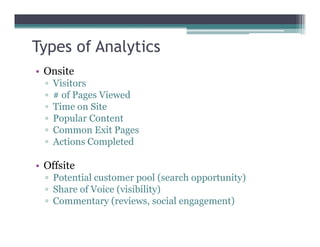
Types of Analytics
• Onsite
▫ Visitors
▫ # of Pages Viewed
▫ Time on Site
▫ Popular Content▫ Popular Content
▫ Common Exit Pages
▫ Actions Completed
• Offsite
▫ Potential customer pool (search opportunity)
▫ Share of Voice (visibility)
▫ Commentary (reviews, social engagement)
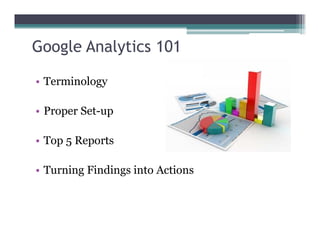
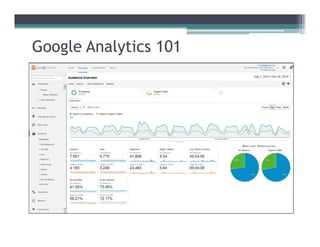
Google Analytics 101
• Terminology
• Proper Set-up
• Top 5 Reports
• Turning Findings into Actions
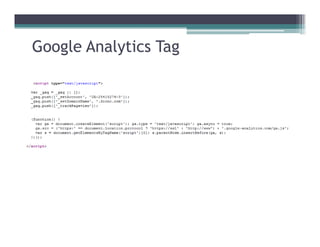
Google Analytics Tag
Google Analytics 101
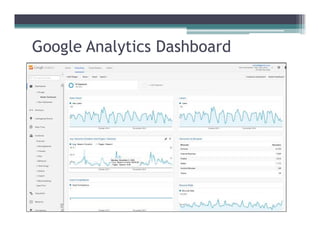
Google Analytics Dashboard
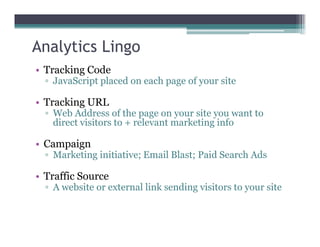
Analytics Lingo
• Tracking Code
▫ JavaScript placed on each page of your site
• Tracking URL
▫ Web Address of the page on your site you want to
direct visitors to + relevant marketing infodirect visitors to + relevant marketing info
• Campaign
▫ Marketing initiative; Email Blast; Paid Search Ads
• Traffic Source
▫ A website or external link sending visitors to your site
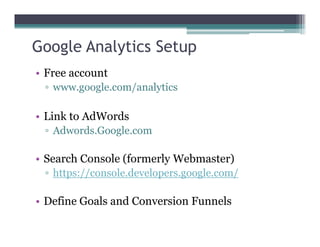
Google Analytics Setup
• Free account
▫ www.google.com/analytics
• Link to AdWords
▫ Adwords.Google.com
• Search Console (formerly Webmaster)
▫ https://console.developers.google.com/
• Define Goals and Conversion Funnels
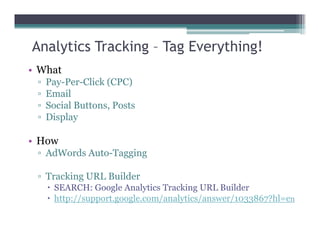
Analytics Tracking – Tag Everything!
• What
▫ Pay-Per-Click (CPC)
▫ Email
▫ Social Buttons, Posts
▫ Display
• How
▫ AdWords Auto-Tagging
▫ Tracking URL Builder
SEARCH: Google Analytics Tracking URL Builder
http://support.google.com/analytics/answer/1033867?hl=en
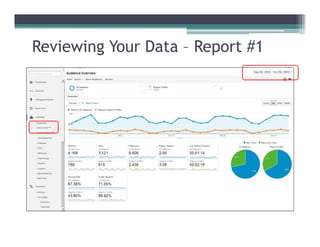
Reviewing Your Data – Report #1
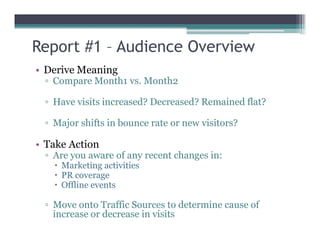
Report #1 – Audience Overview
• Derive Meaning
▫ Compare Month1 vs. Month2
▫ Have visits increased? Decreased? Remained flat?
▫ Major shifts in bounce rate or new visitors?▫ Major shifts in bounce rate or new visitors?
• Take Action
▫ Are you aware of any recent changes in:
Marketing activities
PR coverage
Offline events
▫ Move onto Traffic Sources to determine cause of
increase or decrease in visits
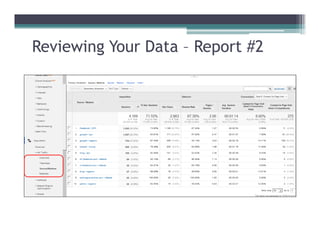
Reviewing Your Data – Report #2
Report #2 – Traffic Sources
• What sites are delivering visitors to your website?
• Traffic Source Types
▫ Direct to Site
▫ Organic Search▫ Organic Search
▫ Paid Search
▫ Referral
• Referral sources include Social Media, PR & Blogs
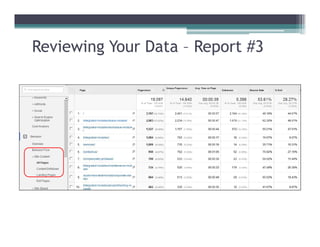
Reviewing Your Data – Report #3
Report #3 – Popular Site Content
• Derive Meaning
▫ What pages of your site are visitors drawn to?
▫ What pages do people visit, then immediately leave
your site?
• Take Action• Take Action
▫ Popular Content
Create more content of a similar nature
Send relevant paid search traffic here
▫ High Bounce Rate
Revise the text on the page
Misleading keywords?
Try a new layout
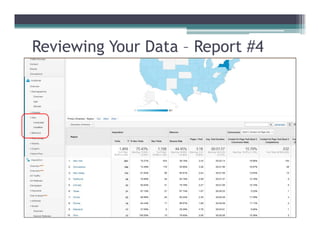
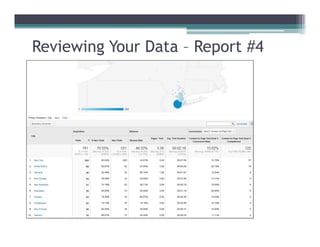
Reviewing Your Data – Report #4
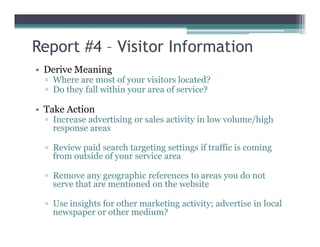
Report #4 – Visitor Information
• Derive Meaning
▫ Where are most of your visitors located?
▫ Do they fall within your area of service?
• Take Action
▫ Increase advertising or sales activity in low volume/high
response areas
▫ Increase advertising or sales activity in low volume/high
response areas
▫ Review paid search targeting settings if traffic is coming
from outside of your service area
▫ Remove any geographic references to areas you do not
serve that are mentioned on the website
▫ Use insights for other marketing activity; advertise in local
newspaper or other medium?
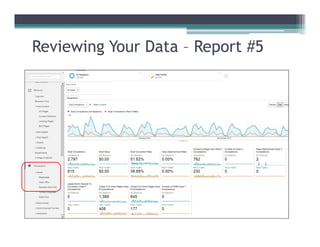
Reviewing Your Data – Report #5
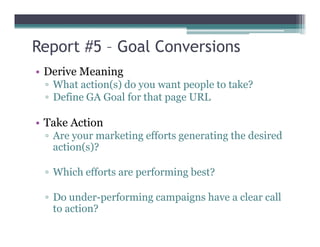
Report #5 – Goal Conversions
• Online Purchase
▫ ecommerce
transaction
• Micro-Conversion
• Downloads
▫ White Paper
▫ Brochure
• Micro-Conversion
▫ Visits to Contact Us
• Contact Actions
▫ Form Submission
▫ Newsletter Sign-up
• Site Engagement
▫ Pages per visits
▫ Time on site
• Social Engagement
▫ Blog comment
Reviewing Your Data – Report #5
Report #5 – Goal Conversions
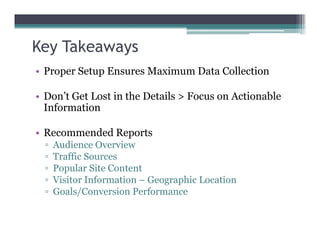
• Derive Meaning
▫ What action(s) do you want people to take?
▫ Define GA Goal for that page URL
• Take Action• Take Action
▫ Are your marketing efforts generating the desired
action(s)?
▫ Which efforts are performing best?
▫ Do under-performing campaigns have a clear call
to action?
Key Takeaways
• Proper Setup Ensures Maximum Data Collection
• Don’t Get Lost in the Details > Focus on Actionable
Information
• Recommended Reports
▫ Audience Overview
▫ Traffic Sources
▫ Popular Site Content
▫ Visitor Information – Geographic Location
▫ Goals/Conversion Performance
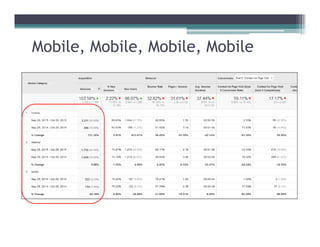
Mobile, Mobile, Mobile, Mobile
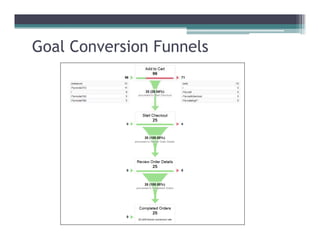
Goal Conversion Funnels
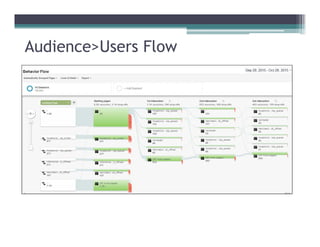
Audience>Users Flow
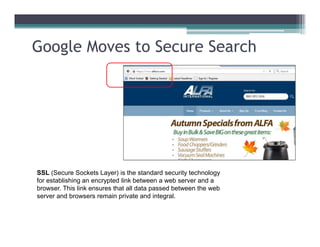
Google Moves to Secure Search
SSL (Secure Sockets Layer) is the standard security technology
for establishing an encrypted link between a web server and a
browser. This link ensures that all data passed between the web
server and browsers remain private and integral.
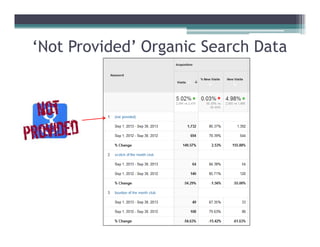
‘Not Provided’ Organic Search Data
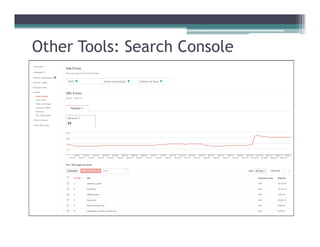
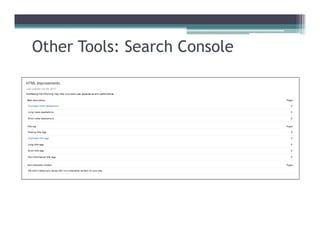
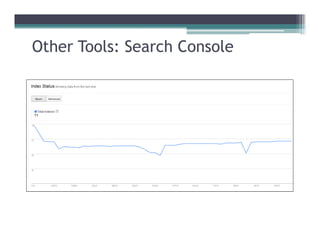
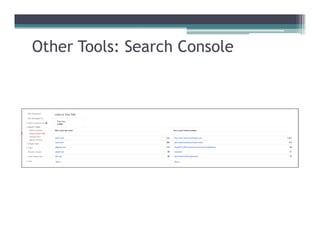
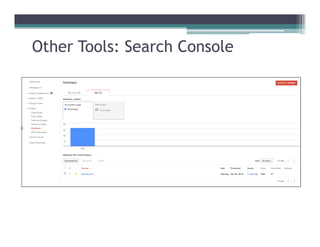
Other Tools: Search Console
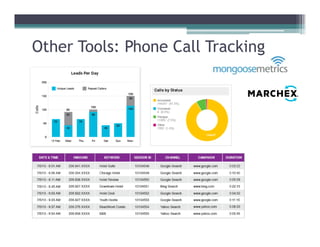
Other Tools: Phone Call Tracking
One Final Tool

Greenwich Library workshop google analytics 12.8.15

  • 1.
  • 2.
    • Started InternetCareer in 1994 • The Journal News • Online Marketing Director, 1996 – 2000 Search Smart Marketing www.isearchsmart.com 400 Columbus Avenue Valhalla, NY 10595 914.432.3083 243 Tresser Blvd. Stamford, CT 06901 914.883.1506 • Online Marketing Director, 1996 – 2000 • Launched first web sites • Wahlstrom Group, 2000 - 2006 • IPG Company ▫ VP, Managing Director Interactive Media • Search Smart Marketing • Launched 2006 • Adjunct Professor, Fordham University
  • 3.
    Audience Share byEngineGoogle Share: Approximately 67% Search Engines Audience Share Google Yahoo MSN AOL Ask
  • 4.
    A strategic, integratedapproach to marketing via Search sites. 1. Search Engine Optimization (SEO) – “Organic” or “Unpaid” Search Algorithmic, crawler-based search approach Website Content, Architecture, Coding, Links, Web “footprint”, 1. Pay-per-Click (PPC) – Paid Search Keyword position control, result-oriented Search Engine Marketing Overview Bid for Position, Pay-per-Click Syndication Networks – Google, Bing Brand Protection, Message/Position Control 2. Local /Social Search Local Profiles – ex. Google+ Directory Citations Review Management Intersection with Social Media
  • 5.
    The Evolution ofSearch Engines
  • 6.
  • 7.
  • 8.
  • 9.
  • 10.
    Mobilegeddon!!! Google Mobile AlgorithmUpdate Rolled out April 21, 2015 Objective: Improve mobile search experience Mobile-friendly sites are given greater consideration Goal is still to provide best search resultsGoal is still to provide best search results Google Mobile-Friendly Test www.google.com/webmasters/tools/mobi le-friendly MD Building Services is not mobile-friendly
  • 11.
  • 13.
    What Is Analytics? •Definition ▫ Analytics is the discovery and communication of meaningful patterns in data ▫ Web analytics is the measurement, collection,▫ Web analytics is the measurement, collection, analysis and reporting of internet data for purposes of understanding and optimizing web marketing ▫ Why is it FREE? Source: Wikipedia
  • 14.
  • 15.
    Types of Analytics •Onsite ▫ Visitors ▫ # of Pages Viewed ▫ Time on Site ▫ Popular Content▫ Popular Content ▫ Common Exit Pages ▫ Actions Completed • Offsite ▫ Potential customer pool (search opportunity) ▫ Share of Voice (visibility) ▫ Commentary (reviews, social engagement)
  • 16.
    Google Analytics 101 •Terminology • Proper Set-up • Top 5 Reports • Turning Findings into Actions
  • 17.
  • 18.
  • 19.
  • 20.
    Analytics Lingo • TrackingCode ▫ JavaScript placed on each page of your site • Tracking URL ▫ Web Address of the page on your site you want to direct visitors to + relevant marketing infodirect visitors to + relevant marketing info • Campaign ▫ Marketing initiative; Email Blast; Paid Search Ads • Traffic Source ▫ A website or external link sending visitors to your site
  • 21.
    Google Analytics Setup •Free account ▫ www.google.com/analytics • Link to AdWords ▫ Adwords.Google.com • Search Console (formerly Webmaster) ▫ https://console.developers.google.com/ • Define Goals and Conversion Funnels
  • 22.
    Analytics Tracking –Tag Everything! • What ▫ Pay-Per-Click (CPC) ▫ Email ▫ Social Buttons, Posts ▫ Display • How ▫ AdWords Auto-Tagging ▫ Tracking URL Builder SEARCH: Google Analytics Tracking URL Builder http://support.google.com/analytics/answer/1033867?hl=en
  • 23.
    Reviewing Your Data– Report #1
  • 24.
    Report #1 –Audience Overview • Derive Meaning ▫ Compare Month1 vs. Month2 ▫ Have visits increased? Decreased? Remained flat? ▫ Major shifts in bounce rate or new visitors?▫ Major shifts in bounce rate or new visitors? • Take Action ▫ Are you aware of any recent changes in: Marketing activities PR coverage Offline events ▫ Move onto Traffic Sources to determine cause of increase or decrease in visits
  • 25.
    Reviewing Your Data– Report #2
  • 26.
    Report #2 –Traffic Sources • What sites are delivering visitors to your website? • Traffic Source Types ▫ Direct to Site ▫ Organic Search▫ Organic Search ▫ Paid Search ▫ Referral • Referral sources include Social Media, PR & Blogs
  • 27.
    Reviewing Your Data– Report #3
  • 28.
    Report #3 –Popular Site Content • Derive Meaning ▫ What pages of your site are visitors drawn to? ▫ What pages do people visit, then immediately leave your site? • Take Action• Take Action ▫ Popular Content Create more content of a similar nature Send relevant paid search traffic here ▫ High Bounce Rate Revise the text on the page Misleading keywords? Try a new layout
  • 29.
    Reviewing Your Data– Report #4
  • 30.
    Reviewing Your Data– Report #4
  • 31.
    Report #4 –Visitor Information • Derive Meaning ▫ Where are most of your visitors located? ▫ Do they fall within your area of service? • Take Action ▫ Increase advertising or sales activity in low volume/high response areas ▫ Increase advertising or sales activity in low volume/high response areas ▫ Review paid search targeting settings if traffic is coming from outside of your service area ▫ Remove any geographic references to areas you do not serve that are mentioned on the website ▫ Use insights for other marketing activity; advertise in local newspaper or other medium?
  • 32.
    Reviewing Your Data– Report #5
  • 33.
    Report #5 –Goal Conversions • Online Purchase ▫ ecommerce transaction • Micro-Conversion • Downloads ▫ White Paper ▫ Brochure • Micro-Conversion ▫ Visits to Contact Us • Contact Actions ▫ Form Submission ▫ Newsletter Sign-up • Site Engagement ▫ Pages per visits ▫ Time on site • Social Engagement ▫ Blog comment
  • 34.
    Reviewing Your Data– Report #5
  • 35.
    Report #5 –Goal Conversions • Derive Meaning ▫ What action(s) do you want people to take? ▫ Define GA Goal for that page URL • Take Action• Take Action ▫ Are your marketing efforts generating the desired action(s)? ▫ Which efforts are performing best? ▫ Do under-performing campaigns have a clear call to action?
  • 36.
    Key Takeaways • ProperSetup Ensures Maximum Data Collection • Don’t Get Lost in the Details > Focus on Actionable Information • Recommended Reports ▫ Audience Overview ▫ Traffic Sources ▫ Popular Site Content ▫ Visitor Information – Geographic Location ▫ Goals/Conversion Performance
  • 38.
  • 39.
  • 40.
  • 41.
    Google Moves toSecure Search SSL (Secure Sockets Layer) is the standard security technology for establishing an encrypted link between a web server and a browser. This link ensures that all data passed between the web server and browsers remain private and integral.
  • 42.
  • 43.
  • 44.
  • 45.
  • 46.
  • 47.
  • 48.
    Other Tools: PhoneCall Tracking
  • 49.