GRAPHICAL USER
INTERFACE
By: Mohammad Suhaib
USN:1SU20CS037
Branch:Computer Science
CONTENTS
 INTRODUCTION
 HISTORY
 CHARACTERISTICS
 FEATURES
 ADVANTAGES
 DISADVANTAGES
INTRODUCTION
 A graphical User Interface (GUI),is often pronounced as
‘goo-eye’.
 It is a type of user interface that controls a display for the
user and allows users to interact with programs.
 A GUI offers graphical ions, and visual indicators.
 It was developed because interacting with computers in
textmode(C.L.I)was a very time consuming & cumbersome
activity.
HISTORY
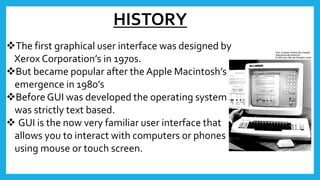
The first graphical user interface was designed by
Xerox Corporation’s in 1970s.
But became popular after the Apple Macintosh’s
emergence in 1980’s
Before GUI was developed the operating system
was strictly text based.
 GUI is the now very familiar user interface that
allows you to interact with computers or phones
using mouse or touch screen.
CHARACTERSTICS
 SophisticatedVisual Presentation
 Pick and Click interaction
 Object Orientation
 Visualization
 Views
 Use of Recognition Memory
FEATURES
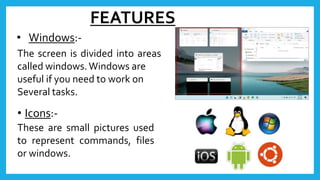
• Windows:-
The screen is divided into areas
called windows.Windows are
useful if you need to work on
Several tasks.
• Icons:-
These are small pictures used
to represent commands, files
or windows.
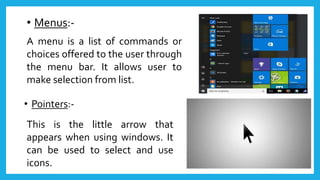
• Menus:-
A menu is a list of commands or
choices offered to the user through
the menu bar. It allows user to
make selection from list.
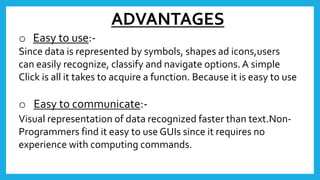
• Pointers:-
This is the little arrow that
appears when using windows. It
can be used to select and use
icons.
ADVANTAGES
o Easy to use:-
Since data is represented by symbols, shapes ad icons,users
can easily recognize, classify and navigate options.A simple
Click is all it takes to acquire a function. Because it is easy to use
o Easy to communicate:-
Visual representation of data recognized faster than text.Non-
Programmers find it easy to use GUIs since it requires no
experience with computing commands.
o Attractive:-
GUI has visually appealing features and is not cluttered with
Command lines codes.Visual images can portray emotions,
Comments and situation with long lines of computer language.
o Provides shortcuts:-
GUI lets users take advantage of shortcut keys to minimize
Strokes. A combination of two keys in place of several action
saves the user time and increases productivity.
DISADVANTAGES
o May consume more screen space
o Require a more powerful process and better graphics
display.
o Slower when executing a command.
o Takes more disk space
THANKYOU

Graphical User Interface

  • 1.
    GRAPHICAL USER INTERFACE By: MohammadSuhaib USN:1SU20CS037 Branch:Computer Science
  • 2.
    CONTENTS  INTRODUCTION  HISTORY CHARACTERISTICS  FEATURES  ADVANTAGES  DISADVANTAGES
  • 3.
    INTRODUCTION  A graphicalUser Interface (GUI),is often pronounced as ‘goo-eye’.  It is a type of user interface that controls a display for the user and allows users to interact with programs.  A GUI offers graphical ions, and visual indicators.  It was developed because interacting with computers in textmode(C.L.I)was a very time consuming & cumbersome activity.
  • 4.
    HISTORY The first graphicaluser interface was designed by Xerox Corporation’s in 1970s. But became popular after the Apple Macintosh’s emergence in 1980’s Before GUI was developed the operating system was strictly text based.  GUI is the now very familiar user interface that allows you to interact with computers or phones using mouse or touch screen.
  • 5.
    CHARACTERSTICS  SophisticatedVisual Presentation Pick and Click interaction  Object Orientation  Visualization  Views  Use of Recognition Memory
  • 6.
    FEATURES • Windows:- The screenis divided into areas called windows.Windows are useful if you need to work on Several tasks. • Icons:- These are small pictures used to represent commands, files or windows.
  • 7.
    • Menus:- A menuis a list of commands or choices offered to the user through the menu bar. It allows user to make selection from list. • Pointers:- This is the little arrow that appears when using windows. It can be used to select and use icons.
  • 8.
    ADVANTAGES o Easy touse:- Since data is represented by symbols, shapes ad icons,users can easily recognize, classify and navigate options.A simple Click is all it takes to acquire a function. Because it is easy to use o Easy to communicate:- Visual representation of data recognized faster than text.Non- Programmers find it easy to use GUIs since it requires no experience with computing commands.
  • 9.
    o Attractive:- GUI hasvisually appealing features and is not cluttered with Command lines codes.Visual images can portray emotions, Comments and situation with long lines of computer language. o Provides shortcuts:- GUI lets users take advantage of shortcut keys to minimize Strokes. A combination of two keys in place of several action saves the user time and increases productivity.
  • 10.
    DISADVANTAGES o May consumemore screen space o Require a more powerful process and better graphics display. o Slower when executing a command. o Takes more disk space
  • 11.